set LEXUS LS500 2019 Owners Manual
[x] Cancel search | Manufacturer: LEXUS, Model Year: 2019, Model line: LS500, Model: LEXUS LS500 2019Pages: 512, PDF Size: 9.71 MB
Page 347 of 512
3475-6. Using the other interior features
LS500_OM_(U)_1810 5
Interior features 1 To set the visor in the forward posi-
tion, flip it down.
2 To set the visor in the side position,
flip down, unhook, and swing it to
the side.
3 To use the side extender, place the
visor in the side position, then slide
it backward.
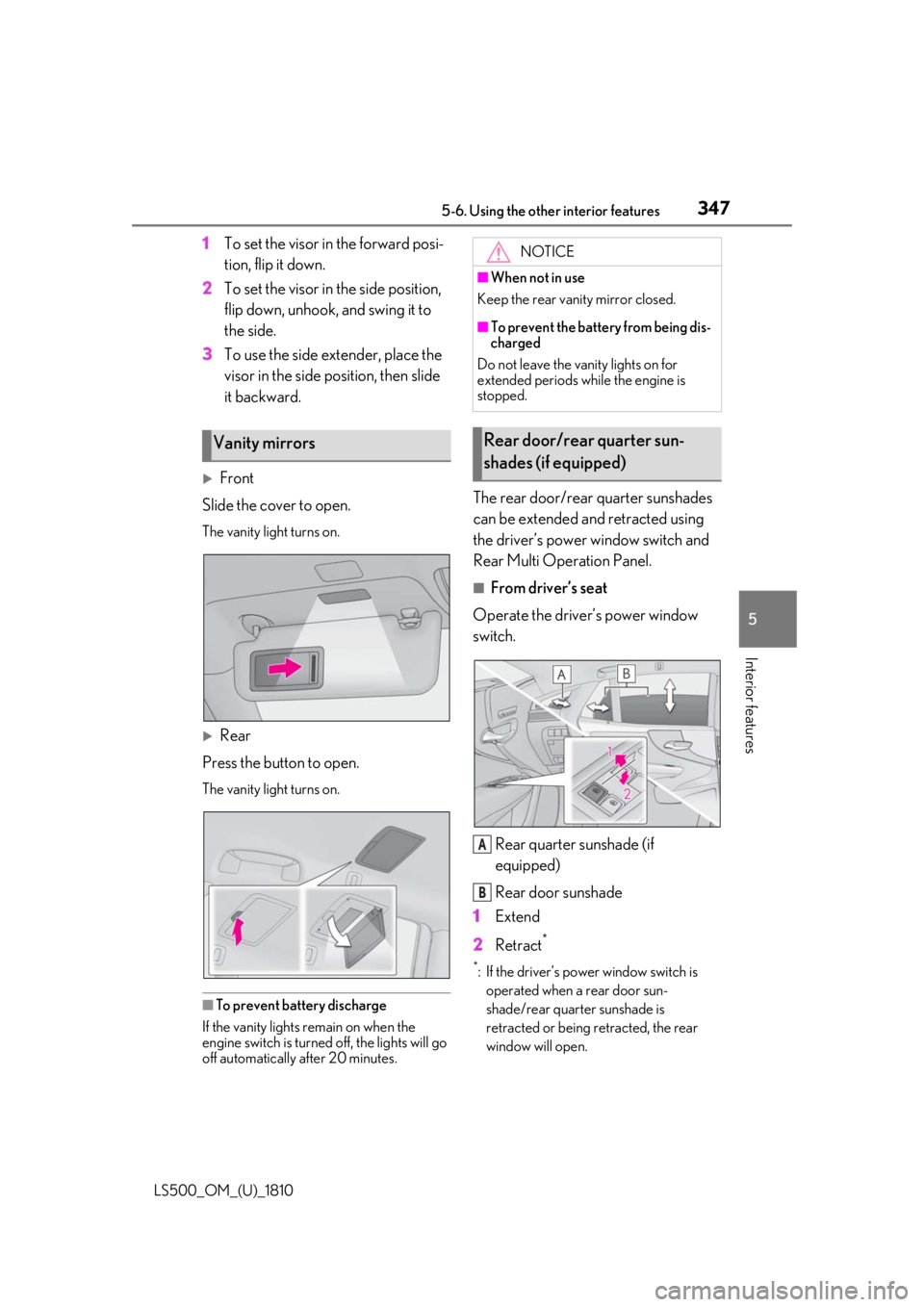
Front
Slide the cover to open. The vanity light turns on.
Rear
Press the button to open. The vanity light turns on.
■
To prevent battery discharge
If the vanity lights remain on when the
engine switch is turned off, the lights will go
off automatically after 20 minutes. The rear door/rear quarter sunshades
can be extended and retracted using
the driver’s power window switch and
Rear Multi Operation Panel. ■
From driver’s seat
Operate the driver’s power window
switch.
Rear quarter sunshade (if
equipped)
Rear door sunshade
1 Extend
2 Retract **
: If the driver’s power window switch is
operated when a rear door sun-
shade/rear quarter sunshade is
retracted or being retracted, the rear
window will open.Vanity mirrors NOTICE■
When not in use
Keep the rear vanity mirror closed. ■
To prevent the battery from being dis-
charged
Do not leave the vanity lights on for
extended periods while the engine is
stopped.
Rear door/rear quarter sun-
shades (if equipped)
A
B
Page 358 of 512
358 6-1. Maintenance and care
LS500_OM_(U)_1810 6-1.Maintenance and care
Working from top to bottom, liber-
ally apply water to the vehicle body,
wheel wells and underside of the
vehicle to remove any dirt and dust.
Wash the vehicle body using a
sponge or soft cloth, such as a
chamois.
For hard-to-remove marks, use car
wash soap and rinse thoroughly with
water.
Wipe away any water.
Wax the vehicle when the water-
proof coating deteriorates. If water does not bead on a clean surface,
apply wax when the vehicle body is cool.
■
Self-restoring coat
The vehicle body has a self-restoring coat-
ing that is resistant to small surface
scratches caused in a car wash etc.
●
The coating lasts for 5 to 8 years from
when the vehicle is delivered from the
plant.
●
The restoration time differs depending on
the depth of the scratch and outside tem-
perature.
The restoration time may become
shorter when the coating is warmed by
applying warm water.
●
Deep scratches caused by keys, coins,
etc. cannot be restored.
●
Do not use wax that contains abrasives. ■
Automatic car washes ●
Before washing the vehicle:
• Fold the mirrors
• Turn off the power trunk opener and
closer (if equipped)
Start washing from the front of the vehicle.
Extend the mirrors before driving.●
Brushes used in automatic car washes
may scratch the vehicl e surface and harm
your vehicle’s paint. ■
High pressure car washes ●
Do not allow the nozzles of the car wash
to come within close proximity of the win-
dows and the air suspension unit (if
equipped). ●
Before using the car wash, check that the
fuel filler door on your vehicle is closed
properly. ■
When using a car wash
If the door handle becomes wet while the
electronic key is within the effective range,
the door may lock and unlock repeatedly. In
that case, follow the following correction
procedures to wash the vehicle: ●
Place the key in a position 6 ft. (2 m) or
more separate from the vehicle while the
vehicle is being wash ed. (Take care to
ensure that the key is not stolen.) ●
Set the electronic key to battery-saving
mode to disable the smart access system
with push-button start. ( P.112)■
Aluminum wheels ●
Remove any dirt immediately by using a
neutral detergent. ●
Wash detergent off with water immedi-
ately after use.
●
To protect the paint from damage, make
sure to observe the following precau-
tions.
• Do not use acidic, alkaline or abrasive
detergent
• Do not use hard brushes
• Do not use detergent on the wheels when
they are hot, such as after driving or park-
ing in hot weatherCleaning and protecting the
vehicle exterior Perform cleaning in a manner
appropriate to each component
and its material.
Cleaning instructions
Page 359 of 512
3596-1. Maintenance and care
LS500_OM_(U)_1810 6
Maintenance and care ■
Brake caliper coating (F SPORT mod-
els)●
When using detergent, use neutral deter-
gent. Do not use hard brushes or abra-
sive cleaners, as they will damage the
coating.●
Do not use detergent on the brake cali-
pers when they are hot.●
Wash detergent off immediately after
use.■
Bumpers and side moldings
Do not scrub with abrasive cleaners. ■
Front side windows water-repellent
coating (if equipped)●
The following precautions can extend the
effectiveness of the water-repellent coat-
ing.
• Remove any dirt, etc. from the front side
windows regularly.
• Do not allow dirt and dust to accumulate
on the windows for a long period.
Clean the windows with a soft, damp
cloth as soon as possible.
• Do not use wax or glass cleaners that
contain abrasives when cleaning the win-
dows.
• Do not use any metallic objects to
remove condensation build up.●
When the water-repellent performance
has become insufficie nt, the coating can
be repaired. Contact your Lexus dealer.■
Plated portions
If dirt cannot be removed, clean the parts as
follows: ●
Use a soft cloth dampened with an
approximately 5% solution of neutral
detergent and water to clean the dirt off.
●
Wipe the surface with a dry, soft cloth to
remove any remaining moisture.
●
To remove oily deposits, use alcohol wet
wipes or a similar product. WARNING■
When washing the vehicle
Do not apply water to the inside of the
engine compartment. Doing so may
cause the electrical components, etc. to
catch fire. ■
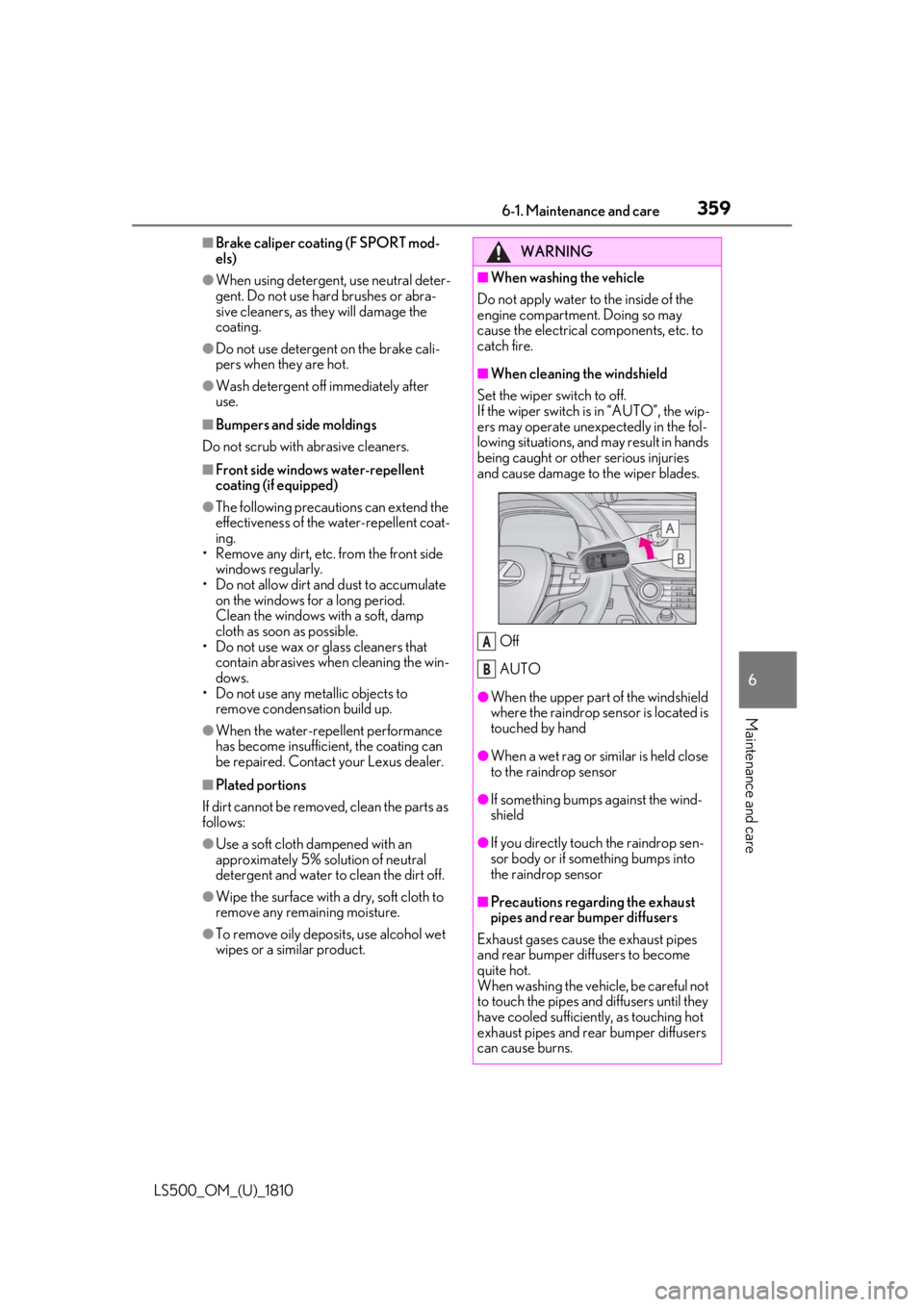
When cleaning the windshield
Set the wiper switch to off.
If the wiper switch is in “AUTO”, the wip-
ers may operate unexpectedly in the fol-
lowing situations, and may result in hands
being caught or other serious injuries
and cause damage to the wiper blades.
Off
AUTO ●
When the upper part of the windshield
where the raindrop sensor is located is
touched by hand
●
When a wet rag or similar is held close
to the raindrop sensor
●
If something bumps against the wind-
shield
●
If you directly touch the raindrop sen-
sor body or if something bumps into
the raindrop sensor
■
Precautions regarding the exhaust
pipes and rear bumper diffusers
Exhaust gases cause the exhaust pipes
and rear bumper diffusers to become
quite hot.
When washing the vehicle, be careful not
to touch the pipes and diffusers until they
have cooled sufficiently, as touching hot
exhaust pipes and rear bumper diffusers
can cause burns. A
B
Page 360 of 512
360 6-1. Maintenance and care
LS500_OM_(U)_1810 WARNING■
Precaution regarding the front
bumper (vehicles with Lexus Safety
System + A)
If the paint of the fr ont bumper is chipped
or scratched, the Le xus Safety System +
A may not function correctly. If this
occurs, consult your Lexus dealer. ■
Precaution regarding the rear
bumper
If the paint of the rear bumper is chipped
or scratched, the fo llowing systems may
not function correctly. If this occurs, con-
sult your Lexus dealer. ●
Lexus Safety System + A (if equipped)●
BSM (if equipped)●
RCTA (if equipped)●
PKSB (if equipped)
NOTICE■
To prevent paint deterioration and
corrosion on the body and compo-
nents (aluminum wheels, etc.)●
Wash the vehicle immediately in the
following cases:
• After driving near the sea coast
• After driving on salted roads
• If coal tar or tree sap is present on the
paint surface
• If dead insects, in sect droppings or
bird droppings are present on the
paint surface
• After driving in an area contaminated
with soot, oily smoke, mine dust, iron
powder or chemical substances
• If the vehicle becomes heavily soiled
with dust or mud
• If liquids such as benzene and gasoline
are spilled on the paint surface ●
If the paint is chipped or scratched,
have it repaired immediately. ●
To prevent the wheels from corroding,
remove any dirt and store in a place
with low humidity when storing the
wheels. ■
Cleaning the exterior lights ●
Wash carefully. Do not use organic
substances or scrub with a hard brush.
This may damage the surfaces of the
lights. ●
Do not apply wax to the surfaces of the
lights.
Wax may cause damage to the lenses. ■
When using an automatic car wash
Set the wiper switch to the off position.
If the wiper switch is in “AUTO”, the wip-
ers may operate and the wiper blades
may be damaged. ■
When using a high pressure car wash ●
When washing the vehicle, do not
spray the camera or its surrounding
area directly with a high pressure
washer. Shock applied from high pres-
sure water may cause the device to not
operate normally. ●
Do not bring the nozzle tip close to
boots (rubber or re sin manufactured
cover), connectors or the following
parts. The parts may be damaged if
they come into contact with high-pres-
sure water.
• Traction related parts
•Steering parts
• Suspension parts
• Brake parts
Page 364 of 512
364 6-2. Maintenance
LS500_OM_(U)_1810 6-2.Maintenance
■
Repair and replacement
It is recommended that genuine Lexus parts
be used for repairs to ensure performance
of each system. If non-Lexus parts are used
in replacement or if a repair shop other than
a Lexus dealer perfor ms repairs, confirm
the warranty coverage. ■
Allow inspection and repairs to be per-
formed by a Lexus dealer●
Lexus technicians are well-trained spe-
cialists and are kept up to date with the
latest service information. They are well
informed about the operation of all sys-
tems on your vehicle.●
Keep a copy of the repa ir order. It proves
that the maintenance that has been per-
formed is under warra nty coverage. If any
problem should arise while your vehicle is
under warranty, your Lexus dealer will
promptly take care of it. General maintenance should be per-
formed on a daily basis. This can be
done by yourself or by a Lexus dealer.
Scheduled maintenance should be
performed at specified intervals
according to the maintenance sched-
ule. For details about ma intenance items and
schedules, refer to the “Warranty and Ser-
vice Guide”, “Owner’s Manual Supple-
ment” or “Scheduled Maintenance”.
■
Resetting the message indicating main-
tenance is required
After the required maintenance is per-
formed according to the maintenance
schedule, please reset the message.
To reset the message, follow the procedure
described below:
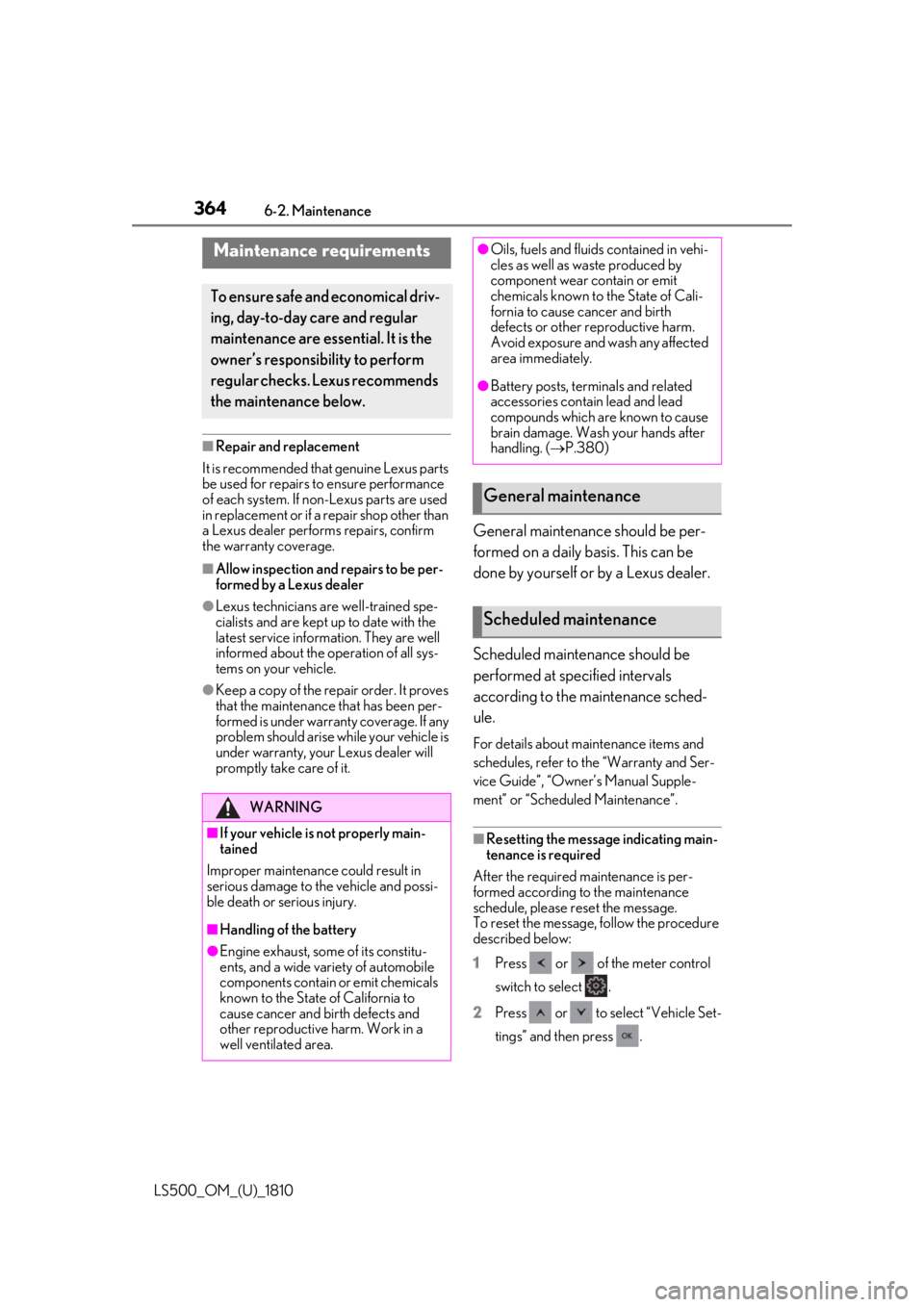
1 Press or of the meter control
switch to select .
2 Press or to select “Vehicle Set-
tings” and then press .Maintenance requirements To ensure safe and economical driv-
ing, day-to-day care and regular
maintenance are essential. It is the
owner’s responsibility to perform
regular checks. Lexus recommends
the maintenance below.
WARNING
■
If your vehicle is not properly main-
tained
Improper maintenanc e could result in
serious damage to the vehicle and possi-
ble death or serious injury.
■
Handling of the battery
●
Engine exhaust, some of its constitu-
ents, and a wide variety of automobile
components contain or emit chemicals
known to the State of California to
cause cancer and birth defects and
other reproductive harm. Work in a
well ventilated area. ●
Oils, fuels and fluids contained in vehi-
cles as well as waste produced by
component wear contain or emit
chemicals known to the State of Cali-
fornia to cause cancer and birth
defects or other re productive harm.
Avoid exposure and wash any affected
area immediately. ●
Battery posts, terminals and related
accessories contai n lead and lead
compounds which are known to cause
brain damage. Wash your hands after
handling. ( P.380)
General maintenance
Scheduled maintenance
Page 365 of 512
3656-2. Maintenance
LS500_OM_(U)_1810 6
Maintenance and care 3 Press or to select “Scheduled
Maintenance” and then press .
4 Press or to select “Yes” and
then press .
A message will be displayed on the
multi-information disp lay when the reset
procedure has been completed.
You can perform some maintenance
procedures by yourself.
Please be aware that do-it-yourself
maintenance may affect warranty cov-
erage. The use of Lexus repair manuals is recom-
mended.
For details about warra nty coverage, refer
to the separate “Owner’s Guide”, “War-
ranty and Service Guide”, “Owner’s Man-
ual Supplement” or “Warranty Booklet”.Do-it-yourself maintenance General maintenance Listed below are the general main-
tenance items that should be per-
formed at the intervals specified in
the “Warranty and Service Guide”
or “Owner’s Manual Supplement”.
It is recommended that any prob-
lem you notice should be brought to
the attention of your Lexus dealer
or qualified service shop for advice. WARNING■
If the engine is running
Turn the engine off and ensure that there
is adequate ventilati on before perform-
ing maintenance checks.
Engine compartment Items Check points
Brake fluid Is the brake fluid at the
correct level?
( P.379)
Engine/inter-
cooler coolant Is the engine/inter-
cooler coolant at the
correct level?
( P.377)
Engine oil Is the engine oil at the
correct level?
( P.375)
Exhaust system There should not be
any fumes or strange
sounds.
Page 368 of 512
368 6-2. Maintenance
LS500_OM_(U)_1810 The OBD system determines that a
problem exists somewhere in the emis-
sion control system. Your vehicle may
not pass the I/M test and may need to
be repaired. Contact your Lexus
dealer to service the vehicle.
When the battery is disconnected
or discharged Readiness codes that are set during ordi-
nary driving are erased.
Also, depending on your driving habits, the
readiness codes may not be completely
set.
When the fuel tank cap is loose The malfunction indicator lamp comes on
indicating a temporary malfunction and
your vehicle may not pass the I/M test. The error code in the OBD system will
not be cleared unless the vehicle is
driven 40 or more times.
Contact your Lexus dealer to prepare
the vehicle for re-testing.Emission inspection and
maintenance (I/M) pro-
grams Some states have vehicle emission
inspection programs which include
OBD (On Board Diagnostics)
checks. The OBD system monitors
the operation of the emission con-
trol system.
If the malfunction indicator lamp
comes on
Your vehicle may not pass the
I/M test in the following situa-
tions: When the malfunction indicator
lamp still remains on after sev-
eral driving trips
If your vehicle does not pass the
I/M test
Page 377 of 512
3776-3. Do-it-yourself maintenance
LS500_OM_(U)_1810 6
Maintenance and care engine oil may need to be refilled in
between oil maintenance intervals. ●
When the engine is new, for example
directly after purchasing the vehicle or
after replacing the engine●
If low quality oil or oil of an inappropriate
viscosity is used●
When driving at high engine speeds or
with a heavy load, or when driving while
accelerating or decelerating frequently●
When leaving the engine idling for a long
time, or when driving frequently through
heavy traffic■
After changing the engine oil
The engine oil maintena nce data should be
reset. Perform the following procedures:
1 Press or of the meter control
switch to select .
2 Press or to select “Vehicle Set-
tings” and then press .
3 Press or to select “Oil Mainte-
nance” and then press .
4 Press or to select “Yes” and
then press .
A message will be displayed on the
multi-information disp lay when the reset
procedure has been completed.
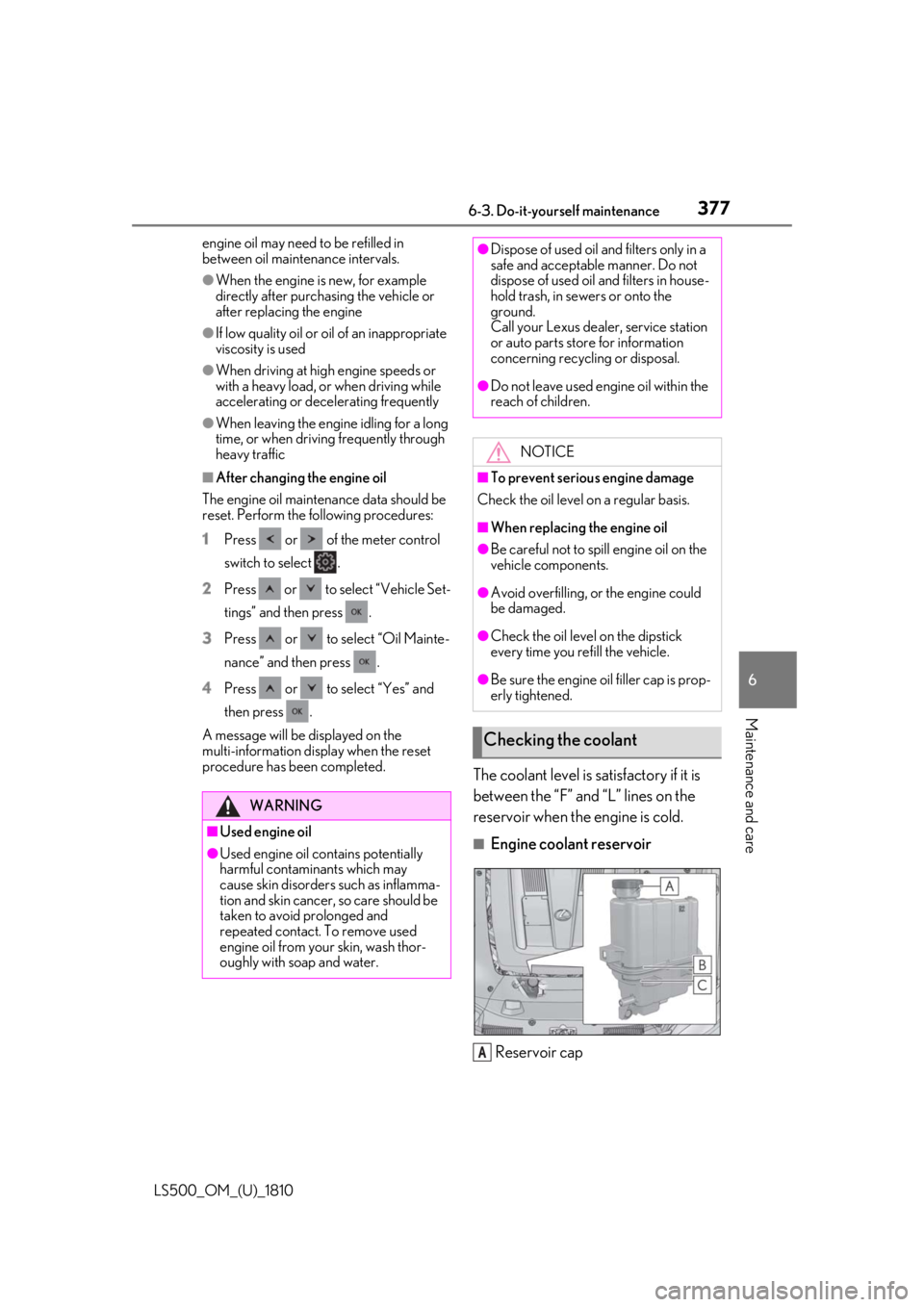
The coolant level is satisfactory if it is
between the “F” and “L” lines on the
reservoir when the engine is cold. ■
Engine coolant reservoir
Reservoir capWARNING
■
Used engine oil●
Used engine oil contains potentially
harmful contaminants which may
cause skin disorders such as inflamma-
tion and skin cancer, so care should be
taken to avoid prolonged and
repeated contact. To remove used
engine oil from your skin, wash thor-
oughly with soap and water. ●
Dispose of used oil and filters only in a
safe and acceptable manner. Do not
dispose of used oil and filters in house-
hold trash, in sewers or onto the
ground.
Call your Lexus dealer, service station
or auto parts store for information
concerning recycling or disposal. ●
Do not leave used engine oil within the
reach of children.
NOTICE■
To prevent serious engine damage
Check the oil level on a regular basis. ■
When replacing the engine oil ●
Be careful not to spill engine oil on the
vehicle components. ●
Avoid overfilling, or the engine could
be damaged. ●
Check the oil level on the dipstick
every time you re fill the vehicle.●
Be sure the engine o il filler cap is prop-
erly tightened.
Checking the coolant
A
Page 388 of 512
388 6-3. Do-it-yourself maintenance
LS500_OM_(U)_1810 ■
The tire pressure warning system
must be initialized in the following
circumstances:
When the tire inflation pressure is
changed such as when changing
traveling speed or load weight.
When the tire inflation pressure is
changed such as when the tire size
is changed.
When rotating the tires.
After performing the transmitter ID
code registration procedure.
( P.389)
When the tire pressure warning system
is initialized, the cu rrent tire inflation
pressure is set as the benchmark pres-
sure. ■
How to initialize the tire pressure
warning system
1 Park the vehicle in a safe place, turn
the engine switch off and wait 20
minutes or more.The initialization procedure cannot be
started while the vehicle is moving.
2 Adjust the tire inflation pressure to
the specified cold tire inflation pres-
sure level.Make sure to adjust th e tire pressure to the
specified cold tire infl ation pressure level.
The tire pressure warning system will oper-
ate based on this pressure level.
3 Start the engine.
4 Press or of the meter con-
trol switch to select . 5 Press or to select “Vehicle
Settings” and then press .
6 Press or to select “TPWS”
and then press .
7 Press or to select “Set
Pressure”. Then press and hold
until the tire pressure warning light
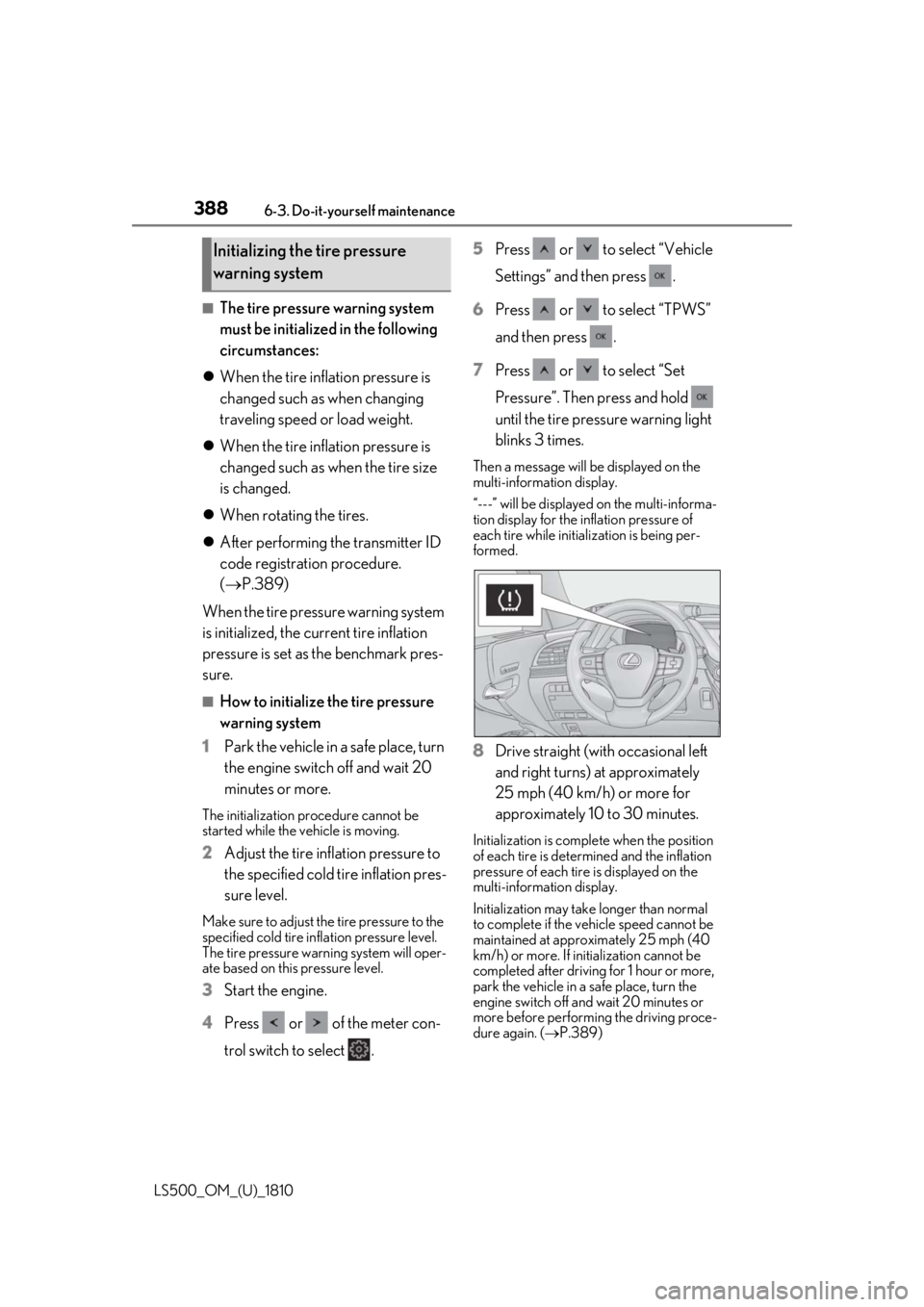
blinks 3 times. Then a message will be displayed on the
multi-information display.
“---” will be displayed on the multi-informa-
tion display for the inflation pressure of
each tire while initialization is being per-
formed.
8 Drive straight (with occasional left
and right turns) at approximately
25 mph (40 km/h) or more for
approximately 10 to 30 minutes. Initialization is comple te when the position
of each tire is determ ined and the inflation
pressure of each tire is displayed on the
multi-information display.
Initialization may take longer than normal
to complete if the vehicle speed cannot be
maintained at approx imately 25 mph (40
km/h) or more. If initialization cannot be
completed after driving for 1 hour or more,
park the vehicle in a safe place, turn the
engine switch off and wait 20 minutes or
more before performing the driving proce-
dure again. ( P.389)Initializing the tire pressure
warning system
Page 390 of 512
390 6-3. Do-it-yourself maintenance
LS500_OM_(U)_1810 2 Press or of the meter con-
trol switch to select .
3 Press or to select “Vehicle
Settings” and then press .
4 Press or to select “TPWS”
and then press .
5 Press or to select “Change
Wheel Set”. Then press and hold
until the tire pressure warning
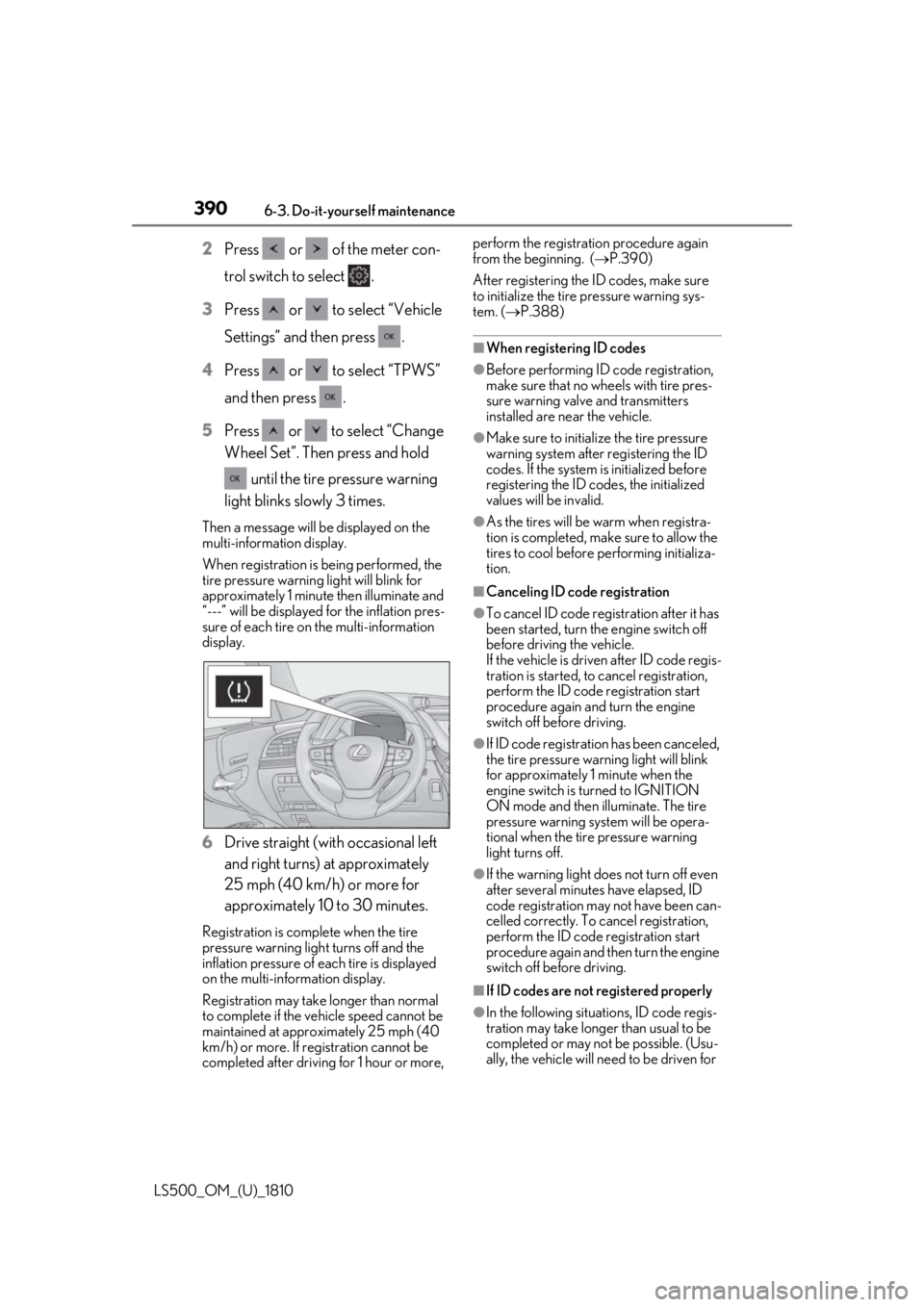
light blinks slowly 3 times.Then a message will be displayed on the
multi-information display.
When registration is being performed, the
tire pressure warning light will blink for
approximately 1 minute then illuminate and
“---” will be displayed for the inflation pres-
sure of each tire on the multi-information
display.
6 Drive straight (with occasional left
and right turns) at approximately
25 mph (40 km/h) or more for
approximately 10 to 30 minutes.Registration is complete when the tire
pressure warning light turns off and the
inflation pressure of each tire is displayed
on the multi-information display.
Registration may take longer than normal
to complete if the vehicle speed cannot be
maintained at approximately 25 mph (40
km/h) or more. If registration cannot be
completed after driving for 1 hour or more, perform the registrati on procedure again
from the beginning. ( P.390)
After registering the ID codes, make sure
to initialize the tire pressure warning sys-
tem. ( P.388)■
When registering ID codes ●
Before performing ID code registration,
make sure that no wheels with tire pres-
sure warning valve and transmitters
installed are near the vehicle. ●
Make sure to initializ e the tire pressure
warning system after registering the ID
codes. If the system is initialized before
registering the ID codes, the initialized
values will be invalid. ●
As the tires will be warm when registra-
tion is completed, ma ke sure to allow the
tires to cool before performing initializa-
tion. ■
Canceling ID code registration ●
To cancel ID code regi stration after it has
been started, turn the engine switch off
before driving the vehicle.
If the vehicle is driven after ID code regis-
tration is started, to cancel registration,
perform the ID code registration start
procedure again and turn the engine
switch off before driving. ●
If ID code registration has been canceled,
the tire pressure warning light will blink
for approximately 1 minute when the
engine switch is tu rned to IGNITION
ON mode and then illuminate. The tire
pressure warning system will be opera-
tional when the tire pressure warning
light turns off.
●
If the warning light does not turn off even
after several minutes have elapsed, ID
code registration may not have been can-
celled correctly. To cancel registration,
perform the ID code registration start
procedure again and then turn the engine
switch off before driving.
■
If ID codes are not registered properly
●
In the following situations, ID code regis-
tration may take longer than usual to be
completed or may not be possible. (Usu-
ally, the vehicle will need to be driven for