set LEXUS LS500 2019 Repair Manual
[x] Cancel search | Manufacturer: LEXUS, Model Year: 2019, Model line: LS500, Model: LEXUS LS500 2019Pages: 512, PDF Size: 9.71 MB
Page 208 of 512
208 4-5. Using the driving support systems
LS500_OM_(U)_1810 ■
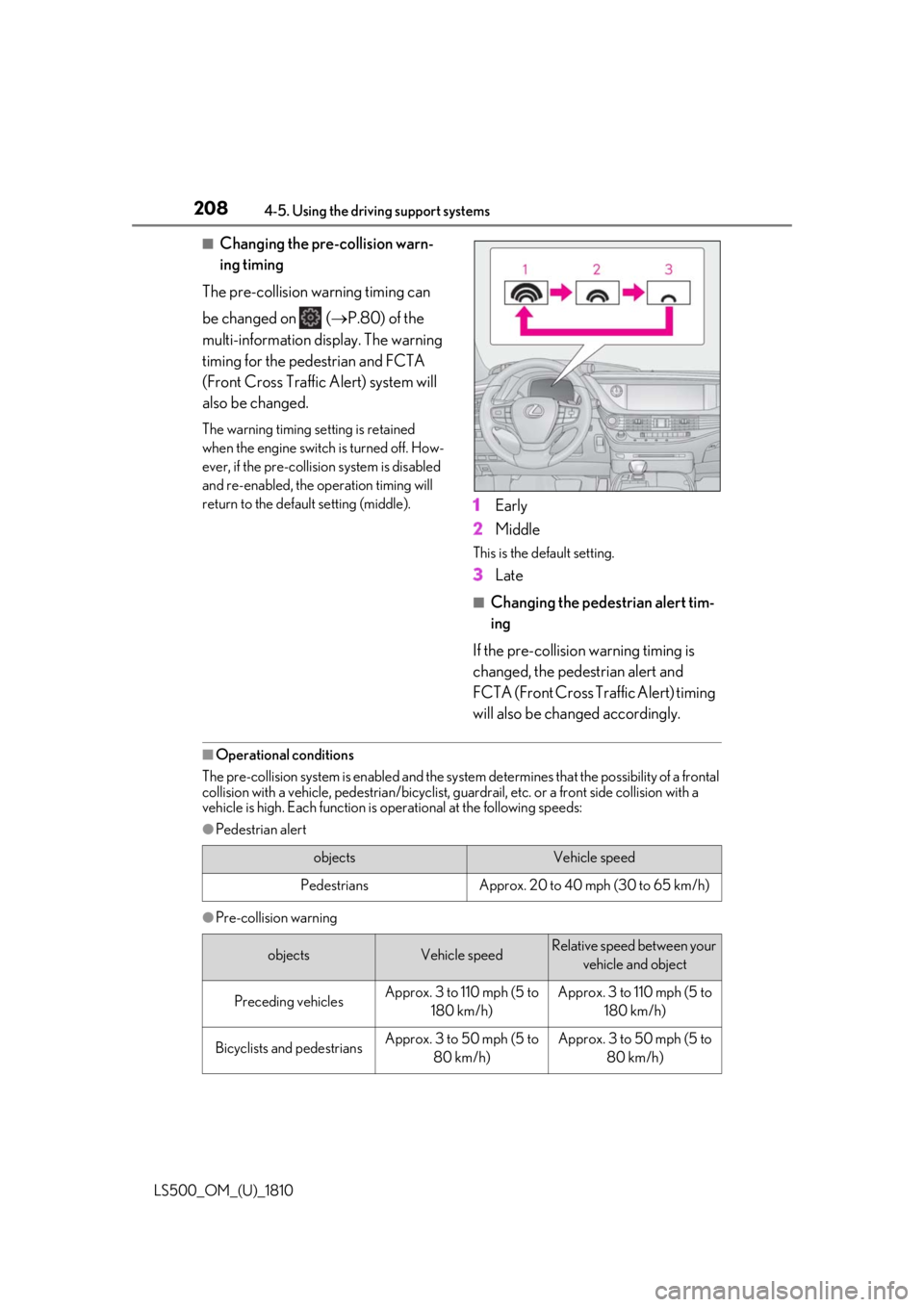
Changing the pre-collision warn-
ing timing
The pre-collision warning timing can
be changed on ( P.80) of the
multi-information display. The warning
timing for the pedestrian and FCTA
(Front Cross Traffic Alert) system will
also be changed. The warning timing se tting is retained
when the engine switch is turned off. How-
ever, if the pre-collision system is disabled
and re-enabled, the operation timing will
return to the default setting (middle).
1 Early
2 Middle This is the default setting.
3 Late ■
Changing the pedestrian alert tim-
ing
If the pre-collision warning timing is
changed, the pedestrian alert and
FCTA (Front Cross Traffic Alert) timing
will also be changed accordingly.■
Operational conditions
The pre-collision system is enabled and the system determines that the possibility of a frontal
collision with a vehicle, pedestri an/bicyclist, guardrail, etc. or a front side collision with a
vehicle is high. Each function is operational at the following speeds:●
Pedestrian alert
●
Pre-collision warning objects Vehicle speed
Pedestrians Approx. 20 to 40 mph (30 to 65 km/h)
objects Vehicle speed Relative speed between your
vehicle and object
Preceding vehicles Approx. 3 to 110 mph (5 to
180 km/h) Approx. 3 to 110 mph (5 to
180 km/h)
Bicyclists and pedestrians Approx. 3 to 50 mph (5 to
80 km/h) Approx. 3 to 50 mph (5 to
80 km/h)
Page 214 of 512

214 4-5. Using the driving support systems
LS500_OM_(U)_1810 ●
In some situations, such as the following,
the sensors may not detect the lane lines
or a safe space the vehicle can be steered
into, preventing the ac tive steering assist
from operating properly:
• When the white (yellow) lane lines are
difficult to see, such as when they are
faint, diverging/merging, or a shadow is
cast upon them
• When the lane is more wide or narrow
than normal
• When there is a light and dark pattern on
the road surface, such as due to road
repairs
• If the system determines that a collision
can be avoided by only using the brakes
• When a pedestrian is detected near the
centerline of the vehicle●
In some situations such as the following,
sufficient braking force or steering force
may not be obtained, preventing the sys-
tem from performing properly:
• If the braking functions cannot operate to
their full extent, such as when the brake
parts are extremely cold, extremely hot,
or wet
• If the vehicle is not properly maintained
(brakes or tires are excessively worn,
improper tire inflation pressure, etc.)
• When the vehicle is being driven on a
gravel road or other slippery surface
• If there are deep ruts in the road
• When driving on a slope
• When driving on a horizontally slanted
road●
Some guardrails, such as the following,
may not be detected by the sensors, pre-
venting the system from operating prop-
erly:
• Guardrails which are less than approxi-
mately 1.9 ft. (60 cm) tall
• Short guardrails
• Irregularly-shaped guardrails (wire cable
guardrails, guardrails made of thin poles,
etc.)
• Guardrails which are not illuminated by
the headlights at night, in a tunnel, etc.
• Guardrails which appear to be nearly the
same color or brig htness as their sur-
roundings
• Guardrails which appear to be nearly the
same shape as their surroundings (walls,
etc.) • Guardrails which are over a metal object
(manhole cover, steel plate, etc.)
• Guardrails which are hidden behind thick
grass
• Guardrails which are extremely close to
the side of the vehicle (outside rear view
mirror, etc.)
• Curved guardrails or guardrails at the
entrance of a curve ●
In some situations su ch as the following,
the system may detect a pedestrian and
display a warning on the head-up display,
even though no pedestrian exists:
• If the front of the vehicle is raised or low-
ered, such as when the road surface is
uneven or undulating (due to ruts, etc.)
• When driving on a slope
• When driving on a horizontally slanted
road
• If the driver’s posture (driver seat posi-
tion) is extreme, such as excessively
reclined
• If the head-up display position is set
extremely high ■
If VSC is disabled ●
If VSC is disabled ( P.294), the pre-col-
lision brake assist and pre-collision brak-
ing functions are also disabled. ●
The PCS warning light will turn on and
“VSC Turned Off Pre-Collision Brake
System Unavailable” will be displayed on
the multi-information display.
Page 217 of 512
2174-5. Using the driving support systems
LS500_OM_(U)_1810 4
Driving ■
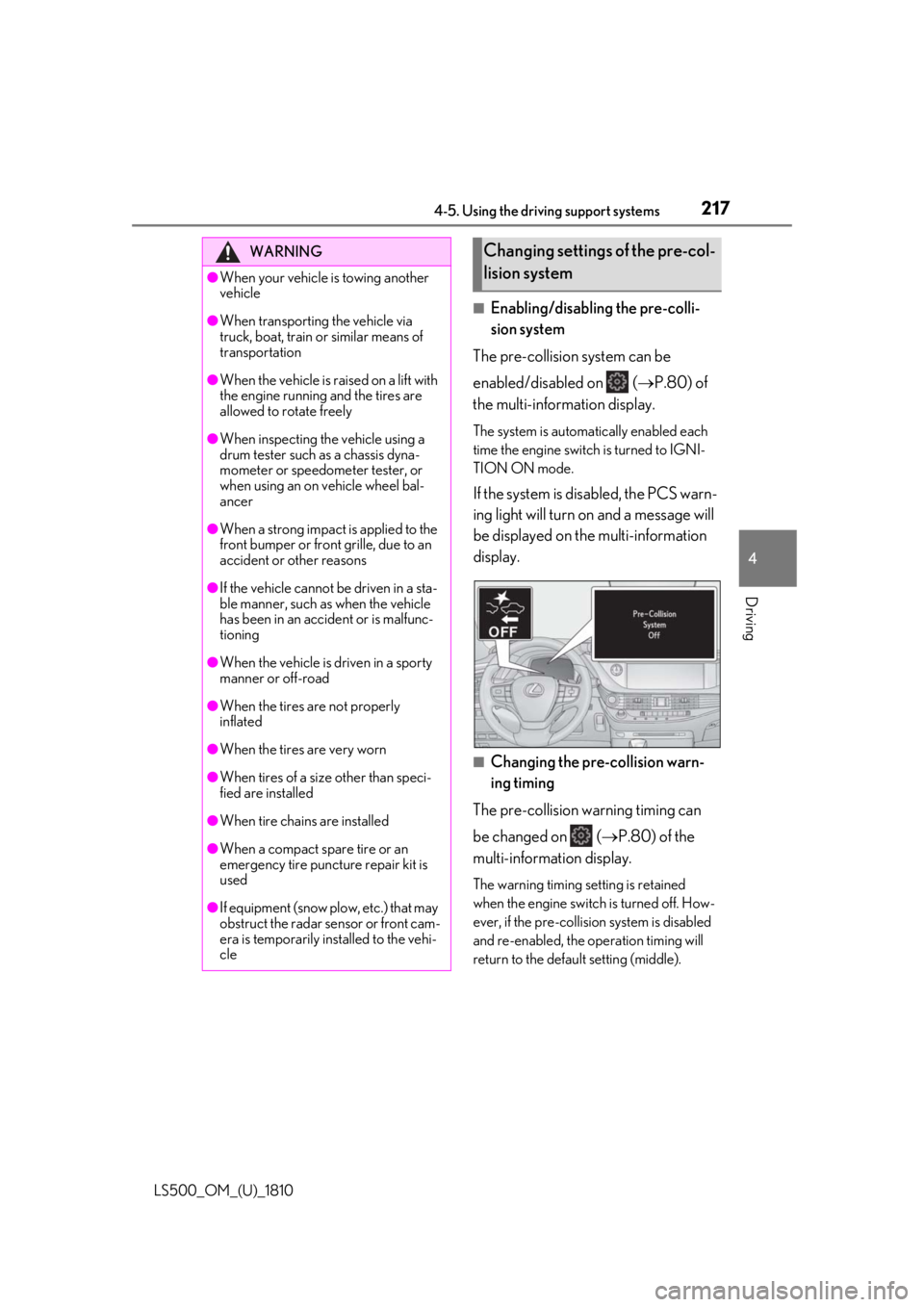
Enabling/disabling the pre-colli-
sion system
The pre-collision system can be
enabled/disabled on ( P.80) of
the multi-information display. The system is automa tically enabled each
time the engine switch is turned to IGNI-
TION ON mode.
If the system is disabled, the PCS warn-
ing light will turn on and a message will
be displayed on the multi-information
display.
■
Changing the pre-collision warn-
ing timing
The pre-collision warning timing can
be changed on ( P.80) of the
multi-information display. The warning timing setting is retained
when the engine switch is turned off. How-
ever, if the pre-collisio n system is disabled
and re-enabled, the operation timing will
return to the default setting (middle).WARNING●
When your vehicle is towing another
vehicle●
When transporting the vehicle via
truck, boat, train or similar means of
transportation●
When the vehicle is raised on a lift with
the engine running and the tires are
allowed to rotate freely●
When inspecting the vehicle using a
drum tester such as a chassis dyna-
mometer or speedometer tester, or
when using an on vehicle wheel bal-
ancer●
When a strong impact is applied to the
front bumper or front grille, due to an
accident or other reasons●
If the vehicle cannot be driven in a sta-
ble manner, such as when the vehicle
has been in an accident or is malfunc-
tioning●
When the vehicle is driven in a sporty
manner or off-road●
When the tires are not properly
inflated●
When the tires are very worn
●
When tires of a size other than speci-
fied are installed
●
When tire chains are installed
●
When a compact spare tire or an
emergency tire puncture repair kit is
used
●
If equipment (snow plow, etc.) that may
obstruct the radar sensor or front cam-
era is temporarily installed to the vehi-
cle Changing settings of the pre-col-
lision system
Page 218 of 512
218 4-5. Using the driving support systems
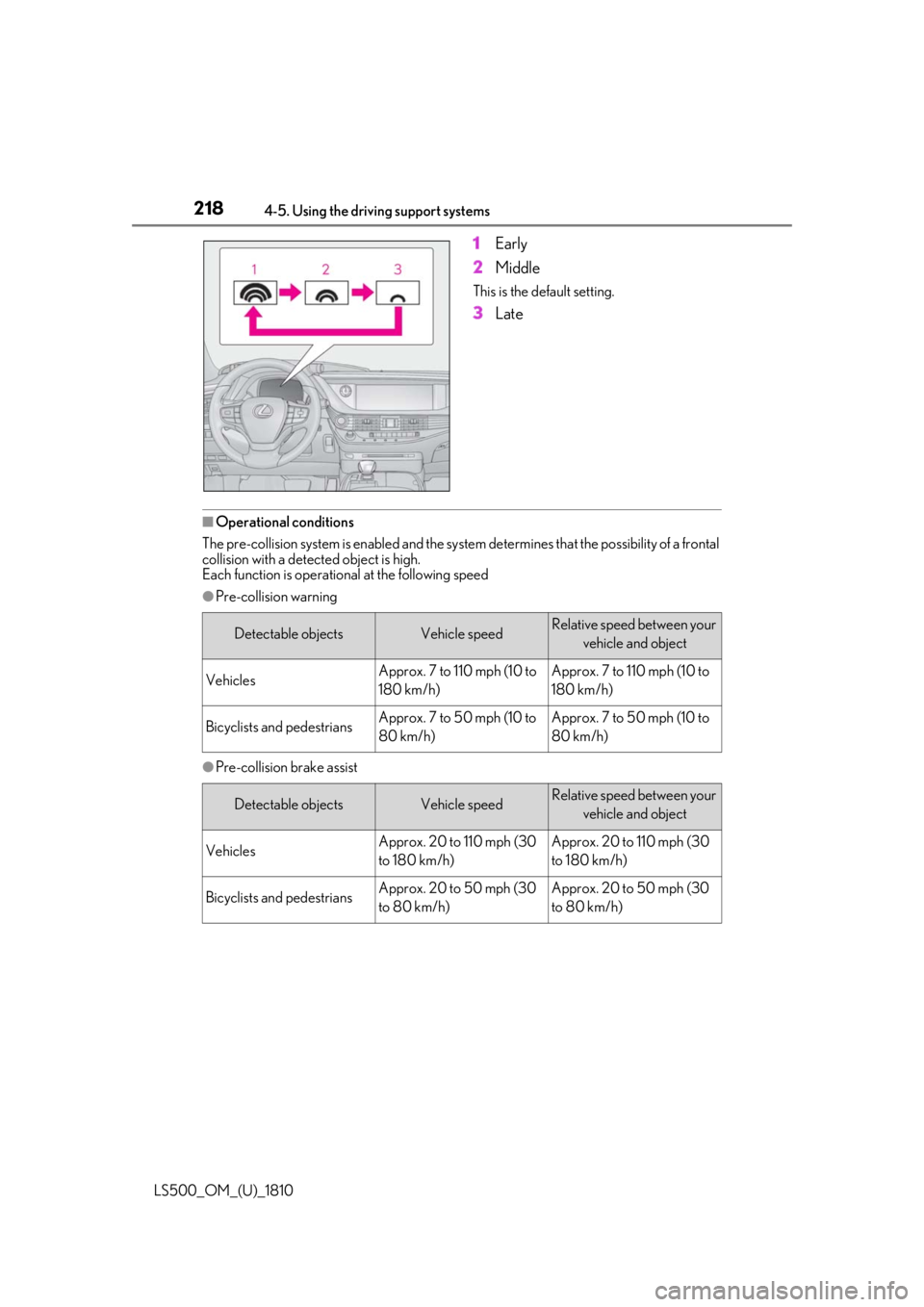
LS500_OM_(U)_1810 1 Early
2 Middle This is the default setting.
3 Late
■
Operational conditions
The pre-collision system is enabled and the system determines that the possibility of a frontal
collision with a detect ed object is high.
Each function is operational at the following speed ●
Pre-collision warning
●
Pre-collision brake assist Detectable objects Vehicle speed Relative speed between your
vehicle and object
Vehicles Approx. 7 to 110 mph (10 to
180 km/h) Approx. 7 to 110 mph (10 to
180 km/h)
Bicyclists and pedestrians Approx. 7 to 50 mph (10 to
80 km/h) Approx. 7 to 50 mph (10 to
80 km/h)
Detectable objects Vehicle speed Relative speed between your
vehicle and object
Vehicles Approx. 20 to 110 mph (30
to 180 km/h) Approx. 20 to 110 mph (30
to 180 km/h)
Bicyclists and pedestrians Approx. 20 to 50 mph (30
to 80 km/h) Approx. 20 to 50 mph (30
to 80 km/h)
Page 223 of 512
2234-5. Using the driving support systems
LS500_OM_(U)_1810 4
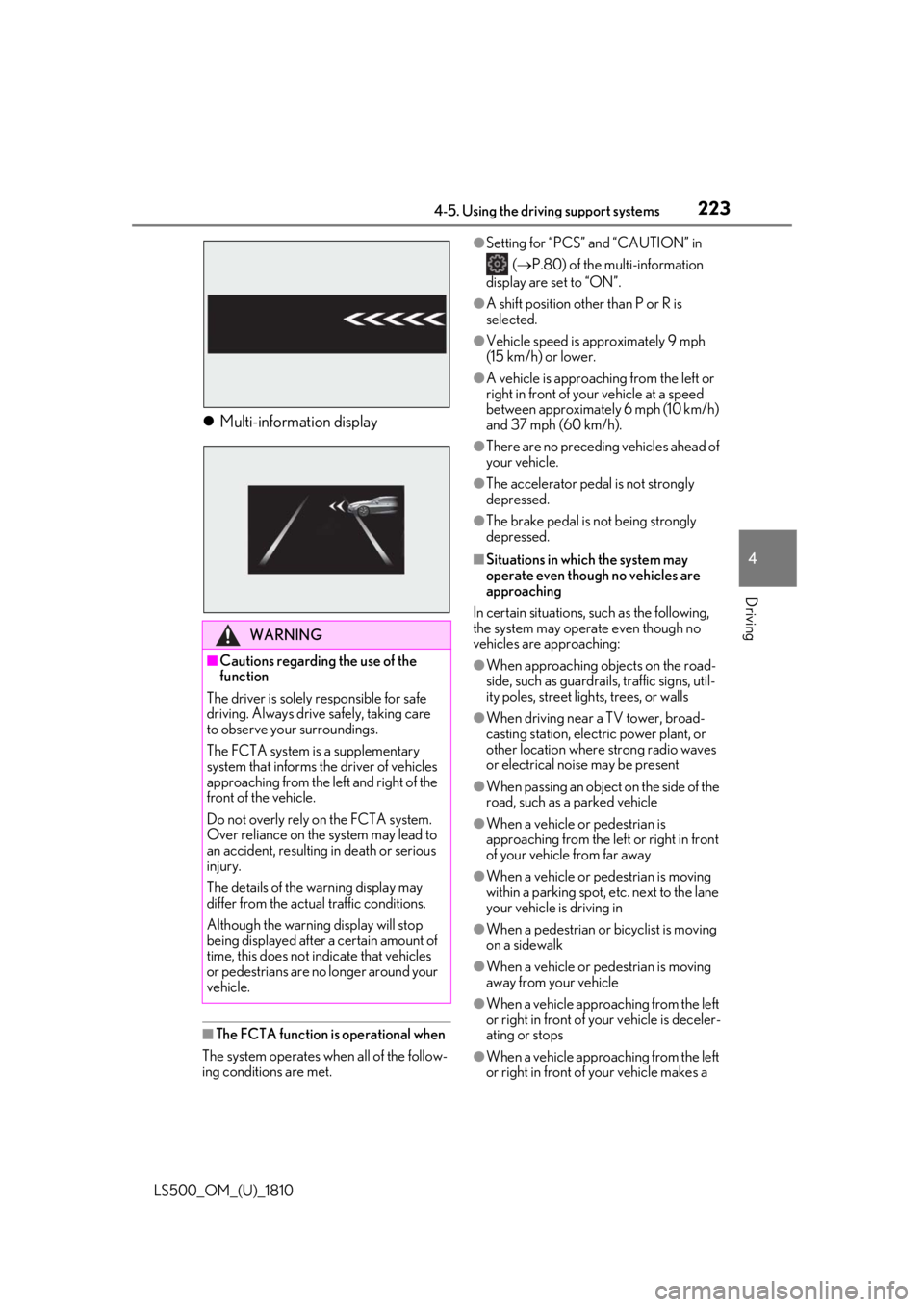
Driving Multi-information display
■
The FCTA function is operational when
The system operates when all of the follow-
ing conditions are met. ●
Setting for “PCS” and “CAUTION” in
( P.80) of the multi-information
display are set to “ON”. ●
A shift position other than P or R is
selected. ●
Vehicle speed is approximately 9 mph
(15 km/h) or lower. ●
A vehicle is approaching from the left or
right in front of your vehicle at a speed
between approximately 6 mph (10 km/h)
and 37 mph (60 km/h). ●
There are no preceding vehicles ahead of
your vehicle. ●
The accelerator peda l is not strongly
depressed. ●
The brake pedal is not being strongly
depressed. ■
Situations in which the system may
operate even though no vehicles are
approaching
In certain situations, such as the following,
the system may operate even though no
vehicles are approaching: ●
When approaching objects on the road-
side, such as guardrails , traffic signs, util-
ity poles, street lig hts, trees, or walls●
When driving near a TV tower, broad-
casting station, electr ic power plant, or
other location where strong radio waves
or electrical noise may be present ●
When passing an object on the side of the
road, such as a parked vehicle ●
When a vehicle or pedestrian is
approaching from the left or right in front
of your vehicle from far away
●
When a vehicle or pedestrian is moving
within a parking spot, etc. next to the lane
your vehicle is driving in
●
When a pedestrian or bicyclist is moving
on a sidewalk
●
When a vehicle or pedestrian is moving
away from your vehicle
●
When a vehicle approaching from the left
or right in front of your vehicle is deceler-
ating or stops
●
When a vehicle approaching from the left
or right in front of your vehicle makes a WARNING■
Cautions regarding the use of the
function
The driver is solely responsible for safe
driving. Always driv e safely, taking care
to observe your surroundings.
The FCTA system is a supplementary
system that informs the driver of vehicles
approaching from the left and right of the
front of the vehicle.
Do not overly rely on the FCTA system.
Over reliance on the system may lead to
an accident, resulting in death or serious
injury.
The details of the warning display may
differ from the actual traffic conditions.
Although the warnin g display will stop
being displayed after a certain amount of
time, this does not indicate that vehicles
or pedestrians are no longer around your
vehicle.
Page 234 of 512

234 4-5. Using the driving support systems
LS500_OM_(U)_1810 cle speed is less than approximately 32
mph (50 km/h) when the lane center-
ing function is operating. *2
: Boundary between asphalt and the side
of the road, such as grass, soil, or a curb●
Steering assist function
This function operates when all of the fol-
lowing conditions are me t in addition to the
operation conditions for the lane depar-
ture alert function.
•Setting for “Steering Assist” in of the
multi-information display is set to “ON”.
( P.80)
• Vehicle is not accelerated or decelerated
by a fixed amount or more.
• Steering wheel is not operated with a
steering force level su itable for changing
lanes.
• ABS, VSC, TRAC and PCS are not oper-
ating.
• TRAC or VSC is not turned off.
• Hands off steering wheel warning is not
displayed. ( P.236)●
Vehicle sway warning function
This function operates when all of the fol-
lowing conditions are met.
• Setting for “Sway Warning” in of the
multi-information display is set to “ON”.
( P.80)
• Vehicle speed is approximately 32 mph
(50 km/h) or more.
• Width of traffic lane is approximately 9.8
ft. (3 m) or more.
• No system malfunctions are detected.
( P.237)
●
Lane centering function
This function operates when all of the fol-
lowing conditions are met.
• LTA is turned on.
• Setting for “Steering Assist” and “Lane
Center” in of the multi-information
display are set to “ON”. ( P.80)
• This function recognizes white (yellow)
lane lines or the position of a preceding
vehicle (except when the preceding vehi-
cle is small, such as a motorcycle).
• The dynamic radar cruise control with full-speed range is operating in vehi-
cle-to-vehicle distance control mode.
• Width of traffic lane is approximately 10
to 13 ft. (3 to 4 m).
• Turn signal lever is not operated.
• Vehicle is not being driven around a
sharp curve.
• No system malfunctions are detected.
( P.237)
• Vehicle does not ac celerate or deceler-
ate by a fixed amount or more.
• Steering wheel is not operated with a
steering force level su itable for changing
lanes.
• ABS, VSC, TRAC and PCS are not oper-
ating.
• TRAC or VSC is not turned off.
• Hands off steering wheel warning is not
displayed. ( P.236)
• The driver has one or both hands on the
steering wheel.
• The vehicle is being driven in the center
of a lane.
• Steering assist function is not operating. ●
Lane change assist fu nction (vehicles with
Lexus Safety System + A)
This function will operate when all of the
following conditions are met:
• The lane centering function is operating.
• “Lane Change Assist” is set to “ON” in
of the multi-information dis-
play.( P.80)
• The vehicle speed is between approxi-
mately 57 and 85 mph (90 and 140
km/h).
• White (yellow) lane lines are detected by
the system.
• A broken white line is detected between
your vehicle and the lane toward which
the turn signal is operated.
• The turn signal lever is held partway (lane
change position) for approximately 1 sec-
ond.
• A vehicle is not overtaking your vehicle
or detected in the lane toward which the
turn signal is operated.
• The vehicle is being driven straight or
around a slight curve.
• The vehicle is not a ccelerating or decel-
erating more than a certain amount.
• The steering wheel is not being turned
sufficiently to perf orm a lane change.
Page 235 of 512
2354-5. Using the driving support systems
LS500_OM_(U)_1810 4
Driving • ABS, VSC, TRAC and PCS are not oper-
ating.
• TRAC or VSC is not turned off.
• Hands off steering wheel warning is not
displayed. ( P.236)
• The dynamic radar cruise control with
full-speed range approach warning is not
operating.
• The lane departure alert function is not
operating.■
Temporary cancellation of functions●
When operation conditions are no longer
met, a function may be temporarily can-
celed. However, when the operation con-
ditions are met again, operation of the
function is automa tically restored.
( P.233)●
If the operation conditions ( P.233) are
no longer met while the lane centering
function is operating, the steering wheel
may vibrate and the buzzer may sound to
indicate that the function has been tem-
porarily canceled. However, if the “Alert”
customization setting is set to ,
the system will notify the driver by vibrat-
ing the steering wheel instead of sound-
ing the buzzer.●
If the operating conditions ( P.233) are
no longer met, the lane change assist
function will be canceled. (vehicles with
Lexus Safety System + A)
If a message urging operation of the steer-
ing wheel is displayed, operate the steering
wheel. ■
Steering assist function/lane centering
function●
Depending on the vehicle speed, lane
departure situation, road conditions, etc.,
the driver may not feel the function is
operating or the function may not oper-
ate at all.
●
The steering control of the function is
overrided by the driver’s steering wheel
operation.
●
When the vehicle speed is approximately
31 mph (50 km/h) or less, the warning
display of the lane ce ntering function will
not operate.
●
Do not attempt to test the operation of the steering assist function. ●
The steering assist function may operate
when attempting to cut closely in front of
another vehicle while changing lanes.■
Lane departure alert function ●
The warning buzzer may be difficult to
hear due to external noise, audio play-
back, etc. Also, it may be difficult to feel
steering wheel vibrations due to the road
conditions, etc. ●
If the edge of the course *
is not clear or
straight, the lane departure alert function
may not operate. ●
It may not be possible for the system to
determine if there is a danger of a colli-
sion with a vehicle in an adjacent lane. ●
Do not attempt to test the operation of
the lane departure alert function. ●
This function may operate if, when chang-
ing lanes, your vehicle cuts closely in front
of another vehicle. *
: Boundary between asphalt and the side
of the road, such as grass, soil, or a curb ■
Lane change assist function (vehicles
with Lexus Safety System + A)
Depending on the vehicle speed, vehicle
condition, road conditions, or conditions of
the area around the vehicle, the lane
change assist function may not operate or it
may be difficult to recognize that it has
operated.
If steering control oper ation is excessive or
insufficient, it can be corrected by the
driver’s operation of the steering wheel.
In situations such as the following, the lane
change assist function may be canceled:
●
When the system no longer detects white
(yellow) lane lines
●
When the turn signal lever is operated
fully (right/left turn position)
●
When the vehicle speed is outside of the
operational range of the function
●
When the system detects operation of
the steering wheel, brake or accelerator
pedal by the driver
While the lane change assist function is
Page 236 of 512
236 4-5. Using the driving support systems
LS500_OM_(U)_1810 operating, if the system detects that a vehi-
cle is quickly approaching in the lane
toward which the turn signal is operated,
the steering assist may slightly steer the
vehicle away from the lane while a buzzer is
sounding, the steering wheel is vibrating,
and a warning display is displayed on the
multi-information display, to help prevent
the vehicle from entering the lane and alert
the driver of the approaching vehicle. ■
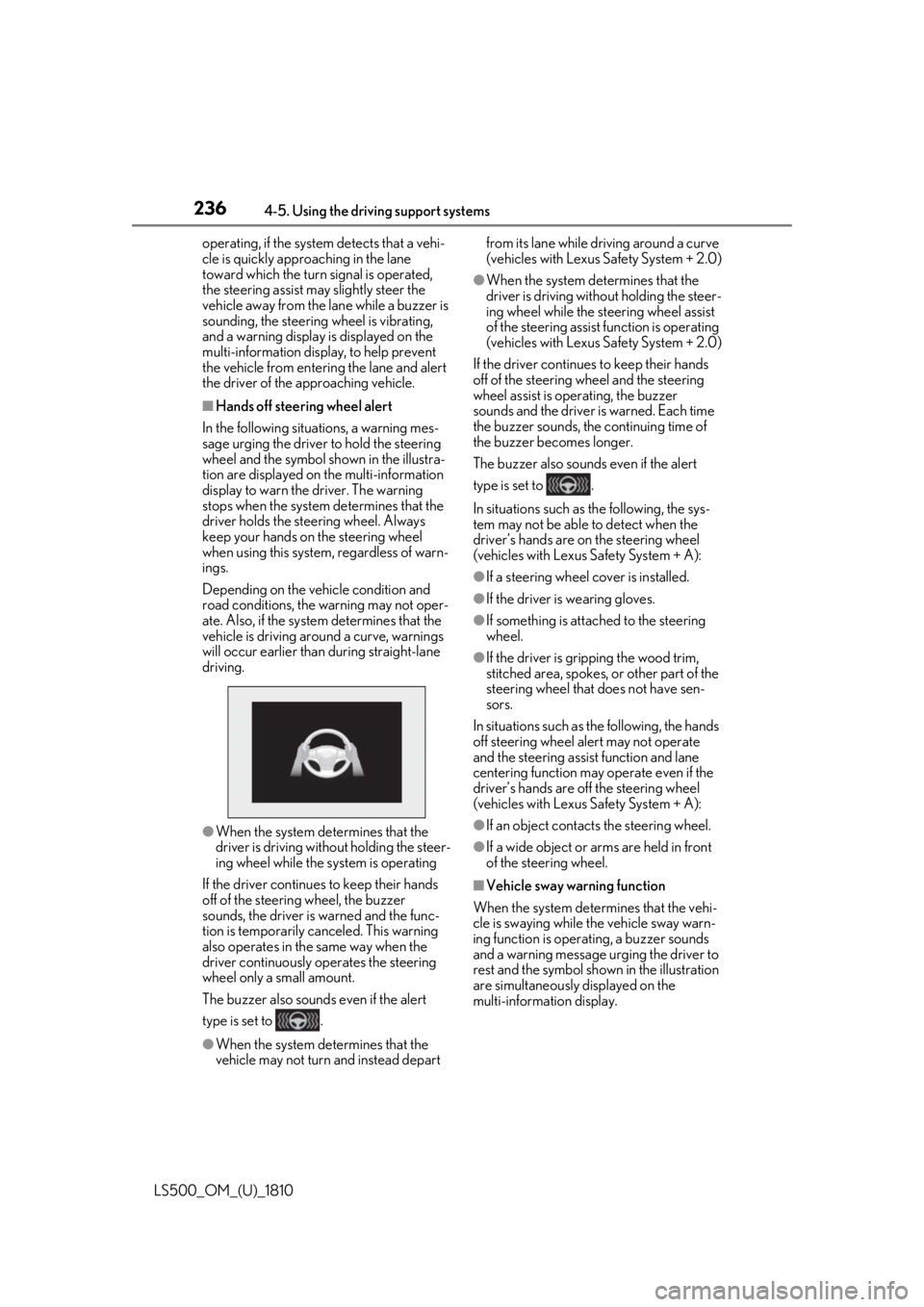
Hands off steering wheel alert
In the following situations, a warning mes-
sage urging the driver to hold the steering
wheel and the symbol shown in the illustra-
tion are displayed on the multi-information
display to warn the driver. The warning
stops when the system determines that the
driver holds the steering wheel. Always
keep your hands on the steering wheel
when using this system, regardless of warn-
ings.
Depending on the vehicle condition and
road conditions, the warning may not oper-
ate. Also, if the system determines that the
vehicle is driving around a curve, warnings
will occur earlier than during straight-lane
driving.
●
When the system determines that the
driver is driving without holding the steer-
ing wheel while the sy stem is operating
If the driver continue s to keep their hands
off of the steering wheel, the buzzer
sounds, the driver is warned and the func-
tion is temporarily ca nceled. This warning
also operates in the same way when the
driver continuously operates the steering
wheel only a small amount.
The buzzer also sounds even if the alert
type is set to .
●
When the system determines that the
vehicle may not turn and instead depart from its lane while driving around a curve
(vehicles with Lexus Safety System + 2.0) ●
When the system determines that the
driver is driving with out holding the steer-
ing wheel while the st eering wheel assist
of the steering assist function is operating
(vehicles with Lexus Safety System + 2.0)
If the driver continues to keep their hands
off of the steering wheel and the steering
wheel assist is operating, the buzzer
sounds and the driver is warned. Each time
the buzzer sounds, the continuing time of
the buzzer becomes longer.
The buzzer also sounds even if the alert
type is set to .
In situations such as the following, the sys-
tem may not be able to detect when the
driver’s hands are on the steering wheel
(vehicles with Lexus Safety System + A): ●
If a steering wheel cover is installed. ●
If the driver is wearing gloves. ●
If something is attached to the steering
wheel. ●
If the driver is gripping the wood trim,
stitched area, spokes, or other part of the
steering wheel that does not have sen-
sors.
In situations such as the following, the hands
off steering wheel alert may not operate
and the steering assist function and lane
centering function may operate even if the
driver’s hands are off the steering wheel
(vehicles with Lexus Safety System + A): ●
If an object contacts the steering wheel. ●
If a wide object or ar ms are held in front
of the steering wheel.
■
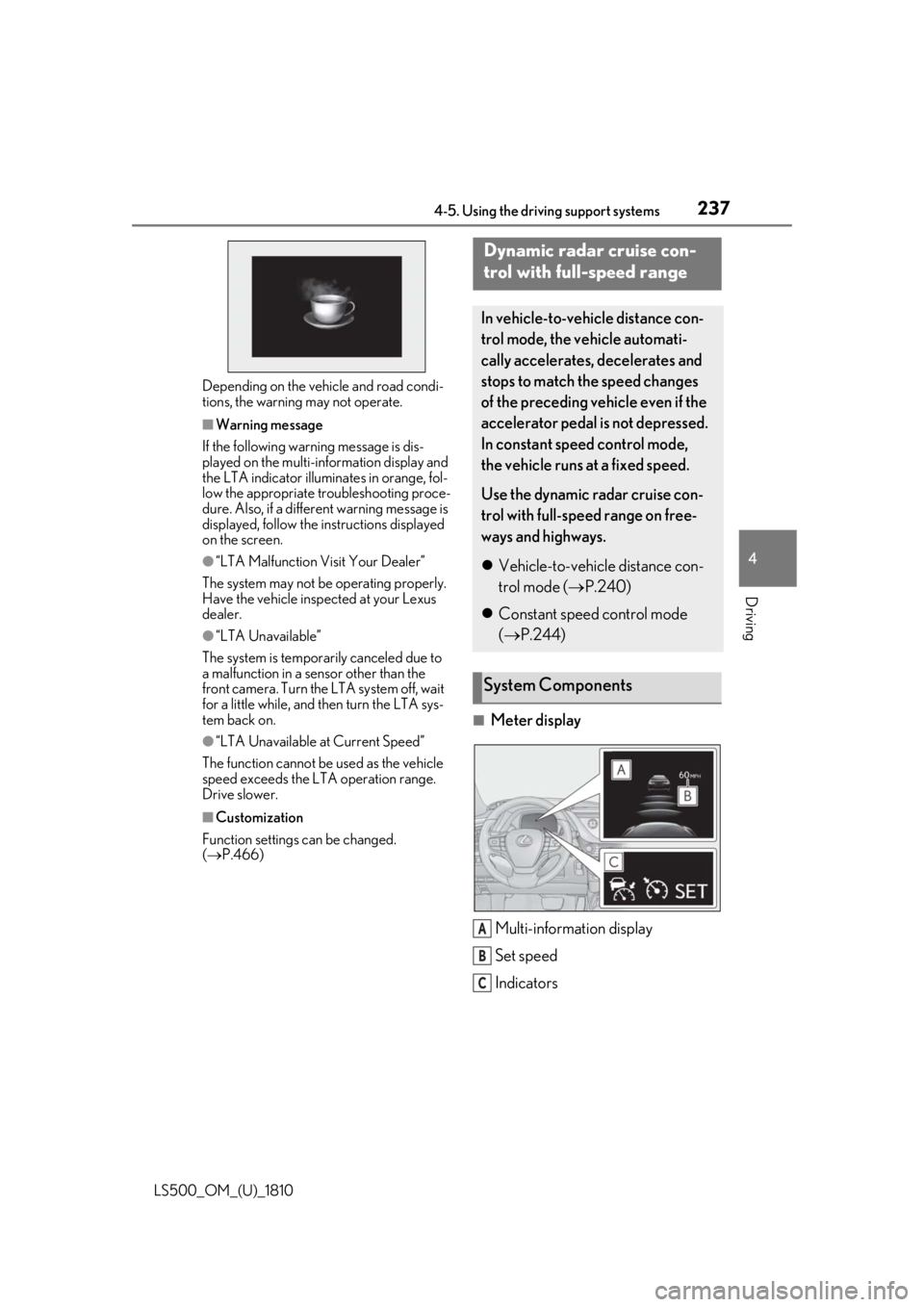
Vehicle sway warning function
When the system determines that the vehi-
cle is swaying while the vehicle sway warn-
ing function is operating, a buzzer sounds
and a warning message urging the driver to
rest and the symbol sh own in the illustration
are simultaneously displayed on the
multi-information display.
Page 237 of 512
2374-5. Using the driving support systems
LS500_OM_(U)_1810 4
Driving Depending on the vehicle and road condi-
tions, the warning may not operate. ■
Warning message
If the following warning message is dis-
played on the multi-information display and
the LTA indicator illumin ates in orange, fol-
low the appropriate troubleshooting proce-
dure. Also, if a different warning message is
displayed, follow the in structions displayed
on the screen. ●
“LTA Malfunction Visit Your Dealer”
The system may not be operating properly.
Have the vehicle inspected at your Lexus
dealer. ●
“LTA Unavailable”
The system is temporarily canceled due to
a malfunction in a se nsor other than the
front camera. Turn the LTA system off, wait
for a little while, and then turn the LTA sys-
tem back on. ●
“LTA Unavailable at Current Speed”
The function cannot be used as the vehicle
speed exceeds the LTA operation range.
Drive slower. ■
Customization
Function settings can be changed.
( P.466) ■
Meter display
Multi-information display
Set speed
IndicatorsDynamic radar cruise con-
trol with full-speed range In vehicle-to-vehicle distance con-
trol mode, the ve hicle automati-
cally accelerates, decelerates and
stops to match the speed changes
of the preceding vehicle even if the
accelerator pedal is not depressed.
In constant speed control mode,
the vehicle runs at a fixed speed.
Use the dynamic radar cruise con-
trol with full-speed range on free-
ways and highways.
Vehicle-to-vehicle distance con-
trol mode ( P.240)
Constant speed control mode
( P.244)
System Components
A
B
C
Page 238 of 512
238 4-5. Using the driving support systems
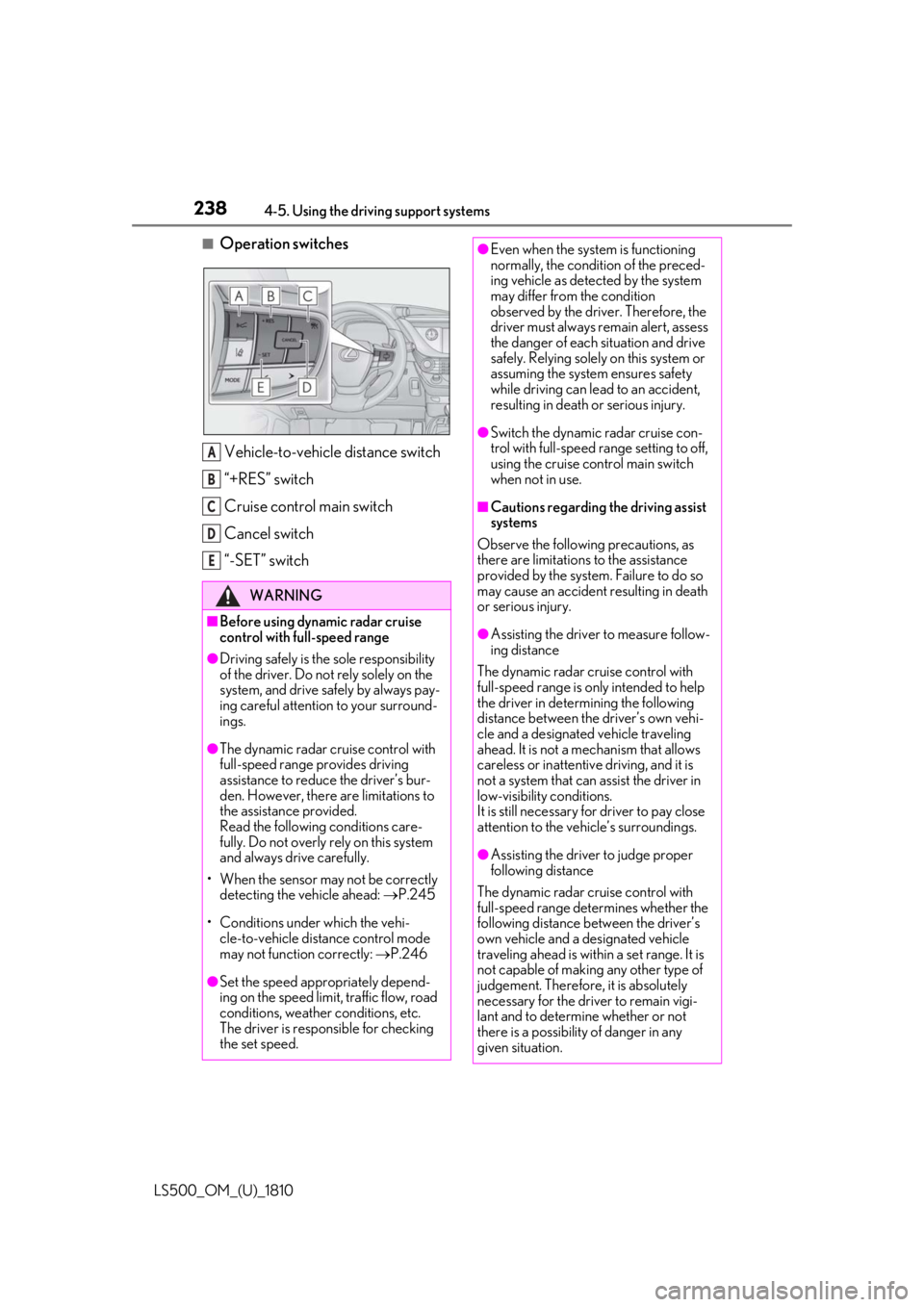
LS500_OM_(U)_1810 ■
Operation switches
Vehicle-to-vehicle distance switch
“+RES” switch
Cruise control main switch
Cancel switch
“-SET” switch WARNING■
Before using dynamic radar cruise
control with full-speed range●
Driving safely is the sole responsibility
of the driver. Do not rely solely on the
system, and drive safely by always pay-
ing careful attention to your surround-
ings.●
The dynamic radar cruise control with
full-speed range pr ovides driving
assistance to reduce the driver’s bur-
den. However, there are limitations to
the assistance provided.
Read the following conditions care-
fully. Do not overly rely on this system
and always drive carefully.
• When the sensor ma y not be correctly
detecting the vehicle ahead: P.245
• Conditions under which the vehi-
cle-to-vehicle distance control mode
may not function correctly: P.246
●
Set the speed appropriately depend-
ing on the speed limit, traffic flow, road
conditions, weather conditions, etc.
The driver is responsible for checking
the set speed. A
B
C
D
E ●
Even when the system is functioning
normally, the condition of the preced-
ing vehicle as detected by the system
may differ from the condition
observed by the driver. Therefore, the
driver must always remain alert, assess
the danger of each situation and drive
safely. Relying solely on this system or
assuming the system ensures safety
while driving can lead to an accident,
resulting in death or serious injury. ●
Switch the dynamic radar cruise con-
trol with full-speed range setting to off,
using the cruise control main switch
when not in use. ■
Cautions regarding the driving assist
systems
Observe the following precautions, as
there are limitations to the assistance
provided by the system. Failure to do so
may cause an accident resulting in death
or serious injury. ●
Assisting the driver to measure follow-
ing distance
The dynamic radar cruise control with
full-speed range is only intended to help
the driver in determining the following
distance between the driver’s own vehi-
cle and a designated vehicle traveling
ahead. It is not a mechanism that allows
careless or inattentive driving, and it is
not a system that can assist the driver in
low-visibility conditions.
It is still necessary for driver to pay close
attention to the vehicle’s surroundings.
●
Assisting the driver to judge proper
following distance
The dynamic radar cruise control with
full-speed range determines whether the
following distance between the driver’s
own vehicle and a designated vehicle
traveling ahead is within a set range. It is
not capable of making any other type of
judgement. Therefore, it is absolutely
necessary for the driver to remain vigi-
lant and to determine whether or not
there is a possibility of danger in any
given situation.