display LEXUS LS500 2021 Owners Manual
[x] Cancel search | Manufacturer: LEXUS, Model Year: 2021, Model line: LS500, Model: LEXUS LS500 2021Pages: 520, PDF Size: 9.81 MB
Page 227 of 520
2274-5. Using the driving support systems
4
Driving
• If the driver’s posture (driver seat posi-tion) is extreme, such as excessively
reclined
• If the head-up display position is set extremely high
■If VSC is disabled
●If VSC is disabled ( P.304), the
pre-collision brake assist and pre-colli-
sion braking functions are also disabled.
●The PCS warning light will turn on and
“VSC Turned Off Pre-Collision Brake
System Unavailable” will be displayed on
the multi-information display.
The system can detect the following:
Vehicles
Bicyclists
Pedestrians
■Pre-collision warning
When the system determines that the
possibility of a frontal collision is high, a
buzzer will sound and a warning mes-
PCS (Pre-Collision System)
(vehicles with Lexus Safety
System + 2.0)
The pre-collision system uses a
radar sensor and front camera to
detect objects ( P.227) in front of
the vehicle. When the system
determines that the possibility of a
frontal collision with an object is
high, a warning operates to urge
the driver to take evasive action
and the potential brake pressure is
increased to help the driver avoid
the collision. If the system deter-
mines that the possibility of a frontal
collision with an object is extremely
high, the brakes are automatically
applied to help avoi d the collision or
help reduce the impact of the colli-
sion.
The pre-collision system can be dis-
abled/enabled and the warning tim-
ing can be changed. ( P.230)
Detectable objects
System functions
Page 228 of 520
2284-5. Using the driving support systems
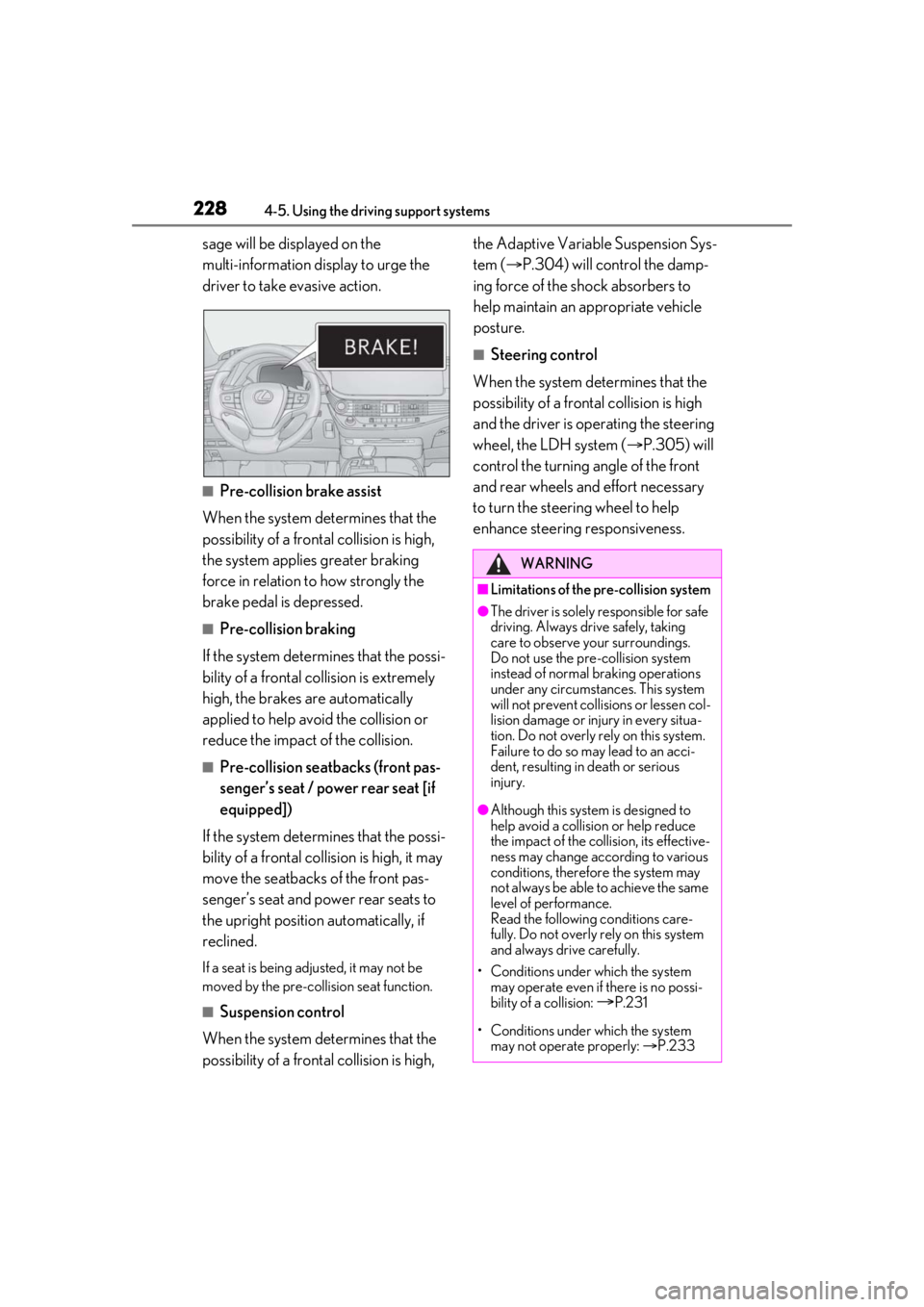
sage will be displayed on the
multi-information display to urge the
driver to take evasive action.
■Pre-collision brake assist
When the system determines that the
possibility of a frontal collision is high,
the system applies greater braking
force in relation to how strongly the
brake pedal is depressed.
■Pre-collision braking
If the system determines that the possi-
bility of a frontal collision is extremely
high, the brakes are automatically
applied to help avoid the collision or
reduce the impact of the collision.
■Pre-collision seatbacks (front pas-
senger’s seat / power rear seat [if
equipped])
If the system determines that the possi-
bility of a frontal collision is high, it may
move the seatbacks of the front pas-
senger’s seat and power rear seats to
the upright position automatically, if
reclined.
If a seat is being ad justed, it may not be
moved by the pre-collision seat function.
■Suspension control
When the system determines that the
possibility of a frontal collision is high, the Adaptive Variable Suspension Sys-
tem (
P.304) will control the damp-
ing force of the shock absorbers to
help maintain an appropriate vehicle
posture.
■Steering control
When the system determines that the
possibility of a frontal collision is high
and the driver is op erating the steering
wheel, the LDH system ( P.305) will
control the turning angle of the front
and rear wheels and effort necessary
to turn the steering wheel to help
enhance steering responsiveness.
WARNING
■Limitations of the pre-collision system
●The driver is solely responsible for safe
driving. Always drive safely, taking
care to observe your surroundings.
Do not use the pre-collision system
instead of normal braking operations
under any circumstances. This system
will not prevent collisions or lessen col-
lision damage or injury in every situa-
tion. Do not overly rely on this system.
Failure to do so may lead to an acci-
dent, resulting in death or serious
injury.
●Although this system is designed to
help avoid a collision or help reduce
the impact of the collision, its effective-
ness may change according to various
conditions, therefore the system may
not always be able to achieve the same
level of performance.
Read the following conditions care-
fully. Do not overly rely on this system
and always drive carefully.
• Conditions under which the system may operate even if there is no possi-
bility of a collision:
P.231
• Conditions under which the system may not operate properly: P.233
Page 230 of 520
2304-5. Using the driving support systems
■Enabling/disabling the pre-colli-
sion system
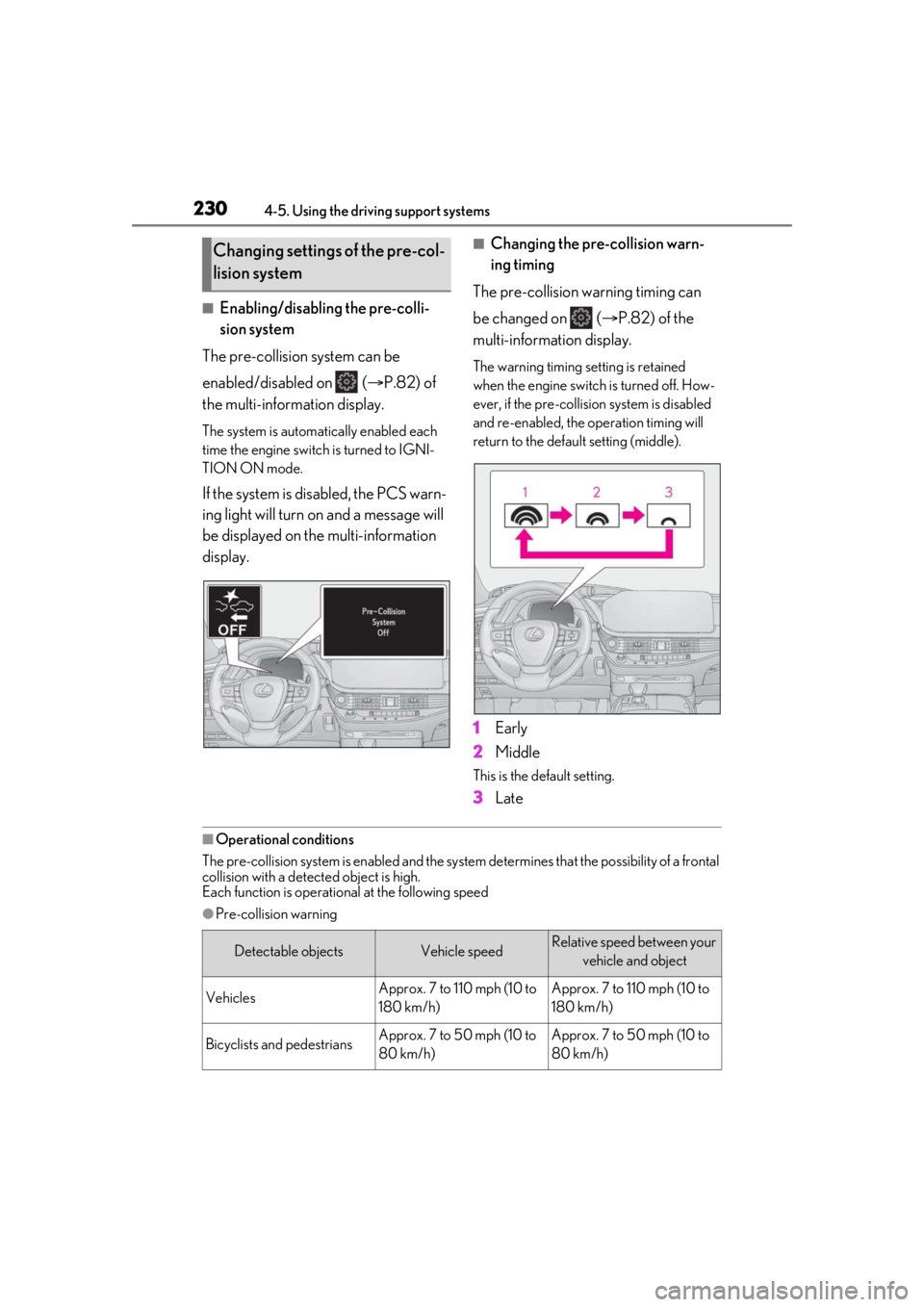
The pre-collision system can be
enabled/disabled on ( P.82) of
the multi-information display.
The system is automatically enabled each
time the engine switch is turned to IGNI-
TION ON mode.
If the system is disabled, the PCS warn-
ing light will turn on and a message will
be displayed on the multi-information
display.
■Changing the pre-collision warn-
ing timing
The pre-collision warning timing can
be changed on ( P.82) of the
multi-information display.
The warning timing setting is retained
when the engine switch is turned off. How-
ever, if the pre-collision system is disabled
and re-enabled, the operation timing will
return to the default setting (middle).
1 Early
2 Middle
This is the default setting.
3Late
■Operational conditions
The pre-collision system is enabled and the system determines that the possibility of a frontal
collision with a detect ed object is high.
Each function is operational at the following speed
●Pre-collision warning
Changing settings of the pre-col-
lision system
Detectable objectsVehicle speedRelative speed between your
vehicle and object
VehiclesApprox. 7 to 110 mph (10 to
180 km/h)Approx. 7 to 110 mph (10 to
180 km/h)
Bicyclists and pedestriansApprox. 7 to 50 mph (10 to
80 km/h)Approx. 7 to 50 mph (10 to
80 km/h)
Page 234 of 520
2344-5. Using the driving support systems
as heavy rain, fog, snow or a sandstorm
• When driving through steam or smoke
• When the surrounding area is dim, such as at dawn or dusk, or while at night or in
a tunnel, making a detectable object
appear to be nearly the same color as its
surroundings
• When driving in a place where the sur- rounding brightness changes suddenly,
such as at the entrance or exit of a tunnel
• After the engine has started the vehicle has not been driven for a certain amount
of time
• While making a left/right turn and for a few seconds after makin g a left/right turn
• While driving on a curve and for a few seconds after driving on a curve
• If your vehicle is skidding
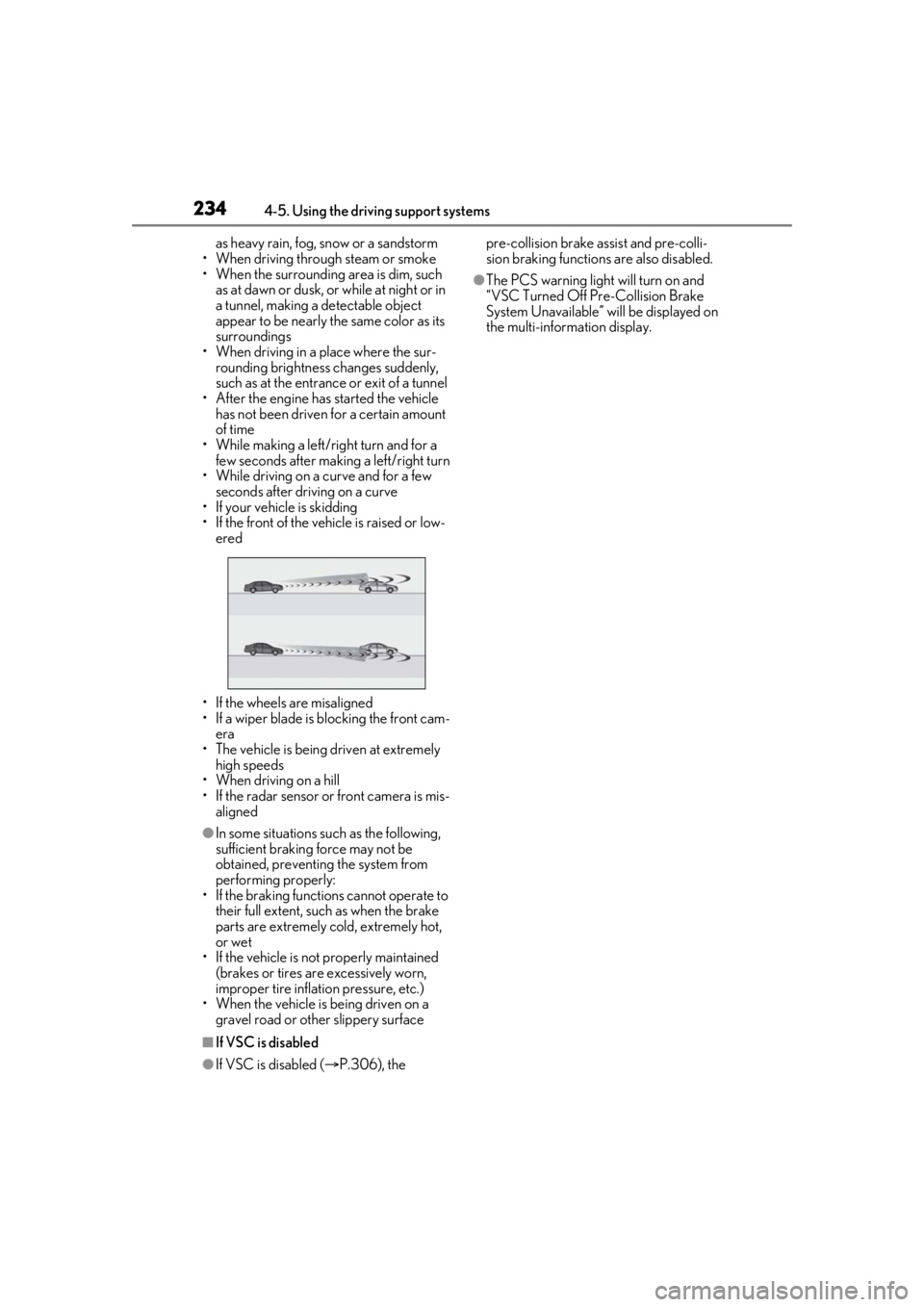
• If the front of the vehicle is raised or low-
ered
• If the wheels are misaligned
• If a wiper blade is blocking the front cam- era
• The vehicle is being driven at extremely high speeds
• When driving on a hill
• If the radar sensor or front camera is mis-
aligned
●In some situations such as the following,
sufficient braking force may not be
obtained, preventing the system from
performing properly:
• If the braking functions cannot operate to their full extent, such as when the brake
parts are extremely cold, extremely hot,
or wet
• If the vehicle is not properly maintained
(brakes or tires are excessively worn,
improper tire inflation pressure, etc.)
• When the vehicle is being driven on a gravel road or other slippery surface
■If VSC is disabled
●If VSC is disabled ( P.306), the pre-collision brake assist and pre-colli-
sion braking functions are also disabled.
●The PCS warning light will turn on and
“VSC Turned Off Pre-Collision Brake
System Unavailable” will be displayed on
the multi-information display.
Page 235 of 520
2354-5. Using the driving support systems
4
Driving
*:If equipped
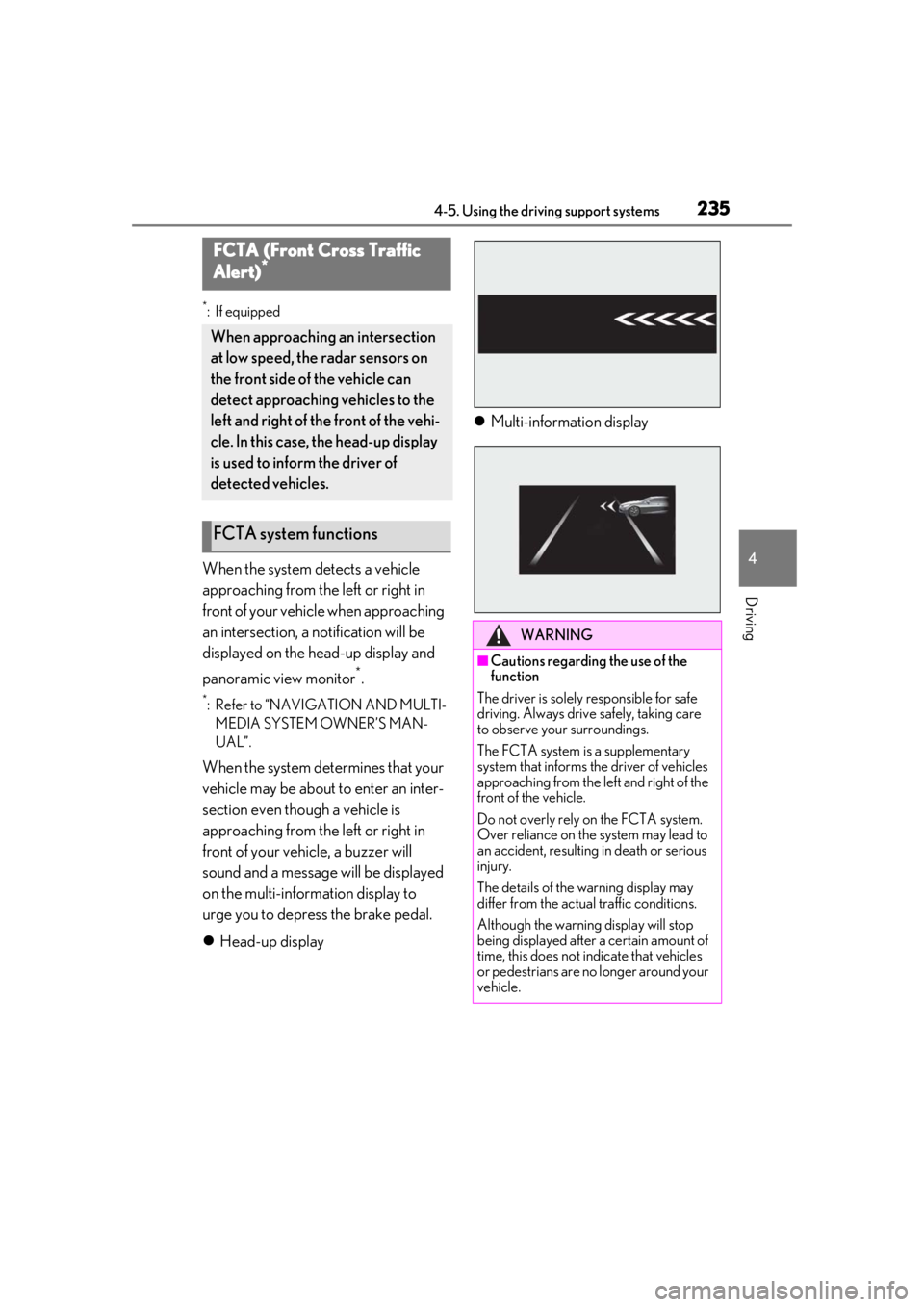
When the system detects a vehicle
approaching from the left or right in
front of your vehicle when approaching
an intersection, a notification will be
displayed on the head-up display and
panoramic view monitor
*.
*: Refer to “NAVIGATION AND MULTI- MEDIA SYSTEM OWNER’S MAN-
UAL”.
When the system determines that your
vehicle may be about to enter an inter-
section even though a vehicle is
approaching from the left or right in
front of your vehicle, a buzzer will
sound and a message will be displayed
on the multi-information display to
urge you to depress the brake pedal.
Head-up display
Multi-information display
FCTA (Front Cross Traffic
Alert)*
When approaching an intersection
at low speed, the radar sensors on
the front side of the vehicle can
detect approaching vehicles to the
left and right of the front of the vehi-
cle. In this case, the head-up display
is used to inform the driver of
detected vehicles.
FCTA system functions
WARNING
■Cautions regarding the use of the
function
The driver is solely responsible for safe
driving. Always drive safely, taking care
to observe your surroundings.
The FCTA system is a supplementary
system that informs the driver of vehicles
approaching from the left and right of the
front of the vehicle.
Do not overly rely on the FCTA system.
Over reliance on the system may lead to
an accident, resulting in death or serious
injury.
The details of the warning display may
differ from the actual traffic conditions.
Although the warning display will stop
being displayed after a certain amount of
time, this does not indicate that vehicles
or pedestrians are no longer around your
vehicle.
Page 236 of 520
2364-5. Using the driving support systems
■Enabling/disabling the FCTA sys-
tem
The FCTA system can be enabled/dis-
abled on ( P.82) of the
multi-information display.
The system is automatically enabled each
time the engine switch is turned to IGNI-
TION ON mode.
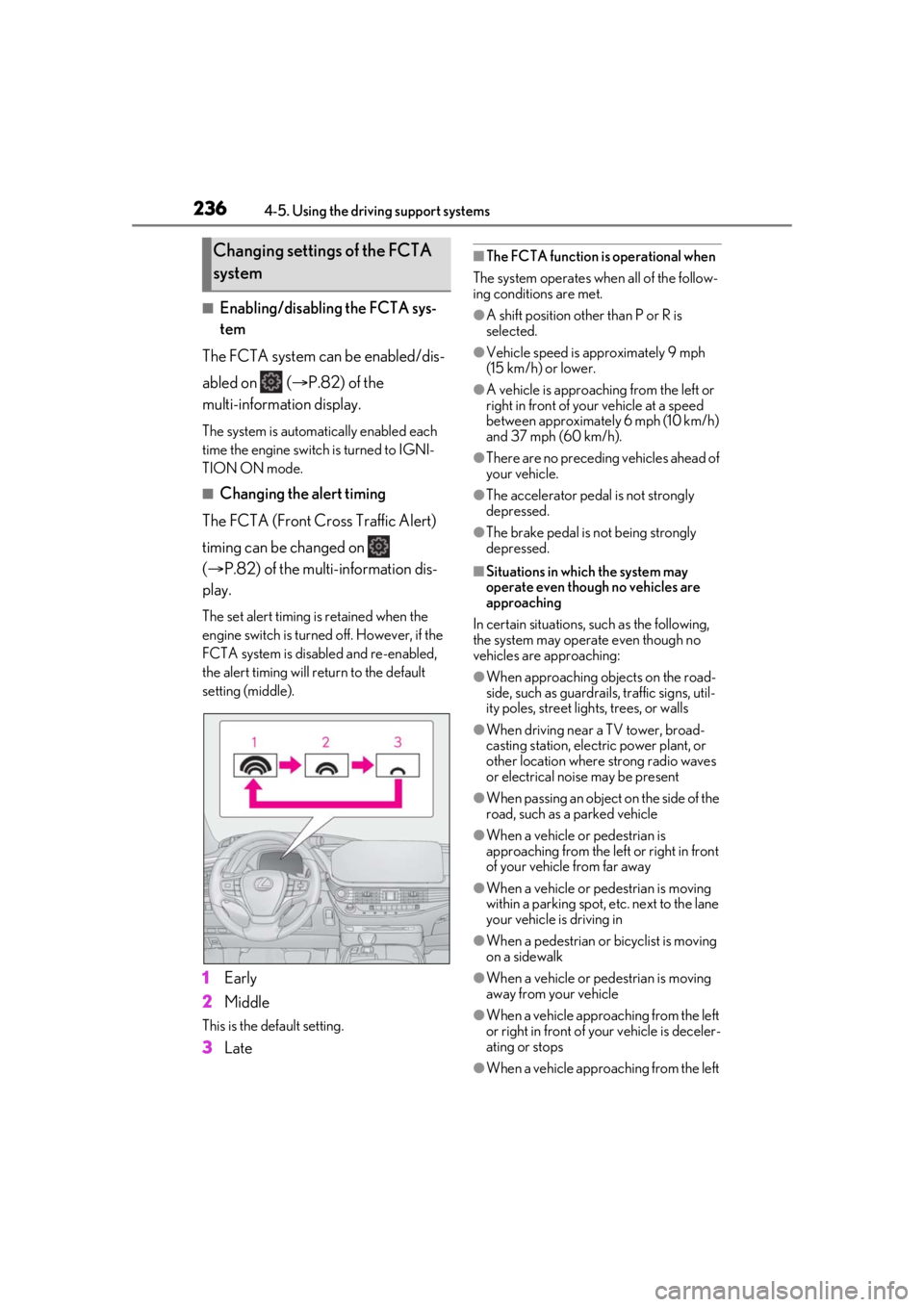
■Changing the alert timing
The FCTA (Front Cross Traffic Alert)
timing can be changed on
( P.82) of the multi-information dis-
play.
The set alert timing is retained when the
engine switch is turned off. However, if the
FCTA system is disabled and re-enabled,
the alert timing will return to the default
setting (middle).
1 Early
2 Middle
This is the default setting.
3Late
■The FCTA function is operational when
The system operates when all of the follow-
ing conditions are met.
●A shift position other than P or R is
selected.
●Vehicle speed is approximately 9 mph
(15 km/h) or lower.
●A vehicle is approaching from the left or
right in front of your vehicle at a speed
between approximately 6 mph (10 km/h)
and 37 mph (60 km/h).
●There are no preceding vehicles ahead of
your vehicle.
●The accelerator peda l is not strongly
depressed.
●The brake pedal is not being strongly
depressed.
■Situations in which the system may
operate even though no vehicles are
approaching
In certain situations, such as the following,
the system may operate even though no
vehicles are approaching:
●When approaching objects on the road-
side, such as guardrails , traffic signs, util-
ity poles, street lig hts, trees, or walls
●When driving near a TV tower, broad-
casting station, electr ic power plant, or
other location where strong radio waves
or electrical noise may be present
●When passing an object on the side of the
road, such as a parked vehicle
●When a vehicle or pedestrian is
approaching from the left or right in front
of your vehicle from far away
●When a vehicle or pedestrian is moving
within a parking spot, etc. next to the lane
your vehicle is driving in
●When a pedestrian or bicyclist is moving
on a sidewalk
●When a vehicle or pedestrian is moving
away from your vehicle
●When a vehicle approaching from the left
or right in front of your vehicle is deceler-
ating or stops
●When a vehicle approaching from the left
Changing settings of the FCTA
system
Page 238 of 520
2384-5. Using the driving support systems
■If the PCS warning light illuminates and
a message is displayed on the
multi-information display
The system may be temporarily unavailable
or may be malfunctioning.
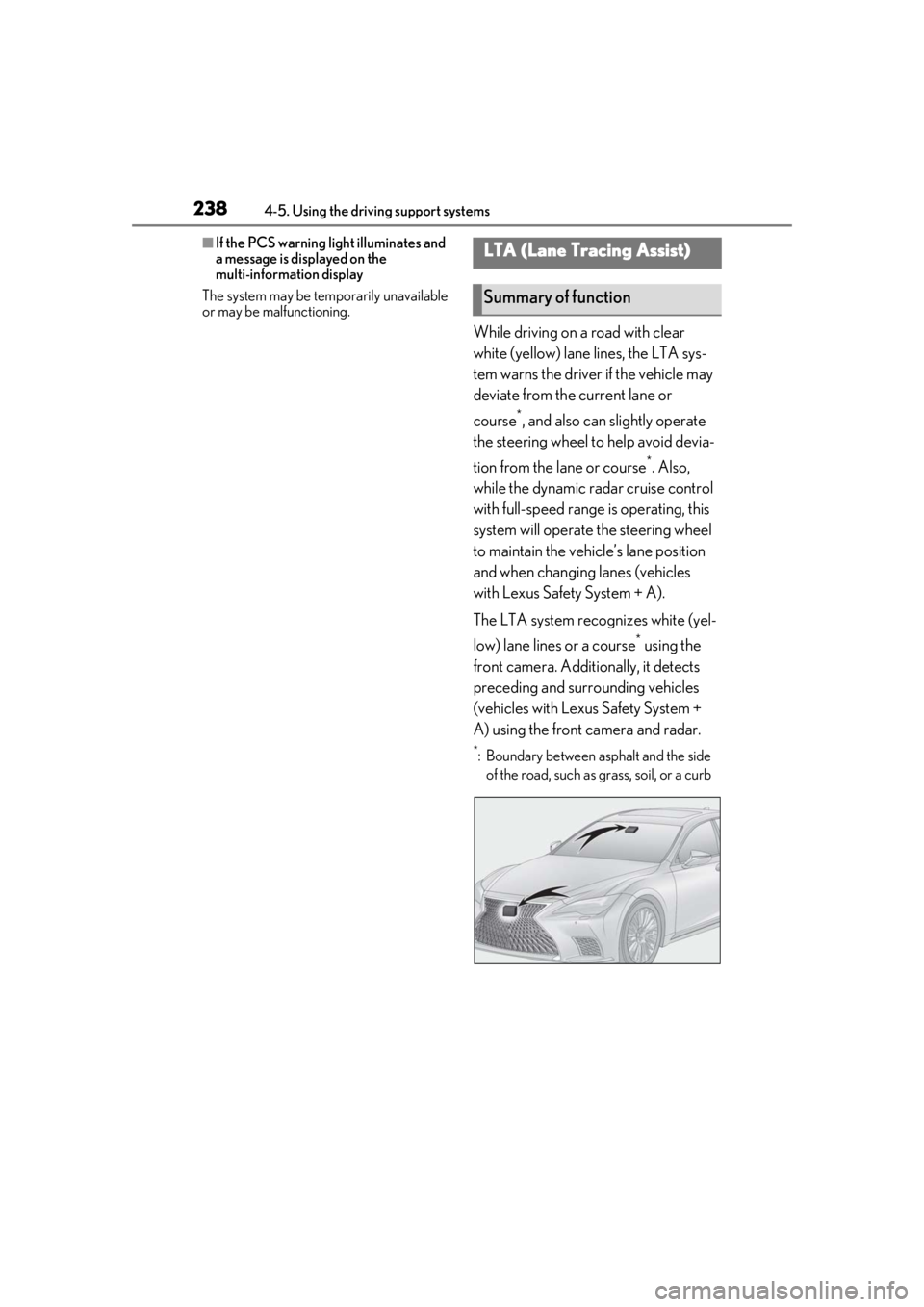
While driving on a road with clear
white (yellow) lane lines, the LTA sys-
tem warns the driver if the vehicle may
deviate from the current lane or
course
*, and also can slightly operate
the steering wheel to help avoid devia-
tion from the lane or course
*. Also,
while the dynamic radar cruise control
with full-speed range is operating, this
system will operate the steering wheel
to maintain the vehicle’s lane position
and when changing lanes (vehicles
with Lexus Safety System + A).
The LTA system recognizes white (yel-
low) lane lines or a course
* using the
front camera. Additionally, it detects
preceding and surrounding vehicles
(vehicles with Lexus Safety System +
A) using the front camera and radar.
*: Boundary between asphalt and the side of the road, such as grass, soil, or a curb
LTA (Lane Tracing Assist)
Summary of function
Page 240 of 520
2404-5. Using the driving support systems
WARNING
●When the follow-up cruising display is
displayed (
P.244) and the preced-
ing vehicle changes lanes. (Your vehi-
cle may follow the preceding vehicle
and also change lanes.)
●When the follow-up cruising display is
displayed (P.244) and the preced-
ing vehicle is swaying. (Your vehicle
may sway accordingly and depart from
the lane.)
●When the follow-up cruising display is
displayed (
P.244) and the preced-
ing vehicle departs from its lane. (Your
vehicle may follow the preceding vehi-
cle and depart from the lane.)
●When the follow-up cruising display is
displayed (
P.244) and the preced-
ing vehicle is being driven extremely
close to the left/right lane line. (Your
vehicle may follow the preceding vehi-
cle and depart from the lane.)
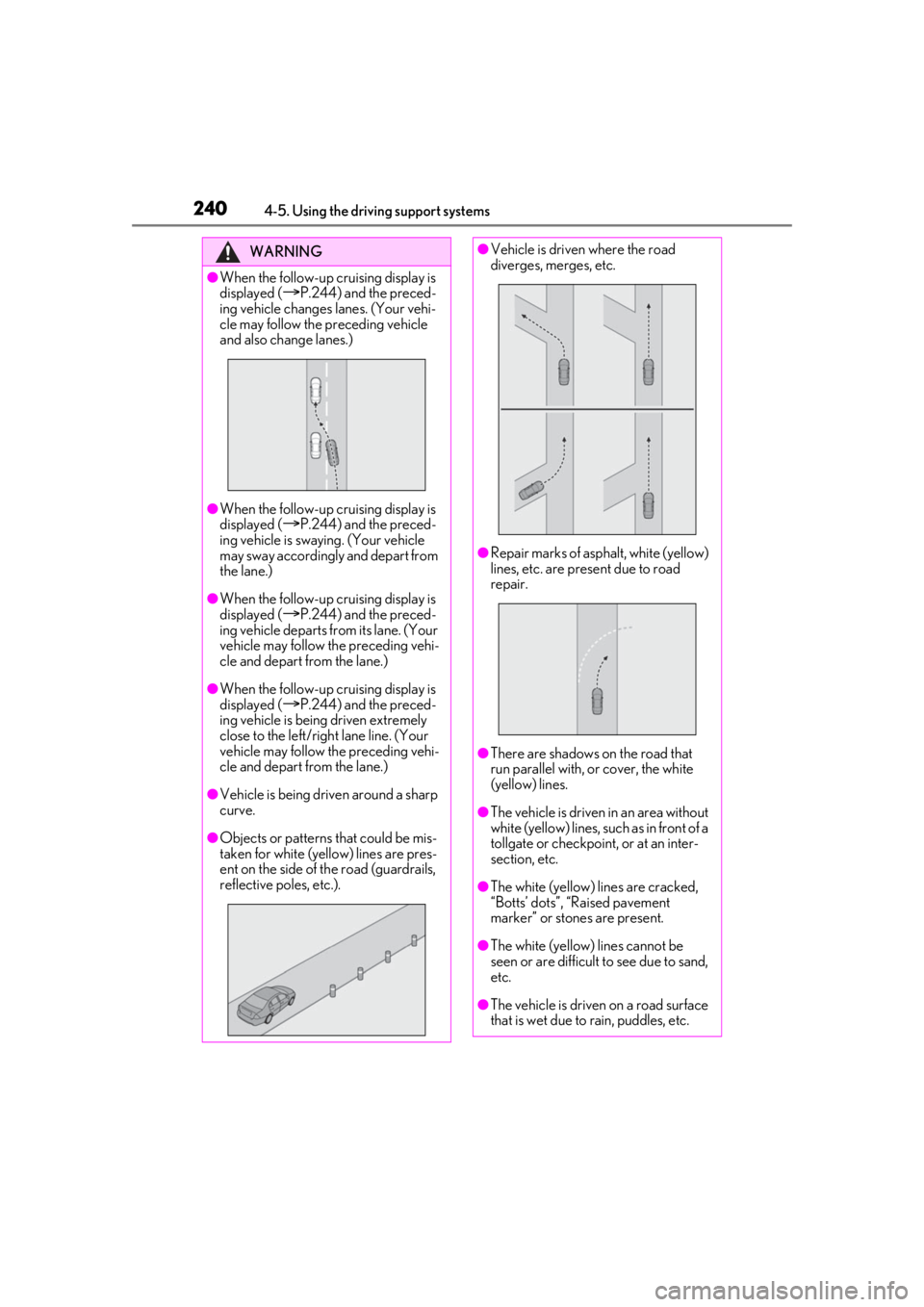
●Vehicle is being driven around a sharp
curve.
●Objects or patterns that could be mis-
taken for white (yellow) lines are pres-
ent on the side of th e road (guardrails,
reflective poles, etc.).
●Vehicle is driven where the road
diverges, merges, etc.
●Repair marks of asphalt, white (yellow)
lines, etc. are present due to road
repair.
●There are shadows on the road that
run parallel with, or cover, the white
(yellow) lines.
●The vehicle is driven in an area without
white (yellow) lines, such as in front of a
tollgate or checkpoint, or at an inter-
section, etc.
●The white (yellow) lines are cracked,
“Botts’ dots”, “Raised pavement
marker” or stones are present.
●The white (yellow) lines cannot be
seen or are difficult to see due to sand,
etc.
●The vehicle is driven on a road surface
that is wet due to rain, puddles, etc.
Page 241 of 520
2414-5. Using the driving support systems
4
Driving
■Lane departure alert function
When the system determines that the
vehicle might depart from its lane or
course
*, a warning is displayed on the
multi-information display, and either a
warning buzzer will sound or the steer-
ing wheel will vibrate to alert the driver.
When the warning buzzer sounds or the
steering wheel vibrates, check the area
around your vehicle and carefully operate
the steering wheel to move the vehicle
back to the center of the lane.
Vehicle with BSM: When the system deter-
mines that the vehicle might depart from its
lane and that the po ssibility of a collision
with an overtaking vehicle in the adjacent
lane is high, the lane departure alert will
operate even if the turn signals are operat-
ing.
*: Boundary between asphalt and the side of the road, such as grass, soil, or a curb
WARNING
●The traffic lines are yellow (which may
be more difficult to recognize than
lines that are white).
●The white (yellow) lines cross over a
curb, etc.
●The vehicle is driven on a bright sur-
face, such as concrete.
●If the edge of the road is not clear or
straight.
●The vehicle is driven on a surface that
is bright due to reflected light, etc.
●The vehicle is driven in an area where
the brightness changes suddenly, such
as at the entrances and exits of tunnels,
etc.
●Light from the headlights of an oncom-
ing vehicle, the sun, etc. enters the
camera.
●The vehicle is driven on a slope.
●The vehicle is driven on a road which
tilts left or right, or a winding road.
●The vehicle is driven on an unpaved or
rough road.
●The traffic lane is excessively narrow
or wide.
●The vehicle is extremely tilted due to
carrying heavy luggage or having
improper tire pressure.
●The distance to the preceding vehicle
is extremely short.
●The vehicle is moving up and down a
large amount due to road conditions
during driving (poor roads or road
seams).
●When driving in a tunnel or at night
with the headlights off or when a head-
light is dim due to its lens being dirty or
it being misaligned.
●The vehicle is struck by a crosswind.
●The vehicle is affected by wind from a
vehicle driven in a nearby lane.
●The vehicle has just changed lanes or
crossed an intersection.
●Tires which differ by structure, manu-
facturer, brand or tread pattern are
used.
●When tires of a size other than speci-
fied are installed.
●Snow tires, etc. are equipped.
●The vehicle is being driven at
extremely high speeds.
Functions included in LTA system
Page 242 of 520
2424-5. Using the driving support systems
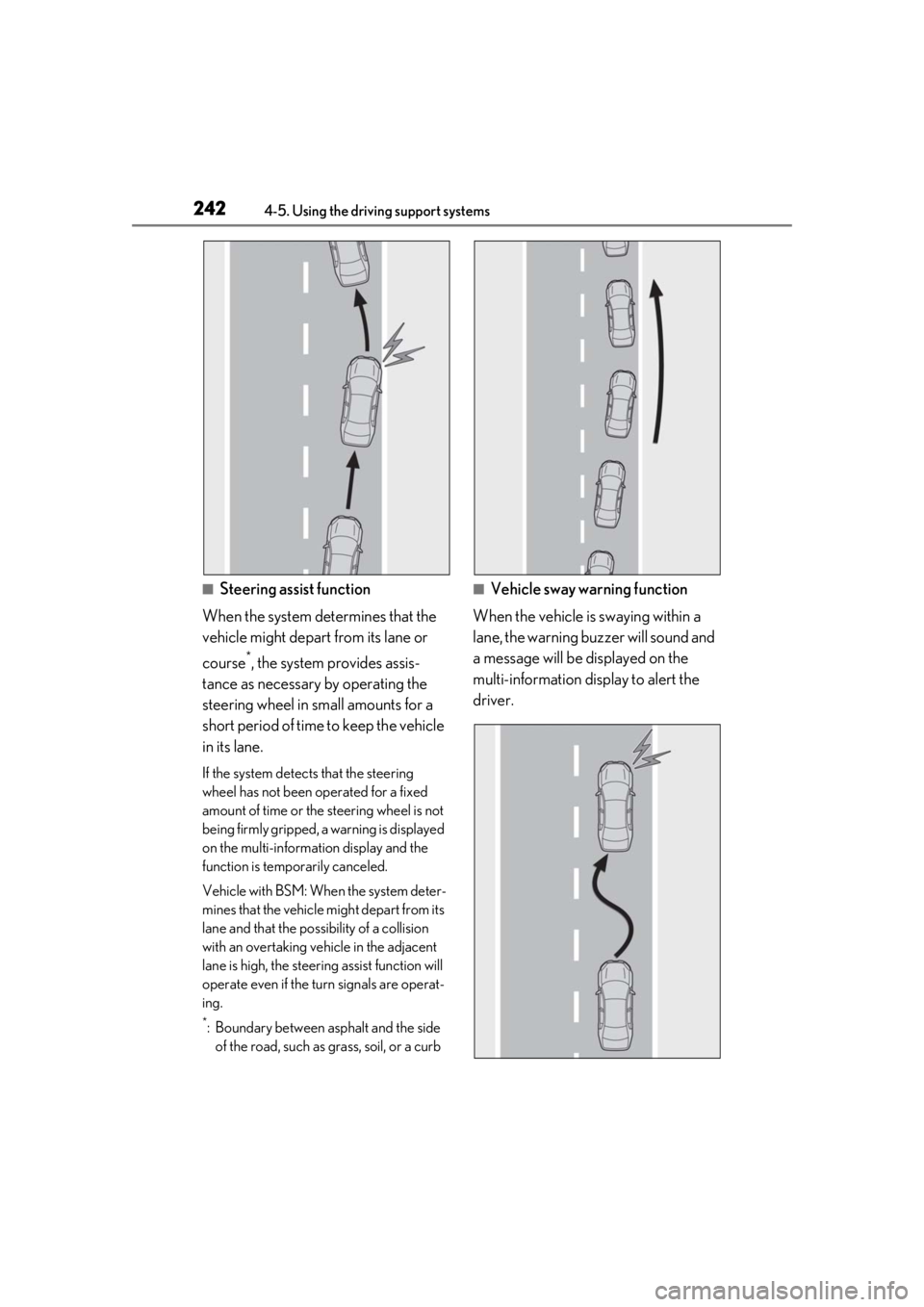
■Steering assist function
When the system determines that the
vehicle might depart from its lane or
course
*, the system provides assis-
tance as necessary by operating the
steering wheel in small amounts for a
short period of time to keep the vehicle
in its lane.
If the system detect s that the steering
wheel has not been operated for a fixed
amount of time or the steering wheel is not
being firmly gripped, a warning is displayed
on the multi-information display and the
function is temporarily canceled.
Vehicle with BSM: When the system deter-
mines that the vehicle might depart from its
lane and that the possibility of a collision
with an overtaking vehicle in the adjacent
lane is high, the steeri ng assist function will
operate even if the turn signals are operat-
ing.
*: Boundary between asphalt and the side of the road, such as grass, soil, or a curb
■Vehicle sway warning function
When the vehicle is swaying within a
lane, the warning buzzer will sound and
a message will be displayed on the
multi-information display to alert the
driver.