Sound system LEXUS LX570 2014 Workshop Manual
[x] Cancel search | Manufacturer: LEXUS, Model Year: 2014, Model line: LX570, Model: LEXUS LX570 2014Pages: 956, PDF Size: 16.4 MB
Page 603 of 956
6033-4. Using the rear se at entertainment system
3
Interior features
LX570_OM_OM60L21U_(U) ■ Parental lock
Select “Parental Lock”.
Enter the 4-digit personal code on the “Enter Key Code” screen.If you enter wrong numbers, select to delete the numbers.
Select a parental level (1 - 8). ( P. 5 2 8 )
■ Setting sound dynamic range
The difference between the lowest volume and the highest volume can
be adjusted.
Select “Sound Dynamic Range”.
Select “MAX”, “STD” or “MIN”.
■ Entering a language code
If you select “Other” on the “A udio Language” screen, “Subtitle
Language” screen or “DVD Language” screen, you can select a
language by entering the 4-digit la nguage code if that language is
available.
Enter the 4-digit language code. ( P. 522)If you enter wrong numbers, select to delete the numbers.
Select “OK”. STEP 1
STEP 2
STEP 3
STEP 1
STEP 2
STEP 1
STEP 2
Page 605 of 956
6053-4. Using the rear seat entertainment system
3
Interior features
LX570_OM_OM60L21U_(U) DVD player and DVD video disc information ■ Error messages
P. 5 2 5
■ DVD video discs
P. 5 2 6 ■
Symbols shown on DVD video discs
P. 5 2 6■
Discs that can be used
P. 5 2 7■
DVD video disc information
P. 5 2 8■
Sound
P. 5 2 9■
MP3 and WMA files
P. 5 2 9
Page 607 of 956
6073-4. Using the rear seat entertainment system
3
Interior features
LX570_OM_OM60L21U_(U) Using the video mode Using the port
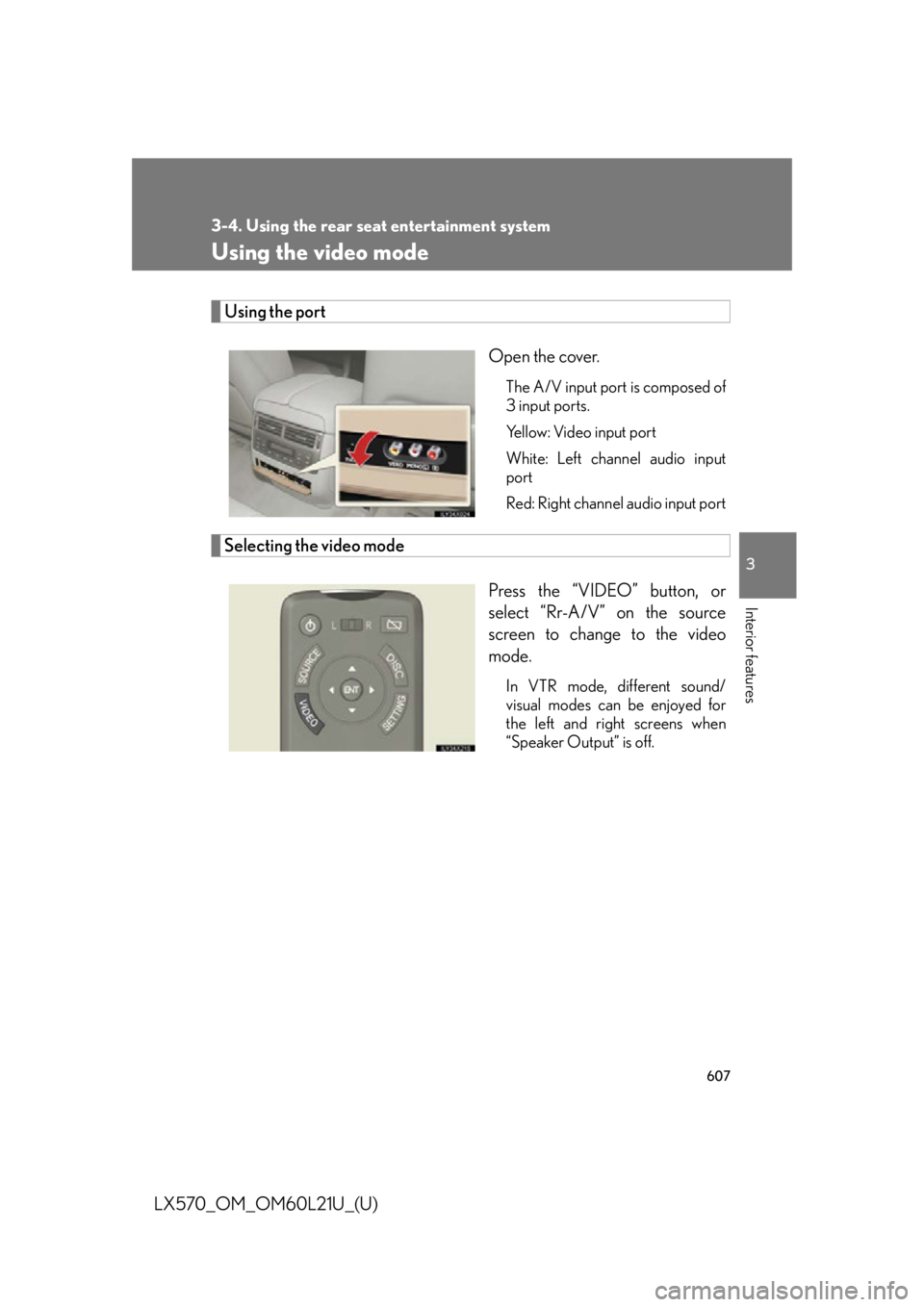
Open the cover. The A/V input port is composed of
3 input ports.
Yellow: Video input port
White: Left channel audio input
port
Red: Right channel audio input port
Selecting the video mode
Press the “VIDEO” button, or
select “Rr-A/V” on the source
screen to change to the video
mode. In VTR mode, different sound/
visual modes can be enjoyed for
the left and right screens when
“Speaker Output” is off.
Page 611 of 956
6113-4. Using the rear se at entertainment system
3
Interior features
LX570_OM_OM60L21U_(U) ■
A/V input port
The rear seat entertainment system plays videos and sound when audio-video
equipment is connected to the A/V input port. For details, refer to the manufac-
turer’s instructions. ■
Powe r o u t l e t
The power outlet is used to connect the audio-video equipment. ( P. 7 0 1 )■
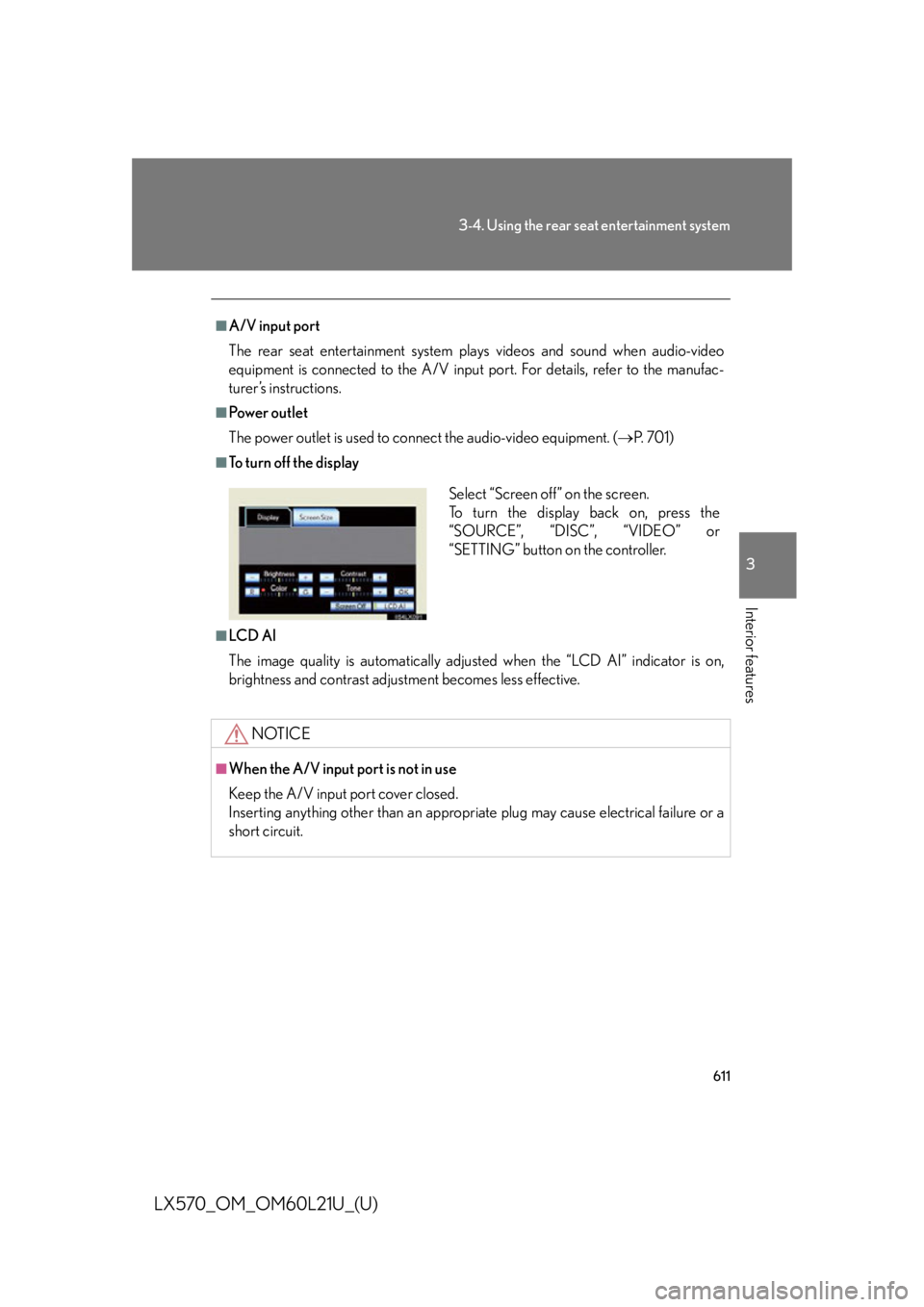
To turn off the display
■
LC D AI
The image quality is automatically adjust ed when the “LCD AI” indicator is on,
brightness and contrast adjustment becomes less effective.
NOTICE■
When the A/V input port is not in use
Keep the A/V input port cover closed.
Inserting anything other than an appropriat e plug may cause electrical failure or a
short circuit. Select “Screen off” on the screen.
To turn the display back on, press the
“SOURCE”, “DISC”, “VIDEO” or
“SETTING” button on the controller.
Page 637 of 956
6373-5. Using the hands-free system (for cellular phone)
3
Interior features
LX570_OM_OM60L21U_(U) Receiving a call
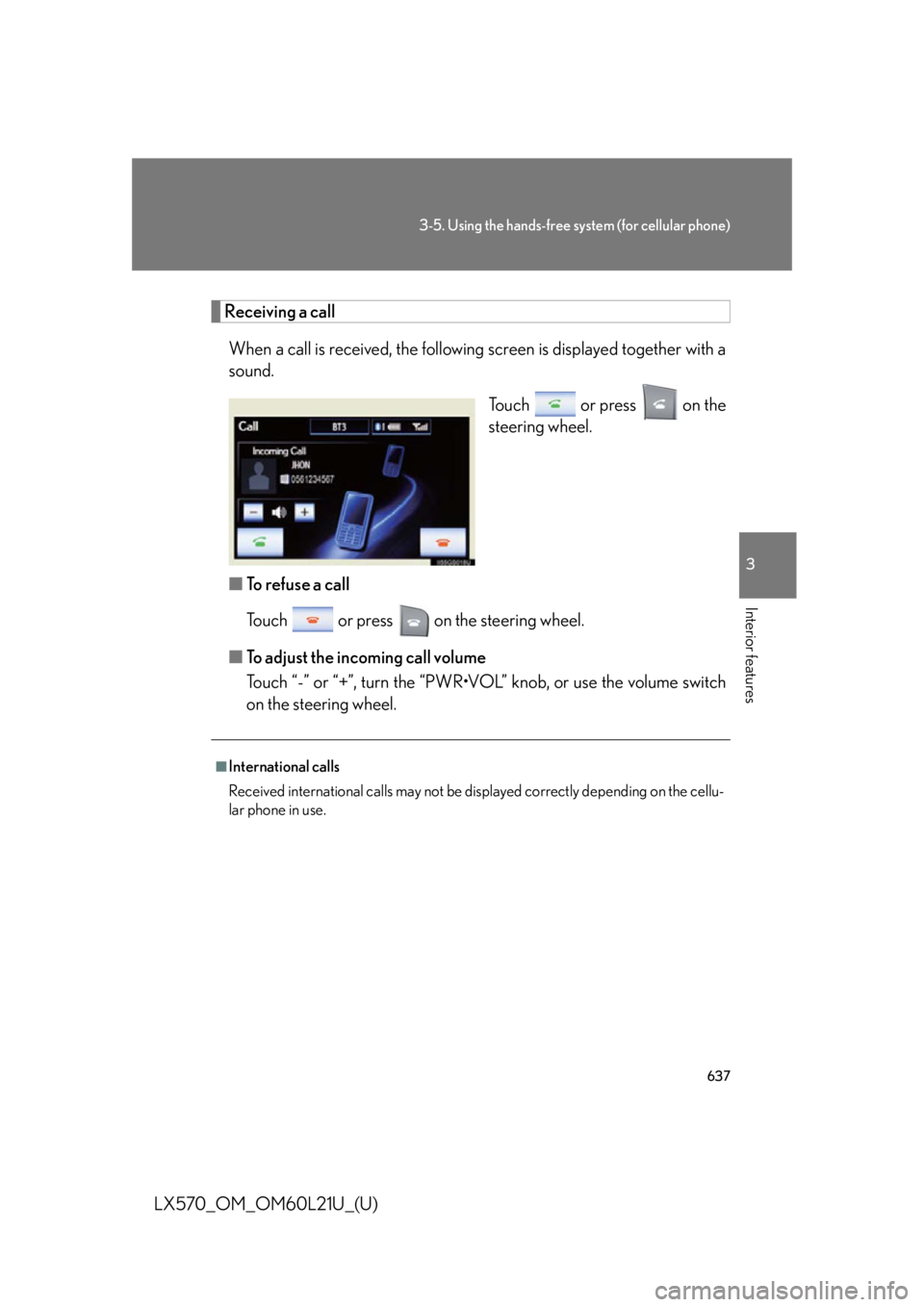
When a call is received, the following screen is displaye d together with a
sound.
Touch or press on the
steering wheel.
■ To refuse a call
Touch or press on the steering wheel.
■ To adjust the incoming call volume
Touch “-” or “+”, turn the “PWR•VOL” knob, or use the volume switch
on the steering wheel. ■
International calls
Received international calls may not be di splayed correctly depending on the cellu-
lar phone in use.
Page 640 of 956

6403-5. Using the hands-free sy stem (for cellular phone)
LX570_OM_OM60L21U_(U) ■ Call waiting
When a connected call is interrupted by the third party, the incoming
call message will be displayed.
● To talk with the other party: Touch or press on the
steering wheel.
● To refuse the call: Touch or press on the steering wheel.
Everytime you touch or press on the steering wheel after
a call is interrupted, you will be switched to the other party.
If your cellular phone is not accepted in HFP Ver. 1.5, this function can-
not be used. ■
Incoming call ●
The ring tone that has been set in th e “Phone Sound Settings” screen sounds
when there is an incoming call. ( P. 645)●
Depending on the type of Bluetooth ®
phone, both the system and Bluetooth ®
phone may sound simultaneously when there is an incoming call.■
Transferring calls ●
It is not possible to transfer from hand s-free to a cellular phone while driving.●
If you transfer from a cellular phone to hands-free, the hands-free screen will be
displayed, and you can operate the system using the screen. ●
Transfer method and operation may vary according to the cellular phone used. ●
For operation of the cellular phone in use, see the phone’s manual.■
Repeated tone symbols
When the “p” pause tone is used, after waiting 2 seconds the tone data up until the
next pause tone will be automatically sent. When the “w” pause tone is used, the
tone data up until the next pause tone will be automatically sent after user opera-
tion.
Page 644 of 956
6443-5. Using the hands-free system (for cellular phone)
LX570_OM_OM60L21U_(U) Setting the hands-free system (for cellular phone)
Phone sound settings
■ Setting the volume
Display the “Phone Settings” screen.
Touch “Phone Sound Settings” on the “Phone Settings” screen.
Choose the volume setting switch. “Call Volume”: changes the
speaker volume
“Ring Tone Volume”: changes the
ring tone
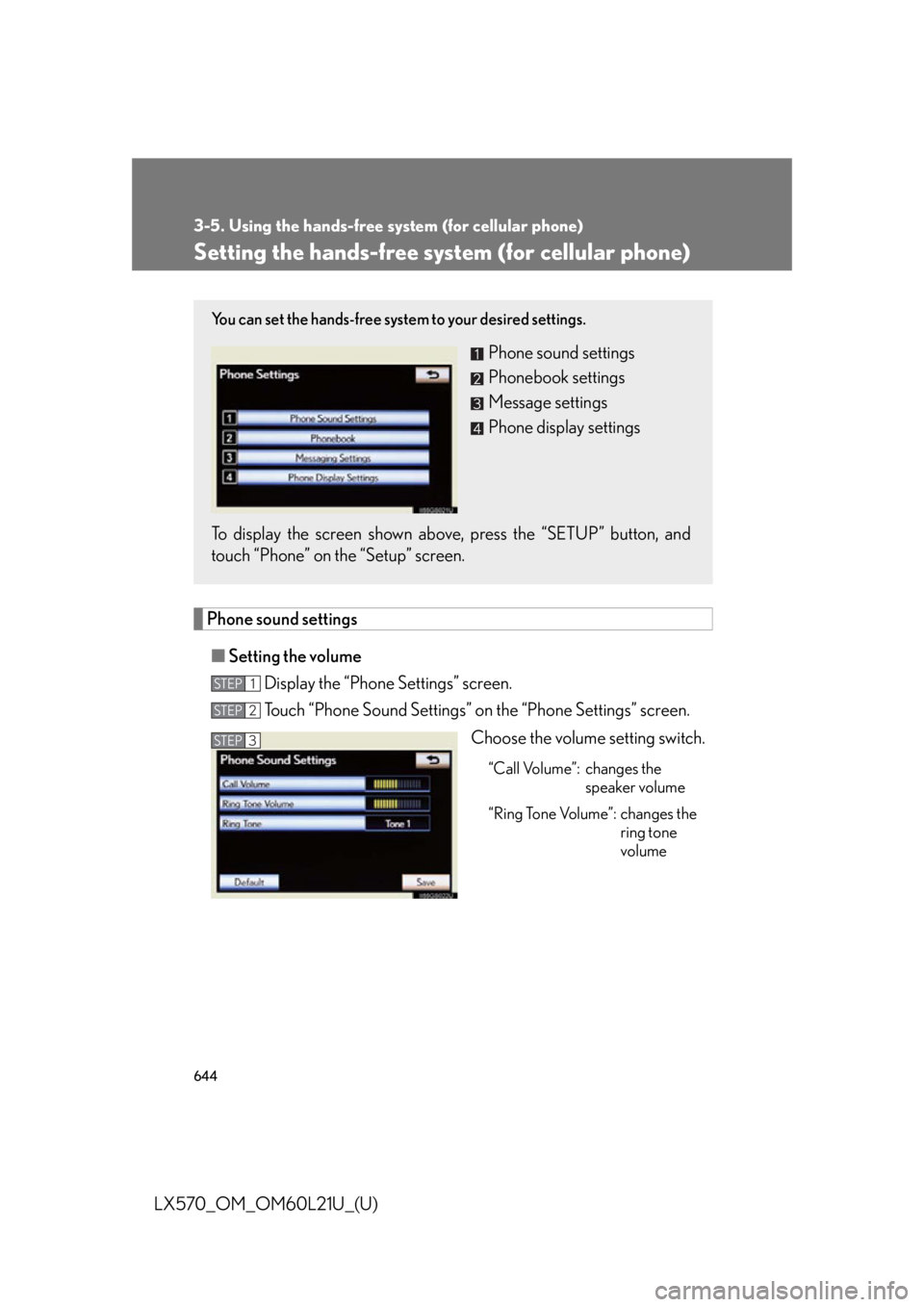
volumeYou can set the hands-free system to your desired settings.
Phone sound settings
Phonebook settings
Message settings
Phone display settings
To display the screen shown abov e, press the “SETUP” button, and
touch “Phone” on the “Setup” screen. STEP 1
STEP 2
STEP 3
Page 645 of 956
6453-5. Using the hands-free system (for cellular phone)
3
Interior features
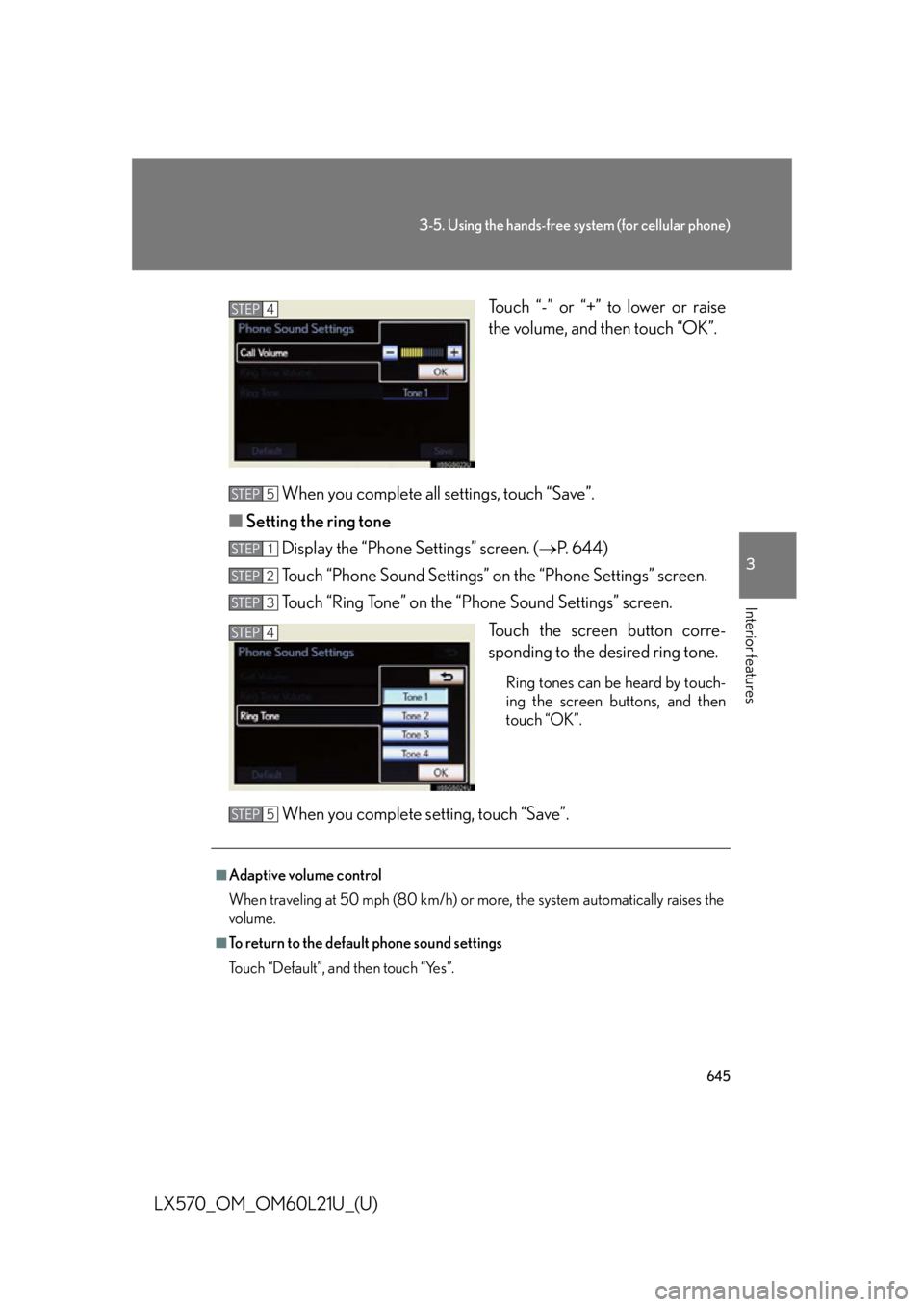
LX570_OM_OM60L21U_(U) Touch “-” or “+” to lower or raise
the volume, and then touch “OK”.
When you complete all settings, touch “Save”.
■ Setting the ring tone
Display the “Phone Settings” screen. ( P. 644)
Touch “Phone Sound Settings” on the “Phone Settings” screen.
Touch “Ring Tone” on the “Phone Sound Settings” screen.
Touch the screen button corre-
sponding to the desired ring tone. Ring tones can be heard by touch-
ing the screen buttons, and then
touch “OK”.
When you complete setting, touch “Save”. STEP 4
STEP 5
STEP 1
STEP 2
STEP 3
STEP 4
■
Adaptive volume control
When traveling at 50 mph (80 km/h) or more, the system automatically raises the
volume. ■
To return to the default phone sound settings
Touch “Default”, and then touch “Yes”. STEP 5
Page 741 of 956
7394-2. Maintenance
4
Maintenance and care
LX570_OM_OM60L21U_(U) General maintenance
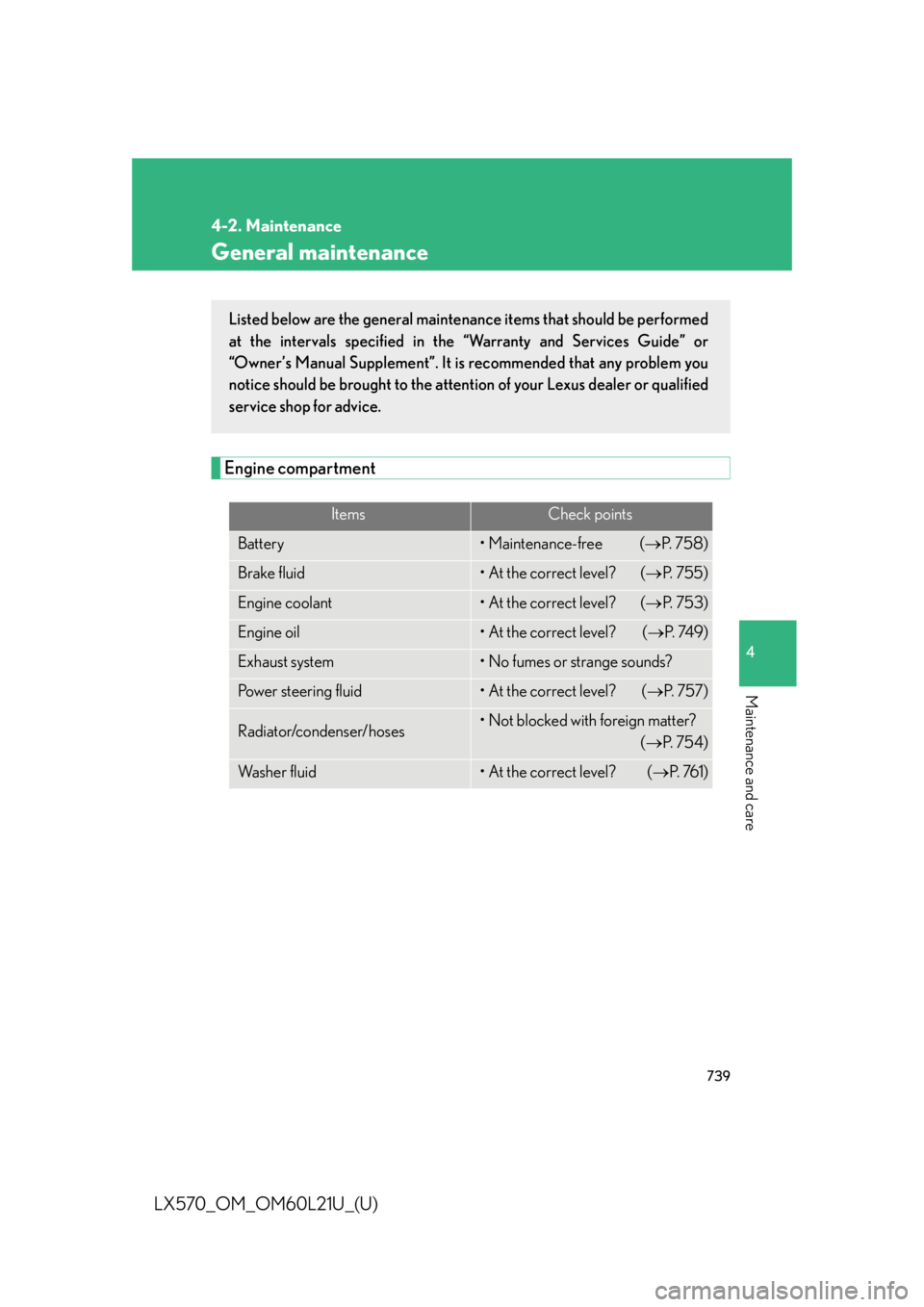
Engine compartment Items Check points
Battery • Maintenance-free ( P. 7 5 8 )
Brake fluid • At the correct level? ( P. 7 5 5 )
Engine coolant • At the correct level? ( P. 7 5 3 )
Engine oil • At the correct level? ( P. 74 9 )
Exhaust system • No fumes or strange sounds?
Power steering fluid • At the correct level? ( P. 7 5 7 )
Radiator/condenser/hoses • Not blocked with foreign matter?
( P. 7 5 4 )
Wa s h e r f l u i d • At the correct level? ( P. 76 1 )Listed below are the general maintenance items that should be performed
at the intervals specified in the “Warranty and Services Guide” or
“Owner’s Manual Supplement”. It is recommended that any problem you
notice should be brought to the attent ion of your Lexus dealer or qualified
service shop for advice.
Page 813 of 956

When trouble arises
5
811
LX570_OM_OM60L21U_(U) 5-1. Essential information
Emergency flashers................ 812
If your vehicle needs to be
towed ....................................... 813
If you think something is
wrong ....................................... 819
Fuel pump shut off
system .................................... 820 5-2. Steps to take in an
emergency
If a warning light turns on
or a warning buzzer
sounds... .................................. 821
If a warning message is
displayed................................ 832
If you have a flat tire............... 849
If the engine will not
start ......................................... 863
If the shift lever cannot be
shifted from “P”.................... 865
If you lose your keys .............. 866
If the electronic key does
not operate properly.......... 867
If the battery is
discharged ............................ 870
If your vehicle overheats ..... 873
If the vehicle becomes
stuck......................................... 876
If your vehicle has to be
stopped in an
emergency ............................ 878