wheel LEXUS LX570 2015 Manual Online
[x] Cancel search | Manufacturer: LEXUS, Model Year: 2015, Model line: LX570, Model: LEXUS LX570 2015Pages: 960, PDF Size: 11.33 MB
Page 298 of 960

2982-4. Using other driving systems
LX570_OM_OM60L96U_(U) Guide lines are not dis-
played The back door is open. Close the back door.
If this does not resolve the
symptom, have the vehicle
inspected by your Lexus
dealer.
“System is initializing.” is
displayed • The battery has been
reinstalled.
• The steering wheel
has been moved while
the battery was being
reinstalled.
• Battery power is low.
• The steering sensor
has been reinstalled.
• There is a malfunction
in the signals being
output by the steering
sensor. Stop the vehicle, and turn
the steering wheel as far as
it will go to the left and right.
If this does not resolve the
symptom, have the vehicle
inspected by your Lexus
dealer.
On the system initialization
screen, touch the “?” button
to display the operating
procedure.Symptom Likely cause Solution
Page 299 of 960

2992-4. Using other driving systems
2
When driving
LX570_OM_OM60L96U_(U) CAUTION■
When using the Lexus parking assist monitor system
The parking assist monitor system is a supp lemental device intended to assist the
driver when backing up. When backing up, be sure to check visually behind and all
around the vehicle before proceeding.
Observe the following precautions to avoid an accident that could result in death or
serious injuries. ●
Never depend on the parking assist mo nitor entirely when backing up. The
image and the position of the guide lines displayed on the screen may differ from
the actual state.
Use caution, just as you would when backing up any vehicle. ●
Be sure to back up slowly, depressing the brake pedal to control vehicle speed.●
If you seem likely to hit nearby vehicles, obstacles, people or mount the shoulder,
depress the brake pedal to stop the vehi cle, then disable the assist system by
touch
on the screen to cancel the system.●
The instructions given are only guidelines.
When and how much to turn the steering wheel will vary according to traffic con-
ditions, road surface conditions, vehicle co ndition, etc. when parking. It is neces-
sary to be fully aware of this befo re using the parking assist system. ●
When parking, be sure to check that the parking space will accommodate your
vehicle before maneuvering into it. ●
Do not use the Lexus parking assist monitor system in the following cases:
• On icy or slick road surfaces, or in snow
• When using tire chains
• When the back door is not closed completely
• On roads that are not flat or stra ight, such as curves or slopes.
Page 300 of 960
3002-4. Using other driving systems
LX570_OM_OM60L96U_(U) CAUTION ●
In low temperatures, the screen may darken or the image may become faint. The
image could distort when the vehicle is moving, or you may become unable to
see the image on the screen. Be sure to check direct visually and with the mirrors
all around the vehicl e before proceeding.●
If the tire sizes are changed, the position of the guide lines displayed on the
screen may change. ●
The camera uses a special lens. The di stances between objects and pedestrians
that appear in the image displayed on the screen will differ from the actual dis-
tances. ( P. 292)■
When using the perpendicu lar parking assist screen
Estimated course line display mode: If the steering wheel is straight and the vehicle
width extension guide lines and the estima ted course lines are not in alignment,
have the vehicle inspecte d by your Lexus dealer.
Page 301 of 960
3012-4. Using other driving systems
2
When driving
LX570_OM_OM60L96U_(U) CAUTION■
When using the parallel parking assist screen ●
Do not use the system if the display is incorrect due to an uneven (curvy/hilly)
road or a non- straight road.●
Make sure to operate the steering wh eel only when the vehicle is stopped.●
Be sure to check that there are no obstacles inside the blue outline.
If there are any obstacles inside the blue outline, do not use the parallel parking
assist. ●
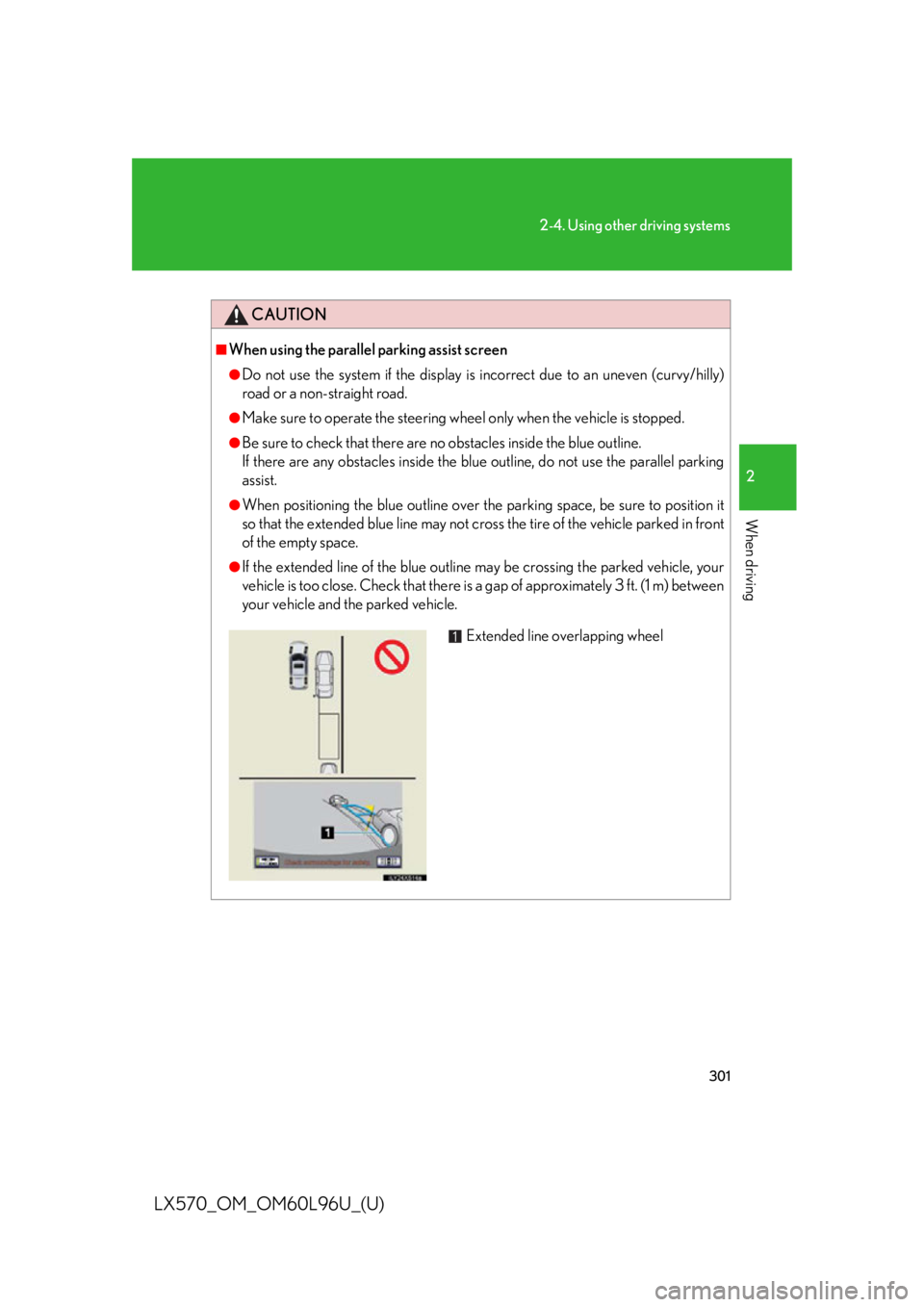
When positioning the blue outline over the parking space, be sure to position it
so that the extended blue line may not cro ss the tire of the vehicle parked in front
of the empty space. ●
If the extended line of the blue outline may be crossing the parked vehicle, your
vehicle is too close. Check that there is a gap of approximately 3 ft. (1 m) between
your vehicle and the parked vehicle.
Extended line overlapping wheel
Page 305 of 960
3052-4. Using other driving systems
2
When driving
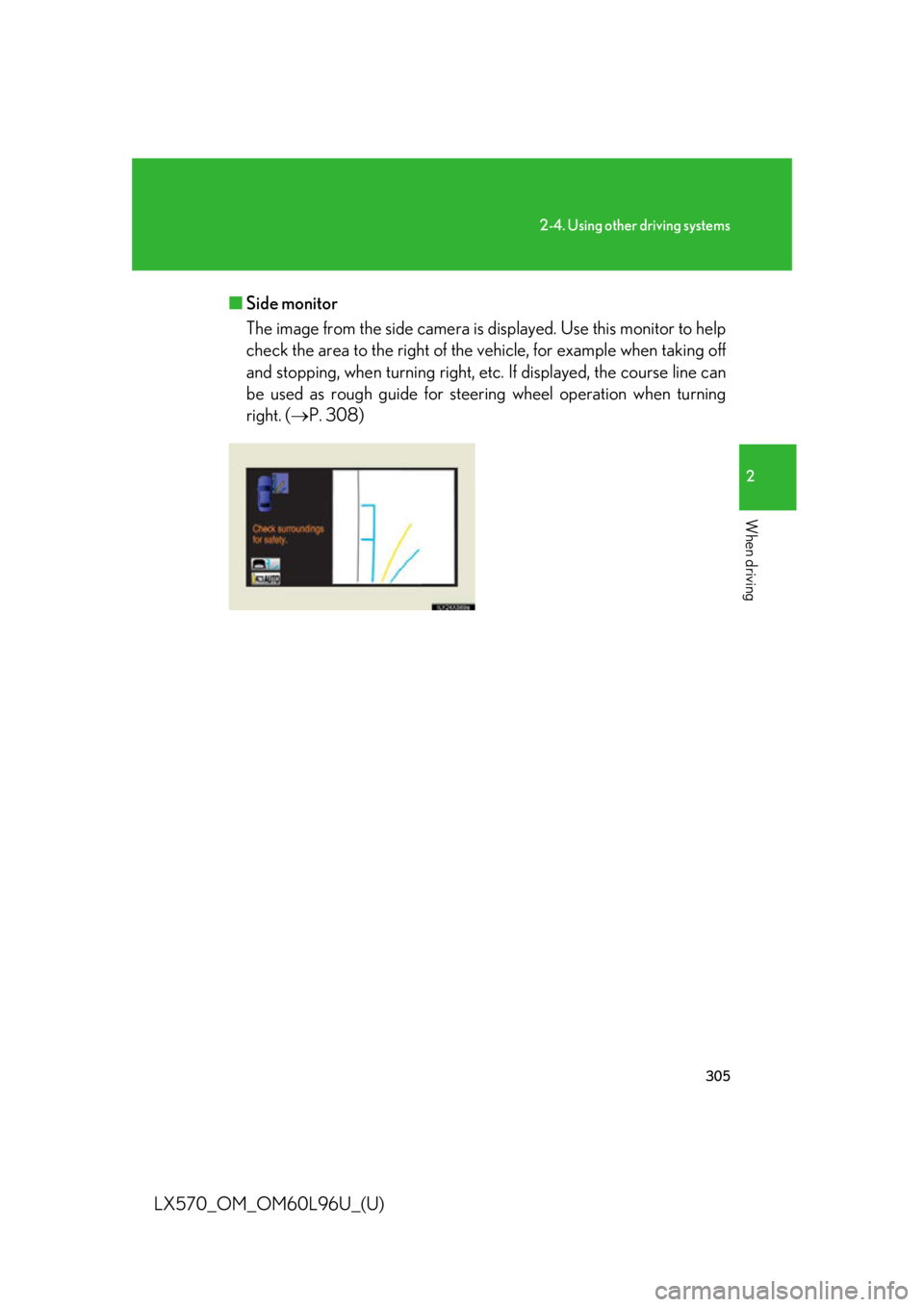
LX570_OM_OM60L96U_(U) ■ Side monitor
The image from the side camera is displayed. Use this monitor to help
check the area to the ri ght of the vehicle, for example when taking off
and stopping, when turning right, etc. If displayed, the course line can
be used as rough guide for steer ing wheel operation when turning
right. ( P. 308)
Page 308 of 960

3082-4. Using other driving systems
LX570_OM_OM60L96U_(U) Using the side monitor
Simultaneous display
Individual display Front wheel contact point Shows the position of the vehicle’s
front tire.
Vehicle front edge line Shows the position of the vehicle’s
leading edge.
Vehicle width line (blue) Indicates the width of the vehicle
including the outside rear view mir-
ror.
Projected course line (yellow) Displays a rough guide of the vehi-
cle path that moves according to
the steering wheel position. Dis-
played along with the minimum
projected turning circle.
Minimum projected turning cir-
cle (blue) Displays the smallest turning circle
projected by the system if the
steering wheel is turned to full lock.
Displayed when the steering wheel
is turned to the right (further than
90 from straight ahead).
Rear wheel contact point Shows the position of the vehicle’s
rear tire.
When in individual display mode, the ri ght front view will be expanded and dis-
played.
Page 312 of 960
3122-4. Using other driving systems
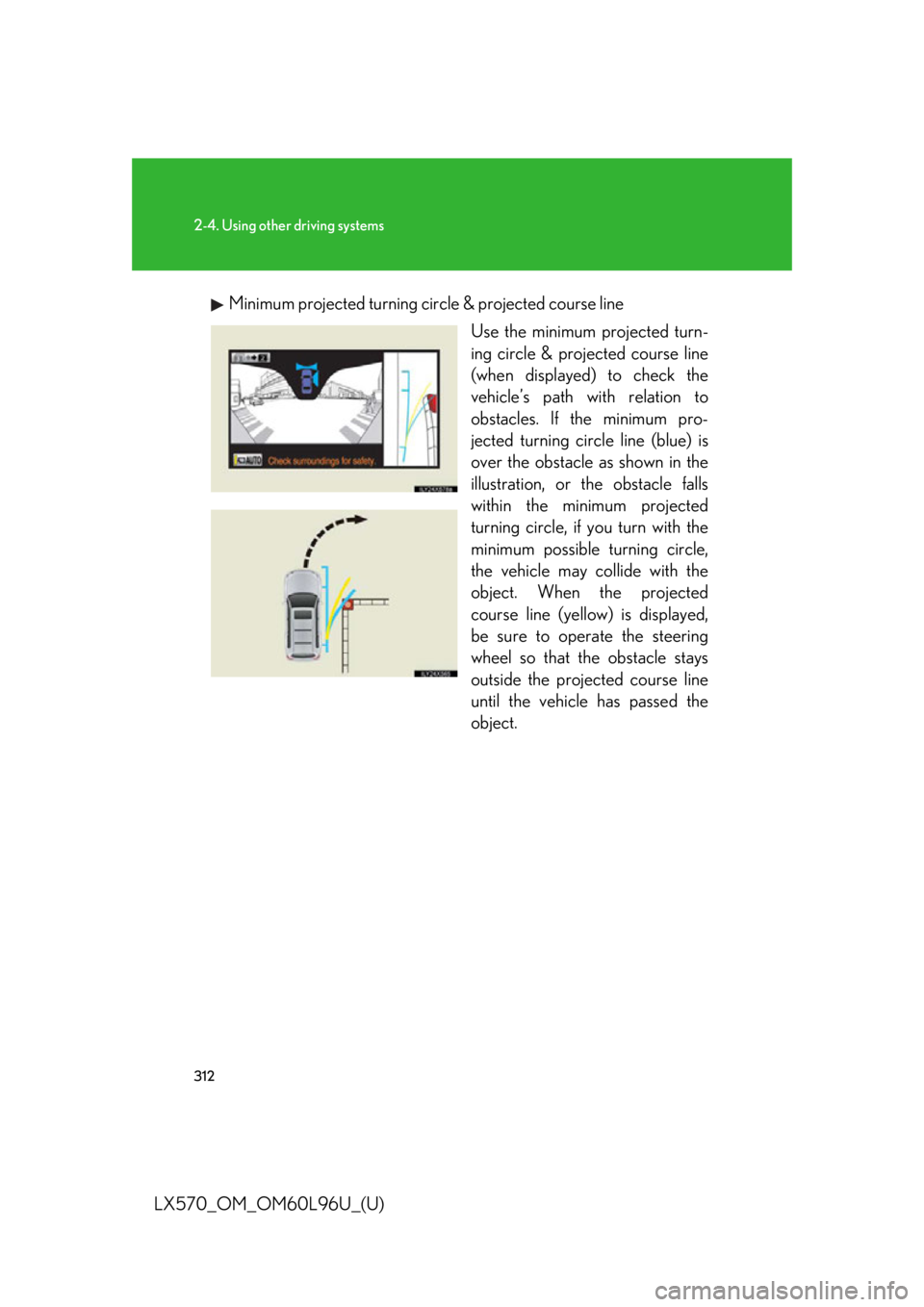
LX570_OM_OM60L96U_(U) Minimum projected turning circle & projected course line
Use the minimum projected turn-
ing circle & projected course line
(when displayed) to check the
vehicle’s path with relation to
obstacles. If the minimum pro-
jected turning circle line (blue) is
over the obstacle as shown in the
illustration, or the obstacle falls
within the minimum projected
turning circle, if you turn with the
minimum possible turning circle,
the vehicle may co llide with the
object. When the projected
course line (yellow) is displayed,
be sure to operate the steering
wheel so that the obstacle stays
outside the projected course line
until the vehicle has passed the
object.
Page 313 of 960
3132-4. Using other driving systems
2
When driving
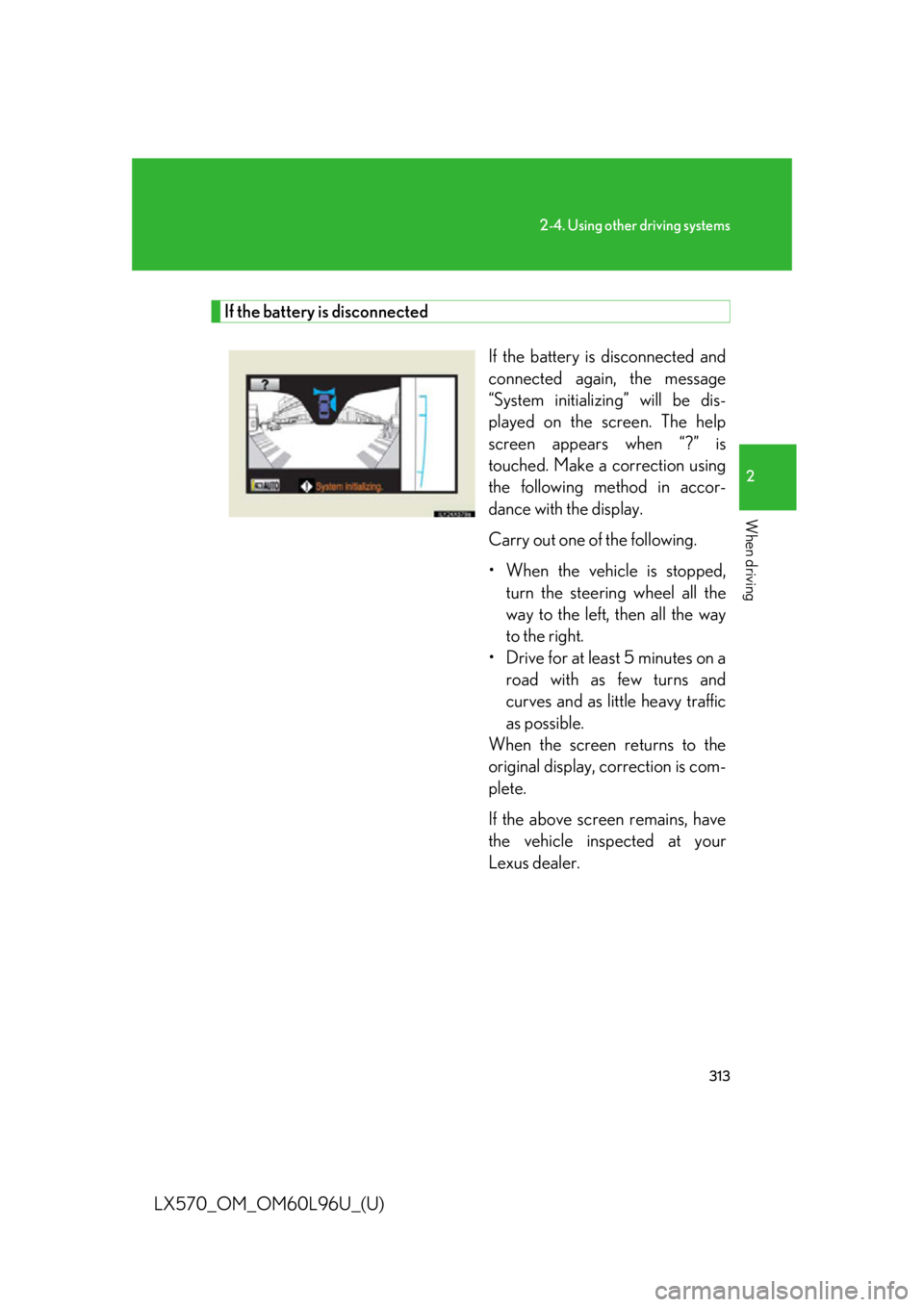
LX570_OM_OM60L96U_(U) If the battery is disconnected
If the battery is disconnected and
connected again, the message
“System initializing” will be dis-
played on the screen. The help
screen appears when “?” is
touched. Make a correction using
the following method in accor-
dance with the display.
Carry out one of the following.
• When the vehicle is stopped,
turn the steering wheel all the
way to the left, then all the way
to the right.
• Drive for at least 5 minutes on a
road with as few turns and
curves and as li ttle heavy traffic
as possible.
When the screen returns to the
original display, correction is com-
plete.
If the above screen remains, have
the vehicle inspected at your
Lexus dealer.
Page 319 of 960
3192-4. Using other driving systems
2
When driving
LX570_OM_OM60L96U_(U) NOTICE■
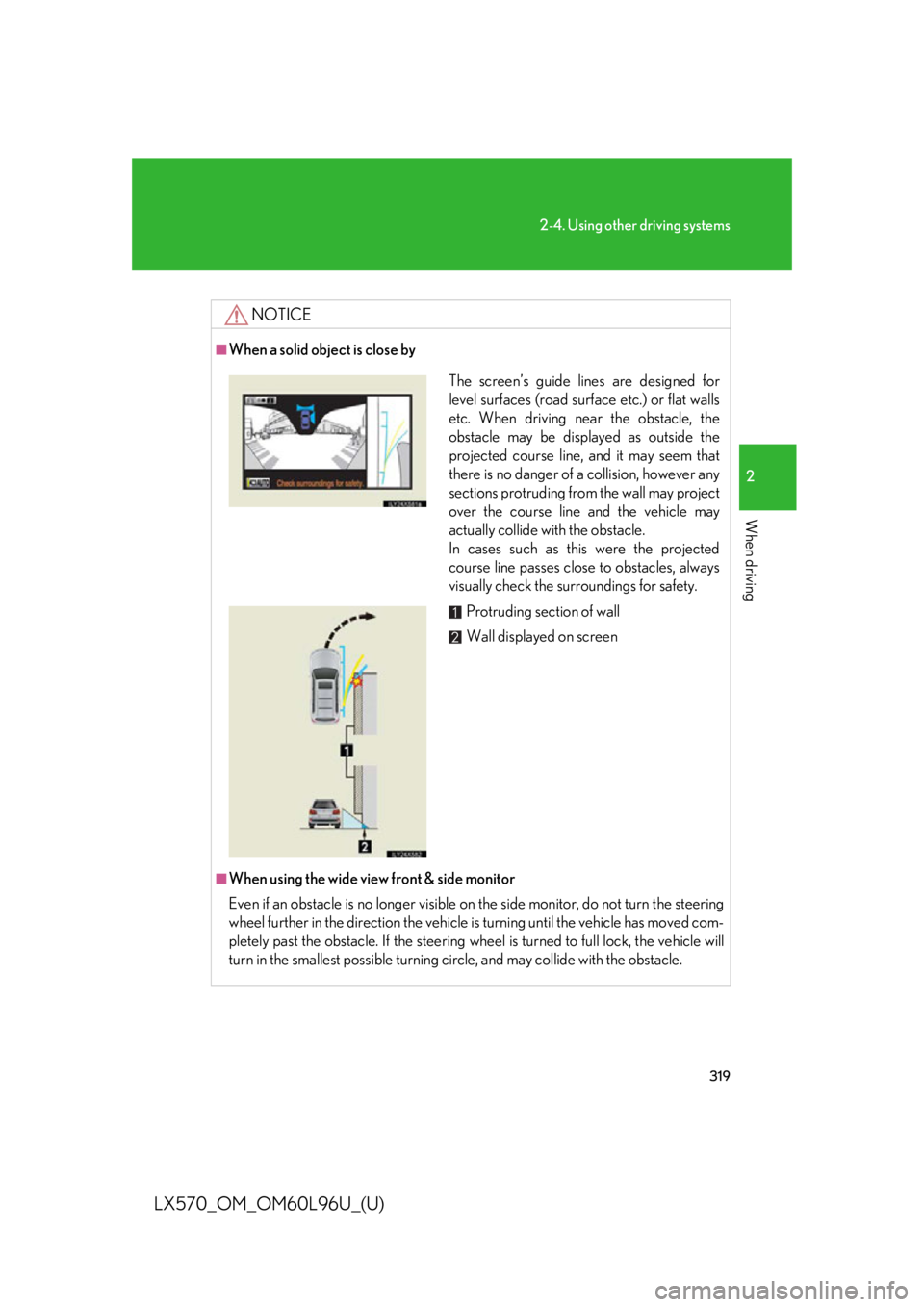
When a solid object is close by
■
When using the wide view front & side monitor
Even if an obstacle is no longer visible on the side monitor, do not turn the steering
wheel further in the direction the vehicle is turning until the vehicle has moved com-
pletely past the obstacle. If the steering wh eel is turned to full lock, the vehicle will
turn in the smallest possi ble turning circle, and may collide with the obstacle. The screen’s guide lines are designed for
level surfaces (road surface etc.) or flat walls
etc. When driving ne ar the obstacle, the
obstacle may be displayed as outside the
projected course line, and it may seem that
there is no danger of a collision, however any
sections protruding from the wall may project
over the course line and the vehicle may
actually collide with the obstacle.
In cases such as this were the projected
course line passes close to obstacles, always
visually check the su rroundings for safety.
Protruding section of wall
Wall displayed on screen
Page 320 of 960
3202-4. Using other driving systems
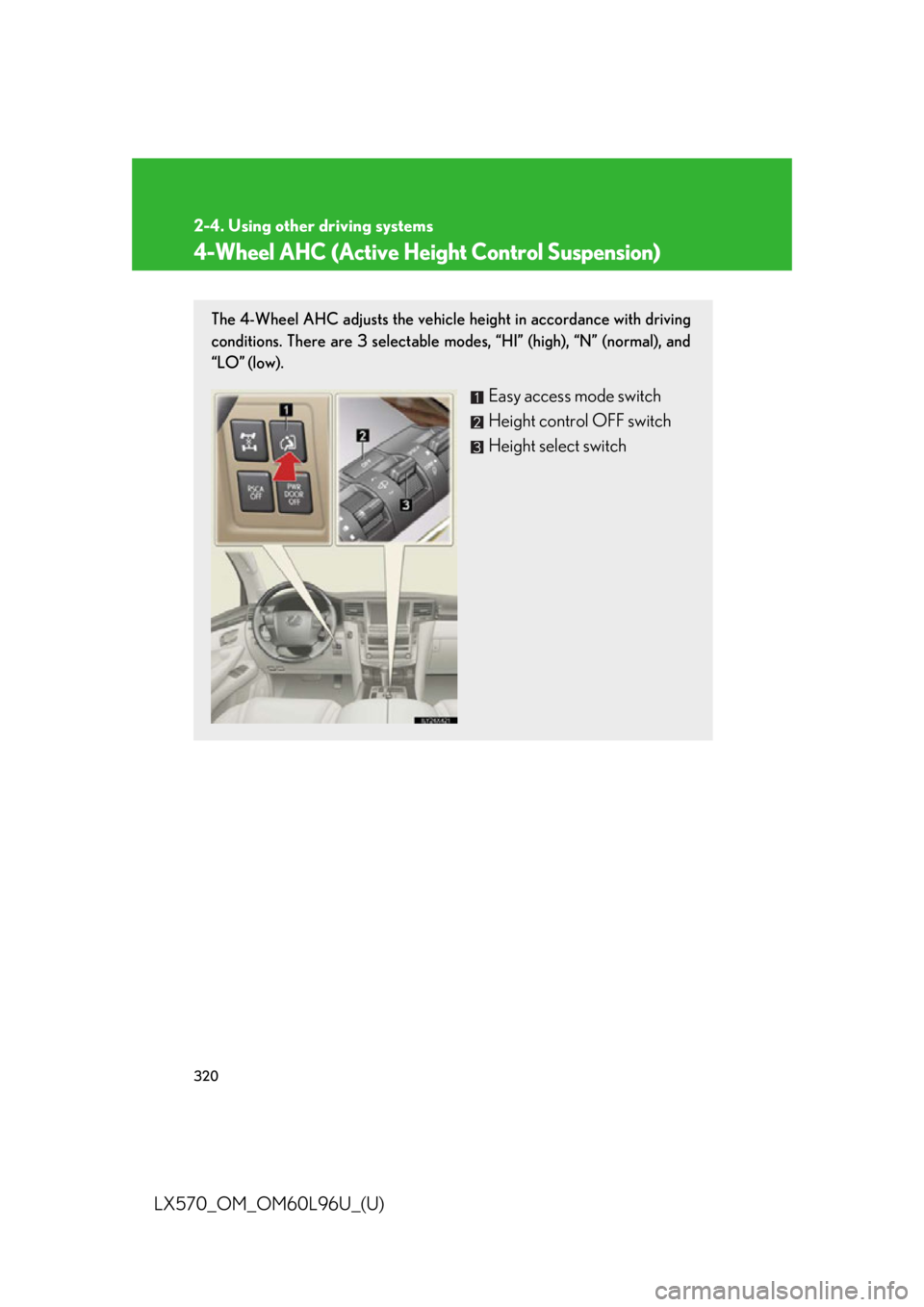
LX570_OM_OM60L96U_(U) 4-Wheel AHC (Active Height Control Suspension) The 4-Wheel AHC adjusts the vehicle height in accordance with driving
conditions. There are 3 selectable mo des, “HI” (high), “N” (normal), and
“LO” (low).
Easy access mode switch
Height control OFF switch
Height select switch