wheel LEXUS LX570 2016 Service Manual
[x] Cancel search | Manufacturer: LEXUS, Model Year: 2016, Model line: LX570, Model: LEXUS LX570 2016Pages: 632, PDF Size: 8.94 MB
Page 208 of 632
208
LX570_OM_OM60N01U_(U)4-2. Driving procedures
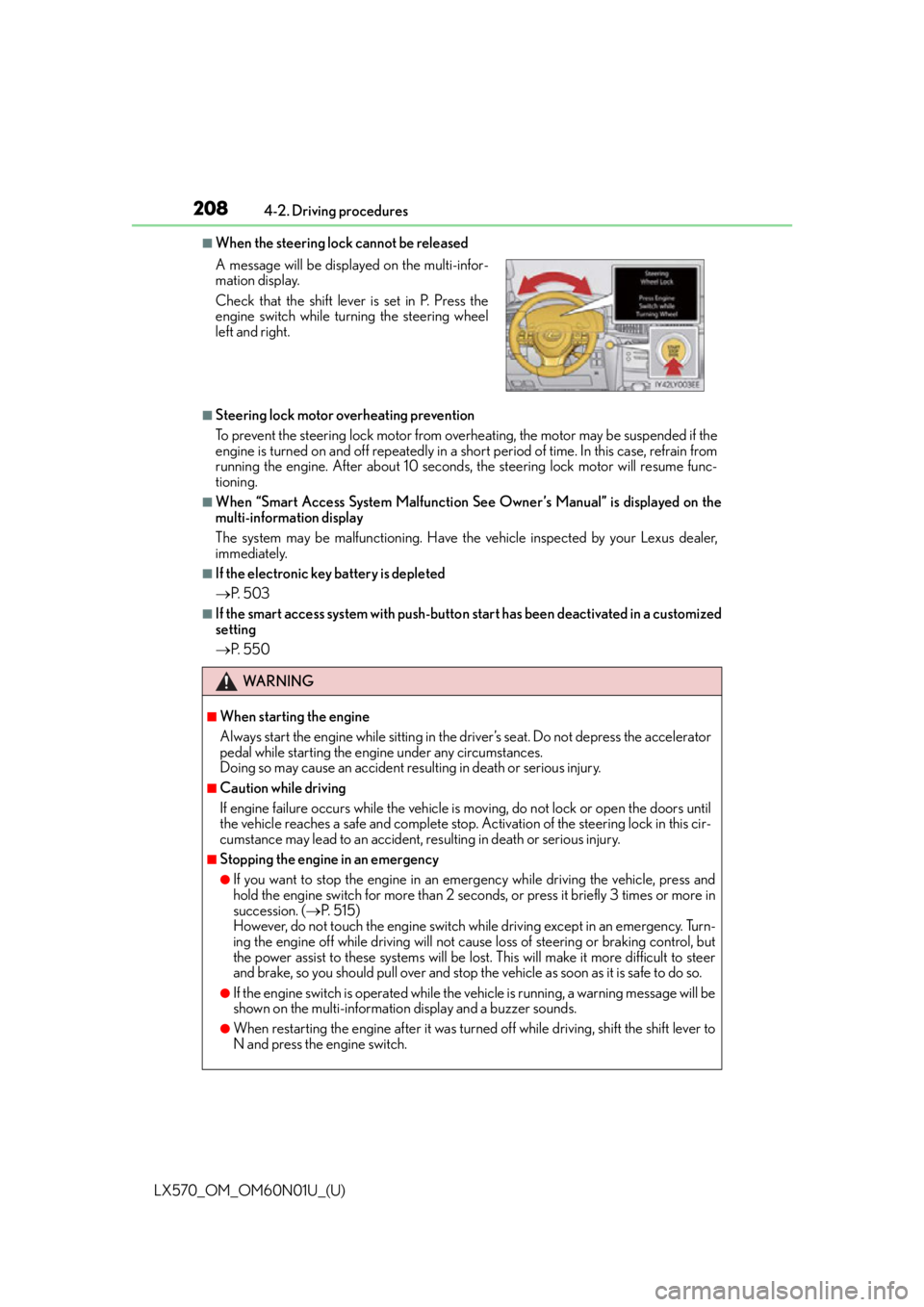
■When the steering lock cannot be released
■Steering lock motor overheating prevention
To prevent the steering lock motor from overheating, the motor may be suspended if the
engine is turned on and off repeatedly in a sh
ort period of time. In this case, refrain from
running the engine. After about 10 seconds, the steering lock motor will resume func-
tioning.
■When “Smart Access System Malfunction See Owner’s Manual” is displayed on the
multi-information display
The system may be malfunctioning. Have the vehicle inspected by your Lexus dealer,
immediately.
■If the electronic key battery is depleted
P. 5 0 3
■If the smart access system with push-butto n start has been deactivated in a customized
setting
P. 5 5 0
A message will be displayed on the multi-infor-
mation display.
Check that the shift lever is set in P. Press the
engine switch while turning the steering wheel
left and right.
WA R N I N G
■When starting the engine
Always start the engine while
sitting in the driver’s seat. Do not depress the accelerator
pedal while starting the engine under any circumstances.
Doing so may cause an accident resu lting in death or serious injury.
■Caution while driving
If engine failure occurs while the vehicle is moving, do not lock or open the doors until
the vehicle reaches a safe and complete stop. Activation of the steering lock in this cir-
cumstance may lead to an accident, re sulting in death or serious injury.
■Stopping the engine in an emergency
●If you want to stop the engine in an emergency while driving the vehicle, press and
hold the engine switch for more than 2 seco nds, or press it briefly 3 times or more in
succession. ( P. 5 1 5 )
However, do not touch the engine switch while driving except in an emergency. Turn-
ing the engine off while driving will not cause loss of steering or braking control, but
the power assist to these systems will be lost . This will make it more difficult to steer
and brake, so you should pull over and stop th e vehicle as soon as it is safe to do so.
●If the engine switch is operated while the vehicle is running, a warning message will be
shown on the multi-information display and a buzzer sounds.
●When restarting the engine after it was turn ed off while driving, shift the shift lever to
N and press the engine switch.
Page 227 of 632

LX570_OM_OM60N01U_(U)
2274-3. Operating the lights and wipers
4
Driving
■Camera sensor detection information
●The high beam may not be automatically turned off in the following situations:
• When oncoming vehicles sudd enly appear from a curve
• When the vehicle is cut in front of by another vehicle
• When vehicles ahead are hidden from sight due to repeated curves, road dividers or roadside trees
• When vehicles ahead appear from the faraway lane on wide road
• When vehicles ahead have no lights
●The high beam may be turned off if a vehicl e ahead that is using fog lights without using
the headlights is detected.
●House lights, street lights, traffic signals, and illuminated billboards or signs may cause
the high beam to switch to the low be ams, or the low beams to remain on.
●The following factors may affect the amount of time taken to turn the high beam on or
off:
• The brightness of headlights, fog lights, and tail lights of vehicles ahead
• The movement and direction of vehicles ahead
• When a vehicle ahead only has operational lights on one side
• When a vehicle ahead is a two-wheeled vehicle
• The condition of the road (gradient, curve, condition of the road surface etc.)
• The number of passengers and amount of luggage
●The high beam may be turned on or off when the driver does not expect it.
●Bicycles or similar objects may not be detected.
●In the situations shown below, the system may not be able to accurately detect sur-
rounding brightness levels. This may caus e the low beams to remain on or the high
beams to cause problems for pedestrians, vehicles ahead or other parties. In these
cases, manually switch between the high and low beams.
• In bad weather (rain, snow, fog, sandstorms etc.)
• The windshield is obscured by fog, mist, ice, dirt etc.
• The windshield is cracked or damaged.
• The camera sensor is deformed or dirty.
• The camera sensor temperature is extremely high.
• Surrounding brightness levels are equal to those of headlights, tail lights or fog lights.
• Vehicles ahead have headlights that are either switched off, dirty, are changing color, or have are not aimed properly.
• When driving through an area of intermit tently changing brightness and darkness.
• When frequently and repeatedly driving ascending/descending roads, or roads with rough, bumpy or uneven surfaces (such as stone-paved roads, gravel tracks etc.).
• When frequently and repeat edly taking curves or driving on a winding road.
• There is a highly reflective object ahead of the vehicle, such as a sign or a mirror.
• The back of a vehicle ahead is highly reflective, such as a container on a truck.
• The vehicle’s headlights are damaged or dirty.
• The vehicle is listing or tilting, due to a flat tire, a trailer being towed etc.
• The high beam and low beam are repeated ly being switched between in an abnor-
mal manner.
• The driver believes that the high beam may be causing problems or distress to other
drivers or pedestrians nearby.
Page 252 of 632

252
LX570_OM_OM60N01U_(U)4-5. Using the driving support systems
WA R N I N G
■Limitations of the pre-collision system
●The driver is solely responsible for safe
driving. Always drive safely, taking care to
observe your surroundings.
Do not use the pre-collision system instea d of normal braking operations under any
circumstances. This system will not preven t collisions or lessen collision damage or
injury in every situation. Do not overly rely on this system. Failure to do so may lead to
an accident, resulting in death or serious injury.
●Although this system is design ed to help avoid and reduce the impact of a collision, its
effectiveness may change according to various conditions, therefore the system may
not always be able to achieve the same level of performance.
Read the following conditions carefully. Do not overly rely on this system and always
drive carefully.
• Conditions under which the system may operat e even if there is no possibility of a
collision: P. 2 5 7
• Conditions under which the system may not operate properly: P. 2 5 9
●Do not attempt to test the operation of the pre-collision system yourself, as the system
may not operate properly, poss ibly leading to an accident.
■Pre-collision braking*3
●The pre-collision braking function may not operate if certain operations are per-
formed by the driver. If the accelerator peda l is being depressed strongly or the steer-
ing wheel is being turned, the system may de termine that the driver is taking evasive
action and possibly prevent the pre-colli sion braking function from operating.
●In some situations, while the pre-collision braking function is operating, operation of
the function may be canceled if the accele rator pedal is depressed strongly or the
steering wheel is turned and the system determines that the driver is taking evasive
action.
●A large amount of braking force is applied while the pre-collision braking function is
operating. Additionally, as the vehicle may creep if it has been stopped by the pre-
collision braking function, the driver should depress the brake pedal as necessary.
●If the brake pedal is being depressed, the system may determine that the driver is tak-
ing evasive action and possibly delay the op eration timing of the pre-collision braking
function.
*3: Depending on the region in which the ve hicle was sold, the pre-collision braking
function may not be available.
Page 253 of 632
LX570_OM_OM60N01U_(U)
2534-5. Using the driving support systems
4
Driving
WA R N I N G
■When to disable the pre-collision system
In the following situations, disable the system, as it may not operate properly, possibly
leading to an accident resultin g in death or serious injury:
●When the vehicle is being towed
●When your vehicle is towing another vehicle
●When transporting the vehicle via truck, boat, train or similar means of transportation
●When the vehicle is raised on a lift with the engine running and the tires are allowed to
rotate freely
●When inspecting the vehicle using a drum tester such as a chassis dynamometer or
speedometer tester, or when using an on vehicle wheel balancer
●When a strong impact is applied to the front bumper or front grille, due to an accident
or other reasons
●If the vehicle cannot be driven in a stable manner, such as when the vehicle has been
in an accident or is malfunctioning
●When the vehicle is driven in a sporty manner or off-road
●When the tires are not properly inflated
●When the tires are very worn
●When tires of a size other than specified are installed
●When tire chains are installed
●If the suspension is modified
●If the front of the vehicle is raised or lowered, such as when loaded with heavy lug-
gage
Page 257 of 632
LX570_OM_OM60N01U_(U)
2574-5. Using the driving support systems
4
Driving
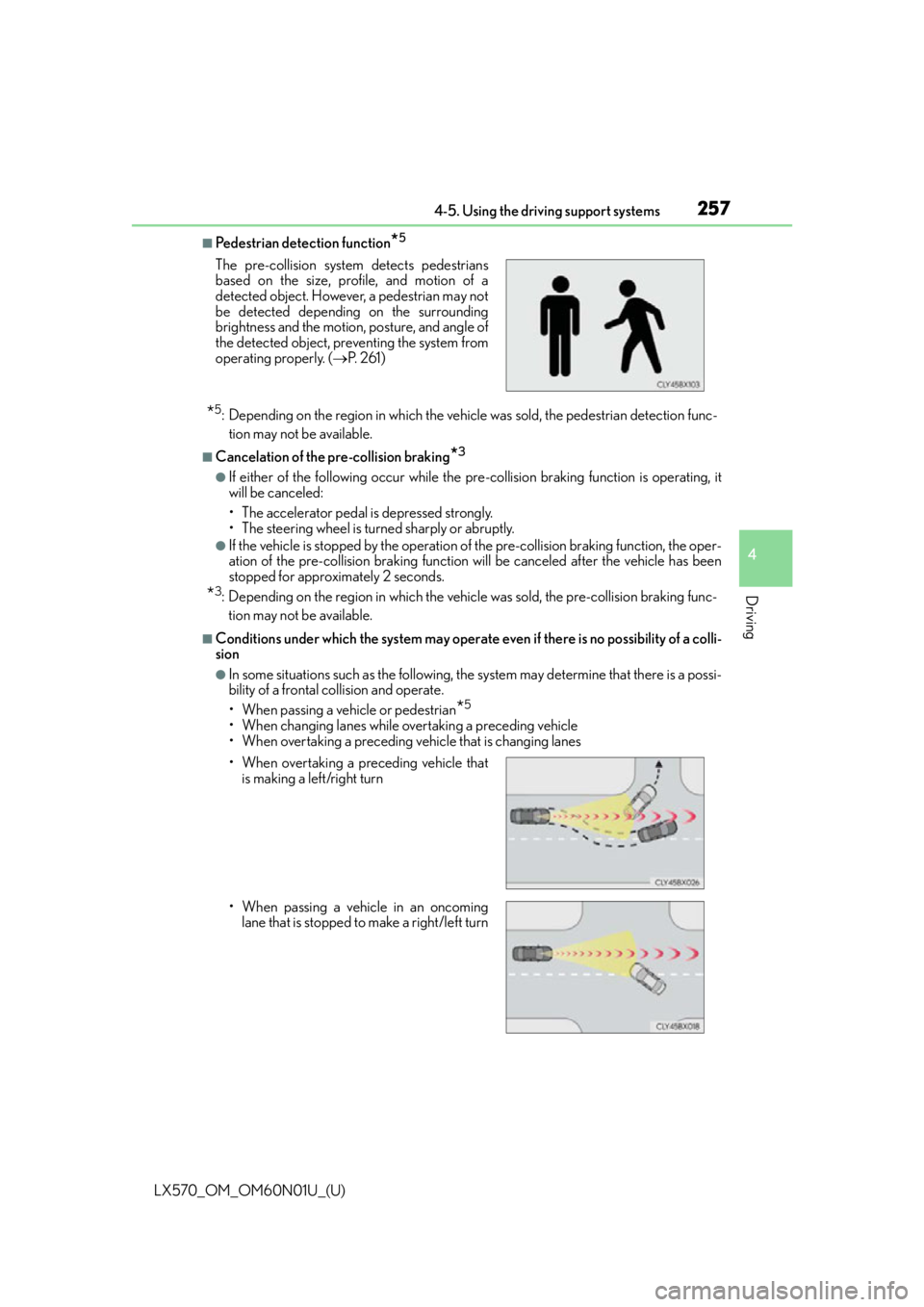
■Pedestrian detection function*5
*5: Depending on the region in which the vehicle was sold, the pedestrian detection func-tion may not be available.
■Cancelation of the pre-collision braking*3
●If either of the following occur while the pr e-collision braking function is operating, it
will be canceled:
• The accelerator pedal is depressed strongly.
• The steering wheel is turned sharply or abruptly.
●If the vehicle is stopped by the operation of the pre-collision braking function, the oper-
ation of the pre-collision braking function will be canceled after the vehicle has been
stopped for approximately 2 seconds.
*3: Depending on the region in which the vehi cle was sold, the pre-collision braking func-
tion may not be available.
■Conditions under which the system may operate even if there is no possibility of a colli-
sion
●In some situations such as the following, th e system may determine that there is a possi-
bility of a frontal co llision and operate.
• When passing a vehicle or pedestrian
*5
• When changing lanes while overtaking a preceding vehicle
• When overtaking a preceding vehicle that is changing lanes
The pre-collision system detects pedestrians
based on the size, profile, and motion of a
detected object. However, a pedestrian may not
be detected depending on the surrounding
brightness and the motion, posture, and angle of
the detected object, preventing the system from
operating properly. (
P. 2 6 1 )
• When overtaking a preceding vehicle that is making a left/right turn
• When passing a vehicle in an oncoming lane that is stopped to make a right/left turn
Page 260 of 632
260
LX570_OM_OM60N01U_(U)4-5. Using the driving support systems
• If a vehicle ahead is carrying a load which protrudes past its rear bumper
• If a vehicle ahead is irregularly shaped, such as a tractor or side car
• If the sun or other light is shin ing directly on a vehicle ahead
• If a vehicle cuts in front of your vehicle or emerges from beside a vehicle
• If a vehicle ahead makes an abrupt maneuver (such as sudden swerving, accelera- tion or deceleration)
• When suddenly cutting behind a preceding vehicle
• When driving in inclement weather such as heavy rain, fog, snow or a sandstorm
• When the vehicle is hit by water, snow, dust, etc. from a vehicle ahead
• When driving through steam or smoke
• When driving in a place where the surrounding brightness changes suddenly, such as at the entrance or exit of a tunnel
• When a very bright light, such as the sun or the headlights of oncoming traffic, shines
directly into the camera sensor
• When the surrounding area is dim, such as at dawn or dusk, or while at night or in a
tunnel
• After the engine has started the vehicle has not been driven for a certain amount of time
• While making a left/right turn and for a few seconds after making a left/right turn
• While driving on a curve and for a few seconds after driving on a curve
• If your vehicle is skidding
• If the front of the vehicle is raised or lowered, such as when the road surface is
uneven or undulating
• If the wheels are misaligned
• If a wiper blade is blocking the camera sensor
• The vehicle is wobbling.
• The vehicle is being driven at extremely high speeds.
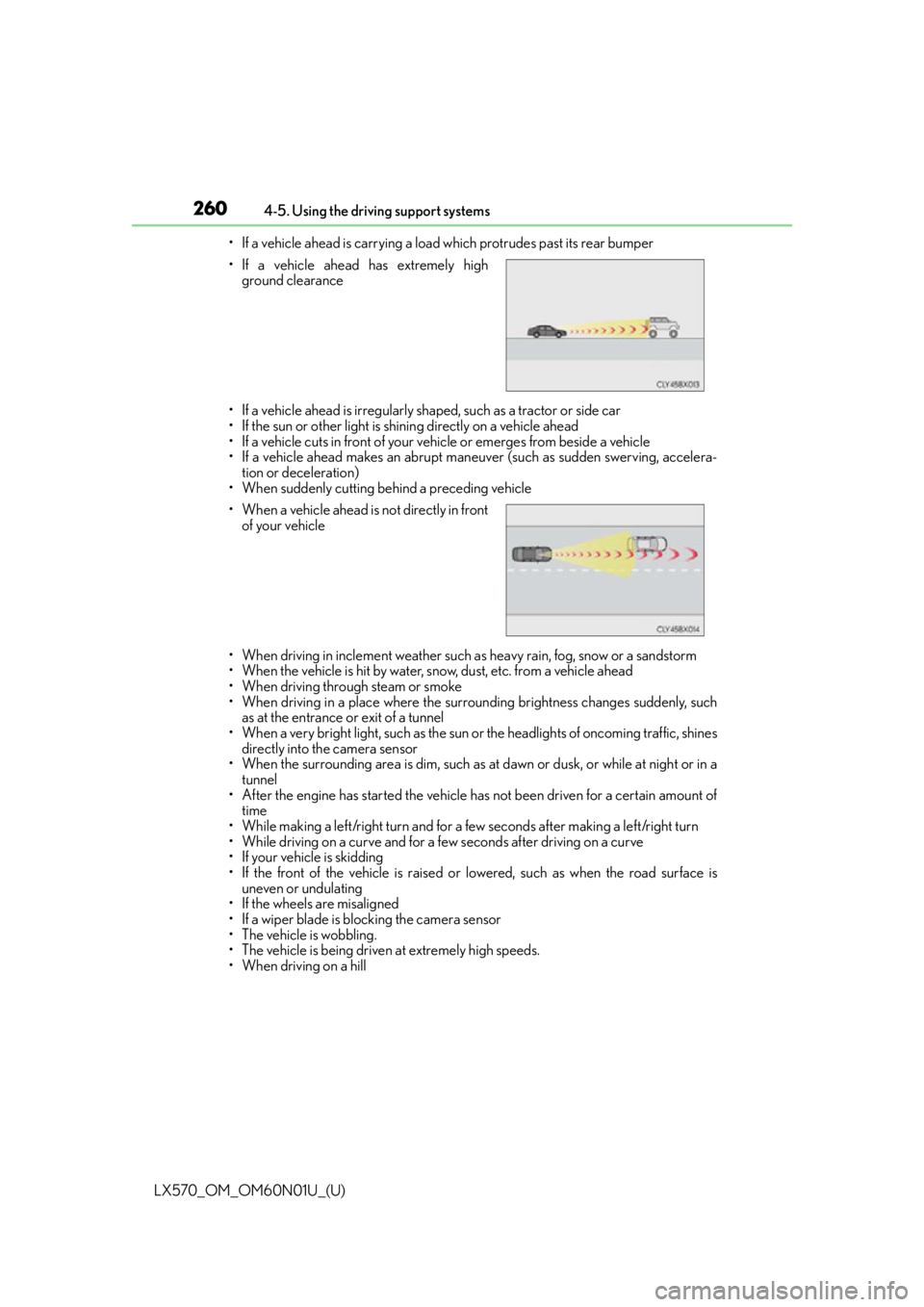
• When driving on a hill • If a vehicle ahead has extremely high
ground clearance
• When a vehicle ahead is not directly in front
of your vehicle
Page 261 of 632

LX570_OM_OM60N01U_(U)
2614-5. Using the driving support systems
4
Driving
●In some situations such as the following, sufficient braking force may not be obtained,
preventing the system from performing properly:
• If the braking functions cannot operate to their full extent, such as when the brake parts are extremely cold, extremely hot, or wet
• If the vehicle is not properly maintained (brakes or tires are excessively worn, improper tire inflation pressure, etc.)
• When the vehicle is being driven on a gravel road or other slippery surface
●Some pedestrians such as the following may not be detected by the radar sensor and
camera sensor, preventing the system from operating properly
*5:
• Pedestrians shorter than approximately 3.2 ft. (100 cm) or taller than approximately 6.5 ft. (2 m)
• Pedestrians wearing oversized clothing (a rain coat, long skirt, etc.), making their sil- houette obscure
• Pedestrians who are carrying large baggage, holding an umbrella, etc., hiding part
of their body
• Pedestrians who are bending forward or squatting
• Pedestrians who are pushing a stroller, wheelchair, bicycle or other vehicle
• Groups of pedestrians which are close together
• Pedestrians who are wearing white and look extremely bright
• Pedestrians in the dark, such as at night or while in a tunnel
• Pedestrians whose clothing appears to be nearly the same color or brightness as
their surroundings
• Pedestrians near walls, fences, guardrails, or large objects
• Pedestrians who are on a metal object (man hole cover, steel plate, etc.) on the road
• Pedestrians who are walking fast
• Pedestrians who are changing speed abruptly
• Pedestrians running out from behind a vehicle or a large object
• Pedestrians who are extremely close to the side of the vehicle (outside rear view mirror, etc.)
*5: Depending on the region in which the ve hicle was sold, the pedestrian detection
function may not be available.
Page 263 of 632
263
LX570_OM_OM60N01U_(U)4-5. Using the driving support systems
4
Driving
LDA (Lane Departure Alert)
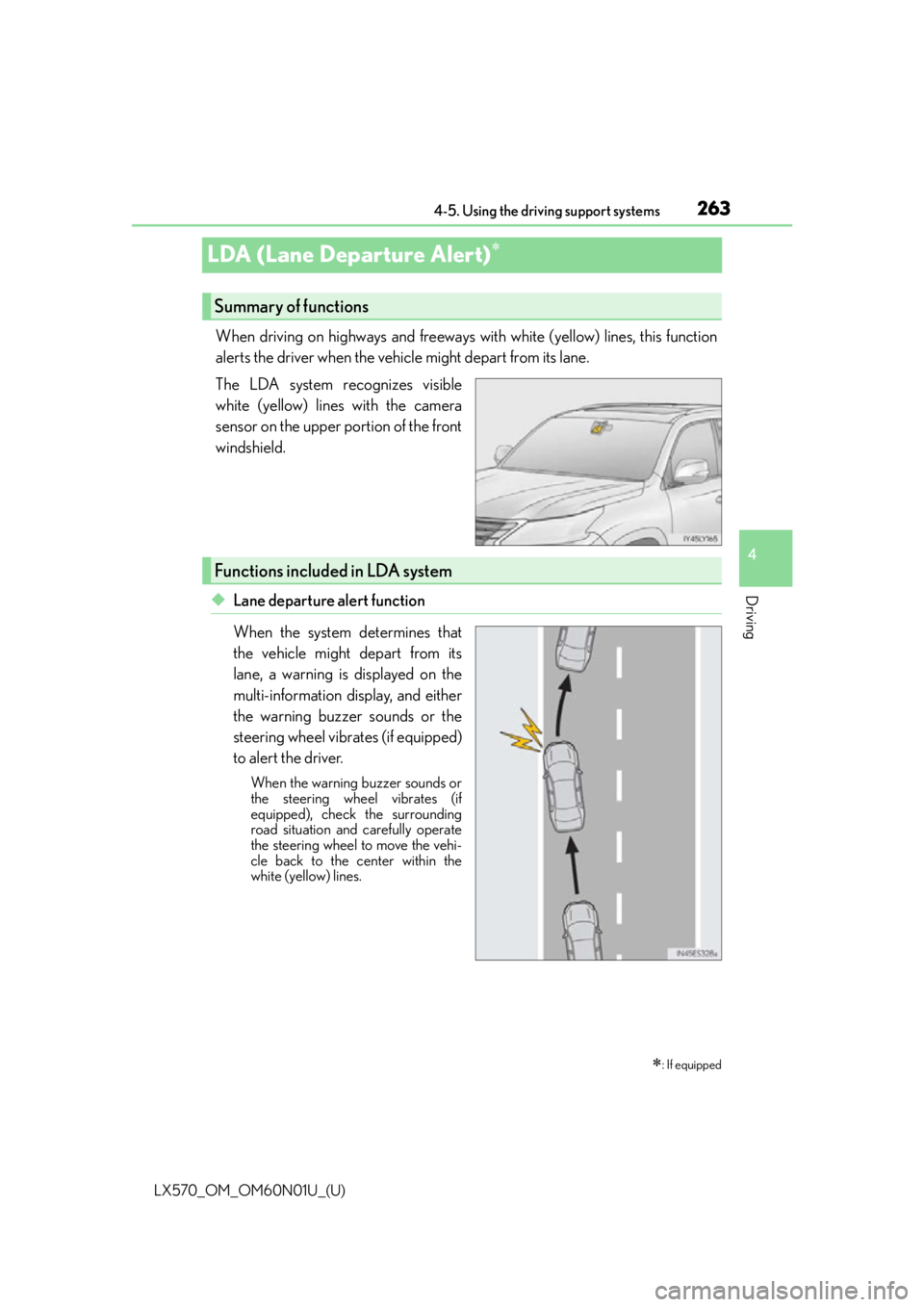
When driving on highways and freeways wi
th white (yellow) lines, this function
alerts the driver when the vehicle might depart from its lane.
The LDA system recognizes visible
white (yellow) lines with the camera
sensor on the upper portion of the front
windshield.
◆Lane departure alert function
When the system determines that
the vehicle might depart from its
lane, a warning is displayed on the
multi-information display, and either
the warning buzzer sounds or the
steering wheel vibrates (if equipped)
to alert the driver.
When the warning buzzer sounds or
the steering wheel vibrates (if
equipped), check the surrounding
road situation and carefully operate
the steering wheel to move the vehi-
cle back to the center within the
white (yellow) lines.
: If equipped
Summary of functions
Functions included in LDA system
Page 264 of 632
264
LX570_OM_OM60N01U_(U)4-5. Using the driving support systems
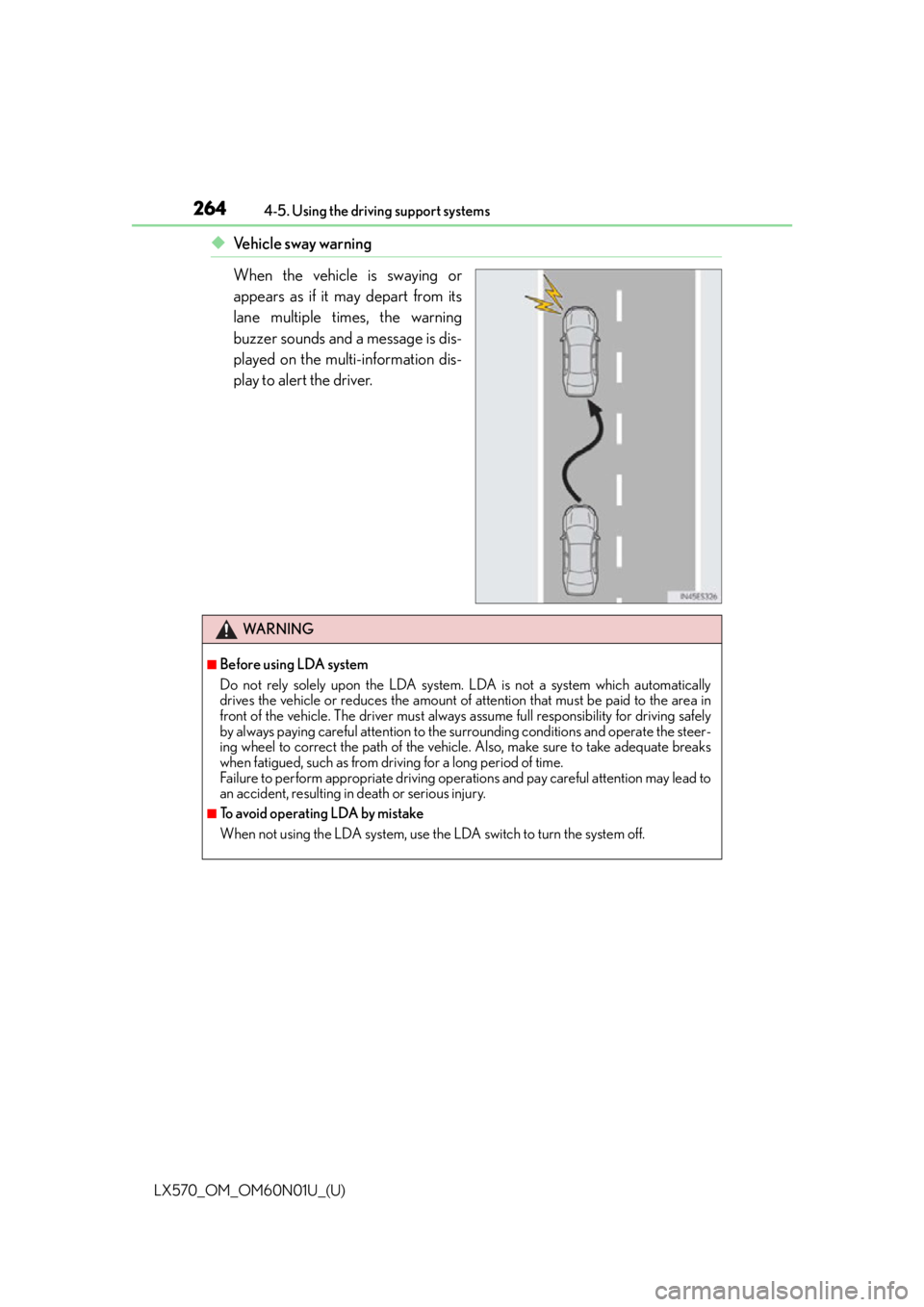
◆Ve h i c l e s w a y w a r n i n g
When the vehicle is swaying or
appears as if it may depart from its
lane multiple times, the warning
buzzer sounds and a message is dis-
played on the multi-information dis-
play to alert the driver.
WA R N I N G
■Before using LDA system
Do not rely solely upon the LDA system. LDA is not a system which automatically
drives the vehicle or reduces the amount of
attention that must be paid to the area in
front of the vehicle. The driver must always assume full responsibility for driving safely
by always paying careful attention to the surrounding conditions and operate the steer-
ing wheel to correct the path of the vehicle. Also, make sure to take adequate breaks
when fatigued, such as from driv ing for a long period of time.
Failure to perform appropriate driving operat ions and pay careful attention may lead to
an accident, resulting in death or serious injury.
■To avoid operating LDA by mistake
When not using the LDA system, use the LDA switch to turn the system off.
Page 267 of 632

LX570_OM_OM60N01U_(U)
2674-5. Using the driving support systems
4
Driving
■Operation conditions of each function
●Lane departure alert function
This function operates when all of the following conditions are met.
• LDA is turned on.
• Vehicle speed is approximately 32 mph (50 km/h) or more.
• System recognizes white (yellow) lines.
• Width of traffic lane is approximately 9.8 ft. (3 m) or more.
• Turn signal lever is not operated.
• Vehicle is driven on a straight road or around a gentle curve with a radius of more
than approximately 492 ft. (150 m).
• No system malfunctions are detected. ( P. 2 6 9 )
●Ve h i c l e s w a y w a r n i n g
This function operates when all of the following conditions are met.
• Setting for “Sway Warning” in (Setting s display) of the multi-information dis-
play is set to “On”. ( P. 5 8 5 )
• Vehicle speed is approximately 32 mph (50 km/h) or more.
• Width of traffic lane is approximately 9.8 ft. (3 m) or more.
• No system malfunctions are detected. ( P. 2 6 9 )
■Temporary cancellation of functions
When operation conditions are no longer me t, a function may be temporarily canceled.
However, when the operation conditions are met again, operation of the function is auto-
matically restored. ( P. 2 6 7 )
■Lane departure alert function
The warning buzzer may be difficult to hear due to external noise, audio playback, etc.
Also, it may be difficult to feel steering wheel vibrations due to the road conditions, etc.
■White (yellow) lines are on ly on one side of road
The LDA system will not operate for the side on which white (yellow) lines could not be
recognized.