wheel LEXUS LX570 2016 Repair Manual
[x] Cancel search | Manufacturer: LEXUS, Model Year: 2016, Model line: LX570, Model: LEXUS LX570 2016Pages: 632, PDF Size: 8.94 MB
Page 310 of 632
310
LX570_OM_OM60N01U_(U)4-5. Using the driving support systems
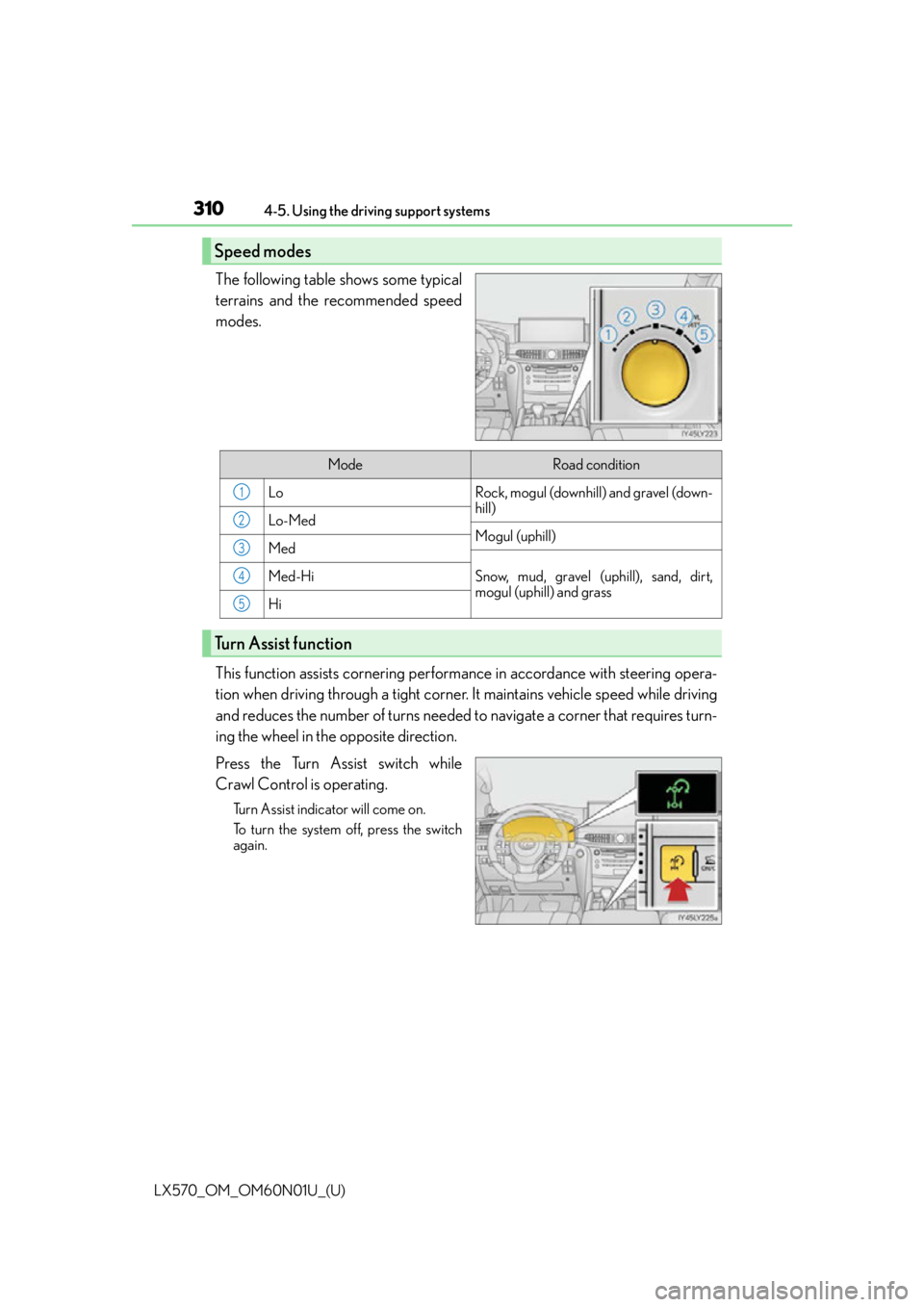
The following table shows some typical
terrains and the recommended speed
modes.
This function assists cornering perfor
mance in accordance with steering opera-
tion when driving through a tight corner. It maintains vehicle speed while driving
and reduces the number of turns needed to navigate a corner that requires turn-
ing the wheel in the opposite direction.
Press the Turn Assist switch while
Crawl Control is operating.
Turn Assist indicator will come on.
To turn the system off, press the switch
again.
Speed modes
ModeRoad condition
LoRock, mogul (downhill) and gravel (down-
hill)
Lo-MedMogul (uphill)Med
Snow, mud, gravel (uphill), sand, dirt,
mogul (uphill) and grassMed-Hi
Hi
Turn Assist function
1
2
3
4
5
Page 311 of 632

LX570_OM_OM60N01U_(U)
3114-5. Using the driving support systems
4
Driving
Crawl Control
Press the ON/OFF switch while Crawl Control is operating. If the switch is
turned off, the slip indicator and the Turn Assist indicator will go off (if the Turn
Assist function is in use), the Crawl Control indicator will flash until the system
has turned off completely, and a message stating that Crawl Control has been
turned off will be displayed on the multi-information display for several seconds.
When turning off Crawl Control while driv ing, stop the vehicle before the Crawl
Control indicator turns off, or drive extremely carefully.
Turn Assist function
Press the Turn Assist switch while the Turn Assist function is operating. When the
switch is pressed, the Turn Assist indicat or will go off, and a message stating that
the Turn Assist function has been turned off will be displayed on the multi-infor-
mation display for several seconds.
■The Crawl Control and Turn Assist function can be operated when
Crawl Control
●The engine is running.
●The shift lever is in any gear other than P or N.
●The four-wheel drive control switch is in L4.
●The driver’s door is closed.
Turn Assist function
●Crawl Control is operating.
●The center differential is not locked.
●The accelerator and brake are not being operated.
●The shift lever is in any gear other than P, R or N.
●The steering wheel is turned very far.
When the system is turned off
Page 312 of 632

312
LX570_OM_OM60N01U_(U)4-5. Using the driving support systems
■Automatic system cancelation
Crawl Control
In the following situations, th e buzzer will sound intermittently and Crawl Control will be
canceled automatically. In this event, the Crawl Control indicator will flash and then go
off, the Turn Assist indicator will go off (if the Turn Assist function is in use), and a message
stating that Crawl Control has been turned of f will be displayed on the multi-information
display for several seconds.
●When the shift lever is moved to P or N.
●When the four-wheel drive control switch is in H4.
●When the driver’s door is opened.
Turn Assist function
When the center differential is locked, the buzzer will sound intermittently and the Turn
Assist function will be canceled automatically. In this event, the Turn Assist indicator will
go off, and a message stating that the Turn Assist function has been turned off will be dis-
played on the multi-information display for several seconds.
■Function limitations
Crawl Control
●In the following situations, brake control can be used to drive downhill at a constant
speed. However, engine control is not availa ble when driving uphill at a constant speed.
• When switched to second start mode.
●In the following situation, engine control an d brake control will stop temporarily. In this
event, the Crawl Control indicator will flash.
• When the vehicle speed exceeds approximately 15 mph (25 km/h).
Turn Assist function
In the following situations, the Turn Assist func tion will stop temporarily. In this event, the
Turn Assist indicator will flash.
●When the vehicle speed exceeds approximately 6 mph (10 km/h).
●When the shift lever is moved to R.
■When the Crawl Control system is operated continuously
●If Crawl Control is used continuously for a long time, the buzzer will sound, a malfunc-
tion notification will be displayed on the multi-information display, the Crawl Control
indicator will go off, and Crawl Control will be temporarily inoperable as a result of the
brake system overheating. In this event, stop the vehicle immediately in a safe place,
and allow the brake system to cool down sufficiently until the TRAC OFF indicator
goes off. (In the meantime, normal driving is possible.)
●If Crawl Control is used continuously for a long time, the buzzer will sound, the system
will be temporarily canceled, and a malfunct ion notification will be displayed on the
multi-information display as a result of th e automatic transmission system overheating.
Stop the vehicle in a safe place until the display goes off.
■When depressing the accelerator pedal while the Crawl Control is operating
Multi-terrain Select operates in AUTO mode. ( P. 3 1 5 )
Page 315 of 632
LX570_OM_OM60N01U_(U)
3154-5. Using the driving support systems
4
Driving
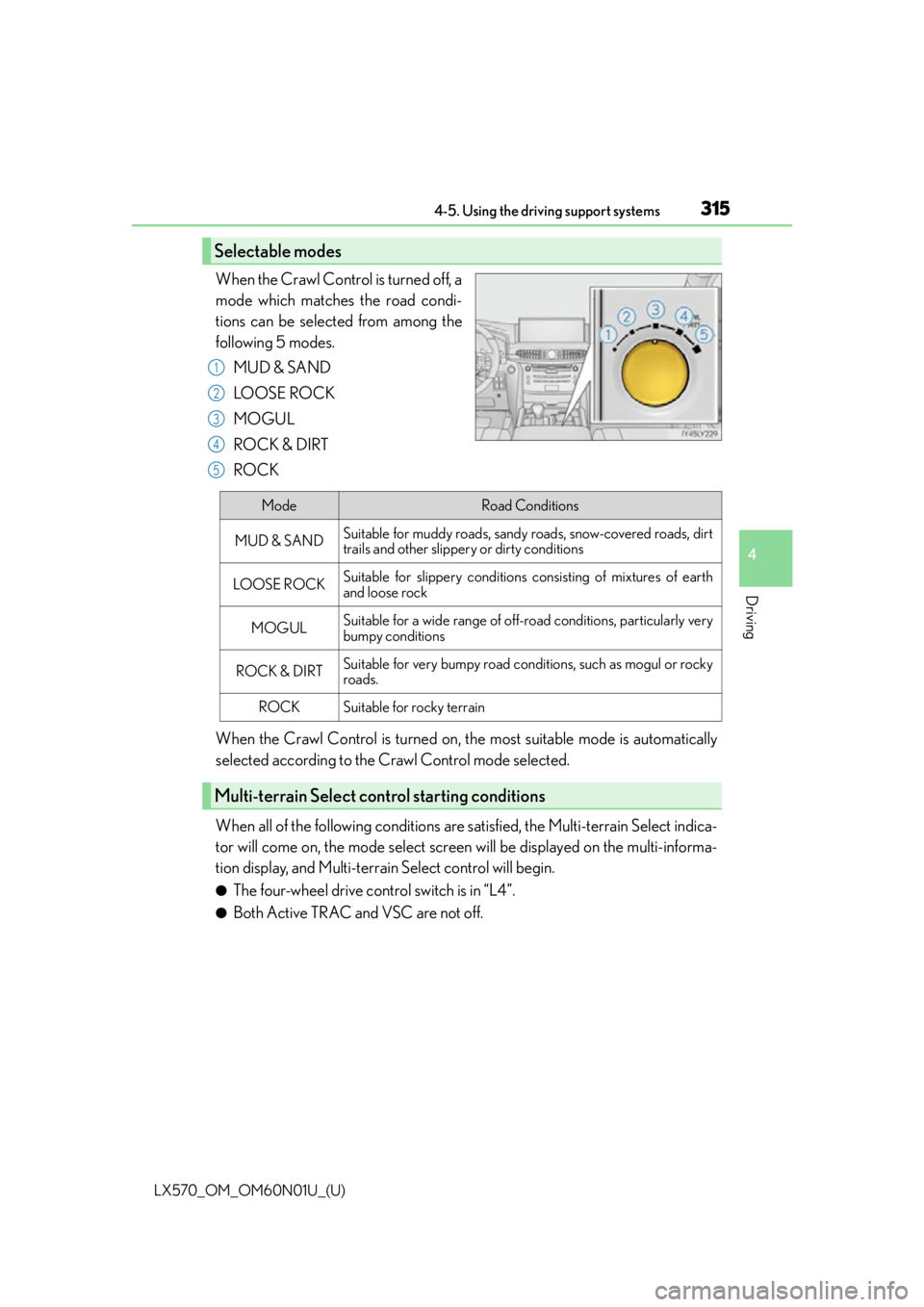
When the Crawl Control is turned off, a
mode which matches the road condi-
tions can be selected from among the
following 5 modes.MUD & SAND
LO OSE RO C K
MOGUL
ROCK & DIRT
ROCK
When the Crawl Control is turned on, the most suitable mode is automatically
selected according to the Crawl Control mode selected.
When all of the following conditions are satisfied, the Multi-terrain Select indica-
tor will come on, the mode select screen will be displayed on the multi-informa-
tion display, and Multi-terrain Select control will begin.
●The four-wheel drive control switch is in “L4”.
●Both Active TRAC and VSC are not off.
Selectable modes
1
2
3
4
5
ModeRoad Conditions
MUD & SANDSuitable for muddy roads, sandy roads, snow-covered roads, dirt
trails and other slippery or dirty conditions
LO OS E RO C KSuitable for slippery conditions consisting of mixtures of earth
and loose rock
MOGULSuitable for a wide range of off-road conditions, particularly very
bumpy conditions
ROCK & DIRTSuitable for very bumpy road conditions, such as mogul or rocky
roads.
ROCKSuitable for rocky terrain
Multi-terrain Select control starting conditions
Page 316 of 632
316
LX570_OM_OM60N01U_(U)4-5. Using the driving support systems
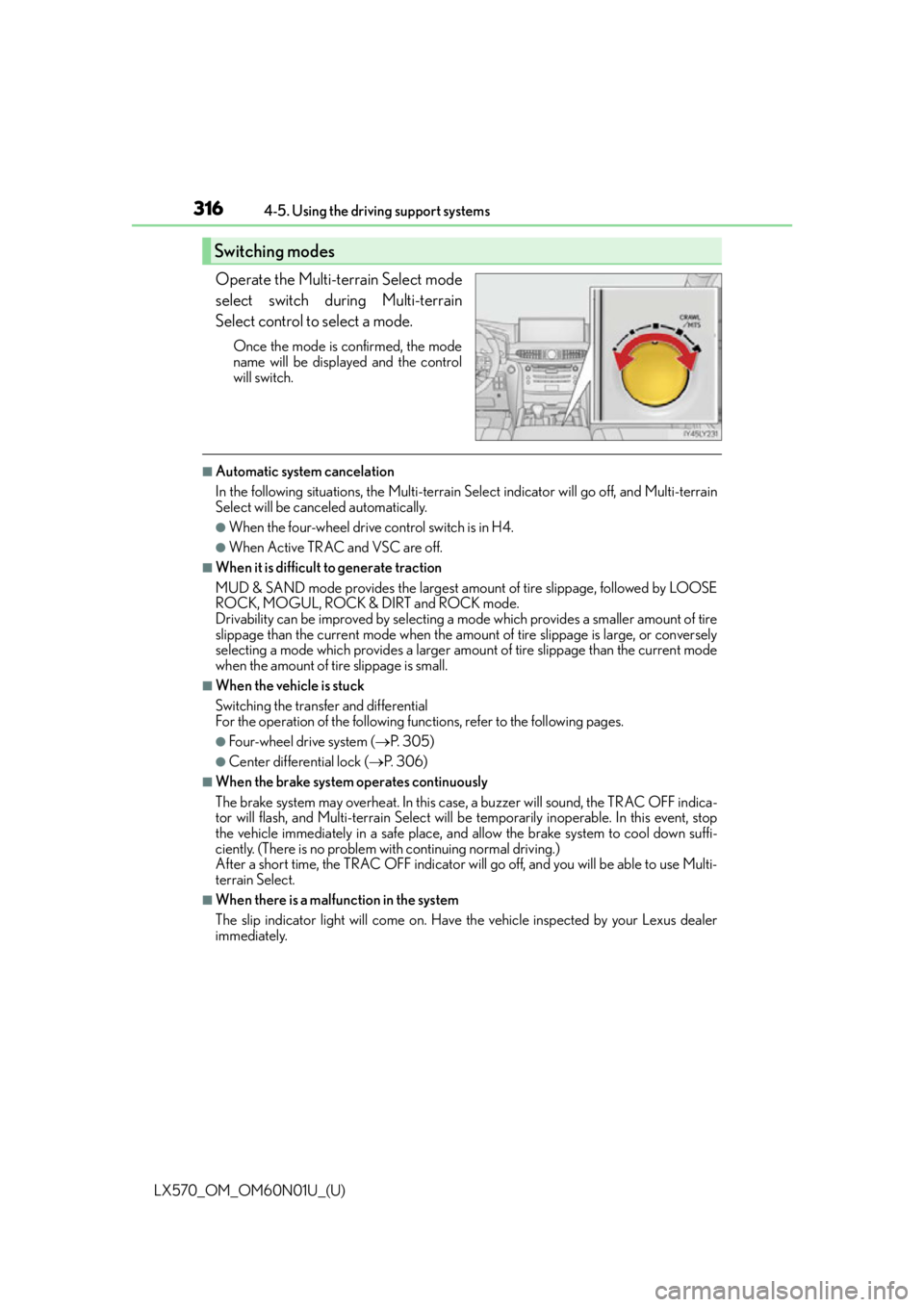
Operate the Multi-terrain Select mode
select switch during Multi-terrain
Select control to select a mode.
Once the mode is confirmed, the mode
name will be displayed and the control
will switch.
■Automatic system cancelation
In the following situations, the Multi-terrain Se
lect indicator will go off, and Multi-terrain
Select will be canceled automatically.
●When the four-wheel drive control switch is in H4.
●When Active TRAC and VSC are off.
■When it is difficult to generate traction
MUD & SAND mode provides the largest amount of tire slippage, followed by LOOSE
ROCK, MOGUL, ROCK & DIRT and ROCK mode.
Drivability can be improved by selecting a mo de which provides a smaller amount of tire
slippage than the current mode when the amount of tire slippage is large, or conversely
selecting a mode which provides a larger amou nt of tire slippage than the current mode
when the amount of ti re slippage is small.
■When the vehicle is stuck
Switching the transfer and differential
For the operation of the following functions, refer to the following pages.
●Four-wheel drive system ( P. 3 0 5 )
●Center differential lock ( P. 3 0 6 )
■When the brake system operates continuously
The brake system may overheat. In this case, a buzzer will sound, the TRAC OFF indica-
tor will flash, and Multi-terrain Select will be temporarily inoperable. In this event, stop
the vehicle immediately in a safe place, and allow the brake system to cool down suffi-
ciently. (There is no problem wi th continuing normal driving.)
After a short time, the TRAC OFF indicator will go off, and you will be able to use Multi-
terrain Select.
■When there is a malfunction in the system
The slip indicator light will come on. Have the vehicle inspected by your Lexus dealer
immediately.
Switching modes
Page 319 of 632
LX570_OM_OM60N01U_(U)
3194-5. Using the driving support systems
4
Driving
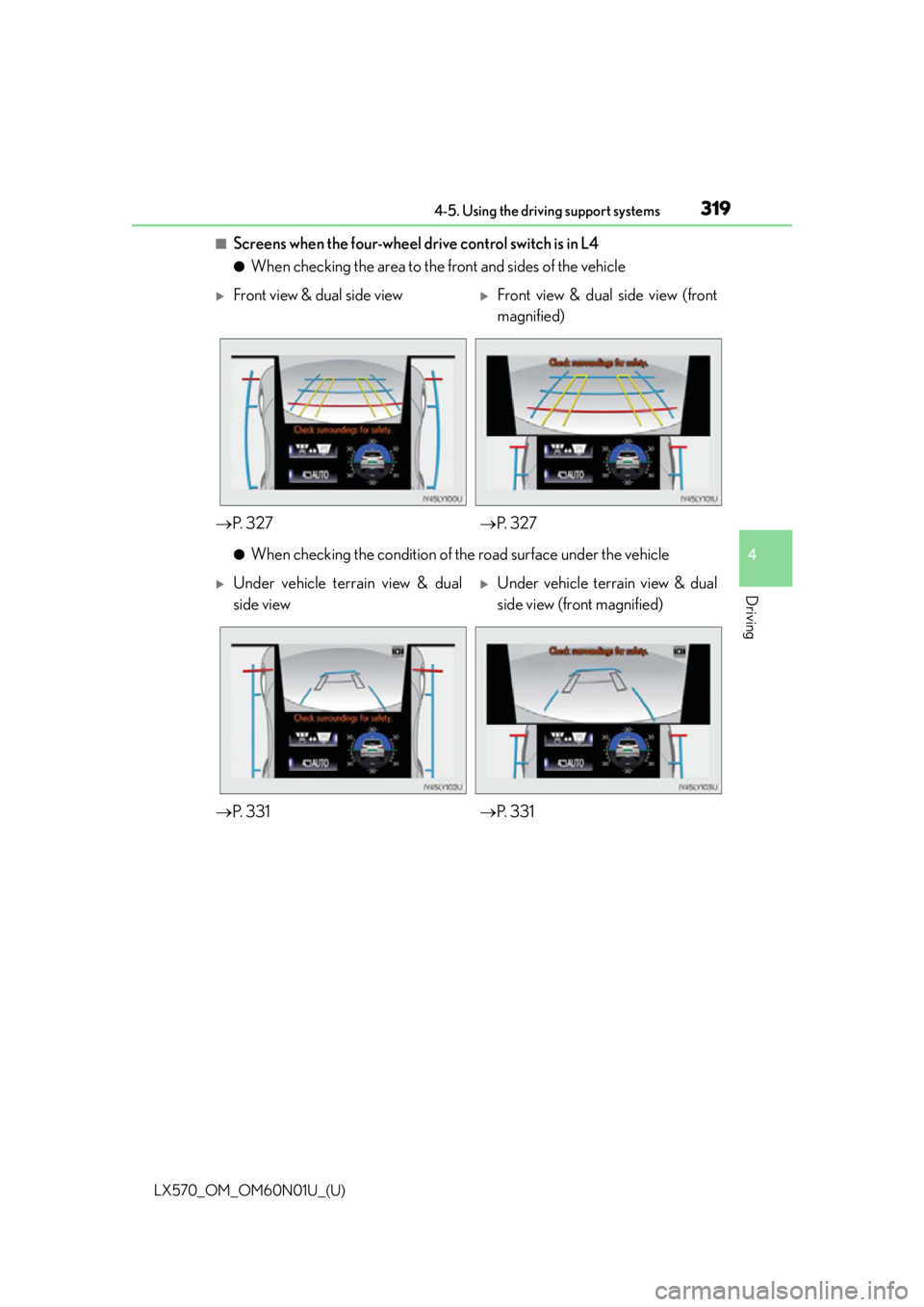
■Screens when the four-wheel drive control switch is in L4
●When checking the area to the front and sides of the vehicle
●When checking the condition of the road surface under the vehicle
Front view & dual side viewFront view & dual side view (front
magnified)
P. 3 2 7 P. 3 2 7
Under vehicle terrain view & dual
side viewUnder vehicle terrain view & dual
side view (front magnified)
P. 3 3 1 P. 3 3 1
Page 320 of 632
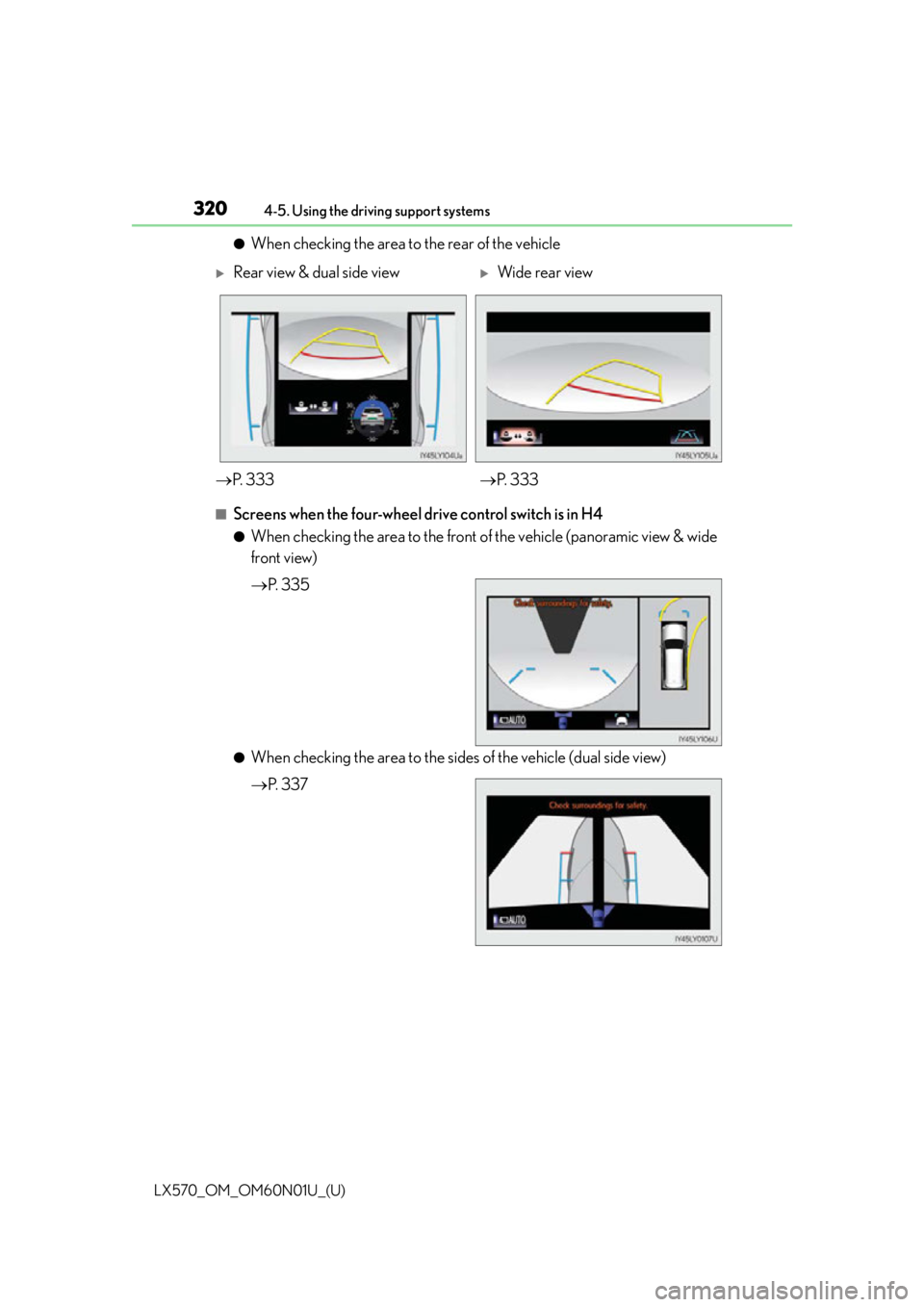
320
LX570_OM_OM60N01U_(U)4-5. Using the driving support systems
●When checking the area to the rear of the vehicle
■Screens when the four-wheel drive control switch is in H4
●When checking the area to the front
of the vehicle (panoramic view & wide
front view)
P. 3 3 5
●When checking the area to the sides of the vehicle (dual side view)
P. 3 3 7
Rear view & dual side viewWide rear view
P. 3 3 3 P. 3 3 3
Page 324 of 632
324
LX570_OM_OM60N01U_(U)4-5. Using the driving support systems
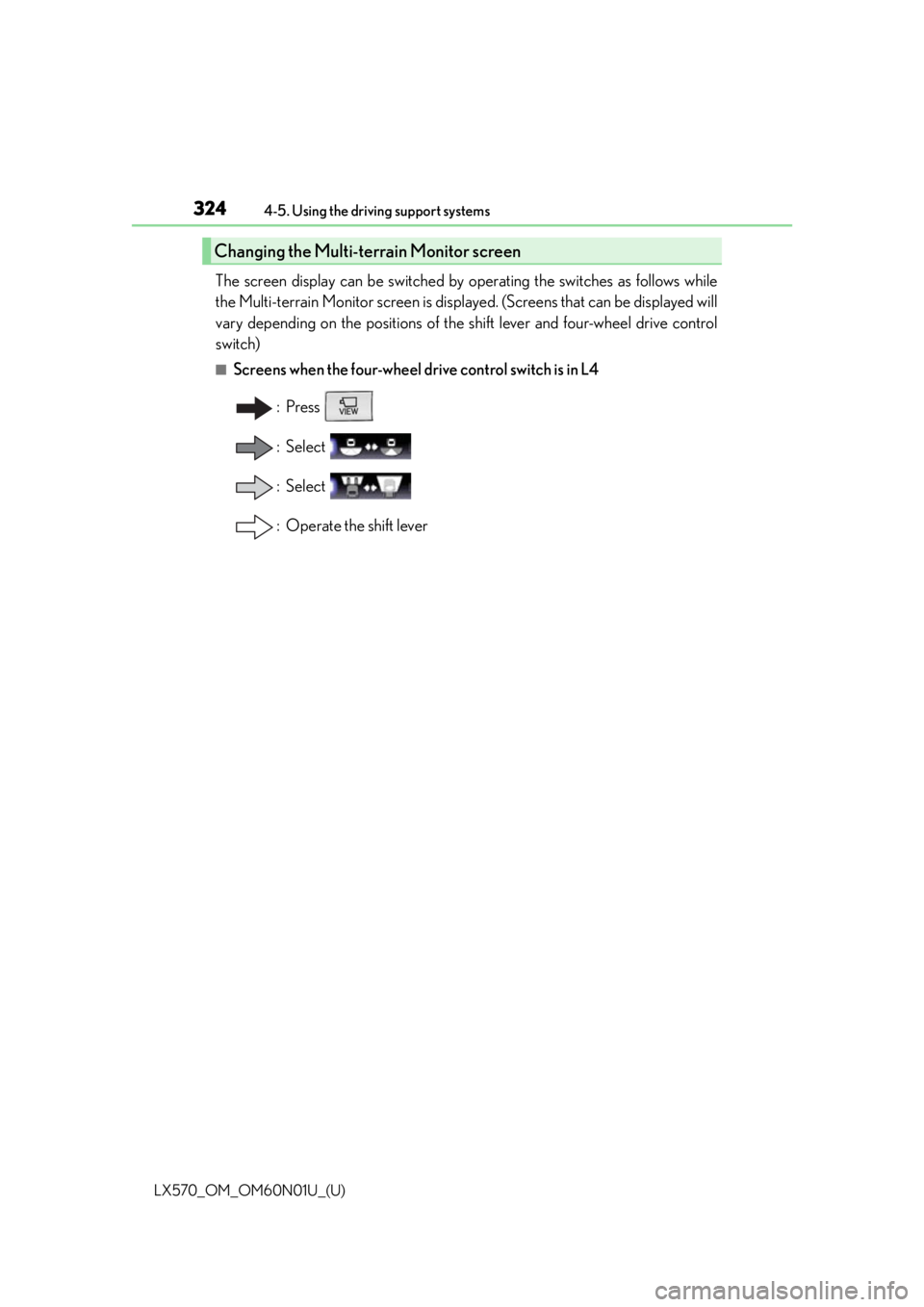
The screen display can be switched by operating the switches as follows while
the Multi-terrain Monitor screen is displayed. (Screens that can be displayed will
vary depending on the positions of the shift lever and four-wheel drive control
switch)
■Screens when the four-wheel drive control switch is in L4
:Press
: Select
: Select
: Operate the shift lever
Changing the Multi-terrain Monitor screen
Page 326 of 632
326
LX570_OM_OM60N01U_(U)4-5. Using the driving support systems
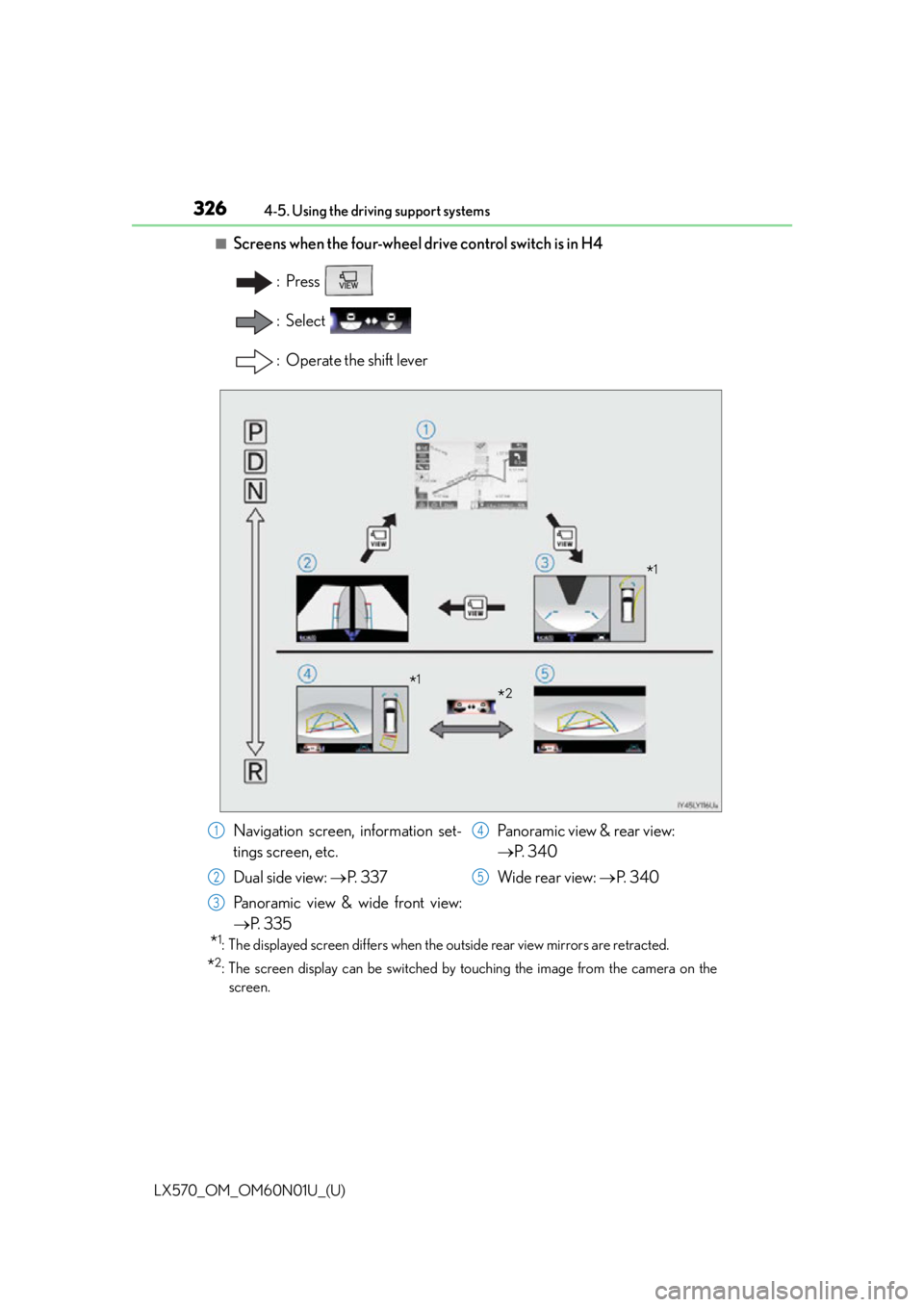
■Screens when the four-wheel drive control switch is in H4
:Press
: Select
: Operate the shift lever
*1: The displayed screen differs when the outside rear view mirrors are retracted.
*2: The screen display can be switched by touching the image from the camera on the
screen.
*1
*2*1
Navigation screen, information set-
tings screen, etc.
Dual side view: P. 3 3 7
Panoramic view & wide front view:
P. 3 3 5 Panoramic view & rear view:
P. 3 4 0
Wide rear view: P. 3 4 01
2
3
4
5
Page 327 of 632

LX570_OM_OM60N01U_(U)
3274-5. Using the driving support systems
4
Driving
■Multi-terrain Monitor screen display
The amount of time that the Multi-terrain Monitor screen is displayed changes as follows
according to the vehicle speed at th e time the VIEW switch was pressed.
The Multi-terrain Monitor screen is displayed if the vehicle speed is approximately 7 mph
(12 km/h) or less when the camera switch is pressed.
If the vehicle speed exceeds approximately 7 mph (12 km/h), the Multi-terrain Monitor
display is canceled.
The various screens of the Multi-terrain Monitor display information to support
several different driving situations, such as when checking for obstacles when
moving forward or in reverse, or when judging road surface conditions during
off-road driving.
■Front view & dual side view
Front view & dual side view can be used to check the area around the front of
the vehicle. • In addition to an image of the front of the vehicle, guide lines are displayed in a composite view to provide refere nce for when deciding a direction to
move forward in.
• If the VIEW switch is pressed while the screen is displayed, the screen switches from normal to magnified display. (Pressing the switch again
returns the screen to the normal display)
• If the steering wheel is turned 270 or more, guide lines and other features
to support turning are automatically displayed.
Screen display and functions