brake LEXUS NX300h 2015 Workshop Manual
[x] Cancel search | Manufacturer: LEXUS, Model Year: 2015, Model line: NX300h, Model: LEXUS NX300h 2015Pages: 681, PDF Size: 9.14 MB
Page 259 of 681
2594-5. Using the driving support systems
4
Driving
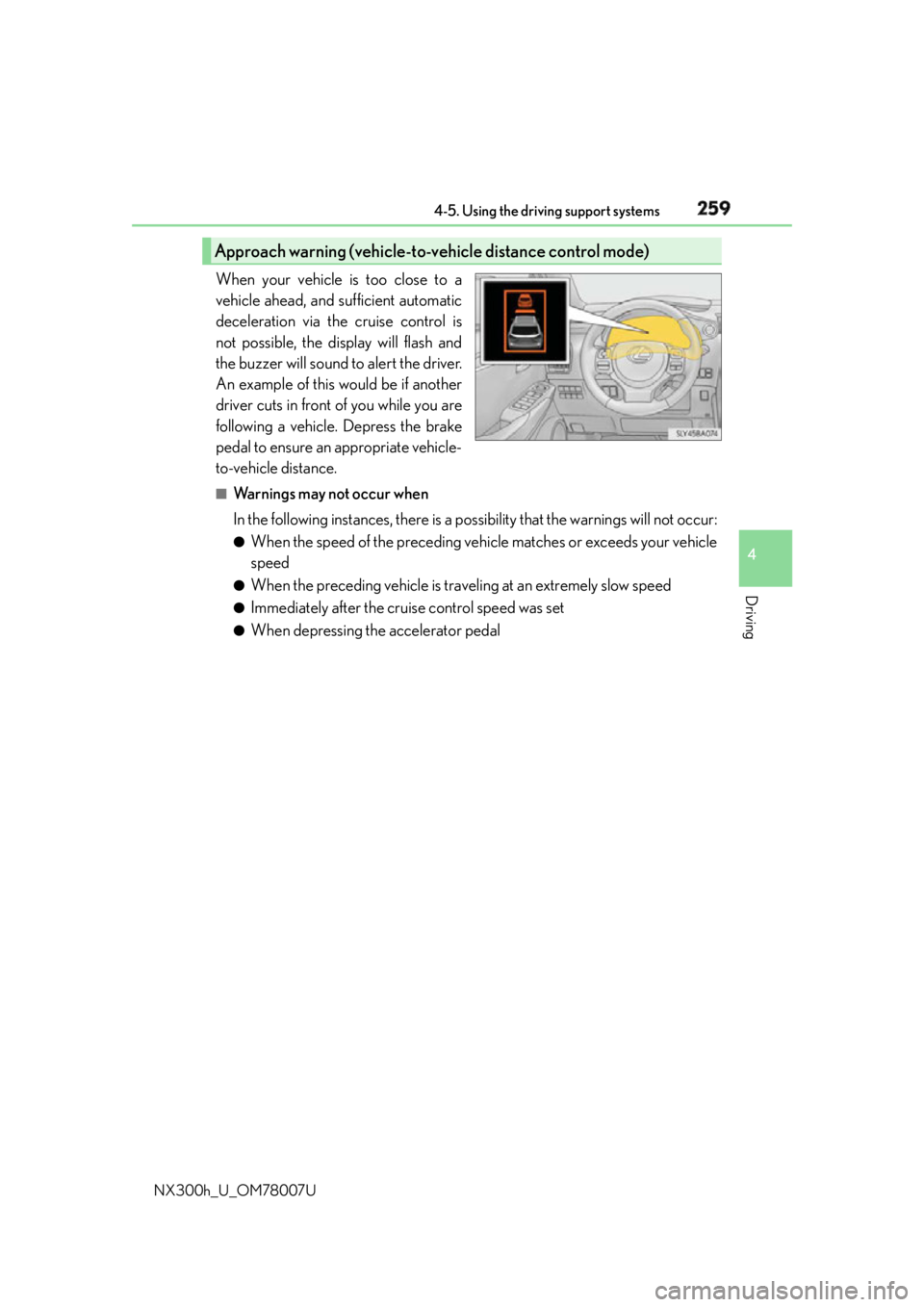
NX300h_U_OM78007U When your vehicle is too close to a
vehicle ahead, and sufficient automatic
deceleration via the cruise control is
not possible, the display will flash and
the buzzer will sound to alert the driver.
An example of this would be if another
driver cuts in front of you while you are
following a vehicle. Depress the brake
pedal to ensure an appropriate vehicle-
to-vehicle distance. ■
Warnings may not occur when
In the following instances, there is a po ssibility that the warnings will not occur:●
When the speed of the preceding vehicle matches or exceeds your vehicle
speed ●
When the preceding vehicle is traveling at an extremely slow speed ●
Immediately after the cruise control speed was set ●
When depressing the accelerator pedalApproach warning (vehicle-to-vehicle distance control mode)
Page 261 of 681

2614-5. Using the driving support systems
4
Driving
NX300h_U_OM78007U ■
Dynamic radar cruise control with full-speed range can be set when ●
The shift lever is in D or range 4 or higher of S has been selected.●
Vehicle speed is above approximately 30 mph (50 km/h). ■
Accelerating after setting the vehicle speed
The vehicle can accelerate by operating the accelerator pedal. After accelerating, the
set speed resumes. However, during vehicle- to-vehicle distance control mode, the vehi-
cle speed may decrease below the set speed in order to maintain the distance to the pre-
ceding vehicle. ■
Automatic cancelation of vehicle- to-vehicle distance control mode
Vehicle-to-vehicle distance control mode is automatically canceled in the following situ-
ations. “Radar Cruise Control Unavailable” will be displayed on the multi-information
display: ●
Actual vehicle speed falls below approximately 25 mph (40 km/h) when there are no
vehicles ahead. ●
The preceding vehicle leaves the lane when your vehicle is following at a vehicle speed
below 25 mph (40 km/h). Otherwise, the se nsor can not properly detect the vehicle.●
VSC is activated. ●
TRAC is activated for a period of time. ●
When the VSC or TRAC system is turned off by pressing the VSC OFF switch. ●
The sensor cannot detect correctly because it is covered in some way. ●
The windshield wipers are oper ating at high speed (when the wiper switch is set to the
“AUTO” mode or the high speed wiper operation position). ●
The parking brake is operated. ●
The vehicle is stopped by system control on a steep incline. ●
Pre-collision braking is activated. ●
The following are detected when the vehicle has been stopped by system control:
• The driver is not wearing a seat belt.
• The driver’s door is opened.
• The back door or hood is opened.
If vehicle-to-vehicle distance control mode is automatically canceled for any other rea-
son, there may be a malfunction in the system. Contact your Lexus dealer.
Page 263 of 681

2634-5. Using the driving support systems
4
Driving
NX300h_U_OM78007U WA R N I N G ■
Before using dynamic radar cruise control with full-speed range
Do not overly rely on vehicle-to-vehicle distance control mode.
Be aware of the set speed. If automatic deceleration/acceleration is not appropriate,
adjust the vehicle speed, as well as the distance between your vehicle and vehicles
ahead by applying the brakes, etc. ■
Cautions regarding the driving assist systems
Observe the following precautions.
Failure to do so may cause an accident resulting in death or serious injury. ●
Assisting the driver to measure following distance
The dynamic radar cruise control with full-sp eed range is only intended to help the
driver in determining the following distan ce between the driver’s own vehicle and a
designated vehicle traveling ahead. It is no t a mechanism that allows careless or inat-
tentive driving, and it is not a system that can assist the driver in low-visibility condi-
tions. It is still necessary for driver to pay close attention to the vehicle’s surroundings. ●
Assisting the driver to judge proper following distance
The dynamic radar cruise control with full-speed range determines whether the fol-
lowing distance between the driver’s own vehicle and a designated vehicle traveling
ahead is appropriate or not. It is not ca pable of making any othe r type of judgement.
Therefore, it is absolutely necessary for the driver to remain vigilant and to determine
whether or not there is a possibilit y of danger in any given situation.●
Assisting the driver to operate the vehicle
The dynamic radar cruise control with full -speed range has no capability to prevent or
avoid a collision with a vehicle traveling ahea d. Therefore, if there is ever any danger,
the driver must take immediate and direct control of the vehicle and act appropriately
in order to ensure the safety of all involved. ■
To avoid inadvertent dynamic radar cruise control with full-speed range activation
Switch the dynamic radar cruise control wi th full-speed range off using the “ON/OFF”
button when not in use.
Page 264 of 681
264 4-5. Using the driving support systems
NX300h_U_OM78007U WA R N I N G ■
Situations unsuitable for dynamic rada r cruise control with full-speed range
Do not use dynamic radar cruise control wi th full-speed range in any of the following
situations.
Doing so may result in inappropriate speed control and could cause an accident result-
ing in death or serious injury. ●
Roads where there are pede strians, cyclers, etc.●
In heavy traffic ●
On roads with sharp bends ●
On winding roads ●
On slippery roads, such as thos e covered with rain, ice or snow●
On sharp inclines or declines
Vehicle speed may exceed the set speed when driving down a steep hill. ●
Roads with continuous inclines and declines ●
At entrances to freeways and highways ●
When weather conditions are bad enough that they may prevent the sensors from
detecting correctly (fog, snow, sandstorm, heavy rain, etc.)●
When an approach warning buzzer is heard often ●
When your vehicle is towing a trailer or during emergency towing ■
When the sensor may not be correctly detecting the vehicle ahead
In the case of the following and depending on the conditions, operate the brake pedal
when deceleration of the system is insuff icient or operate the accelerator pedal when
acceleration is required.
As the sensor may not be able to correctly detect these types of vehicles, the approach
warning ( P. 259) will not be activated, which ma y lead to an accident resulting in
death or serious injury. ●
Vehicles that cut in suddenly ●
Vehicles traveling at low speeds ●
Vehicles that are not moving in the same lane ●
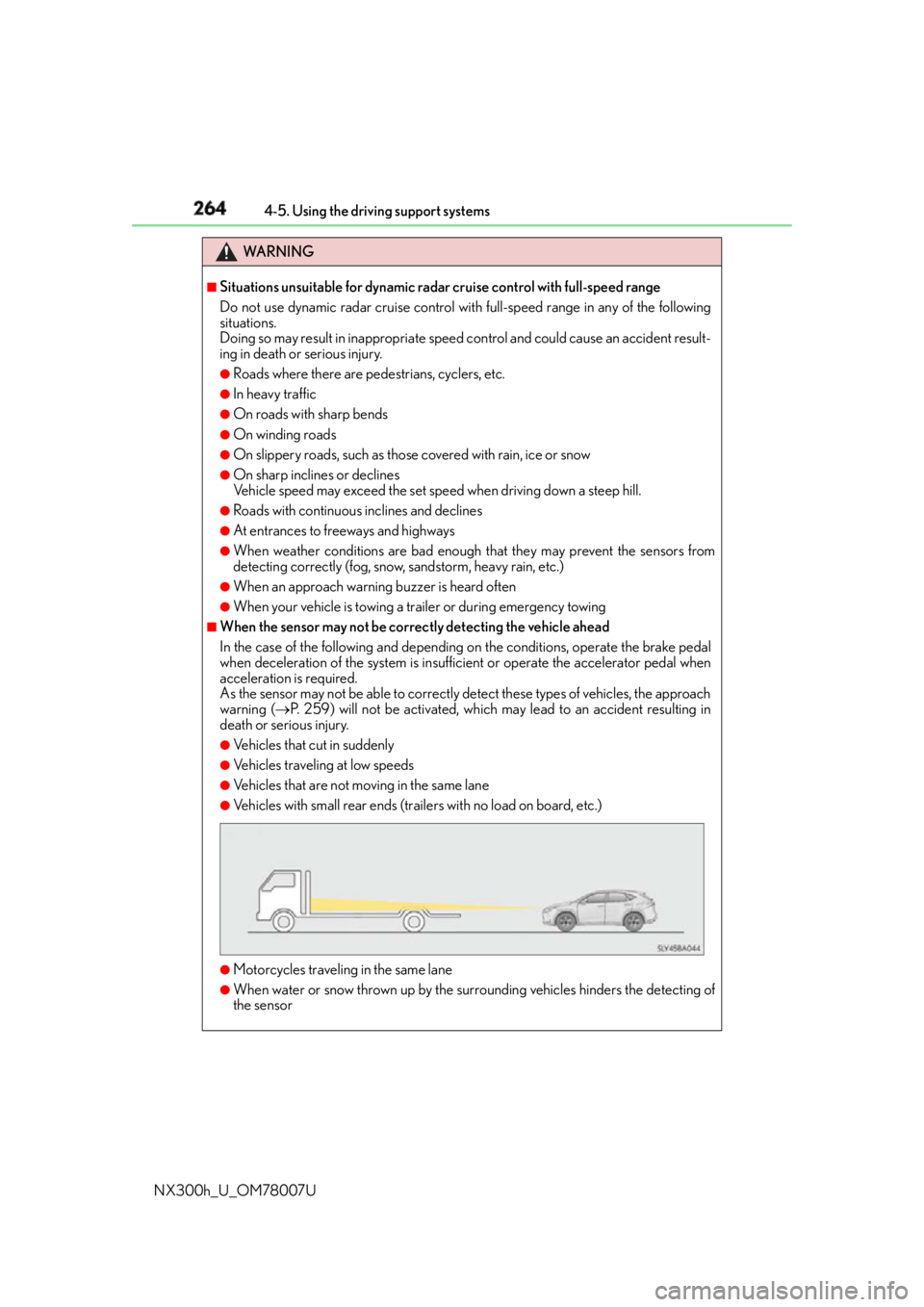
Vehicles with small rear ends (traile rs with no load on board, etc.)
●
Motorcycles traveling in the same lane ●
When water or snow thrown up by the surrounding vehicles hinders the detecting of
the sensor
Page 265 of 681
2654-5. Using the driving support systems
4
Driving
NX300h_U_OM78007U WA R N I N G
■
Conditions under which the vehicle-to-vehic le distance control mode may not func-
tion correctly
Operate the brake pedal (or accelerator pe dal operation depending on the situation)
as necessary in the following conditions as the radar sensor may not be able to cor-
rectly detect vehicles ahead, which may lead to an accident resulting in death or seri-
ous injury.
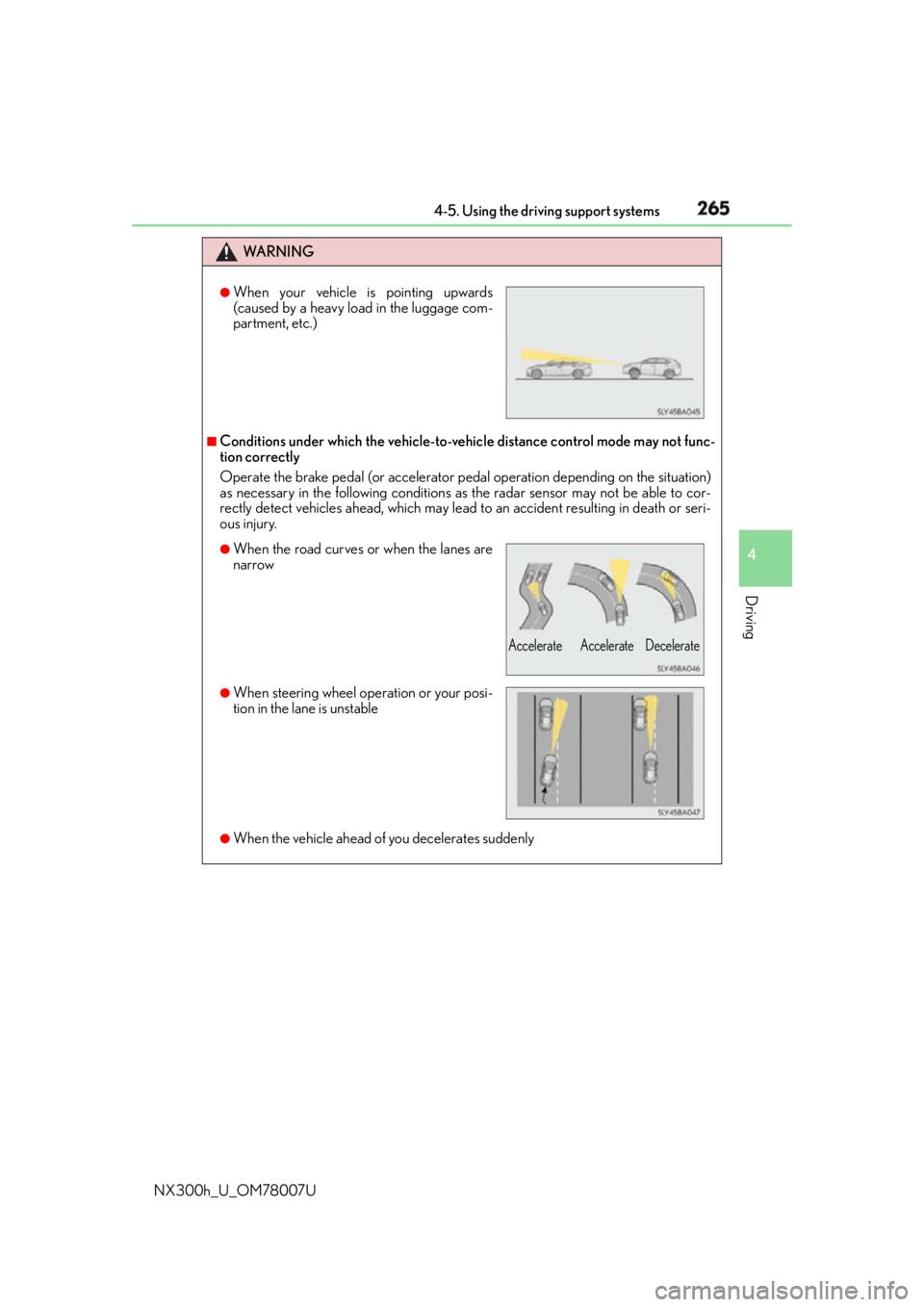
●
When the vehicle ahead of you decelerates suddenly ●
When your vehicle is pointing upwards
(caused by a heavy load in the luggage com-
partment, etc.)
●
When the road curves or when the lanes are
narrow
●
When steering wheel operation or your posi-
tion in the lane is unstable Accelerate Accelerate Decelerate
Page 268 of 681
268 4-5. Using the driving support systems
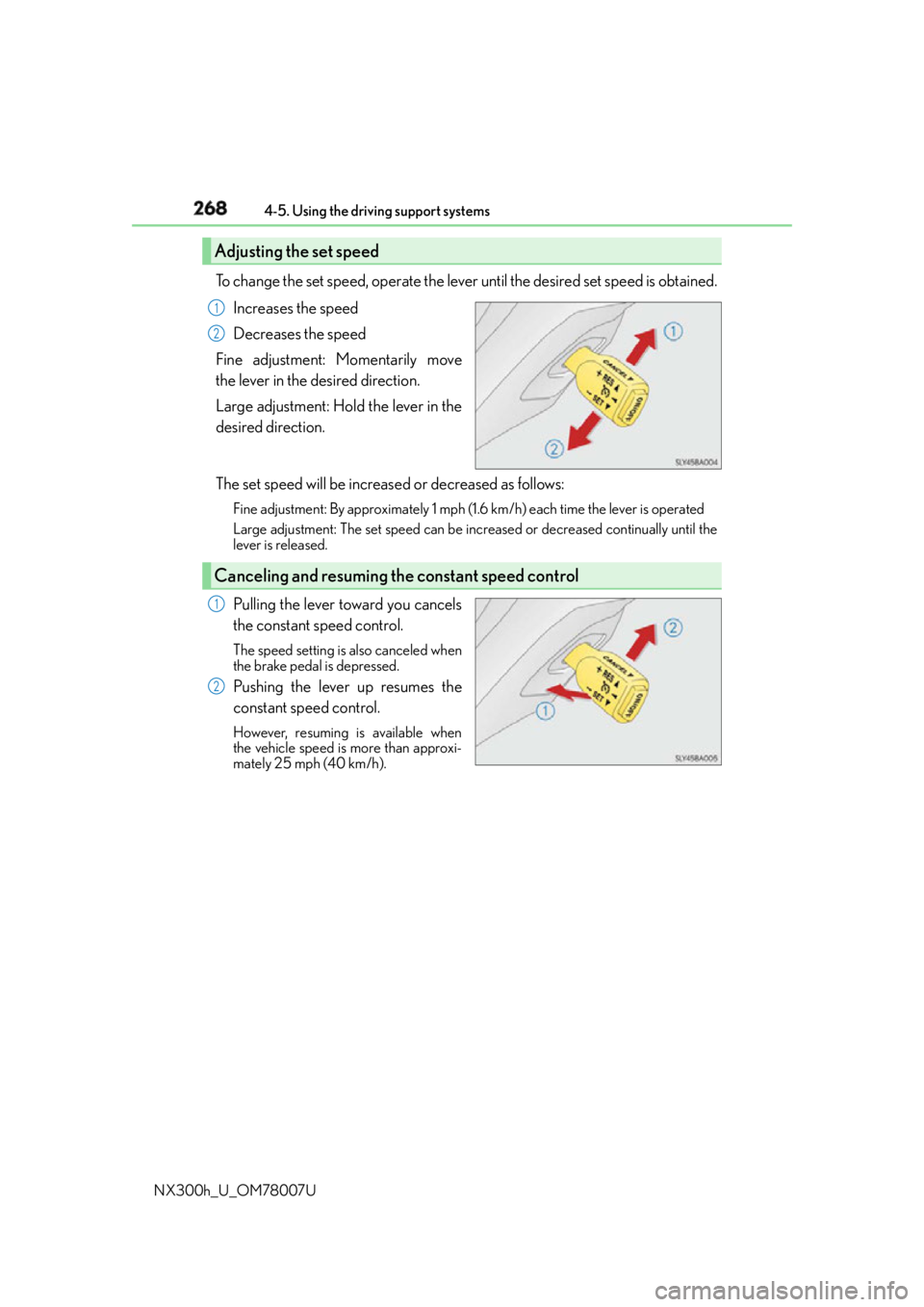
NX300h_U_OM78007U To change the set speed, operate the lever until the desired set speed is obtained.
Increases the speed
Decreases the speed
Fine adjustment: Momentarily move
the lever in the desired direction.
Large adjustment: Hold the lever in the
desired direction.
The set speed will be increase d or decreased as follows:Fine adjustment: By approximately 1 mph (1.6 km/h) each time the lever is operated
Large adjustment: The set speed can be incr eased or decreased co ntinually until the
lever is released.
Pulling the lever toward you cancels
the constant speed control. The speed setting is also canceled when
the brake pedal is depressed.
Pushing the lever up resumes the
constant speed control. However, resuming is available when
the vehicle speed is more than approxi-
mately 25 mph (40 km/h).Adjusting the set speed 1
2
Canceling and resuming the constant speed control 1
2
Page 284 of 681

284 4-5. Using the driving support systems
NX300h_U_OM78007U ■
The intuitive parking assist can be operated when ●
Front corner sensors:
• The power switch is in ON mode.
• The shift lever is in other than P.
• The vehicle speed is less than about 6 mph (10 km/h).
(At any speed when the shift lever is in R) ●
Front center sensors:
• The power switch is in ON mode.
• The shift lever is in other than P or R.
• The vehicle speed is less than about 6 mph (10 km/h). ●
Rear corner and rear center sensors:
• The power switch is in ON mode.
• The shift lever is in R. ■
Intuitive parking assist display
When an obstacle is detected while the Lexus parking assist monitor is in use, the warn-
ing indicator will appear in the upper corner of the screen ev en if the display setting has
been set to off. ■
Sensor detectio n information●
The sensor’s detection areas are limited to the areas around the vehicle’s bumper. ●
Certain vehicle conditions and the surround ing environment may affect the ability of a
sensor to correctly detect an obstacle. Particular instances where this may occur are
listed below.
• There is dirt, snow or ice on the sensor . (Wiping the sensors will resolve this prob-
lem.)
• The sensor is frozen. (Thawing th e area will resolve this problem.)
In especially cold weather, if a sensor is frozen the screen may show an abnormal
display, or obstacles may not be detected.
• The sensor is covered in any way.
• The vehicle is leaning co nsiderably to one side.
• On an extremely bumpy road, on an incline, on gravel, or on grass.
• The vicinity of the vehicle is noisy due to vehicle horns, motorcycle engines, air
brakes of large vehicles, or other loud noises producing ultrasonic waves.
• There is another vehicle equipped with parking assist sensors in the vicinity.
• The sensor is coated with a sheet of spray or heavy rain.
• The vehicle is equipped with a fender pole or wireless antenna.
• Towing eyelets are installed.
• The bumper or sensor receives a strong impact.
• The vehicle is approaching a tall or curved curb.
• In harsh sunlight or intense cold weather.
• The area directly under the bumpers is not detected.
• If obstacles draw too close to the sensor.
• A non-genuine Lexus suspension (low ered suspension etc.) is installed.
• People may not be detected if they are wearing certain types of clothing.
In addition to the examples above, there are instances in which, because of their shape,
signs and other objects may be judged by a sensor to be closer than they are.
Page 286 of 681

286 4-5. Using the driving support systems
NX300h_U_OM78007U WA R N I N G ■
When using the intuitive parking assist
Observe the following precautions.
Failing to do so may result in the vehicle being unable to be driven safely and possibly
cause an accident. ●
Do not use the sensor at speeds in excess of 6 mph (10 km/h).●
The sensors’ detection areas and reaction times are limited. When moving forward or
reversing, check the areas surrounding the vehicle (especially the sides of the vehi-
cle) for safety, and drive slowly, using the brake to control the vehicle’s speed. ●
Do not install accessories within the sensors’ detection areas.
NOTICE ■
When using intuitive parking assist
In the following situations, the system may not function correctly due to a sensor mal-
function, etc. Have the vehicle checked by your Lexus dealer. ●
The intuitive parking assist operation display flashes, and a buzzer sounds when no
obstacles are detected. ●
If the area around a sensor collides with so mething, or is subjec ted to strong impact.●
If the bumper collides with something. ●
If the display shows continuously withou t beeping, except when the buzzer mute
switch has been turned on. ●
If a display error occurs, first check the sensor.
If the error occurs even if there is no ice, snow or mud on the sensor, it is likely that the
sensor is malfunctioning. ■
Notes when washing the vehicle
Do not apply intensive bursts of water or steam to the sensor area.
Doing so may result in th e sensor malfunctioning.
Page 301 of 681

3014-5. Using the driving support systems
4
Driving
NX300h_U_OM78007U WA R N I N G ■
When using the Lexus parking assist monitor system
The parking assist monitor is a supplemental device intended to assist the driver when
backing up. When backing up, be sure to chec k visually behind and all around the vehi-
cle before proceeding.
Observe the following precautions to avoid an accident that could result in death or
serious injuries. ●
Never depend on the parking assist monitor entirely when backing up. The image
and the position of the guide lines displaye d on the screen may differ from the actual
state.
Use caution, just as you would when backing up any vehicle. ●
Be sure to back up slowly, depressing the brake pedal to control vehicle speed. ●
If you seem likely to hit nearby vehicles, obstacles, people or mount the shoulder,
depress the brake pedal to stop the vehicle. ●
The instructions given are only guidelines.
When and how much to turn the steering wheel will vary according to traffic condi-
tions, road surface conditions, vehicle condit ion, etc. when parking. It is necessary to
be fully aware of this before using the parking assist system. ●
When parking, be sure to check that the par king space will accommodate your vehi-
cle before maneuvering into it. ●
Do not use the parking assist monitor in the following cases:
• On icy or slick road surfaces, or in snow
• When using tire chains or emergency tires
• When the back door is not closed completely
• On roads that are not flat or straight, such as curves or slopes. ●
In low temperatures, the screen may darken or the image may become faint. The
image could distort when the vehicle is moving, or you may become unable to see the
image on the screen. Be sure to check dire ct visually and with the mirrors all around
the vehicle before proceeding. ●
If the tire sizes are changed, the position of the guide lines displayed on the screen
may change. ●
The camera uses a special lens. The dist ances between objects and pedestrians that
appear in the image displayed on the screen will differ from the actual distances.
( P. 2 9 5 ) ●
Estimated course line display mode: If the st eering wheel is straight and the vehicle
width guide lines and the estimated course li nes are not in alignment, have the vehicle
inspected by your Lexus dealer.
Page 305 of 681
3054-5. Using the driving support systems
4
Driving
NX300h_U_OM78007UDriving assist systems ◆ ECB (Electronically Controlled Brake System)
The electronically controlled system generates braking force corresponding
to the brake operation
◆ ABS (Anti-lock Brake System)
Helps to prevent wheel lock when the brakes are applied suddenly, or if the
brakes are applied while drivin g on a slippery road surface
◆ Brake assist
Generates an increased level of braking force after the brake pedal is
depressed when the system detects a panic stop situation
◆ VSC (Vehicle Stability Control)
Helps the driver to control skidding when swerving suddenly or turning on
slippery road surfaces
◆ Enhanced VSC (Enhanced Vehicle Stability Control)
Provides cooperative control of the ABS, TRAC, VSC and EPS.
Helps to maintain directional stability when swerving on slippery road sur-
faces by controlling steering performance.
◆ TRAC (Traction Control)
Helps to maintain drive power and prevent the drive wheels from spinning
when starting the vehicle or accelerating on slippery roads
◆ Hill-start assist control
Helps to prevent the vehicle from rolling backward when starting on an
incline.
◆ EPS (Electric Power Steering)
Employs an electric motor to reduce the amount of effort needed to turn the
steering wheelTo help enhance driving safety and performance, the following systems oper-
ate automatically in response to various driving situations. Be aware, however,
that these systems are supplementary and should not be relied upon too
heavily when operating the vehicle.