change time LEXUS RC200T 2017 User Guide
[x] Cancel search | Manufacturer: LEXUS, Model Year: 2017, Model line: RC200T, Model: LEXUS RC200T 2017Pages: 724, PDF Size: 42.04 MB
Page 225 of 724
2253-4. Adjusting the steering wheel and mirrors
3
Operation of each component
RC200t_RC F_EE(OM24728E)
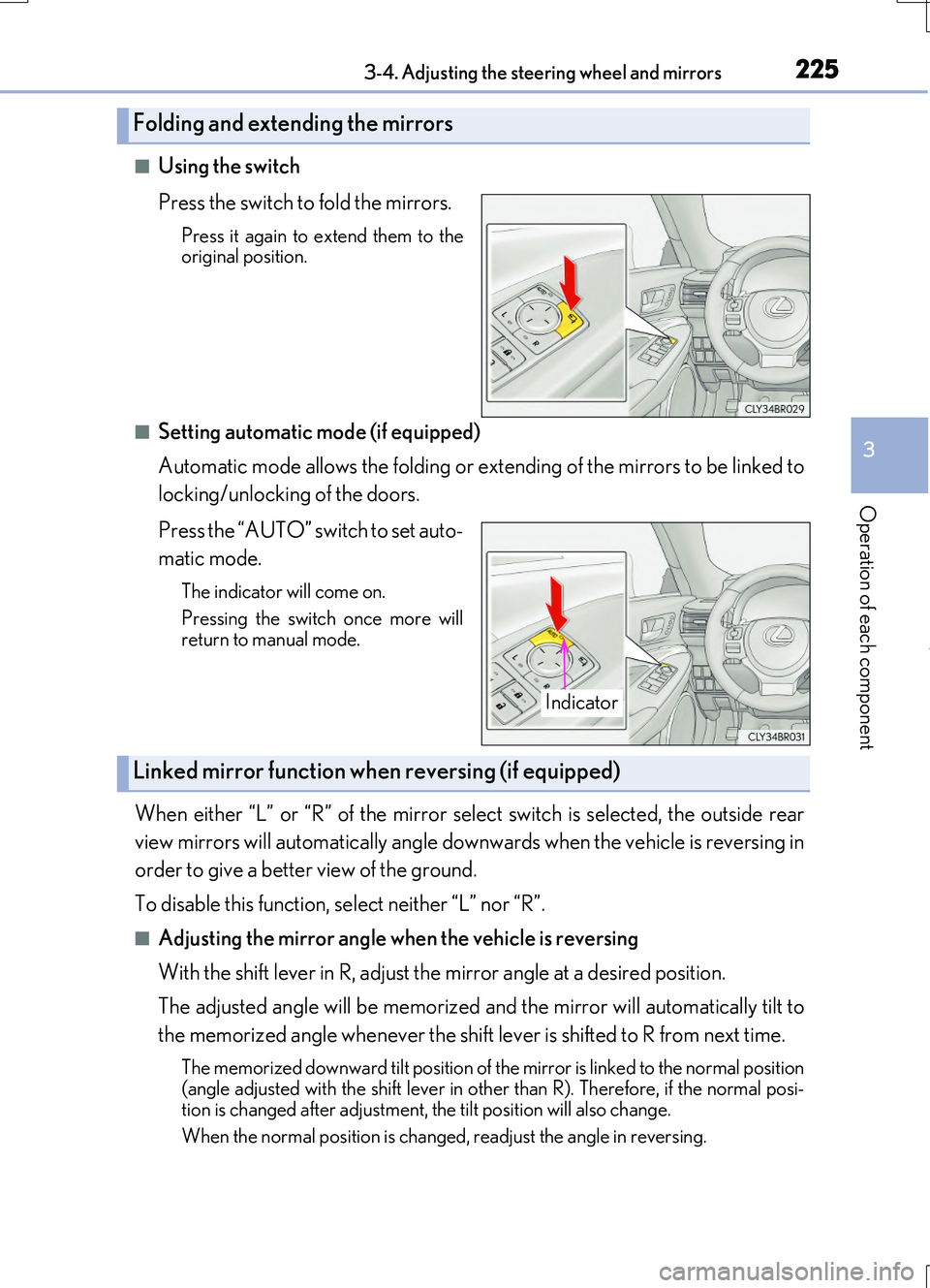
■Using the switch
Press the switch to fold the mirrors.
Press it again to extend them to the original position.
■Setting automatic mode (if equipped)
Automatic mode allows the folding or extending of the mirrors to be linked to
locking/unlocking of the doors.
Press the “AUTO” switch to set auto-
matic mode.
The indicator will come on.
Pressing the switch once more will
return to manual mode.
When either “L” or “R” of the mirror select switch is selected, the outside rear
view mirrors will automatically angle downwards when the vehicle is reversing in
order to give a better view of the ground.
To disable this function, select neither “L” nor “R”.
■Adjusting the mirror angle when the vehicle is reversing
With the shift lever in R, adjust the mirror angle at a desired position.
The adjusted angle will be memorized and the mirror will automatically tilt to
the memorized angle whenever the shift lever is shifted to R from next time.
The memorized downward tilt position of the mirror is linked to the normal position
(angle adjusted with the shif t lever in other than R). Therefore, if the normal posi- tion is changed after adjustment, th e tilt position will also change.
When the normal position is changed, readjust the angle in reversing.
Folding and extending the mirrors
Indicator
Linked mirror function when reversing (if equipped)
Page 233 of 724
2333-5. Opening, closing the windows and moon roof
3
Operation of each component
RC200t_RC F_EE(OM24728E)
■If the moon roof does not move normally
If the moon roof does not open or close no rmally or the automatic opening function does not operate, perform the follo wing initialization procedure.
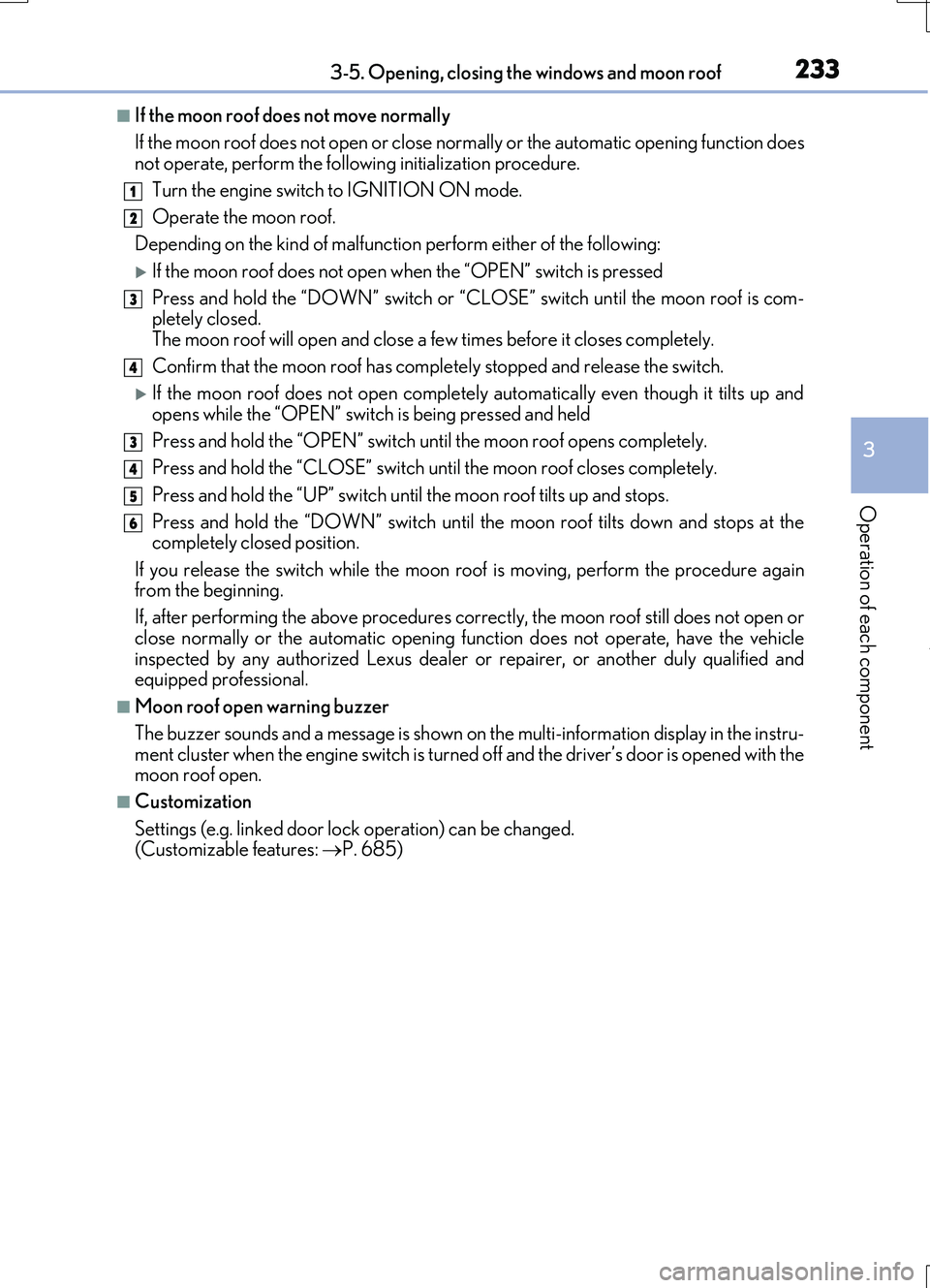
Turn the engine switch to IGNITION ON mode.
Operate the moon roof.
Depending on the kind of malfunctio n perform either of the following:
If the moon roof does not open when the “OPEN” switch is pressed
Press and hold the “DOWN” switch or “C LOSE” switch until the moon roof is com- pletely closed.
The moon roof will open and close a few times before it closes completely.
Confirm that the moon roof has comple tely stopped and release the switch.
If the moon roof does not open completely automatically even though it tilts up and
opens while the “OPEN” switch is being pressed and held
Press and hold the “OPEN” switch un til the moon roof opens completely.
Press and hold the “CLOSE” switch un til the moon roof closes completely.
Press and hold the “UP” switch unt il the moon roof tilts up and stops.
Press and hold the “DOWN” switch until th e moon roof tilts down and stops at the completely closed position.
If you release the switch while the moon r oof is moving, perform the procedure again from the beginning.
If, after performing the above procedures co rrectly, the moon roof still does not open or
close normally or the automatic opening func tion does not operate, have the vehicle inspected by any authorized Lexus dealer or repairer, or another duly qualified and equipped professional.
■Moon roof open warning buzzer
The buzzer sounds and a message is shown on the multi-information display in the instru-
ment cluster when the engine switch is turned off and the driver’s door is opened with the moon roof open.
■Customization
Settings (e.g. linked door lock operation) can be changed. (Customizable features: P. 685)
1
2
3
4
3
4
5
6
Page 244 of 724
2444-1. Before driving
RC200t_RC F_EE(OM24728E)
NOTICE
■When driving the vehicle
●Do not depress the accelerator and brake pedals at the same time while driving, as this may restrain the engine output.
●Do not use the accelerator pedal or depress the accelerator and brake pedals at thesame time to hold the vehicle on a hill.
■When parking the vehicle
Always set the parking brake, and shift the sh ift lever to P. Failure to do so may cause the vehicle to move or the vehicle may accelerate suddenly if the accelerator pedal isaccidentally depressed.
■Avoiding damage to vehicle parts
●Do not turn the steering wheel fully in either direction and hold it there for anextended period of time.
Doing so may damage the power steering motor.
●When driving over bumps in the road, driv e as slowly as possible to avoid damaging the wheels, underside of the vehicle, etc.
●RC200t: Make sure to idle the engine immediately after high-load driving. Stop theengine only after the turbocharger has cooled down.Failure to do so may cause damage to the turbocharger.
■If you get a flat tire while driving
A flat or damaged tire may cause the following situations. Hold the steering wheel firmly and gradually depress the brake pedal to slow down the vehicle.
●It may be difficult to control your vehicle.
●The vehicle will make abnormal sounds or vibrations.
●The vehicle will lean abnormally.
Information on what to do in case of a flat tire ( P. 619, 633)
■When encountering flooded roads
Do not drive on a road that has flooded after heavy rain etc. Doing so may cause the
following serious damage to the vehicle:
●Engine stalling
●Short in electrical components
●Engine damage caused by water immersion
In the event that you drive on a flooded road and the vehicle is flooded, be sure to have any authorized Lexus dealer or repairer, or another duly qualified and equipped pro-
fessional check the following:
●Brake function
●Changes in quantity and quality of oil and fluid used for the engine, transmission, dif-
ferentials, etc.
●Lubricant condition for the propeller shaft, bearings and suspension joints (where possible), and the function of all joints, bearings, etc.
Page 248 of 724
2484-2. Driving procedures
RC200t_RC F_EE(OM24728E)
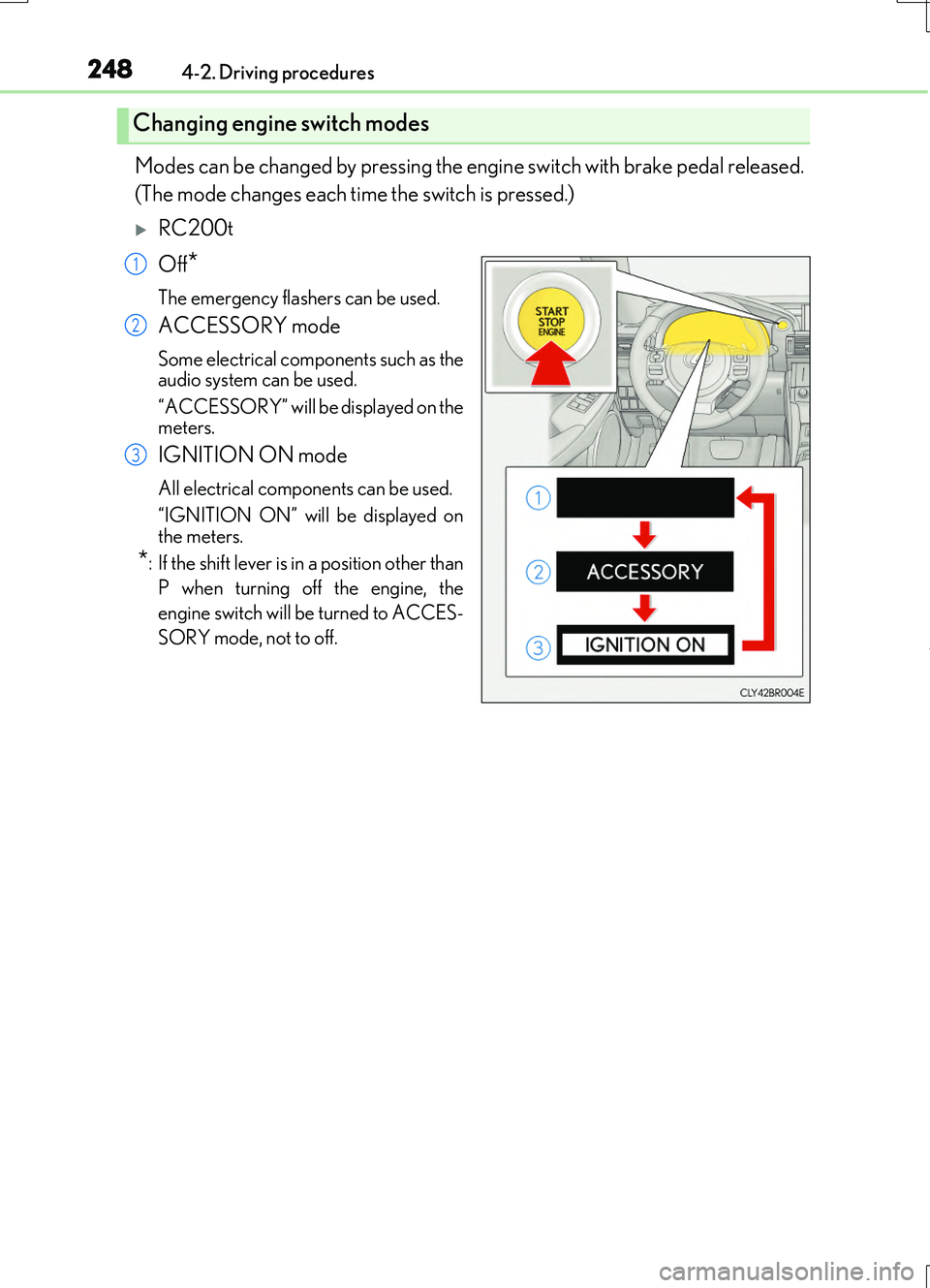
Modes can be changed by pressing the engine switch with brake pedal released.
(The mode changes each time the switch is pressed.)
RC200t
Off*
The emergency flashers can be used.
ACCESSORY mode
Some electrical components such as the audio system can be used.
“ACCESSORY” will be displayed on the meters.
IGNITION ON mode
All electrical components can be used.
“IGNITION ON” will be displayed on the meters.
*: If the shift lever is in a position other than
P when turning off the engine, the
engine switch will be turned to ACCES-
SORY mode, not to off.
Changing engine switch modes
1
2
3
Page 251 of 724
2514-2. Driving procedures
4
Driving
RC200t_RC F_EE(OM24728E)
■When “Check Entry & Start System” is displayed on the multi-information display
The system may be malfunctioning. Have the vehicle inspected by any authorized Lexus dealer or repairer, or another duly qua lified and equipped professional immediately.
■If the electronic key battery is depleted
P. 563
■Operation of the engine switch
●If the switch is not pressed shortly and firmly, the engine switch mode may not change or the engine may not start.
●If attempting to restart the engine immediately after turning the engine switch off, the
engine may not start in some cases. After turning the engine switch off, please wait a few seconds before restarting the engine.
■If the smart entry & start system has been deactivated by a customized setting
P. 650
WARNING
■When starting the engine
Always start the engine while sitting in the driver’s seat. Do not depress the accelerator pedal while starting the engine under any circumstances.
Doing so may cause an accident resu lting in death or serious injury.
■Caution while driving
If engine failure occurs while the vehicle is moving, do not lock or open the doors until
the vehicle reaches a safe and complete stop. Activation of the steering lock in this cir- cumstance may lead to an accident, resulting in death or serious injury.
■Stopping the engine in an emergency
If you want to stop the engine in an emer gency while driving the vehicle, press and hold the engine switch for more than 2 seconds, or press it briefly 3 times or more in succes- sion. ( P. 581)
However, do not touch the engine switch while driving except in an emergency. Turning the engine off while driving will not cause loss of steering or braking control, but the power assist to these systems will be lost. Th is will make it more difficult to steer and
brake, so you should pull over and stop the vehicle as soon as it is safe to do so.
Page 256 of 724
2564-2. Driving procedures
RC200t_RC F_EE(OM24728E)
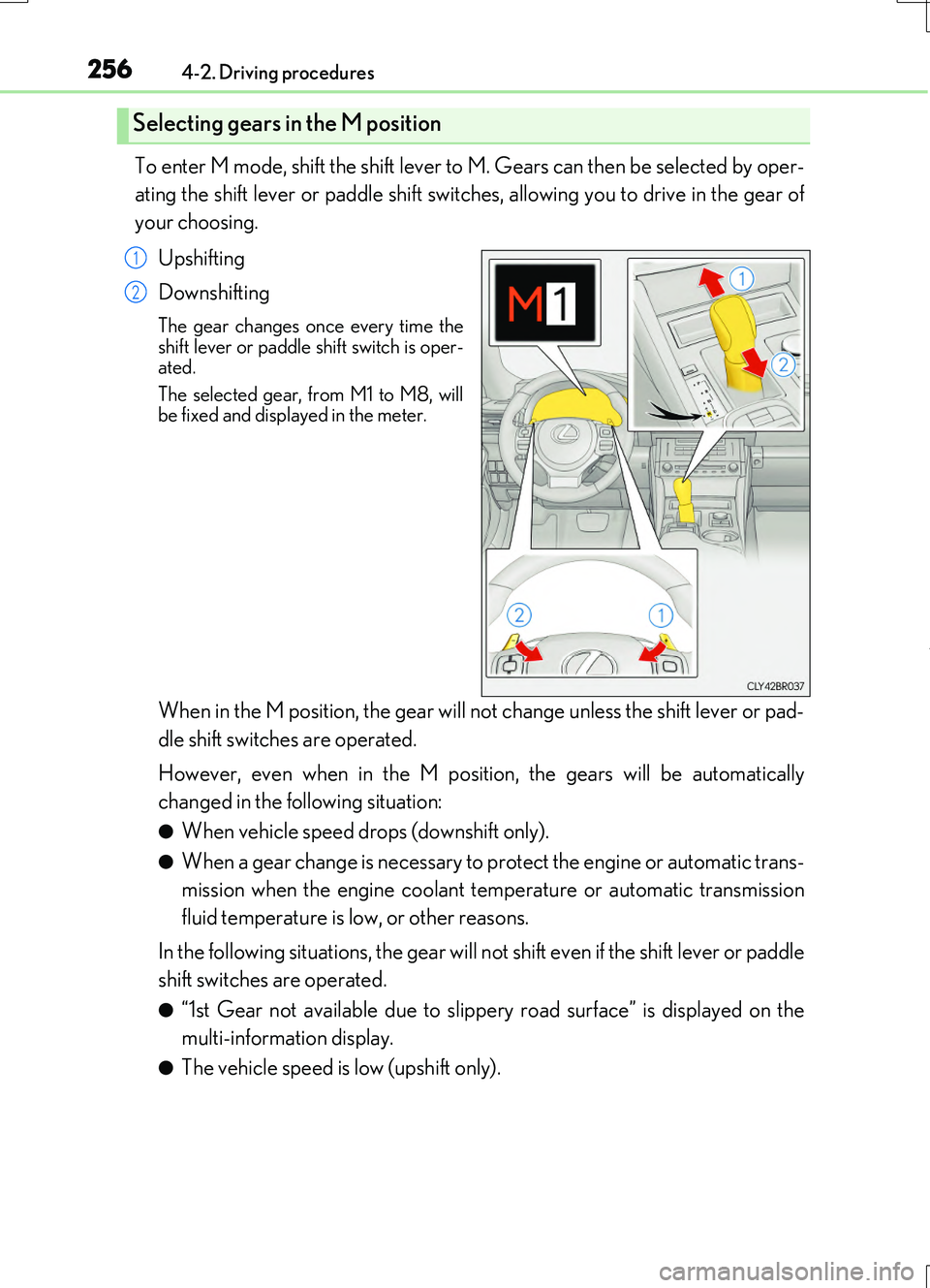
To enter M mode, shift the shift lever to M. Gears can then be selected by oper-
ating the shift lever or paddle shift switches, allowing you to drive in the gear of
your choosing.
Upshifting
Downshifting
The gear changes once every time the shift lever or paddle shift switch is oper-ated.
The selected gear, from M1 to M8, will be fixed and displayed in the meter.
When in the M position, the gear will not change unless the shift lever or pad-
dle shift switches are operated.
However, even when in the M position, the gears will be automatically
changed in the following situation:
●When vehicle speed drops (downshift only).
●When a gear change is necessary to protect the engine or automatic trans-
mission when the engine coolant temperature or automatic transmission
fluid temperature is low, or other reasons.
In the following situations, the gear will not shift even if the shift lever or paddle
shift switches are operated.
●“1st Gear not available due to slippery road surface” is displayed on the
multi-information display.
●The vehicle speed is low (upshift only).
Selecting gears in the M position
1
2
Page 260 of 724
2604-2. Driving procedures
RC200t_RC F_EE(OM24728E)
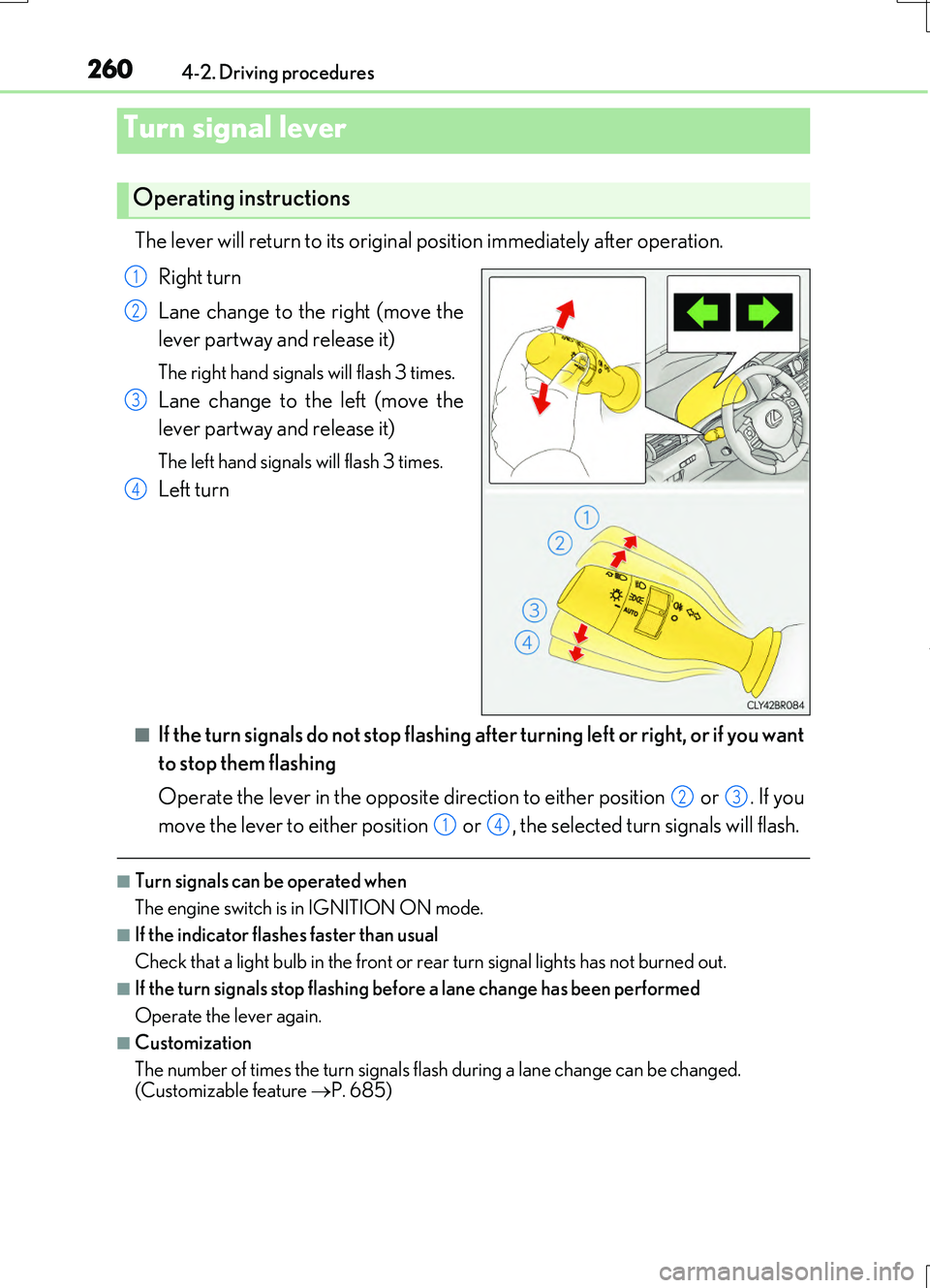
The lever will return to its original position immediately after operation.
Right turn
Lane change to the right (move the
lever partway and release it)
The right hand signals will flash 3 times.
Lane change to the left (move the
lever partway and release it)
The left hand signals will flash 3 times.
Left turn
■If the turn signals do not stop flashing after turning left or right, or if you want
to stop them flashing
Operate the lever in the opposite direction to either position or . If you
move the lever to either position or , the selected turn signals will flash.
■Turn signals can be operated when
The engine switch is in IGNITION ON mode.
■If the indicator flashes faster than usual
Check that a light bulb in the front or rear turn signal lights has not burned out.
■If the turn signals stop flashing before a lane change has been performed
Operate the lever again.
■Customization
The number of times the turn signals flash during a lane change can be changed.
(Customizable feature P. 685)
Turn signal lever
Operating instructions
1
2
3
4
23
14
Page 287 of 724
2874-5. Using the driving support systems
4
Driving
RC200t_RC F_EE(OM24728E)
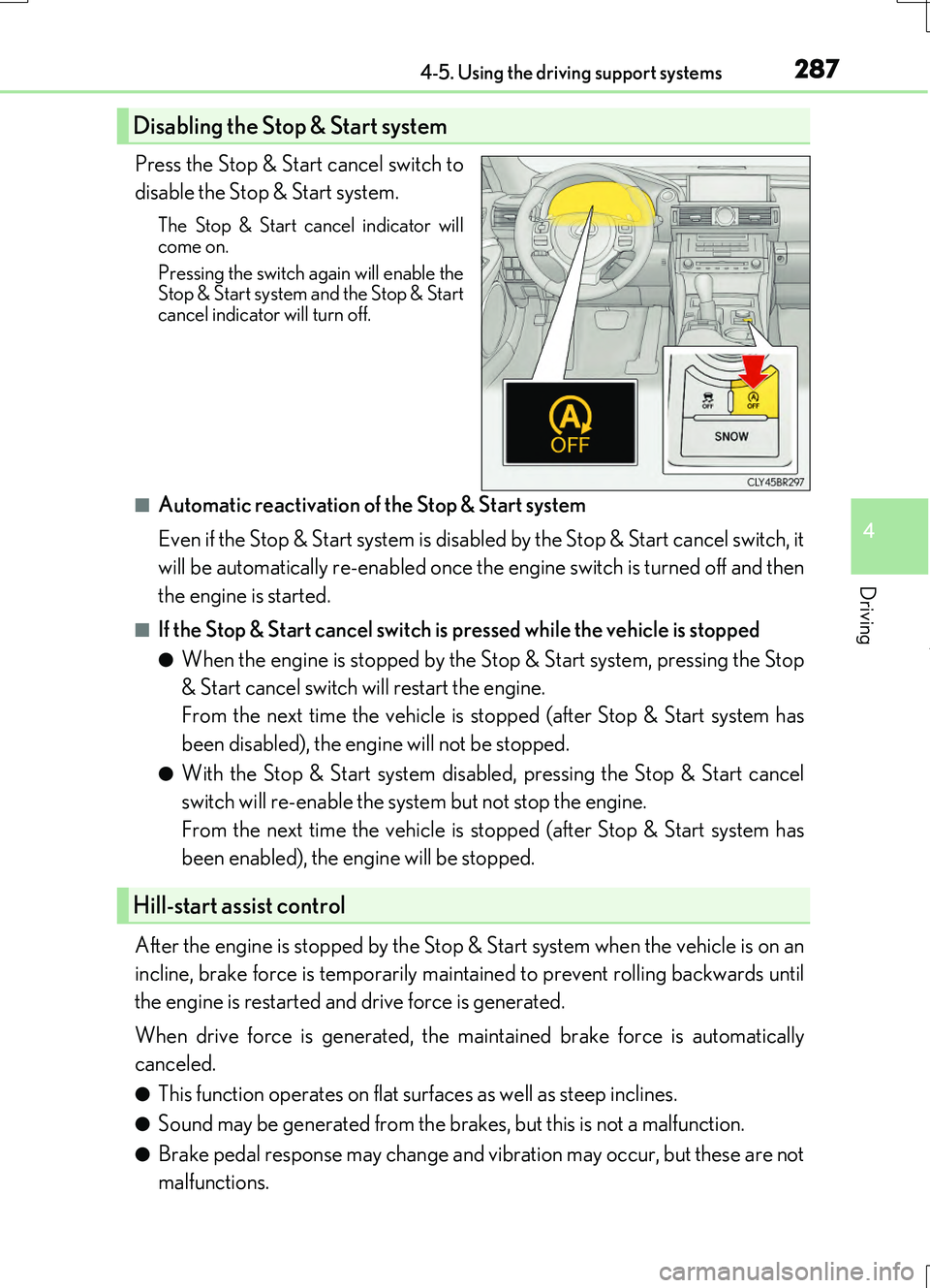
Press the Stop & Start cancel switch to
disable the Stop & Start system.
The Stop & Start cancel indicator will
come on.
Pressing the switch again will enable the Stop & Start system and the Stop & Start
cancel indicator will turn off.
■Automatic reactivation of the Stop & Start system
Even if the Stop & Start system is disabled by the Stop & Start cancel switch, it
will be automatically re-enabled once the engine switch is turned off and then
the engine is started.
■If the Stop & Start cancel switch is pressed while the vehicle is stopped
●When the engine is stopped by the Stop & Start system, pressing the Stop
& Start cancel switch will restart the engine.
From the next time the vehicle is st opped (after Stop & Start system has
been disabled), the engine will not be stopped.
●With the Stop & Start system disabl ed, pressing the Stop & Start cancel
switch will re-enable the system but not stop the engine.
From the next time the vehicle is st opped (after Stop & Start system has
been enabled), the engine will be stopped.
After the engine is stopped by the Stop & Start system when the vehicle is on an
incline, brake force is temporarily maintained to prevent rolling backwards until
the engine is restarted and drive force is generated.
When drive force is generated, the ma intained brake force is automatically
canceled.
●This function operates on flat surfaces as well as steep inclines.
●Sound may be generated from the brak es, but this is not a malfunction.
●Brake pedal response may change and vibration may occur, but these are not
malfunctions.
Disabling the Stop & Start system
Hill-start assist control
Page 290 of 724
2904-5. Using the driving support systems
RC200t_RC F_EE(OM24728E)
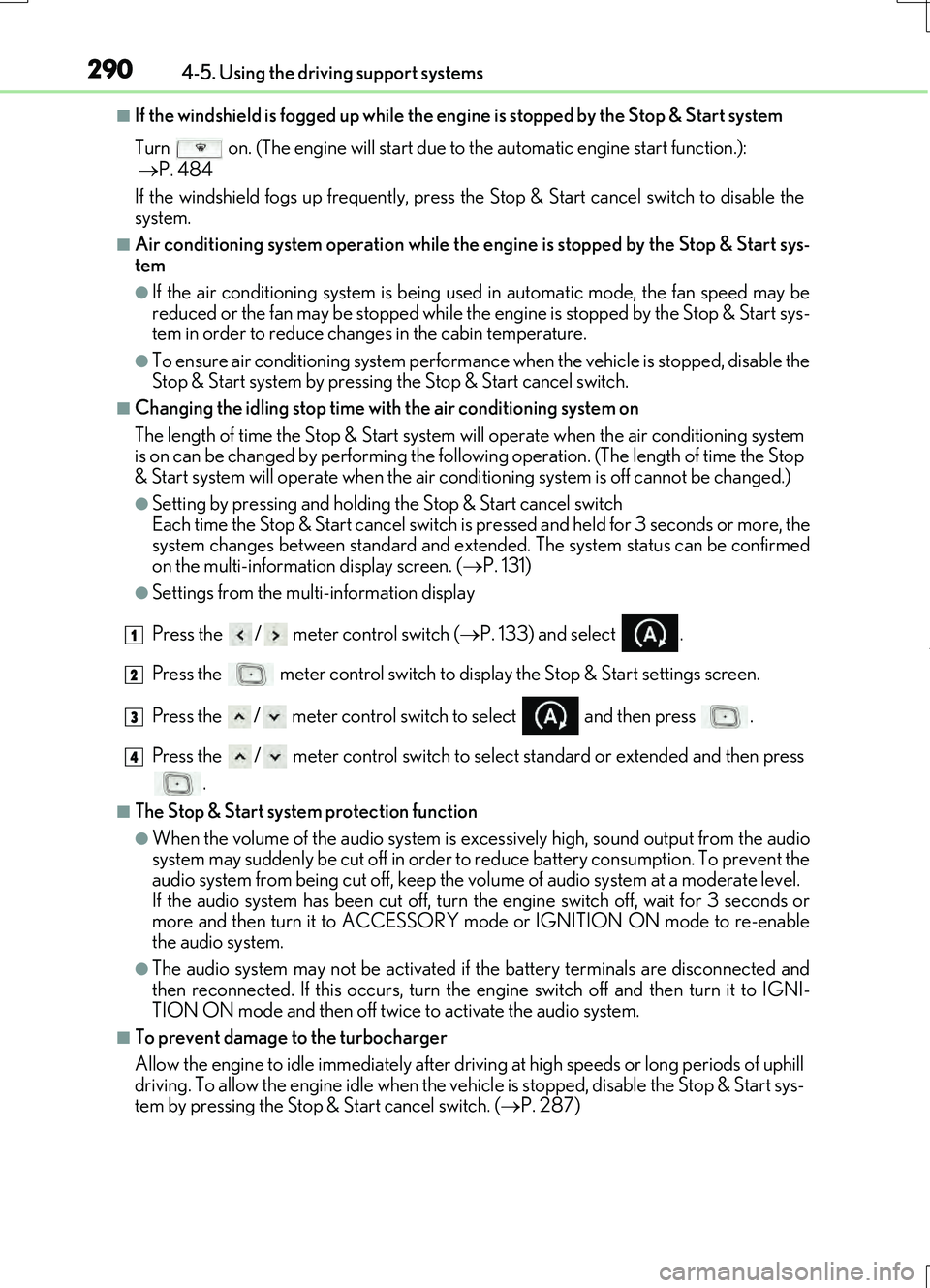
■If the windshield is fogged up while the engine is stopped by the Stop & Start system
Turn on. (The engine will start due to the automatic engine start function.):
P. 484
If the windshield fogs up frequently, press the Stop & Start cancel switch to disable the
system.
■Air conditioning system operation while the engine is stopped by the Stop & Start sys-
tem
●If the air conditioning system is being us ed in automatic mode, the fan speed may be
reduced or the fan may be stopped while the engine is stopped by the Stop & Start sys-
tem in order to reduce changes in the cabin temperature.
●To ensure air conditioning system performanc e when the vehicle is stopped, disable the
Stop & Start system by pressing the Stop & Start cancel switch.
■Changing the idling stop time with the air conditioning system on
The length of time the Stop & Start system will operate when the air conditioning system
is on can be changed by performing the followi ng operation. (The length of time the Stop
& Start system will operate when the air condit ioning system is off cannot be changed.)
●Setting by pressing and holding the Stop & Start cancel switch
Each time the Stop & Start cancel switch is pressed and held for 3 seconds or more, the
system changes between standard and extended. The system status can be confirmed
on the multi-information display screen. ( P. 131)
●Settings from the multi-information display
Press the / meter control switch ( P. 133) and select .
Press the meter control switch to display the Stop & Start settings screen.
Press the / meter control switch to select and then press .
Press the / meter control switch to select standard or extended and then press .
■The Stop & Start system protection function
●When the volume of the audio system is ex cessively high, sound output from the audio
system may suddenly be cut of f in order to reduce battery consumption. To prevent the
audio system from being cut off, keep the vo lume of audio system at a moderate level.
If the audio system has been cut off, turn the engine switch off, wait for 3 seconds or
more and then turn it to ACCESSORY mode or IGNITION ON mode to re-enable
the audio system.
●The audio system may not be activated if the battery terminals are disconnected and
then reconnected. If this occurs, turn the engine switch off and then turn it to IGNI-
TION ON mode and then off twice to activate the audio system.
■To prevent damage to the turbocharger
Allow the engine to idle immediately after driv ing at high speeds or long periods of uphill
driving. To allow the engine idle when the vehicle is stopped, disable the Stop & Start sys-
tem by pressing the Stop & Start cancel switch. ( P. 287)
1
2
3
4
Page 295 of 724
2954-5. Using the driving support systems
4
Driving
RC200t_RC F_EE(OM24728E)
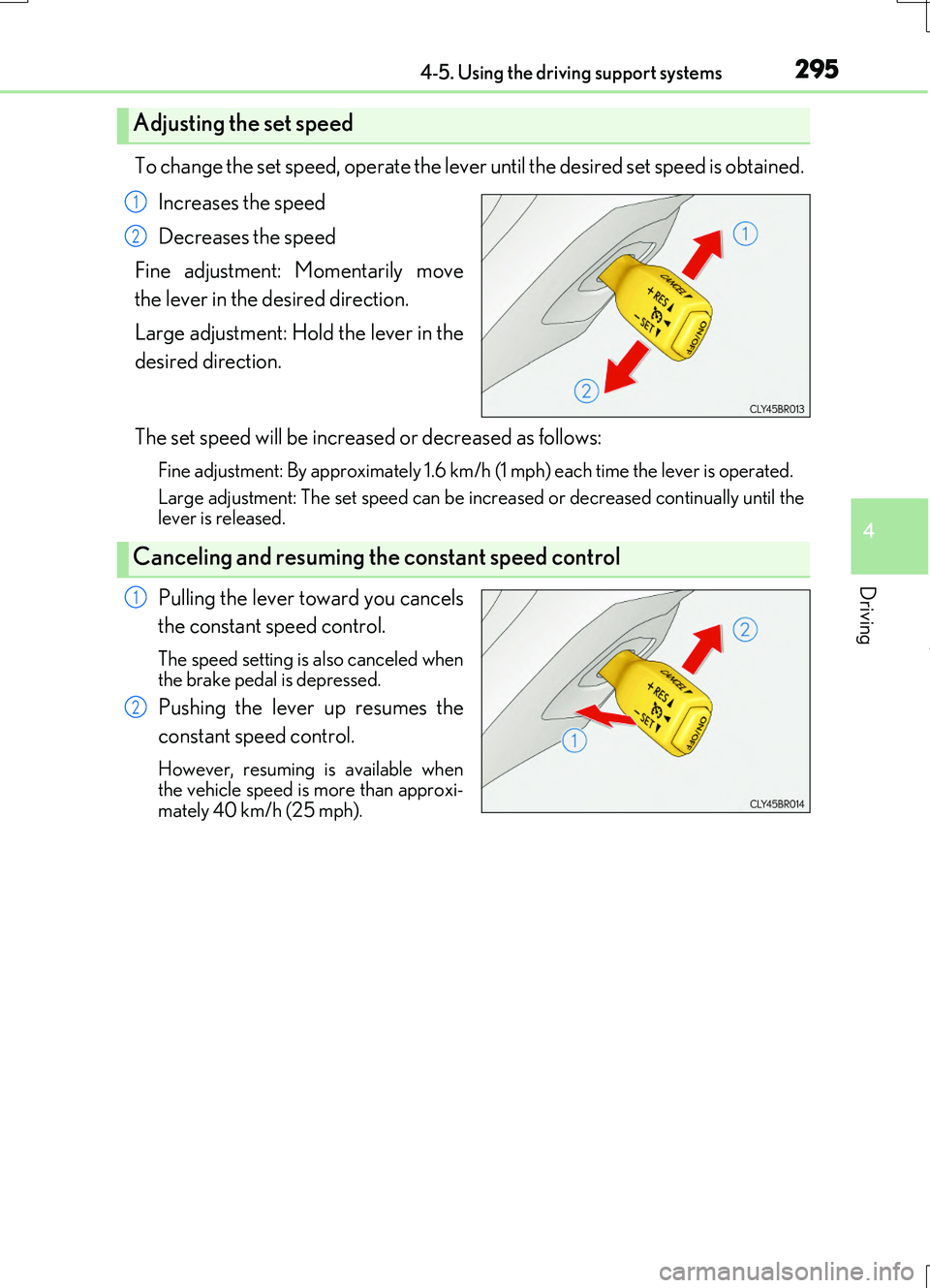
To change the set speed, operate the lever until the desired set speed is obtained.
Increases the speed
Decreases the speed
Fine adjustment: Momentarily move
the lever in the desired direction.
Large adjustment: Hold the lever in the
desired direction.
The set speed will be increased or decreased as follows:
Fine adjustment: By approximately 1.6 km/h (1 mph) each time the lever is operated.
Large adjustment: The set speed can be incr eased or decreased continually until the lever is released.
Pulling the lever toward you cancels
the constant speed control.
The speed setting is also canceled when the brake pedal is depressed.
Pushing the lever up resumes the
constant speed control.
However, resuming is available when the vehicle speed is more than approxi-mately 40 km/h (25 mph).
Adjusting the set speed
1
2
Canceling and resuming the constant speed control
1
2