power LEXUS RX200T 2017 User Guide
[x] Cancel search | Manufacturer: LEXUS, Model Year: 2017, Model line: RX200T, Model: LEXUS RX200T 2017Pages: 776, PDF Size: 44.51 MB
Page 115 of 776
1152. Instrument cluster
2
Instrument cluster
RX350/RX200t_EE_OM48F32E
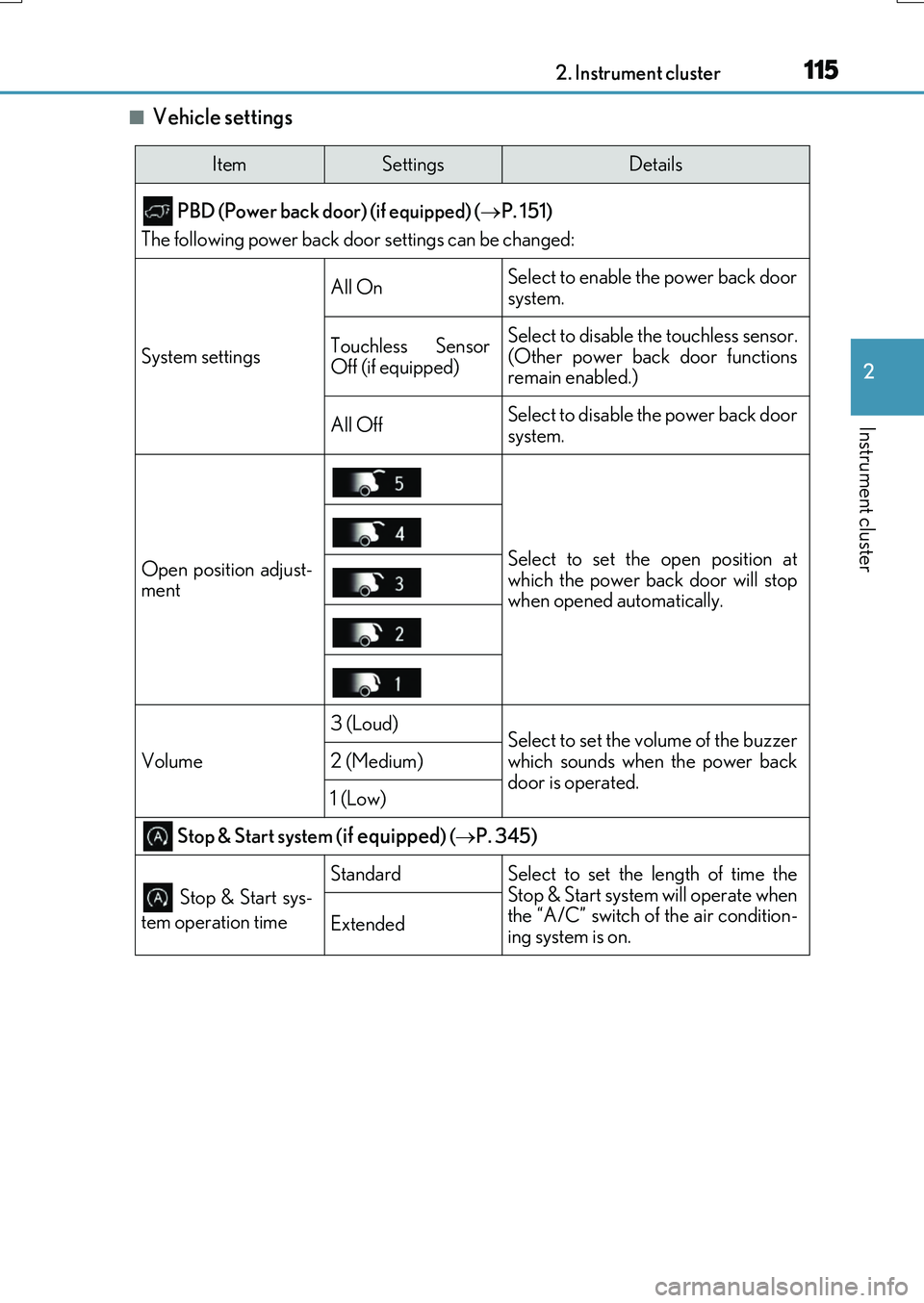
■Vehicle settings
ItemSettingsDetails
PBD (Power back door) (if equipped) ( P. 151)
The following power back door settings can be changed:
System settings
All OnSelect to enable the power back door
system.
Touchless Sensor
Off (if equipped)Select to disable the touchless sensor.
(Other power back door functions
remain enabled.)
All OffSelect to disable the power back door
system.
Open position adjust-
mentSelect to set the open position at
which the power back door will stop
when opened automatically.
Volume
3 (Loud)Select to set the volume of the buzzer
which sounds when the power back
door is operated.
2 (Medium)
1 (Low)
Stop & Start system (if equipped) ( P. 345)
Stop & Start sys-
tem operation time
StandardSelect to set the length of time the
Stop & Start system will operate when
the “A/C” switch of the air condition-
ing system is on.
Extended
Page 119 of 776
1192. Instrument cluster
2
Instrument cluster
RX350/RX200t_EE_OM48F32E
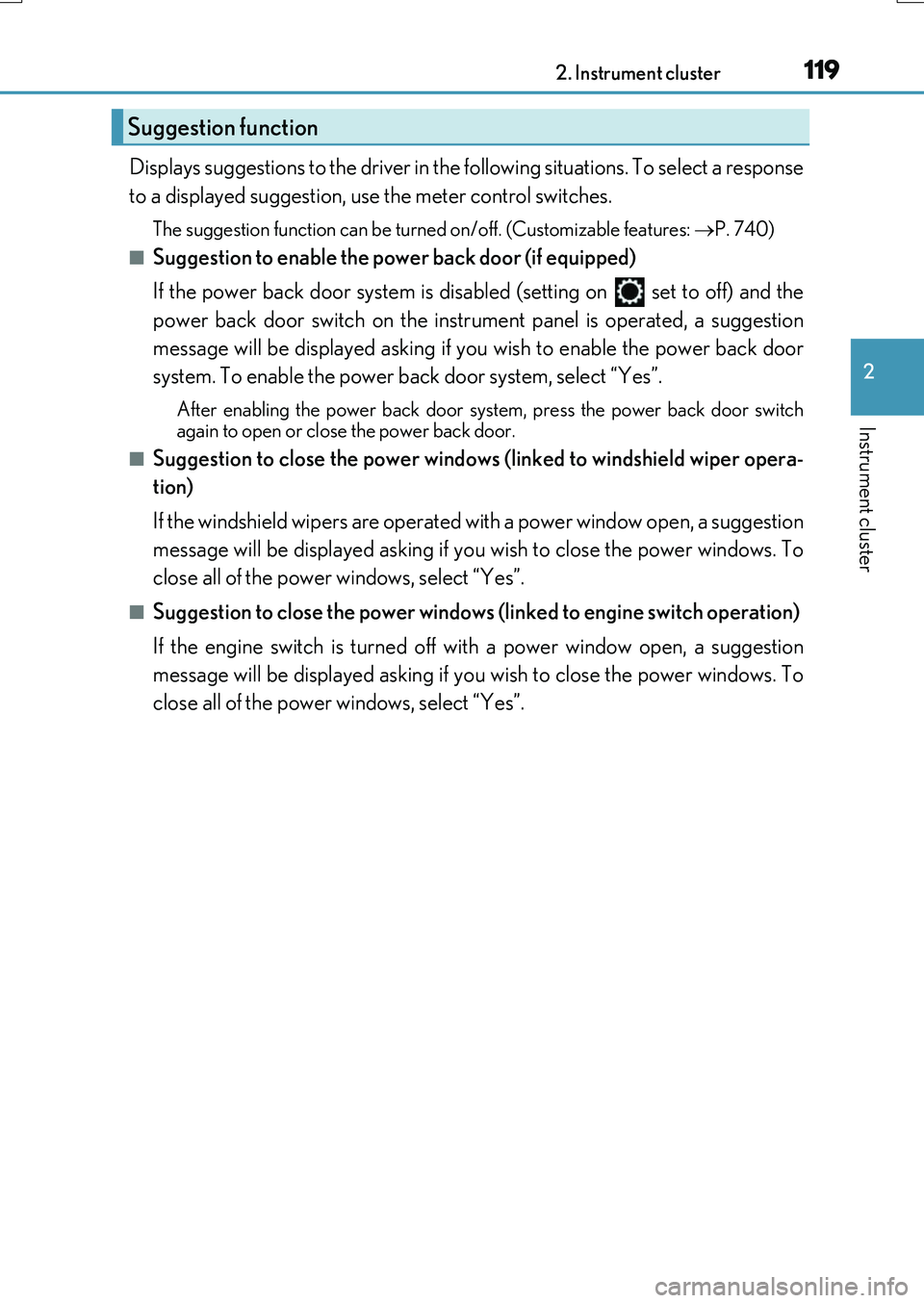
Displays suggestions to the driver in the following situations. To select a response
to a displayed suggestion, use the meter control switches.
The suggestion function can be turned on/off. (Customizable features: P. 740)
■Suggestion to enable the po wer back door (if equipped)
If the power back door system is disabled (setting on set to off) and the
power back door switch on the instrument panel is operated, a suggestion
message will be displayed asking if you wish to enable the power back door
system. To enable the power back door system, select “Yes”.
After enabling the power back door system, press the power back door switch
again to open or close the power back door.
■Suggestion to close the power windows (linked to windshield wiper opera-
tion)
If the windshield wipers are operated with a power window open, a suggestion
message will be displayed asking if you wish to close the power windows. To
close all of the power windows, select “Yes”.
■Suggestion to close the po wer windows (linked to engine switch operation)
If the engine switch is turned off with a power window open, a suggestion
message will be displayed asking if you wish to close the power windows. To
close all of the power windows, select “Yes”.
Suggestion function
Page 133 of 776
133
3
Operation of
each component
RX350/RX200t_EE_OM48F32E
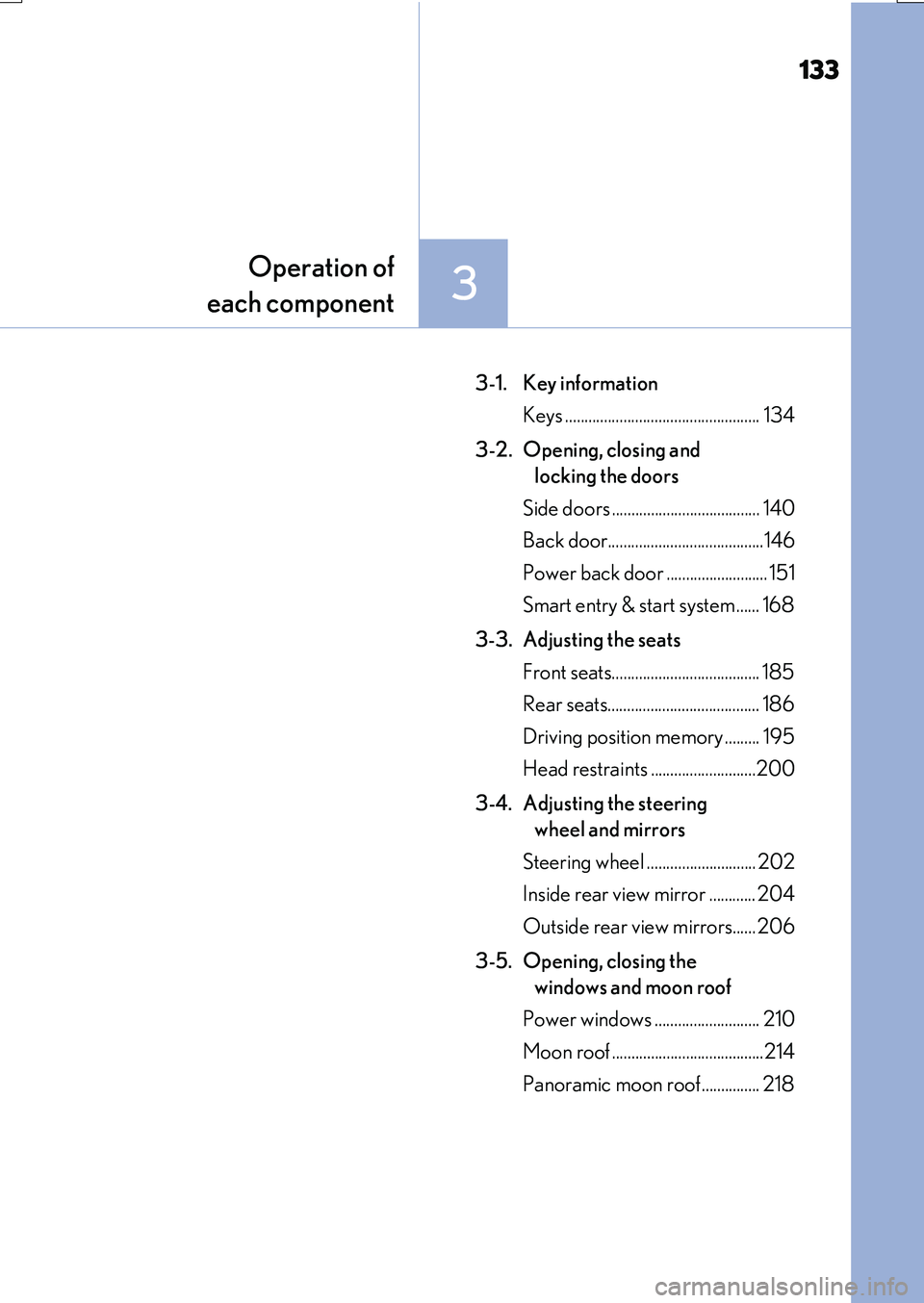
3-1. Key information
Keys .................................................. 134
3-2. Opening, closing and
locking the doors
Side doors ...................................... 140
Back door........................................146
Power back door .......................... 151
Smart entry & start system ...... 168
3-3. Adjusting the seats
Front seats...................................... 185
Rear seats....................................... 186
Driving position memory ......... 195
Head restraints ...........................200
3-4. Adjusting the steering
wheel and mirrors
Steering wheel ............................ 202
Inside rear view mirror ............ 204
Outside rear view mirrors...... 206
3-5. Opening, closing the
windows and moon roof
Power windows ........................... 210
Moon roof .......................................214
Panoramic moon roof............... 218
Page 134 of 776
134
RX350/RX200t_EE_OM48F32E
3-1. Key information
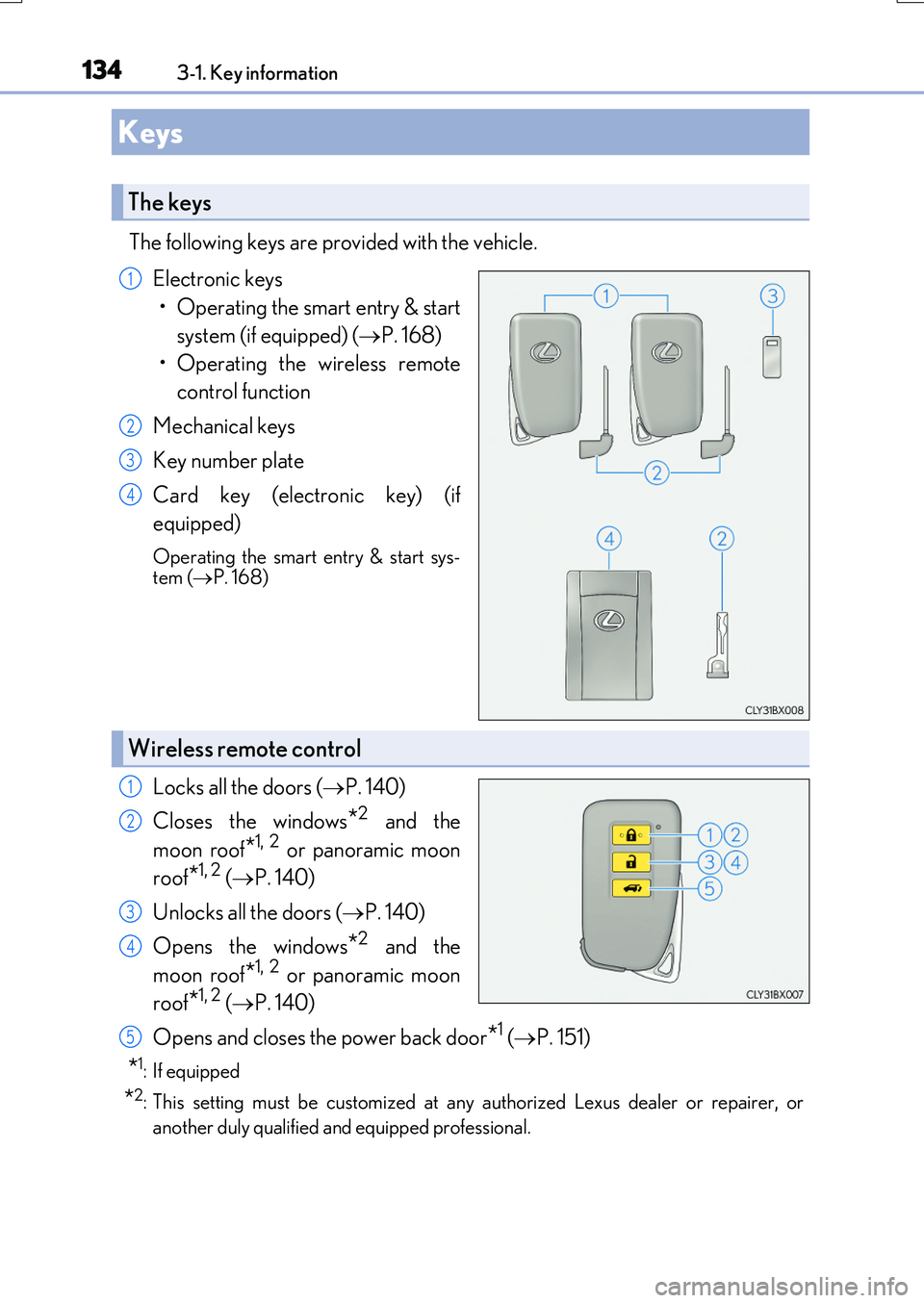
The following keys are provided with the vehicle.
Electronic keys
• Operating the smart entry & start
system (if equipped) ( P. 168)
• Operating the wireless remote
control function
Mechanical keys
Key number plate
Card key (electronic key) (if
equipped)
Operating the smart entry & start sys- tem ( P. 168)
Locks all the doors (P. 140)
Closes the windows*2 and the
moon roof*1, 2 or panoramic moon
roof*1, 2 ( P. 140)
Unlocks all the doors ( P. 140)
Opens the windows*2 and the
moon roof*1, 2 or panoramic moon
roof*1, 2 ( P. 140)
Opens and closes the power back door*1 ( P. 151)
*1: If equipped
*2: This setting must be customized at any authorized Lexus dealer or repairer, or
another duly qualified an d equipped professional.
Keys
The keys
1
2
3
4
Wireless remote control
1
2
3
4
5
Page 145 of 776
1453-2. Opening, closing and locking the doors
3
Operation of each component
RX350/RX200t_EE_OM48F32E
■Conditions affecting the operation of the smart entry & start system or wireless remote control
P. 170
■Customization
Some functions can be customized. ( P. 740)
WARNING
■To prevent an accident
Observe the following precautions while driving the vehicle.
Failure to do so may result in a door open ing and an occupant falling out, resulting in death or serious injury.
●Ensure that all doors are properly closed and locked.
●Do not pull the inside handle of the doors while driving.
Be especially careful for the front doors, as the doors may be opened even if the inside lock buttons are in locked position.
●Set the rear door child-protector locks wh en children are seated in the rear seats.
■When opening or closing a door
Check the surroundings of the vehicle such as whether the vehicle is on an incline,
whether there is enough space for a door to open and whether a strong wind is blow- ing. When opening or closing the door, hold the door handle tightly to prepare for any unpredictable movement.
■When using the wireless remote control and operating the power windows or themoon roof or panoramic moon roof
Operate the power windows or the moon roof or panoramic moon roof after checking
to make sure that there is no possibility of any passenger having any of their body parts caught in the windows or the moon roof or panoramic moon roof. Also, do not allow children to operate the wireless remote contro l. It is possible for children and other
passengers to get caught in the power windows or the moon roof or panoramic moon roof.
Page 151 of 776
1513-2. Opening, closing and locking the doors
3
Operation of each component
RX350/RX200t_EE_OM48F32E
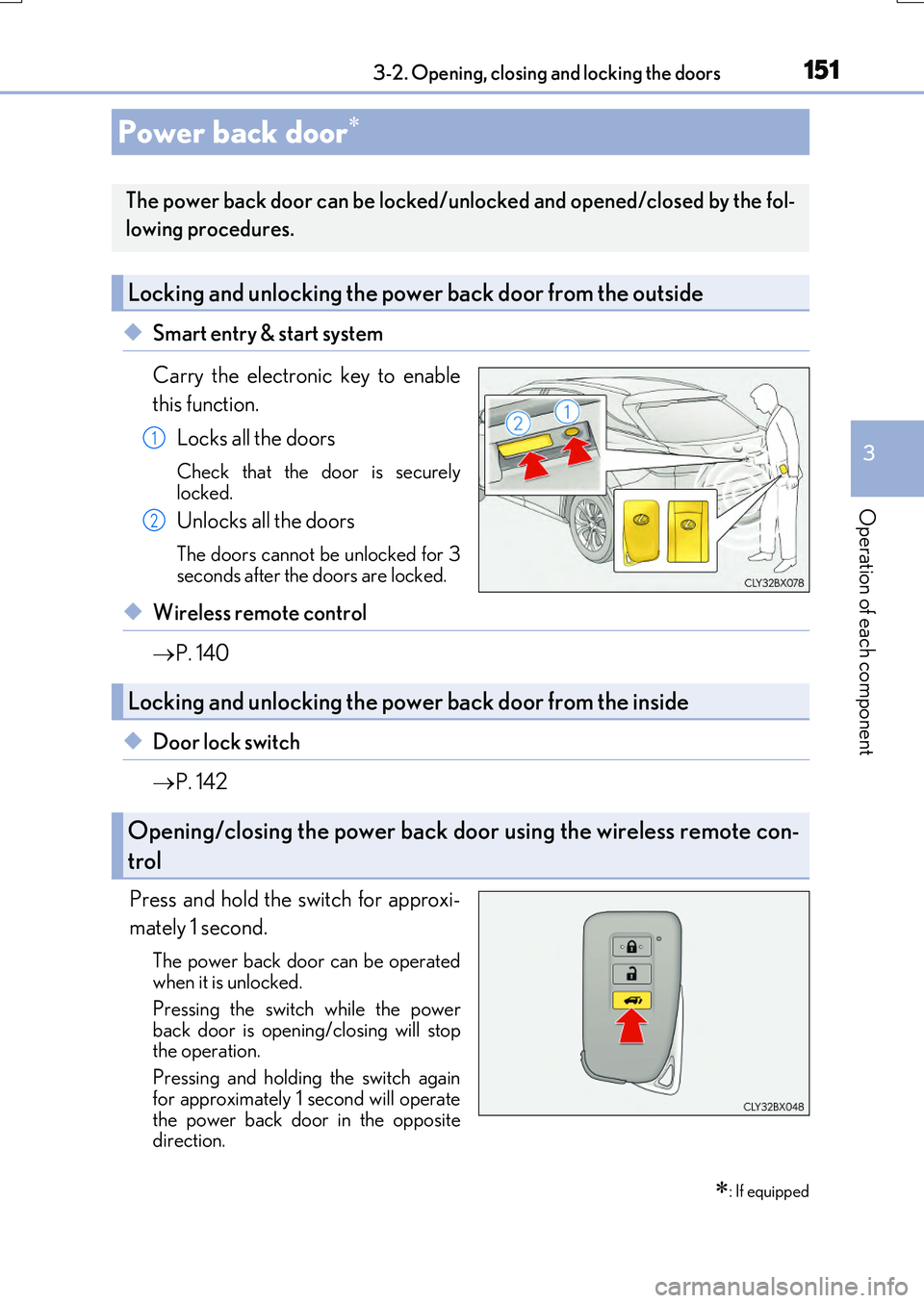
◆Smart entry & start system
Carry the electronic key to enable
this function.
Locks all the doors
Check that the door is securely
locked.
Unlocks all the doors
The doors cannot be unlocked for 3
seconds after the doors are locked.
◆Wireless remote control
P. 140
◆Door lock switch
P. 142
Press and hold the switch for approxi-
mately 1 second.
The power back door can be operated
when it is unlocked.
Pressing the switch while the power
back door is open ing/closing will stop
the operation.
Pressing and holding the switch again
for approximately 1 second will operate
the power back door in the opposite
direction.
Power back door
: If equipped
The power back door can be locked/unlocked and opened/closed by the fol-
lowing procedures.
Locking and unlocking the power back door from the outside
1
2
Locking and unlocking the power back door from the inside
Opening/closing the power back door using the wireless remote con-
trol
Page 152 of 776

1523-2. Opening, closing and locking the doors
RX350/RX200t_EE_OM48F32E
Press and hold the switch for approxi-
mately 1 second.
A buzzer will sound and the power back
door will automatically open or close. However, if the power back door islocked, it will not open.
Pressing the switch while the power back door is open ing/closing will stop the operation.
Pressing and holding the switch again for approximately 1 second will operate the power back door in the opposite
direction.
■Back door opener switch
When the power back door is
unlocked: Press the back door
opener switch.
When the power back door is
locked: While carrying an elec-
tronic key, press the back door
opener switch to unlock the power
back door and then press the back
door opener switch again.
A buzzer will sound and the power b ack door will automatically open.
Pressing the switch while the power back door is opening/closing will stop the operation.
■Wireless remote control
P. 151
Opening/closing the power back door from the inside
Opening the power back door from the outside
Page 153 of 776
1533-2. Opening, closing and locking the doors
3
Operation of each component
RX350/RX200t_EE_OM48F32E
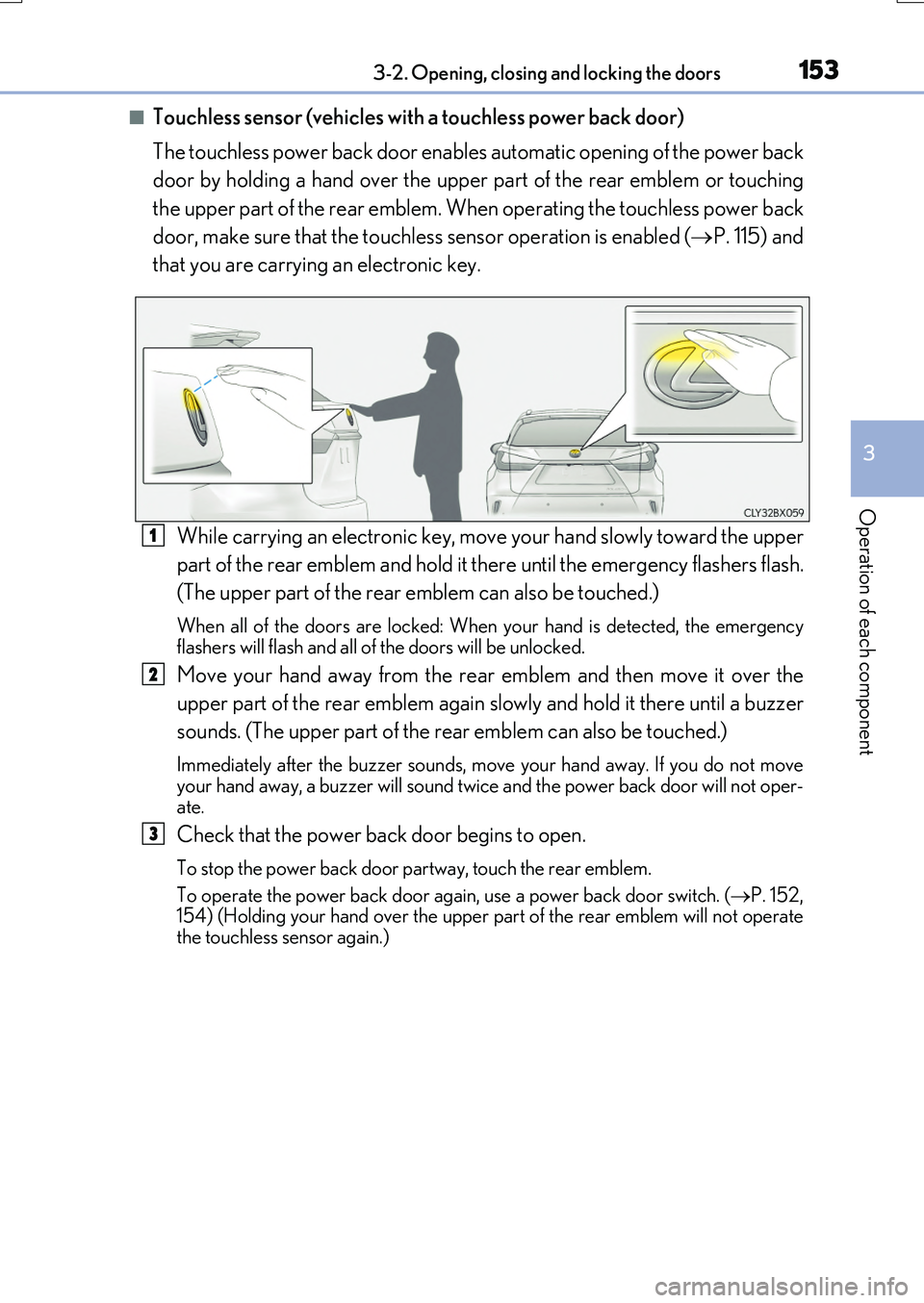
■Touchless sensor (vehicles with a touchless power back door)
The touchless power back door enable s automatic opening of the power back
door by holding a hand over the upper part of the rear emblem or touching
the upper part of the rear emblem. When operating the touchless power back
door, make sure that the touchless sensor operation is enabled ( P. 115) and
that you are carrying an electronic key.
While carrying an electronic key, move your hand slowly toward the upper
part of the rear emblem and hold it there until the emergency flashers flash.
(The upper part of the rear emblem can also be touched.)
When all of the doors are locked: When your hand is detected, the emergency flashers will flash and all of the doors will be unlocked.
Move your hand away from the rear emblem and then move it over the
upper part of the rear emblem again slowly and hold it there until a buzzer
sounds. (The upper part of the re ar emblem can also be touched.)
Immediately after the buzzer sounds, move your hand away. If you do not move your hand away, a buzzer will sound twice and the power back door will not oper-
ate.
Check that the power back door begins to open.
To stop the power back door partway, touch the rear emblem.
To operate the power back door again, use a power back door switch. ( P. 152, 154) (Holding your hand over the upper part of the rear emblem will not operate
the touchless sensor again.)
1
2
3
Page 154 of 776

1543-2. Opening, closing and locking the doors
RX350/RX200t_EE_OM48F32E
■Using the power back door switch to close the power back door
Press the switch.
A buzzer will sound and the power back door will automatically close.
Pressing the switch while the power back door is closing will stopthe operation. Pressing the switch
again will open the power back door automatically.
■Using the back door handle to close the power back door
Lower the power back door using
the back door handle.
A buzzer will sound and the power back door will automatically close.
Closing the power back door from the outside
Page 155 of 776
1553-2. Opening, closing and locking the doors
3
Operation of each component
RX350/RX200t_EE_OM48F32E
The power back door settings can be changed on the multi-information display.
( P. 110)
The position at which the power back door will stop when opened automatically
can be changed.
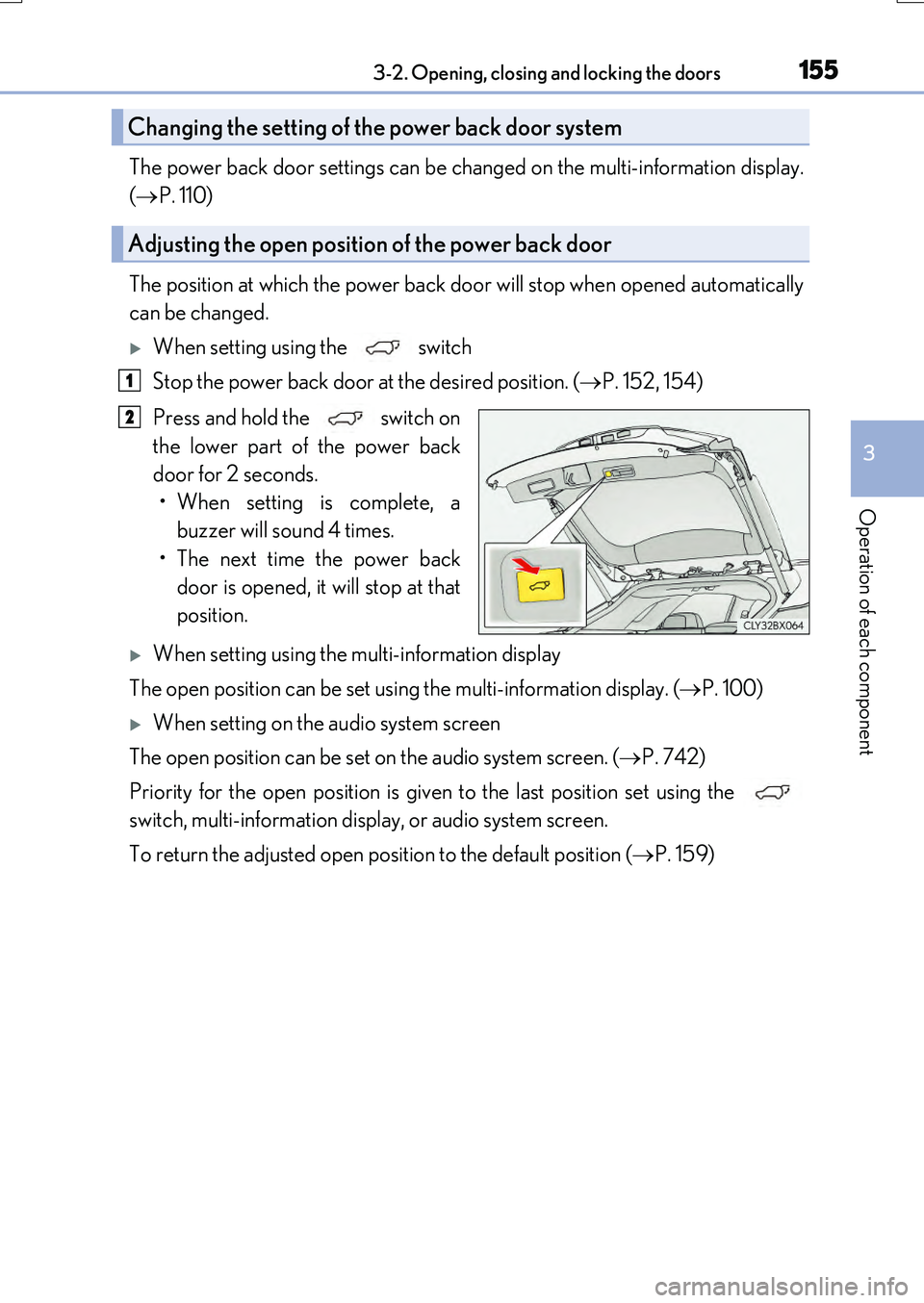
When setting using the switch
Stop the power back door at the desired position. ( P. 152, 154)
Press and hold the switch on
the lower part of the power back
door for 2 seconds.
• When setting is complete, a buzzer will sound 4 times.
• The next time the power back door is opened, it will stop at that
position.
When setting using the multi-information display
The open position can be set using the multi-information display. ( P. 100)
When setting on the audio system screen
The open position can be set on the audio system screen. ( P. 742)
Priority for the open position is given to the last position set using the
switch, multi-information display, or audio system screen.
To return the adjusted open position to the default position ( P. 159)
Changing the setting of the power back door system
Adjusting the open position of the power back door
1
2