warning light LEXUS RX200T 2017 Workshop Manual
[x] Cancel search | Manufacturer: LEXUS, Model Year: 2017, Model line: RX200T, Model: LEXUS RX200T 2017Pages: 776, PDF Size: 44.51 MB
Page 327 of 776
3274-5. Using the driving support systems
4
Driving
RX350/RX200t_EE_OM48F32E
*1: If the turn signal indicator is not operated when changing lanes, the mark does not dis-
play.
*2: Vehicles with a navigation system
In the following situations, the RSA system alerts the driver using a warning dis-
play.
●When the vehicle speed exceeds the speed warning threshold applied to the
speed limit of the sign displayed on the multi-information display, the sign
color becomes inverted.
●If it is detected that your vehicle is overtaking when a no overtaking sign is dis-
played on the multi-information display, the sign flashes.
●Vehicles with a navigation system: When the RSA system recognizes a no-
entry sign and detects that the vehicle has entered a no-entry area based on
the map information of the navigation system, the no-entry sign flashes.
Depending on the situation, traffic environment (traffic direction, speed, unit)
may be detected incorrectly and a warning display may not operate properly.
■Automatic turn-off of RSA sign display
One or more signs automatically turn off in the following situations.
●A new sign is not recognized for a certain distance.
●The road changes due to a left or right turn, etc.
■Conditions in which the function may not operate or detect correctly
In the following situations, RSA does not op erate normally and may not recognize signs,
display the incorrect sign, etc. However, this does not indicate a malfunction.
●The camera sensor is misaligned due to a strong impact being applied to the sensor, etc.
●Dirt, snow, stickers, etc. are on the windshield near the camera sensor.
●In inclement weather such as heavy rain, fog, snow or sand storms
●Light from an oncoming vehicle, the sun, etc. enters the camera sensor.
●The sign is dirty, faded, tilted or bent, and if an electronic sign, the contrast is poor.
●All or part of the sign is hidden by the leaves of a tree, a pole, etc.
●The sign is only visible to the camera sensor for a short amount of time.
●The driving scene (turning, lane change, etc.) is judged incorrectly.
●Even if it is a sign not appropriate for the currently traveled lane, such a sign exists
directly after a freeway branches, or in an adjacent lane just before merging.
●Stickers are attached to the rear of the preceding vehicle.
●A sign resembling a system comp atible sign is recognized.
●The vehicle is driven in a country with a different direction of traffic.
Warning display
Page 354 of 776
3544-5. Using the driving support systems
RX350/RX200t_EE_OM48F32E
WARNING
■When the Stop & Start system is operating
●Depress the brake pedal and apply the parking brake when necessary while the engine is stopped by the Stop & Start system (while the Stop & Start indicator is on).
(Except when the brake hold system is operating or when the vehicle comes to a con- trolled stop while driving with the dynamic radar cruise control with full-speed range in vehicle-to-vehicle distan ce control mode [if equipped])
●Do not allow anyone to leave the vehicle while the engine is stopped by the Stop & Start system (while the Stop & Start indicator is on).An accident may occur due to the automatic engine start function.
●Ensure that the engine is not stopped by the Stop & Start system while the vehicle is ina poorly ventilated area. The engine may restart due to the automatic engine startfunction, causing exhaust gases to collect and enter the vehicle, possibly resulting in
death or a serious health hazard.
NOTICE
■To ensure the system operates correctly
If any of the following situations occur, the Stop & Start system may not operate cor- rectly. Have your vehicle inspected by any authorized Lexus dealer or repairer, or
another duly qualified and equipped professional.
●While the driver's seat belt is fastened, the driver's and front passenger's seat belt reminder light flashes.
●Even though the driver's seat belt is not fastened, the driver's and front passenger'sseat belt reminder light does not illuminate.
●Even though the driver's door is closed, the open door warning is displayed on the
multi-information display or the interior lig ht is illuminated when door linked illumina- tion is enabled ( P. 553).
●Even though the driver's door is open, the open door warning is not displayed on the
multi-information display or the interior light does not illuminate when door linked illumination is enabled ( P. 553).
Page 357 of 776
3574-5. Using the driving support systems
4
Driving
RX350/RX200t_EE_OM48F32E
Press “” or “” of the meter control switches, select .
Press “ ” or “” of the meter control switches, select “BSM”.
Press “ ” or “” of the meter control switches, select “BSM” or “RCTA”.
■Outside rear view mirror indicator visibility
In strong sunlight, the outside rear view mirror indicator may be difficult to see.
■Hearing the RCTA buzzer
The RCTA buzzer may be difficult to hear ov er loud noises, such as if the audio system volume is high.
■When there is a malfunction in the Blind Spot Monitor
If a system malfunction is de tected due to any of the following, a warning message will be displayed: ( P. 673)
●A sensor is malfunctioning
●A sensor is dirty or covered with snow or a sticker
●The outside temperature is extremely high or low
●Sensor voltage is abnormal
●A sensor is misaligned
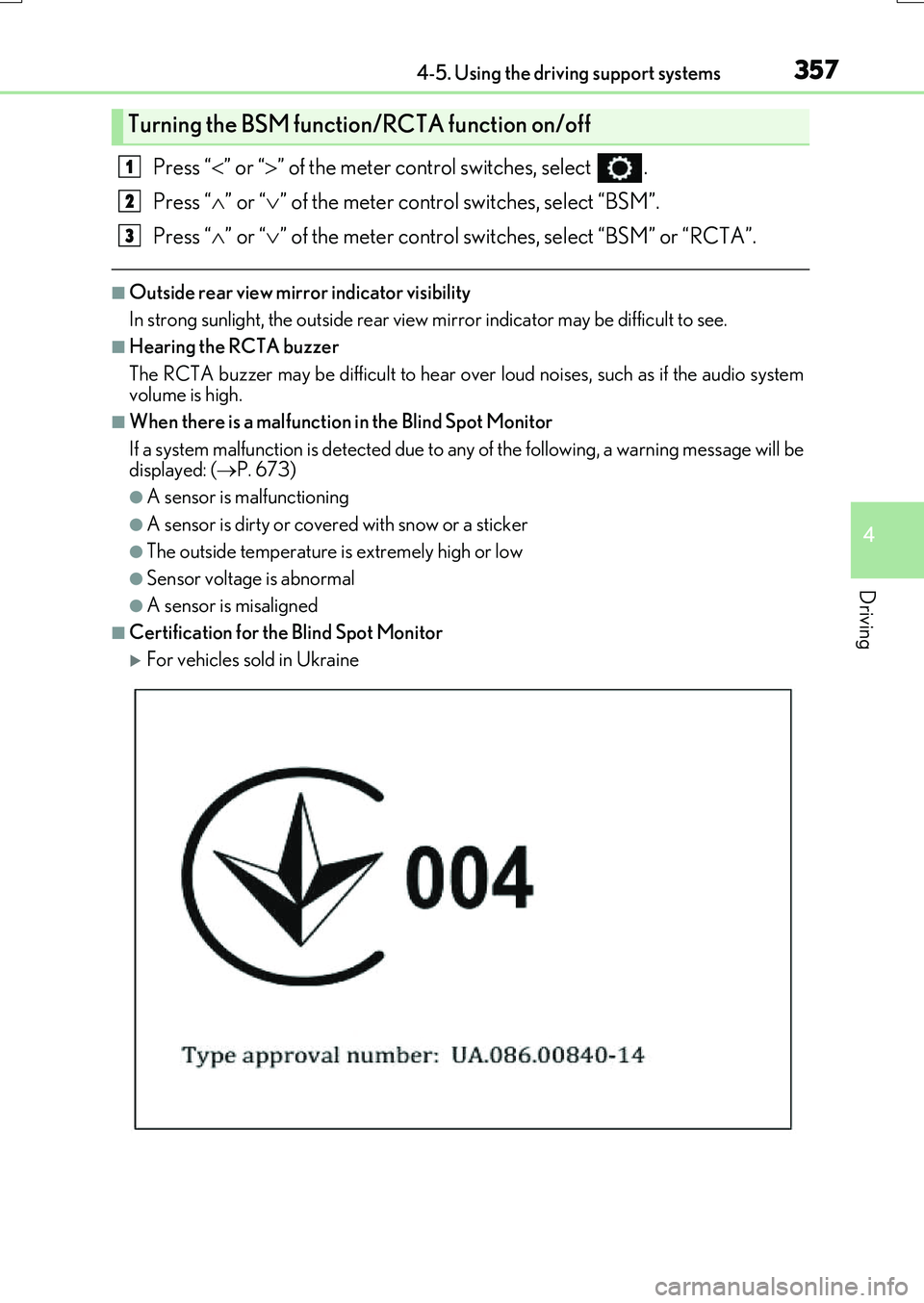
■Certification for the Blind Spot Monitor
For vehicles sold in Ukraine
Turning the BSM function/RCTA function on/off
1
2
3
Page 360 of 776
3604-5. Using the driving support systems
RX350/RX200t_EE_OM48F32E
WARNING
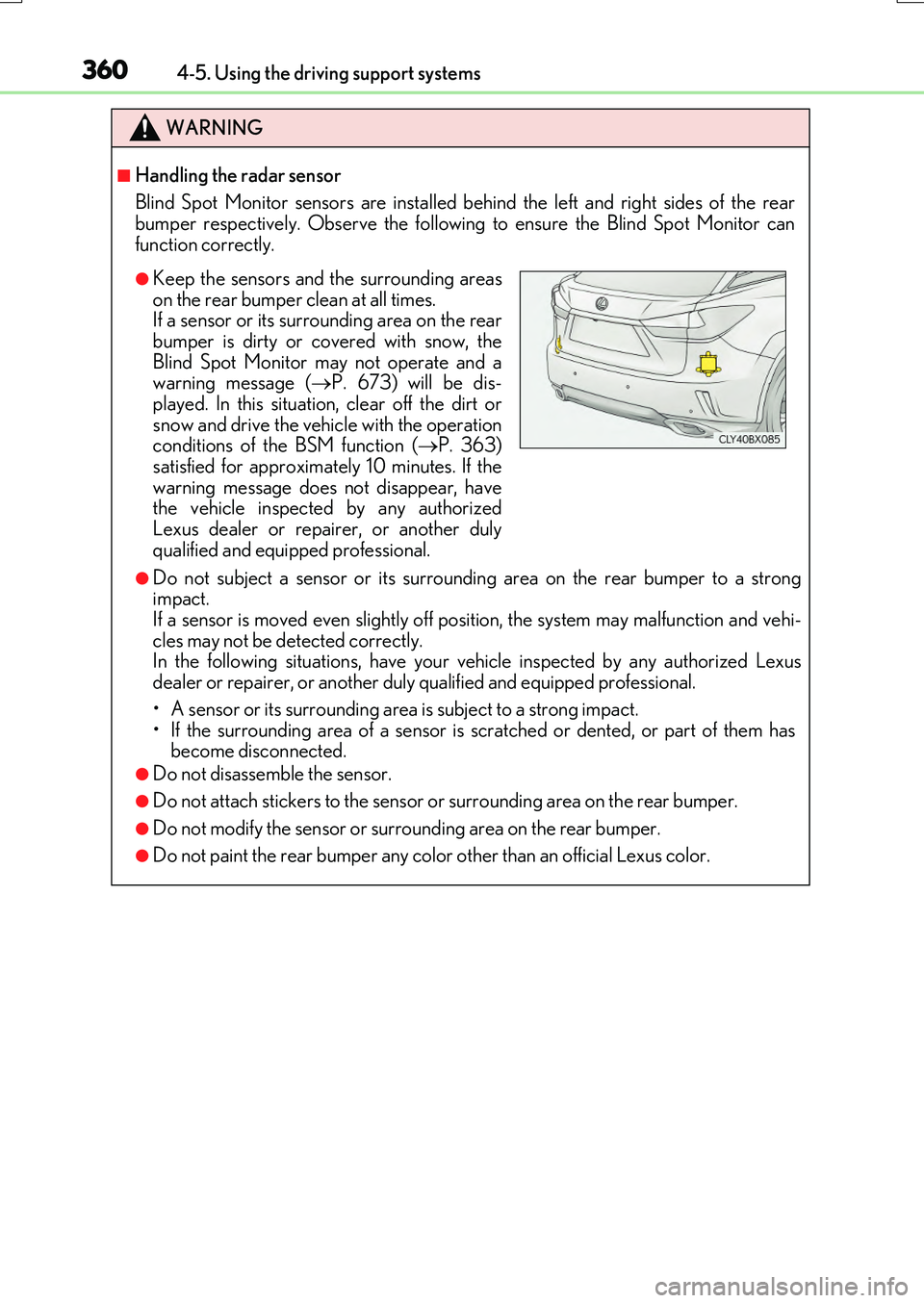
■Handling the radar sensor
Blind Spot Monitor sensors are installed be hind the left and right sides of the rear bumper respectively. Observe the following to ensure the Blind Spot Monitor can
function correctly.
●Do not subject a sensor or its surrounding area on the rear bumper to a strong impact. If a sensor is moved even slightly off po sition, the system may malfunction and vehi-
cles may not be detected correctly. In the following situations, have your ve hicle inspected by any authorized Lexus dealer or repairer, or another duly qualified and equipped professional.
• A sensor or its surrounding area is subject to a strong impact. • If the surrounding area of a sensor is scratched or dented, or part of them hasbecome disconnected.
●Do not disassemble the sensor.
●Do not attach stickers to the sensor or surrounding area on the rear bumper.
●Do not modify the sensor or surrounding area on the rear bumper.
●Do not paint the rear bumper any color other than an official Lexus color.
●Keep the sensors and the surrounding areas
on the rear bumper clean at all times. If a sensor or its surrounding area on the rearbumper is dirty or covered with snow, the
Blind Spot Monitor may not operate and a warning message ( P. 673) will be dis- played. In this situation, clear off the dirt or
snow and drive the vehicle with the operation conditions of the BSM function ( P. 363) satisfied for approximately 10 minutes. If the
warning message does not disappear, have the vehicle inspected by any authorizedLexus dealer or repairer, or another duly
qualified and equipped professional.
Page 377 of 776
3774-5. Using the driving support systems
4
Driving
RX350/RX200t_EE_OM48F32E
■The Lexus parking assist-sensor can be operated when
●Front corner sensors:
• The engine switch is in IGNITION ON mode. • The shift lever is in other than P.
• The vehicle speed is less than about 10 km/h (6 mph). (At any speed when the shift lever is in R)
●Front center sensors:
• The engine switch is in IGNITION ON mode. • The shift lever is in other than P or R.
• The vehicle speed is less than about 10 km/h (6 mph).
●Rear corner and rear center sensors:
• The engine switch is in IGNITION ON mode. • The shift lever is in R.
■Lexus parking assist-sensor display
●Vehicles with a Lexus Display Audio system : When an obstacle is detected while the Lexus parking assist monitor is in use, the warning indicator will appear in the upperpart of the screen even if the display setting has been set to off.
●Vehicles with a navigation system: If the Lexu s parking assist-sensor display is set to on, detected objects will also be displayed on the panoramic view monitor. For details, refer to “NAVIGATION SYSTEM OWNER’S MANUAL”.
■Sensor detection information
●The sensor’s detection areas are limited to the areas around the vehicle’s bumper.
●Certain vehicle conditions and the surrounding environment may affect the ability of a
sensor to correctly detect an obstacle. Particular instances where this may occur are listed below.
• There is dirt, snow or ice on the sensor . (Wiping the sensors will resolve this prob-
lem.) • The sensor is frozen. (Thawing the area will resolve this problem.) In especially cold weather, if a sensor is frozen the screen may show an abnormal
display, or obstacles may not be detected. • The sensor is covered in any way.• The vehicle is leaning considerably to one side.
• On an extremely bumpy road, on an incline, on gravel, or on grass. • The vicinity of the vehicle is noisy due to vehicle horns, motorcycle engines, airbrakes of large vehicles, or other loud noises producing ultrasonic waves.
• There is another vehicle equipped with parking assist sensors in the vicinity. • The sensor is coated with a sheet of spray or heavy rain. • The vehicle is equipped with a fender pole or wireless antenna.
• Towing eyelets are installed. • The bumper or sensor receives a strong impact.
• The vehicle is approaching a tall or curved curb. • In harsh sunlight or intense cold weather.• The area directly under the bumpers is not detected.
• If obstacles draw too close to the sensor. • A non-genuine Lexus suspension (low ered suspension etc.) is installed. • People may not be detected if they are wearing certain types of clothing.
In addition to the examples above, there are instances in which, because of their shape, signs and other objects may be judged by a sensor to be closer than they are.
Page 427 of 776
4274-5. Using the driving support systems
4
Driving
RX350/RX200t_EE_OM48F32E
WARNING
■The ABS does not operate effectively when
●The limits of tire gripping performance have been exceeded (such as excessively worn tires on a snow covered road).
●The vehicle hydroplanes while driving at high speed on wet or slick roads.
■Stopping distance when the ABS is operating may exceed that of normal conditions
The ABS is not designed to shorten the vehicle’s stopping distance. Always maintain a
safe distance from the vehicle in front of you, especially in the following situations:
●When driving on dirt, gravel or snow-covered roads
●When driving with tire chains
●When driving over bumps in the road
●When driving over roads with potholes or uneven surfaces
■TRC/VSC may not operate effectively when
Directional control and power may not be achievable while driving on slippery road surfaces, even if the TRC/VSC system is operating. Drive the vehicle carefully in conditions where stability and power may be lost.
■Hill-start assist control does not operate effectively when
●Do not overly rely on hill-start assist control. Hill-start assist control may not operate effectively on steep inclines and roads covered with ice.
●Unlike the parking brake, hill-start assist co ntrol is not intended to hold the vehicle stationary for an extended period of time. Do not attempt to use hill-start assist con-trol to hold the vehicle on an incline, as doing so may lead to an accident.
■When the VSC is activated
The slip indicator light flashes. Always drive carefully. Reckless driving may cause an accident. Exercise particular care when the indicator light flashes.
■When the TRC/VSC systems are turned off
Be especially careful and drive at a speed appropriate to the road conditions. As these are the systems to help ensure vehicle stability and driving force, do not turn the TRC/
VSC systems off unless necessary. Trailer Sway Control is part of the VSC syst em and will not operate if VSC turned off or experiences a malfunction.
■Replacing tires
Make sure that all tires are of the specified size, brand, tread pattern and total load capacity. In addition, make sure that the tire s are inflated to the recommended tire infla-
tion pressure level.
The ABS, TRC and VSC systems will not function correctly if different tires are installed on the vehicle.
Contact any authorized Lexus dealer or repairer, or another duly qualified and equipped professional for further information when replacing tires or wheels.
Page 443 of 776
4435-1. Basic Operations
5
Lexus Display Audio system
RX350/RX200t_EE_OM48F32E
■When using the screen
●Under extremely cold conditions, the Lexus Display Audio controller may react slowly.
●If the screen is cold, the display may be dark, or the system may seem to be operating slightly slower than normal.
●The screen may seem dark and hard to se e when viewed through sunglasses. Change your angle of viewing, adjust the display on the “Display” screen (P. 453) or remove your sunglasses.
■Using cellular phones
Interference may be heard through the audio system’s speakers if a cellular phone is being used inside or close to the vehicle while the audio system is operating.
WARNING
■Using the Lexus Display Audio controller
Be careful when touching the Lexus Display Audio controller in extreme temperatures as it may become very hot or cold due to the temperature inside the vehicle.
■Laser product
●CAUTIONEN/IEC 60825-1:2007Use of controls or adjustments or performa nce of procedures other than those spec-
ified herein may result in hazardous radiation exposure. A warning label is affixed on the back of this product.
NOTICE
■To prevent Lexus Display Audio controller malfunction
●Do not allow the Lexus Display Audio controller to come into contact with food, liq-
uid, stickers or lit cigarettes as doing so may cause it to change color, emit a strange odor or stop functioning.
●Do not subject the Lexus Display Audio controller to excessive pressure or strong
impact as the controller may bend or break off.
■To prevent battery discharge
Do not leave the audio system on longer than necessary when the engine is off.
■To avoid damaging the audio system
Take care not to spill drinks or other fluids on the audio system.
Page 549 of 776
5496-2. Using the air conditioning system and defogger
6
Interior features
RX350/RX200t_EE_OM48F32E
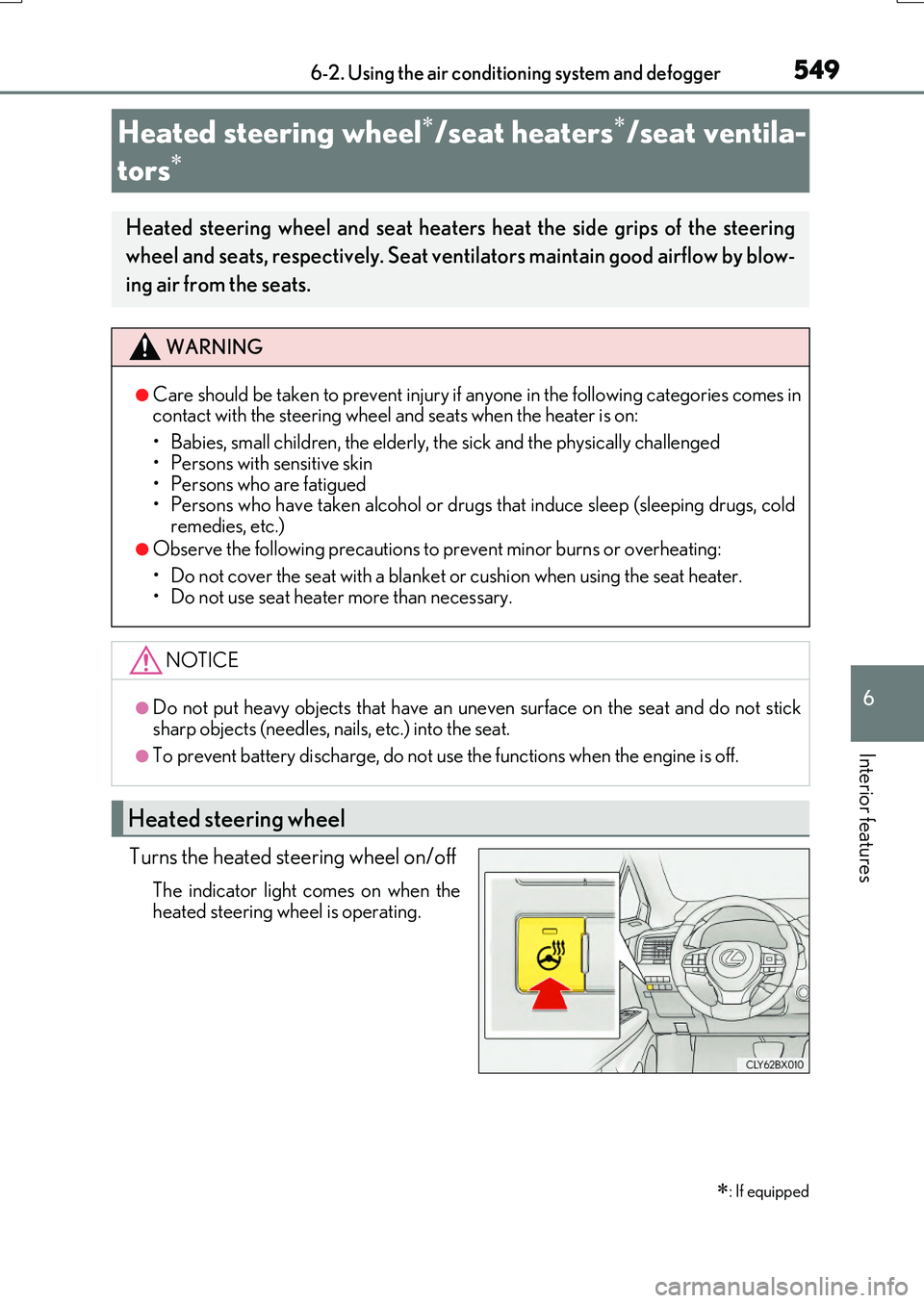
Turns the heated steering wheel on/off
The indicator light comes on when the
heated steering wheel is operating.
Heated steering wheel/seat heaters/seat ventila-
tors
: If equipped
Heated steering wheel and seat heaters heat the side grips of the steering
wheel and seats, respectively. Seat ventilators maintain good airflow by blow-
ing air from the seats.
WARNING
●Care should be taken to prevent injury if anyone in the following categories comes in contact with the steering wheel and seats when the heater is on:
• Babies, small children, the elderly, the sick and the physically challenged
• Persons with sensitive skin • Persons who are fatigued• Persons who have taken alcohol or drugs that induce sleep (sleeping drugs, cold
remedies, etc.)
●Observe the following precautions to prevent minor burns or overheating:
• Do not cover the seat with a blanket or cushion when using the seat heater. • Do not use seat heater more than necessary.
NOTICE
●Do not put heavy objects that have an uneven surface on the seat and do not sticksharp objects (needles, na ils, etc.) into the seat.
●To prevent battery discharge, do not use the functions when the engine is off.
Heated steering wheel
Page 556 of 776
556
RX350/RX200t_EE_OM48F32E
6-4. Using the storage features
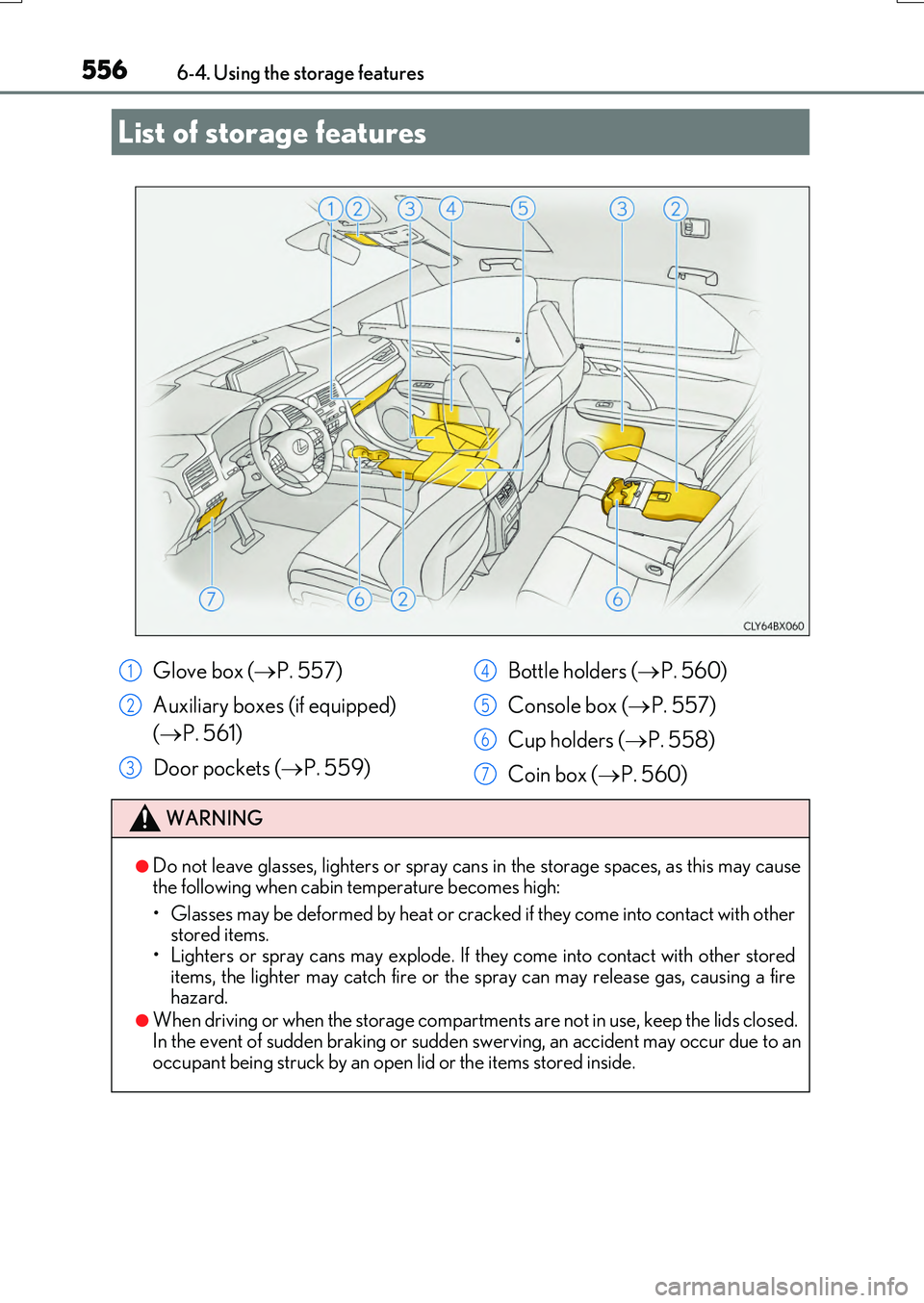
List of storage features
Glove box ( P. 557)
Auxiliary boxes (if equipped)
( P. 561)
Door pockets ( P. 559)
Bottle holders ( P. 560)
Console box ( P. 557)
Cup holders ( P. 558)
Coin box ( P. 560)
WARNING
●Do not leave glasses, lighters or spray cans in the storage spaces, as this may cause
the following when cabin temperature becomes high:
• Glasses may be deformed by heat or cracked if they come into contact with other stored items.
• Lighters or spray cans may explode. If they come into contact with other stored items, the lighter may catch fire or the spray can may release gas, causing a firehazard.
●When driving or when the storage compartmen ts are not in use, keep the lids closed. In the event of sudden braking or sudden swerving, an accident may occur due to an
occupant being struck by an open lid or the items stored inside.
1
2
3
4
5
6
7
Page 576 of 776
5766-5. Using the other interior features
RX350/RX200t_EE_OM48F32E
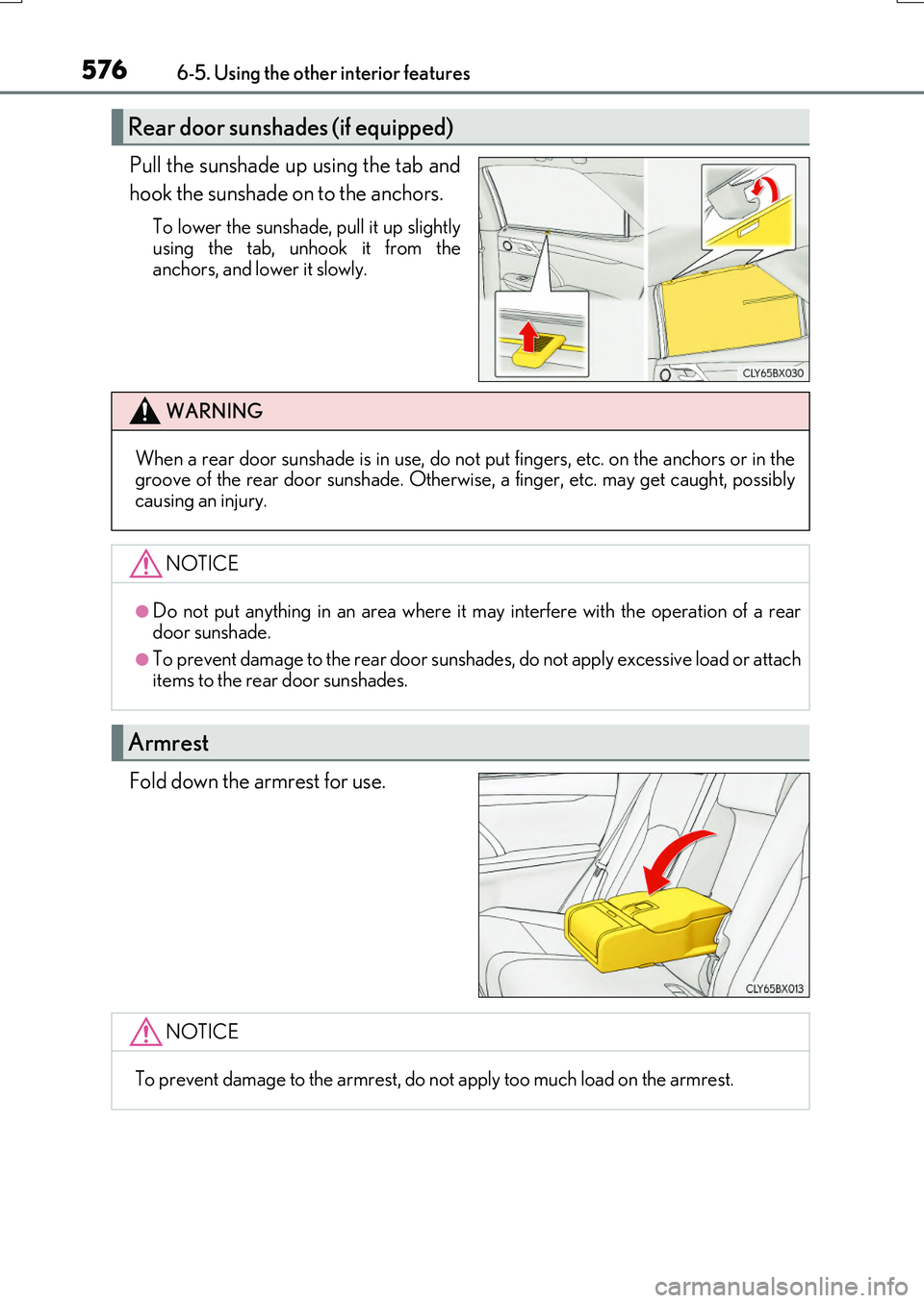
Pull the sunshade up using the tab and
hook the sunshade on to the anchors.
To lower the sunshade, pull it up slightly
using the tab, unhook it from the anchors, and lower it slowly.
Fold down the armrest for use.
Rear door sunshades (if equipped)
WARNING
When a rear door sunshade is in use, do not put fingers, etc. on the anchors or in thegroove of the rear door sunshade. Otherwise, a finger, etc. may get caught, possiblycausing an injury.
NOTICE
●Do not put anything in an area where it may interfere with the operation of a rear
door sunshade.
●To prevent damage to the rear door sunsha des, do not apply excessive load or attach items to the rear door sunshades.
Armrest
NOTICE
To prevent damage to the armrest, do not apply too much load on the armrest.