lights LEXUS RX200T 2017 Repair Manual
[x] Cancel search | Manufacturer: LEXUS, Model Year: 2017, Model line: RX200T, Model: LEXUS RX200T 2017Pages: 776, PDF Size: 44.51 MB
Page 416 of 776
4164-5. Using the driving support systems
RX350/RX200t_EE_OM48F32E
NOTICE
■How to use the camera
●The parking assist monitor may not operate properly in the following cases.
• If the back of the vehicle is hit, the position and mounting angle of the camera may
change. • As the camera has a water proof construction, do not detach, disassemble ormodify it. This may cause incorrect operation.
• When cleaning the camera lens, flush the camera with a large quantity of water and wipe it with a soft and wet cloth. Strongly rubbing the camera lens may causethe camera lens to be scratched and unable to transmit a clear image.
• Do not allow organic solvent, car wax, window cleaner or glass coat to adhere to the camera. If this happens, wipe it off as soon as possible.• If the temperature changes rapidly, such as when hot water is poured on the vehi-
cle in cold weather, the system may not operate normally. • When washing the vehicle, do not apply intensive bursts of water to the camera orcamera area. Doing so may result in the camera malfunctioning.
• When the camera is used under fluorescent lights, sodium light or mercury light etc., the lights and the illuminate d areas may appear to flicker.
●Do not expose the camera to strong impact as this could cause a malfunction. If this happens, have the vehicle inspected by any authorized Lexus dealer or repairer,or another duly qualified and equipped professional as soon as possible.
Page 423 of 776
4234-5. Using the driving support systems
4
Driving
RX350/RX200t_EE_OM48F32E
◆EPS (Electric Power Steering)
Employs an electric motor to reduce the amount of effort needed to turn the
steering wheel
◆Dynamic Torque Control AWD system (AWD models)
Automatically switches from front-wheel drive to all-wheel drive (AWD)
according to the driving conditions, helping to ensure reliable handling and
stability. Examples of conditions where the system will switch to AWD are
when cornering, going uphill, starting off or accelerating, and when the road
surface is slippery due to snow, rain, etc.
◆Adaptive Variable Suspension System (if equipped)
Controls the damping force of the shock absorber of each wheel according to
the road and driving conditions, helping achieve a comfortable ride, excellent
driveability and a high level of stability.
If SPORT S+ mode is selected using the driving mode select switch, the
damping force will become more suitable for sporty driving. ( P. 418)
◆VDIM (Vehicle Dynamics Integrated Management) (if equipped)
Provides integrated control of the ABS, brake assist, TRC, VSC, hill-start
assist control and EPS systems
Helps to maintain vehicle stability when swerving on slippery road surfaces by
controlling the brakes and engine output
◆Emergency brake signal
When the brakes are applie d suddenly, the stop lights automatically flash to
alert the vehicle behind.
Page 429 of 776
429
4
Driving
RX350/RX200t_EE_OM48F32E
4-6. Driving tips
●Use fluids that are appropriate to the prevailing outside temperatures.
•Engine oil
• Engine coolant
• Washer fluid
●Have a service technician inspect the condition of the battery.
●Have the vehicle fitted with four snow tires or purchase a set of tire chains for
the front tires.
Ensure that all tires are of the specified size and the same brand, and that chains match the size of the tires.
Perform the following according to the driving conditions:
●Do not try to forcibly open a window or move a wiper that is frozen. Pour
warm water over the frozen area to melt the ice. Wipe away the water imme-
diately to prevent it from freezing.
●To ensure proper operation of the climate control system fan, remove any
snow that has accumulated on the air inlet vents in front of the windshield.
●Check for and remove any excess ice or snow that may have accumulated on
the exterior lights, vehicle’s roof, chassi s, around the tires or on the brakes.
●Remove any snow or mud from the bottom of your shoes before getting in the
vehicle.
Winter driving tips
Carry out the necessary preparations and inspections before driving the vehi-
cle in winter. Always drive the vehicle in a manner appropriate to the prevail-
ing weather conditions.
Pre-winter preparations
Before driving the vehicle
Page 453 of 776
4535-2. Setup
5
Lexus Display Audio system
RX350/RX200t_EE_OM48F32E
Go to “Display”: “MENU” button “Display”
Turn off screen.
Adjust screen quality.
Adjust screen quality of the rear
view monitor camera.
Change to day mode.
This setting turns the screen off. To turn it on, press any button such as the
“AUDIO” button or “MENU” button.
If a screen off image has been se t, the set image will be displayed.
When the headlights are turned on, the screen dims.
However, the screen can be switched to day mode by selecting “Day mode”.
The screen will stay in day mode when the headlights are turned on until “Day mode”
is selected again.
Display settings
Settings are available for adjusting the contrast and brightness of the screen.
The display can also be turned off.
Screen for display settings
1
2
3
4
Screen off
Day mode
Page 529 of 776
529
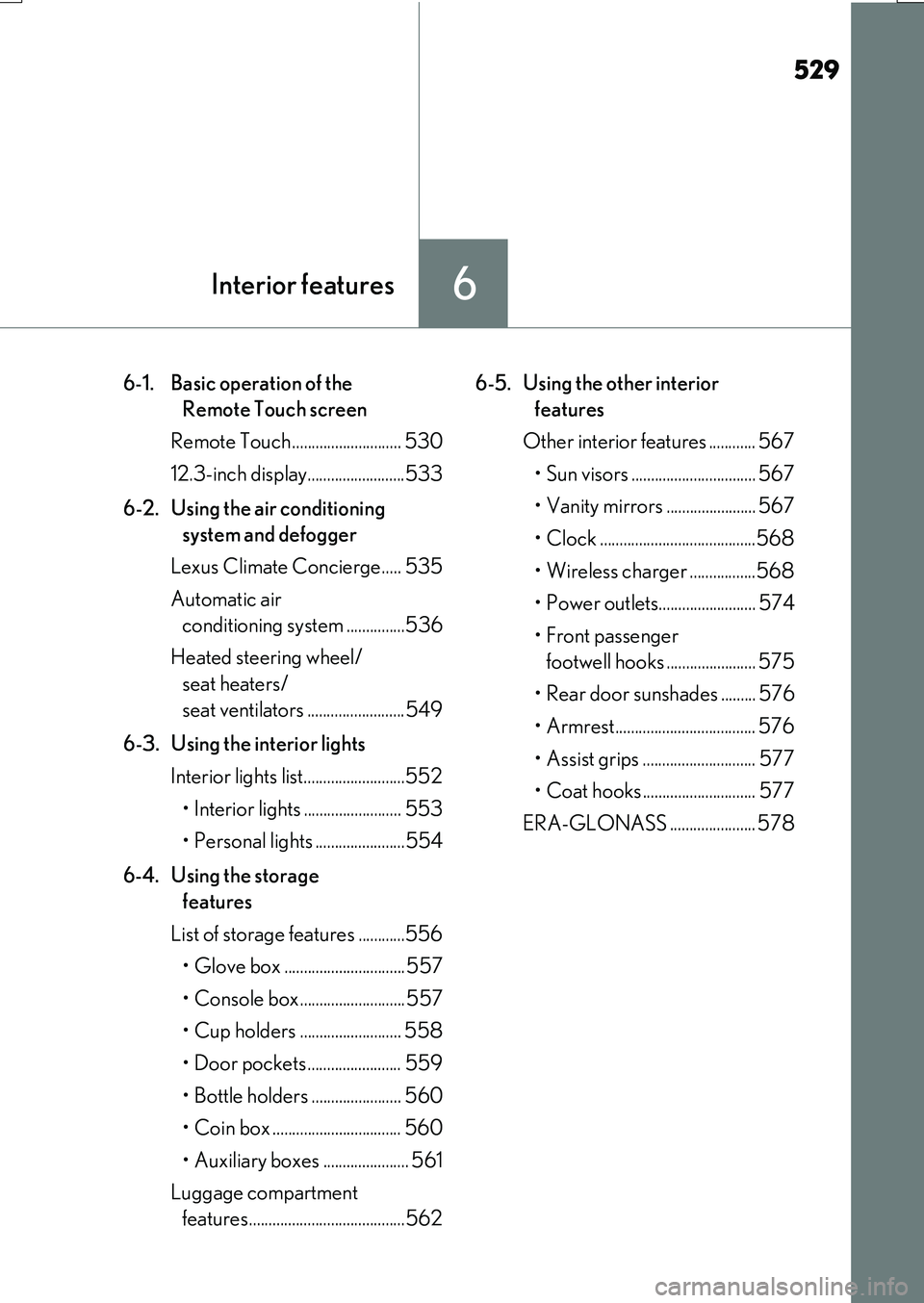
6Interior features
RX350/RX200t_EE_OM48F32E
6-1. Basic operation of the
Remote Touch screen
Remote Touch ............................ 530
12.3-inch display.........................533
6-2. Using the air conditioning
system and defogger
Lexus Climate Concierge..... 535
Automatic air
conditioning system ...............536
Heated steering wheel/
seat heaters/
seat ventilators .........................549
6-3. Using the interior lights
Interior lights list..........................552
• Interior lights ......................... 553
• Personal lights .......................554
6-4. Using the storage
features
List of storage features ............556
• Glove box ...............................557
• Console box...........................557
• Cup holders .......................... 558
• Door pockets ........................ 559
• Bottle holders ....................... 560
• Coin box ................................. 560
• Auxiliary boxes ...................... 561
Luggage compartment
features........................................562
6-5. Using the other interior
features
Other interior features ............ 567
• Sun visors ................................ 567
• Vanity mirrors ....................... 567
• Clock ........................................568
• Wireless charger .................568
• Power outlets......................... 574
• Front passenger
footwell hooks ....................... 575
• Rear door sunshades ......... 576
• Armrest.................................... 576
• Assist grips ............................. 577
• Coat hooks ............................. 577
ERA-GLONASS ...................... 578
Page 550 of 776
5506-2. Using the air conditioning system and defogger
RX350/RX200t_EE_OM48F32E
■Operation condition
The heated steering wheel can be used when the engine switch is in IGNITION ON mode.
■Timer
The heated steering wheel will automatically turn off after about 30 minutes.
■When the heated steering wheel is operating
If the Heated Windshield Defroster is operated, operation of the heated steering wheel
will be suspended. Turn off the Heated Windsh ield Defroster to enable the heated steer- ing wheel. ( P. 543)
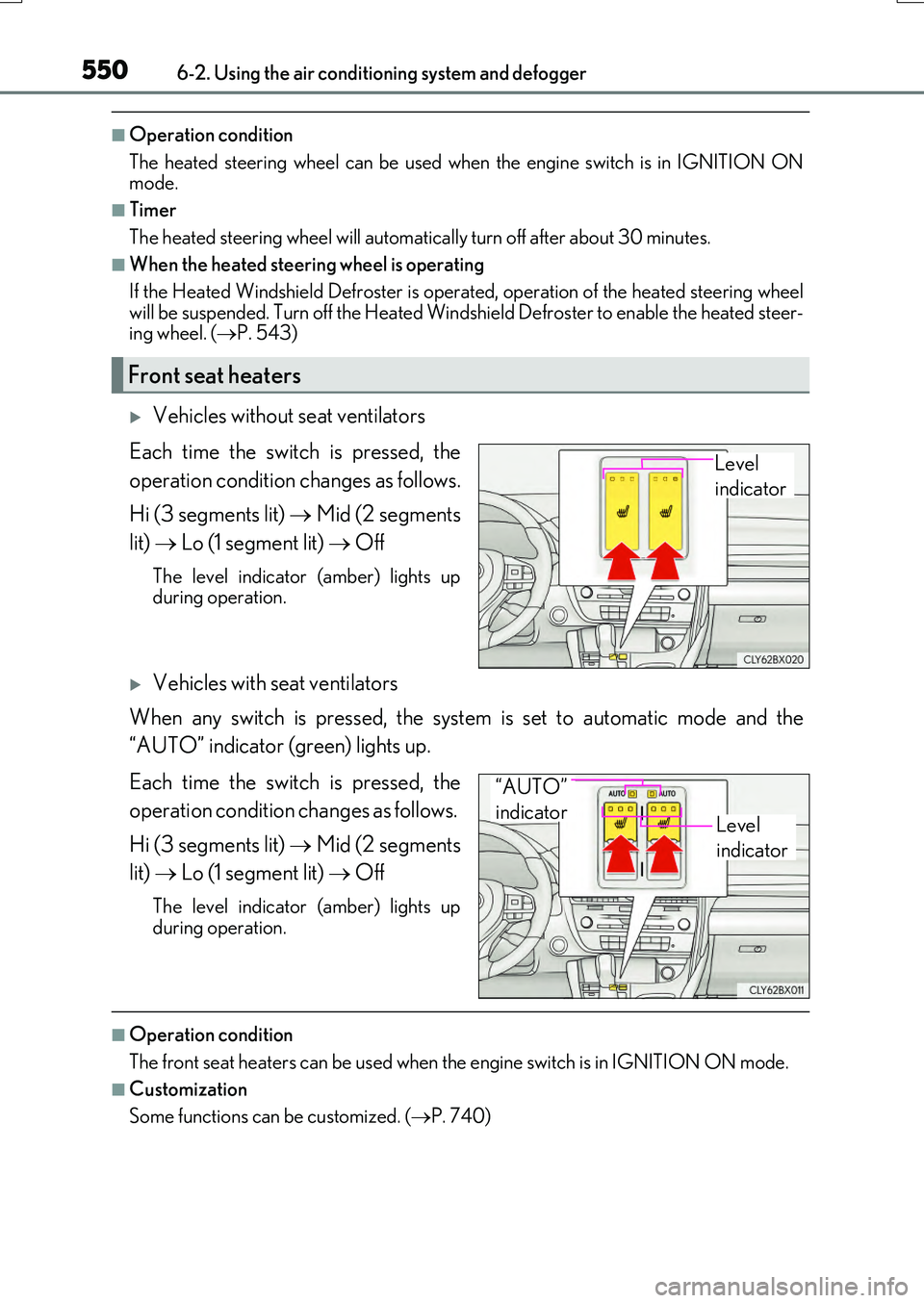
Vehicles without seat ventilators
Each time the switch is pressed, the
operation condition changes as follows.
Hi (3 segments lit) Mid (2 segments
lit) Lo (1 segment lit) Off
The level indicator (amber) lights up during operation.
Vehicles with seat ventilators
When any switch is pressed, the system is set to automatic mode and the
“AUTO” indicator (green) lights up.
Each time the switch is pressed, the
operation condition changes as follows.
Hi (3 segments lit) Mid (2 segments
lit) Lo (1 segment lit) Off
The level indicator (amber) lights up
during operation.
■Operation condition
The front seat heaters can be used when th e engine switch is in IGNITION ON mode.
■Customization
Some functions can be customized. ( P. 740)
Front seat heaters
Level
indicator
Level
indicator
“AUTO”
indicator
Page 551 of 776
5516-2. Using the air conditioning system and defogger
6
Interior features
RX350/RX200t_EE_OM48F32E
■When the front passenger seat heater is operating
If the Heated Windshield Defroster is operated, operation of the front passenger seat heater will be suspended. Turn off the Heated Windshield Defroster enable the front pas-
senger seat heater. ( P. 543)
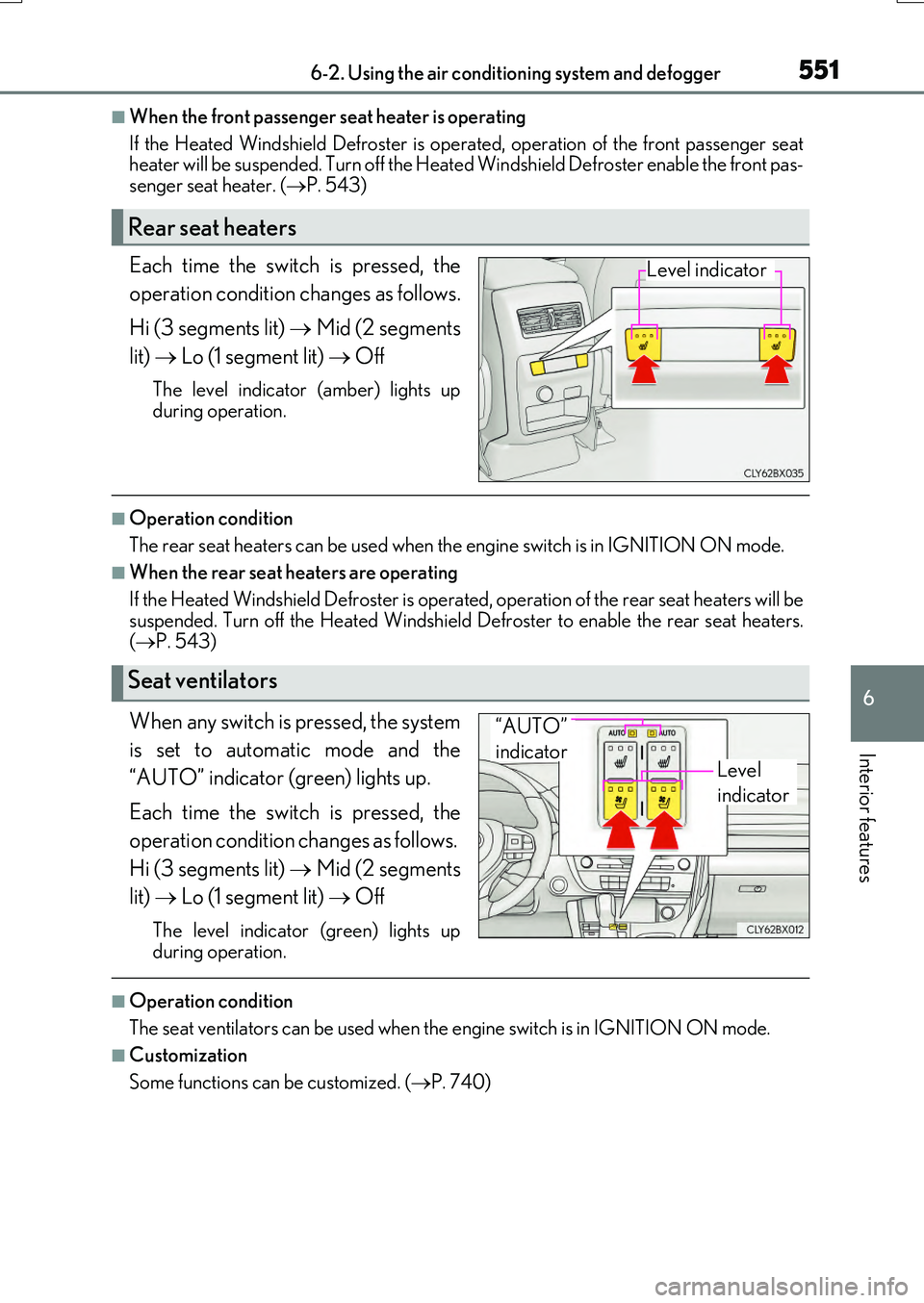
Each time the switch is pressed, the
operation condition changes as follows.
Hi (3 segments lit) Mid (2 segments
lit) Lo (1 segment lit) Off
The level indicator (amber) lights up
during operation.
■Operation condition
The rear seat heaters can be used when th e engine switch is in IGNITION ON mode.
■When the rear seat heaters are operating
If the Heated Windshield Defroster is operat ed, operation of the rear seat heaters will be
suspended. Turn off the Heated Windshield Defroster to enable the rear seat heaters. ( P. 543)
When any switch is pressed, the system
is set to automatic mode and the
“AUTO” indicator (green) lights up.
Each time the switch is pressed, the
operation condition changes as follows.
Hi (3 segments lit) Mid (2 segments
lit) Lo (1 segment lit) Off
The level indicator (green) lights up
during operation.
■Operation condition
The seat ventilators can be used when th e engine switch is in IGNITION ON mode.
■Customization
Some functions can be customized. ( P. 740)
Rear seat heaters
Level indicator
Seat ventilators
Level
indicator
“AUTO”
indicator
Page 552 of 776
552
RX350/RX200t_EE_OM48F32E
6-3. Using the interior lights
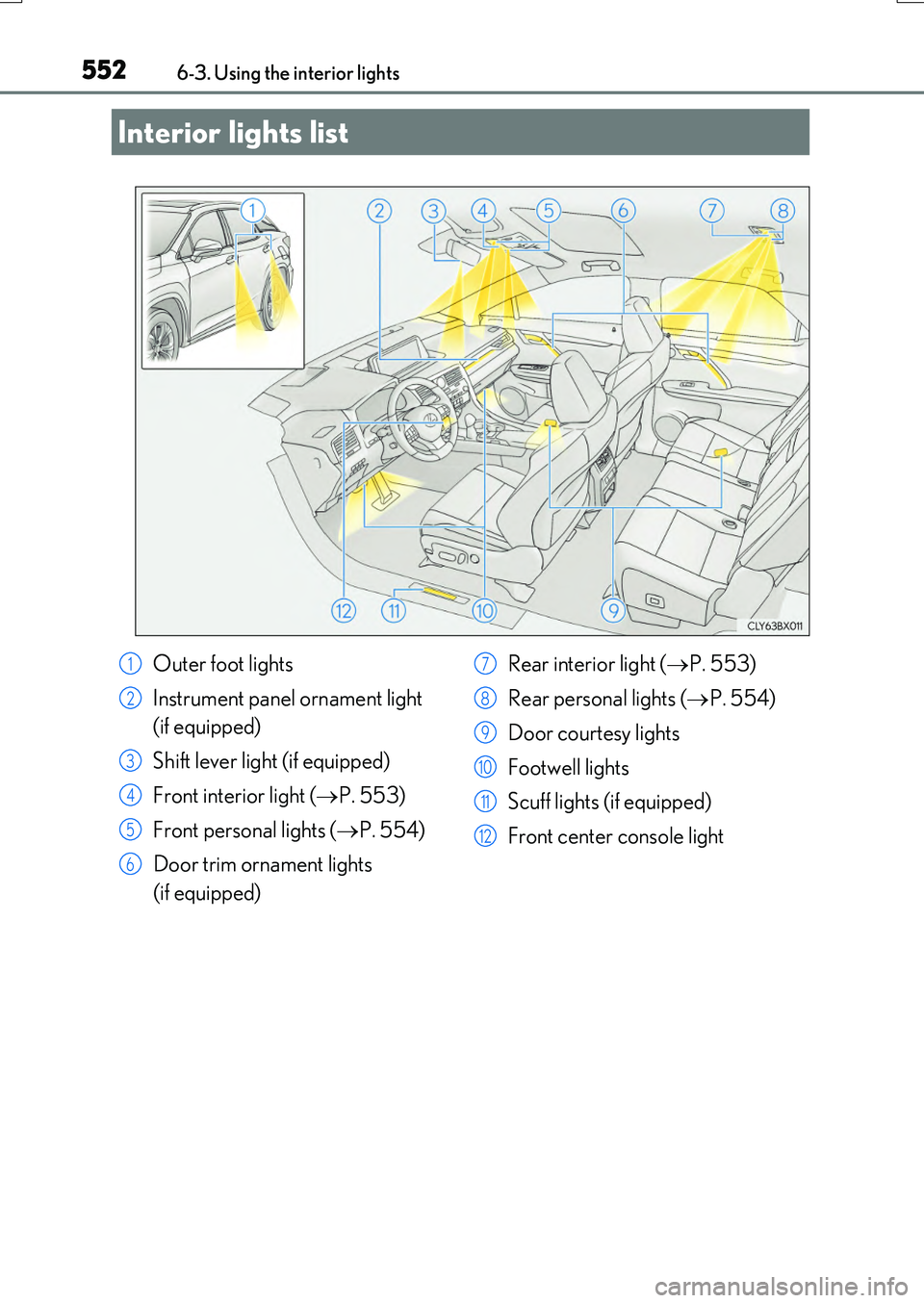
Interior lights list
Outer foot lights
Instrument panel ornament light
(if equipped)
Shift lever light (if equipped)
Front interior light ( P. 553)
Front personal lights ( P. 554)
Door trim ornament lights
(if equipped)
Rear interior light ( P. 553)
Rear personal lights ( P. 554)
Door courtesy lights
Footwell lights
Scuff lights (if equipped)
Front center console light
1
2
3
4
5
6
7
8
9
10
11
12
Page 553 of 776
5536-3. Using the interior lights
6
Interior features
RX350/RX200t_EE_OM48F32E
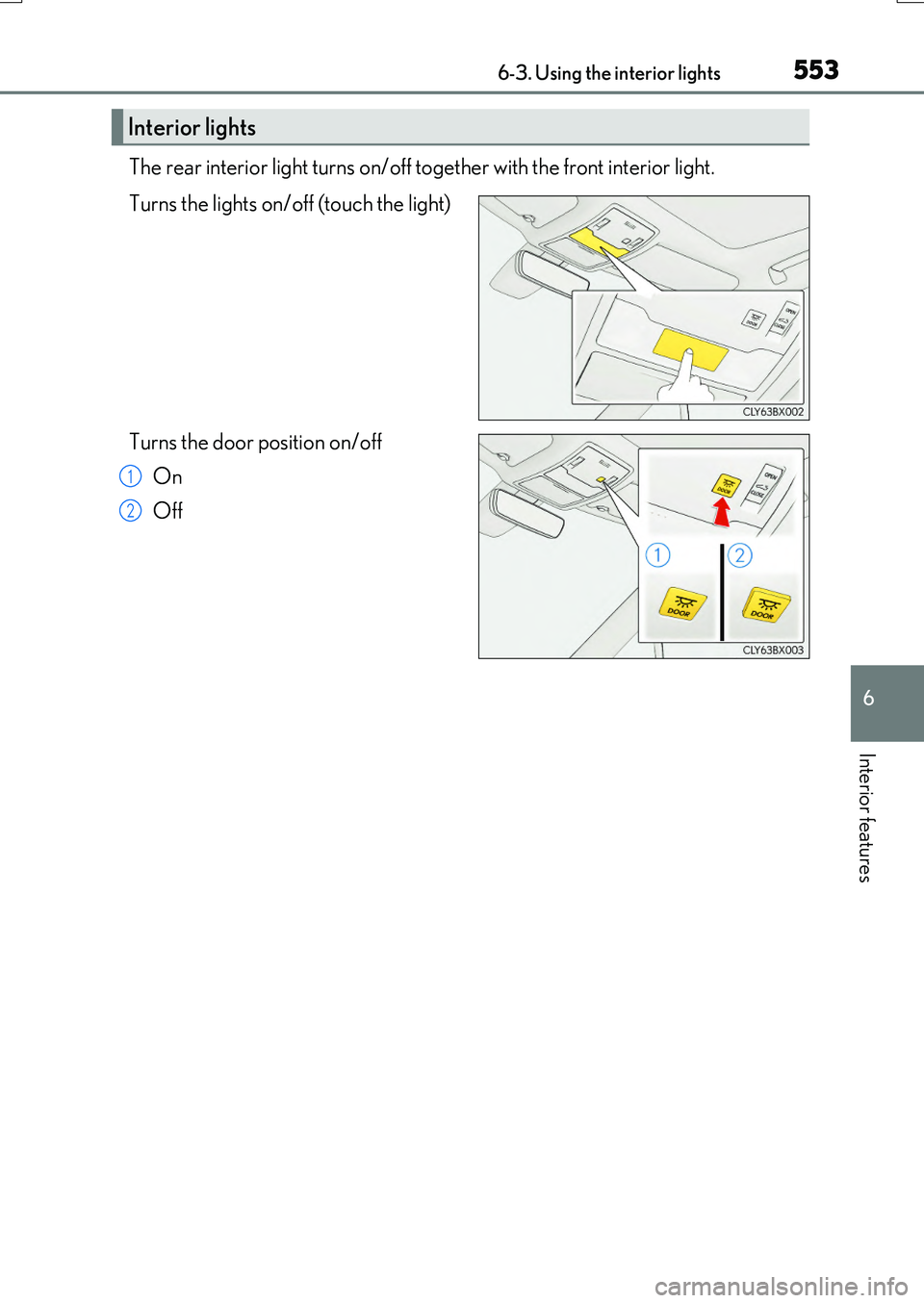
The rear interior light turns on/off together with the front interior light.
Turns the lights on/off (touch the light)
Turns the door position on/off
On
Off
Interior lights
1
2
Page 554 of 776
5546-3. Using the interior lights
RX350/RX200t_EE_OM48F32E
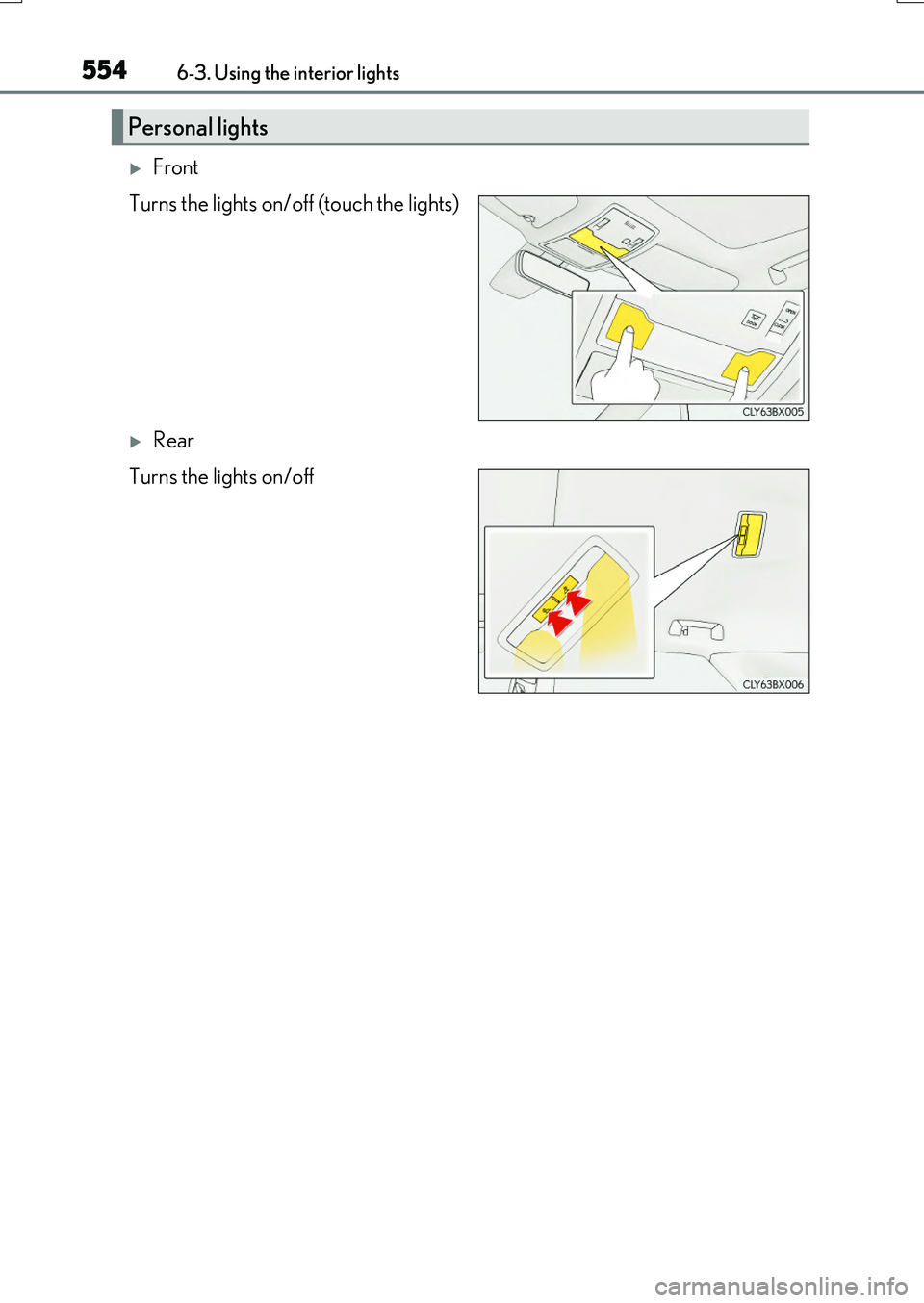
Front
Turns the lights on/off (touch the lights)
Rear
Turns the lights on/off
Personal lights