power LEXUS RX200T 2017 Manual PDF
[x] Cancel search | Manufacturer: LEXUS, Model Year: 2017, Model line: RX200T, Model: LEXUS RX200T 2017Pages: 776, PDF Size: 44.51 MB
Page 487 of 776
4875-7. Connecting Bluetooth®
5
Lexus Display Audio system
RX350/RX200t_EE_OM48F32E
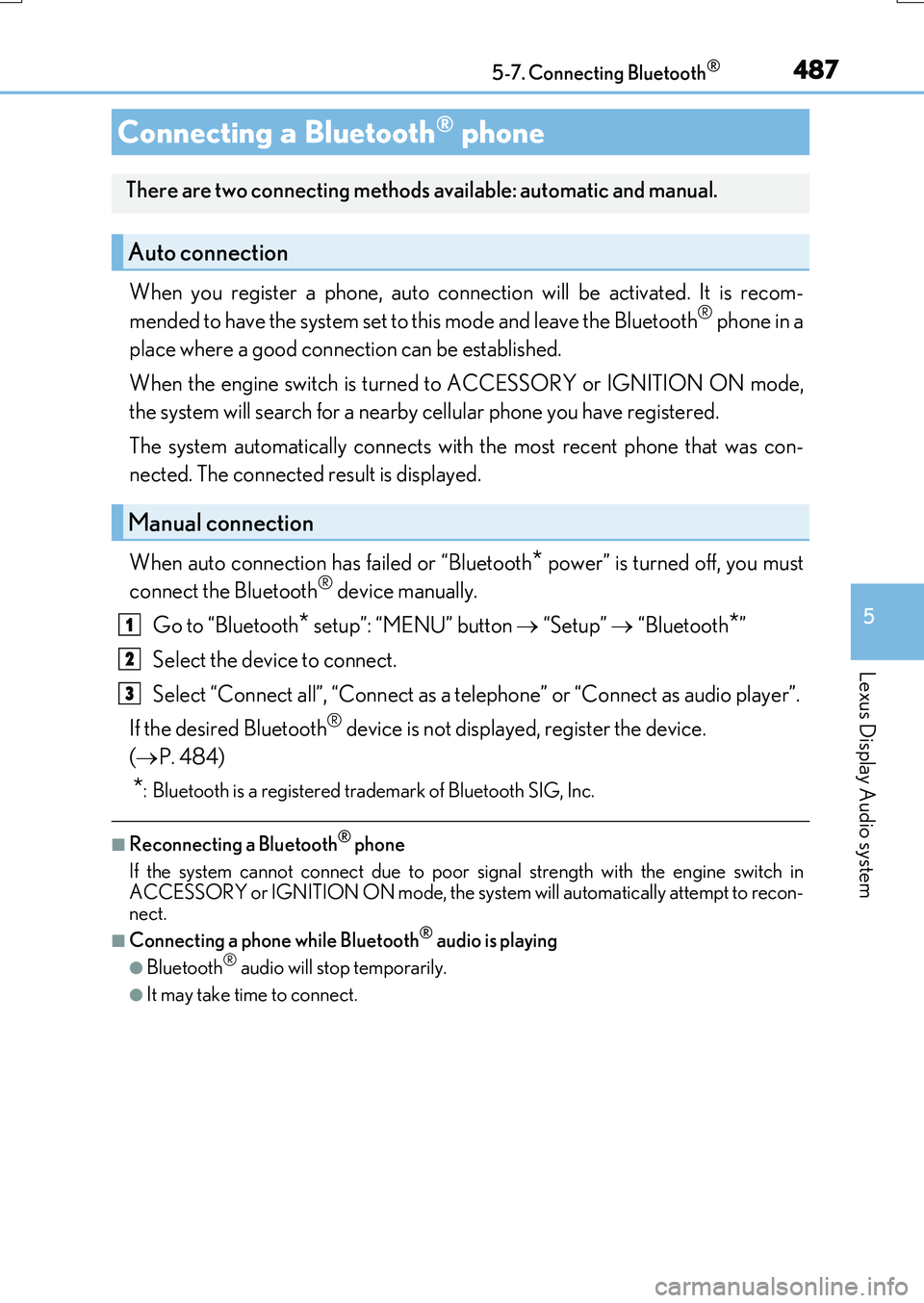
When you register a phone, auto connection will be activated. It is recom-
mended to have the system set to this mode and leave the Bluetooth® phone in a
place where a good connection can be established.
When the engine switch is turned to ACCESSORY or IGNITION ON mode,
the system will search for a nearby cellular phone you have registered.
The system automatically connects with the most recent phone that was con-
nected. The connected result is displayed.
When auto connection has failed or “Bluetooth* power” is turned off, you must
connect the Bluetooth® device manually.
Go to “Bluetooth* setup”: “MENU” button “Setup” “Bluetooth*”
Select the device to connect.
Select “Connect all”, “Connect as a telephone” or “Connect as audio player”.
If the desired Bluetooth® device is not displayed, register the device.
( P. 484)
*: Bluetooth is a registered trademark of Bluetooth SIG, Inc.
■Reconnecting a Bluetooth® phone
If the system cannot connect due to poor signal strength with the engine switch in ACCESSORY or IGNITION ON mode, the syst em will automatically attempt to recon-
nect.
■Connecting a phone while Bluetooth® audio is playing
●Bluetooth® audio will stop temporarily.
●It may take time to connect.
Connecting a Bluetooth® phone
There are two connecting methods available: automatic and manual.
Auto connection
Manual connection
1
2
3
Page 529 of 776
529
6Interior features
RX350/RX200t_EE_OM48F32E
6-1. Basic operation of the
Remote Touch screen
Remote Touch ............................ 530
12.3-inch display.........................533
6-2. Using the air conditioning
system and defogger
Lexus Climate Concierge..... 535
Automatic air
conditioning system ...............536
Heated steering wheel/
seat heaters/
seat ventilators .........................549
6-3. Using the interior lights
Interior lights list..........................552
• Interior lights ......................... 553
• Personal lights .......................554
6-4. Using the storage
features
List of storage features ............556
• Glove box ...............................557
• Console box...........................557
• Cup holders .......................... 558
• Door pockets ........................ 559
• Bottle holders ....................... 560
• Coin box ................................. 560
• Auxiliary boxes ...................... 561
Luggage compartment
features........................................562
6-5. Using the other interior
features
Other interior features ............ 567
• Sun visors ................................ 567
• Vanity mirrors ....................... 567
• Clock ........................................568
• Wireless charger .................568
• Power outlets......................... 574
• Front passenger
footwell hooks ....................... 575
• Rear door sunshades ......... 576
• Armrest.................................... 576
• Assist grips ............................. 577
• Coat hooks ............................. 577
ERA-GLONASS ...................... 578
Page 568 of 776
5686-5. Using the other interior features
RX350/RX200t_EE_OM48F32E
Vehicles with a navigation system
The GPS clock's time is automatically
adjusted by utilizing GPS time informa-
tion.
For details, refer to “NAVIGATION SYSTEM OWNER’S MANUAL”.
Vehicles with a Lexus Display Audio system
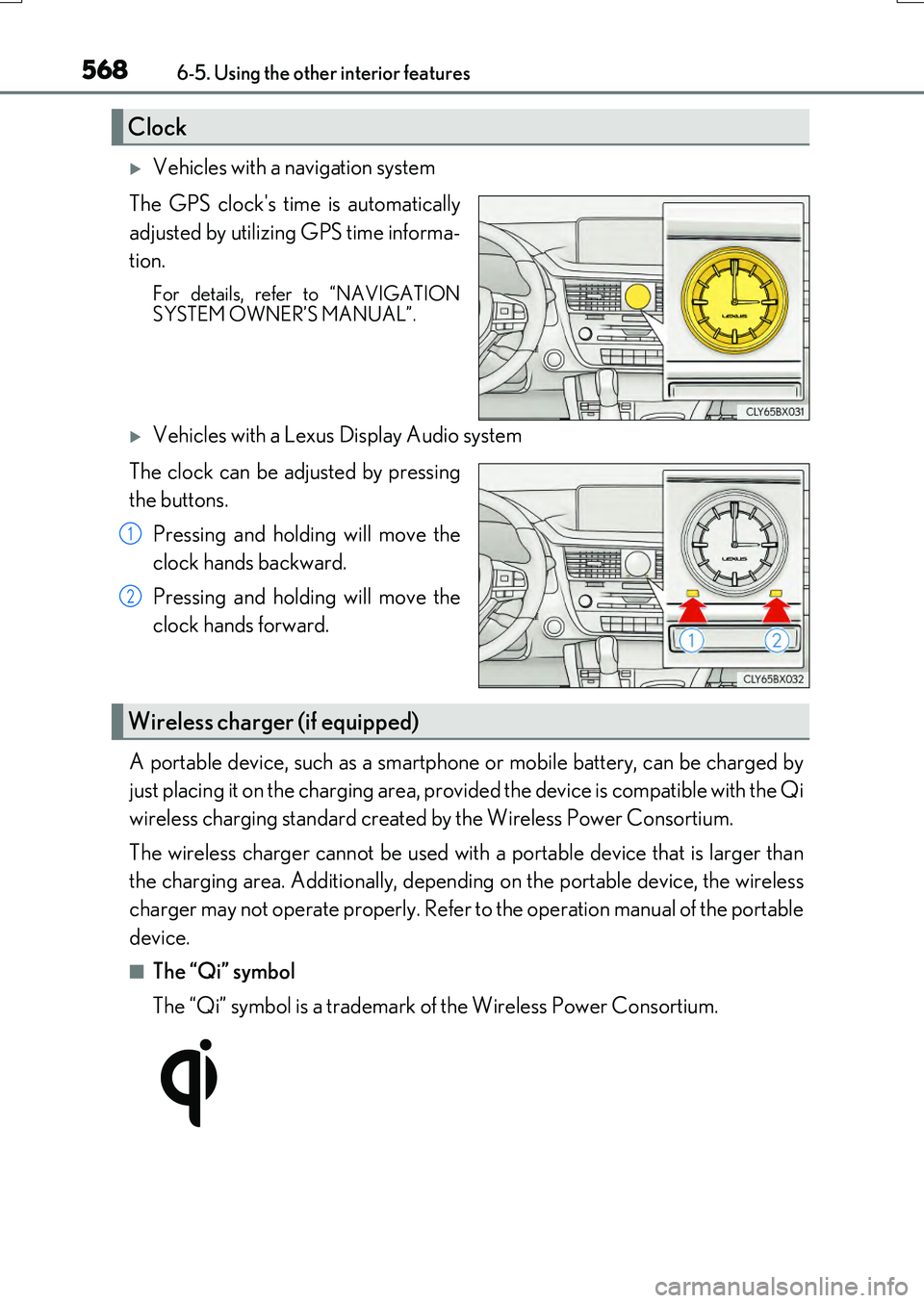
The clock can be adjusted by pressing
the buttons.
Pressing and holding will move the
clock hands backward.
Pressing and holding will move the
clock hands forward.
A portable device, such as a smartphone or mobile battery, can be charged by
just placing it on the charging area, provided the device is compatible with the Qi
wireless charging standard created by the Wireless Power Consortium.
The wireless charger cannot be used with a portable device that is larger than
the charging area. Additionally, dependin g on the portable device, the wireless
charger may not operate properly. Refer to the operation manual of the portable
device.
■The “Qi” symbol
The “Qi” symbol is a trademark of the Wireless Power Consortium.
Clock
1
2
Wireless charger (if equipped)
Page 569 of 776
5696-5. Using the other interior features
6
Interior features
RX350/RX200t_EE_OM48F32E
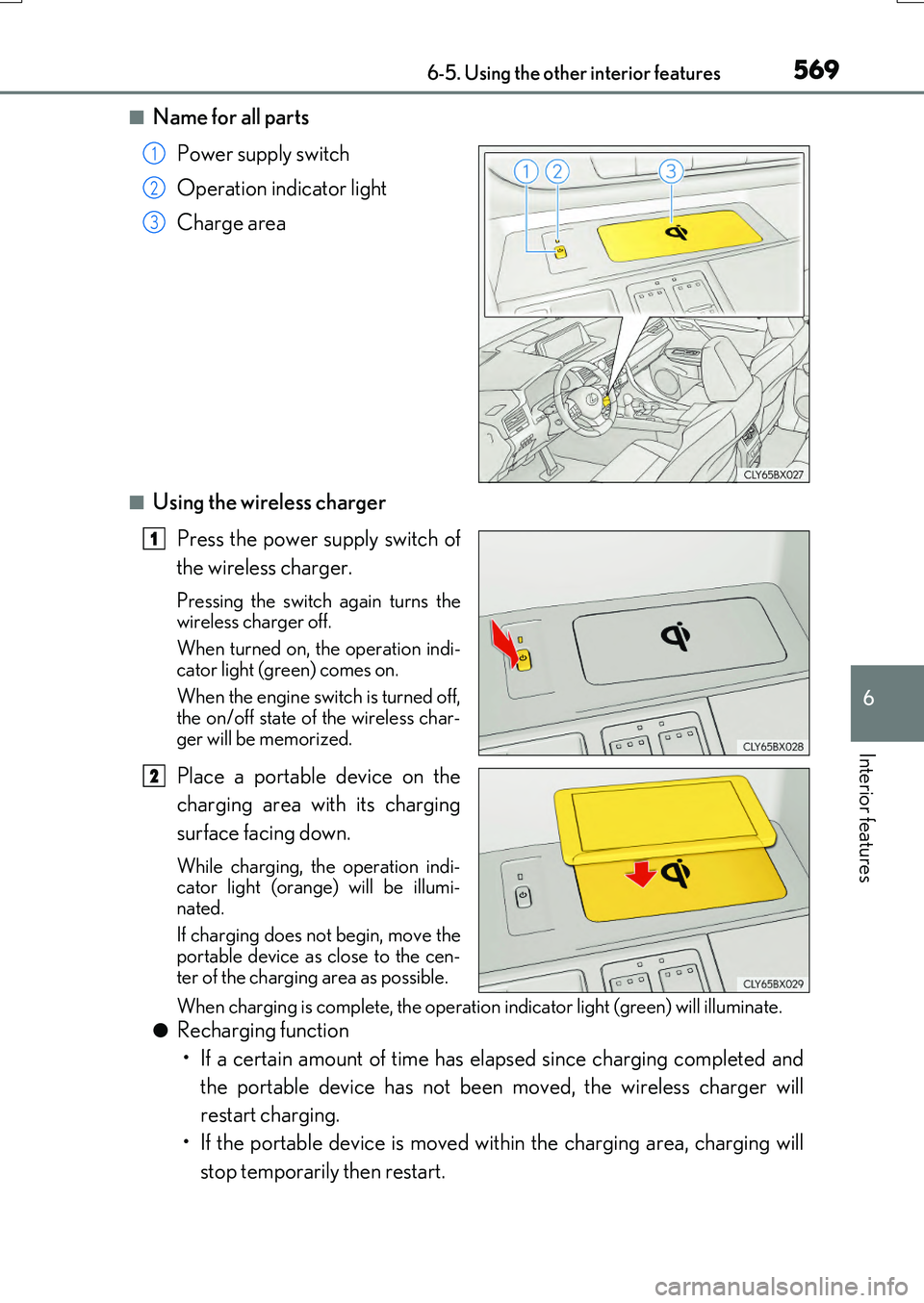
■Name for all parts
Power supply switch
Operation indicator light
Charge area
■Using the wireless charger
Press the power supply switch of
the wireless charger.
Pressing the switch again turns the wireless charger off.
When turned on, the operation indi-
cator light (green) comes on.
When the engine switch is turned off, the on/off state of the wireless char-
ger will be memorized.
Place a portable device on the
charging area with its charging
surface facing down.
While charging, the operation indi- cator light (orange) will be illumi-
nated.
If charging does not begin, move the portable device as close to the cen-
ter of the charging area as possible.
When charging is complete, the operatio n indicator light (green) will illuminate.
●Recharging function
• If a certain amount of time has elapsed since charging completed and
the portable device has not been moved, the wireless charger will
restart charging.
• If the portable device is moved within the charging area, charging will
stop temporarily then restart.
1
2
3
1
2
Page 570 of 776
5706-5. Using the other interior features
RX350/RX200t_EE_OM48F32E
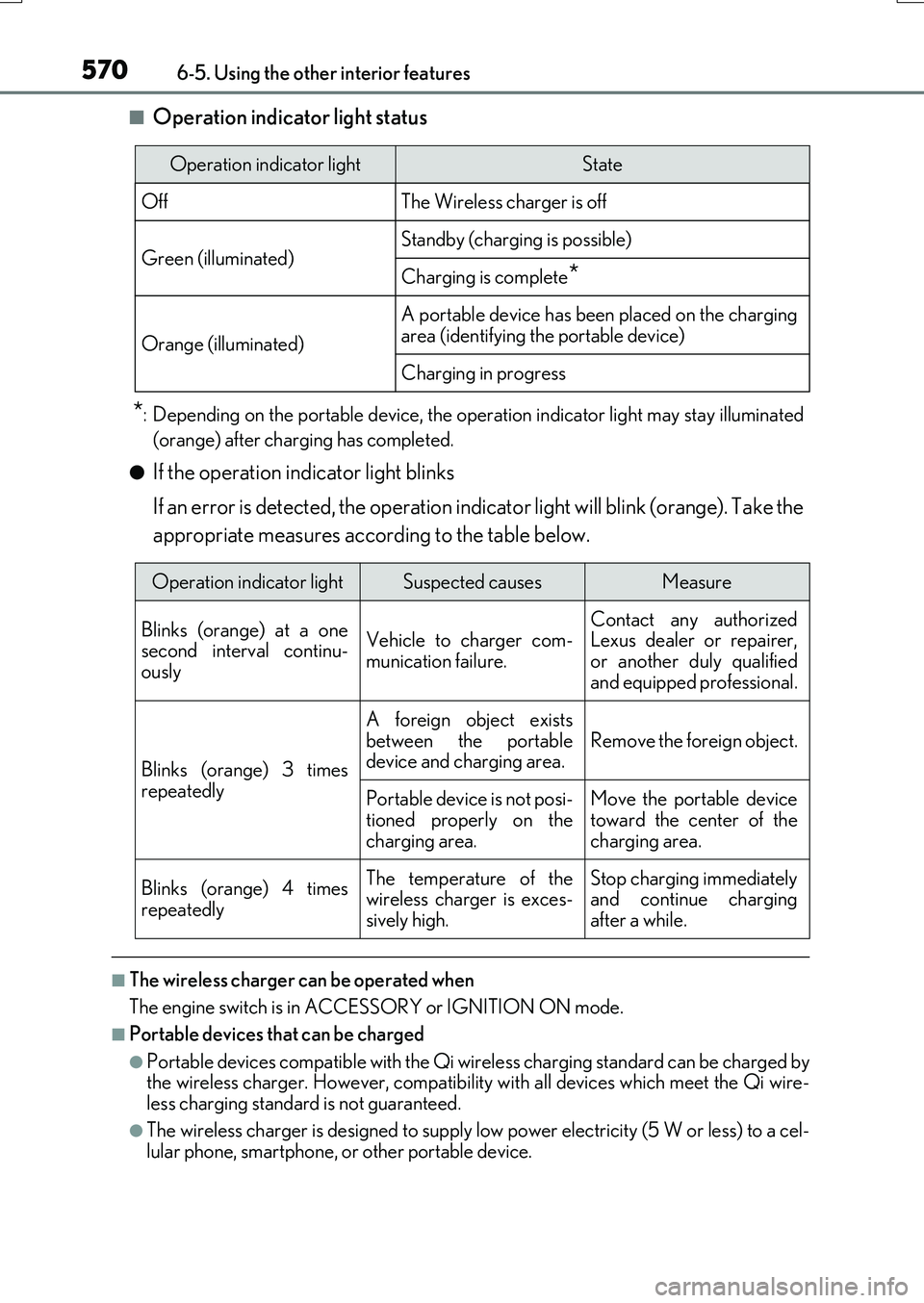
■Operation indicator light status
*: Depending on the portable device, the operation indicator light may stay illuminated
(orange) after charging has completed.
●If the operation indicator light blinks
If an error is detected, the operation indicator light will blink (orange). Take the
appropriate measures according to the table below.
■The wireless charger can be operated when
The engine switch is in ACCESSORY or IGNITION ON mode.
■Portable devices that can be charged
●Portable devices compatible with the Qi wireless charging standard can be charged by the wireless charger. However, compatibility with all devices which meet the Qi wire- less charging standard is not guaranteed.
●The wireless charger is designed to supply low power electricity (5 W or less) to a cel-lular phone, smartphone, or other portable device.
Operation indicator lightState
OffThe Wireless charger is off
Green (illuminated)Standby (charging is possible)
Charging is complete*
Orange (illuminated)
A portable device has been placed on the charging
area (identifying the portable device)
Charging in progress
Operation indicator lightSuspected causesMeasure
Blinks (orange) at a one second interval continu-ously
Vehicle to charger com-
munication failure.
Contact any authorized Lexus dealer or repairer,
or another duly qualified and equipped professional.
Blinks (orange) 3 times
repeatedly
A foreign object exists
between the portable device and charging area. Remove the foreign object.
Portable device is not posi- tioned properly on the
charging area.
Move the portable device toward the center of the
charging area.
Blinks (orange) 4 times
repeatedly
The temperature of the wireless charger is exces-sively high.
Stop charging immediately and continue chargingafter a while.
Page 571 of 776
5716-5. Using the other interior features
6
Interior features
RX350/RX200t_EE_OM48F32E
■If a cover or accessory is attached to the portable device
Do not charge a portable device if a cover or accessory which is not Qi compatible is attached. Depending on the type of cover and/or accessory attached, it may not be pos-
sible to charge the portable device. If the portable device is placed on the charging area and does not charge, remove the cover and/or accessories.
■If interference is heard in AM radio broadcasts while charging
Turn off the wireless charger and check if the noise is reduced. If noise is reduced, press and hold the power supply swit ch of the wireless charger for 2 seconds. The frequency of the wireless charger is changed and noise may be reduced. When the frequency is
changed, the operation indicator light will blink (orange) 2 times.
■Charging precautions
●If the electronic key cannot be detected in the cabin, charging cannot be performed.
When a door is opened and closed, ch arging may be temporarily suspended.
●While charging, the wireless charger and the portable device will become warm. This is not a malfunction.
If a portable device becomes warm while charging and charging stops due to the pro- tection function of the portable device, wait until the portable device cools down and charge it again.
■Sound generated during operation
When the power supply switch is turned on or while a portable device is being identified, operation sounds may be heard. This is not a malfunction.
■Cleaning the wireless charger
P. 590
Page 573 of 776
5736-5. Using the other interior features
6
Interior features
RX350/RX200t_EE_OM48F32E
NOTICE
■Conditions in which the wireless charger may not operate correctly
In the following situations, the wireless charger may not operate correctly:
●When a portable device is fully charged
●When there is a foreign object between the charging area and portable device
●When a portable device becomes hot while charging
●When a portable device is placed on the wireless area with its charging surface fac-
ing up
●When a portable device is not centered on the charging area
●When the vehicle is near a TV tower, electric power plant, gas station, radio station,
large display, airport or othe r facility that generates strong radio waves or electrical noise
●When the portable device is in contact wi th, or is covered by any of the following
metallic objects
• Cards to which aluminum foil is attached • Cigarette boxes that ha ve aluminum foil inside
• Metallic wallets or bags •Coins• Metal hand warmers
• Media such as CDs and DVDs
●When wireless keys (that emit radio waves) other than those of your vehicle are being
used nearby.
If in situations other than above the wireless charger does not operate properly or the operation indicator light is blinking, the wireless charger may be malfunctioning. Con-
tact any authorized Lexus dealer or repair er, or another duly qualified and equipped professional.
■To prevent failure or damage to data
●Do not bring magnetic cards, such as a credit card, or magnetic recording media,close to the wireless charger while chargi ng. Otherwise, data may be erased due to the influence of magnetism.
Additionally, do not bring precision instruments such as wrist watches, close to the wireless charger, as such objects may malfunction.
●Do not leave portable devices in the cabin. The temperature inside the cabin may
become high when parked in the su n, and cause damage to the device.
■To prevent battery discharge
Do not use the wireless charger for a long period of time with the engine is stopped.
Page 574 of 776
5746-5. Using the other interior features
RX350/RX200t_EE_OM48F32E
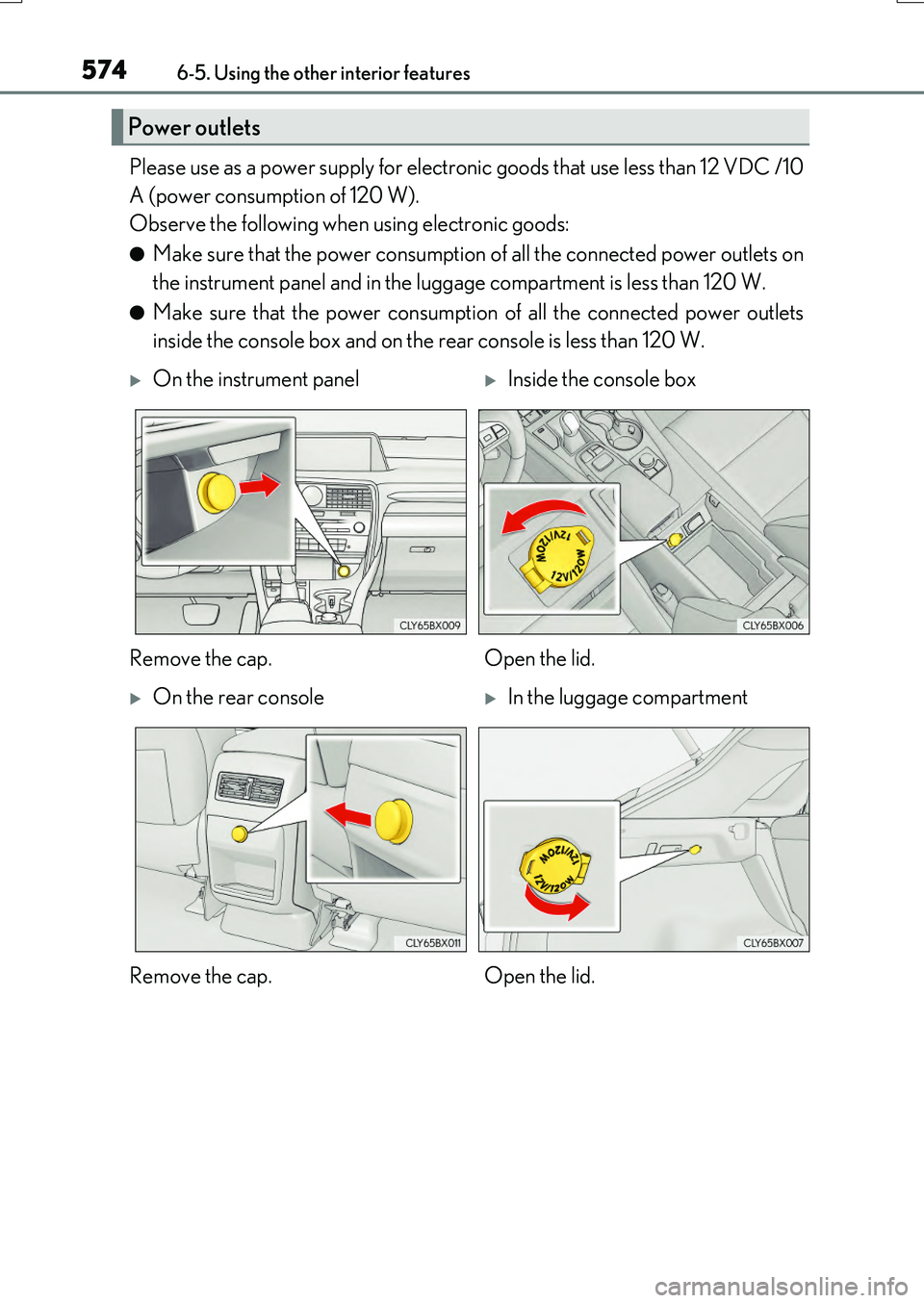
Please use as a power supply for electronic goods that use less than 12 VDC /10
A (power consumption of 120 W).
Observe the following when using electronic goods:
●Make sure that the power consumption of all the connected power outlets on
the instrument panel and in the luggage compartment is less than 120 W.
●Make sure that the power consumption of all the connected power outlets
inside the console box and on the rear console is less than 120 W.
Power outlets
On the instrument panelInside the console box
Remove the cap. Open the lid.
On the rear consoleIn the luggage compartment
Remove the cap. Open the lid.
Page 575 of 776
5756-5. Using the other interior features
6
Interior features
RX350/RX200t_EE_OM48F32E
●The power outlets can be used when the engine switch is in ACCESSORY or IGNI- TION ON mode.
●RX200t: When the engine restarts after having been stopped by the Stop & Start sys-
tem, the power outlets may be temporarily unusable, but this is not a malfunction.
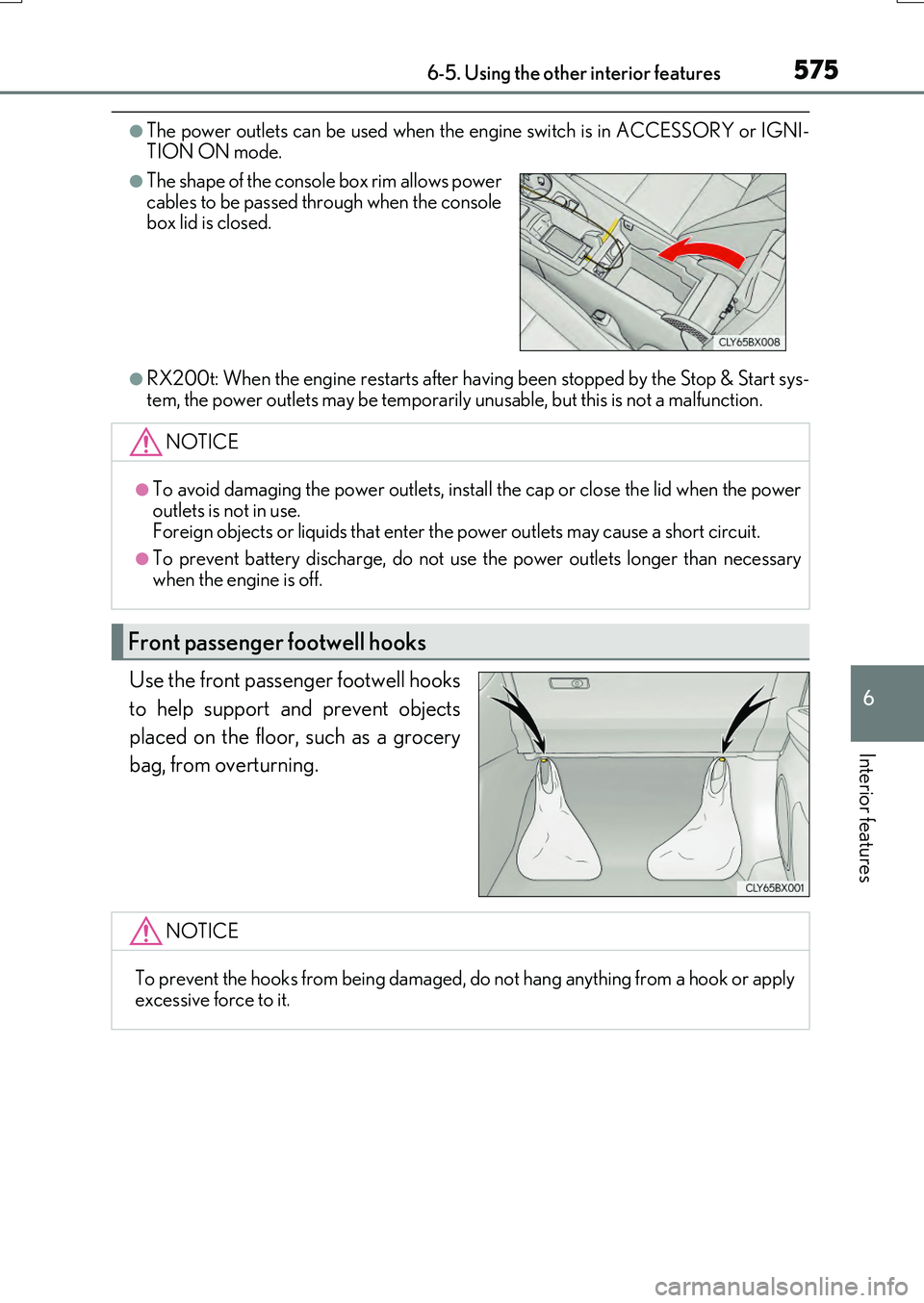
Use the front passenger footwell hooks
to help support and prevent objects
placed on the floor, such as a grocery
bag, from overturning.
●The shape of the console box rim allows power cables to be passed through when the consolebox lid is closed.
NOTICE
●To avoid damaging the power outlets, install the cap or close the lid when the power
outlets is not in use. Foreign objects or liquids that enter th e power outlets may cause a short circuit.
●To prevent battery discharge, do not use the power outlets longer than necessary
when the engine is off.
Front passenger footwell hooks
NOTICE
To prevent the hooks from being damaged, do not hang anything from a hook or apply excessive force to it.
Page 584 of 776
584
RX350/RX200t_EE_OM48F32E
7-1. Maintenance and care
●Working from top to bottom, liberally apply water to the vehicle body, wheel
wells and underside of the vehicle to remove any dirt and dust.
●Wash the vehicle body using a sponge or soft cloth, such as a chamois.
●For hard-to-remove marks, use car wash soap and rinse thoroughly with
water.
●Wipe away any water.
●Wax the vehicle when the waterproof coating deteriorates.
If water does not bead on a clean surface, apply wax when the vehicle body is cool.
■Self-restoring coat
The vehicle body has a self-restoring coating that is resistant to small surface scratches caused in a car wash, etc.
●The coating lasts for 5 to 8 years from when the vehicle is delivered from the plant.
●The restoration time differs depending on the depth of the scratch and outside tem-perature. The restoration time may become shorter when the coating is warmed by
applying warm water.
●Deep scratches caused by keys, co ins, etc., cannot be restored.
●Do not use wax that contain abrasives.
■Automatic car washes
●Before washing the vehicle:
• Fold the mirrors
• Turn off the power back door (if equipped) Start washing from the front of the vehicle. Extend the mirrors before driving.
●Brushes used in automatic car washes may scratch the vehicle surface and harm your
vehicle’s paint.
●Rear spoiler may not be washable in some automatic car washes. There may also be an increased risk of damage to vehicle.
■High pressure car washes
●Do not allow the nozzles of the car wash to come within close proximity of the windows.
●Before using the car wash, check that the fuel filler door on your vehicle is closed prop- erly.
Cleaning and protecting the vehicle exterior
Perform the following to protect the vehicle and maintain it in prime condi-
tion: