change LEXUS RX270 2014 Manual PDF
[x] Cancel search | Manufacturer: LEXUS, Model Year: 2014, Model line: RX270, Model: LEXUS RX270 2014Pages: 652, PDF Size: 48.98 MB
Page 372 of 652
372
3-2. Using the audio system
RX350/270_EE
Setting up a Bluetooth® enabled portable player
Registering a portable player in the Bluetooth® audio system allows the
system to function. The following functions can be used for registered por-
table players:
■Functions and operation procedures
To enter the menu for each function, follow the steps below.
Press to select “BT•A MENU” or press the off-hook
switch and select “Setup” using .
Select “BT•A Setup” using .
Select one of the following items using :
●Registering a portable player
“Pair Audio”
●Selecting a portable player to be used
“Select Audio”
●Changing the registered name of a portable player
“Change Name”
●Listing the registered portable players
“List Audios”
●Changing the passkey
“Set Passkey”
●Deleting a registered portable player
“Delete Audio”
STEP1
STEP2
STEP3
RX350_270_EE_48D77E.book 372 ページ 2014年1月24日 金曜日 午前10時4分
Page 374 of 652
374
3-2. Using the audio system
RX350/270_EE
Changing the registered name of a portable player
Select “Change Name” using .
Select the desired portable player name to be changed using
.
Select “Record Name” using , and say the new name after
the beep.
The name to be registered will be repeated aloud.
Select “Confirm” using .
Listing the registered portable players
Select “List Audios” using . The list of registered portable players
will be read aloud.
When listing is complete, the system returns to “BT•A Setup”.
STEP1
STEP2
STEP3
STEP4
RX350_270_EE_48D77E.book 374 ページ 2014年1月24日 金曜日 午前10時4分
Page 377 of 652
377
3-2. Using the audio system
3
Interior features
RX350/270_EE
Optimal use of the audio system
Adjusting sound quality and volume balance
■Changing sound quality modes
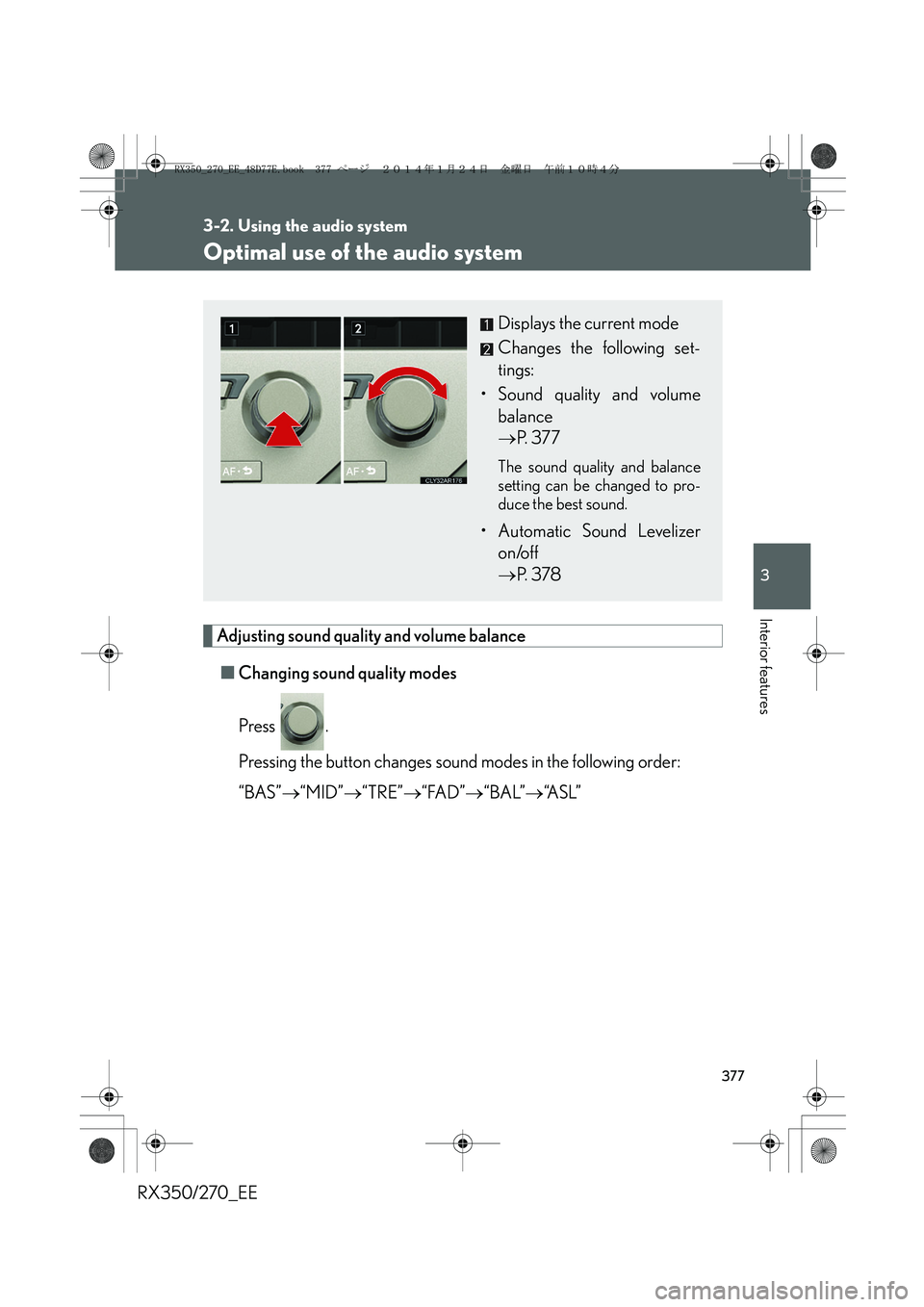
Press .
Pressing the button changes sound modes in the following order:
“BAS”→“MID”→“TRE”→“FAD”→“BAL”→“A S L ”
Displays the current mode
Changes the following set-
tings:
• Sound quality and volume
balance
→P. 3 7 7
The sound quality and balance
setting can be changed to pro-
duce the best sound.
• Automatic Sound Levelizer
on/off
→P. 3 7 8
RX350_270_EE_48D77E.book 377 ページ 2014年1月24日 金曜日 午前10時4分
Page 382 of 652
382
3-2. Using the audio system
RX350/270_EE
Changing the audio source
Press when the audio system is turned on. The audio source
changes as follows each time the button is pressed. If no discs are
inserted in the player, that mode will be skipped.
FM1→FM2→FM3→CD player→Bluetooth
® audio→AUX→
iPod or USB memory→MW→FM1
Adjusting the volume
Press “+” on to increase the volume and “-” to decrease the vol-
ume.
Hold down the button to continue increasing or decreasing the volume.
Selecting a radio station
Press to select radio mode.
Press “∧” or “∨” on” to select a radio station.
To scan for receivable stations, press and hold “∧” or “∨” on the button
until you hear a beep.
Selecting a track/file or song
Press to select CD, Bluetooth
® audio, iPod or USB
memory mode.
Press “∧” or “∨” on to select the desired track/file or song.
STEP1
STEP2
STEP1
STEP2
RX350_270_EE_48D77E.book 382 ページ 2014年1月24日 金曜日 午前10時4分
Page 394 of 652
394
3-2. Using the audio system
RX350/270_EE
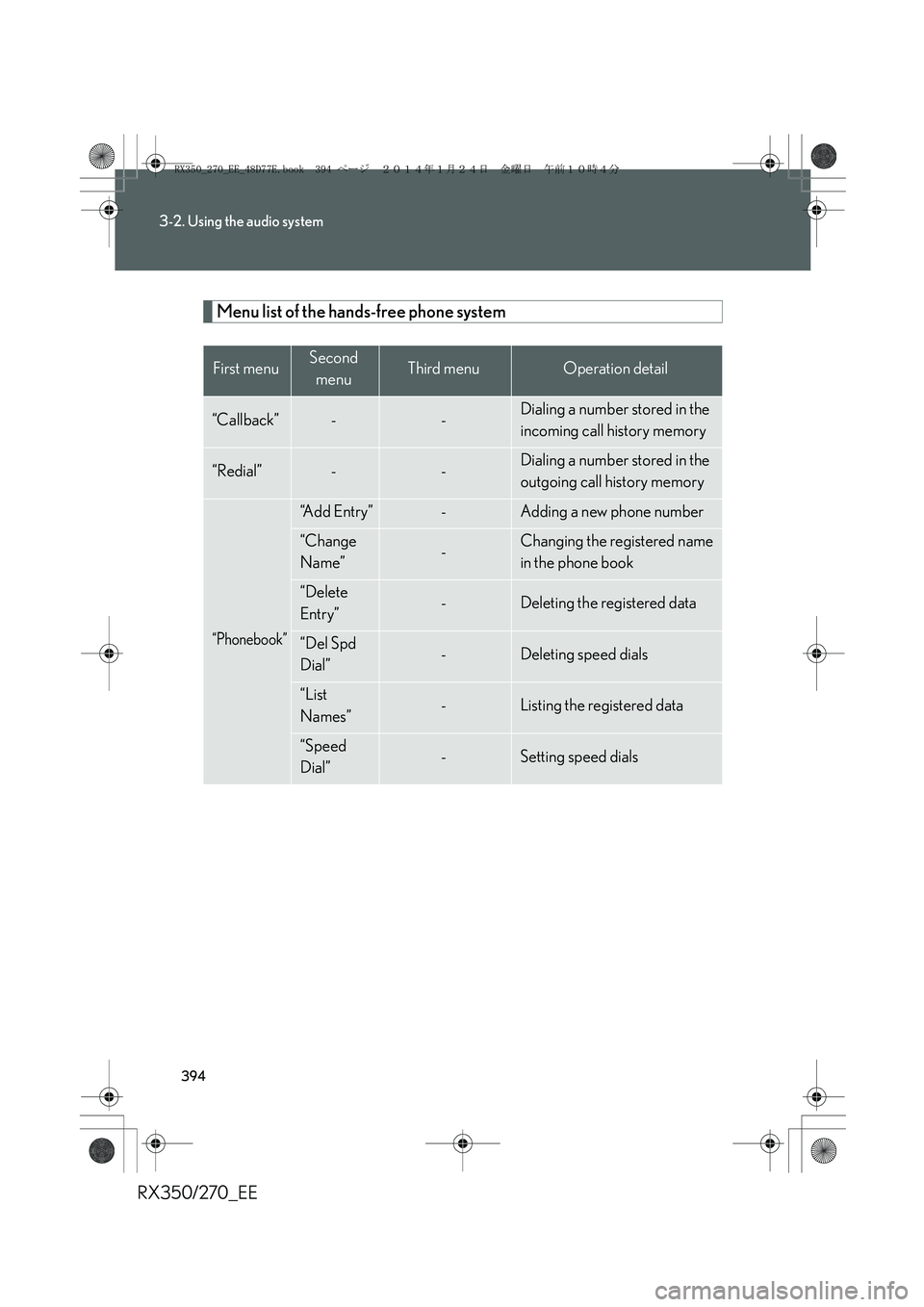
Menu list of the hands-free phone system
First menuSecond
menuThird menuOperation detail
“Callback”--Dialing a number stored in the
incoming call history memory
“Redial”--Dialing a number stored in the
outgoing call history memory
“Phonebook”
“Add Entry”-Adding a new phone number
“Change
Name”-Changing the registered name
in the phone book
“Delete
Entry”-Deleting the registered data
“Del Spd
Dial”-Deleting speed dials
“List
Names”-Listing the registered data
“Speed
Dial”-Setting speed dials
RX350_270_EE_48D77E.book 394 ページ 2014年1月24日 金曜日 午前10時4分
Page 395 of 652
395
3-2. Using the audio system
3
Interior features
RX350/270_EE
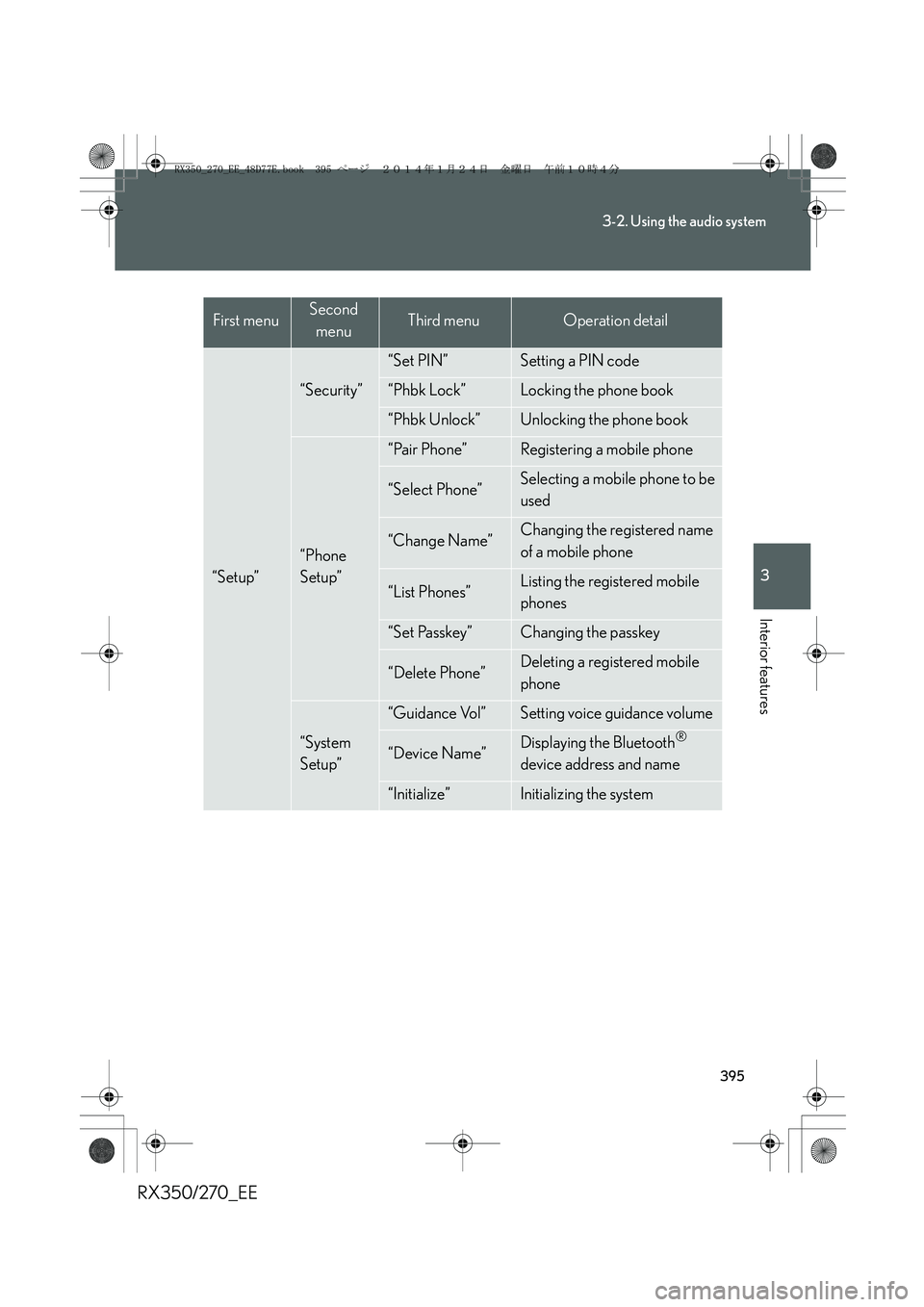
“Setup”
“Security”
“Set PIN”Setting a PIN code
“Phbk Lock”Locking the phone book
“Phbk Unlock”Unlocking the phone book
“Phone
Setup”
“Pair Phone”Registering a mobile phone
“Select Phone”Selecting a mobile phone to be
used
“Change Name”Changing the registered name
of a mobile phone
“List Phones”Listing the registered mobile
phones
“Set Passkey”Changing the passkey
“Delete Phone”Deleting a registered mobile
phone
“System
Setup”
“Guidance Vol”Setting voice guidance volume
“Device Name”Displaying the Bluetooth®
device address and name
“Initialize”Initializing the system
First menuSecond
menuThird menuOperation detail
RX350_270_EE_48D77E.book 395 ページ 2014年1月24日 金曜日 午前10時4分
Page 401 of 652
401
3-2. Using the audio system
3
Interior features
RX350/270_EE
Setting a mobile phone
Registering a mobile phone in the hands-free phone system allows the sys-
tem to function. The following functions can be used for registered mobile
phones:
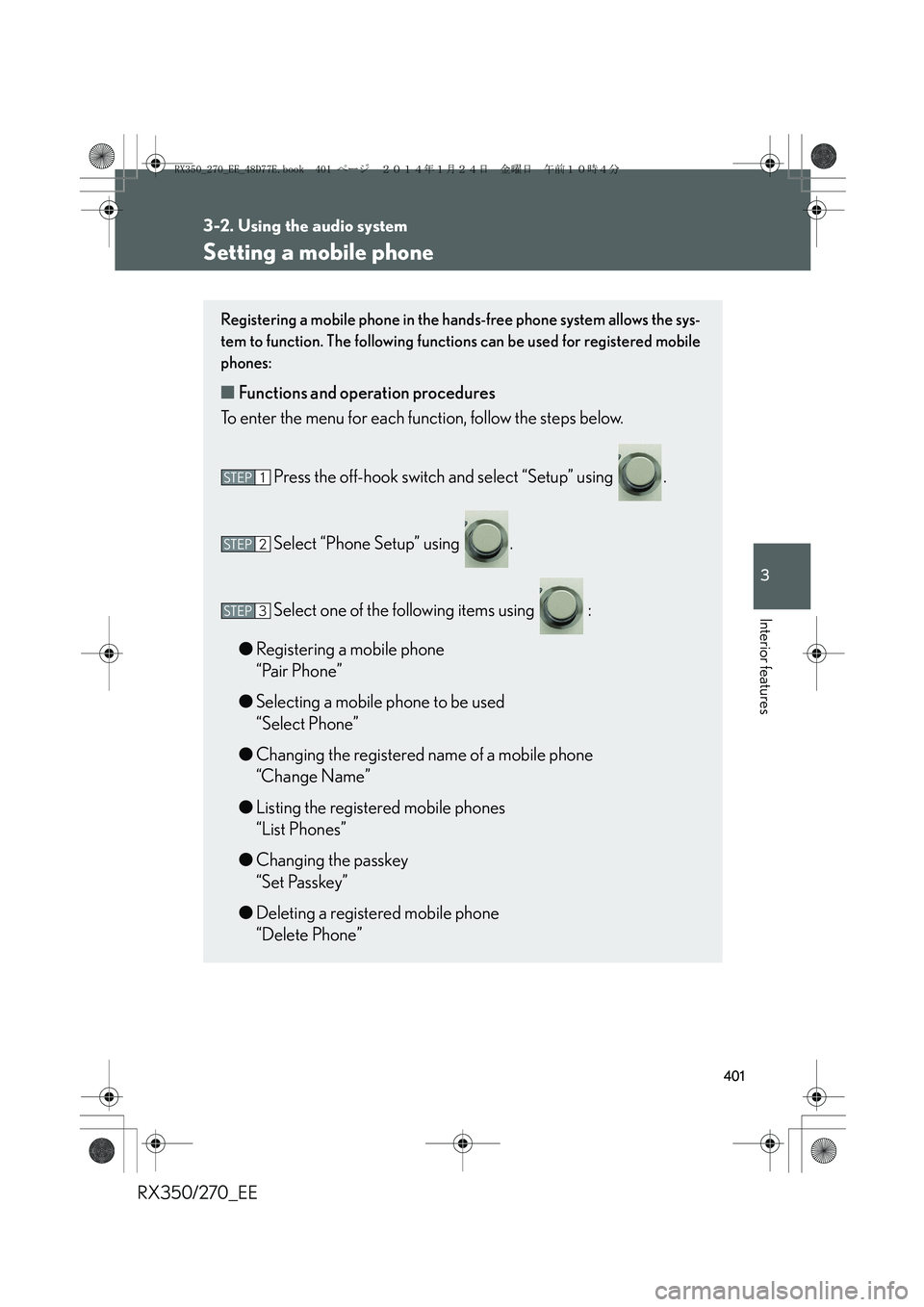
■Functions and operation procedures
To enter the menu for each function, follow the steps below.
Press the off-hook switch and select “Setup” using .
Select “Phone Setup” using .
Select one of the following items using :
●Registering a mobile phone
“Pair Phone”
●Selecting a mobile phone to be used
“Select Phone”
●Changing the registered name of a mobile phone
“Change Name”
●Listing the registered mobile phones
“List Phones”
●Changing the passkey
“Set Passkey”
●Deleting a registered mobile phone
“Delete Phone”
STEP1
STEP2
STEP3
RX350_270_EE_48D77E.book 401 ページ 2014年1月24日 金曜日 午前10時4分
Page 402 of 652
402
3-2. Using the audio system
RX350/270_EE
Registering a mobile phone
Select “Pair Phone” using , and perform the procedure for regis-
tering a mobile phone. (→P. 393)
Selecting a mobile phone to be used
Select “Select Phone” using .
Select the mobile phone to be used using .
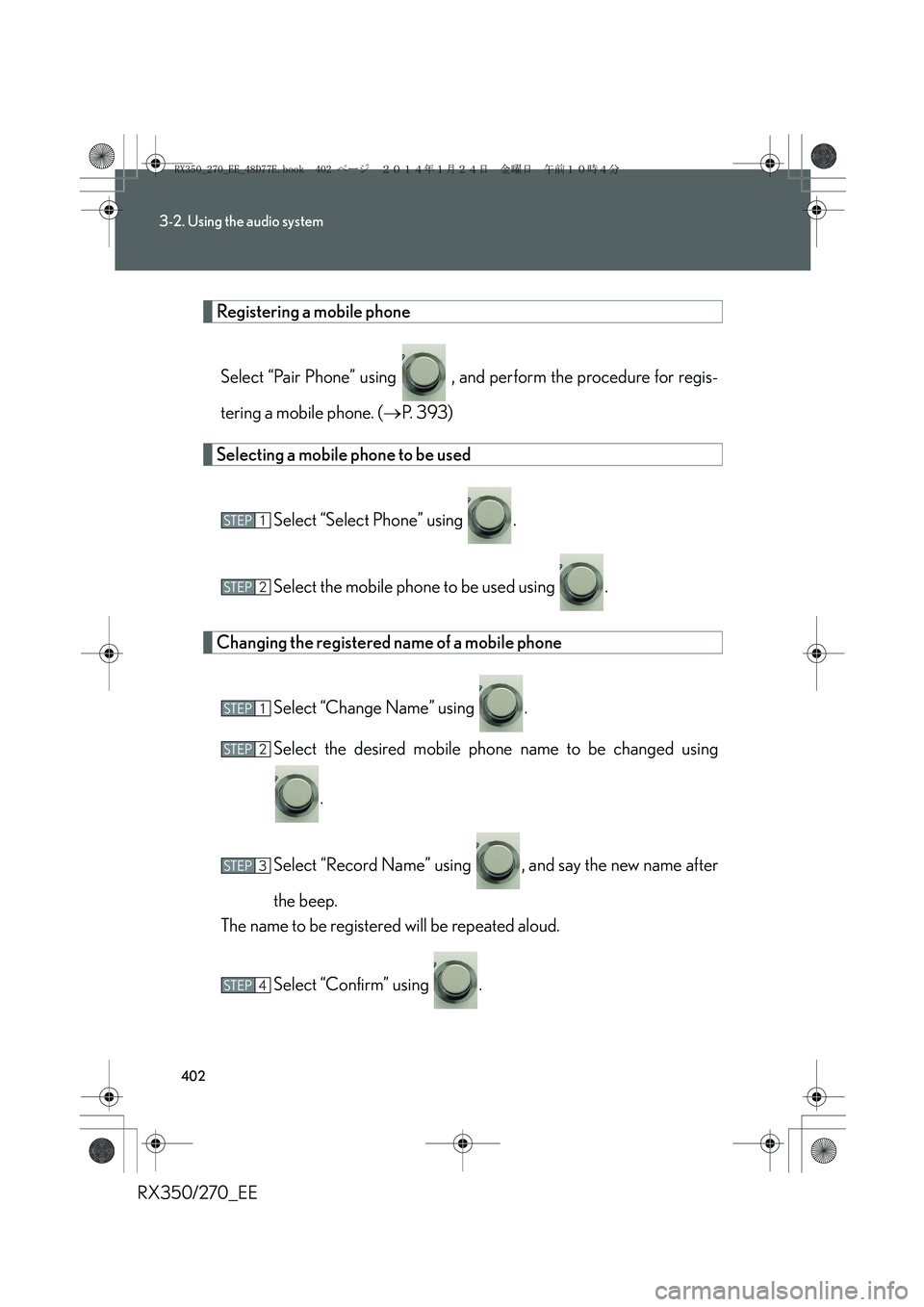
Changing the registered name of a mobile phone
Select “Change Name” using .
Select the desired mobile phone name to be changed using
.
Select “Record Name” using , and say the new name after
the beep.
The name to be registered will be repeated aloud.
Select “Confirm” using .
STEP1
STEP2
STEP1
STEP2
STEP3
STEP4
RX350_270_EE_48D77E.book 402 ページ 2014年1月24日 金曜日 午前10時4分
Page 408 of 652
408
3-2. Using the audio system
RX350/270_EE
Locking or unlocking the phone book
Select “Phbk Lock” or “Phbk Unlock” using .
Input a new PIN using and select “Confirm” using .
Input the code 1 digit at a time.
Setting voice guidance volume
Select “Guidance Vol” using .
Change the voice guidance volume.
To decrease the volume: Turn counterclockwise.
To increase the volume: Turn clockwise.
STEP1
STEP2
STEP1
STEP2
RX350_270_EE_48D77E.book 408 ページ 2014年1月24日 金曜日 午前10時4分
Page 411 of 652
411
3-2. Using the audio system
3
Interior features
RX350/270_EE
Using the phone book
Adding a new phone number
The following methods can be used to add a new phone number:
●Transferring data from the mobile phone
●Inputting a phone number using
●Selecting a phone number from the outgoing or incoming call history
To enter the menu of each setting, follow the steps below.
Press the off-hook switch and select “Phonebook” using
.
Select one of the following items using :
●Adding a new phone number
“Add Entry”
●Changing the registered name in the phone book
“Change Name”
●Listing the registered data
“List Names”
●Setting speed dials
“Speed Dial”
●Deleting the registered data
“Delete Entry”
●Deleting speed dials
“Del Spd Dial”
STEP1
STEP2
RX350_270_EE_48D77E.book 411 ページ 2014年1月24日 金曜日 午前10時4分