reset LEXUS RX350 2011 User Guide
[x] Cancel search | Manufacturer: LEXUS, Model Year: 2011, Model line: RX350, Model: LEXUS RX350 2011Pages: 821, PDF Size: 13.27 MB
Page 248 of 821
176
2-2. Instrument cluster
Trip information
nCurrent fuel consumption
Displays the current rate of fuel consumption
nAverage fuel consumption after refueling
Displays the average fuel consumption since the vehicle was last refueled
nAverage fuel consumption
Displays the average fuel consumption since the function was reset
The function can be reset by pushing the “ENTER” switch for longer than
one second when the average fuel consumption is displayed.
nAverage vehicle speed
Displays the average vehicle speed since the function was reset
The function can be reset by pushing the “ENTER” switch for longer than
one second when the average vehicle speed is displayed.
nCruising range
Displays the estimated maximum distance that can be driven with the
quantity of fuel remaining
Page 278 of 821
206
2-4. Using other driving systems
nCruise control can be set when
lThe shift lever is in D or “4”, “5” or “6” range of S has been selected.
lVehicle speed is above 25 mph (40 km/h).
nAccelerating
The vehicle can be accelerated normally. After acceleration, the set speed
resumes.
nAutomatic cruise control cancelation
The cruise control will stop maintaining the vehicle speed in any of the following sit-
uations:
lActual vehicle speed falls more than 10 mph (16 km/h) below the preset vehicle
speed.
At this time, the memorized set speed is not retained.
lActual vehicle speed is below 25 mph (40km/h).
lVSC is activated.
nIf the cruise control indicator light flashes
Press the “ON-OFF” button once to deactivate the system, and then press the but-
ton again to reactivate the system.
If the cruise control speed cannot be set or if the cruise control cancels immediately
after being activated, there may be a malfunction in the cruise control system. Have
the vehicle inspected by your Lexus dealer.
Page 281 of 821
209
2-4. Using other driving systems
2
When driving
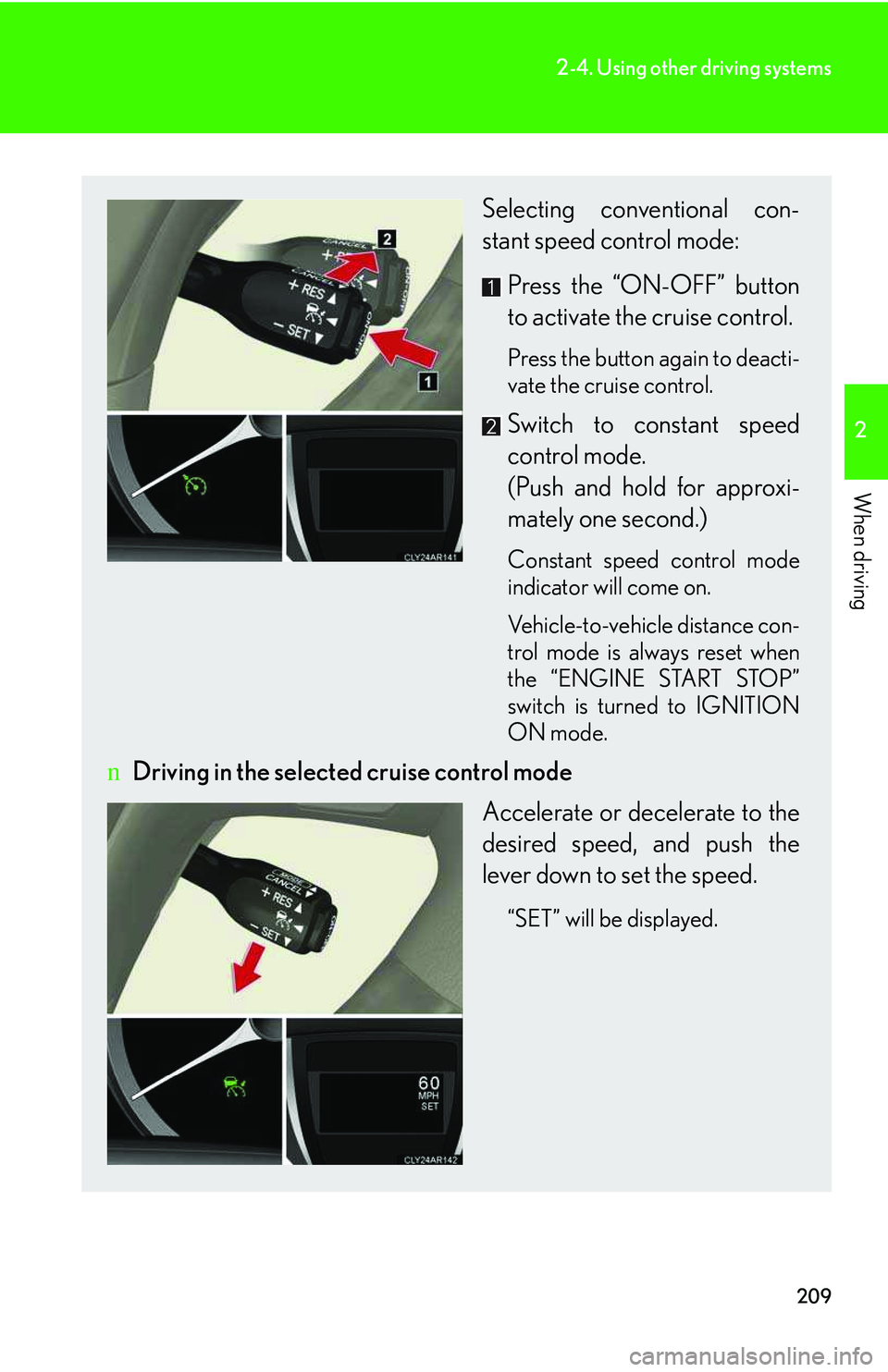
Selecting conventional con-
stant speed control mode:
Press the “ON-OFF” button
to activate the cruise control.
Press the button again to deacti-
vate the cruise control.
Switch to constant speed
control mode.
(Push and hold for approxi-
mately one second.)
Constant speed control mode
indicator will come on.
Vehicle-to-vehicle distance con-
trol mode is always reset when
the “ENGINE START STOP”
switch is turned to IGNITION
ON mode.
nDriving in the selected cruise control mode
Accelerate or decelerate to the
desired speed, and push the
lever down to set the speed.
“SET” will be displayed.
Page 335 of 821
263
2-5. Driving information
2
When driving
Connecting trailer lights
Without towing package: Please consult your dealer when installing
trailer lights, as incorrect installation may cause damage to the vehicle's
lights. Please take care to comply with your state's laws when installing
trailer lights.
With towing package: Use the 4 pin connector located under the rear
bumper.
nAuto current cut-off function (vehicles with towing package)
In case of over current, the auto cut-off function stops the power flowing to the
trailer lights to prevent damage to the vehicle's electrical system.
This function is activated when the rated current of any of the following trailer light
circuit components is exceeded:
lTail lights: maximum 7.8 A
lStop/turn signal light (right): maximum 4.5 A
lStop/turn signal light (left): maximum 4.5 A
nWhen the auto current cut function is activated
If a trailer light does not come on due to the activation of the auto current cut func-
tion, the light system will need to be reset.
Follow the reset procedure shown below.
lIf a tail light does not come on, turn off the headlight switch.
lIf the right-side stop/turn signal light does not come on, put the turn signal in the
off position or remove foot from the brake pedal.
lIf the left-side stop/turn signal light does not come on, put the turn signal in the
off position or remove foot from the brake pedal.
If the emergency flashers do not operate, press the emergency flasher switch to
turn them off.
After the light system is reset, operate the light switches again to see if the lights
operate normally.
If the lights do not operate normally, have the vehicle inspected by your Lexus
dealer.
Page 357 of 821
287
3-2. Using the audio system
3
Interior features
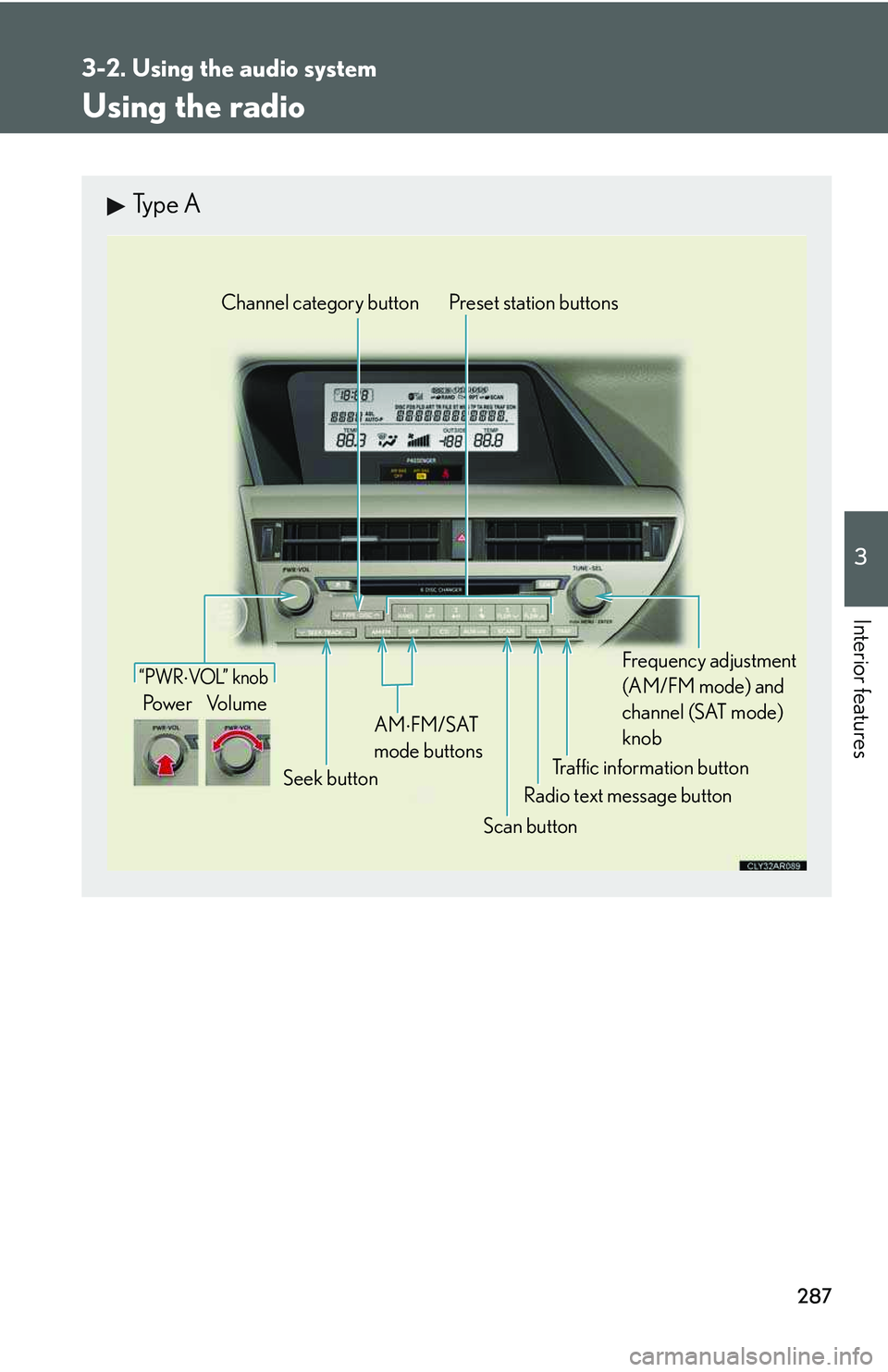
Using the radio
Type A
Traffic information button
Preset station buttons
Radio text message button
Scan button
Seek button
Channel category button
Frequency adjustment
(AM/FM mode) and
channel (SAT mode)
knobAM
⋅
FM/SAT
mode buttons
“PWR ⋅ VOL” k nob
Po w e r Vo l u m e
Page 358 of 821
288
3-2. Using the audio system
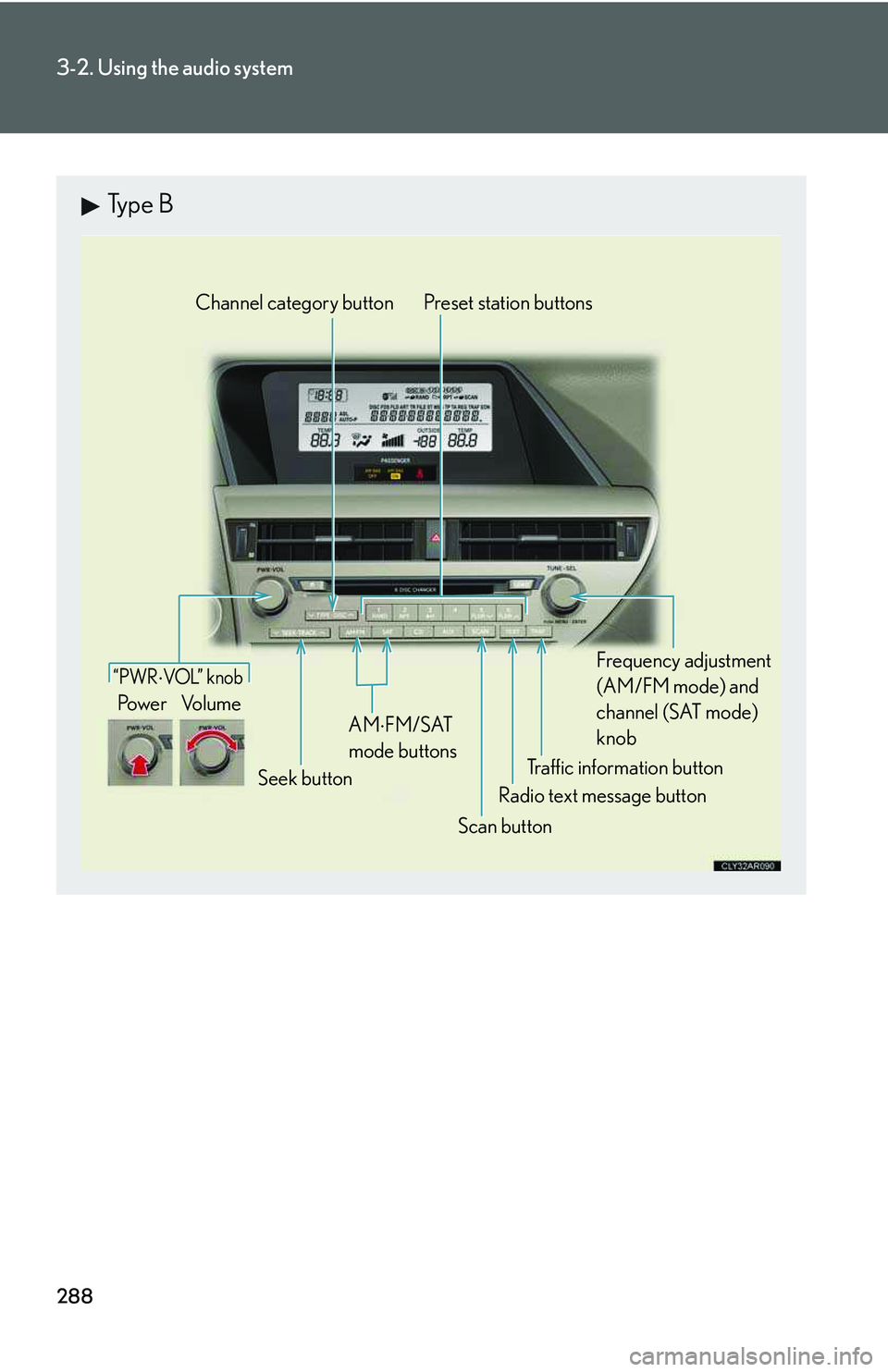
Type B
Traffic information button
Preset station buttons
Radio text message button
Scan button
Seek button
Channel category button
Frequency adjustment
(AM/FM mode) and
channel (SAT mode)
knobAM
⋅
FM/SAT
mode buttons
“PWR ⋅ VOL” k nob
Po w e r Vo l u m e
Page 359 of 821
289
3-2. Using the audio system
3
Interior features
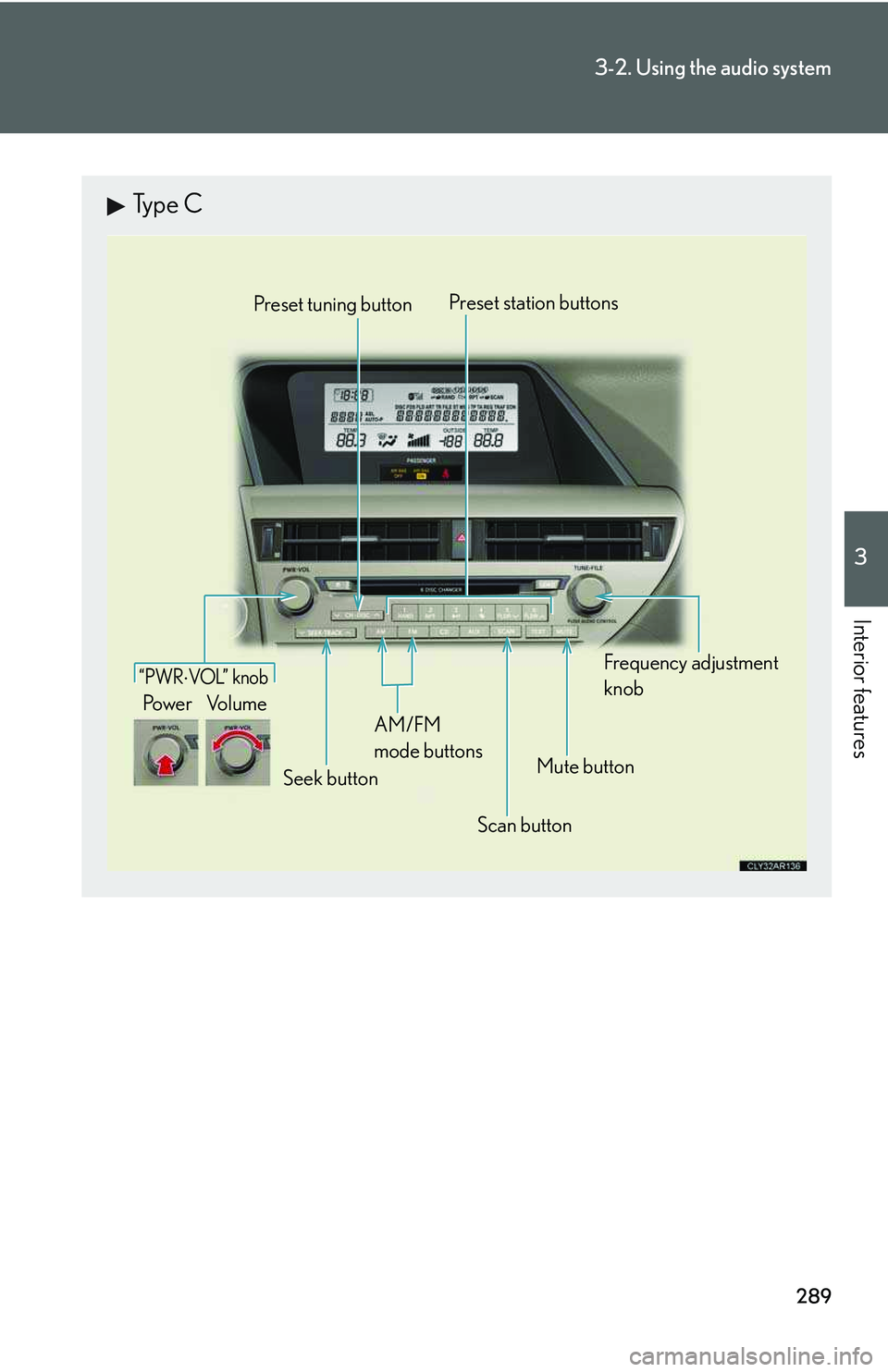
Type C
Preset tuning button
Frequency adjustment
knob
Mute button
“PWR ⋅ VOL” k nob
Po w e r Vo l u m e
Seek button
AM/FM
mode buttons
Preset station buttons
Scan button
Page 360 of 821
290
3-2. Using the audio system
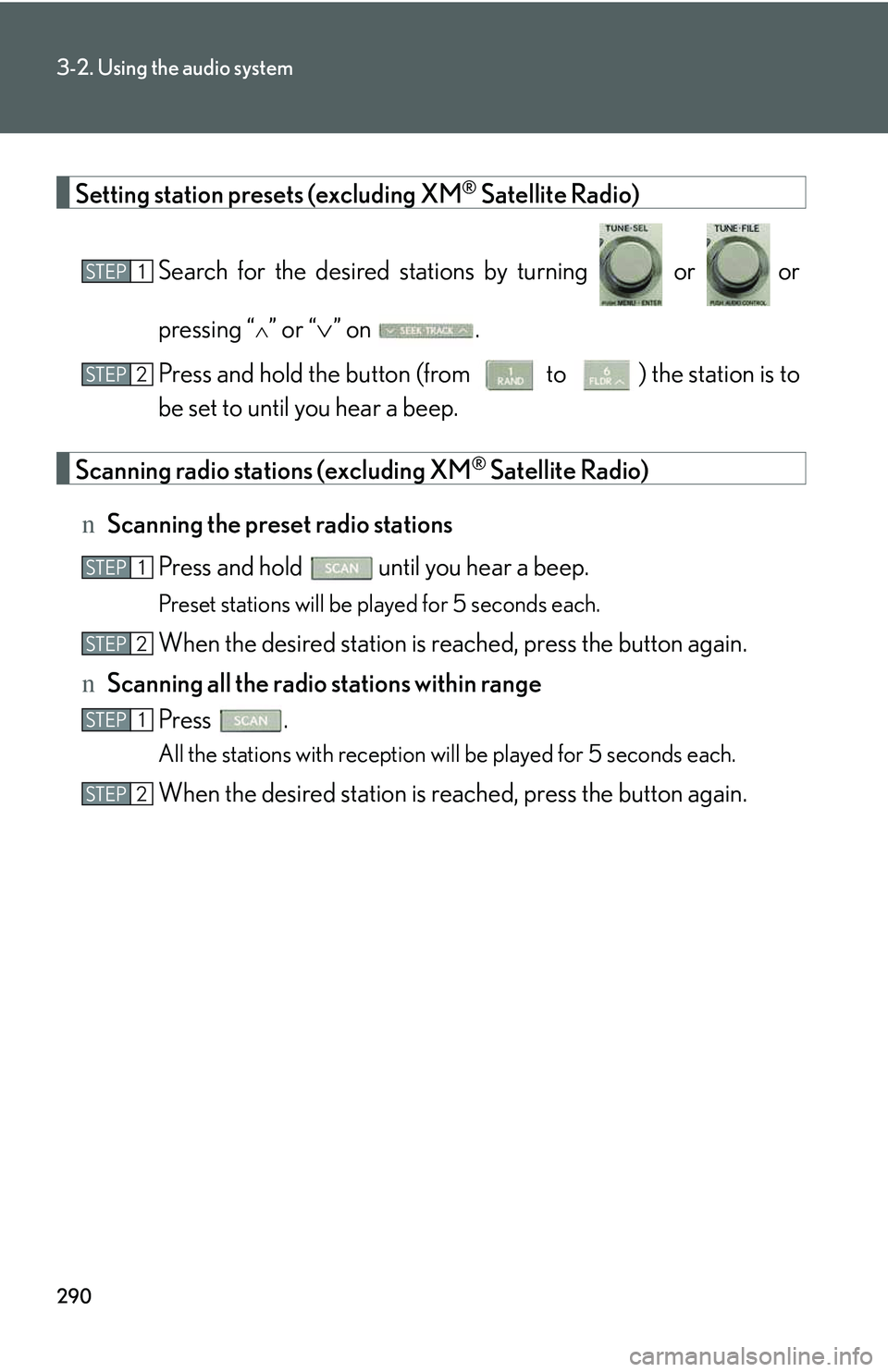
Setting station presets (excluding XM® Satellite Radio)
Search for the desired stations by turning or or
pressing “∧” or “∨” on .
Press and hold the button (from to ) the station is to
be set to until you hear a beep.
Scanning radio stations (excluding XM® Satellite Radio)
nScanning the preset radio stations
Press and hold until you hear a beep.
Preset stations will be played for 5 seconds each.
When the desired station is reached, press the button again.
nScanning all the radio stations within range
Press .
All the stations with reception will be played for 5 seconds each.
When the desired station is reached, press the button again.
STEP1
STEP2
STEP1
STEP2
STEP1
STEP2
Page 362 of 821
292
3-2. Using the audio system
nDisplaying radio station names
Press .
nDisplaying radio text messages
Press twice.
A text message is displayed when “MSG” is shown on the screen.
If the text continues past the end of the display, is displayed. Press and
hold until you hear a beep.
XM® Satellite Radio (type A and B)
nReceiving XM® Satellite Radio
Press .
The display changes as follows each time the button is pressed:
“SAT1” → “SAT2” → “SAT3”
Turn to select the desired channel in all the categories or
press “∧” or “∨” on to select the desired channel in the
current category.
nSetting XM® Satellite Radio channel presets
Select the desired channel. Press and hold the button (from to
) the channel is to be set to until you hear a beep.
nChanging the channel category
Press “∧” or “∨” on .
STEP1
STEP2
Page 363 of 821
293
3-2. Using the audio system
3
Interior features
nScanning the XM® Satellite Radio channels
lScanning the channels in the current category
Press .
When the desired channel is reached, press the button
again.
lScanning the preset channels
Press and hold until you hear a beep.
When the desired channel is reached, press the button
again.
nDisplaying text information
Press .
The display will show up to 10 characters.
The display changes as follows each time the button is pressed:
lCH NAME
lTITLE (SONG/PROGRAM TITLE)
lNAME (ARTIST NAME/FEATURE)
lCH NUMBER
STEP1
STEP2
STEP1
STEP2