audio LEXUS RX350 2015 User Guide
[x] Cancel search | Manufacturer: LEXUS, Model Year: 2015, Model line: RX350, Model: LEXUS RX350 2015Pages: 886, PDF Size: 11 MB
Page 33 of 886

331-1. Key information
1
Before driving NOTICE■
To prevent key damage
Observe the following: ●
Do not drop the keys, subject them to strong shocks or bend them.●
Do not expose the keys to high temperatures for a long period of time.●
Do not get the keys wet or wash them in an ultrasonic washer etc.●
Do not attach metallic or magnetic materials to the keys or place the keys close to
such materials.●
Do not disassemble the keys.●
Do not attach a sticker or anything else to the surface of the electronic key.●
Do not place the keys near objects that produce magnetic fields, such as TVs,
audio systems, induction cookers, or medi cal electrical equipment, such as low-
frequency therapy equipment.■
Carrying the electronic key on your person
Carry the electronic key 3.9 in. (10 cm) or more away from electric appliances that
are turned on. Radio waves emitted from electric appliances within 3.9 in. (10 cm)
of the electronic key may interfere with the key, causing the key to not function
properly.■
In case of a smart access system with push-button start malfunction or other key-
related problems
Take your vehicle with all the electronic keys provided with your vehicle, including
the card key, to your Lexus dealer.■
When a vehicle key is lost
If the key remains lost, the risk of vehi cle theft increases significantly. Visit your
Lexus dealer immediately with all remaining electronic keys and the card key that
was provided with your vehicle.
Page 42 of 886

421-2. Opening, closing and locking the doors
■
Conditions affecting operation
The smart access system with push-button start uses weak radio waves. In the fol-
lowing situations, the communication betw een the electronic key and the vehicle
may be affected, preventing the smart access system with push-button start, wire-
less remote control and immobilize r system from operating properly.
(Ways of coping: P. 7 9 3 )●
When the electronic key battery is depleted●
Near a TV tower, electric power plant, gas station, radio st ation, large display,
airport or other facility that generates strong radio waves or electrical noise●
When carrying a portable radio, cellular phone, cordless phone or other wire-
less communication devices●
When the electronic key is in contact wi th, or is covered by the following metal-
lic objects
• Cards to which aluminum foil is attached
• Cigarette boxes that have aluminum foil inside
• Metallic wallets or bags
•Coins
• Hand warmers made of metal
• Media such as CDs and DVDs●
When multiple electronic keys are in the vicinity●
When another wireless key (that emits radio waves) is being used nearby●
When carrying the electronic key togeth er with the following devices that emit
radio waves
• Another vehicle's electronic key or a wireless key that emits radio waves
• Personal computers or person al digital assistants (PDAs)
• Digital audio players
• Portable game systems●
If window tint with a metallic content or metallic objects are attached to the rear
window
Page 110 of 886
1101-6. Theft deterrent system
Engine immobilizer system The vehicle's keys have built-in transponder chips that prevent the engine
from starting if the key has not been previously registered in the vehicle's
on-board computer.
Never leave the keys inside the vehicle when you leave the vehicle.
This system is designed to help prev ent vehicle theft but does not guaran-
tee absolute security ag ainst all vehicle thefts.
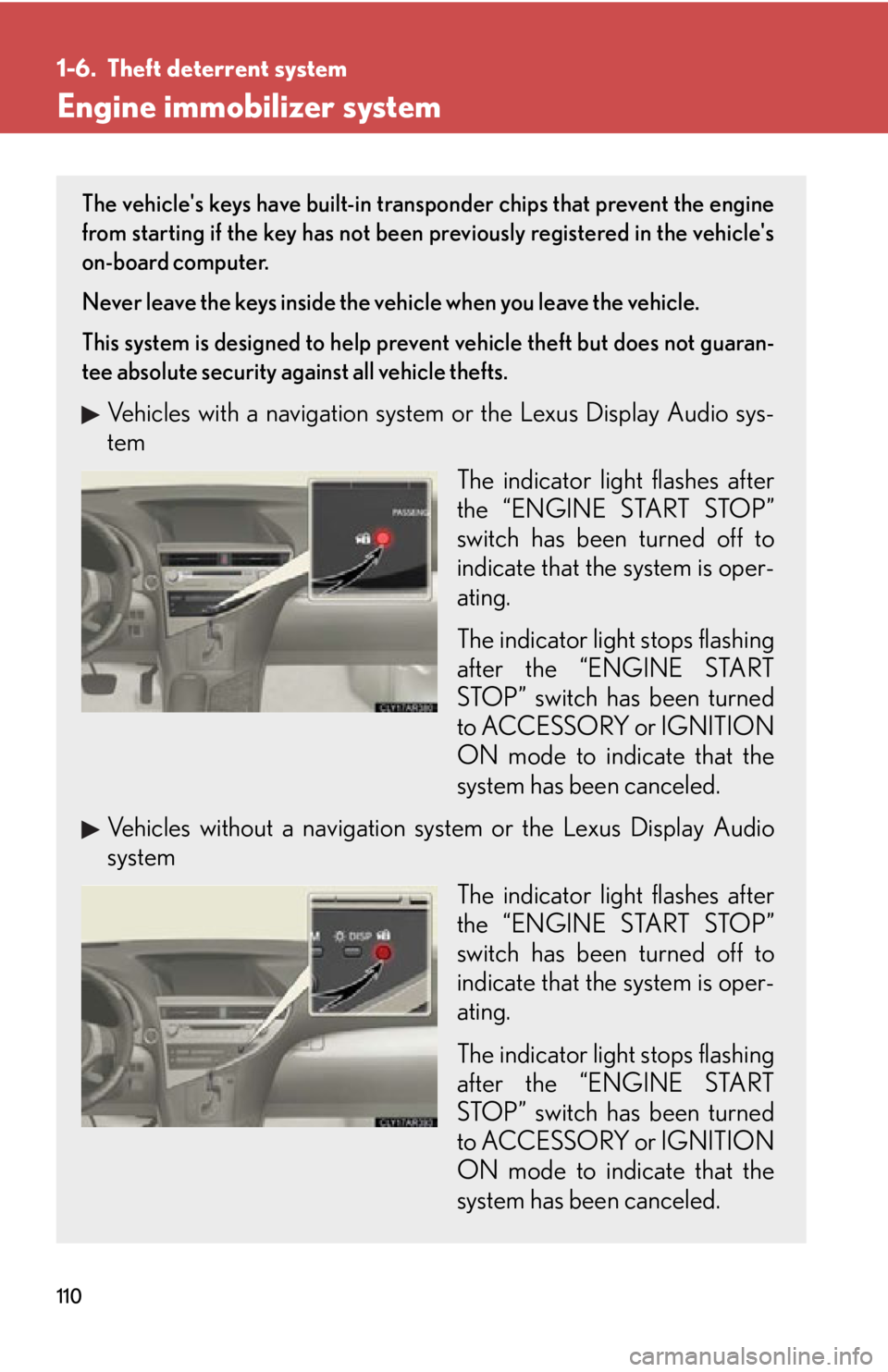
Vehicles with a navigation system or the Lexus Display Audio sys-
tem
The indicator light flashes after
the “ENGINE START STOP”
switch has been turned off to
indicate that the system is oper-
ating.
The indicator light stops flashing
after the “ENGINE START
STOP” switch has been turned
to ACCESSORY or IGNITION
ON mode to indicate that the
system has been canceled.
Vehicles without a navigation sy stem or the Lexus Display Audio
system
The indicator light flashes after
the “ENGINE START STOP”
switch has been turned off to
indicate that the system is oper-
ating.
The indicator light stops flashing
after the “ENGINE START
STOP” switch has been turned
to ACCESSORY or IGNITION
ON mode to indicate that the
system has been canceled.
Page 113 of 886
1131-6. Theft deterrent system
1
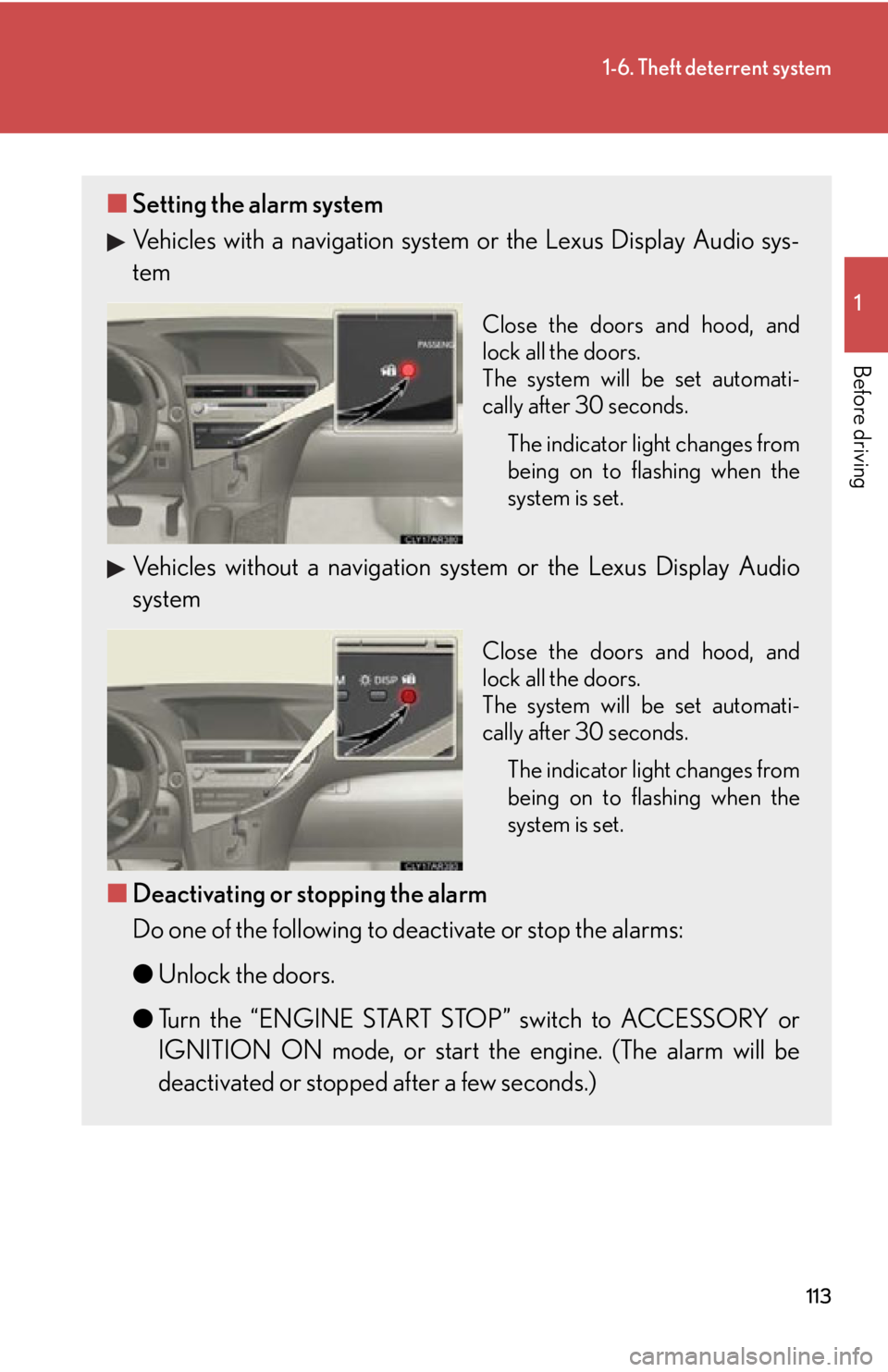
Before driving ■ Setting the alarm system
Vehicles with a navigation system or the Lexus Display Audio sys-
tem Close the doors and hood, and
lock all the doors.
The system will be set automati-
cally after 30 seconds.
The indicator light changes from
being on to flashing when the
system is set.
Vehicles without a navigation sy stem or the Lexus Display Audio
system Close the doors and hood, and
lock all the doors.
The system will be set automati-
cally after 30 seconds.
The indicator light changes from
being on to flashing when the
system is set.
■ Deactivating or stopping the alarm
Do one of the following to deactivate or stop the alarms:
● Unlock the doors.
● Turn the “ENGINE START STOP” switch to ACCESSORY or
IGNITION ON mode, or start the engine. (The alarm will be
deactivated or stopped after a few seconds.)
Page 132 of 886
1321-7. Safety information
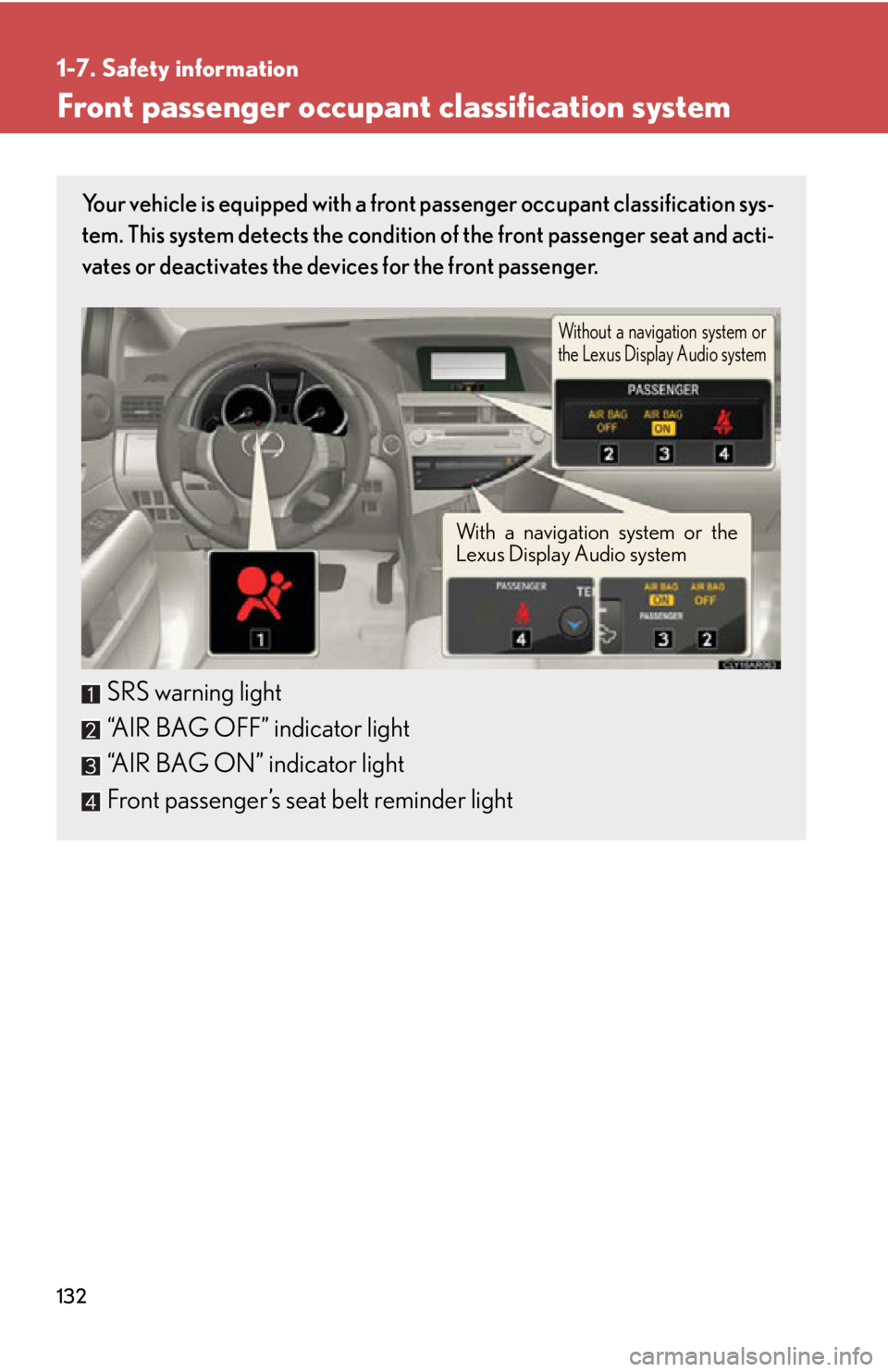
Front passenger occupant classification system Your vehicle is equipped with a front passenger occupant classification sys-
tem. This system detects the condition of the front passenger seat and acti-
vates or deactivates the devices for the front passenger.
SRS warning light
“AIR BAG OFF” indicator light
“AIR BAG ON” indicator light
Front passenger’s seat belt reminder light Without a navigation system or
the Lexus Display Audio system
With a navigation system or the
Lexus Display Audio system
Page 153 of 886
When driving
2
1532-1. Driving procedures
Driving the vehicle.................. 154
Engine (ignition) switch ......... 165
Automatic transmission
(6-speed models) .................. 171
Automatic transmission
(8-speed models) ................. 178
Turn signal lever ....................... 187
Parking brake ........................... 189
Horn ............................................ 190
2-2. Instrument cluster
Gauges and meters ................. 191
Indicators and warning
lights ......................................... 194
Multi-information
display .................................... 200
Head-up display ..................... 206
2-3. Operating the lights and
windshield wipers
Headlight switch....................... 211
Fog light switch ........................ 215
Windshield wipers and
washer ..................................... 217
Rear window wiper and
washer .................................... 224
Headlight cleaner switch..... 226 2-4. Using other driving
systems
Cruise control......................... 227
Dynamic radar cruise
control .................................... 232
Intuitive parking assist .......... 245
Rear view monitor system
(rear view mirror-attached
type) ........................................ 255
Rear view monitor system
(vehicles with the Lexus
Display Audio system) ....... 264
Driving assist systems ........... 269
All-wheel drive lock
switch ....................................... 275
Hill-start assist control .......... 276
Pre-Collision System ............ 278
BSM
(Blind Spot Monitor) .......... 286
2-5. Driving information
Utility vehicle
precautions ........................... 292
Cargo and luggage ............... 296
Vehicle load limits ................... 301
Winter driving tips ................. 302
Trailer towing .......................... 306
Dinghy towing ......................... 323
Page 166 of 886
1662-1. Driving procedures
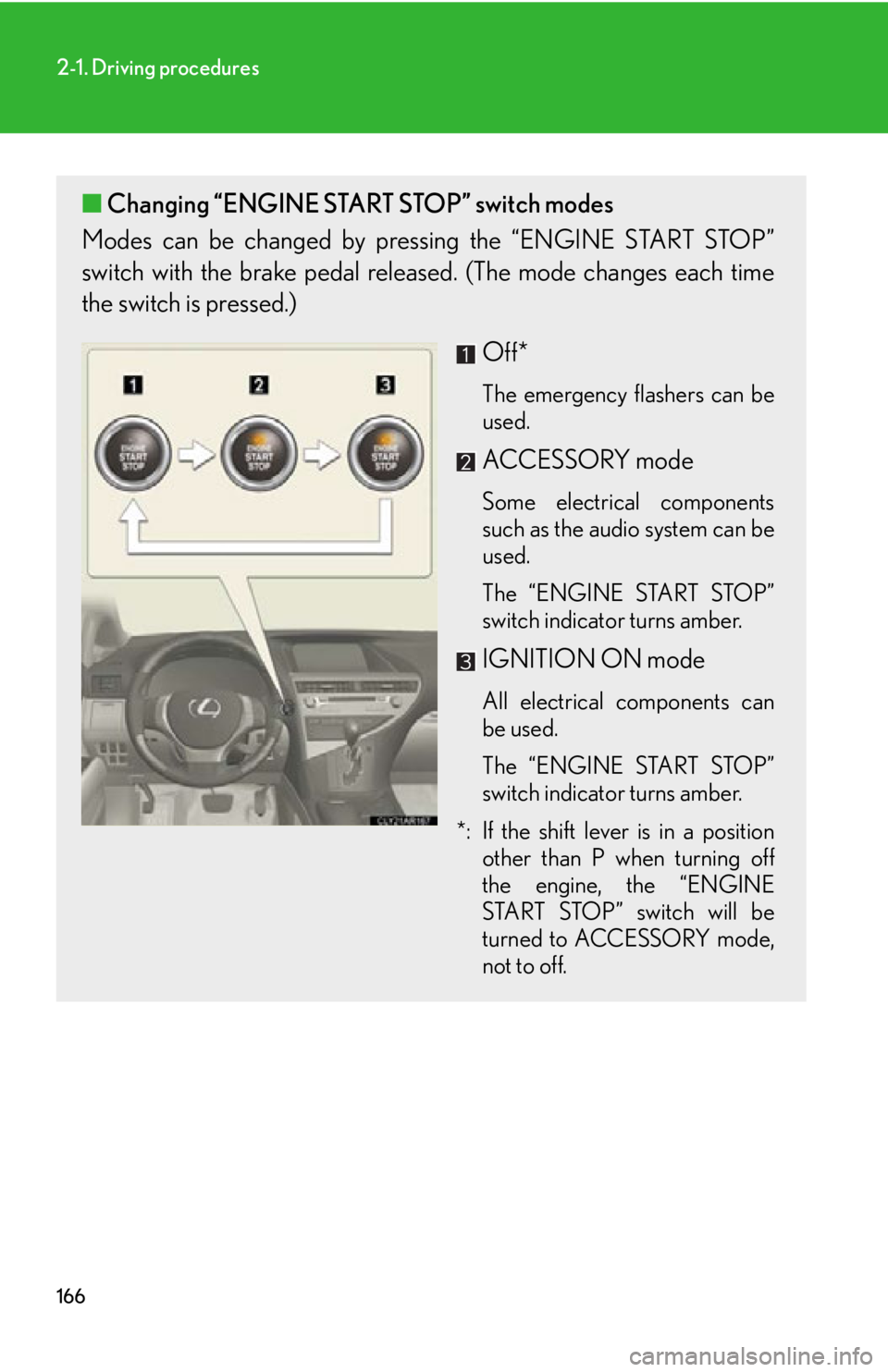
■ Changing “ENGINE START STOP” switch modes
Modes can be changed by pressing the “ENGINE START STOP”
switch with the brake pedal releas ed. (The mode changes each time
the switch is pressed.)
Off* The emergency flashers can be
used.
ACCESSORY mode Some electrical components
such as the audio system can be
used.
The “ENGINE START STOP”
switch indicator turns amber.
IGNITION ON mode All electrical components can
be used.
The “ENGINE START STOP”
switch indicator turns amber.
*: If the shift lever is in a position
other than P when turning off
the engine, the “ENGINE
START STOP” switch will be
turned to ACCESSORY mode,
not to off.
Page 195 of 886
1952-2. Instrument cluster
2
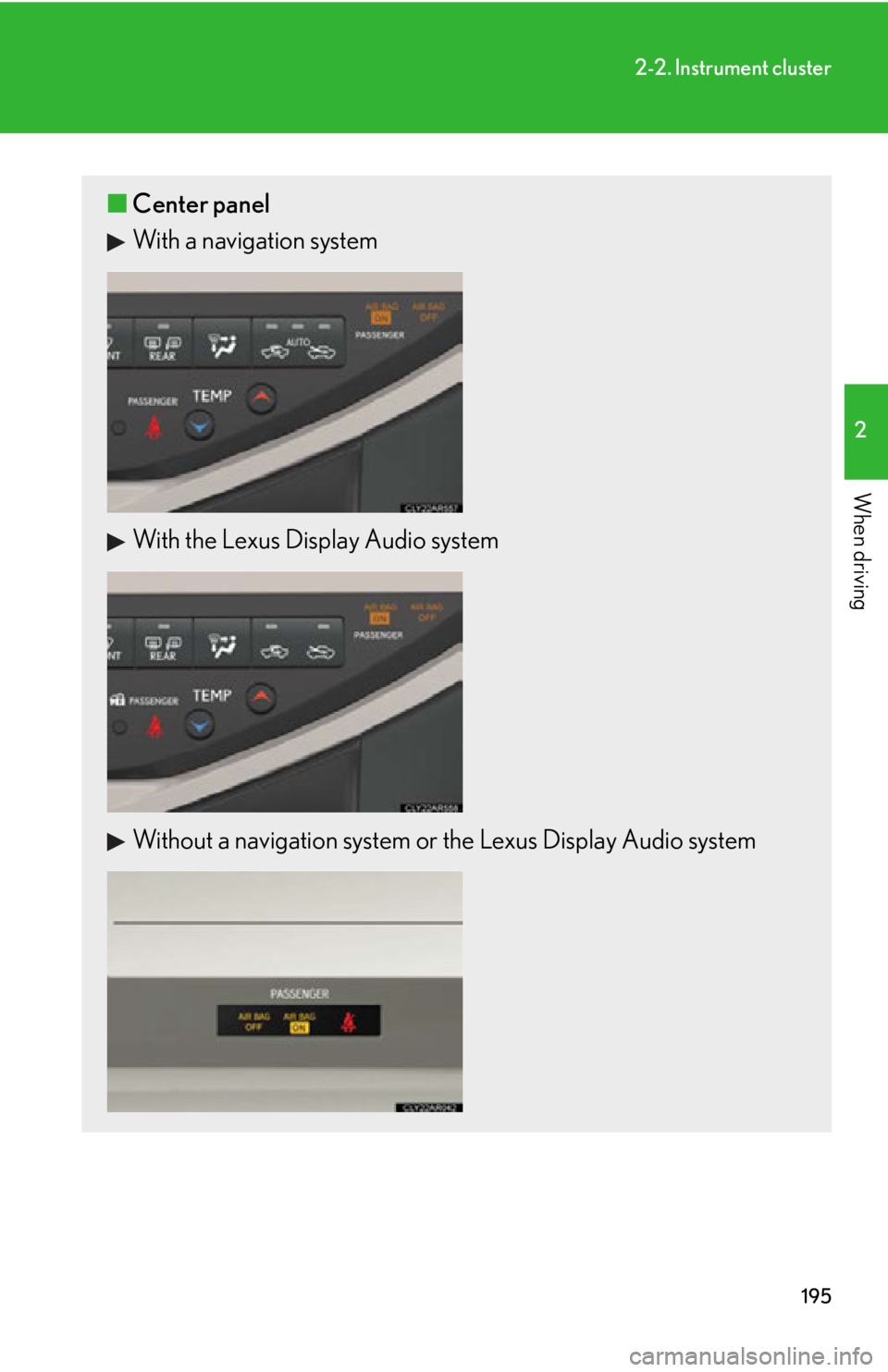
When driving ■ Center panel
With a navigation system
With the Lexus Display Audio system
Without a navigation system or the Lexus Display Audio system
Page 207 of 886
2072-2. Instrument cluster
2
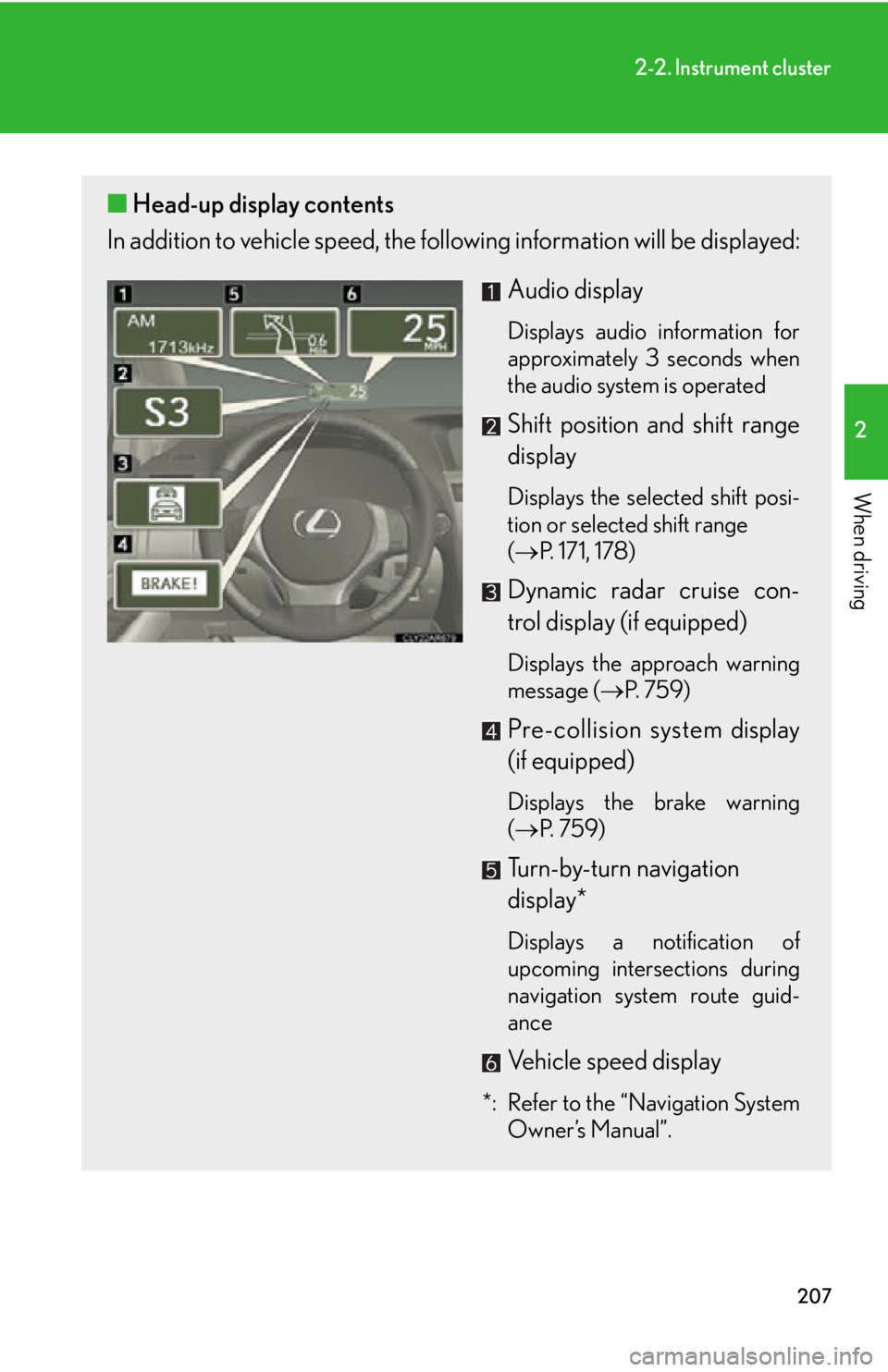
When driving ■ Head-up display contents
In addition to vehicle sp eed, the following informa tion will be displayed:
Audio display Displays audio information for
approximately 3 seconds when
the audio system is operated
Shift position and shift range
display Displays the selected shift posi-
tion or selected shift range
( P. 171, 178)
Dynamic radar cruise con-
trol display (if equipped) Displays the approach warning
message ( P. 7 5 9 )
Pre-collision system display
(if equipped) Displays the brake warning
( P. 7 5 9 )
Turn-by-turn navigation
display*
Displays a notification of
upcoming intersections during
navigation system route guid-
ance
Vehicle speed display
*: Refer to the “Navigation System
Owner’s Manual”.
Page 209 of 886
2092-2. Instrument cluster
2
When driving Display customization
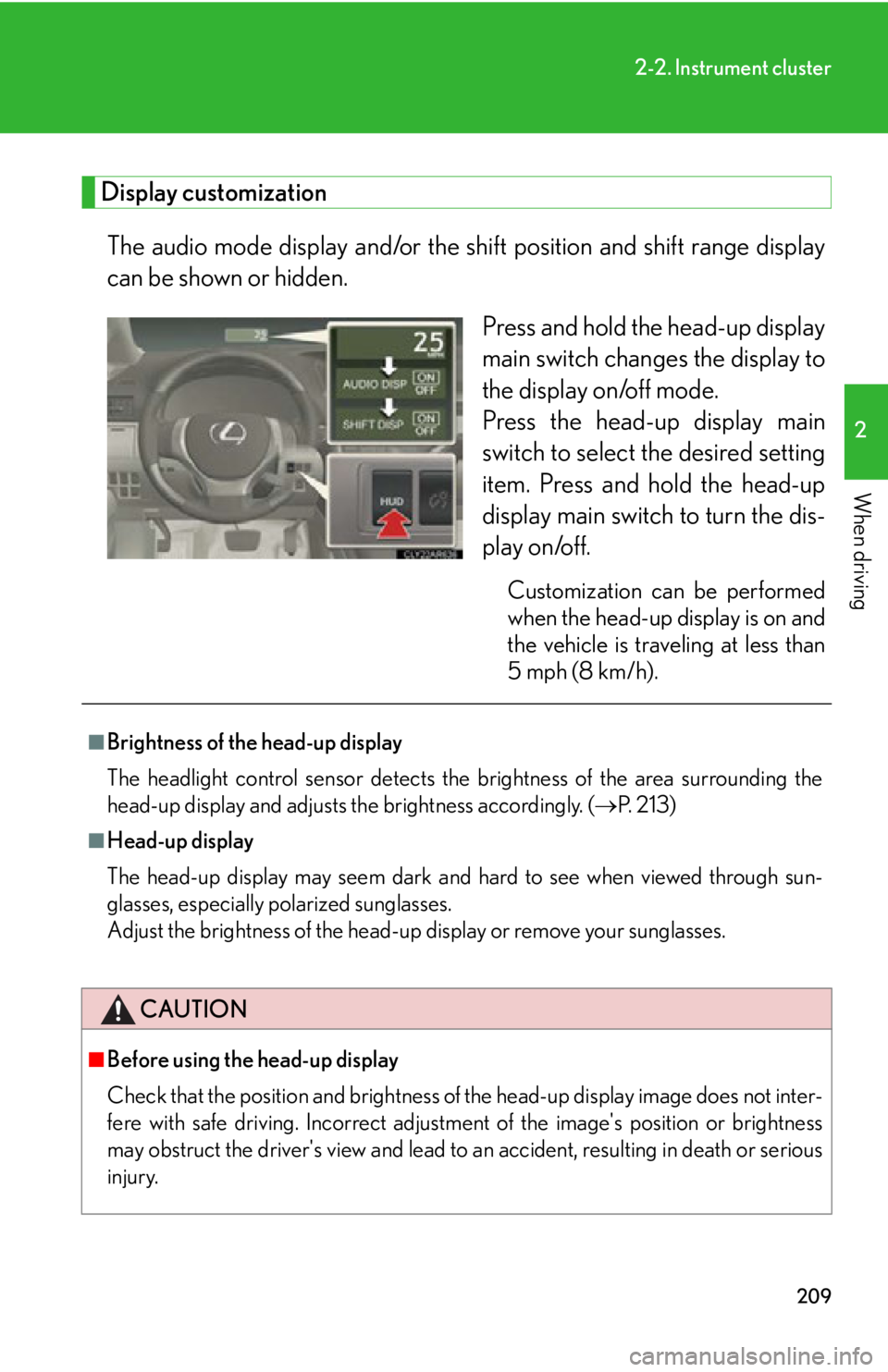
The audio mode display and/or the sh ift position and shift range display
can be shown or hidden.
Press and hold the head-up display
main switch change s the display to
the display on/off mode.
Press the head-up display main
switch to select the desired setting
item. Press and hold the head-up
display main switch to turn the dis-
play on/off. Customization can be performed
when the head-up display is on and
the vehicle is traveling at less than
5 mph (8 km/h).■
Brightness of the head-up display
The headlight control sensor detects the brightness of the area surrounding the
head-up display and adjusts th e brightness accordingly. ( P. 2 1 3 )■
Head-up display
The head-up display may seem dark and hard to see when viewed through sun-
glasses, especially polarized sunglasses.
Adjust the brightness of the head-up display or remove your sunglasses.
CAUTION
■
Before using the head-up display
Check that the position and brightness of the head-up display image does not inter-
fere with safe driving. Incorrect adjustme nt of the image's po sition or brightness
may obstruct the driver's view and lead to an accident, resulting in death or serious
injury.