EPS LEXUS RX350 2016 User Guide
[x] Cancel search | Manufacturer: LEXUS, Model Year: 2016, Model line: RX350, Model: LEXUS RX350 2016Pages: 748, PDF Size: 12.36 MB
Page 374 of 748
374 4-5. Using the driving support systems
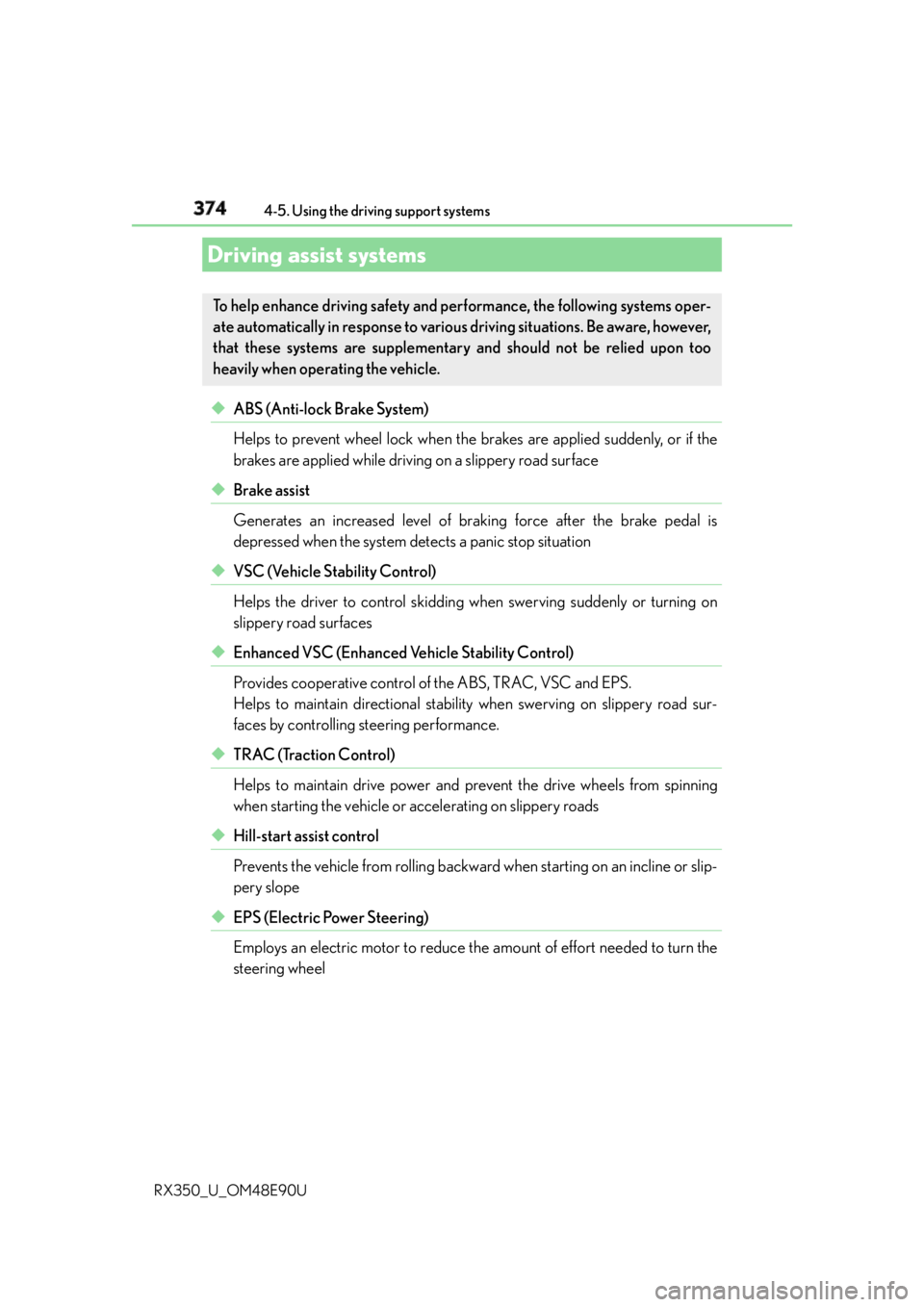
RX350_U_OM48E90U ◆ ABS (Anti-lock Brake System)
Helps to prevent wheel lock when the brakes are applied suddenly, or if the
brakes are applied while drivin g on a slippery road surface
◆ Brake assist
Generates an increased level of braking force after the brake pedal is
depressed when the system detects a panic stop situation
◆ VSC (Vehicle Stability Control)
Helps the driver to control skidding when swerving suddenly or turning on
slippery road surfaces
◆ Enhanced VSC (Enhanced Vehicle Stability Control)
Provides cooperative control of the ABS, TRAC, VSC and EPS.
Helps to maintain directional stability when swerving on slippery road sur-
faces by controlling steering performance.
◆ TRAC (Traction Control)
Helps to maintain drive power and prevent the drive wheels from spinning
when starting the vehicle or accelerating on slippery roads
◆ Hill-start assist control
Prevents the vehicle from rolling backward when starting on an incline or slip-
pery slope
◆ EPS (Electric Power Steering)
Employs an electric motor to reduce the amount of effort needed to turn the
steering wheelDriving assist systems To help enhance driving safety and performance, the following systems oper-
ate automatically in response to various driving situations. Be aware, however,
that these systems are supplementary and should not be relied upon too
heavily when operating the vehicle.
Page 375 of 748

3754-5. Using the driving support systems
4
Driving
RX350_U_OM48E90U ◆ Dynamic Torque Control AWD system (AWD models)
Automatically switches from front-wheel drive to all-wheel drive (AWD)
according to the driving conditions, he lping to ensure reliable handling and
stability. Examples of conditions wher e the system will switch to AWD are
when cornering, going uph ill, starting off or accele rating, and when the road
surface is slippery due to snow, rain, etc.
◆ Adaptive Variable Suspension System (if equipped)
Controls the damping force of the shock absorber of each wheel according to
the road and driving conditions, helping achieve a comfortable ride, excellent
driveability and a high level of stability.
If SPORT S+ mode is selected using the driving mode select switch, the
damping force will become more su itable for sporty driving. ( P. 3 7 0 )
◆ VDIM (Vehicle Dynamics Integrated Management) (if equipped)
Provides integrated control of the ABS, brake assist, TRAC, VSC, hill-start
assist control, and EPS systems
Helps to maintain vehicle stability when swerving on slippery road surfaces by
controlling the brakes and engine output
◆ Trailer Sway Control
Helps the driver to control trailer sway by selectively applying brake pressure
for individual wheels and reducing dr iving torque when trailer sway is
detected.
Trailer Sway Control is part of the VSC system and will not operate if VSC
turned off or experi ences a malfunction.
Page 377 of 748

3774-5. Using the driving support systems
4
Driving
RX350_U_OM48E90U ■
Turning off TRAC, VSC and Tr ailer Sway Control systems
To turn the TRAC, VSC and Trailer Sway Control systems off, press and hold for
more than 3 seconds while the vehicle is stopped.
The VSC OFF indicator light will come on an d the “Traction Control Turned Off” will be
shown on the multi- information display.
*Press again to turn the systems back on.
* : On vehicles with PCS (Pre-Collision System), pre-collision brake assist and pre-
collision braking will also be disabled. ( P. 2 8 2 )■
When the message is displayed on the mu lti-information display showing that TRAC
has been disabled even if has not been pressed
TRAC and hill-start assist control cannot be operated. Contact your Lexus dealer. ■
Sounds and vibrations caused by the ABS, brake assist, TRAC, VSC, Trailer Sway Con-
trol and hill-start assist control systems ●
A sound may be heard from the engine compartment when the brake pedal is
depressed repeatedly, when the engine is started or just after the vehicle begins to
move. This sound does not indicate that a ma lfunction has occurred in any of these sys-
tems. ●
Any of the following condit ions may occur when the above systems are operating.
None of these indicates that a malfunction has occurred.
• Vibrations may be felt through the vehicle body and steering.
• A motor sound may be heard after the vehicle comes to a stop.
• The brake pedal may pulsate slig htly after the ABS is activated.
• The brake pedal may move down s lightly after the ABS is activated.■
EPS operation sound
When the steering wheel is operated, a motor sound (whirring sound) may be heard.
This does not indicate a malfunction. ■
Automatic reactivation of TRAC, VSC and Trailer Sway Control systems
After turning the TRAC, VSC and Trailer Sway Control systems off, the systems will be
automatically re-enabled in the following situations: ●
When the engine switch is turned off ●
If only the TRAC system is turned off, the TRAC will turn on when vehicle speed
increases
If the TRAC, VSC and Trailer Sway Control systems are turned off, automatic re-
enabling will not occur when vehicle speed increases.
Page 378 of 748
378 4-5. Using the driving support systems
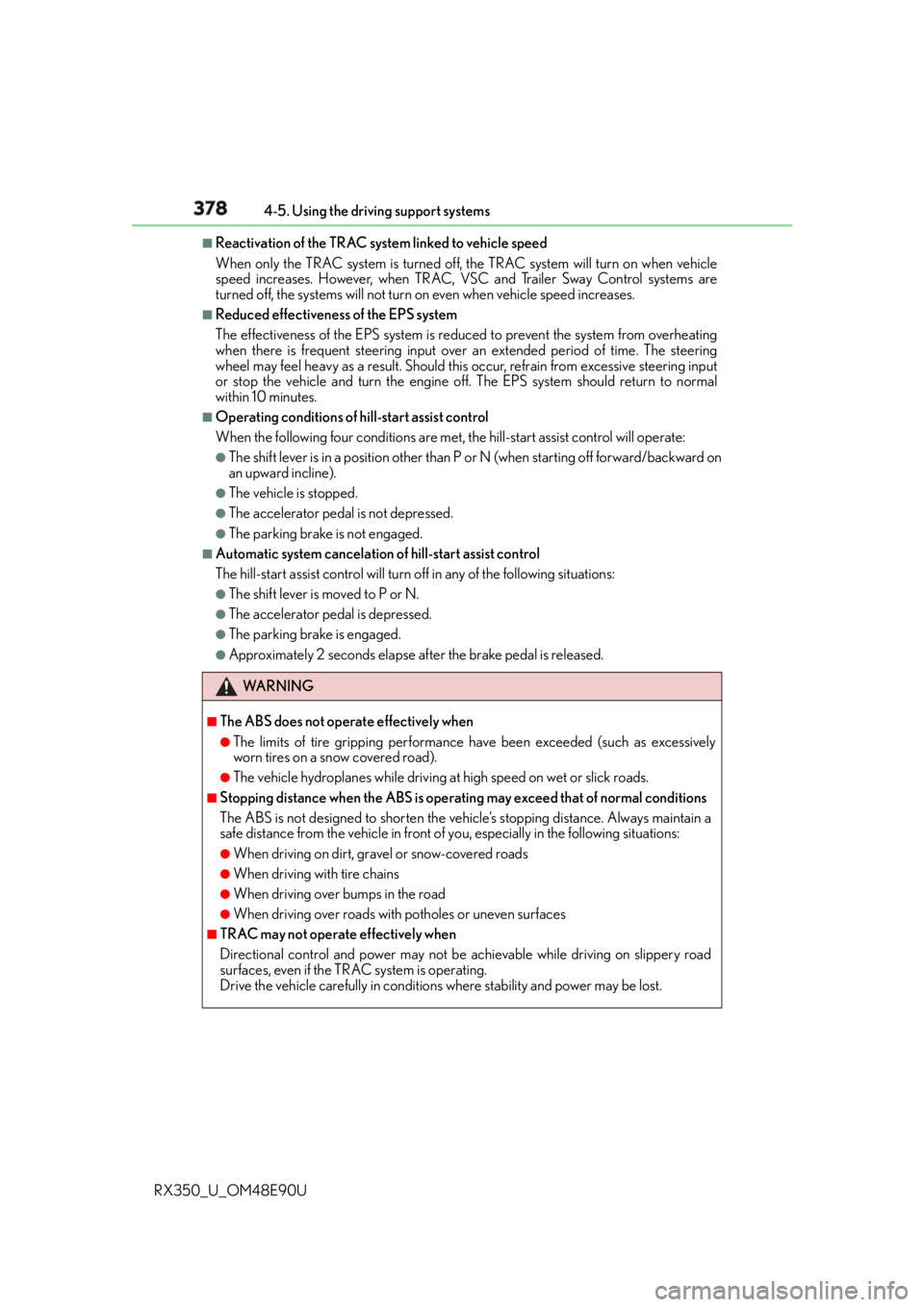
RX350_U_OM48E90U ■
Reactivation of the TRAC system linked to vehicle speed
When only the TRAC system is turned off, the TRAC system will turn on when vehicle
speed increases. However, when TRAC, VS C and Trailer Sway Control systems are
turned off, the systems will not turn on even when vehicle speed increases.■
Reduced effectiveness of the EPS system
The effectiveness of the EPS system is reduced to prevent the system from overheating
when there is frequent steering input over an extended period of time. The steering
wheel may feel heavy as a result. Should this occur, refrain from excessive steering input
or stop the vehicle and turn the engine of f. The EPS system should return to normal
within 10 minutes. ■
Operating conditions of hill-start assist control
When the following four conditions are met, the hill-start assist control will operate:●
The shift lever is in a position other than P or N (when starting off forward/backward on
an upward incline). ●
The vehicle is stopped. ●
The accelerator pedal is not depressed. ●
The parking brake is not engaged. ■
Automatic system cancelation of hill-start assist control
The hill-start assist control will turn off in any of the following situations: ●
The shift lever is moved to P or N. ●
The accelerator pedal is depressed. ●
The parking brake is engaged. ●
Approximately 2 seconds elapse after the brake pedal is released.
WA R N I N G ■
The ABS does not operate effectively when ●
The limits of tire gripping performance have been exceeded (such as excessively
worn tires on a snow covered road). ●
The vehicle hydroplanes while driving at high speed on wet or slick roads. ■
Stopping distance when the ABS is operat ing may exceed that of normal conditions
The ABS is not designed to shorten the vehicle’s stopping distance. Always maintain a
safe distance from the vehicle in front of you, especially in the following situations:●
When driving on dirt, gravel or snow-covered roads ●
When driving with tire chains ●
When driving over bumps in the road ●
When driving over roads with potholes or uneven surfaces ■
TRAC may not operate effectively when
Directional control and power may not be achievable while drivin g on slippery road
surfaces, even if the TRAC system is operating.
Drive the vehicle carefully in conditions where stability and power may be lost.
Page 389 of 748

389
5 Lexus Display
Audio system
RX350_U_OM48E90U 5-5. Playing an audio CD and
MP3/WMA/AAC discs
CD player operation................. 422
5-6. Using an external device
Listening to an iPod ................... 429
Using USB memory
device ...........................................433
Using the AUX port.................. 437
5-7. Connecting Bluetooth ®
Steps for using Bluetooth ®
devices ........................................ 438
Registering a Bluetooth ®
device .......................................... 440
Selecting a Bluetooth ®
device ............................................ 441
Connecting a Bluetooth ®
audio player ............................... 442
Connecting a Bluetooth ®
phone ...........................................443
Displaying a Bluetooth ®
device details ............................444
Detailed Bluetooth ®
settings......................................... 445 5-8. Bluetooth ®
Audio
Listening to Bluetooth ®
Audio ...........................................448
5-9. Bluetooth ®
Phone
Using a Bluetooth ®
Phone ........................................... 450
Making a call ................................ 452
Receiving a call ........................... 455
Speaking on the phone............ 456
Using a Bluetooth ®
phone message........................ 458
Using the steering wheel
switches.......................................460
Bluetooth ®
phone
settings ..........................................461
5-10. Phonebook
Contact settings ......................... 463
Messaging setting...................... 466
5-11. Bluetooth ®
What to do if...
(Troubleshooting).................... 467
Bluetooth ®
..................................... 471
5-12. Other function
“Information” screen .................. 476
USB photo .................................... 478
Weather information ............... 480
Voice command system ........... 481
Page 397 of 748
3975-1. Basic Operations
5
Lexus Display Audio system
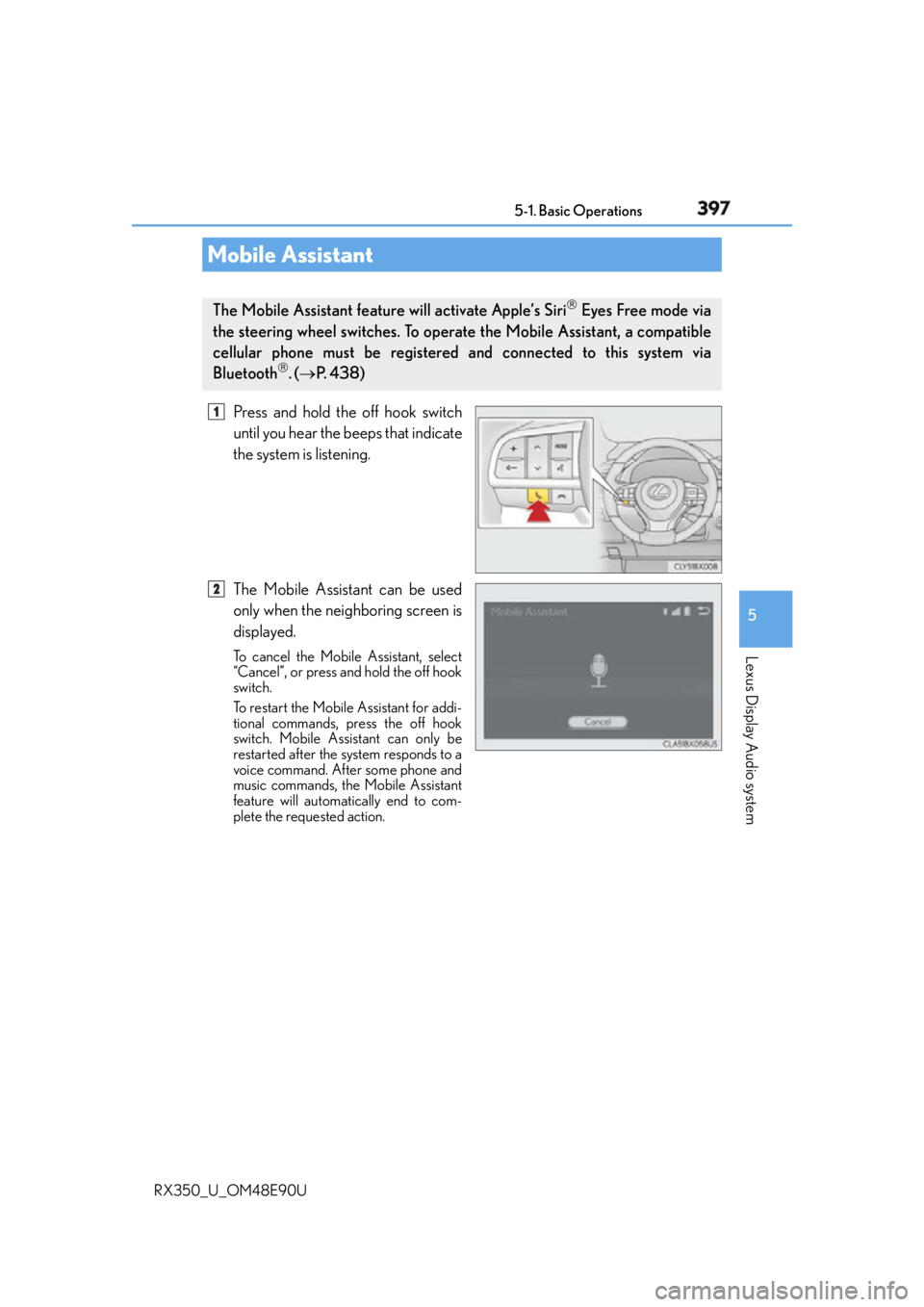
RX350_U_OM48E90U Press and hold the off hook switch
until you hear the beeps that indicate
the system is listening.
The Mobile Assistant can be used
only when the neighboring screen is
displayed. To cancel the Mobile Assistant, select
“Cancel”, or press and hold the off hook
switch.
To restart the Mobile Assistant for addi-
tional commands, press the off hook
switch. Mobile Assistant can only be
restarted after the system responds to a
voice command. After some phone and
music commands, the Mobile Assistant
feature will automatically end to com-
plete the requested action.Mobile Assistant The Mobile Assistant feature will activate Apple’s Siri
Eyes Free mode via
the steering wheel switches. To operate the Mobile Assistant, a compatible
cellular phone must be registered and connected to this system via
Bluetooth
. ( P. 4 3 8 ) 1
2
Page 398 of 748

398 5-1. Basic Operations
RX350_U_OM48E90U ■
Adjusting the volume
The volume of the Mobile Assist ant can be adjusted using the
“ PWR·VOL
” knob or
steering wheel volume switches. The Mobile Assistant and phone call volumes are syn-
chronized. ■
Microphone
It is not necessary to speak directly into the microphone when using the Mobile Assis-
tant. ●
Wait for the listening beeps befo re using the Mobile Assistant.●
The Mobile Assistant may not recognize commands in the following situations:
• When spoken too quickly.
• When spoken at a low or high volume.
• When the roof or windows are open.
• When passengers are talking while th e Mobile Assistant is being used.
• When the air conditioning syst em’s fan speed is set high.
• When the air conditioning vents ar e turned toward the microphone.■
Mobile Assistant precautions ●
The available features and functions may vary based on the iOS version installed on the
connected device. ●
Some Siri features are limited in Eyes Free mode. If you attempt to use an unavailable
function, Siri will inform you that the function is not available. ●
If Siri is not enabled on the cellular phone connected via Bluetooth
, an error message
will be displayed on the screen. ●
While a phone call is active, the Mobile Assistant cannot be used. ●
If using the navigation feature of the cellular phone, ensure the active audio source is
Bluetooth
audio or iPod in order to hear turn by turn direction prompts.
Page 438 of 748
438
RX350_U_OM48E90U 5-7. Connecting Bluetooth ®
Steps for using Bluetooth ®
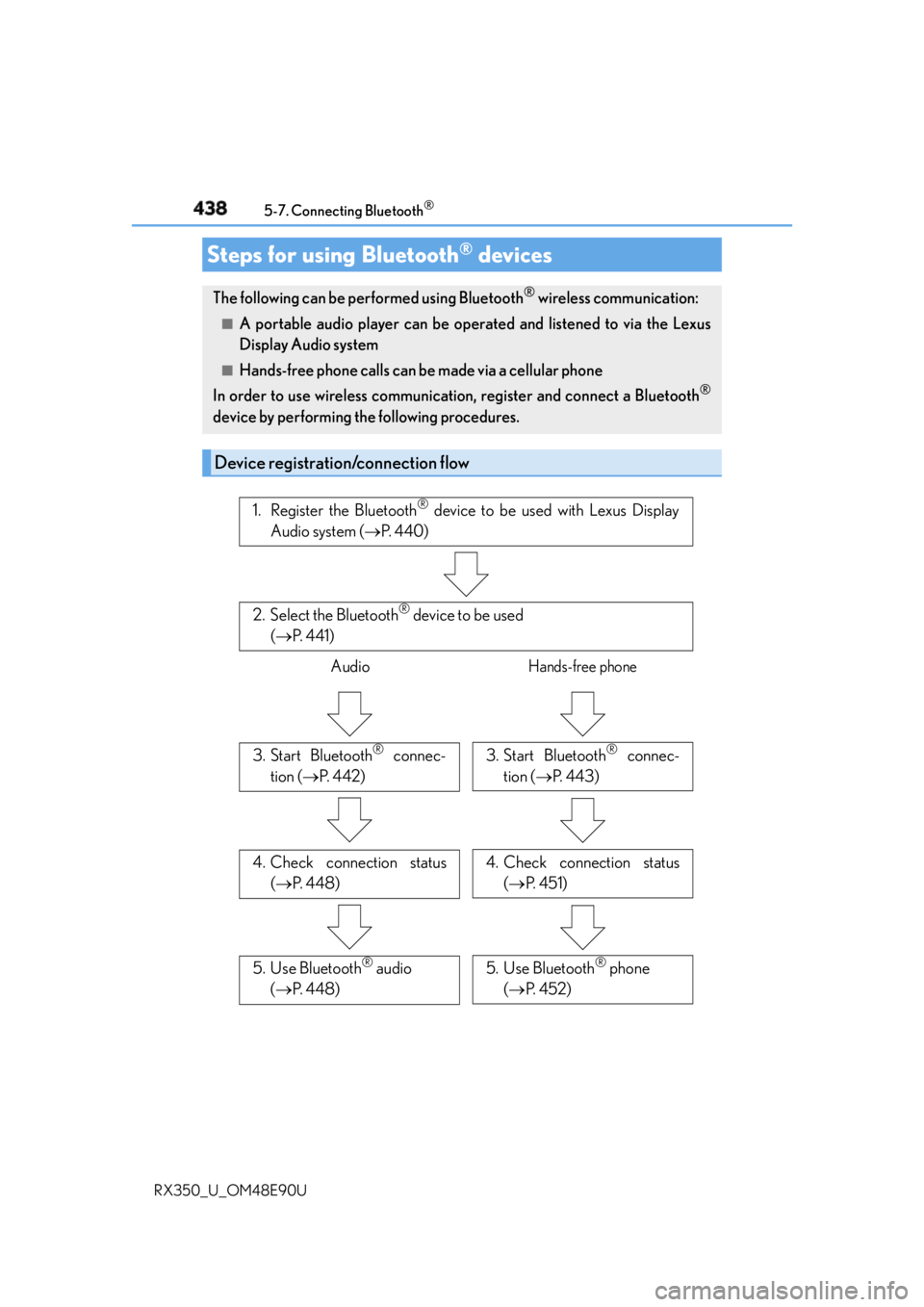
devicesThe following can be performed using Bluetooth ®
wireless communication:■
A portable audio player can be operated and listened to via the Lexus
Display Audio system ■
Hands-free phone calls can be made via a cellular phone
In order to use wireless communication, register and connect a Bluetooth ®
device by performing the following procedures.
Device registration/connection flow 1. Register the Bluetooth ®
device to be used with Lexus Display
Audio system ( P. 4 4 0 )
2. Select the Bluetooth ®
device to be used
( P. 4 4 1 )
Audio Hands-free phone
3. Start Bluetooth ®
connec-
tion ( P. 4 4 2 ) 3. Start Bluetooth ®
connec-
tion ( P. 4 4 3 )
4. Check connection status
( P. 4 4 8 ) 4. Check connection status
( P. 4 5 1 )
5. Use Bluetooth ®
audio
( P. 4 4 8 ) 5. Use Bluetooth ®
phone
( P. 4 5 2 )
Page 538 of 748
538 6-5. Using the other interior features
RX350_U_OM48E90U ●
If the garage door or other device does not operate, proceed to “Pro-
gramming a rolling code system”.
Repeat the steps above to program another device for any of the remaining
HomeLink ®
buttons.■
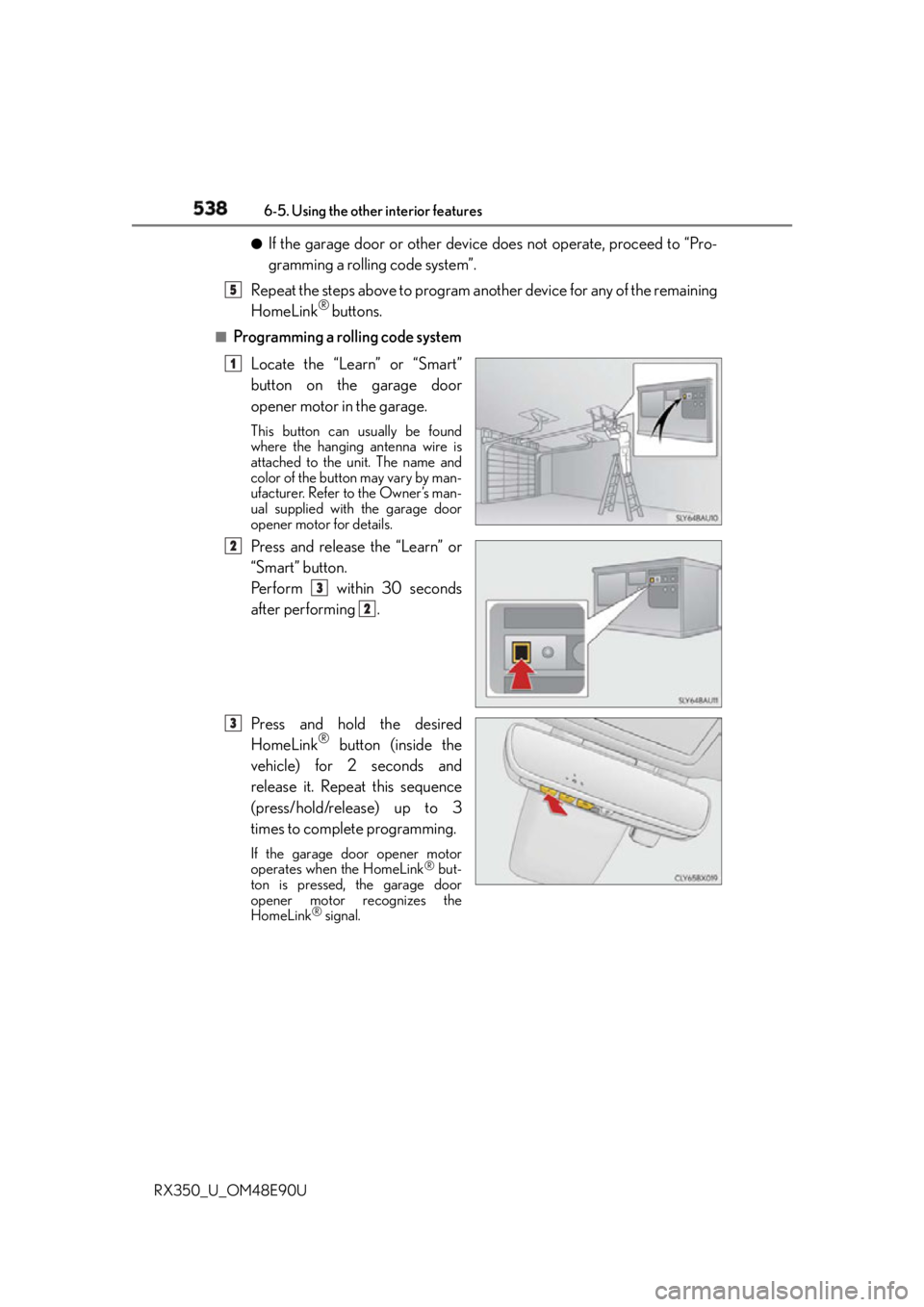
Programming a rolling code system
Locate the “Learn” or “Smart”
button on the garage door
opener motor in the garage. This button can usually be found
where the hanging antenna wire is
attached to the unit. The name and
color of the button may vary by man-
ufacturer. Refer to the Owner’s man-
ual supplied with the garage door
opener motor for details.
Press and release the “Learn” or
“Smart” button.
Pe r f o r m w i t h i n 3 0 s e c o n d s
after performing .
Press and hold the desired
HomeLink ®
button (inside the
vehicle) for 2 seconds and
release it. Repeat this sequence
(press/hold/release) up to 3
times to complete programming. If the garage door opener motor
operates when the HomeLink ®
but-
ton is pressed, the garage door
opener motor recognizes the
HomeLink ®
signal. 5
1
2
3
2
3
Page 623 of 748

623
8When trouble arises
RX350_U_OM48E90U 8-1. Essential information
Emergency flashers .................. 624
If your vehicle has to be
stopped in an
emergency................................. 625
8-2. Steps to take in an
emergency
If your vehicle needs to be
towed ........................................... 626
If you think something is
wrong ........................................... 632
Fuel pump shut off
system .......................................... 633
If a warning light turns
on or a warning buzzer
sounds.......................................... 634
If a warning message is
displayed.......................................641
If you have a flat tire................... 646
If the engine will not start ........658
If the shift lever cannot be
shifted from P............................660
If the electronic key does
not operate properly ...............661
If the vehicle battery is
discharged ................................. 665
If your vehicle overheats .........668
If the vehicle becomes
stuck ............................................... 671