lock LEXUS RX400H 2008 Repair Manual
[x] Cancel search | Manufacturer: LEXUS, Model Year: 2008, Model line: RX400H, Model: LEXUS RX400H 2008Pages: 487, PDF Size: 6.96 MB
Page 205 of 487
203
3-1. Using the air conditioning system and defogger
3
Interior features
RX400h_U
CAUTION
■To prevent the windshield from fogging up
Do not use during cool air operation in extremely humid weather. The differ-
ence between the temperature of the outside air and that of the windshield can
cause the outer surface of the windshield to fog up, blocking your vision.
NOTICE
■To prevent 12-volt battery discharge
Do not leave the automatic air conditioning system on longer than necessary when
the hybrid system is off.
Page 213 of 487
211
3-2. Using the front audio system
3
Interior features
RX400h_U
■When the 12-volt battery is disconnected
Station presets are erased.
■Radio antenna type
●Detachable antenna
To remove a detachable antenna, carefully turn it counterclockwise.
●Wire antenna
The radio antenna is mounted inside the rear window.
■Reception sensitivity
●Maintaining perfect radio reception at all times is difficult due to the continually
changing position of the antenna, differences in signal strength and surrounding
objects, such as trains, transmitters, etc.
●To maintain clear radio reception, do not attach metallic window tinting or other
metallic objects to the antenna wire mounted inside the rear window.
■Receiving XM® Satellite Radio
An XM
® Satellite Radio is a tuner designed exclusively to receive broadcasts pro-
vided under a separate subscription. Availability is limited to the 48 contiguous
states and 10 Canadian provinces.
●XM® subscriptions
For detailed information about XM® Satellite Radio or to subscribe:
U.S.A.
Visit on the web at www.xmradio.com
or call 1-877-515-3987.
Canada
Visit on the web at www.xmradio.ca
or call 1-877-438-9677.
●Radio ID
You will need the radio ID when activating XM
® service or reporting a problem.
Select “CH000” using , and the receiver's 8-character ID number will
appear.
●Satellite tuner
The tuner supports only Audio Services (Music and Talk) and the accompanying
Te x t I n f o r m a t i o n o f X M
® Satellite Radio.
*: Terms and services provided by XM® Satellite Radio are subject to change with-
out notice.
Page 230 of 487
228
3-2. Using the front audio system
RX400h_U
Optimal use of the audio system
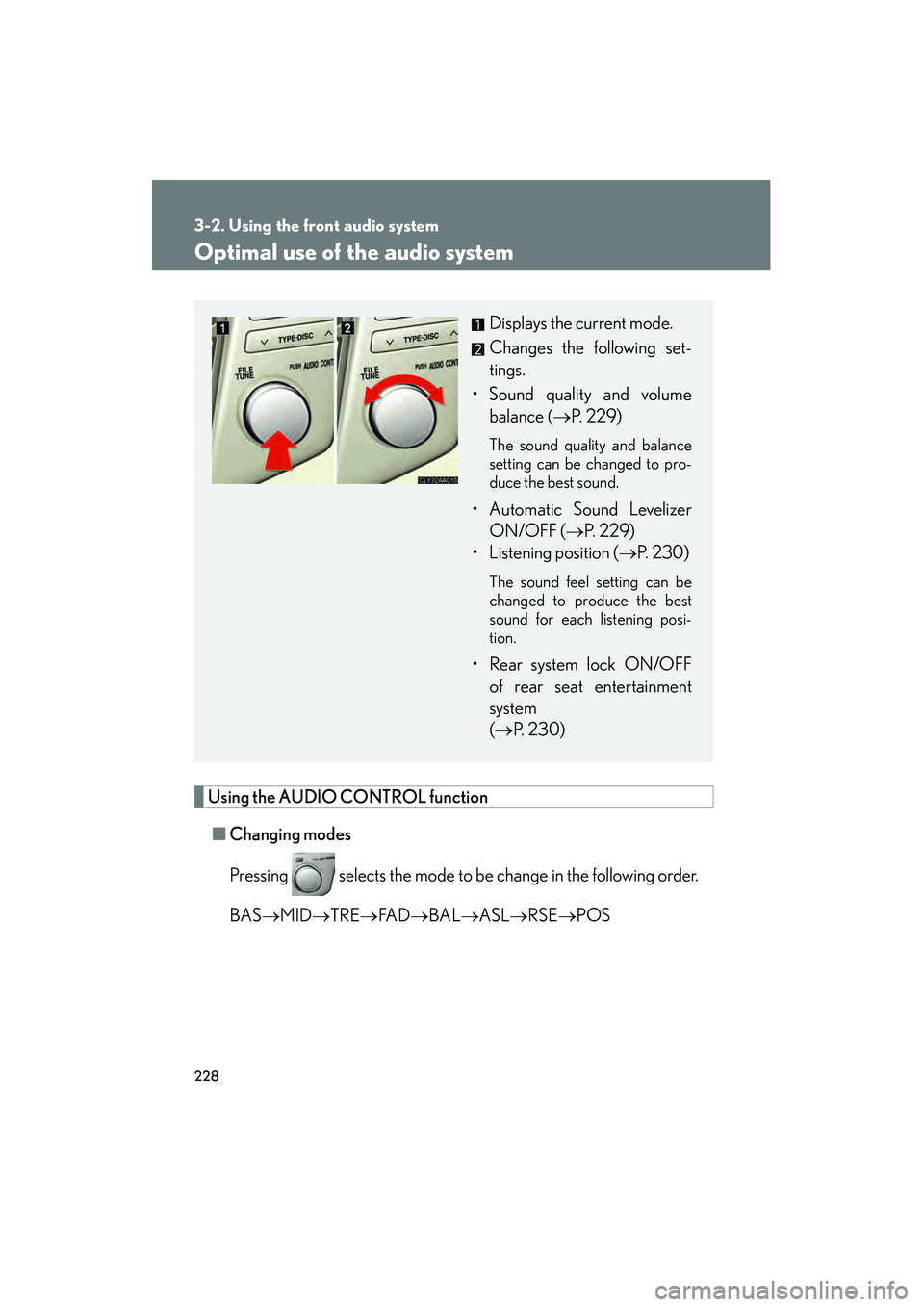
Using the AUDIO CONTROL function■ Changing modes
Pressing selects the mode to be change in the following order.
BAS →MID →TRE →FA D →BAL →ASL →RSE →POS
Displays the current mode.
Changes the following set-
tings.
• Sound quality and volume balance ( →P. 229)
The sound quality and balance
setting can be changed to pro-
duce the best sound.
• Automatic Sound Levelizer
ON/OFF ( →P. 229)
• Listening position ( →P. 2 3 0 )
The sound feel setting can be
changed to produce the best
sound for each listening posi-
tion.
• Rear system lock ON/OFF
of rear seat entertainment
system
(→ P. 2 3 0 )
Page 232 of 487
230
3-2. Using the front audio system
RX400h_U■
Changing the li stening position
Turning changes the position in the following order.
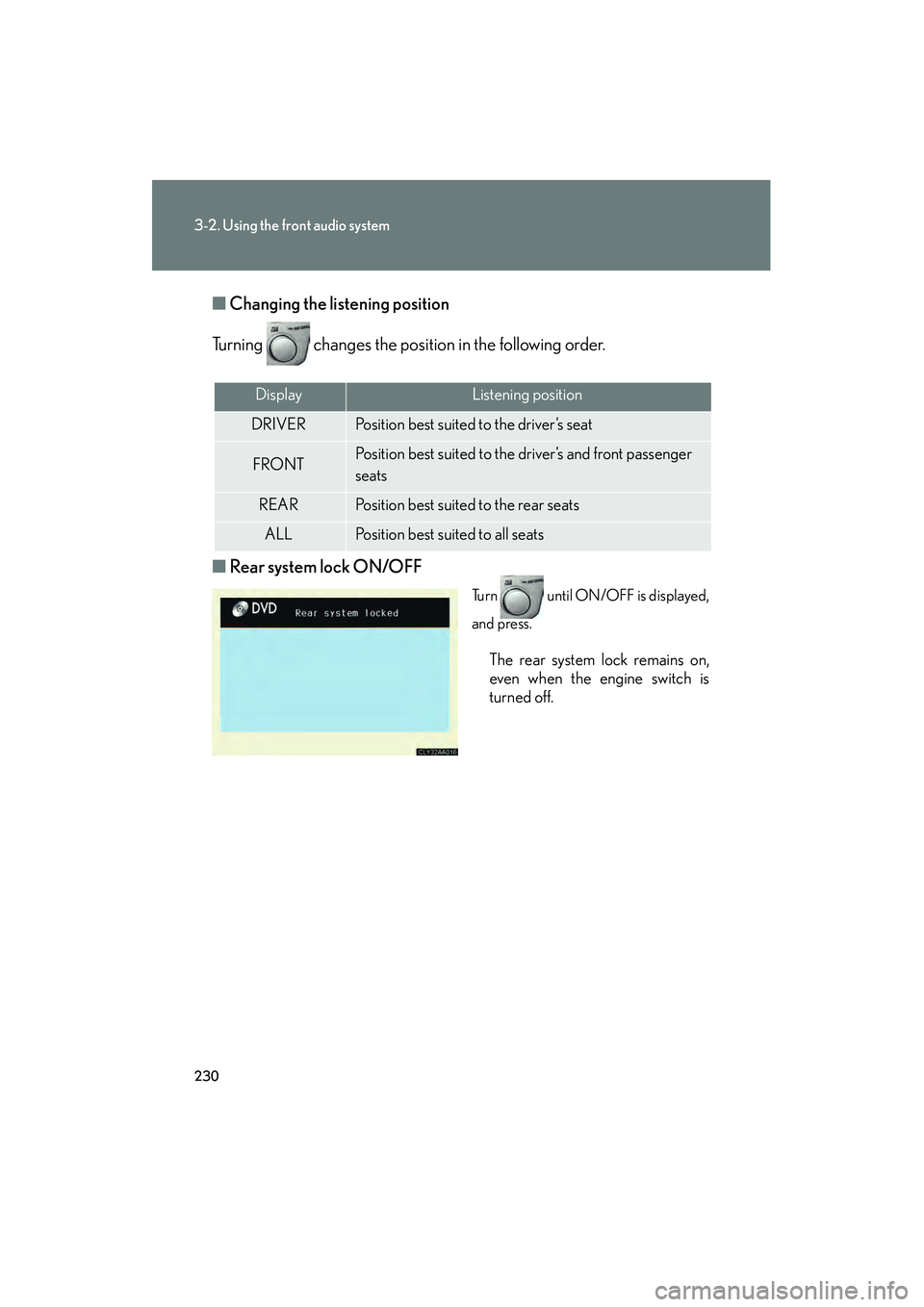
■ Rear system lock ON/OFF
Turn until ON/OFF is displayed,
and press.
The rear system lock remains on,
even when the engine switch is
turned off.
DisplayListening position
DRIVERPosition best suited to the driver’s seat
FRONTPosition best suited to the driver’s and front passenger
seats
REARPosition best suited to the rear seats
ALLPosition best suited to all seats
Page 236 of 487
234
3-3. Using the rear audio system
RX400h_U
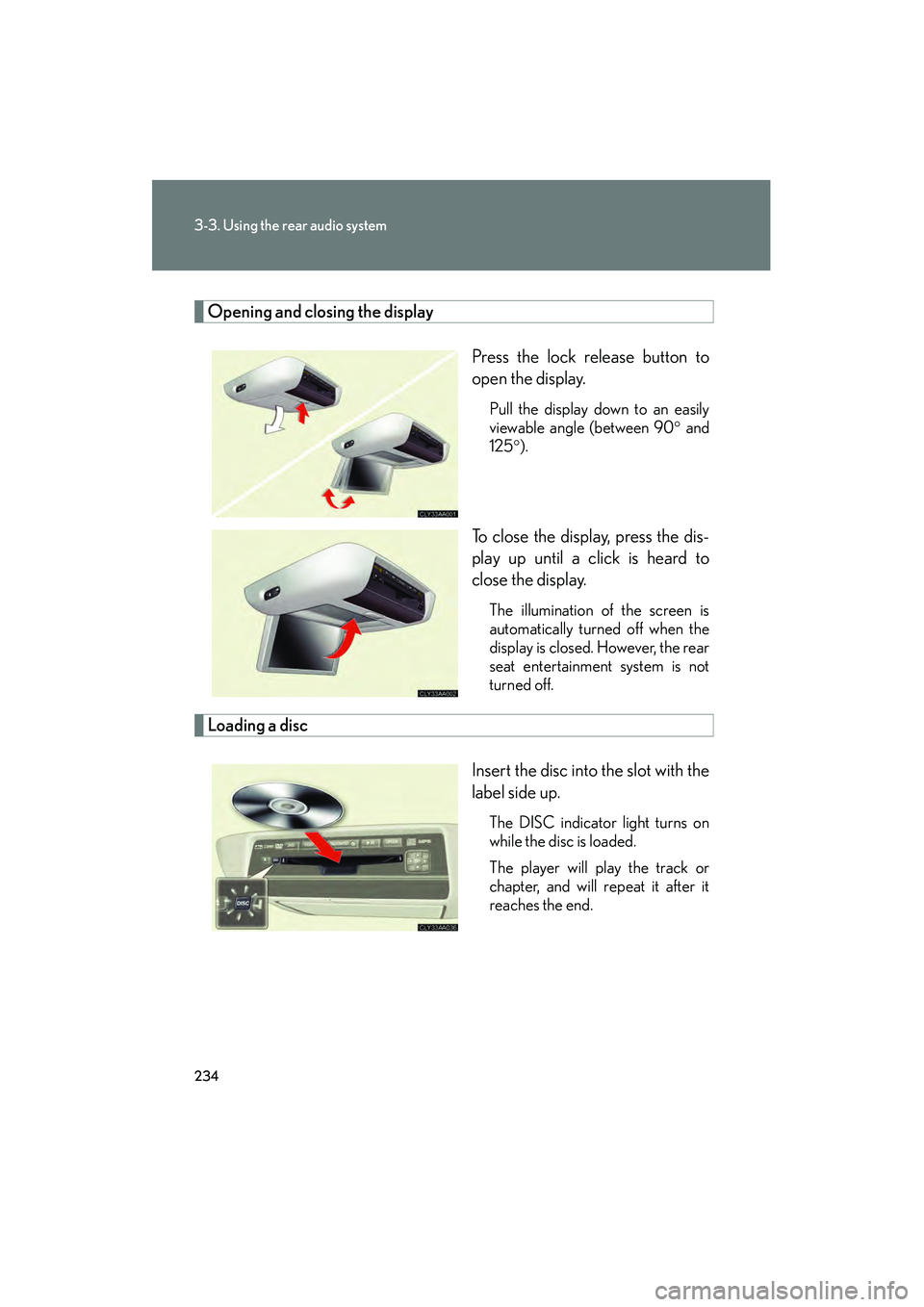
Opening and closing the displayPress the lock release button to
open the display.
Pull the display down to an easily
viewable angle (between 90° and
125° ).
To close the display, press the dis-
play up until a click is heard to
close the display.
The illumination of the screen is
automatically turned off when the
display is closed. However, the rear
seat entertainment system is not
turned off.
Loading a disc
Insert the disc into the slot with the
label side up.
The DISC indicator light turns on
while the disc is loaded.
The player will play the track or
chapter, and will repeat it after it
reaches the end.
Page 238 of 487
236
3-3. Using the rear audio system
RX400h_U
■The rear seat entertainment system can be used when
The engine switch is in the ACC or ON position.
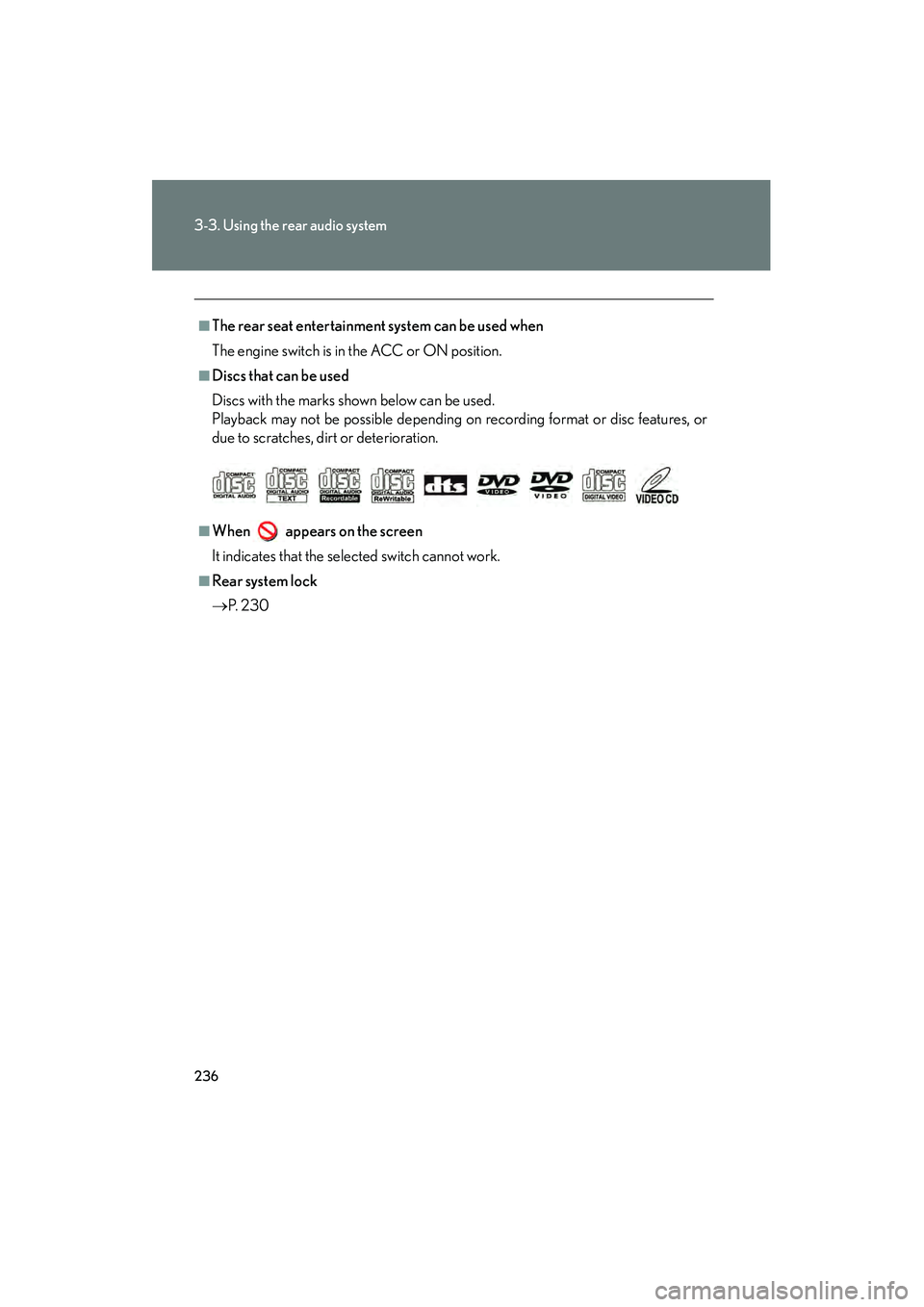
■Discs that can be used
Discs with the marks shown below can be used.
Playback may not be possible depending on recording format or disc features, or
due to scratches, dirt or deterioration.
■When appears on the screen
It indicates that the selected switch cannot work.
■Rear system lock
→P. 2 3 0
Page 255 of 487
253
3-3. Using the rear audio system
3
Interior features
RX400h_U
Changing the initial setting
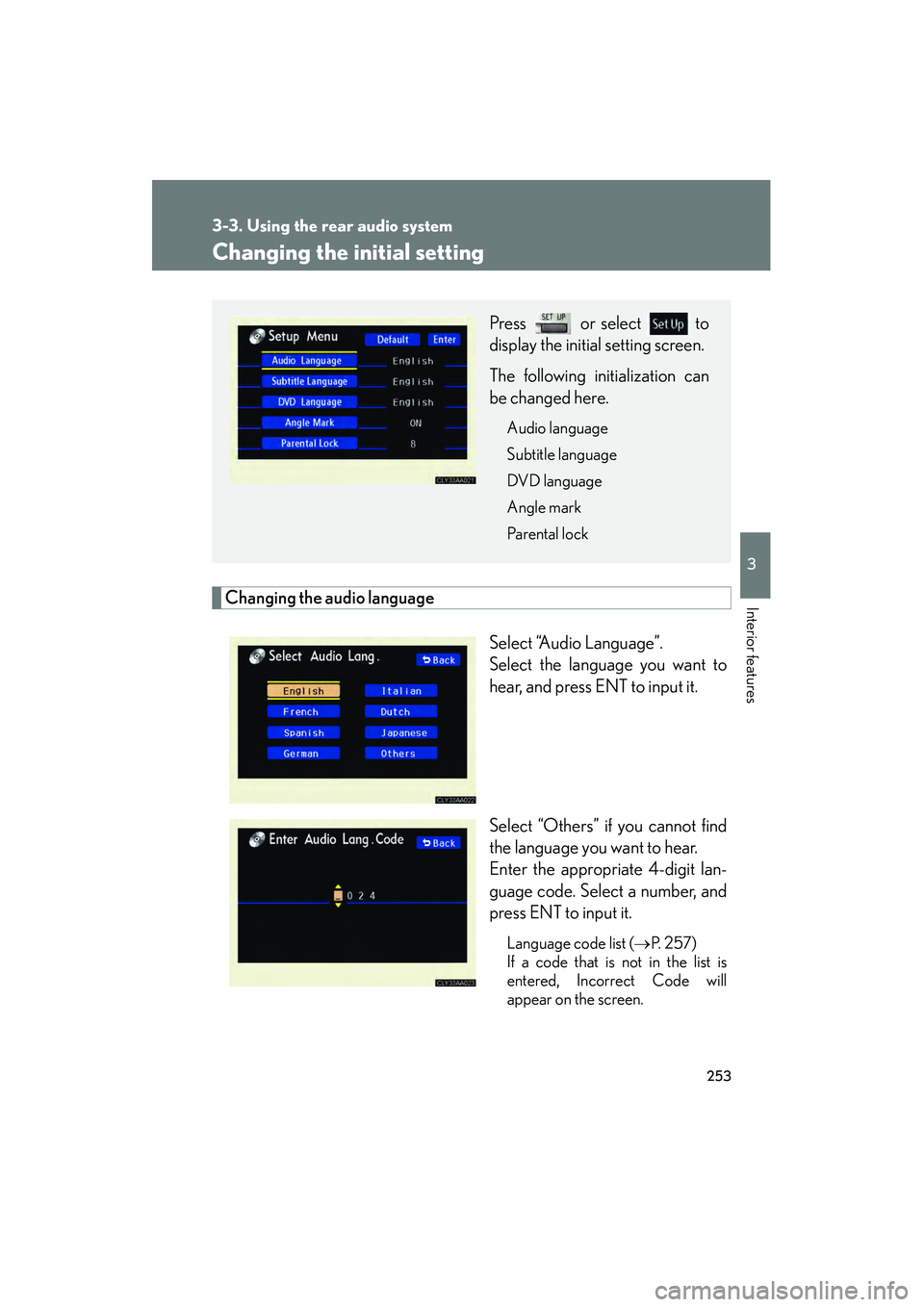
Changing the audio languageSelect “Audio Language”.
Select the language you want to
hear, and press ENT to input it.
Select “Others” if you cannot find
the language you want to hear.
Enter the appropriate 4-digit lan-
guage code. Select a number, and
press ENT to input it.
Language code list (→P. 2 5 7 )
If a code that is not in the list is
entered, Incorrect Code will
appear on the screen.
Press or select to
display the initial setting screen.
The following initialization can
be changed here.
Audio language
Subtitle language
DVD language
Angle mark
Parental lock
Page 258 of 487
256
3-3. Using the rear audio system
RX400h_U
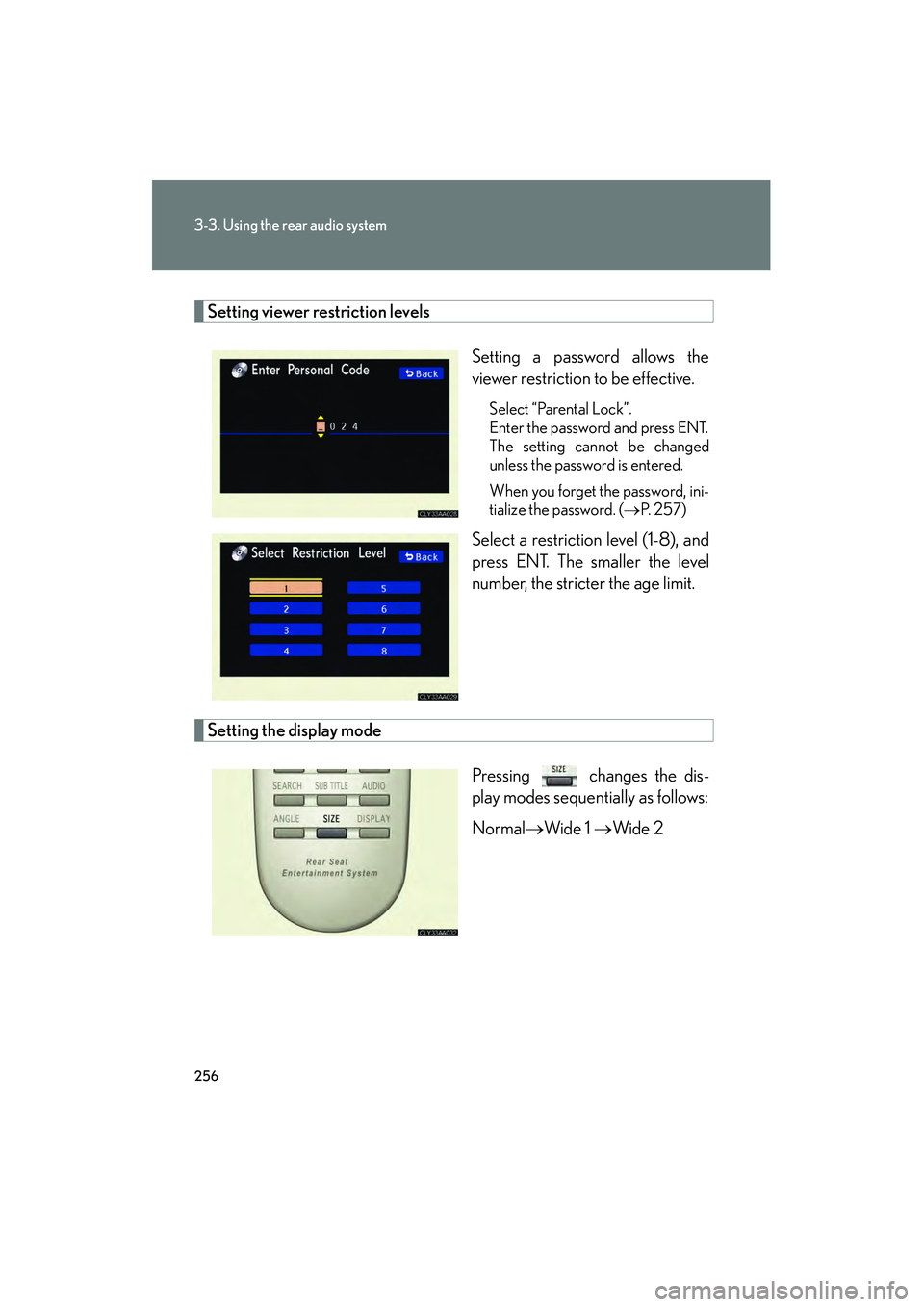
Setting viewer restriction levelsSetting a password allows the
viewer restriction to be effective.
Select “Parental Lock”.
Enter the password and press ENT.
The setting cannot be changed
unless the password is entered.
When you forget the password, ini-
tialize the password. (→P. 2 5 7 )
Select a restriction level (1-8), and
press ENT. The smaller the level
number, the stricter the age limit.
Setting the display mode
Pressing changes the dis-
play modes sequentially as follows:
Normal→Wide 1 → Wide 2
Page 263 of 487
261
3-4. Using the interior lights
3
Interior features
RX400h_U
■Illuminated entry system
The following lights turn on when any of the doors are unlocked or opened. (The
lights remain on for approximately 15 seconds when the doors are unlocked, but
the lights turn off immediately if the doors are locked.)
●Footwell lightings
●Engine switch light
●Front interior light (interior light switch is in the DOOR position)
●Rear interior light (interior light switch is in the DOOR position)
●Inside door handle lights
●Scuff lightings
The following lights turn on for approximately 15 seconds when the engine switch is
turned to the LOCK position from the ON or ACC position. (The lights turn off
immediately if the engine switch is turned to the ACC or ON position.)
●Engine switch light
●Front interior light (interior light switch is in the DOOR position)
●Rear interior light (interior light switch is in the DOOR position)
●Scuff lightings
The following lights turn on when the engine switch is in the ON position. (The lights
dim when the shift lever is moved out of the P position. The lights remain on for
approximately 15 seconds after turning the engine switch to the LOCK position
from the ON or ACC position.)
●Inside door handle lights
●Footwell lightings
The front overhead courtesy light turns on when the engine switch is in the ACC or
ON position.
Page 267 of 487
265
3
Interior features
RX400h_U
3-5. Using the storage features
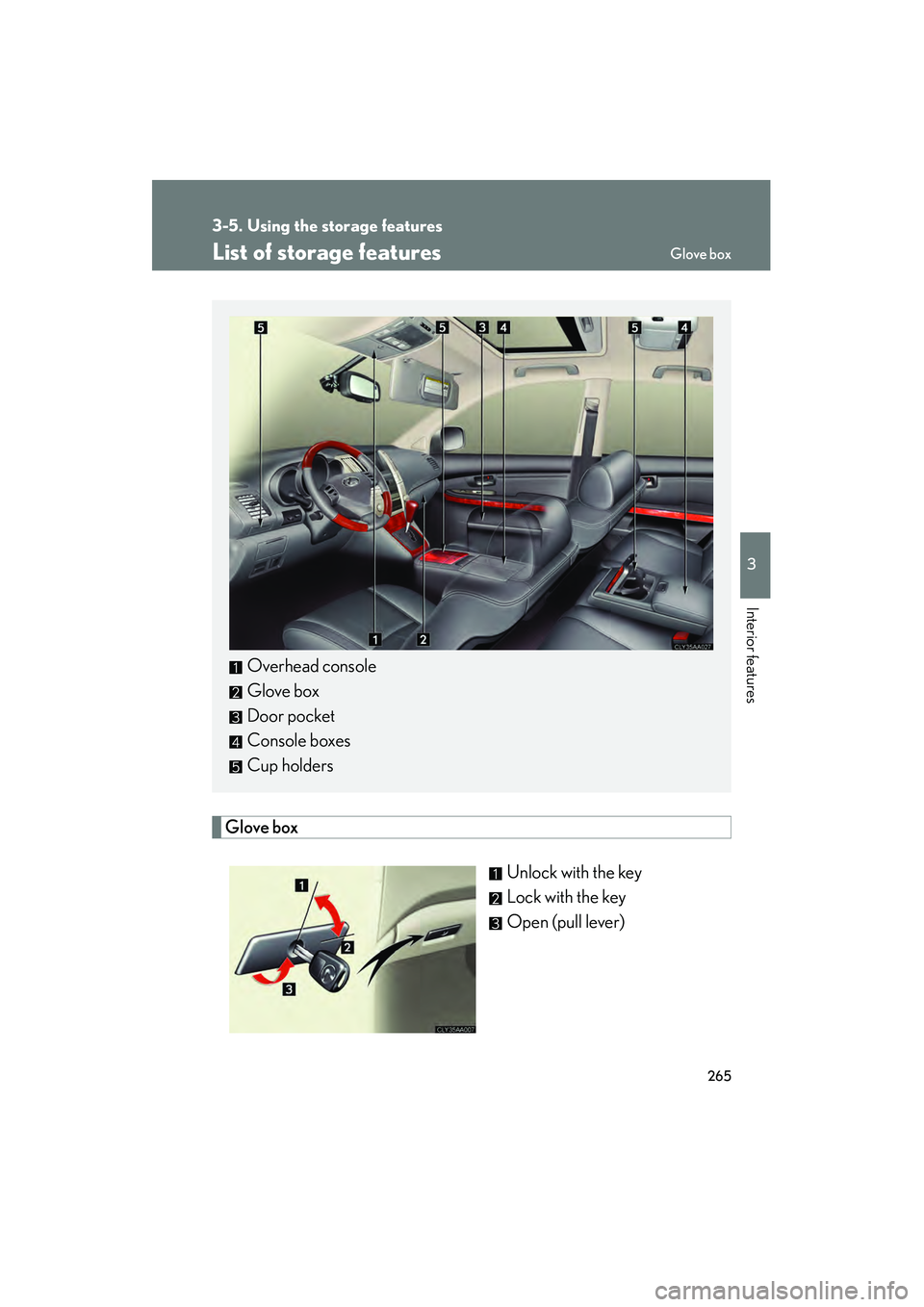
List of storage features
Glove boxUnlock with the key
Lock with the key
Open (pull lever)
Overhead console
Glove box
Door pocket
Console boxes
Cup holders
Glove box