display LEXUS RX450h 2015 Owner's Manual
[x] Cancel search | Manufacturer: LEXUS, Model Year: 2015, Model line: RX450h, Model: LEXUS RX450h 2015Pages: 878, PDF Size: 11.62 MB
Page 60 of 878

601-3. Opening, closing and locking the doors
■
Alarms and warning indicators
A combination of exterior and interior alarms as well as warning messages shown
on the multi-information display is used to prevent theft of the vehicle and accidents
resulting from erroneous operation. Take appropriate measures in response to any
warning message on the multi-information display. ( P. 74 3 )
The following table describes circumstances and correction procedures when only
alarms are sounded.
Alarm Situation Correction procedure
Exterior alarm
sounds once for 5
seconds. An attempt was made to lock
the vehicle while a door was
open. Close all of the doors
and lock the doors
again.
Interior alarm pings
repeatedly The “POWER” switch was
turned to ACCESSORY
mode while the driver's door
is open. (The driver's door
was opened when the
“POWER” switch is in
ACCESSORY mode.) Close the driver's door.
The “POWER” switch was
turned off while the driver's
door is open. Close the driver's door.
Page 62 of 878

621-3. Opening, closing and locking the doors
■
Conditions affecting operation
The smart access system with push-button start uses weak radio waves. In the fol-
lowing situations, the communication betw een the electronic key and the vehicle
may be affected, preventing the smart access system with push-button start, wire-
less remote control and immobilize r system from operating properly.
(Ways of coping: P. 7 8 1 )●
When the electronic key battery is depleted●
Near a TV tower, electric power plant, gas station, radio st ation, large display,
airport or other facility that generates strong radio waves or electrical noise●
When carrying a portable radio, cellular phone, cordless phone or other wire-
less communication devices●
When the electronic key is in contact wi th, or is covered by the following metal-
lic objects
• Cards to which aluminum foil is attached
• Cigarette boxes that have aluminum foil inside
• Metallic wallets or bags
•Coins
• Hand warmers made of metal
• Media such as CDs and DVDs●
When multiple electronic keys are in the vicinity●
When another wireless key (that emits radio waves) is being used nearby●
When carrying the electronic key togeth er with the following devices that emit
radio waves
• Another vehicle's electronic key or a wireless key that emits radio waves
• Personal computers or person al digital assistants (PDAs)
• Digital audio players
• Portable game systems●
If window tint with a metallic content or metallic objects are attached to the rear
window
Page 64 of 878

641-3. Opening, closing and locking the doors
■
Notes for locking the doors ●
Touching the door lock sensor while we aring gloves may delay or prevent lock
operation. Remove the gloves and touch the lock sensor again.●
When the lock operation is performed using the lock sensor, recognition signals
will be shown up to two consecutive times. After this, no recognition signals will
be given. ●
If the door handle becomes wet while the electronic key is within the effective
range, the door may lock and unlock repeatedly. Place the key in a position 6 ft.
(2 m) or more separate from the vehicle while the vehicle is being washed. (Take
care to ensure that the key is not stolen.)●
If the electronic key is inside the vehicle and a door handle becomes wet during
a car wash, a message may be shown on the multi-information display and a
buzzer will sound outside the vehicle. To turn off the alarm, lock all the doors.●
The lock sensor may not work properly if it comes into contact with ice, snow,
mud, etc. Clean the lock sensor and atte mpt to operate it again, or use the lock
sensor on the lower part of the door handle.●
Fingernails may scrape against the door during operation of the door handle.
Be careful not to injure fingernails or damage the surface of the door. ■
Notes for the unlocking function ●
Gripping the door handle when wearing a glove may not unlock the door.●
A sudden approach to the effective range or door handle may prevent the
doors from being unlocked. In this case, return the door handle to the original
position and check that the doors unlock before pulling the door handle again.●
If there is another electronic key in the detection area, it may take slightly longer
to unlock the doors after the door handle is gripped. ■
When the vehicle is not driven for extended periods ●
To prevent theft of the vehicle, do not le ave the electronic key within 6 ft. (2 m)
of the vehicle.
●
The smart access system with push-butto n start can be deactivated in advance.
( P. 8 2 5 )
Page 119 of 878
1191
Before driving 1-6. Refueling
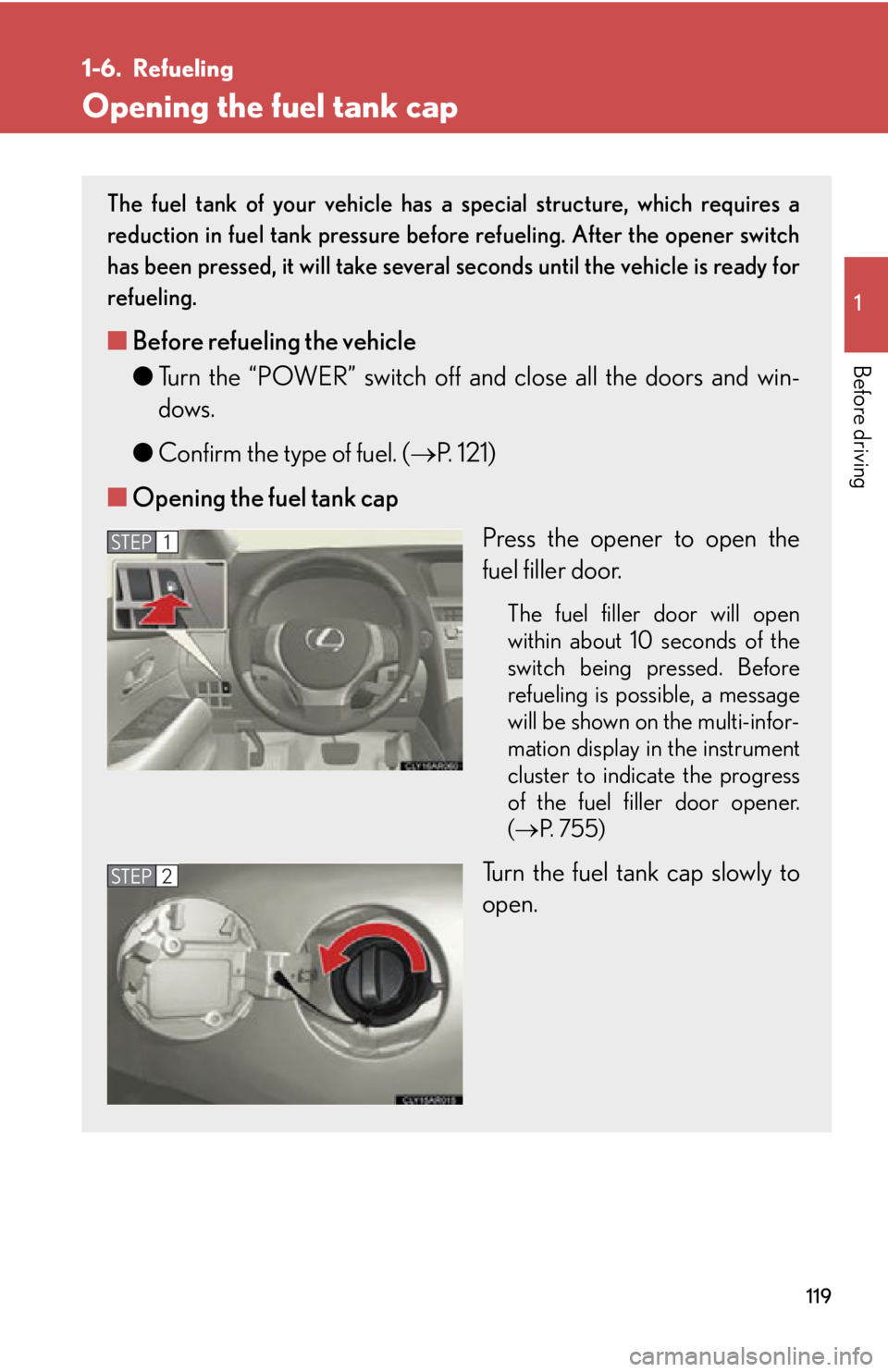
Opening the fuel tank cap The fuel tank of your vehicle has a special structure, which requires a
reduction in fuel tank pressure before refueling. After the opener switch
has been pressed, it will take severa l seconds until the vehicle is ready for
refueling.
■ Before refueling the vehicle
● Turn the “POWER” switch off and close all the doors and win-
dows.
● Confirm the type of fuel. ( P. 121)
■ Opening the fuel tank cap
Press the opener to open the
fuel filler door. The fuel filler door will open
within about 10 seconds of the
switch being pressed. Before
refueling is poss ible, a message
will be shown on the multi-infor-
mation display in the instrument
cluster to indicate the progress
of the fuel filler door opener.
( P. 7 5 5 )
Turn the fuel tank cap slowly to
open.STEP 1
STEP 2
Page 124 of 878
1241-7. Theft deterrent system
Immobilizer system The vehicle's keys have built-in tran sponder chips that prevent the hybrid
system from starting if the key has not been previously registered in the
vehicle's on-board computer.
Never leave the keys inside the vehicle when you leave the vehicle.
This system is designed to help prev ent vehicle theft but does not guaran-
tee absolute security ag ainst all vehicle thefts.
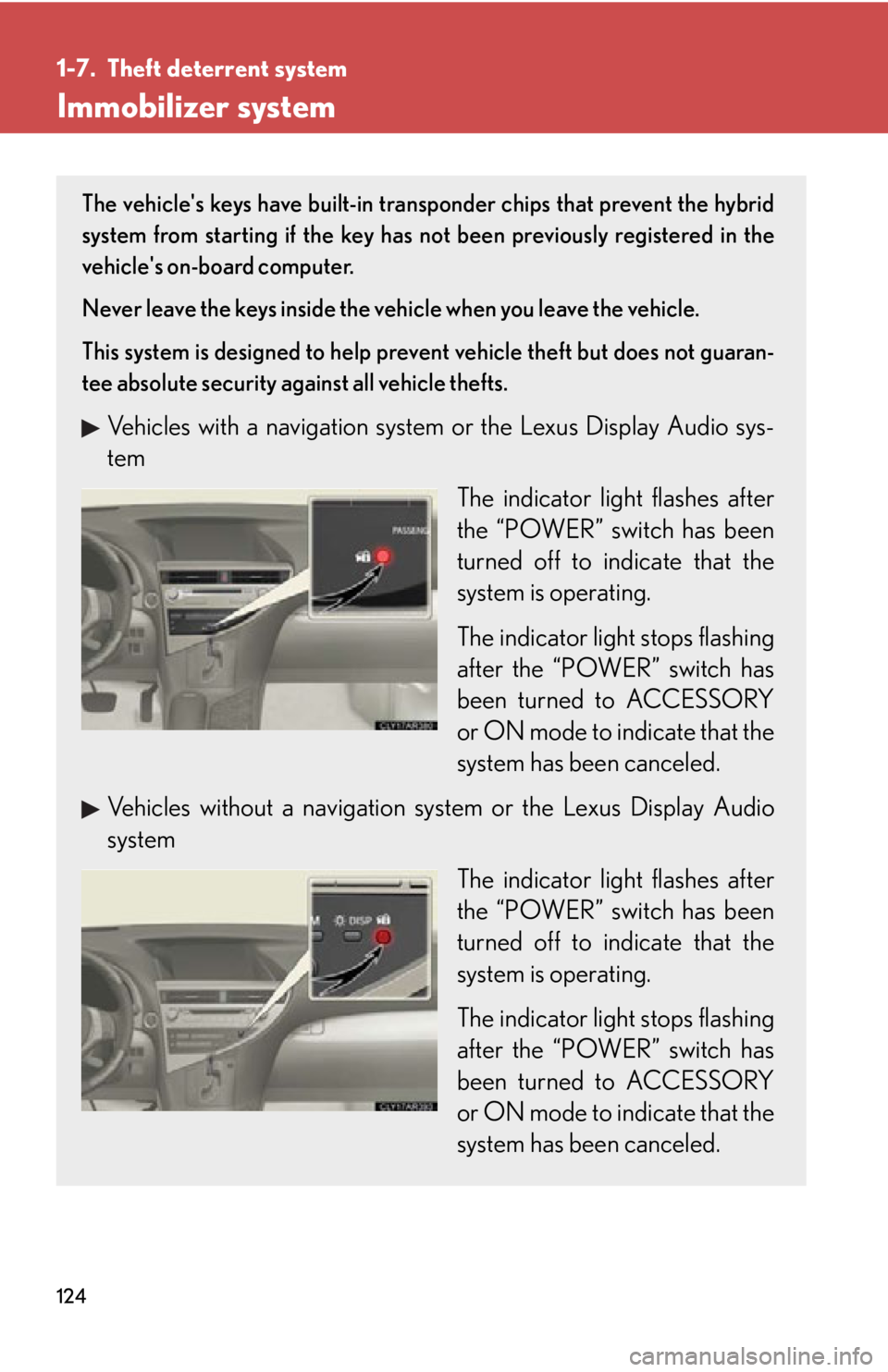
Vehicles with a navigation system or the Lexus Display Audio sys-
tem
The indicator light flashes after
the “POWER” switch has been
turned off to indicate that the
system is operating.
The indicator light stops flashing
after the “POWER” switch has
been turned to ACCESSORY
or ON mode to indicate that the
system has been canceled.
Vehicles without a navigation sy stem or the Lexus Display Audio
system
The indicator light flashes after
the “POWER” switch has been
turned off to indicate that the
system is operating.
The indicator light stops flashing
after the “POWER” switch has
been turned to ACCESSORY
or ON mode to indicate that the
system has been canceled.
Page 126 of 878

1261-7. Theft deterrent system
Alarm The system sounds the alarm and flashe s the lights when forcible entry is
detected.
■ Triggering of the alarm
The alarm is triggered in the follow ing situations when the alarm is
set:
● A locked door is unlocked or open ed in any way other than using
the entry function, wireless r emote control or mechanical key.
(The doors will lock again automatically.)
● The hood is opened.
■ Setting the alarm system
Vehicles with a navigation system or the Lexus Display Audio sys-
tem Close the doors and hood, and
lock all the doors.
The system will be set automati-
cally after 30 seconds.
The indicator light changes from
being on to flashing when the
system is set.
Vehicles without a navigation sy stem or the Lexus Display Audio
system
Close the doors and hood, and
lock all the doors.
The system will be set automati-
cally after 30 seconds.
The indicator light changes from
being on to flashing when the
system is set.
Page 145 of 878
14511-8. Safety information
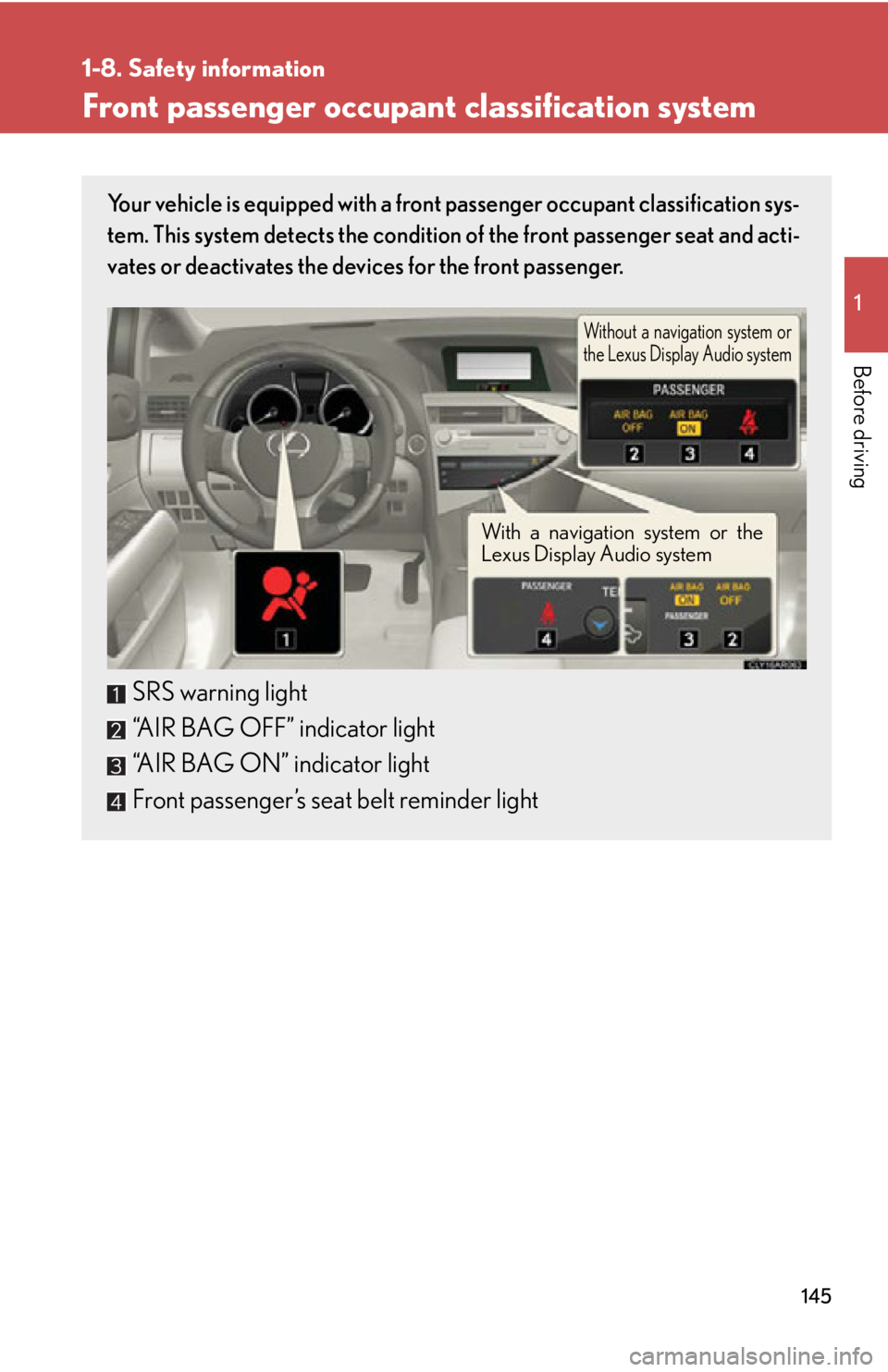
Before driving Front passenger occupant classification system Your vehicle is equipped with a front passenger occupant classification sys-
tem. This system detects the condition of the front passenger seat and acti-
vates or deactivates the devices for the front passenger.
SRS warning light
“AIR BAG OFF” indicator light
“AIR BAG ON” indicator light
Front passenger’s seat belt reminder light Without a navigation system or
the Lexus Display Audio system
With a navigation system or the
Lexus Display Audio system
Page 154 of 878
1541-8. Safety information
Installing child restraints Follow the child restraint system ma nufacturer's instructions. Firmly
secure child restraints to the seats using the LATCH anchors or a seat belt.
Attach the top tether strap when installing a child restraint.
The lap/shoulder belt can be used if your child restraint system is not com-
patible with the LATCH (Lower Anchor s and Tethers for Children) system.
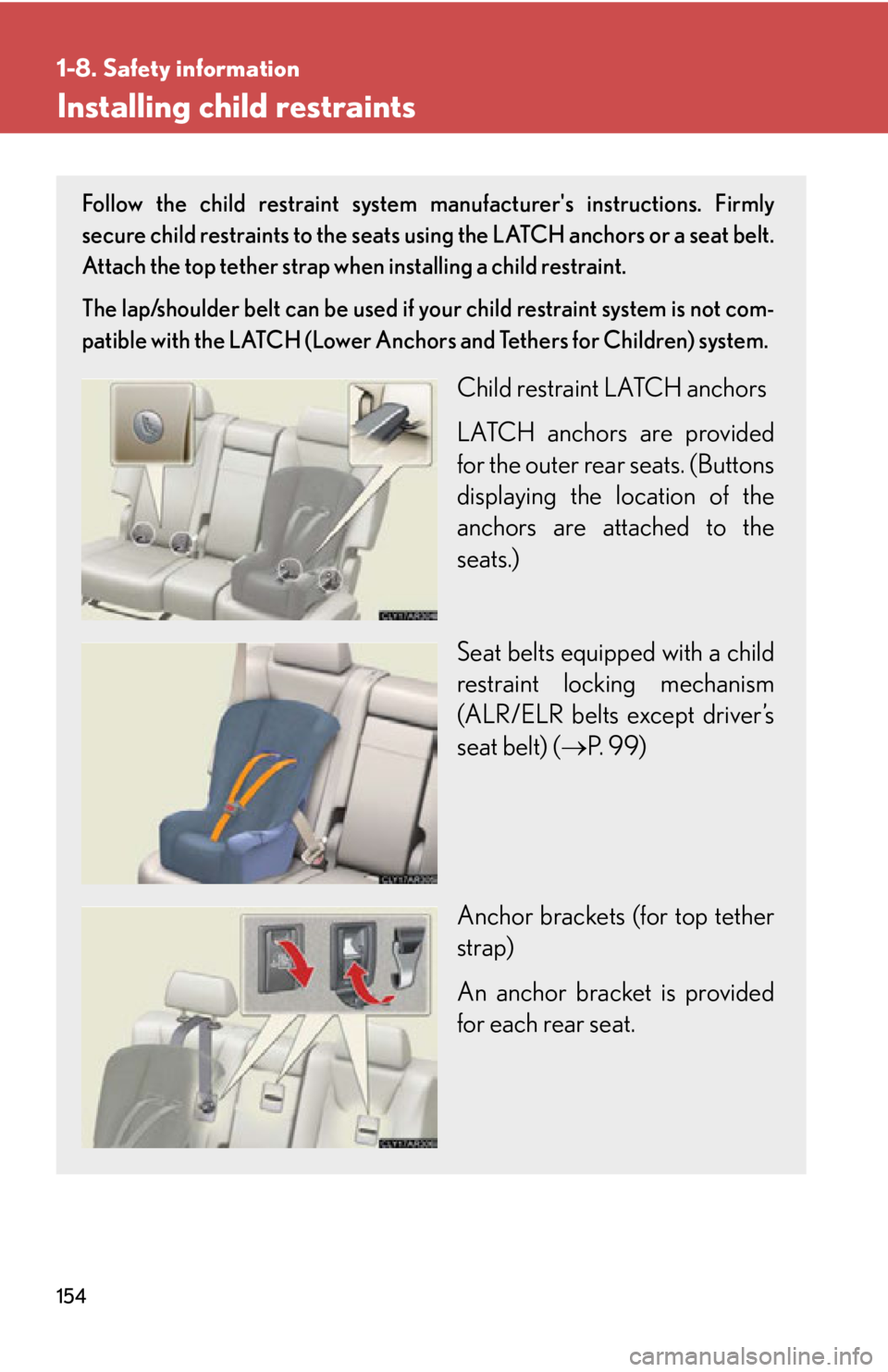
Child restraint LATCH anchors
LATCH anchors are provided
for the outer rear seats. (Buttons
displaying the location of the
anchors are attached to the
seats.)
Seat belts equipped with a child
restraint locking mechanism
(ALR/ELR belts except driver’s
seat belt) ( P. 99)
Anchor brackets (for top tether
strap)
An anchor bracket is provided
for each rear seat.
Page 165 of 878
When driving
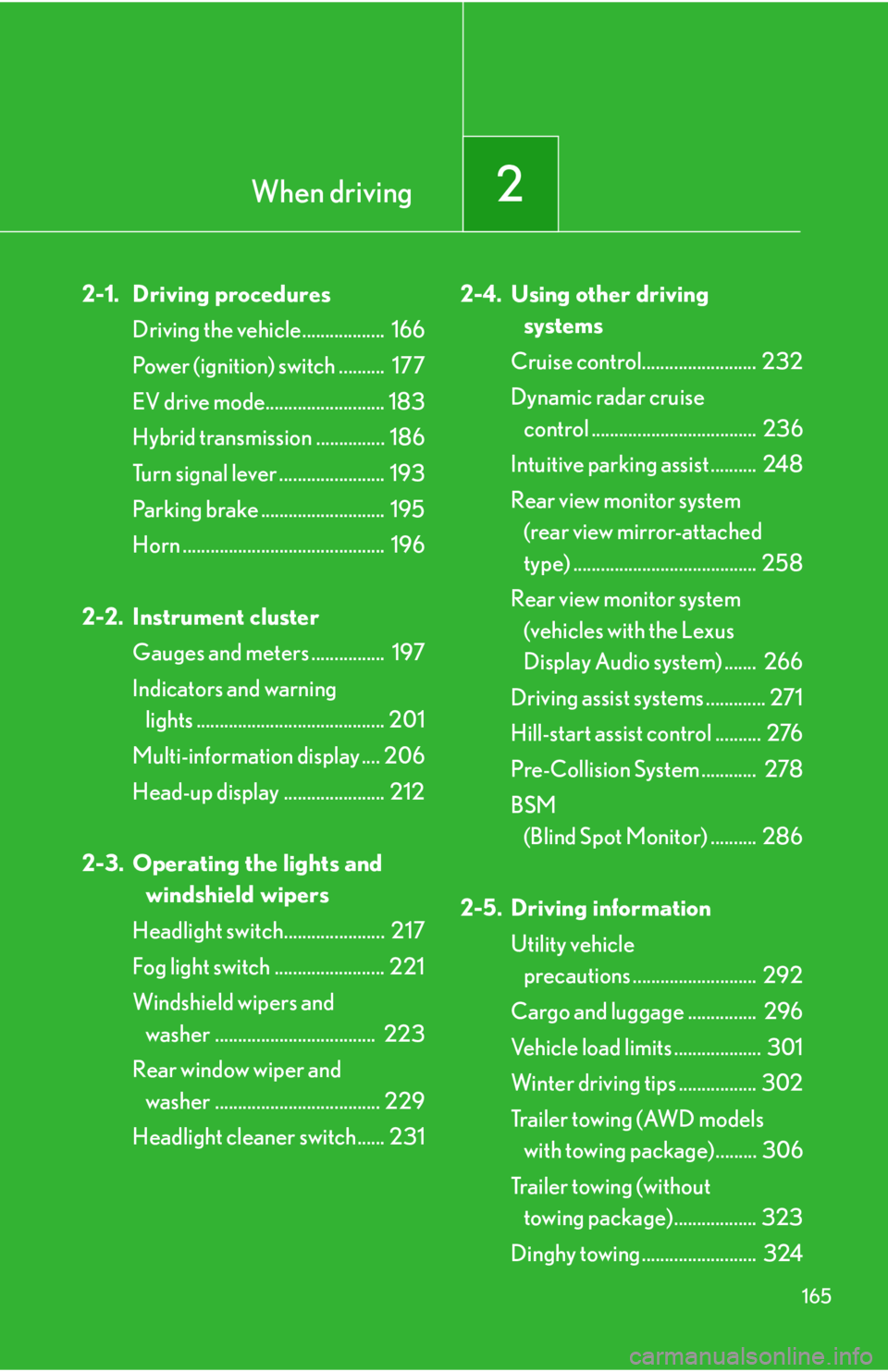
2
1652-1. Driving procedures
Driving the vehicle.................. 166
Power (ignition) switch .......... 177
EV drive mode.......................... 183
Hybrid transmission ............... 186
Turn signal lever ....................... 193
Parking brake ........................... 195
Horn ............................................ 196
2-2. Instrument cluster
Gauges and meters ................ 197
Indicators and warning
lights ......................................... 201
Multi-information display .... 206
Head-up display ...................... 212
2-3. Operating the lights and
windshield wipers
Headlight switch...................... 217
Fog light switch ........................ 221
Windshield wipers and
washer ................................... 223
Rear window wiper and
washer .................................... 229
Headlight cleaner switch...... 231 2-4. Using other driving
systems
Cruise control......................... 232
Dynamic radar cruise
control .................................... 236
Intuitive parking assist .......... 248
Rear view monitor system
(rear view mirror-attached
type) ........................................ 258
Rear view monitor system
(vehicles with the Lexus
Display Audio system) ....... 266
Driving assist systems ............. 271
Hill-start assist control .......... 276
Pre-Collision System ............ 278
BSM
(Blind Spot Monitor) .......... 286
2-5. Driving information
Utility vehicle
precautions ........................... 292
Cargo and luggage ............... 296
Vehicle load limits ................... 301
Winter driving tips ................. 302
Tr a i l e r t o w i n g ( AW D m o d e l s
with towing package)......... 306
Trailer towing (without
towing package).................. 323
Dinghy towing ......................... 324
Page 180 of 878
1802-1. Driving procedures
■
Note for the entry function
P. 6 3■
If the hybrid system does not start
The immobilizer system may not have been deactivated. ( P. 1 2 4 )
Contact your Lexus dealer.■
Steering lock
After turning the “POWER” switch off and opening and closing the doors, the
steering wheel will be locked due to th e steering lock function. Operating the
“POWER” switch again automatically cancels the steering lock.■
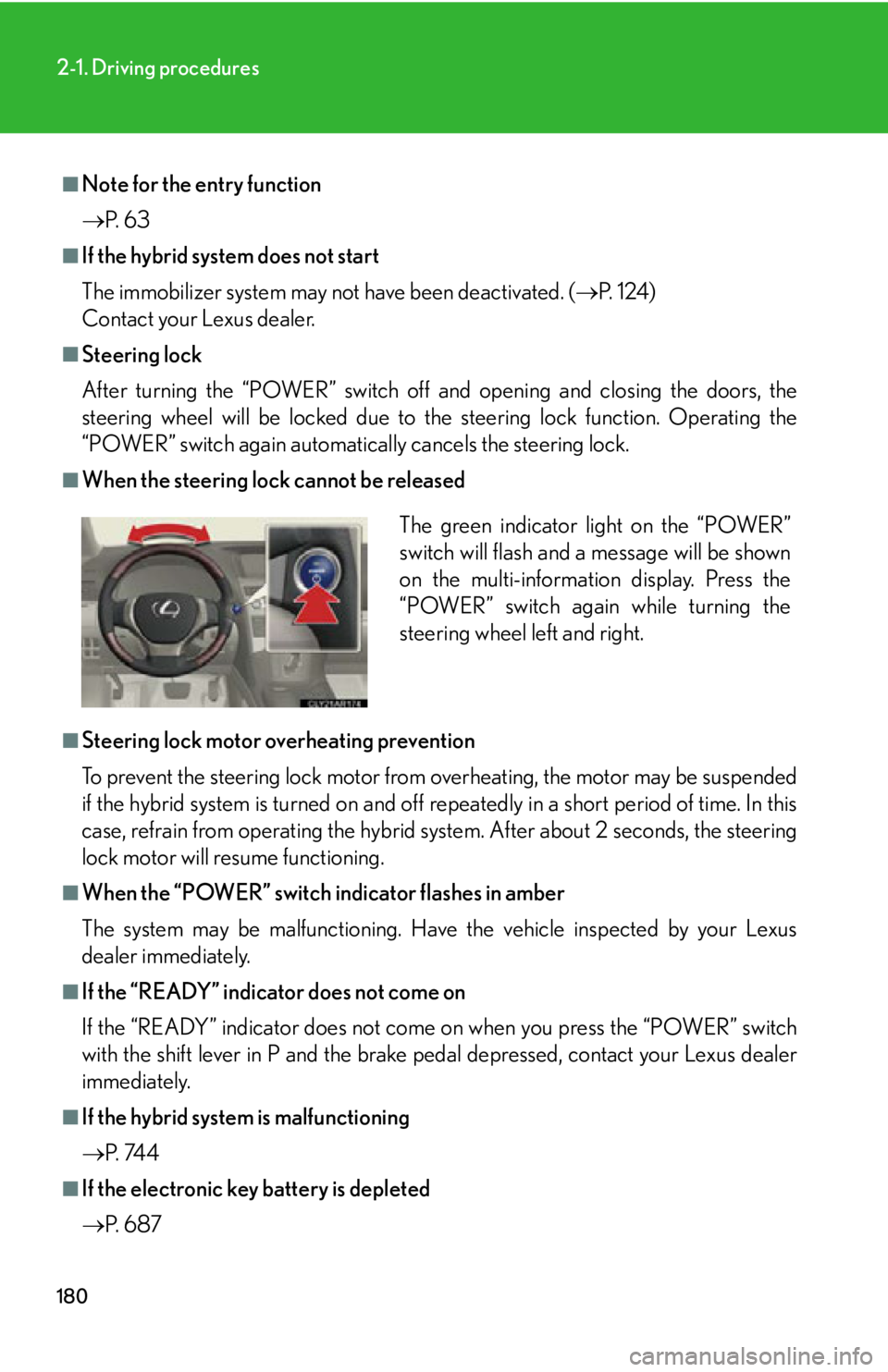
When the steering lock cannot be released
■
Steering lock motor overheating prevention
To prevent the steering lock motor from overheating, the motor may be suspended
if the hybrid system is turned on and off re peatedly in a short period of time. In this
case, refrain from operating the hybrid sy stem. After about 2 seconds, the steering
lock motor will resume functioning.■
When the “POWER” switch indicator flashes in amber
The system may be malfunctioning. Have the vehicle inspected by your Lexus
dealer immediately.■
If the “READY” indicator does not come on
If the “READY” indicator does not come on when you press the “POWER” switch
with the shift lever in P and the brake pe dal depressed, contact your Lexus dealer
immediately.
■
If the hybrid system is malfunctioning
P. 74 4
■
If the electronic key battery is depleted
P. 6 8 7 The green indicator light on the “POWER”
switch will flash and a message will be shown
on the multi-information display. Press the
“POWER” switch again while turning the
steering wheel left and right.