display LEXUS RX450h 2015 Owner's Guide
[x] Cancel search | Manufacturer: LEXUS, Model Year: 2015, Model line: RX450h, Model: LEXUS RX450h 2015Pages: 878, PDF Size: 11.62 MB
Page 184 of 878

1842-1. Driving procedures
■
Situations in which EV driv e mode cannot be turned on
It may not be possible to turn EV drive mode on in the following situations. If it can-
not be turned on, a buzzer will sound and a message will be shown on the multi-
information display. ●
The temperature of the hybrid system is high.
The vehicle has been left in the sun, driv en on a hill, driven at high speeds, etc.●
The temperature of the hybrid system is low.
The vehicle has been left in extremely low temperatures for a long period of
time etc.●
The gasoline engine is warming up.●
The hybrid battery (traction battery) is low.●
Vehicle speed is about 25 mph (40 km/h) or more.●
The accelerator pedal is depressed firmly or the vehicle is on a hill etc.●
The windshield defogger is in use.■
Automatic cancelation of EV drive mode
When driving in EV drive mode, the gasoline engine may automatically restart in
the following situations. When EV drive mo de is canceled, a buzzer will sound and
the EV drive mode indicator will flash and go off. ●
The hybrid battery (traction battery) becomes low.●
Vehicle speed becomes more than about 25 mph (40 km/h).
If engine coolant temperature is low, EV drive mode may be canceled when
vehicle speed is below 25 mph (40 km/h).●
The accelerator pedal is depressed firmly or the vehicle is on a hill etc.
When it is possible to inform the driver of automatic cancelation in advance, a prior
notice screen will appear on the multi-information display.■
Possible driving distance when driving in EV drive mode
In EV drive mode, it is possible to drive up about 1 /2 mile (1 km) if driving at a speed
of about 25 mph (40 km/h) or less.
(The distance that is possible depends on the hybrid battery [traction battery] level
and driving conditions.)
■
Fuel economy
RX450h is designed to achieve the best po ssible fuel economy during normal driv-
ing (using the gasoline engine and electric motor [traction motor]). Driving in EV
drive mode more than necessary may lower fuel economy.
Page 187 of 878
1872-1. Driving procedures
2
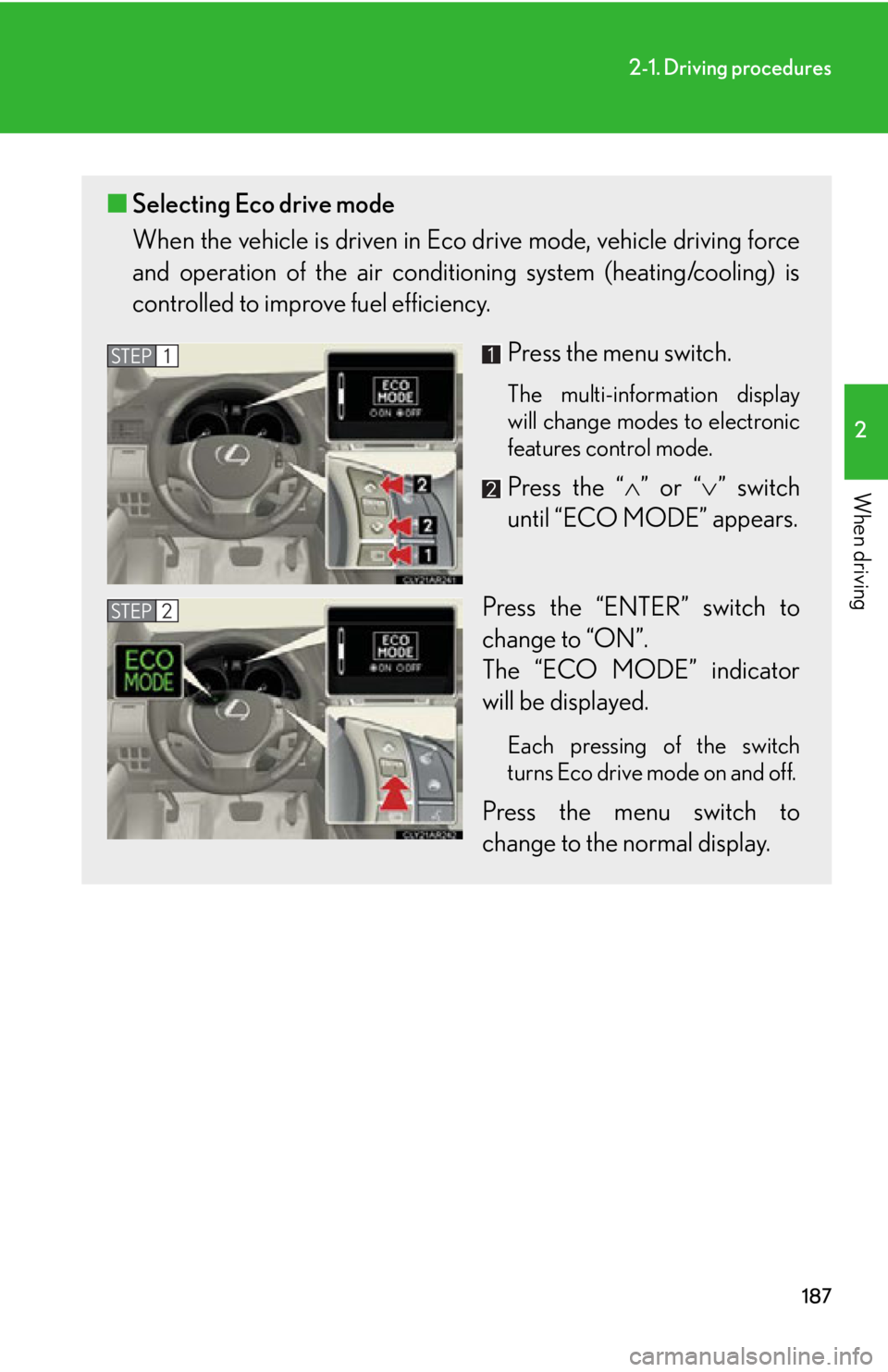
When driving ■ Selecting Eco drive mode
When the vehicle is driven in Eco drive mode, vehicle driving force
and operation of the air condit ioning system (heating/cooling) is
controlled to improve fuel efficiency.
Press the menu switch. The multi-information display
will change modes to electronic
features control mode.
Press the “ ” or “ ” switch
until “ECO MODE” appears.
Press the “ENTER” switch to
change to “ON”.
The “ECO MODE” indicator
will be displayed. Each pressing of the switch
turns Eco drive mode on and off.
Press the menu switch to
change to the normal display.STEP 1
STEP 2
Page 188 of 878
1882-1. Driving procedures
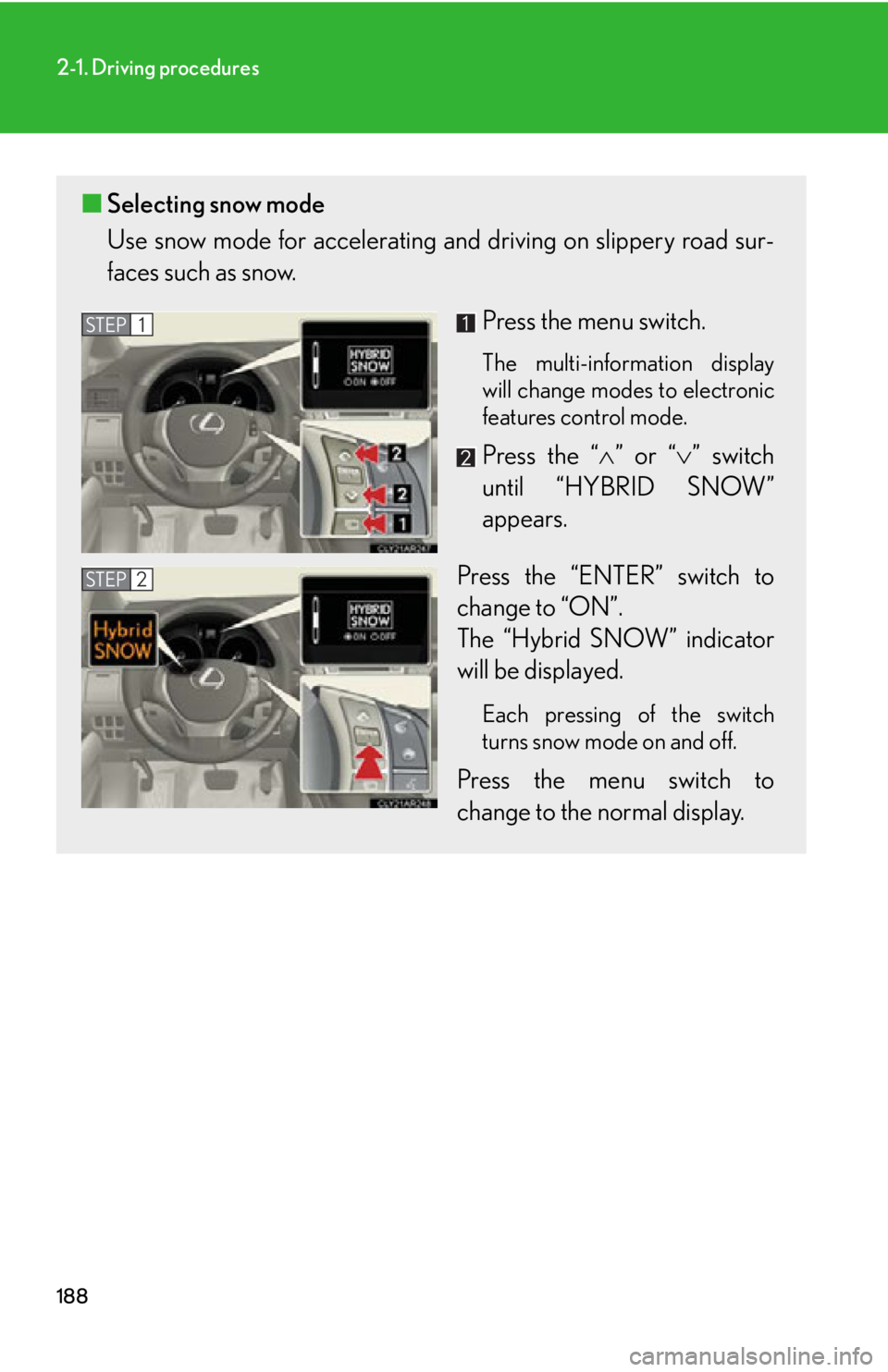
■ Selecting snow mode
Use snow mode for accele rating and driving on slippery road sur-
faces such as snow.
Press the menu switch. The multi-information display
will change modes to electronic
features control mode.
Press the “ ” or “ ” switch
until “HYBRID SNOW”
appears.
Press the “ENTER” switch to
change to “ON”.
The “Hybrid SNOW” indicator
will be displayed. Each pressing of the switch
turns snow mode on and off.
Press the menu switch to
change to the normal display.STEP 1
STEP 2
Page 189 of 878
1892-1. Driving procedures
2
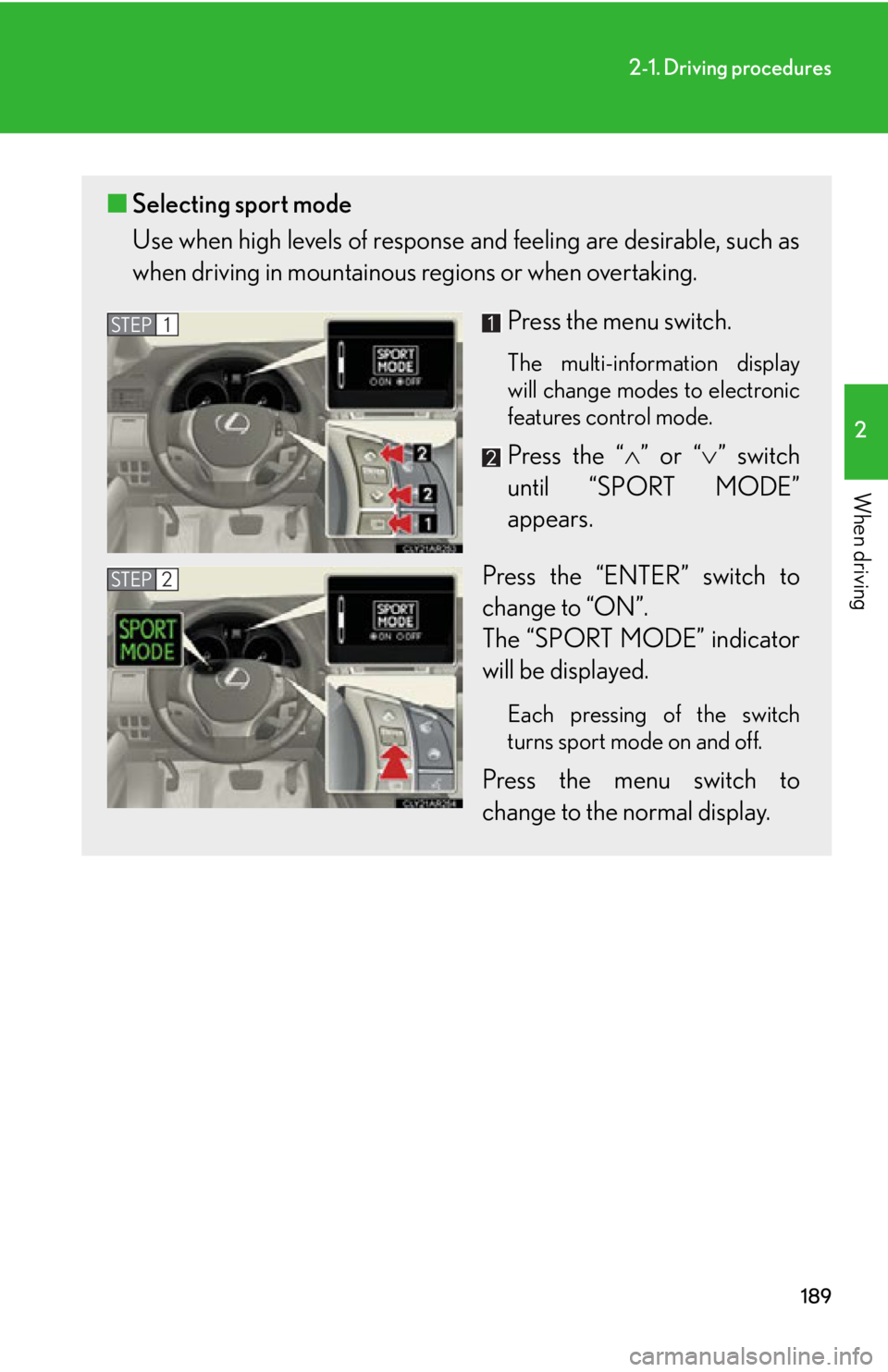
When driving ■ Selecting sport mode
Use when high levels of response and feeling are desirable, such as
when driving in moun tainous regions or when overtaking.
Press the menu switch. The multi-information display
will change modes to electronic
features control mode.
Press the “ ” or “ ” switch
until “SPORT MODE”
appears.
Press the “ENTER” switch to
change to “ON”.
The “SPORT MODE” indicator
will be displayed. Each pressing of the switch
turns sport mode on and off.
Press the menu switch to
change to the normal display.STEP 1
STEP 2
Page 197 of 878
1972
When driving 2-2. Instrument cluster
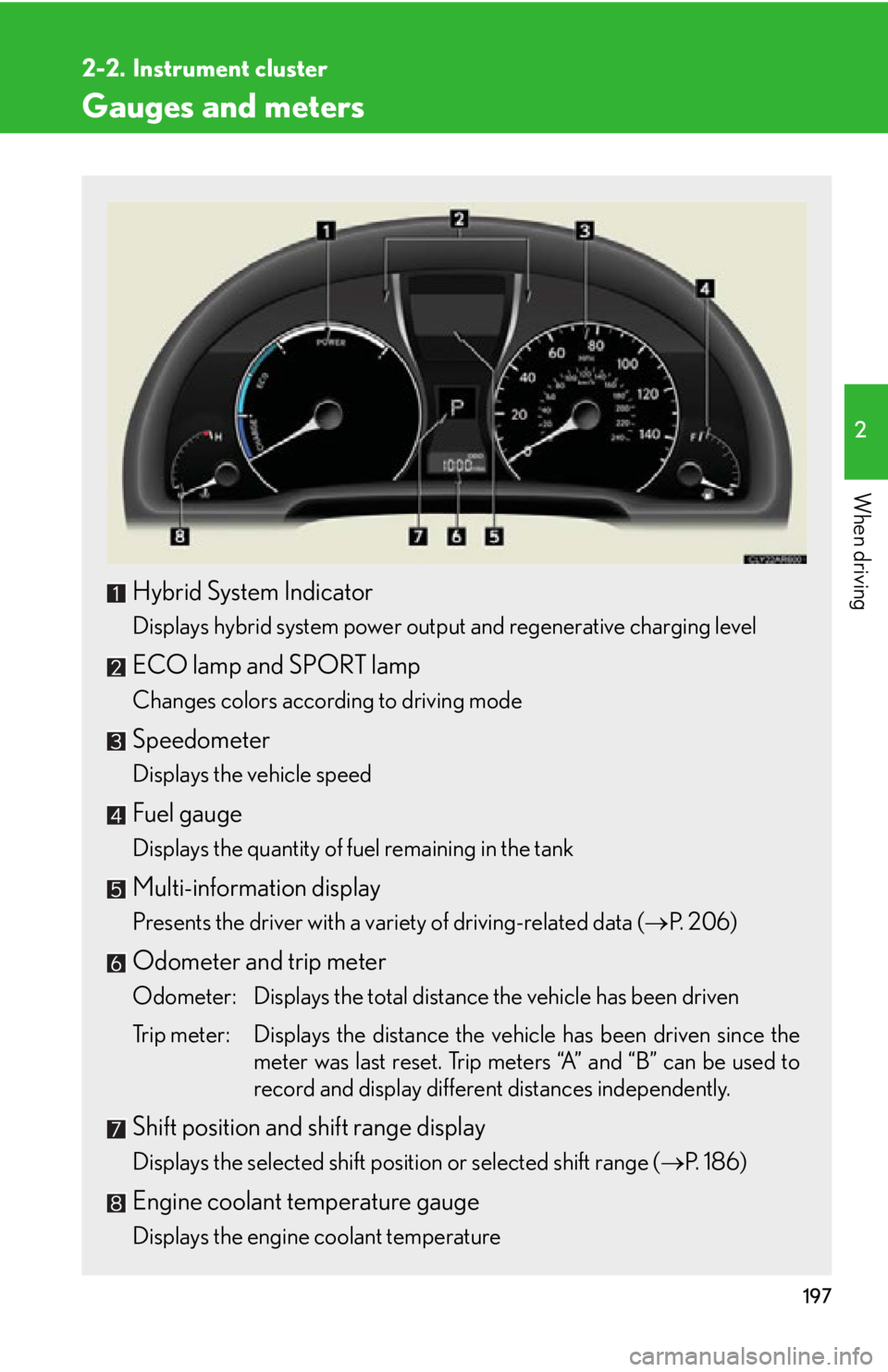
Gauges and meters
Hybrid System Indicator Displays hybrid system power output and regenerative charging level
ECO lamp and SPORT lamp Changes colors according to driving mode
Speedometer Displays the vehicle speed
Fuel gauge Displays the quantity of fuel remaining in the tank
Multi-information display Presents the driver with a variety of driving-related data ( P. 2 0 6 )
Odometer and trip meter
Odometer: Displays the total distance the vehicle has been driven
Trip meter: Displays the distance the vehicle has been driven since the
meter was last reset. Trip meters “A” and “B” can be used to
record and display different distances independently.
Shift position and shift range display
Displays the selected shift position or selected shift range ( P. 1 8 6 )
Engine coolant temperature gauge
Displays the engine coolant temperature
Page 198 of 878
1982-2. Instrument cluster
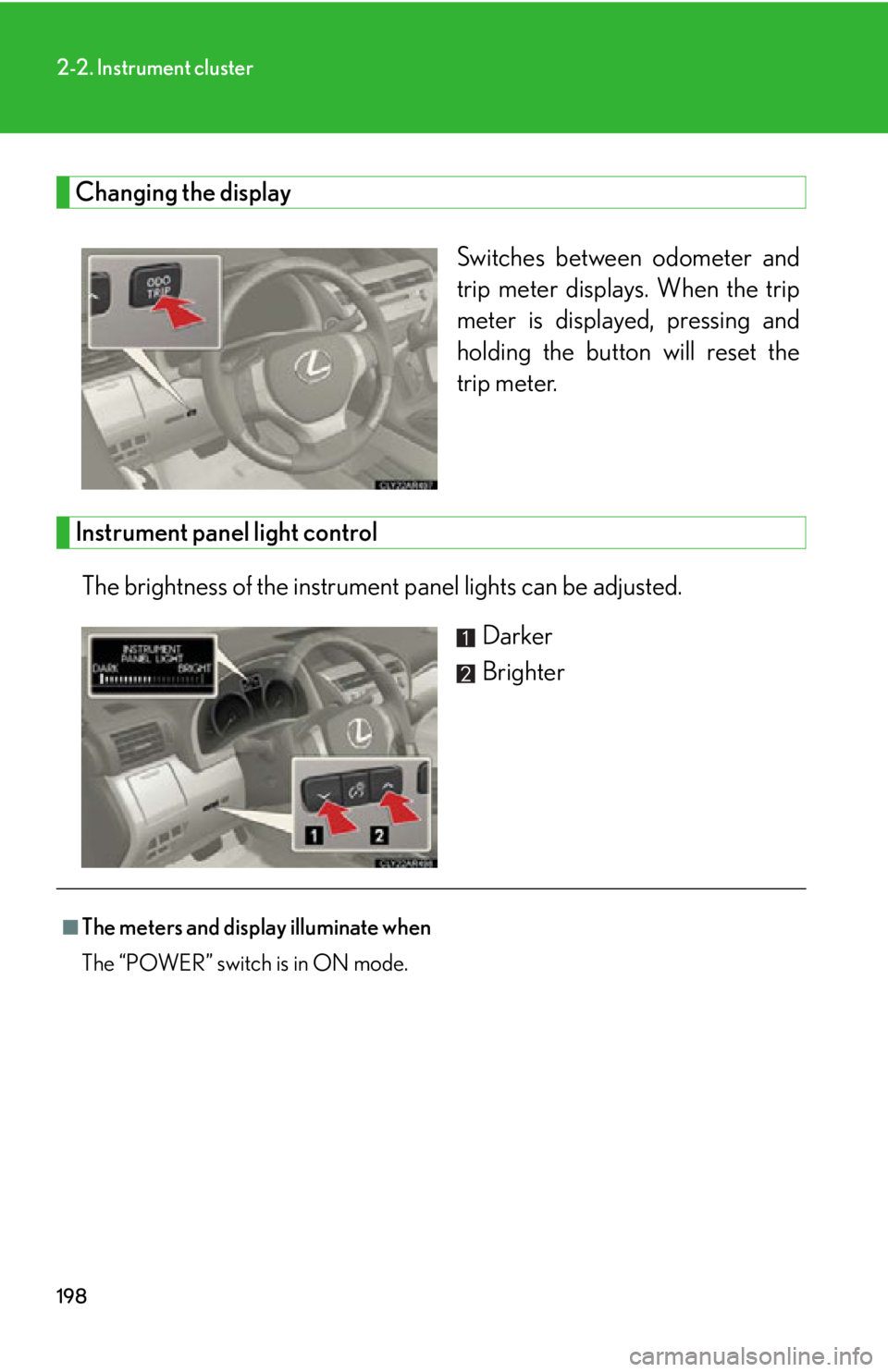
Changing the display
Switches between odometer and
trip meter displays. When the trip
meter is displayed, pressing and
holding the button will reset the
trip meter.
Instrument panel light control
The brightness of the instrument panel lights can be adjusted.
Darker
Brighter
■
The meters and displa y illuminate when
The “POWER” switch is in ON mode.
Page 201 of 878
2012-2. Instrument cluster
2
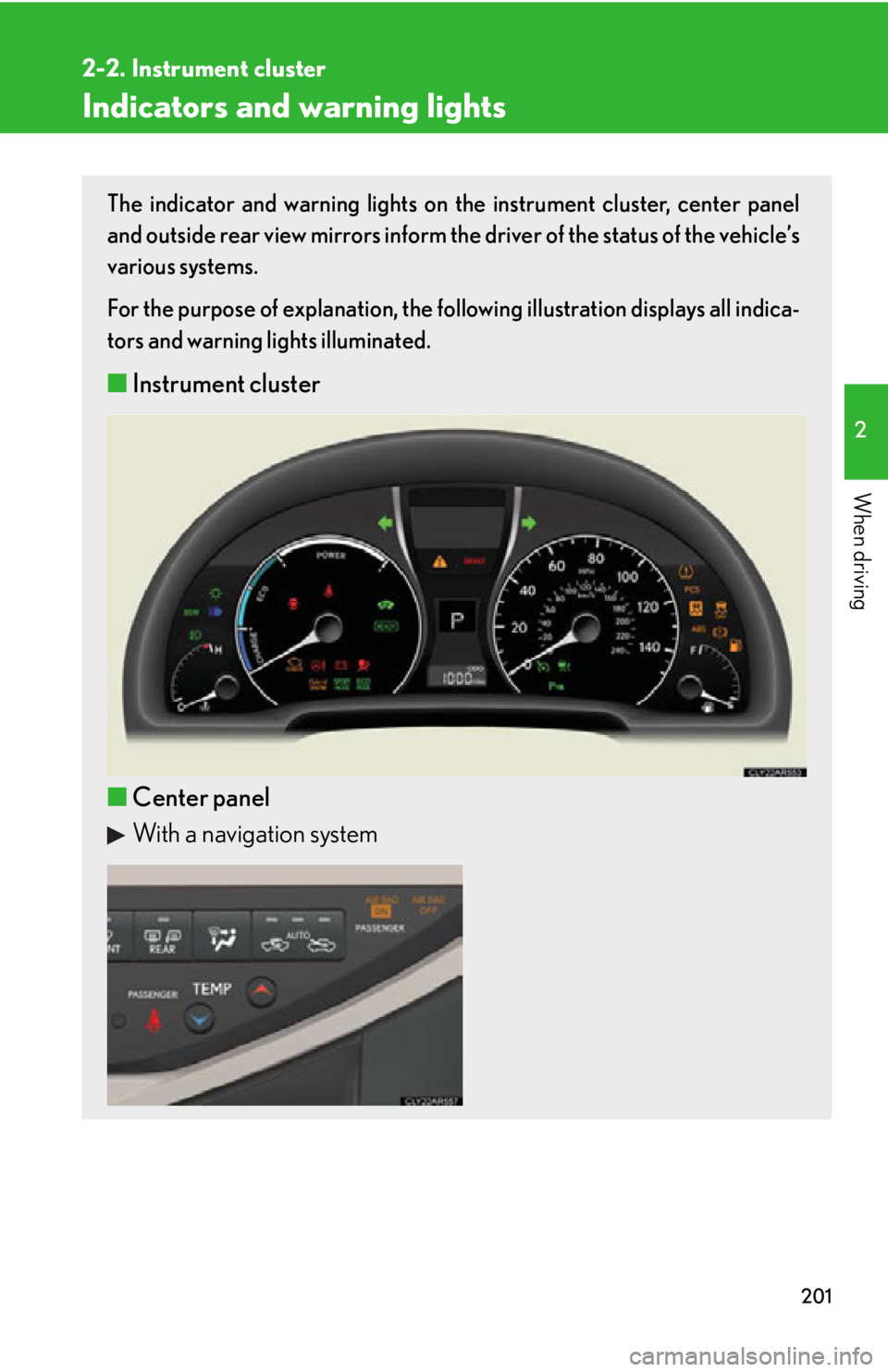
When driving Indicators and warning lights The indicator and warning lights on th e instrument cluster, center panel
and outside rear view mirrors inform the driver of the status of the vehicle’s
various systems.
For the purpose of explanation, the following illustration displays all indica-
tors and warning lights illuminated.
■ Instrument cluster
■ Center panel
With a navigation system
Page 202 of 878
2022-2. Instrument cluster
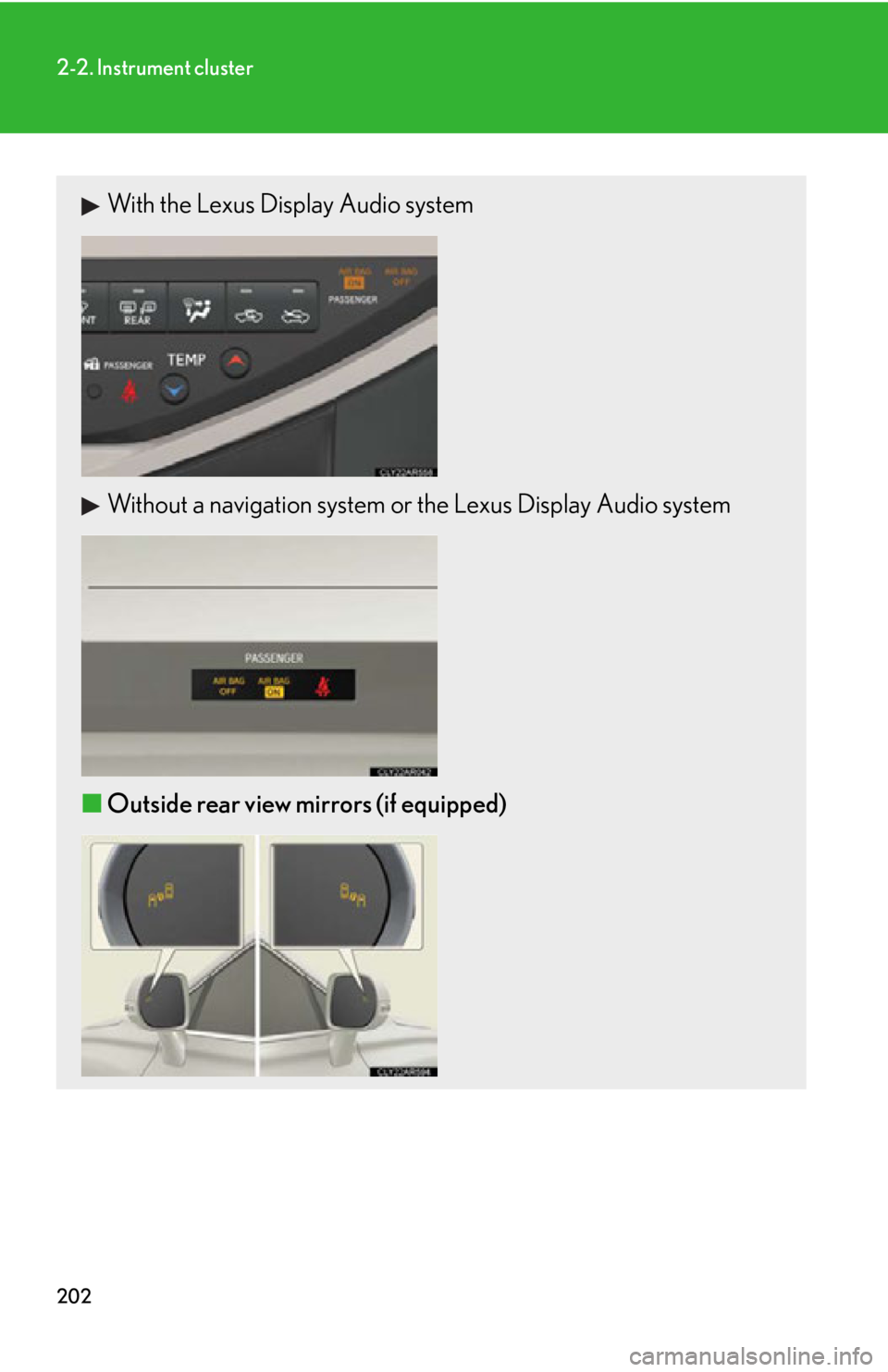
With the Lexus Display Audio system
Without a navigation system or the Lexus Display Audio system
■ Outside rear view mirrors (if equipped)
Page 206 of 878

2062-2. Instrument cluster
Multi-information display The multi-information display presents the driver with a variety of driving-
related data including the current outside air temperature.
■ Multi-information switches
“ ” “ ” switchChanges items.
“ENTER” switch Turns on/off electronic features
controls and changes customi-
zation settings.
Menu switch Changes mode from normal
display to electronic features,
customization or back to normal
display.
Page 207 of 878
2072-2. Instrument cluster
2
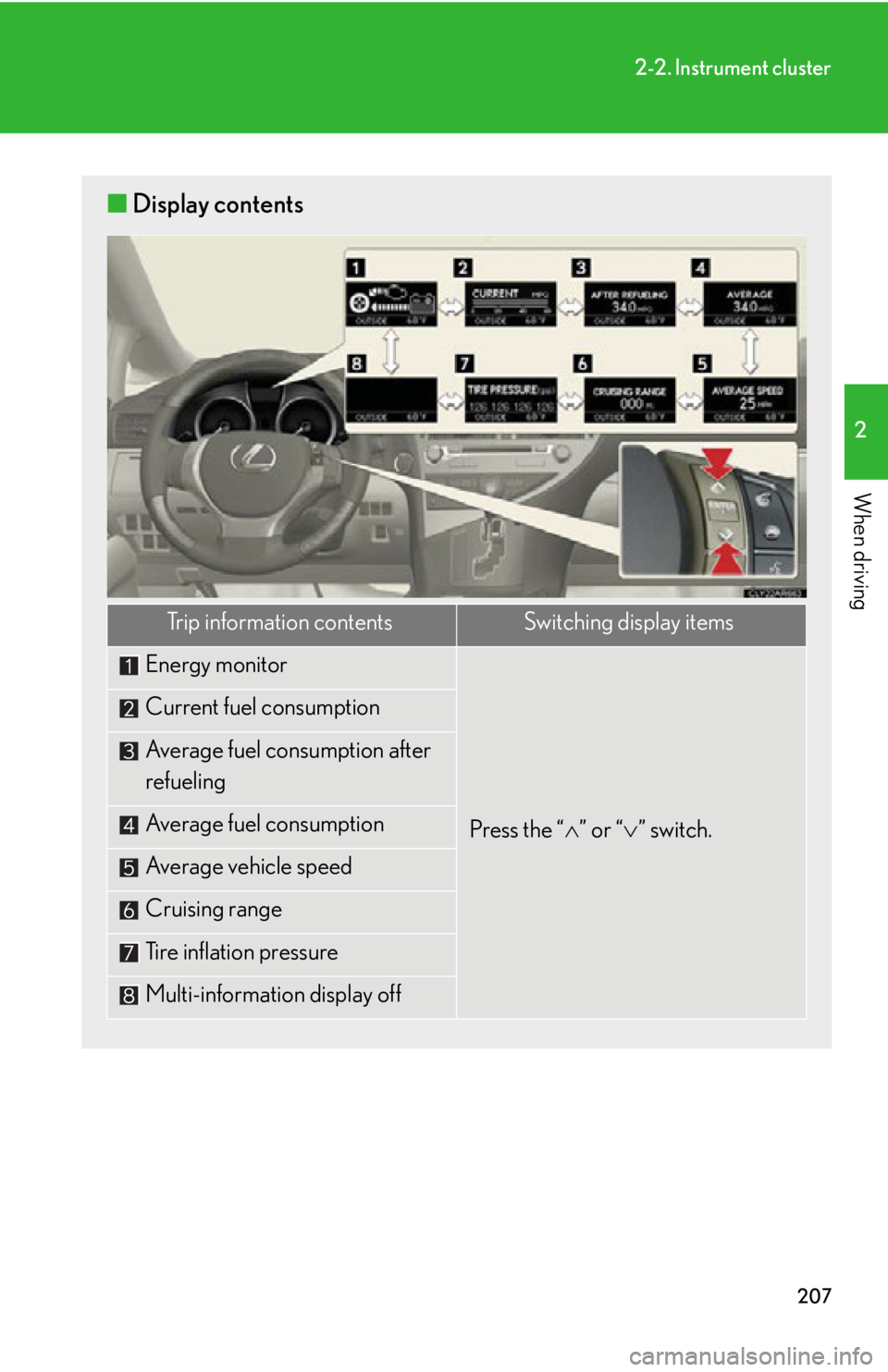
When driving ■ Display contents
Trip information contents Switching display items
Energy monitor
Press the “ ” or “ ” switch.Current fuel consumption
Average fuel consumption after
refueling
Average fuel consumption
Average vehicle speed
Cruising range
Tire inflation pressure
Multi-information display off