lock LEXUS RX450h 2018 Owners Manual
[x] Cancel search | Manufacturer: LEXUS, Model Year: 2018, Model line: RX450h, Model: LEXUS RX450h 2018Pages: 792, PDF Size: 12.5 MB
Page 273 of 792

2734-3. Operating the lights and wipers
4
Driving
RX450h_RX450hL _U_OM48F85U■
The rear window wiper and washer can be operated when
The power switch is in ON mode. ■
If no washer fluid sprays
Check that the washer nozzle is not blocked if there is washer fluid in the washer fluid
tank.
NOTICE ■
When the rear window is dry
Do not use the wiper, as it may damage the rear window. ■
When the washer fluid tank is empty
Do not operate the switch continually as the washer fluid pump may overheat. ■
When a nozzle becomes blocked
In this case, contact your Lexus dealer.
Do not try to clear it with a pin or other object. The nozz le will be damaged.
Page 276 of 792
276 4-4. Refueling
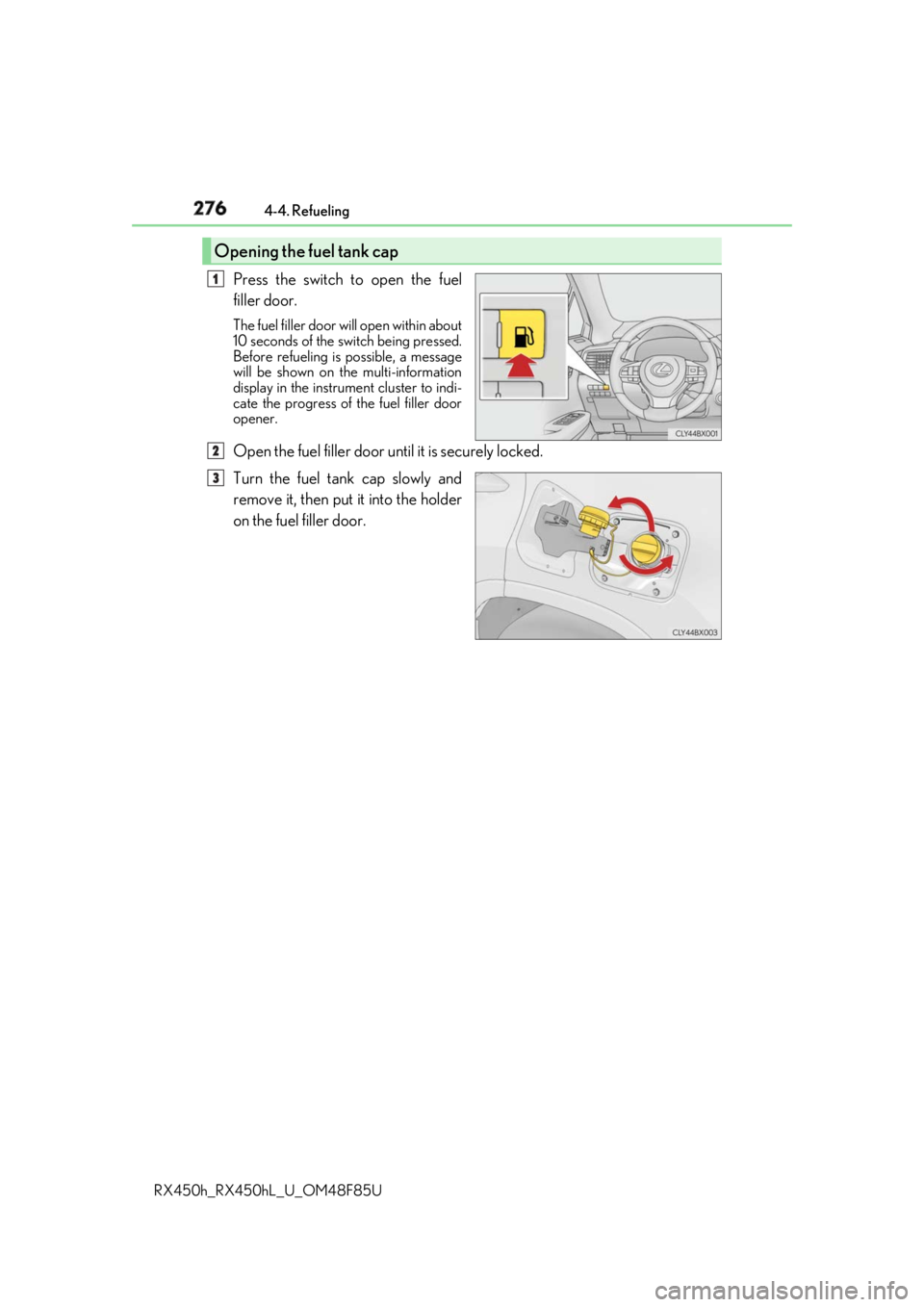
RX450h_RX450hL _U_OM48F85UPress the switch to open the fuel
filler door. The fuel filler door wi ll open within about
10 seconds of the sw itch being pressed.
Before refueling is possible, a message
will be shown on the multi-information
display in the instrument cluster to indi-
cate the progress of the fuel filler door
opener.
Open the fuel filler door until it is securely locked.
Turn the fuel tank cap slowly and
remove it, then put it into the holder
on the fuel filler door.Opening the fuel tank cap 1
2
3
Page 277 of 792
2774-4. Refueling
4
Driving
RX450h_RX450hL _U_OM48F85U■
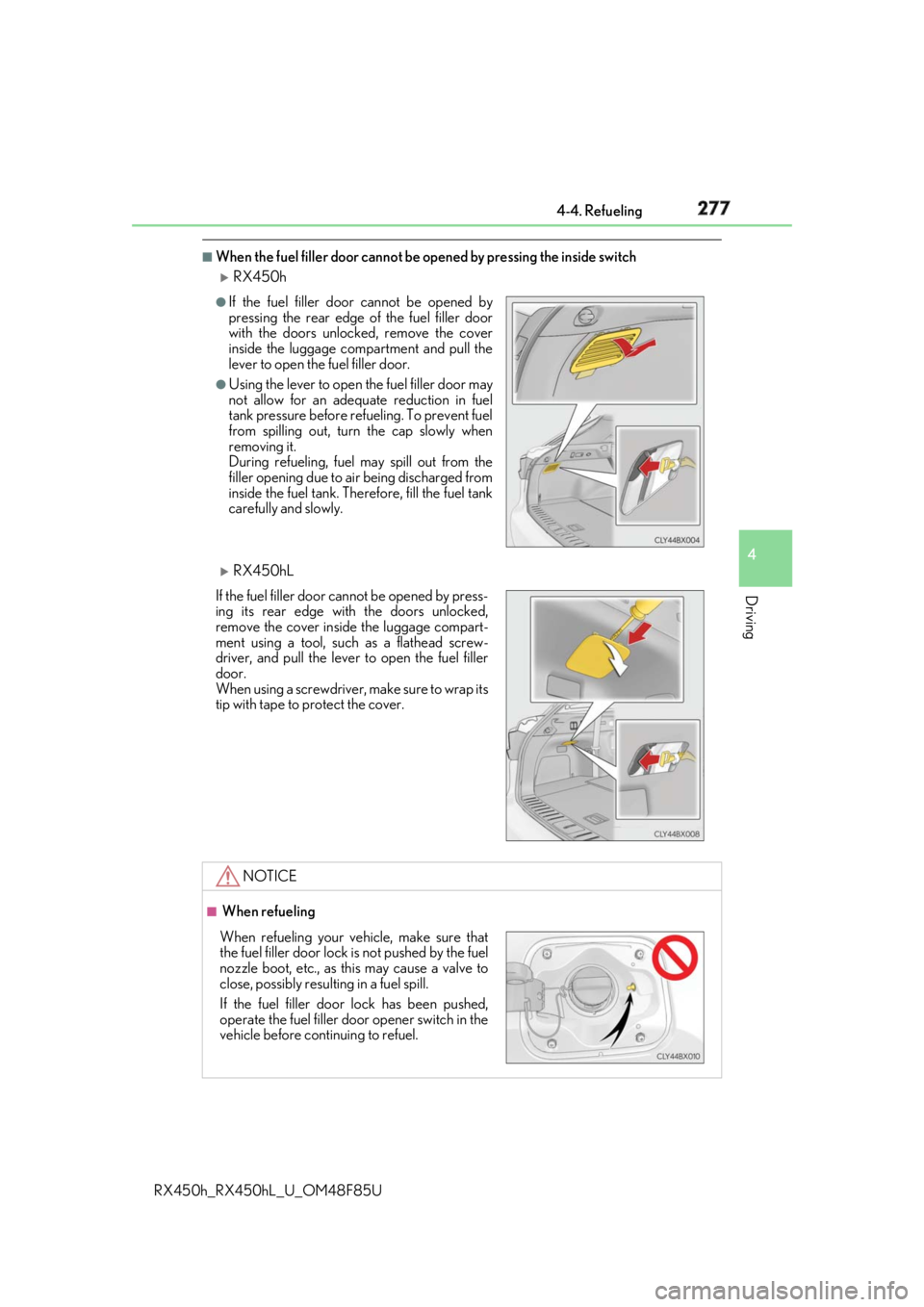
When the fuel filler door cannot be opened by pressing the inside switch
RX450h
RX450hL ●
If the fuel filler door cannot be opened by
pressing the rear edge of the fuel filler door
with the doors unlocked, remove the cover
inside the luggage compartment and pull the
lever to open the fuel filler door. ●
Using the lever to open the fuel filler door may
not allow for an adequate reduction in fuel
tank pressure before refueling. To prevent fuel
from spilling out, turn the cap slowly when
removing it.
During refueling, fuel may spill out from the
filler opening due to ai r being discharged from
inside the fuel tank. Therefore, fill the fuel tank
carefully and slowly.
If the fuel filler door cannot be opened by press-
ing its rear edge with the doors unlocked,
remove the cover inside the luggage compart-
ment using a tool, such as a flathead screw-
driver, and pull the lever to open the fuel filler
door.
When using a screwdriver, make sure to wrap its
tip with tape to protect the cover.
NOTICE ■
When refueling
When refueling your vehicle, make sure that
the fuel filler door lock is not pushed by the fuel
nozzle boot, etc., as this may cause a valve to
close, possibly resulting in a fuel spill.
If the fuel filler door lock has been pushed,
operate the fuel filler door opener switch in the
vehicle before continuing to refuel.
Page 295 of 792
2954-5. Using the driving support systems
4
Driving
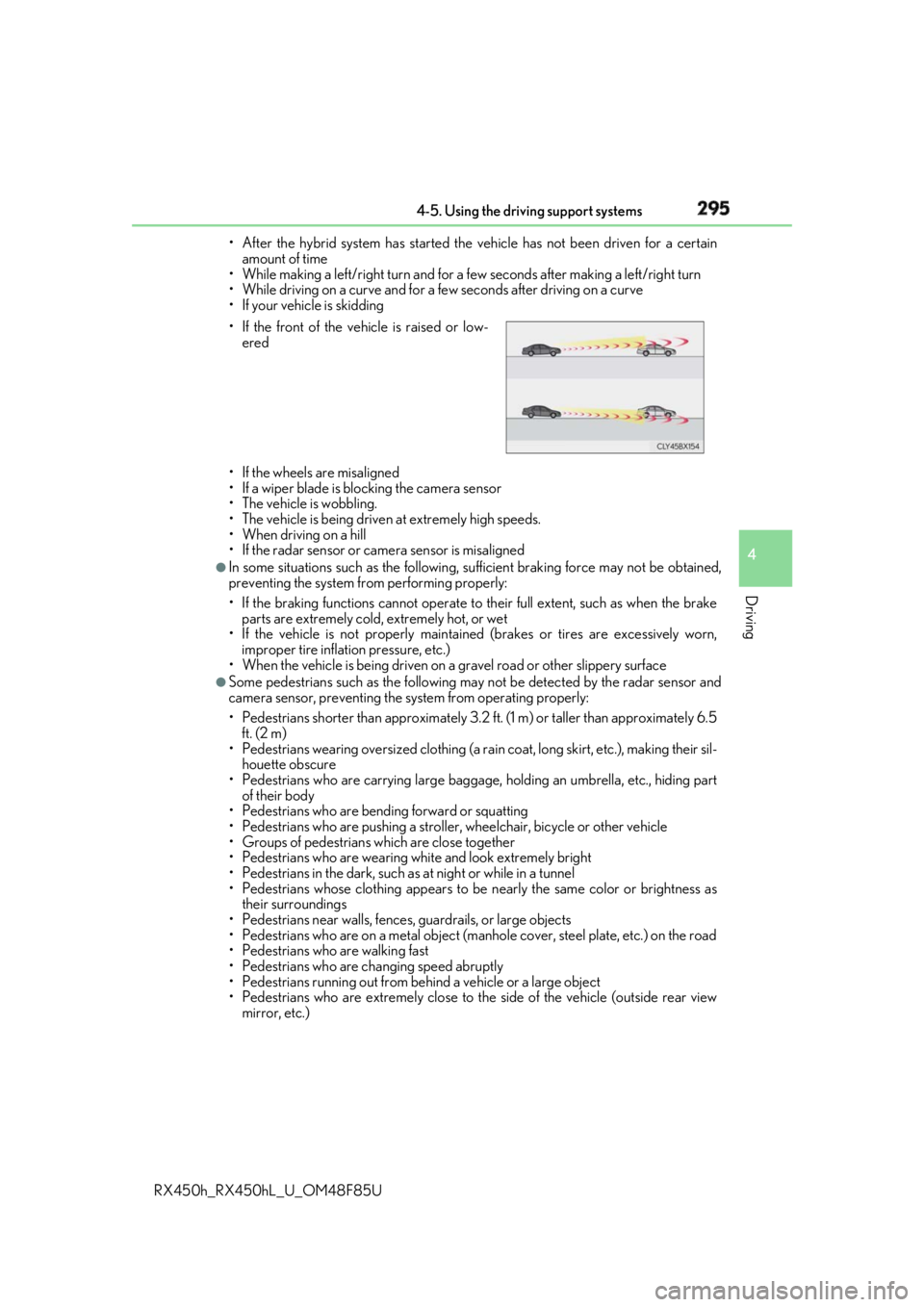
RX450h_RX450hL _U_OM48F85U• After the hybrid system has started the vehicle has not been driven for a certain
amount of time
• While making a left/right turn and for a few seconds after making a left/right turn
• While driving on a curve and for a few seconds after driving on a curve
• If your vehicle is skidding
• If the wheels are misaligned
• If a wiper blade is blocking the camera sensor
• The vehicle is wobbling.
• The vehicle is being driven at extremely high speeds.
• When driving on a hill
• If the radar sensor or ca mera sensor is misaligned●
In some situations such as the following, sufficient braking forc e may not be obtained,
preventing the system from performing properly:
• If the braking functions cannot operate to their full extent, such as when the brake
parts are extremely cold, extremely hot, or wet
• If the vehicle is not properly maintained (brakes or tires are excessively worn,
improper tire inflation pressure, etc.)
• When the vehicle is being driven on a gravel road or other slippery surface●
Some pedestrians such as the following may not be detected by the radar sensor and
camera sensor, preventing the system from operating properly:
• Pedestrians shorter than approximately 3.2 ft. (1 m) or taller than approximately 6.5
ft. (2 m)
• Pedestrians wearing oversized clothing (a ra in coat, long skirt, etc.), making their sil-
houette obscure
• Pedestrians who are carrying large baggage, holding an umbrella, etc., hiding part
of their body
• Pedestrians who are bending forward or squatting
• Pedestrians who are pushing a stroller , wheelchair, bicycle or other vehicle
• Groups of pedestrians which are close together
• Pedestrians who are wearing white and look extremely bright
• Pedestrians in the dark, such as at night or while in a tunnel
• Pedestrians whose clothing appears to be nearly the same color or brightness as
their surroundings
• Pedestrians near walls, fences , guardrails, or large objects
• Pedestrians who are on a metal object (manhole cover, steel plate, etc.) on the road
• Pedestrians who are walking fast
• Pedestrians who are changing speed abruptly
• Pedestrians running out from be hind a vehicle or a large object
• Pedestrians who are extremely close to the side of the vehicle (outside rear view
mirror, etc.)• If the front of the vehicle is raised or low-
ered
Page 382 of 792
382 4-5. Using the driving support systems
RX450h_RX450hL _U_OM48F85U◆ ECB (Electronically Controlled Brake System)
The electronically controlled system generates braking force corresponding
to the brake operation
◆ ABS (Anti-lock Brake System)
Helps to prevent wheel lock when the br akes are applied suddenly, or if the
brakes are applied while drivin g on a slippery road surface
◆ Brake assist
Generates an increased level of br aking force after the brake pedal is
depressed when the system detects a panic stop situation
◆ VSC (Vehicle Stability Control)
Helps the driver to contro l skidding when swerving suddenly or turning on
slippery road surfaces.
◆ Enhanced VSC (Enhanced Vehicle Stability Control)
Provides cooperative control of the ABS, TRAC, VSC and EPS.
Helps to maintain directional stability when swerving on slippery road sur-
faces by controlling steering performance.
◆ Trailer Sway Control (if equipped)
Helps the driver to control trailer sway by selectively applying brake pressure
for individual wheels and reducing dr iving torque when trailer sway is
detected.
◆ TRAC (Traction Control)
Helps to maintain drive power and pr event the drive wheels from spinning
when starting the vehicle or accelerating on slippery roads
◆ Hill-start assist control
Helps to reduce the backward movement of the vehicle when starting on an
uphillDriving assist systems To keep driving safety and performance, the following systems operate auto-
matically in response to various drivin g situations. Be aware, however, that
these systems are supplementary and shou ld not be relied upon too heavily
when operating the vehicle.
Page 391 of 792

3914-6. Driving tips
4
Driving
RX450h_RX450hL _U_OM48F85UAccelerate the vehicle slowly, keep a sa fe distance between you and the vehicle
ahead, and drive at a reduced spee d suitable to road conditions.●
Park the vehicle and move the shift lever to P without setting the parking
brake. The parking brake may freeze up, preventing it from being released. If
the vehicle is parked without setting the parking brake, make sure to block the
wheels.
Failure to do so may be dangerous because it may cause the vehicle to move
unexpectedly, possibly leading to an accident. When the parking brake is in automatic mo de, release the parkin g brake after shifting
the shift lever to P. ( → P. 253)●
If the vehicle is parked without setting the parking brake, confirm that the shift
lever cannot be moved out of P
* .
* : The shift lever will be locked if it is atte mpted to be shifted from P to any other posi-
tion without depressing the brake pedal. If the shift lever can be shifted from P, there
may be a problem with the shift lock sy stem. Have the vehicle inspected by your
Lexus dealer immediately.
Use the correct tire chain size when mounti ng the tire chains. Chain size is regu-
lated for each tire size.
Side chain:
0.12 in. (3 mm) in diameter
0.43 in. (10.8 mm) in width
0.98 in. (25 mm) in length
Cross chain:
0.15 in. (3.9 mm) in diameter
0.54 in. (13.8 mm) in width
1.00 in. (25.3 mm) in length
Regulations regarding the use of tire chains vary depending on location and type
of road. Always check local regu lations before installing chains.When driving the vehicle
When parking the vehicle
Selecting tire chains 1
2
3
4
5
6
Regulations on the use of tire chains
Page 417 of 792
4175-2. Setup
5
Lexus Display Audio system
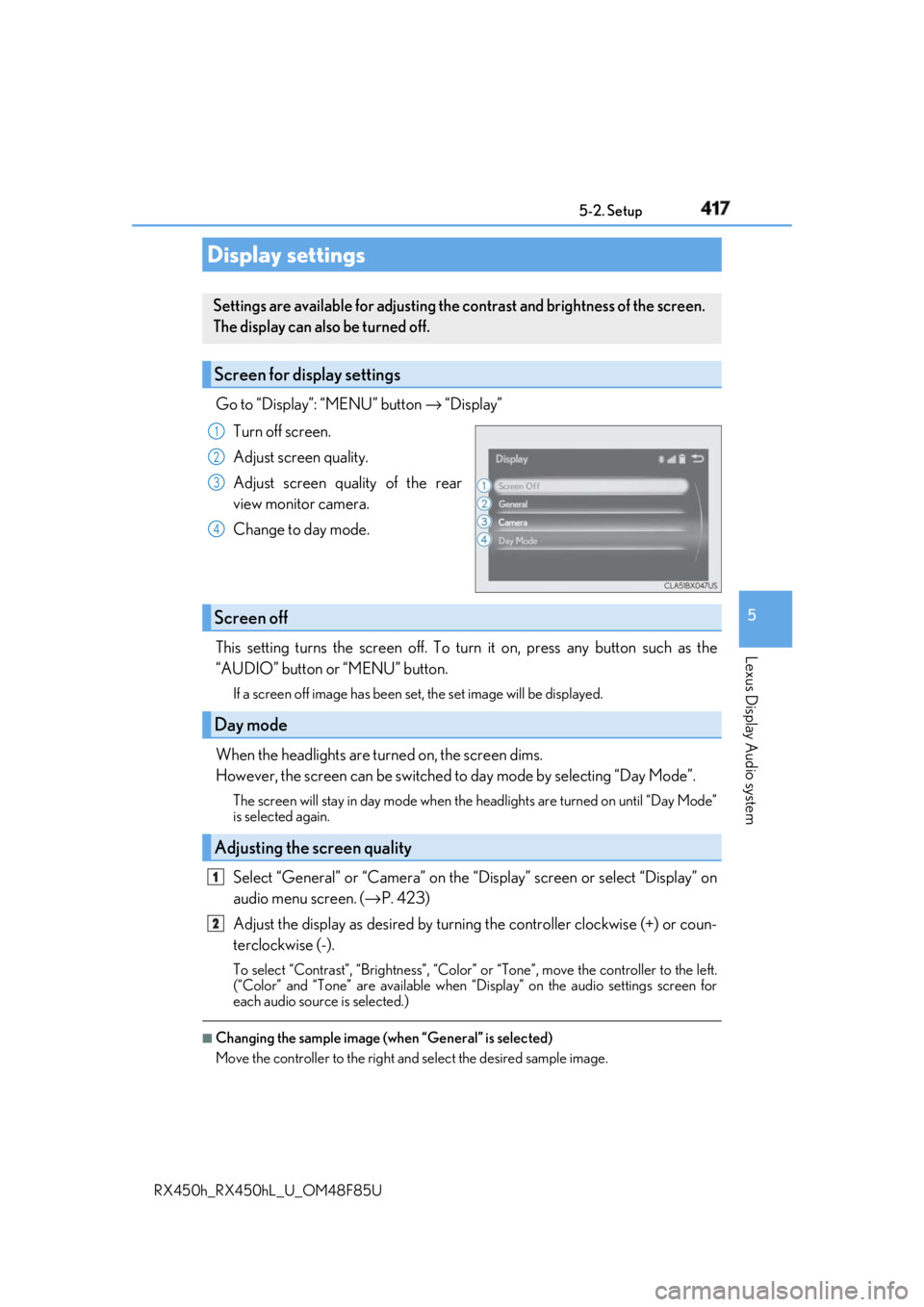
RX450h_RX450hL _U_OM48F85UGo to “Display”: “MENU” button → “Display”
Turn off screen.
Adjust screen quality.
Adjust screen quality of the rear
view monitor camera.
Change to day mode.
This setting turns the screen off. To tu rn it on, press any button such as the
“AUDIO” button or “MENU” button. If a screen off image has been se t, the set image will be displayed.
When the headlights are turned on, the screen dims.
However, the screen can be switched to day mode by selecting “Day Mode”.The screen will stay in day mode when the headlights are turned on until “Day Mode”
is selected again.
Select “General” or “Camera” on the “D isplay” screen or select “Display” on
audio menu screen. ( → P. 423)
Adjust the display as desired by turning the controller clockwise (+) or coun-
terclockwise (-). To select “Contrast”, “Brightness”, “Color” or “Tone”, move the controller to the left.
(“Color” and “Tone” are available when “Display” on the audio settings screen for
each audio source is selected.) ■
Changing the sample image (when “General” is selected)
Move the controller to the right and select the desired sample image.Display settings Settings are available for adjusting the contrast and brightness of the screen.
The display can also be turned off.
Screen for display settings 1
2
3
4
Screen off
Day mode
Adjusting the screen quality 1
2
Page 499 of 792

499
6Interior features
RX450h_RX450hL _U_OM48F85U6-1. Basic operation of the
Remote Touch screen
Remote Touch ............................ 500
12.3-inch display........................ 504
6-2. Using the air conditioning
system and defogger
Lexus Climate
Concierge ................................. 506
Front automatic air
conditioning system ...............507
Rear automatic air
conditioning system ...............522
Heated steering wheel/
seat heaters/
seat ventilators .........................525
6-3. Using the interior lights
Interior lights list......................... 528
• Interior lights ..........................529
• Personal lights ...................... 530
6-4. Using the storage features
List of storage features.............532
• Glove box ...............................534
• Console box ...........................534
• Cup holders........................... 535
• Door pockets .........................537 • Bottle holders ........................ 537
• Coin box ..................................538
• Auxiliary boxes .....................539
Luggage compartment
features .......................................540
6-5. Using the other interior
features
Other interior features ............ 547
• Sun visors ................................ 547
• Vanity mirrors ....................... 547
• Clock ........................................548
• Wireless charger .................548
• Power outlets.........................555
• Front passenger
footwell hooks ....................... 557
• Rear door sunshades ......... 557
• Armrest ................................... 558
• Assist grips..............................559
• Coat hooks .............................559
Garage door opener ...............560
Compass ....................................... 567
LEXUS Enform Safety
Connect ........................................571
LEXUS Enform Remote ......... 576
LEXUS Enform Service
Connect ...................................... 577
Page 518 of 792

518 6-2. Using the air conditio ning system and defogger
RX450h_RX450hL _U_OM48F85U■
Registering air conditioning settings to electronic keys●
Unlocking the vehicle using an electronic key and turning the power switch to ON
mode will recall that ke y’s registered air co nditioning settings.●
When the power switch is turned off, the cu rrent air conditioning settings will automati-
cally be registered to the electronic key that was used to unlock the vehicle. ●
The system may not operate correctly if more th an one electronic key is in the vicinity or
if the smart access system with push-button start is used to unlock a passenger door.●
The doors that can recall the air conditioni ng setting when unlocked using the smart
access system with push-b utton start can be changed.
* For details, contact your Lexus
dealer.
* : The doors that can recall the driving positi on memory are changed at the same time.■
Using automatic mode
Fan speed is adjusted automatically according to the temperature setting and the ambi-
ent conditions.
Therefore, the fan may stop for a while until wa rm or cool air is ready to flow immediately
after the “AUTO” button is pressed or “AUTO” is selected. ■
How the system judges if a passenger is in the vehicle when in S-FLOW mode
In S-FLOW mode, the system judges if a passenger is in the vehicle as follows:
• Front passenger seat: A passeng er is judged to be in the front passenger seat when the
system detects an object on the front passe nger seat, fastening of the front passenger
seat belt, changing of the set temperature for the front passenger seat or the opening
and closing of the front passenger door. (However, when only opening and closing of
the front passenger door is detected, the sy stem will judge that a passenger is not in
the front passenger seat after the vehicl e speed reaches approximately 12 mph (20
km/h) or more.)
• Rear seats (automatic S-FLOW mode only): A passenger is judged to be in a rear seat
when the system detects the opening and closin g of a rear door or the operation of the
rear air conditioning system (RX450hL).
If a passenger is judged to be in the vehicl e, the system will retain the judgement for a
certain amount of time after th e power switch is turned off.■
Operation of automatic S-FLOW mode
When the system is operating in automati c S-FLOW mode, if the system detects the
opening and closing of a rear door or the op eration of the rear air conditioning system
(RX450hL), S-FLOW mode will be disabled. To enable S-FLOW mode, select
on the option control screen. (In this case , the system will operate in manual S-FLOW
mode.) ■
Changing from manual S-FLOW mode to automatic S-FLOW mode
Select on the option control screen to disable S-FLOW mode.
Turn the power switch off.
Wait for 60 minutes or more and change the power switch to ON mode. ■
Using the voice command system
Air conditioning system can be operated using voic e commands. For details, refer to the
“NAVIGATION SYSTEM OWNER’S MANUAL”. 1
2
3
Page 520 of 792
520 6-2. Using the air conditio ning system and defogger
RX450h_RX450hL _U_OM48F85U■
Ventilation and air conditioning odors ●
To let fresh air in, set the air conditioning system to the outside air mode. ●
During use, various odors from inside and outside the vehicle may enter into and accu-
mulate in the air conditioning system. This may then cause odor to be emitted from the
vents. ●
To reduce potential odors from occurring:
• It is recommended that the air conditioning system be set to outside air mode prior
to turning the vehicle off.
• The start timing of the blower may be dela yed for a short period of time immediately
after the air conditioning system is started in automatic mode.■
Air conditioning filter
→ P. 625 ■
Customization
Some functions can be customized ( → P. 736)
WARNING ■
To prevent the windshield from fogging up ●
Do not use during cool air operation in extremely humid weather. The differ-
ence between the temperature of the outside air and that of the windshield can cause
the outer surface of the windshield to fog up, blocking your vision.
■
To prevent burns ●
Do not touch the rear view mirror surfaces when the outside rear view mirror defog-
gers are on. ●
Do not touch the glass at lower part of the windshield or to the side of the front pillars
when the windshield wiper de-icer is on. (if equipped) ●
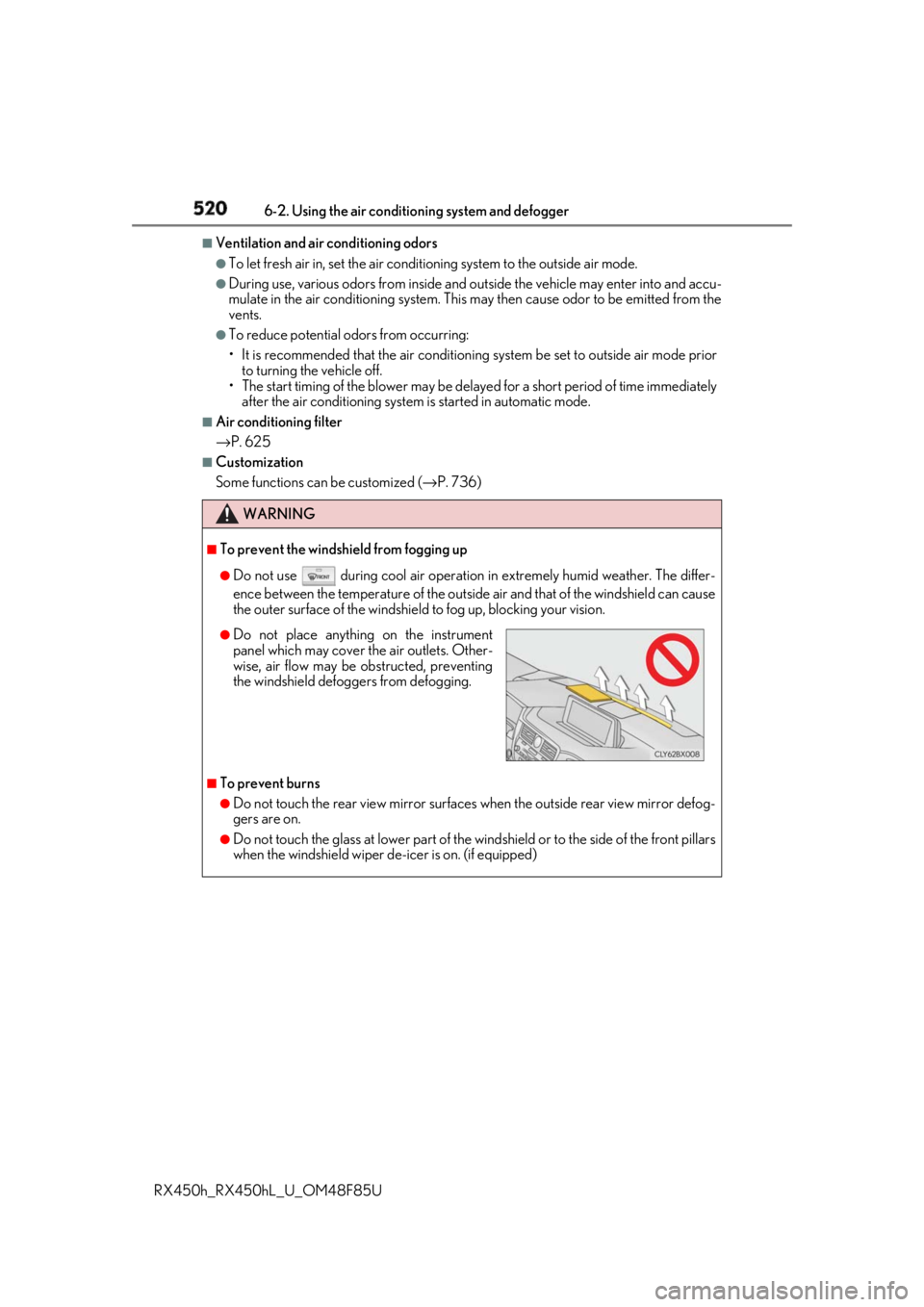
Do not place anything on the instrument
panel which may cover th e air outlets. Other-
wise, air flow may be obstructed, preventing
the windshield defoggers from defogging.