reset LINCOLN AVIATOR 2023 Owner's Manual
[x] Cancel search | Manufacturer: LINCOLN, Model Year: 2023, Model line: AVIATOR, Model: LINCOLN AVIATOR 2023Pages: 681, PDF Size: 9.33 MB
Page 182 of 681
Removing the Head Restraint
1. Press and hold the C buttons.
2. Pull the head restraint up.
Installing the Head Restraint
Align the steel stems into the guide sleeves
and push the head restraint down until it
locks.
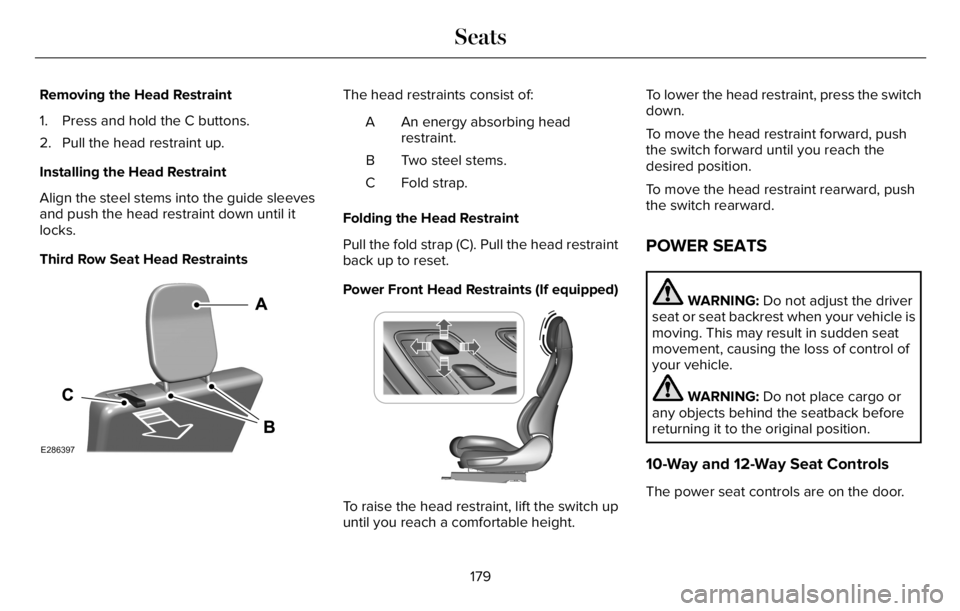
Third Row Seat Head Restraints
E286397
The head restraints consist of:
An energy absorbing head
restraint. A
Two steel stems. B
Fold strap. C
Folding the Head Restraint
Pull the fold strap (C). Pull the head restraint
back up to reset.
Power Front Head Restraints (If equipped)
E222280
To raise the head restraint, lift the switch up
until you reach a comfortable height.To lower the head restraint, press the switch
down.
To move the head restraint forward, push
the switch forward until you reach the
desired position.
To move the head restraint rearward, push
the switch rearward.
POWER SEATS
WARNING: Do not adjust the driver
seat or seat backrest when your vehicle is
moving. This may result in sudden seat
movement, causing the loss of control of
your vehicle.
WARNING: Do not place cargo or
any objects behind the seatback before
returning it to the original position.
10-Way and 12-Way Seat Controls
The power seat controls are on the door.
179
Seats
Page 187 of 681
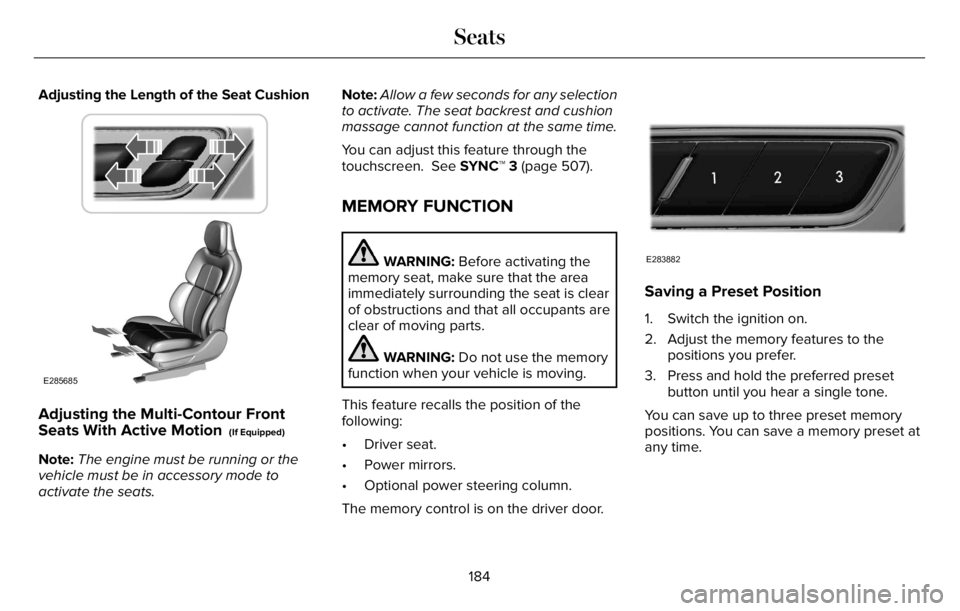
Adjusting the Length of the Seat Cushion
E285685
Adjusting the Multi-Contour Front
Seats With Active Motion (If Equipped)
Note:The engine must be running or the
vehicle must be in accessory mode to
activate the seats.Note:Allow a few seconds for any selection
to activate. The seat backrest and cushion
massage cannot function at the same time.
You can adjust this feature through the
touchscreen. See SYNC™ 3 (page 507).
MEMORY FUNCTION
WARNING: Before activating the
memory seat, make sure that the area
immediately surrounding the seat is clear
of obstructions and that all occupants are
clear of moving parts.
WARNING: Do not use the memory
function when your vehicle is moving.
This feature recalls the position of the
following:
• Driver seat.
• Power mirrors.
• Optional power steering column.
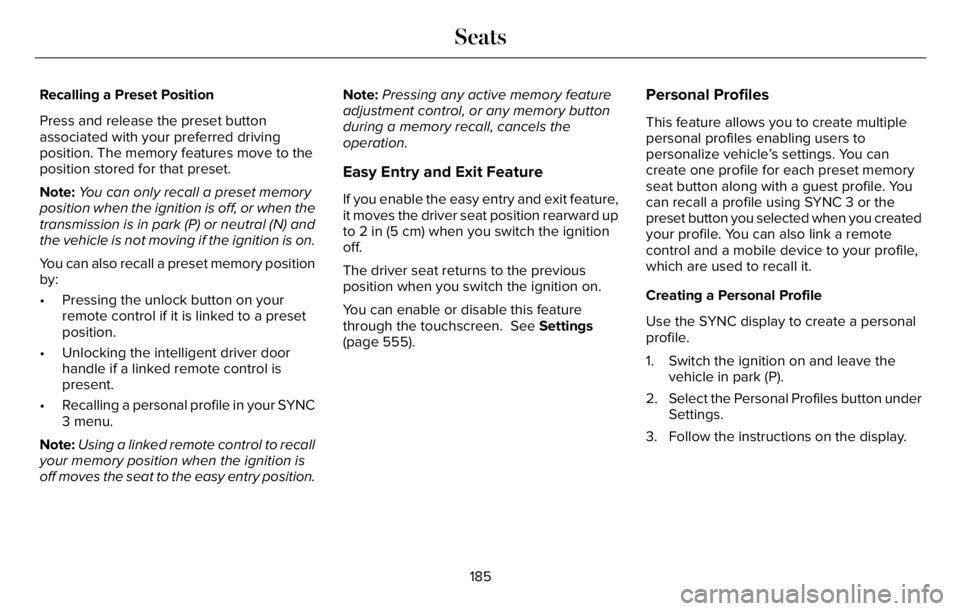
The memory control is on the driver door.
E283882
Saving a Preset Position
1. Switch the ignition on.
2. Adjust the memory features to the
positions you prefer.
3. Press and hold the preferred preset
button until you hear a single tone.
You can save up to three preset memory
positions. You can save a memory preset at
any time.
184
Seats
Page 188 of 681
Recalling a Preset Position
Press and release the preset button
associated with your preferred driving
position. The memory features move to the
position stored for that preset.
Note:You can only recall a preset memory
position when the ignition is off, or when the
transmission is in park (P) or neutral (N) and
the vehicle is not moving if the ignition is on.
You can also recall a preset memory position
by:
• Pressing the unlock button on your
remote control if it is linked to a preset
position.
• Unlocking the intelligent driver door
handle if a linked remote control is
present.
• Recalling a personal profile in your SYNC
3 menu.
Note:Using a linked remote control to recall
your memory position when the ignition is
off moves the seat to the easy entry position.Note:Pressing any active memory feature
adjustment control, or any memory button
during a memory recall, cancels the
operation.
Easy Entry and Exit Feature
If you enable the easy entry and exit feature,
it moves the driver seat position rearward up
to 2 in (5 cm) when you switch the ignition
off.
The driver seat returns to the previous
position when you switch the ignition on.
You can enable or disable this feature
through the touchscreen. See Settings
(page 555).
Personal Profiles
This feature allows you to create multiple
personal profiles enabling users to
personalize vehicle’s settings. You can
create one profile for each preset memory
seat button along with a guest profile. You
can recall a profile using SYNC 3 or the
preset button you selected when you created
your profile. You can also link a remote
control and a mobile device to your profile,
which are used to recall it.
Creating a Personal Profile
Use the SYNC display to create a personal
profile.
1. Switch the ignition on and leave the
vehicle in park (P).
2. Select the Personal Profiles button under
Settings.
3. Follow the instructions on the display.
185
Seats
Page 189 of 681
Linking a Personal Profile to Your Remote
Control or Mobile Device
You can save preset memory positions for
up to three remote controls, by assigning a
remote control to a personal profile in your
SYNC 3. You can assign three additional
remote controls set up as Phone as a Key.
See Keys and Remote Controls (page 68).
Use the SYNC display to link a remote
control, mobile device or both to a personal
profile.
1. Switch the ignition on and leave the
vehicle in park (P).
2. Select the Personal Profiles button under
Settings.
3. Touch the arrow for the profile you wish
to link to a remote control or mobile
device.
4. Select the correct button to link a remote
control, mobile device, or both.
5. Follow the instructions on the display.Note:To successfully link a mobile device,
the mobile device must be present in your
vehicle, and must have previously been
setup as a remote control for your vehicle.
Note:If more than one linked remote control
is in range, the memory function moves to
the settings of the first key to initiate a
memory recall.
Note:The guest profile consists of existing
settings when there is no driver profile
created. After you create a driver profile, the
guest profile serves as an additional driver
profile.
Note:You cannot link a personalized name,
a memory seat button or a remote control
to a guest profile.
Personal Settings
Personal Profiles allow you to personalize
positional settings such as seats and mirrors,
as well as non-positional settings such as
radio, navigation, driver assist and system
settings. See SYNC™ 3 (page 507). You
cannot change the menu locations and
settings of those personalized features with
Personal Profiles.Note:Non-positional settings are saved to
the active driver profile whenever you
change a setting.
Note:You can save positional settings if you
press and hold a memory seat button.
Recalling and Changing a Profile
You can recall a profile by:
• Using a remote control or mobile device
that has been linked to a driver profile to
access the remote start feature, press an
unlock button or open the door with the
exterior door handle.
• Pressing a memory seat button that has
been linked to a driver profile.
• Using the Personal Profiles menu on the
SYNC touchscreen.
Note:The recalled profile replaces the
previously active profile. If the active profile
is not your preferred profile, you can change
it using any of the three methods listed.
186
Seats
Page 190 of 681
When you switch on the Personal Profiles
feature:
• Unlocking a door with a remote control
or mobile device that is not linked to a
driver profile does not change the active
profile, but remains the last known
profile. It will not change the positional
settings.
• Pressing a memory seat button that is
not linked to a driver profile or has not
been saved to a preset setting does not
change active profile, but remains in the
last known profile. It will not change the
positional settings.
• Pressing a memory seat button that is
not linked to a driver profile but has been
saved to a preset setting does not recall
any non-positional settings, but recalls
the positional settings that you saved to
that memory seat button.
See SYNC™ 3 Troubleshooting (page 557).When you switch off a Personal Profiles
feature:
• Unlocking a door with a remote control
or mobile device does not recall any
non-positional settings, but still recalls
positional settings from the driver profile
which the remote control or mobile
device had been linked to.
• Pressing a memory seat button that has
not been linked to a driver profile or has
not been saved to a preset setting does
not recall any settings, positional or
non-positional.
• Pressing a memory seat button that has
been linked to a driver profile or has
saved to a preset setting does not recall
any non-positional settings, but recalls
the positional settings that you saved to
that memory seat button.
REAR SEATS
WARNING: Always drive and ride
with your seatback upright and the lap belt
snug and low across the hips.
WARNING: Do not recline the seat
backrest too far as this can cause the
occupant to slide under the seatbelt,
resulting in personal injury in the event of
a crash.
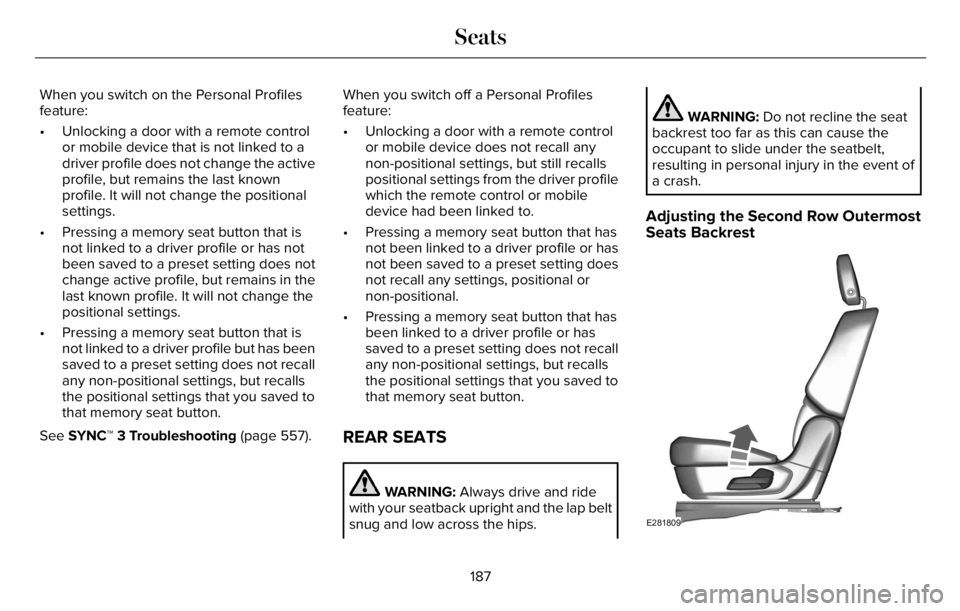
Adjusting the Second Row Outermost
Seats Backrest
E281809
187
Seats
Page 197 of 681
SWITCHING REAR OCCUPANT
ALERT SYSTEM ON AND OFF
1. Press Settings on the touchscreen.
2. Press Vehicle.
3. Switch Rear Occupant Alert on or off.
Note:The default setting is on.
Note:Performing a master reset causes the
system to switch on again.
Semiannual Reminder (If Equipped)
When you switch the system off, a message
appears every six months as a reminder that
the system is off. You can switch the system
back on or leave it off.
REAR OCCUPANT ALERT SYSTEM
INDICATORS
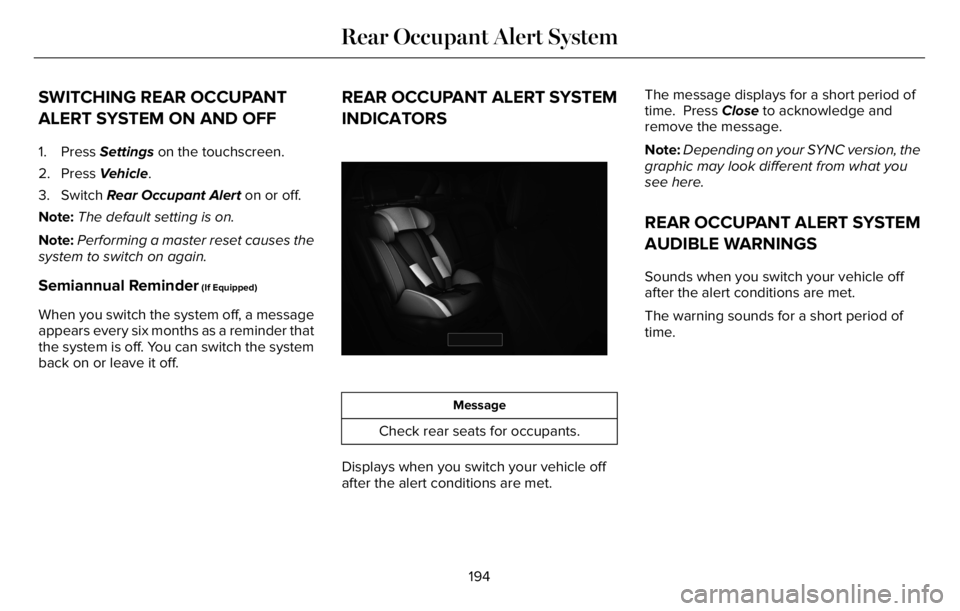
E350472E350472
Message
Check rear seats for occupants.
Displays when you switch your vehicle off
after the alert conditions are met.The message displays for a short period of
time. Press Close to acknowledge and
remove the message.
Note:Depending on your SYNC version, the
graphic may look different from what you
see here.
REAR OCCUPANT ALERT SYSTEM
AUDIBLE WARNINGS
Sounds when you switch your vehicle off
after the alert conditions are met.
The warning sounds for a short period of
time.
194
Rear Occupant Alert System
Page 204 of 681
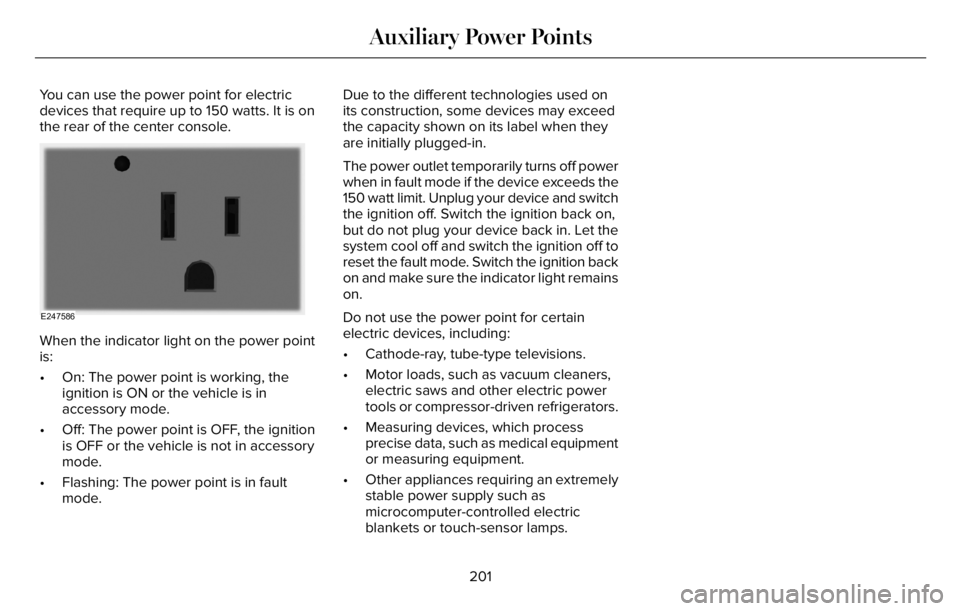
You can use the power point for electric
devices that require up to 150 watts. It is on
the rear of the center console.
E247586
When the indicator light on the power point
is:
• On: The power point is working, the
ignition is ON or the vehicle is in
accessory mode.
• Off: The power point is OFF, the ignition
is OFF or the vehicle is not in accessory
mode.
• Flashing: The power point is in fault
mode.Due to the different technologies used on
its construction, some devices may exceed
the capacity shown on its label when they
are initially plugged-in.
The power outlet temporarily turns off power
when in fault mode if the device exceeds the
150 watt limit. Unplug your device and switch
the ignition off. Switch the ignition back on,
but do not plug your device back in. Let the
system cool off and switch the ignition off to
reset the fault mode. Switch the ignition back
on and make sure the indicator light remains
on.
Do not use the power point for certain
electric devices, including:
• Cathode-ray, tube-type televisions.
• Motor loads, such as vacuum cleaners,
electric saws and other electric power
tools or compressor-driven refrigerators.
• Measuring devices, which process
precise data, such as medical equipment
or measuring equipment.
• Other appliances requiring an extremely
stable power supply such as
microcomputer-controlled electric
blankets or touch-sensor lamps.
201
Auxiliary Power Points
Page 211 of 681
If you are unable to start your vehicle, do the
following:
1. Fully depress the brake pedal.
2. SYNC displays the Backup Starting
Passcode entry screen.
3. Using the SYNC display enter the backup
password and select Enter within 30
seconds.
4. SYNC displays messages to start the
vehicle.
5. Fully depress the brake pedal and press
the start button within 20 seconds to start
the engine.
Automatic Engine Shutdown
This feature shuts down the engine if it has
been idling for an extended period. The
ignition also turns off in order to save battery
power. Before your vehicle shuts down, a
message appears in the information display
showing a timer counting down from 30seconds. If you do not intervene within 30
seconds, your vehicle shuts down. Another
message appears in the information display
to inform you that your vehicle has shut down
to save fuel. Start your vehicle as you
normally do.
Note:Automatic Engine Shutdown may be
more frequent for hybrid vehicles.
Automatic Engine Shutdown Override
Note:You cannot permanently switch off the
automatic shutdown feature. When you
switch it off temporarily, it turns on at the
next ignition cycle.You can stop the shutdown, or reset the
timer, at any point before the 30-second
countdown has expired by doing any of the
following:
• You can reset the timer by interacting
with your vehicle, for example pressing
the brake or accelerator pedal.
• You can temporarily switch off the
shutdown feature any time the ignition is
on for the current ignition cycle only. Use
the vehicle settings on your touchscreen
to turn 30min Max Idle on or off.
• During the 30-second countdown, the
system prompts you to press OK or
RESET to temporarily switch the feature
off for the current ignition cycle only.Stopping the Engine When Your
Vehicle is Stationary
1. Shift into park (P).
2. Press the push button ignition switch.
3. Apply the parking brake.
Note:The ignition, all electrical circuits and
all warning lamps and indicators will be
turned off.
208
Starting and Stopping the Engine
Page 215 of 681
30 seconds. If you do not intervene within
30 seconds, your vehicle shuts down.
Another message appears in the information
display to inform you that your vehicle has
shut down to save fuel. Start your vehicle as
you normally do.
Note:Automatic Engine Shutdown may be
more frequent for hybrid vehicles.
Automatic Engine Shutdown Override
Note: You cannot permanently switch off
the automatic shutdown feature. When you
switch it off temporarily, it turns on at the
next ignition cycle.You can stop the shutdown, or reset the
timer, at any point before the 30-second
countdown has expired by doing any of the
following:
• You can reset the timer by interacting
with your vehicle, for example pressing
the brake or accelerator pedal.
• You can temporarily switch off the
shutdown feature any time the ignition is
on using the information display. See
Information Displays (page 136). The
feature only remains off for the current
ignition cycle.
• During the 30-second countdown, the
system prompts you to press OK or
RESET to temporarily switch the feature
off for the current ignition cycle only.
Switching Off Your Vehicle When It Is
Stationary
1. Put the transmission in park (P).
2. Press the push button ignition switch
once.
3. Apply the parking brake.Note:This switches off the ignition, warning
lamps and indicators.
Vehicles Using Phone as a Key
1. Shift into park (P).
2. Press the push button ignition switch.
3. Apply the parking brake.
Note:The ignition, all electrical circuits and
all warning lamps and indicators turn off.
Note:If the engine is idling for 30 minutes,
the ignition and engine automatically shut
down.
Switching Off Your Vehicle When It Is
Moving
WARNING: Switching off the engine
when your vehicle is still moving results in
a significant decrease in braking
assistance. Higher effort is required to
apply the brakes and to stop your vehicle.
A significant decrease in steering
assistance could also occur. The steering
does not lock, but higher effort could be
212
Starting and Stopping the Engine
Page 223 of 681
When the electric-only range reaches zero,
the powertrain system switches to hybrid
operation. This means the energy you gain
from plugging in and charging your vehicle
is now gone. Both the gasoline engine and
electric motor power your vehicle and
maximize fuel economy during hybrid
operation. Hybrid operation provides some
electric-only driving as the powertrain system
maintains the high voltage battery charge
level within functional limits.Low Engine Use
The low engine use mode properly lubricates
the engine at sufficient temperature and
activates when you drive your vehicle with
limited engine operation. When in low engine
use mode, your vehicle runs the engine as
necessary. When low engine use mode
begins, a message appears in the information
display. If low engine use mode does not
complete before you switch your vehicle off,
it continues the next time you start your
vehicle and the message reappears. See
Information Messages (page 142).Pure EV mode is not available during low
engine use mode.
Note:Cold temperatures affect the engine
warm up time and the low engine use mode
could operate more frequently.
Note:An oil change is not required but gives
you the option of not running a low engine
use cycle. Resetting the oil life monitoring
system suspends the low engine use mode.
220
Unique Driving Characteristics