lock LINCOLN CONTINENTAL 1996 Customer Assistance Guide
[x] Cancel search | Manufacturer: LINCOLN, Model Year: 1996, Model line: CONTINENTAL, Model: LINCOLN CONTINENTAL 1996Pages: 320, PDF Size: 1.8 MB
Page 85 of 320
The high beam indicator light on the instrument
cluster will not be on.
NOTE:If you have a vehicle with an
automatic lighting system, the DRL system is
active until the automatic system turns on the
headlamps.
NOTE:You may notice that the lights
flicker when the vehicle is turned on or off. This
is a normal condition./!\WARNINGThe Daytime Running Light (DRL)system will not illuminate the taillamps and parking lamps. Turn onyour headlamps at dusk. Failure to doso may result in a collision.Turning On the Exterior Lights
To turn on the headlamps, parking lamps, side
markers, and tail lamps, use the rotary switch
that is to the left of the steering wheel.
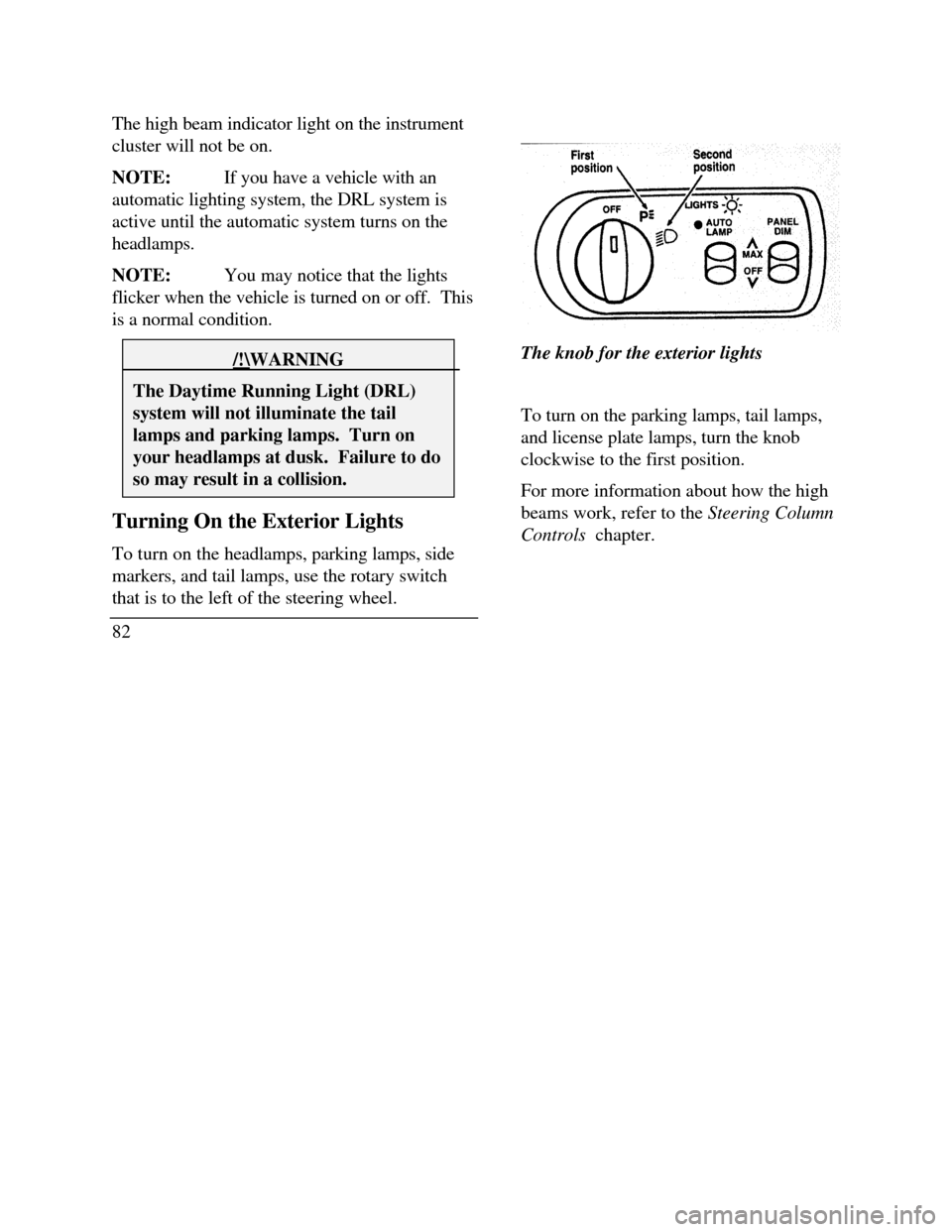
82The knob for the exterior lights
To turn on the parking lamps, tail lamps,
and license plate lamps, turn the knob
clockwise to the first position.
For more information about how the high
beams work, refer to the Steering Column
Controls chapter.
Page 88 of 320
Panel dim switch
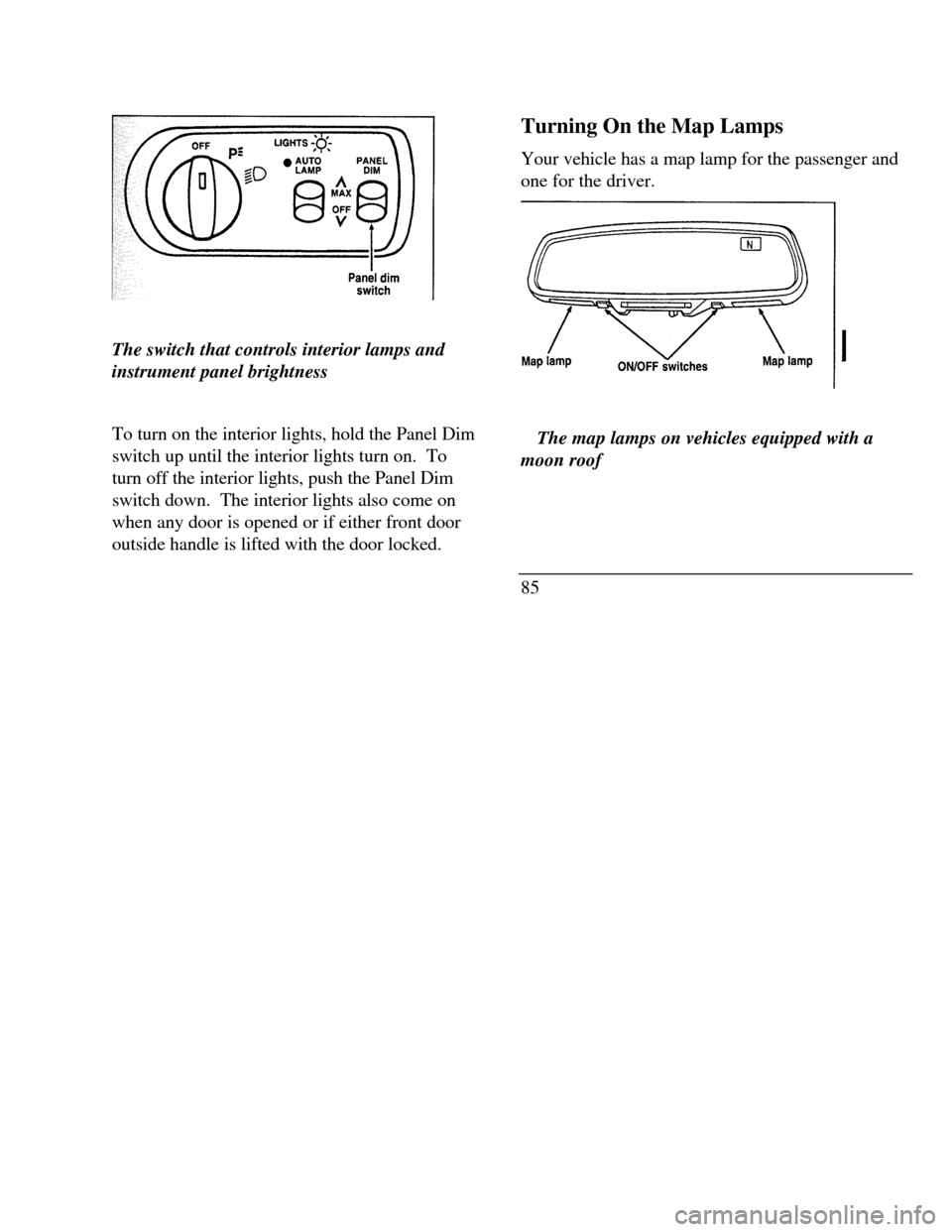
The switch that controls interior lamps and
instrument panel brightness
To turn on the interior lights, hold the Panel Dim
switch up until the interior lights turn on. To
turn off the interior lights, push the Panel Dim
switch down. The interior lights also come on
when any door is opened or if either front door
outside handle is lifted with the door locked.Turning On the Map Lamps
Your vehicle has a map lamp for the passenger and
one for the driver.TTThe map lamps on vehicles equipped with a
moon roof
85
Page 89 of 320
Map lamp Dome lamp ON/OFF Switches
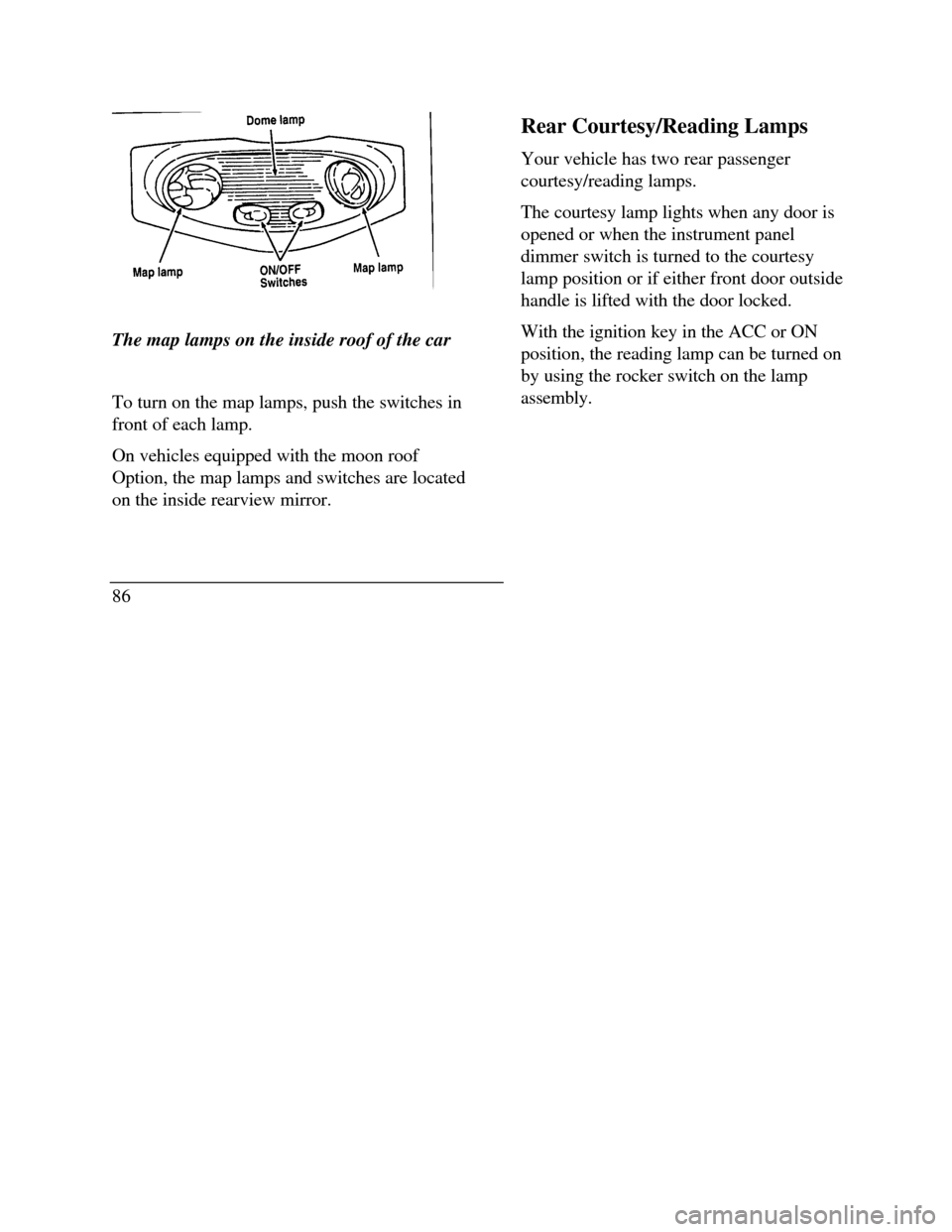
The map lamps on the inside roof of the car
To turn on the map lamps, push the switches in
front of each lamp.
On vehicles equipped with the moon roof
Option, the map lamps and switches are located
on the inside rearview mirror.
86Rear Courtesy/Reading Lamps
Your vehicle has two rear passenger
courtesy/reading lamps.
The courtesy lamp lights when any door is
opened or when the instrument panel
dimmer switch is turned to the courtesy
lamp position or if either front door outside
handle is lifted with the door locked.
With the ignition key in the ACC or ON
position, the reading lamp can be turned on
by using the rocker switch on the lamp
assembly.
Page 90 of 320
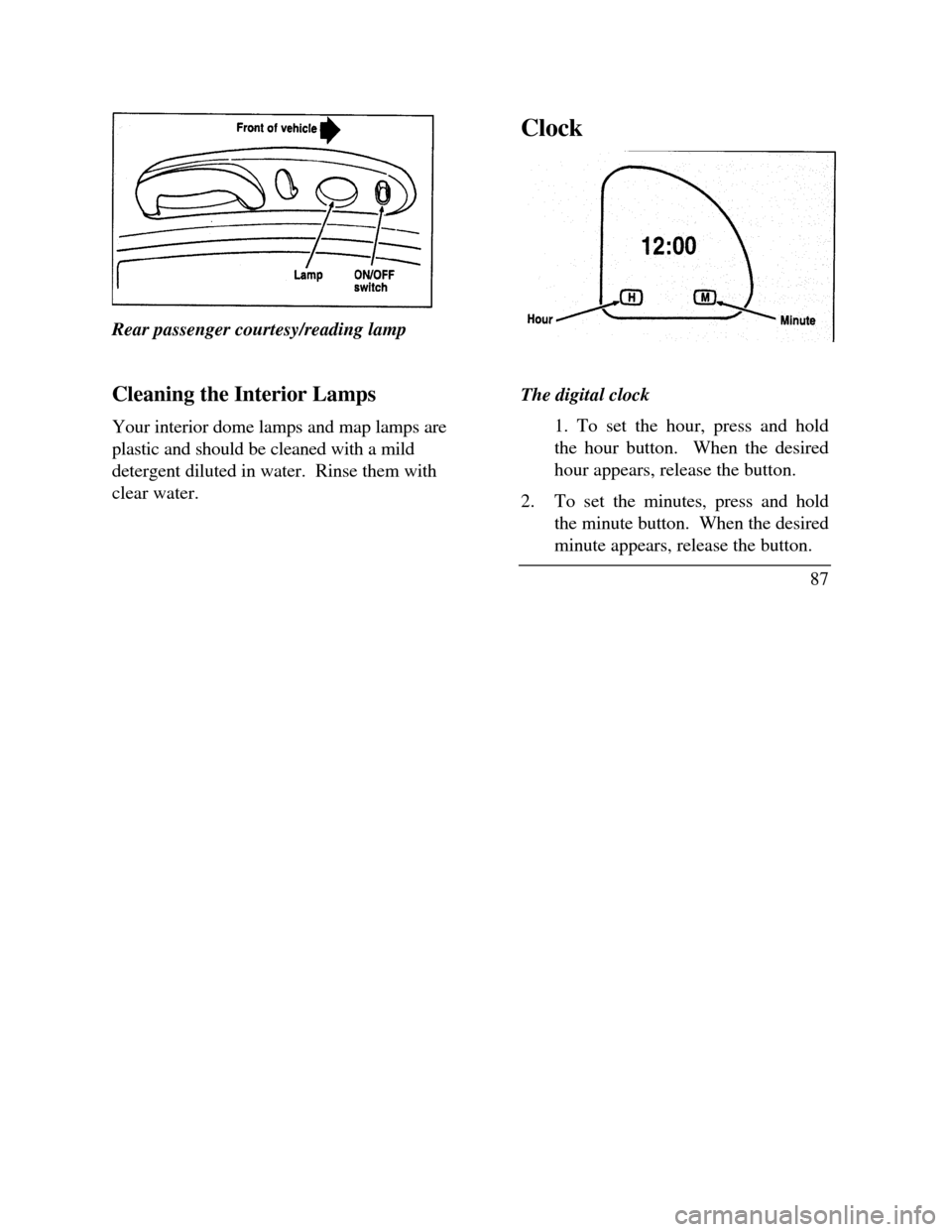
Rear passenger courtesy/reading lamp
Cleaning the Interior Lamps
Your interior dome lamps and map lamps are
plastic and should be cleaned with a mild
detergent diluted in water. Rinse them with
clear water.ClockThe digital clock
1. To set the hour, press and hold
the hour button. When the desired
hour appears, release the button.
2.To set the minutes, press and hold
the minute button. When the desired
minute appears, release the button.
87
Page 98 of 320

To change the position of the steering wheel, pull
the release lever on the column toward you. Tip
the steering wheel to the desired position.
Release the lever to lock the steering wheel in
place.
Speed Control
Your vehicle has speed control, so you can
automatically maintain a constant speed above 30
mph (48 km/h). The switches to operate the
speed control are on the steering wheel.
Use of radio transmitting equipment that is not
Federal Communications Commission (FCC) or
in Canada the Canadian Radio and
Telecommunications Commission (CRTC)
approved may cause the speed control to
malfunction. Therefore, use only properly
installed FCC (CRTC in Canada) approved radio
transmitting equipment in your vehicle.NOTE: Since your vehicle has an Automatic
Overdrive Transaxle, you may want to drive in D
(Drive) when driving in hilly terrain, at higher
altitudes, or when pulling a trailer. This will
improve speed control performance.
NOTE: Do not shift to N (Neutral) when using
the speed control. This will cause the engine to
overspeed.
95
Page 102 of 320
FeaturesYour vehicle has a variety of features designed for
your comfort, convenience and safety. Read this
chapter to find out about standard and optional
features.
Doors
Childproof Locks for the Rear Doors
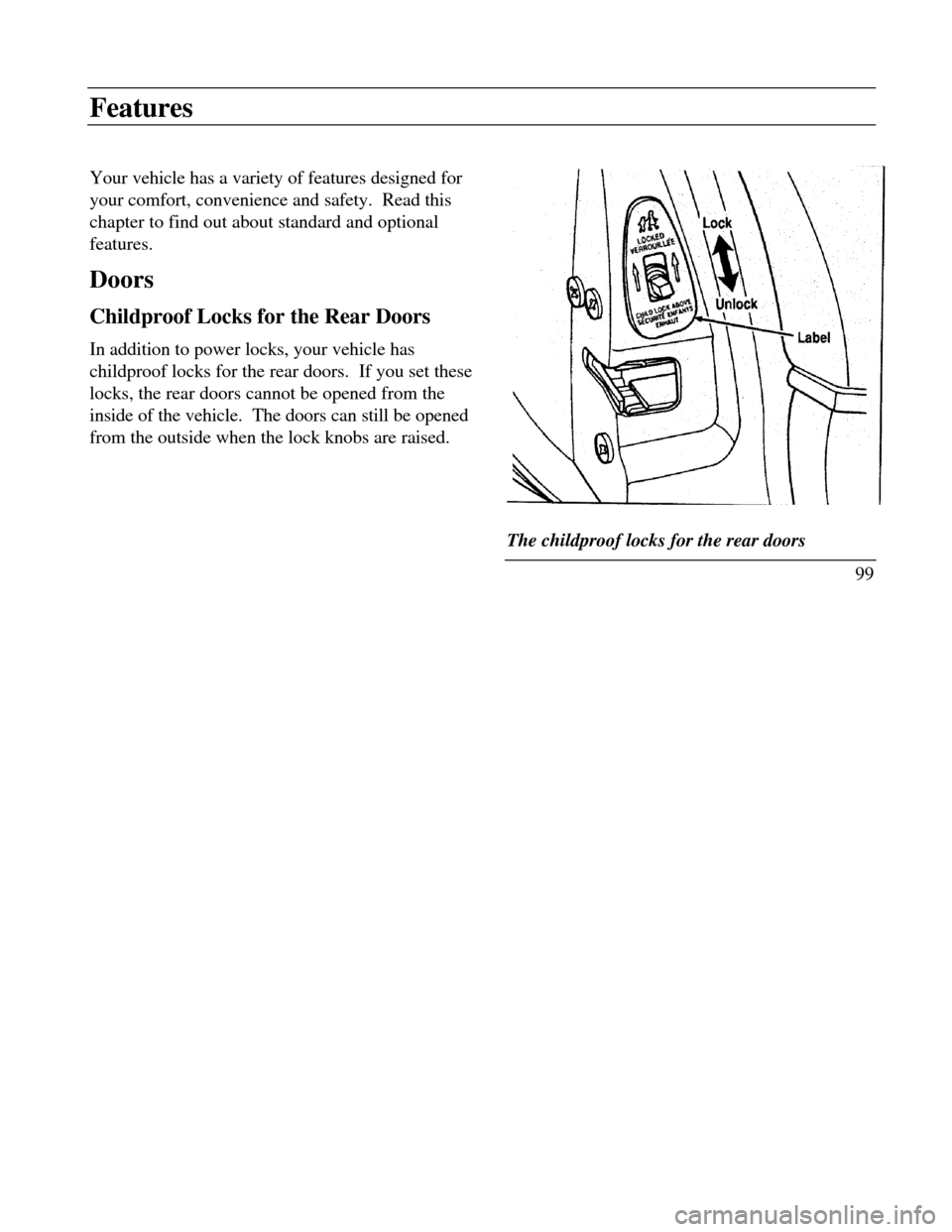
In addition to power locks, your vehicle has
childproof locks for the rear doors. If you set these
locks, the rear doors cannot be opened from the
inside of the vehicle. The doors can still be opened
from the outside when the lock knobs are raised.Lock
The childproof locks for the rear doors
99
Page 103 of 320

To set the childproof lock on each rear door, open
the rear door.
Find the lever at the black label with the word
LOCKED in white letters. Move the lever up.
To release the childproof lock, open the rear door
from the outside.
Move the lever down.
Using the Power Door Locks
Your vehicle has power door locks. The controls
to lock the doors are on the trim panel of the front
door. When you close the doors after you set the
door locks, the doors remain locked. If the power
mechanism ever fails, the manual door lock will
override the power controls.
100The power locks on the driver's door
Smart Locks
The Smart Locks feature helps prevent you from
locking the keys in your vehicle. With the key in
the ignition (in any switch position) and either
the driver's or passenger's door open, the doors
cannot be locked using the front door lock
switches.
NOTE: Your vehicle can still be locked, while
the key is in the ignition, by manually pressing
down the lock button or with remote/keyless
entry.
Page 104 of 320
Illuminated Entry System with Theater
Lighting
The interior lights will illuminate for approximately
25 seconds when either front door handle is lifted,
any button on the keyless entry pad is pressed, or
the remote entry system UNLOCK button is
pushed. If the amount of light outside your vehicle
is below a predetermined level, the exterior lights
will also illuminate.
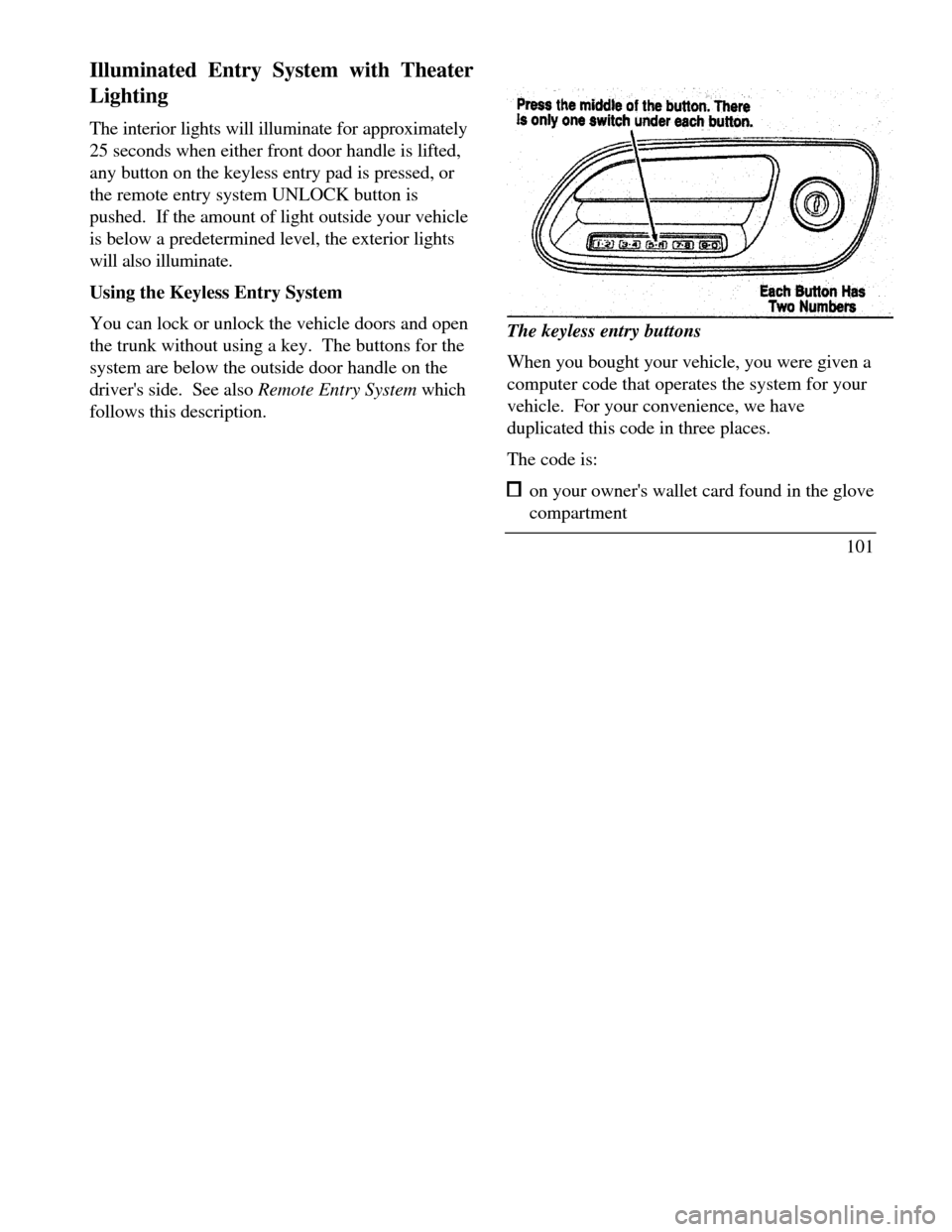
Using the Keyless Entry System
You can lock or unlock the vehicle doors and open
the trunk without using a key. The buttons for the
system are below the outside door handle on the
driver's side. See also Remote Entry System which
follows this description.The keyless entry buttons
When you bought your vehicle, you were given a
computer code that operates the system for your
vehicle. For your convenience, we have
duplicated this code in three places.
The code is: on your owner's wallet card found in the glove
compartment
101
Page 105 of 320

taped to the trunk lid's right hinge support bar taped to the computer module in your driver's
front door
When you use keyless entry, the illuminated entry
system turns on the interior lights for 25 seconds
and the buttons on the keypad light up. Do not
push the buttons with a key, ballpoint pen, pencil,
or any other hard object. These objects could
damage the buttons.
Unlocking the doors with the keyless entr .y
system
You must unlock the driver's door before you
unlock any of the other doors or trunk. If you let
more than five (5) seconds pass before pressing
numbers, the system shuts down, and you have to
enter the code again. The system has shut down if
the keypad light is out. If the keyless entry system
does not work properly, use the key or transmitters
to lock and unlock the doors or unlock the trunk.
1021 To unlock the driver's door, enter the factory
code or your personal code. All codes have
five (5) numbers. After you press the fifth
number, the driver's door unlocks.
2 To unlock all passenger doors, press the ¾
button within five (5) seconds of unlocking
the driver's door or trunk, or re-enter the
code to open the driver's door, then press
3/4.
3 To unlock the trunk, press the 5/6 button
within five seconds of unlocking the driver's
or passenger's doors, or re-enter the code to
open the driver's door, then press 5/6.
As long as the driver's door has been unlocked
first, you can open the passenger door or the
trunk in any order.
Locking the doors with the keyless entry system
Along with unlocking your doors, you can use
the keyless entry system to lock the doors.
Page 106 of 320

To lock all of the vehicle's doors at the same time,
press 7/8 and 9/0 at the same time. It is not
necessary to first enter the keypad code. This will
also arm your anti-theft system (if equipped).
Autolock
The Autolock feature will automatically lock all the
doors when: the vehicle's doors are fully closed the ignition key is turned to the ON position someone is sitting in the driver's seat or a heavy
object is placed on it the vehicle is in a forward gear, and D you
exceed three mph (five km/h). The Autolock
feature will repeat when: LI the ignition key
remains in the ON position someone remains sitting in the driver's seat or a
heavy object is on the seat a door is opened and then closed the vehicle is in a forward gear, and you exceed three mph (five km/h).
If you do not want to use the Autolock feature, it
can be deactivated by using the Feature Menu in
the Message Center.
Programming your own entry code
You can program up to three personal codes to
unlock your vehicle. These codes do not replace
the permanent code that the dealership gave you.
Use your personal code in the same manner as
you would your original code.
To program your own code:
1.Select five digits for your personal code.
2.Enter the factory code that the dealership
gave you.
3. Within five (5) seconds, press 1/2.
103