lock LINCOLN CONTINENTAL 1996 Customer Assistance Guide
[x] Cancel search | Manufacturer: LINCOLN, Model Year: 1996, Model line: CONTINENTAL, Model: LINCOLN CONTINENTAL 1996Pages: 320, PDF Size: 1.8 MB
Page 107 of 320

4. Within five (5) seconds of pressing 1/2, enter
your personal code, pressing each digit within
five (5) seconds of the previous digit.
5. Enter a sixth digit to indicate which Personality
should be recalled by this personal code.
1/2 Recall Personality 1
3/4 Recall Personality 2
9/0 No recall
An of the vehicle doors will lock and then
unlock to confirm programming of the new
code.
The keyless entry system registers this new code.
To open your vehicle, you can now use either code.
To erase all of the personal entry codes and remote
entry transmitters programmed to a vehicle:
1. Enter the original permanent code.
1042.Press 1/2 within five (5) seconds of Step I.
3.Press and hold 1/2 for two (2) seconds.
All of the vehicle doors will lock and then
unlock to confirm erasure.
Do not set a code that presents the numbers in
sequential order, such as 1/2, 3/4, 5/6, 7/8, 9/0.
Studies show that people who idly press the
buttons usually press a sequential pattern. Also,
do not select a code that uses the same button
five times. Thieves can easily figure out these
types of codes.
Arming, disarmning and resettirig your anti-
theft system (If equipped) from the keyless
entry pad
If your vehicle is equipped with the optional
factory installed anti-theft system, the keyless
entry system will arm it when you use the 7/8 and
9/0 keys to lock the doors, and will disarm or
reset a triggered anti-theft alarm when you enter
in the five digit code to unlock the driver's door.
Page 108 of 320

Remote Entry System
With the remote entry system, you can lock and
unlock the vehicle doors and open the trunk
without using a key. The buttons for the system
are located on the two hand held transmitters that
came with your vehicle. The remote also has a
personal alarm feature.
The system will work with up to four transmitters.
Your vehicle came with two transmitters.
Additional transmitters can be ordered from your
dealer.
The personal alarm feature operates only with the
ignition off. The LOCK, UNLOCK and TRUNK
features work whenever your vehicle is in Park or
Neutral.Remote entry transmitter
Unlocking the doors and opening the trunk
To unlock the driver's door, press the UNLOCK
button.
To unlock the other doors, press the UNLOCK
button a second time within five (5) seconds of
unlocking the driver's door.
105
Page 109 of 320

To open the trunk, press the TRUNK button twice
within five (5) seconds.
Locking the doors
To lock all the doors, press the LOCK button.
This will also arm the anti-theft system (if
equipped).
A programmable door lock horn chirp can be
activated through the message center. Once
activated, every depression of the lock button will
cause the vehicle to honk its horn briefly.
Activating the remote personal alarm
If you wish to activate the remote personal alarm,
press the PANIC button. This will honk the horn
and flash the low beam headlamps and tail lamps
for approximately two minutes and forty-five
seconds. You can turn it OFF by pressing the
PANIC button again or by turning the ignition key
to the RUN position.
106Arming and disarming the alarm s system
If your vehicle is equipped with the factory
installed anti-theft system, the remote entry
system will automatically arm it when the doors
are locked with the remote entry LOCK button.
The remote entry UNLOCK button will disarm
or reset a triggered anti-theft alarm.
The remote entry system is designed to work
with the factory installed anti-theft system. It
may not work with other anti-theft systems.
Replacing the batteries
The remote entry transmitter is powered by two
coin type three-volt lithium 1616 batteries
(included) that should last for several years of
normal use. If you notice a significant decrease
in operating range, the batteries should be
replaced. Replacement batteries can be
purchased at most pharmacies, watch stores or at
your Ford or Lincoln-Mercury dealer.
Page 110 of 320

NOTE: The operating range of the remote entry
system can also be affected by weather conditions
(such as very cold temperatures) or structures
around the vehicle (buildings, other vehicles, radio
and TV towers, etc.). Typical operating range will
allow you to be up to 33 feet (10 meters) away
from your vehicle.
The transmitter can be snapped apart to replace the
batteries by twisting a thin coin between the two
halves of the transmitter. DO NOT TAKE THE
FRONT PART OF THE TRANSMITTER
APART. When installing the new batteries, be sure
to place the positive (+) side down as marked.
Snap the two halves back together.
Replacement / additional transmitters
In the event a transmitter is lost, a new one may be
purchased from your dealer.
To program replacement or additional transmitters
you must have all the transmitters intended for use
on your vehicle.Initiating the following procedure erases all prior
programmed transmitters, thus ALL must be
reprogrammed at the same time.
1. Enter the factory keyless entry code. Your
personal code will not allow programming.
2. Press the 1/2 button.
3. Press one button on each of the transmitters
to be programmed. Each transmitter button
must be pressed within seven (7) seconds of
the prior one. Each time a transmitter is
successfully programmed, all of the vehicle
doors will lock and then unlock to verify
programming. If the doors did not
lock/unlock, your transmitter was not
programmed.
Additional transmitters may be purchased from
your dealer (remote entry system will work with
up to four transmitters). Follow the same
programming procedure as above.
107
Page 111 of 320

THIS DEVICE COMPLIES WITH PART 15
OF THE FCC RULES. OPERATION IS
SUBJECT TO THE FOLLOWING TWO
CONDITIONS: (1) THIS DEVICE MAY NOT
CAUSE HARMFUL INTERFERENCE, AND
(2) THIS DEVICE MUST ACCEPT ANY
INTERFERENCE RECEIVED, INCLUDING
INTERFERENCE THAT MAY CAUSE
UNDESIRED OPERATION.
NOTE: All transmitters to be used on your vehicle
must be programmed/reprogrammed at the same
time.
Battery Saver
When the ignition is turned off, the vehicle will turn
off battery voltage to the interior lights after 45
minutes.
This will prevent draining of the battery if those
lights have been left on inadvertently or if a door is
not completely closed. BatterV voltage to these
108lamps will be restored when the outside front
door handles are lifted, the keyless entry keypad
is used, the remote entry transmitter is used, any
door is opened, the trunk is opened, or the
ignition key is turned to the ON position.
Anti-theft System
When armed, this system helps protect your
vehicle against break-ins or theft by monitoring
all doors, the hood, and the trunk lock cylinder.
When an unauthorized entry occurs, the system
triggers and will: flash the headlamps, parking lamps, interior
lamps, and alarm indicator light honk the horn prevent the engine from starting
Page 112 of 320

NOTE: The factory installed Remote Entry
System has a PANIC feature that also chirps the
vehicle horn and flashes the interior/exterior lamps
when the PANIC button on the remote entry
transmitter is pushed. The PANIC alarm and the
Anti-Theft alarm are two separate features.
Both the anti-theft alarm and the PANIC feature
can be active at the same time.
To tell the difference between a PANIC alarm anct
a triggered Anti-Theft alarm: only the Anti-Theft alarm will cause the alarm
indicator light (located in the center of the
instrument cluster) to flash on and off. only the Anti-Theft alarm will prevent the
engine from starting.
For more information on the PANIC alarm, see
Remote Entry System in the Index.Arming the system
To arm the system, do the following four steps in
sequence.
1. Remove the key from the ignition.
2. Open any door. The alarm indicator light
will start flashing to remind you to arm the
system.
3. Lock the doors by using the power door lock
switch, pressing the remote entry transmitter
LOCK button or pressing the last two
buttons (7/8, 9/0) of the keyless entry
keypad.
The alarm indicator will now glow steadily.
4. Close all doors. The alarm indicator light
will then remain on steadily for
approximately 30 more seconds and then go
out. When the light goes out the system is
armed.
109
Page 113 of 320

NOTE: Be sure to close all doors completely. If
not, the alarm indicator light will remain on.
Remember, your anti-theft system is armed only
after the alarm indicator light remains on steadily
for approximately 30 seconds after the last door is
closed, and then goes out.
You can also arm the anti-theft system with the
factory installed remote entry system or the keyless
entry system by following this sequence:
1.Remove key from ignition.
2.Close all of the doors.
3.Press the remote entry transmitter LOCK
button or press the last two buttons (7/8, 9/0)
of the keyless entry keypad to lock the doors.
The alarm indicator will come on for 30
seconds to show the alarm is arming and then
turn off to show that the alarm has armed.
110The anti-theft system is designed to work with
the factory installed remote entry system. It may
not work with other remote entry systems.
NOTE: The anti-theft system will not activate
whfle someone is sitting in the driver's seat or if
there is a heavy object in the driver's seat.
Disarming an untriggered anti-theft system
You can disarm the system by: unlocking a front door with the key (turn the
key all the way to the end of travel or the
system will not disarm). using the keyless entry unlock code. using the UNLOCK button of the remote
entry transmitter.
If you armed the system while inside your
vehicle, you can disarm it by turning the ignition
to the ON or ACC position. This allows you to
open the door and exit without triggering the
system.
Page 114 of 320

Triggering the alarm system
The armed system will be triggered if: any door is opened without disarming the
system (see previous paragraphs), or the trunk lock cylinder is removed, or
NOTE: You can open the trunk with your key
without setting off the alarm. the hood is opened.
Disarming a triggered system
The alarm can be disarmed by: unlocking a front door with the key using the keyless entry unlock code using the UNLOCK button of the remote entry
transmitterNOTE: The flashing lights and honking horn
will shut off automatically approximately
three minutes after the system is triggered.
It will trigger again if another intrusion
occurs. However, the engine will not be
allowed to start until the system is disarmed.
Windows
Using the Power Windows
Each door has a power control that opens and
closes the window on that door. The driver's
door has a master control panel that operates all
four windows.
Power windows can only be opened or closed
when the ignition is in the ON or ACC position
or during the ten minute delayed accessory
period after the ignition is turned off.
111
Page 115 of 320
/!\WARNINGDo not let children play with the powerwindows. They may seriously hurtthemselves. Make sure occupants areclear of the window(s) before closing.NOTE: Your vehicle is also equipped with a
delayed accessory timer. This allows some of your
accessories to remain on for up to 10 minutes after
the key is turned to the OFF position. The
accessory timer is cancelled if any door is opened
or the key is turned to the ON position.
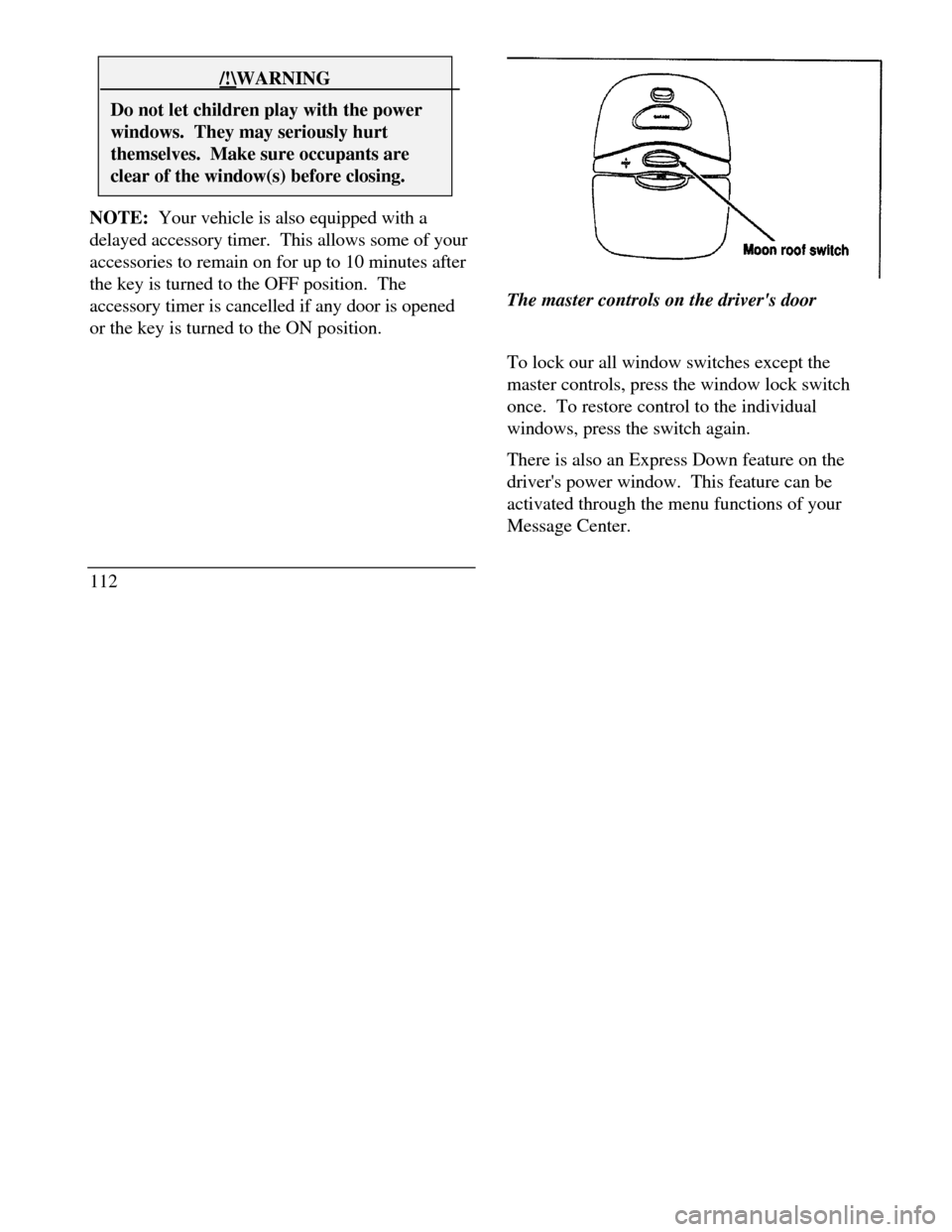
112The master controls on the driver's door
To lock our all window switches except the
master controls, press the window lock switch
once. To restore control to the individual
windows, press the switch again.
There is also an Express Down feature on the
driver's power window. This feature can be
activated through the menu functions of your
Message Center.
Page 122 of 320

Memory Profile System
The Personality Memory Feature customizes your
Continental for up to two (2) drivers. The
following features are automatically recalled when
unlocking the doors using the remote entry
transmitter, keyless entry keypad, or by pressing
the Memory 1 or Memory 2 switches on the
driver's door: All driver's seat positions except power lumbar
and head restraint. Both left and right outside mirror settings. Radio station presets including the last selected
station and band and 0 preset preferences on
FMI, FM2, and AM. Instrument panel dimming setting. Autolamp delay time-out setting. Ride/Steering menu setting. Feature Menu settingsThe Ride/Steering menu is located in the
Message Center. The RIDE display allows you
to adjust the suspension feel to FIRM,
NORMAL, or PLUSH.
Pressing the Ride/Steering menu switch again
brings the STEERING display. This allows you
to adjust steering effort to LOW, NORMAL, or
HIGH.
For more information on ride/steering options,
see Road Calibrated Suspension later in this
chapter.
Personality Memory also allows you to
customize settings from the Feature menu
located in the Message Center. The Feature
menu contains five (5) features that you can
enable or disable. The features are listed in the
order they appear in the Feature menu. EXPRESS WINDOW - for one tap down
operation of the driver's window.
119