tow LINCOLN CONTINENTAL 1996 Customer Assistance Guide
[x] Cancel search | Manufacturer: LINCOLN, Model Year: 1996, Model line: CONTINENTAL, Model: LINCOLN CONTINENTAL 1996Pages: 320, PDF Size: 1.8 MB
Page 8 of 320

Roadside Service Assistance
Lincoln owners receive complimentary 24-hour
emergency roadside service assistance for a period of
four years for towing, jump-starting, lock-out service,
gas delivery, a tire change or other roadside services.
Call the hotline at 1-800-521-4140 any time of day or
night for emergency roadside assistance.
Emergency Travel Expense
Reimbursement
Covers expenses such as meals, lodging and car
rental if your automobile is disabled more than 100
miles (160 km) from home.
Destination Assistance (U.S. only)
In the event of a collision or mechanical breakdown,
Lincoln helps get you to your immediate destination
with a reimbursement allowance for emergency
transportation service such as taxicabs, rental cars,
shuttles, etc.
4Trip Planning Service
Plan your journeys with custom-computerized,
travel-related information including maps and trip
routings. To order customer-designed travel packets,
call 1-800-521-4140.
Membership in QuestÒ Ò International
(U.S. only)
You will automatically receive a complimentary
membership in Quest International which entities
you to travel-related discounts on meals and rooms
at more than 2,100 hotels in the United States,
Canada, Mexico and the Caribbean.
The Lincoln Warranty
For specifics on what is covered, see your Warranty
Information Booklet.
Page 37 of 320
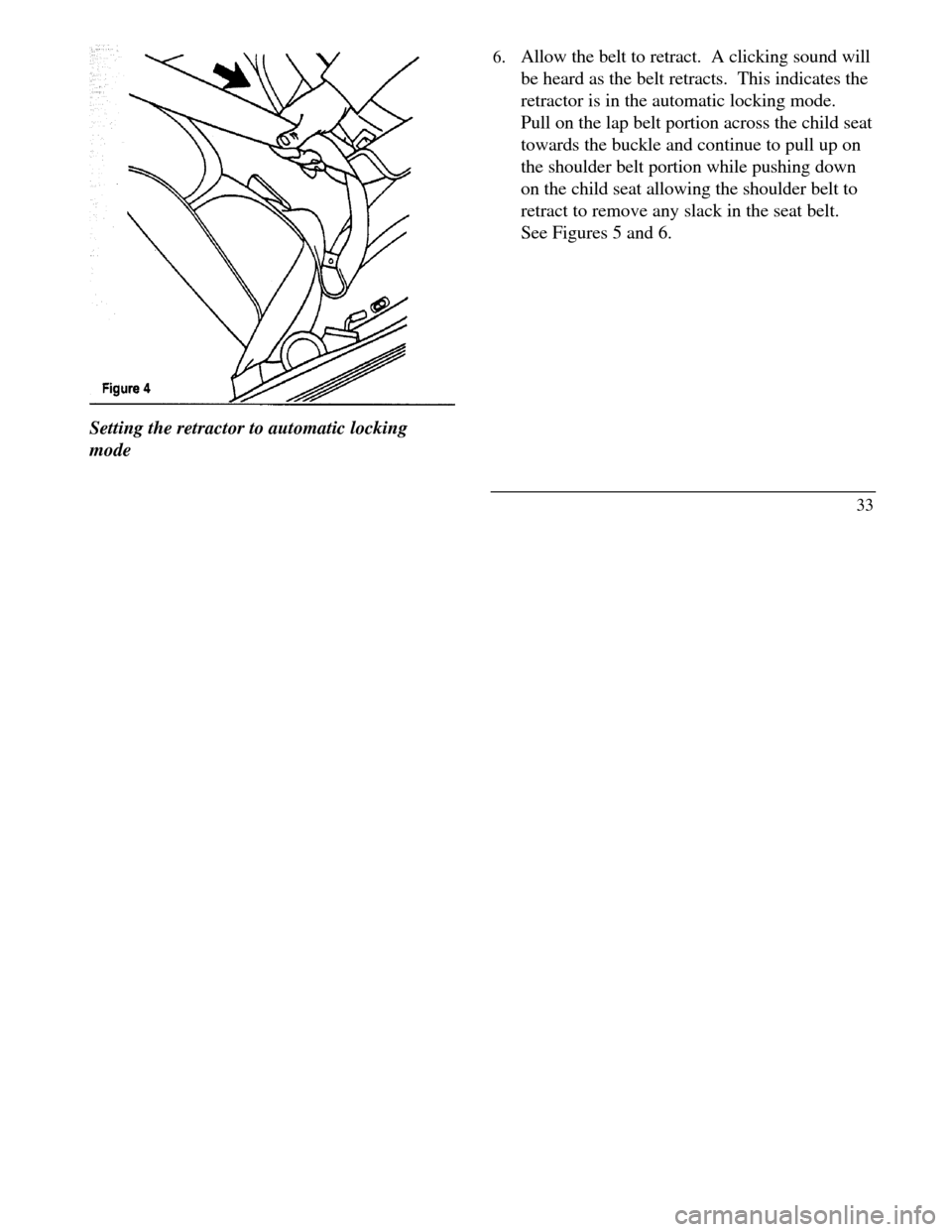
Setting the retractor to automatic locking
mode6. Allow the belt to retract. A clicking sound will
be heard as the belt retracts. This indicates the
retractor is in the automatic locking mode.
Pull on the lap belt portion across the child seat
towards the buckle and continue to pull up on
the shoulder belt portion while pushing down
on the child seat allowing the shoulder belt to
retract to remove any slack in the seat belt.
See Figures 5 and 6.
33
Page 41 of 320

9. Check to make sure that the child seat is
properly secured prior to each use. If the
retractor is not locked, repeat steps 6 through
8.
NOTE:To remove the retractor from
automatic lock mode, allow seat belt to retract fully
to its stowed position and the retractor will
automatically switch back to the vehicle sensitive
locking mode for normal adult usage.
Installing a Child Safety, Seat at the
Front Center Seating Position with
Adjustable Lap Belt-
1.Lengthen the lap belt. To lengthen the belt,
hold the tongue so that its bottom is
perpendicular to the direction of webbing
while sliding the tongue up the webbing.
2. Place the child safety seat in the center seating
position.3.Route the tongue and webbing through the
child seat according to the child seat
manufacturer's instructions.
4. Insert the belt tongue into the proper buckle
for the center seating position until you hear
a snap and feel it latch. Make sure the
tongue is m securely fastened to the buckle
by pulling on tongue.
5. Push down on the child seat while pulling on
the loose end of the lap belt webbing to
tighten the belt.
6. Before placing the child into the child seat,
forcibly tilt the child seat from side-to-side
and in forward directions to ensure that the
seat is held securely in place. If the child seat
moves excessively, repeat steps 5 through 6,
or properly install the child seat in a different
seating position.
37
Page 51 of 320
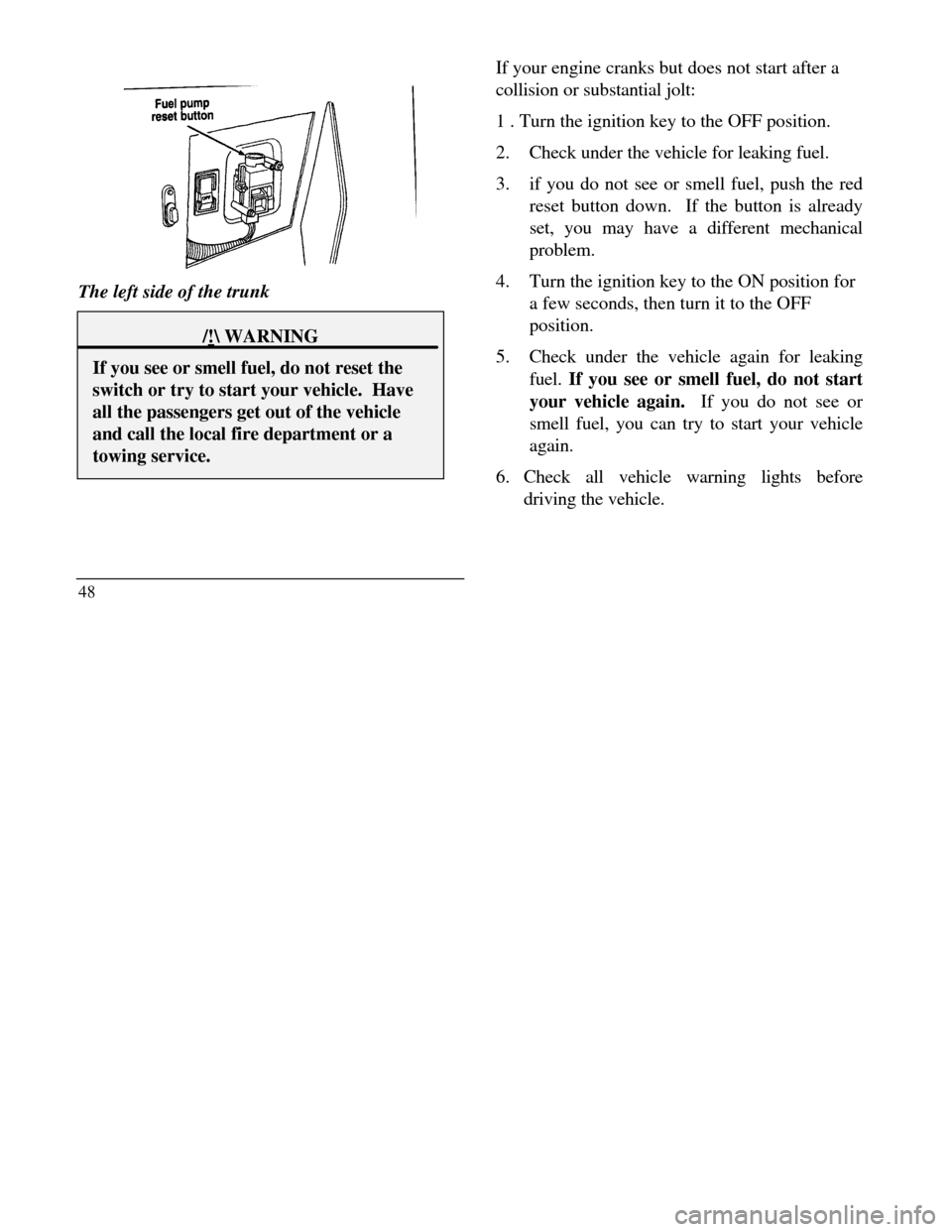
The left side of the trunk/! WARNINGIf you see or smell fuel, do not reset theswitch or try to start your vehicle. Haveall the passengers get out of the vehicleand call the local fire department or atowing service.48If your engine cranks but does not start after a
collision or substantial jolt:
1 . Turn the ignition key to the OFF position.
2.Check under the vehicle for leaking fuel.
3.if you do not see or smell fuel, push the red
reset button down. If the button is already
set, you may have a different mechanical
problem.
4.Turn the ignition key to the ON position for
a few seconds, then turn it to the OFF
position.
5.Check under the vehicle again for leaking
fuel. If you see or smell fuel, do not start
your vehicle again. If you do not see or
smell fuel, you can try to start your vehicle
again.
6. Check all vehicle warning lights before
driving the vehicle.
Page 60 of 320
Modification or additions to the vehicle may
cause incorrect operation of the OBD 11
system. Additions such as burglar alarms,
cellular phones, and CB radios must be
carefully installed. Do not install these
devices by tapping into or running wires close
to powertrain control system wires or
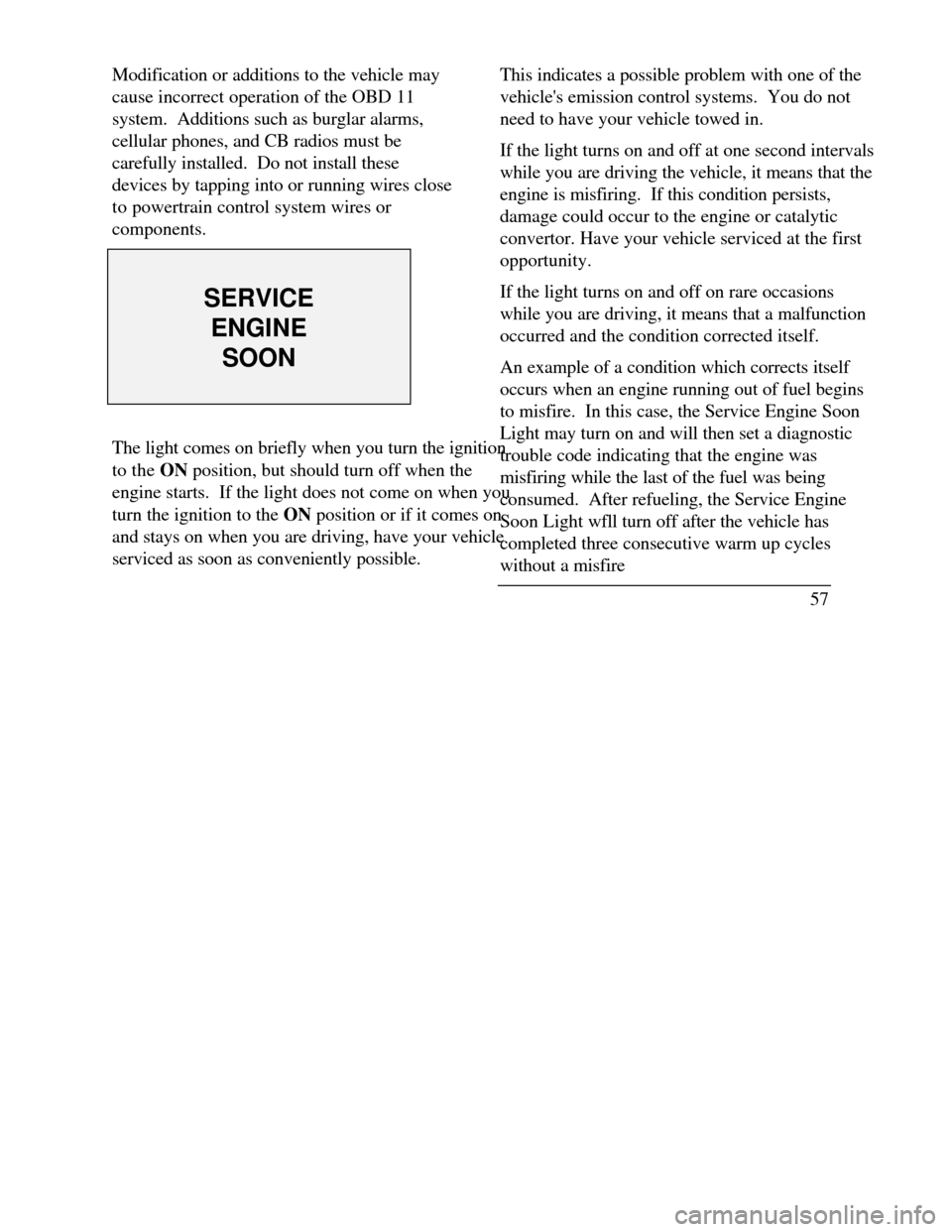
components.SERVICEENGINESOONThe light comes on briefly when you turn the ignition
to the ON position, but should turn off when the
engine starts. If the light does not come on when you
turn the ignition to the ON position or if it comes on
and stays on when you are driving, have your vehicle
serviced as soon as conveniently possible.This indicates a possible problem with one of the
vehicle's emission control systems. You do not
need to have your vehicle towed in.
If the light turns on and off at one second intervals
while you are driving the vehicle, it means that the
engine is misfiring. If this condition persists,
damage could occur to the engine or catalytic
convertor. Have your vehicle serviced at the first
opportunity.
If the light turns on and off on rare occasions
while you are driving, it means that a malfunction
occurred and the condition corrected itself.
An example of a condition which corrects itself
occurs when an engine running out of fuel begins
to misfire. In this case, the Service Engine Soon
Light may turn on and will then set a diagnostic
trouble code indicating that the engine was
misfiring while the last of the fuel was being
consumed. After refueling, the Service Engine
Soon Light wfll turn off after the vehicle has
completed three consecutive warm up cycles
without a misfire
57
Page 72 of 320

Instrument Panel ControlsThe instrument panel (dashboard) on your
vehicle is divided into several different
sections. The illustrations on the following
pages show the major parts of the
instrument panel that are described in this
chapter. Some items shown may not be on
all vehicles.
The main controls for the climate control system,
clock, and radio are on the instrument panel.If you have radio transmitting equipment in your
vehicle, be aware that it can interfere with your
vehicle's electrical system and may cause the
instrumentation and/or convenience products to
have temporary, abnormal operation.
NOTE: Any cleaner or polish that increases the
gloss (shine) of the upper part of the instrument
panel should be avoided. The dull finish in this
area is to help protect the driver from undesirable
windshield reflection.
Clean the instrument panel lens and woodtone trim
with a soft cloth and a glass cleaner. Do not use
paper towel or any abrasive cleaner to clean either
the lens or the woodtone trim as these may cause
scratches.
69
Page 86 of 320
Cleaning the Exterior Lamps
Do not use dry paper towel, chemical solvents or
abrasive cleaners to clean the lamps, as these
may cause scratches or crack the lamps.
Setting the Autolamp On/Off Delay System
By using the autolamp, you can set the
headlamps to: turn on the lamps automatically at night turn off the lamps automatically during
daylight keep the lamps on for up to three minutes
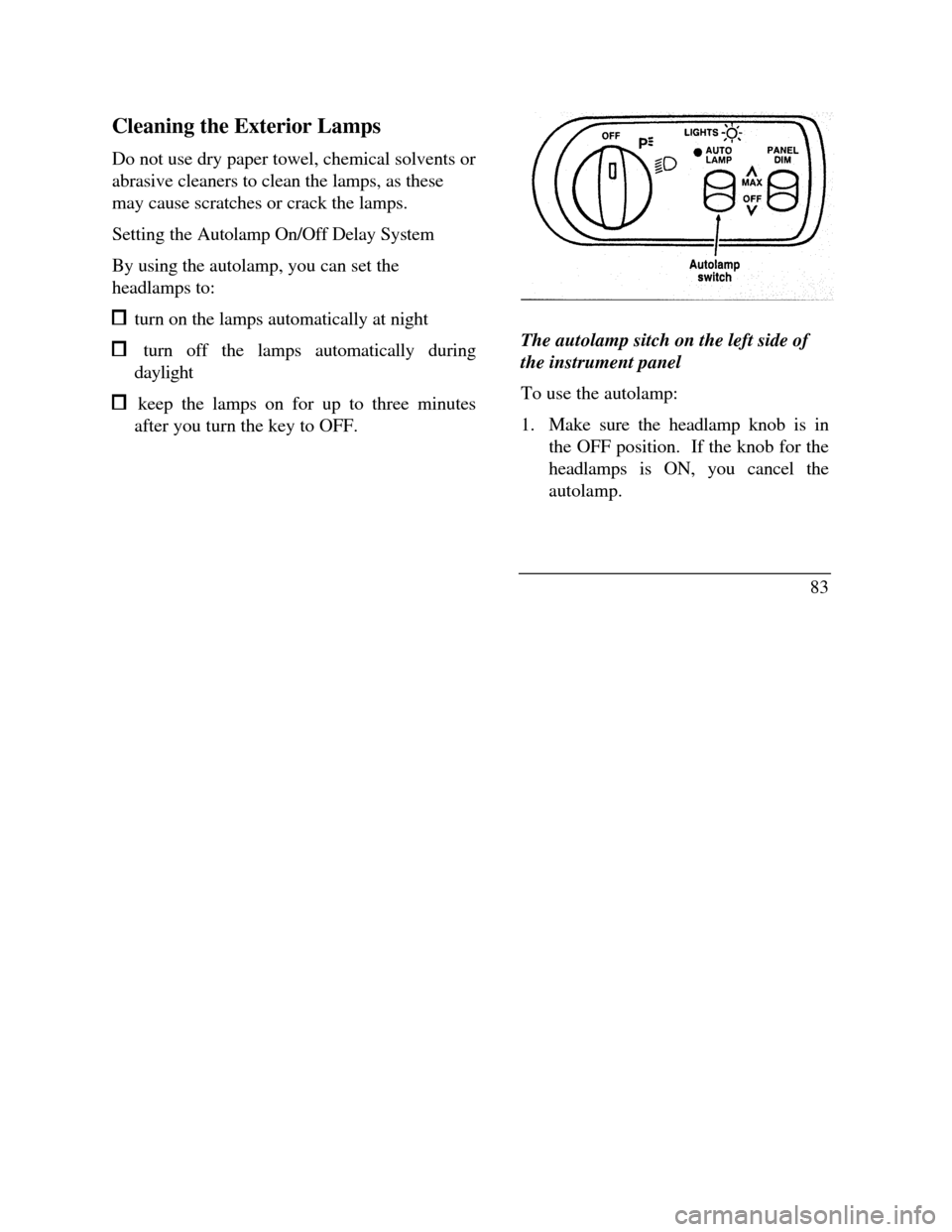
after you turn the key to OFF.Autolamp switch
The autolamp sitch on the left side of
the instrument panel
To use the autolamp:
1. Make sure the headlamp knob is in
the OFF position. If the knob for the
headlamps is ON, you cancel the
autolamp.
83
Page 87 of 320

If the autolamp is active, the headlamp system
will come on immediately after starting your
vehicle. If your vehicle is running before you
activate the autolamp, there may be a 15 second
delay before the headlights illuminate.
2.Turn the ignition key to ON or start your
vehicle.
3.Find the autolamp switch to the left of the
steering wheel on the instrument panel.
4. Push the autolamp switch up toward the
MAX position. As you press this switch, the
autolamp system's status will be displayed in
the message center. The system can be
turned OFF or can be set to provide light for
up to three (3) minutes after you turn your
vehicle off.
84Do not put any articles on top of the photocell
that is located in the top left corner of the
instrument panel. This photocell controls the
autolamp. If you cover it, the photocell reacts
as if it is nighttime, and the lamps turn on.
To turn the autolamp off, push the switch down
until the message center display reaches OFF.
Turning On Interior
Lights/Instrument Panel Illumination
You can brighten or dim the lights in the
instrument panel and the compass display
in the inside rearview mirror (if
equipped) with the PANEL DIM switch
located on the instrument panel.
Page 93 of 320

If the turn signal stays on after you turn, move
the lever back to the center (off) position. A
warning chime will sound after approximately
one-half mile (one kilometer) of driving if you do
not return the lever to off.
For lane changes, move the lever far enough to
signal but not to latch. The lever will return to
the off position when you release it.
NOTE: The flash rate of the turn signal will
speed up considerably if the Lighting Control
Module detects a left or right turn lamp bulb
(front or rear) is burned out.
High Beams
To turn on the high beams, turn the headlamp
control switch to the headlamp ON position (or
activate the autolamp feature) and push the turn
signal lever away from you until it latches. When
the high beams are ON, the high beam indicator
light on the instrument cluster comes on.
90To turn off the high beams, pull the lever toward
you until it latches. The high beam indicator
light turns off.
Flashing the Lights
To flash the headlamps, pull the lever toward
you for a moment and then release it. The
headlamps will flash whether the headlamp knob
is in the on or off position.
Windshield Wipers and Washer
To turn on the windshield wipers, the ignition
key must be turned to the ON or ACC position.
Rotate the knob towards "S" to activate the
wipers. The first seven detents are interval wipe
positions, the eighth detent is the LO position
and the ninth detent is the HI position.
To turn the wipers off, turn the knob to the OFF
position.
Page 98 of 320

To change the position of the steering wheel, pull
the release lever on the column toward you. Tip
the steering wheel to the desired position.
Release the lever to lock the steering wheel in
place.
Speed Control
Your vehicle has speed control, so you can
automatically maintain a constant speed above 30
mph (48 km/h). The switches to operate the
speed control are on the steering wheel.
Use of radio transmitting equipment that is not
Federal Communications Commission (FCC) or
in Canada the Canadian Radio and
Telecommunications Commission (CRTC)
approved may cause the speed control to
malfunction. Therefore, use only properly
installed FCC (CRTC in Canada) approved radio
transmitting equipment in your vehicle.NOTE: Since your vehicle has an Automatic
Overdrive Transaxle, you may want to drive in D
(Drive) when driving in hilly terrain, at higher
altitudes, or when pulling a trailer. This will
improve speed control performance.
NOTE: Do not shift to N (Neutral) when using
the speed control. This will cause the engine to
overspeed.
95