sensor LINCOLN CONTINENTAL 2018 User Guide
[x] Cancel search | Manufacturer: LINCOLN, Model Year: 2018, Model line: CONTINENTAL, Model: LINCOLN CONTINENTAL 2018Pages: 615, PDF Size: 5.31 MB
Page 58 of 615
· Crash sensors and monitoringsystem with a readiness indicator.See Crash Sensors and AirbagIndicator (page 55).
Properly restrain children 12 years old andunder in the rear seats. The Safety Canopywill not interfere with children restrainedusing a properly installed child or boosterseat because it is designed to inflatedownward from the headliner above thedoors along the side window opening.
The design and development of the SafetyCanopy included recommended testingprocedures that were developed by a groupof automotive safety experts known as theSide Airbag Technical Working Group. Theserecommended testing procedures helpreduce the risk of injuries related to thedeployment of side airbags (including theSafety Canopy).
CRASH SENSORS AND AIRBAG
INDICATOR
WARNING: Modifying or addingequipment to the front end of the vehicle(including frame, bumper, front end bodystructure and tow hooks) may affect theperformance of the airbag system, increasingthe risk of injury. Do not modify the front endof the vehicle.
Your vehicle has a collection of crash andoccupant sensors which provide informationto the restraints control module. Therestraints control module deploys (activates)the front seatbelt system, the adaptivecollapsible steering column, driver airbag,passenger airbag, knee airbag(s), seatmounted side airbags, Safety Canopy andoptional rear inflatable seatbelts. Based onthe type of crash, the restraints controlmodule will deploy the appropriate safetydevices.
The restraints control module also monitorsthe readiness of the above safety devicesplus the crash and occupant sensors. Thereadiness of the safety system is indicatedby a warning indicator light in the instrumentcluster or a backup tone (if equipped).Routine maintenance of the airbag is notrequired.
A difficulty with the system is indicated byone or more of the following:
The readiness light will notilluminate immediately after theignition is turned on.
•The readiness light will either flash orstay lit.
•A series of five beeps will be heard (Ifequipped). The tone pattern will repeatperiodically until the problem, the lightor both are repaired.
If any of these things happen, evenintermittently, have the supplementalrestraint system serviced at an authorizeddealer immediately. Unless serviced, thesystem may not function properly in theevent of a crash.
55
Continental (CPL) Canada/United States of America, enUSA, Edition date: 201706, Second-Printing
Supplementary Restraints SystemE67017 E67017
Page 70 of 615
LOCKING AND UNLOCKING
Your vehicle has an intelligent electronicallycontrolled door system that is in constantcommunication with overall vehicle systems.
When you lock your vehicle using the lockswitch on each door interior trim panel, orby using the keyless entry keypad or the locksensor on each door exterior trim panel, theexterior door handle switches do not releasethe doors. This helps to secure your vehicleand prevent unauthorized entry. Also, whenyour vehicle reaches a speed greater than12 mph (20 km/h) the exterior door handleswitches do not release the doors.
If the airbags deploy or the fuel pump shutoffswitch activates, all interior and exteriorunlock switches do not unlock your door forsix seconds. This helps to secure the doorsin the event of a crash. After six seconds, allswitches reset and you can open the doorsusing the interior and exterior unlatchswitches.
Door Lock Indicator
An LED on each front door window trimilluminates when you lock the doors. Itremains on for 2 to 5 seconds after youswitch the ignition off.
Door Lock Switch Inhibitor
When you electronically lock your vehicle,the door lock switches and the interiorluggage compartment release switch do notoperate after 20 seconds. You must unlockyour vehicle with the remote control orkeyless entry keypad, or switch the ignitionon, to restore function to these switches. You can switch this feature on or off in theinformation display. See GeneralInformation (page 115).
Activating Intelligent Access
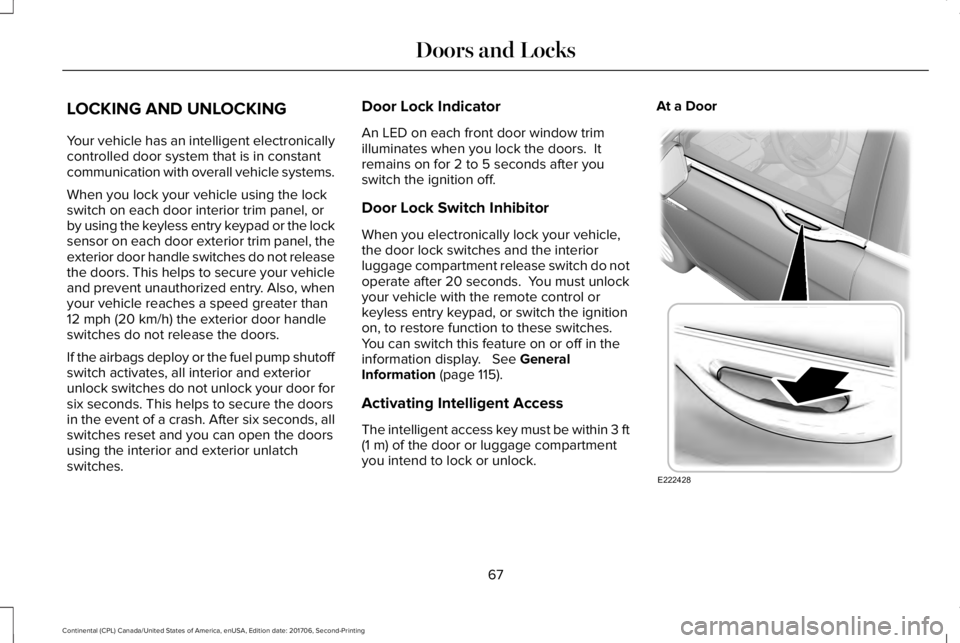
The intelligent access key must be within 3 ft(1 m) of the door or luggage compartmentyou intend to lock or unlock.
At a Door
67
Continental (CPL) Canada/United States of America, enUSA, Edition date: 201706, Second-Printing
Doors and LocksE222428
Page 71 of 615
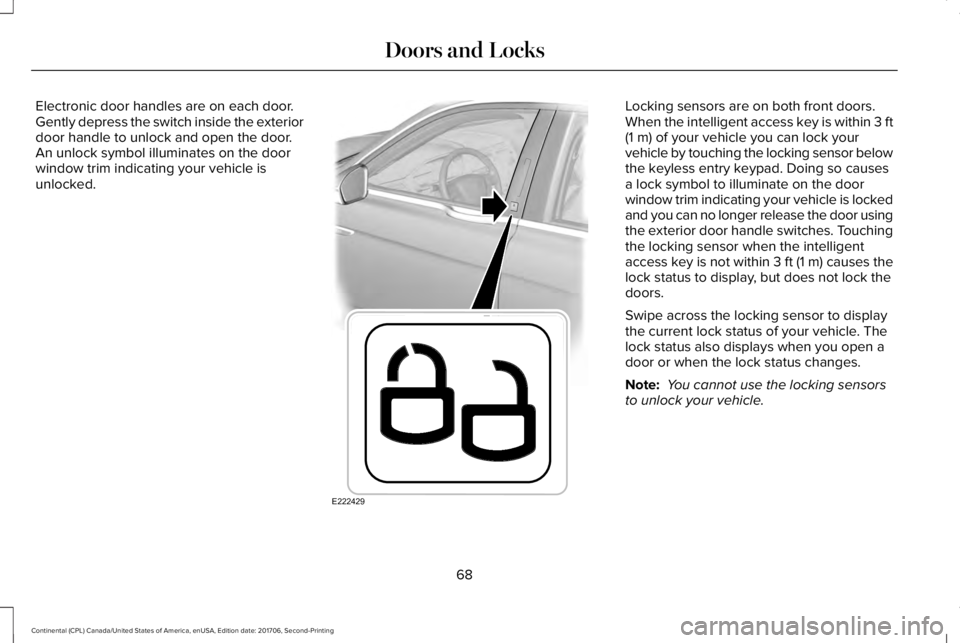
Electronic door handles are on each door.Gently depress the switch inside the exteriordoor handle to unlock and open the door.An unlock symbol illuminates on the doorwindow trim indicating your vehicle isunlocked.
Locking sensors are on both front doors.When the intelligent access key is within 3 ft(1 m) of your vehicle you can lock yourvehicle by touching the locking sensor belowthe keyless entry keypad. Doing so causesa lock symbol to illuminate on the doorwindow trim indicating your vehicle is lockedand you can no longer release the door usingthe exterior door handle switches. Touchingthe locking sensor when the intelligentaccess key is not within 3 ft (1 m) causes thelock status to display, but does not lock thedoors.
Swipe across the locking sensor to displaythe current lock status of your vehicle. Thelock status also displays when you open adoor or when the lock status changes.
Note: You cannot use the locking sensorsto unlock your vehicle.
68
Continental (CPL) Canada/United States of America, enUSA, Edition date: 201706, Second-Printing
Doors and LocksE222429
Page 74 of 615
Note:You cannot open the door again untilthe vehicle battery is fully charged andoperational.
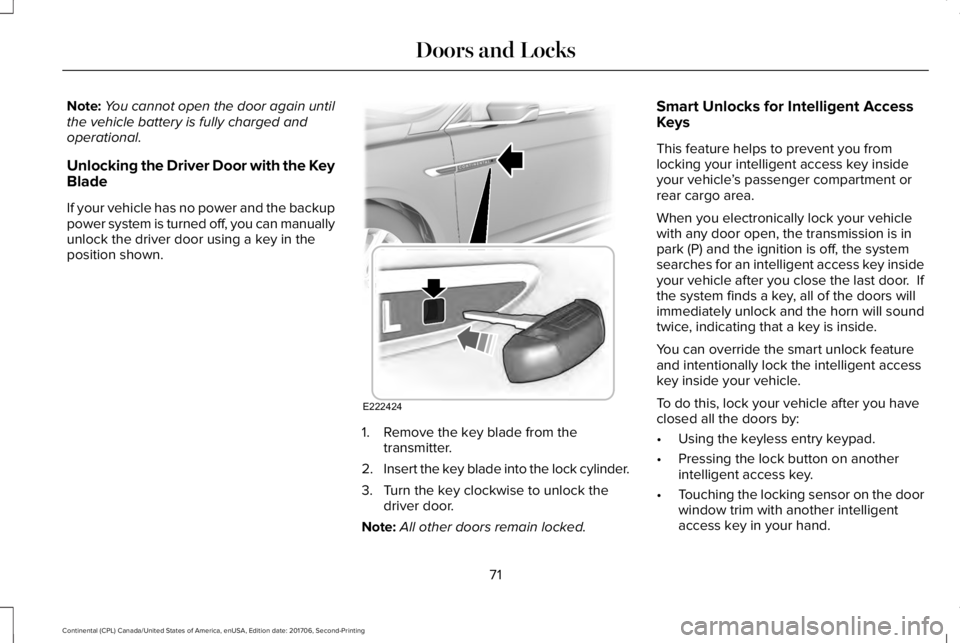
Unlocking the Driver Door with the KeyBlade
If your vehicle has no power and the backuppower system is turned off, you can manuallyunlock the driver door using a key in theposition shown.
1. Remove the key blade from thetransmitter.
2.Insert the key blade into the lock cylinder.
3. Turn the key clockwise to unlock thedriver door.
Note:All other doors remain locked.
Smart Unlocks for Intelligent AccessKeys
This feature helps to prevent you fromlocking your intelligent access key insideyour vehicle’s passenger compartment orrear cargo area.
When you electronically lock your vehiclewith any door open, the transmission is inpark (P) and the ignition is off, the systemsearches for an intelligent access key insideyour vehicle after you close the last door. Ifthe system finds a key, all of the doors willimmediately unlock and the horn will soundtwice, indicating that a key is inside.
You can override the smart unlock featureand intentionally lock the intelligent accesskey inside your vehicle.
To do this, lock your vehicle after you haveclosed all the doors by:
•Using the keyless entry keypad.
•Pressing the lock button on anotherintelligent access key.
•Touching the locking sensor on the doorwindow trim with another intelligentaccess key in your hand.
71
Continental (CPL) Canada/United States of America, enUSA, Edition date: 201706, Second-Printing
Doors and LocksE222424
Page 81 of 615
1.Move your foot under and away from therear bumper detection area in asingle-kick motion. Do not move yourfoot sideways or the sensors may notdetect the motion.
2. The decklid opens or closes.
Note:Allow the power system to open thedecklid. Manually pushing or pulling thedecklid may activate the system’s obstacledetection feature and stop the poweroperation or reverse its direction.
Note: Splashing water may cause thehands-free decklid to open. Keep theintelligent access key away from the rearbumper detection area when washing yourvehicle.
SOFT CLOSING DOOR
Gently close the door until it fully latches.The system automatically closes the door,making sure it is fully secure.
Note:The system does not work if thevehicle battery charge is low.
Note:The system is limited to 25 cyclesbetween each ignition cycle. This is toprevent the vehicle battery from losingcharge.
Note:You can override soft close by fullyclosing the door manually.
KEYLESS ENTRY
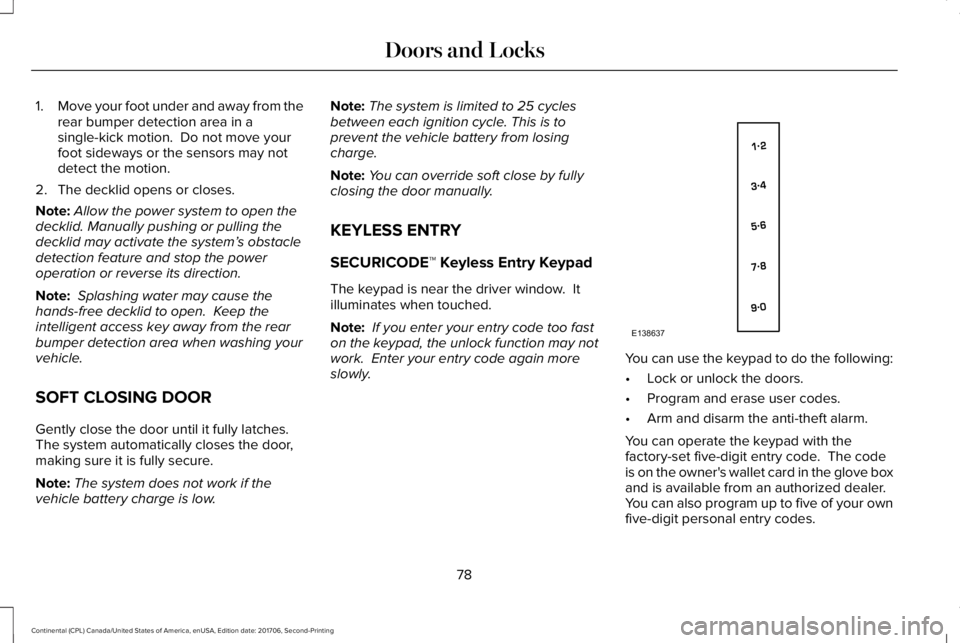
SECURICODE™ Keyless Entry Keypad
The keypad is near the driver window. Itilluminates when touched.
Note: If you enter your entry code too faston the keypad, the unlock function may notwork. Enter your entry code again moreslowly.You can use the keypad to do the following:
•Lock or unlock the doors.
•Program and erase user codes.
•Arm and disarm the anti-theft alarm.
You can operate the keypad with thefactory-set five-digit entry code. The codeis on the owner's wallet card in the glove boxand is available from an authorized dealer. You can also program up to five of your ownfive-digit personal entry codes.
78
Continental (CPL) Canada/United States of America, enUSA, Edition date: 201706, Second-Printing
Doors and LocksE138637
Page 91 of 615
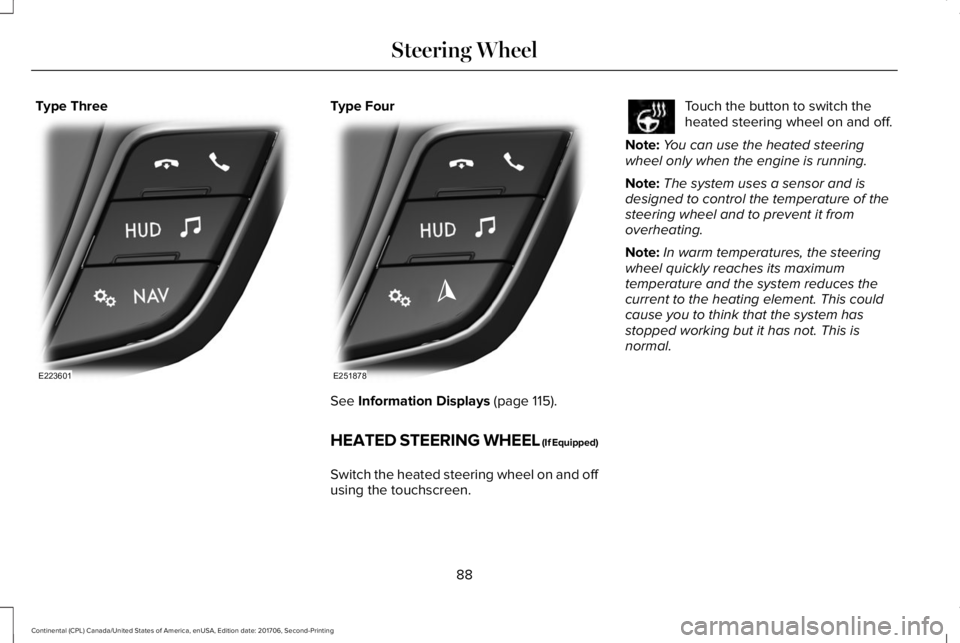
Type ThreeType Four
See Information Displays (page 115).
HEATED STEERING WHEEL (If Equipped)
Switch the heated steering wheel on and offusing the touchscreen.
Touch the button to switch theheated steering wheel on and off.
Note:You can use the heated steeringwheel only when the engine is running.
Note:The system uses a sensor and isdesigned to control the temperature of thesteering wheel and to prevent it fromoverheating.
Note:In warm temperatures, the steeringwheel quickly reaches its maximumtemperature and the system reduces thecurrent to the heating element. This couldcause you to think that the system hasstopped working but it has not. This isnormal.
88
Continental (CPL) Canada/United States of America, enUSA, Edition date: 201706, Second-Printing
Steering WheelE223601 E251878
Page 93 of 615
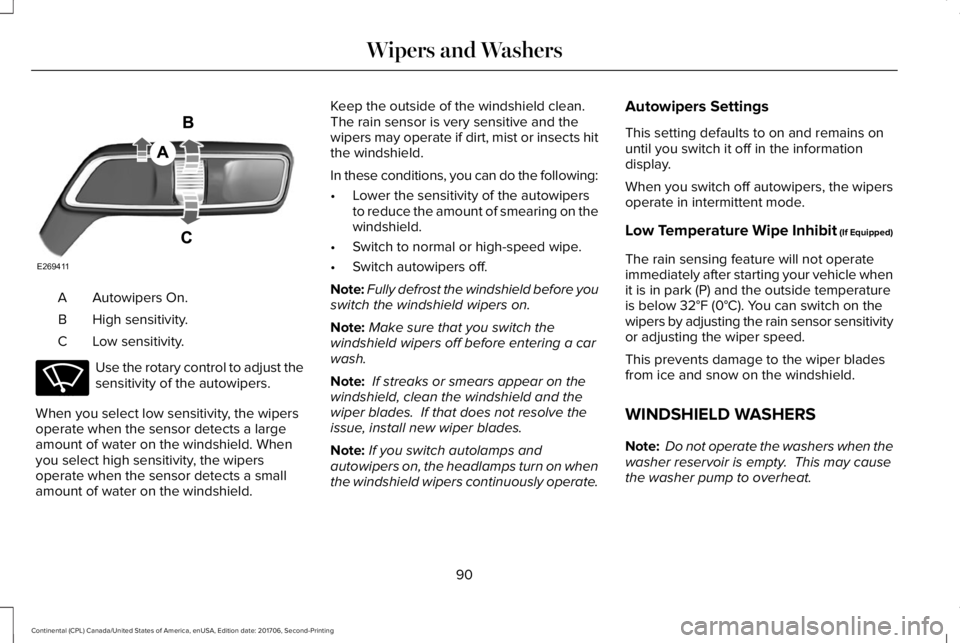
Autowipers On.A
High sensitivity.B
Low sensitivity.C
Use the rotary control to adjust thesensitivity of the autowipers.
When you select low sensitivity, the wipersoperate when the sensor detects a largeamount of water on the windshield. Whenyou select high sensitivity, the wipersoperate when the sensor detects a smallamount of water on the windshield.
Keep the outside of the windshield clean. The rain sensor is very sensitive and thewipers may operate if dirt, mist or insects hitthe windshield.
In these conditions, you can do the following:
•Lower the sensitivity of the autowipersto reduce the amount of smearing on thewindshield.
•Switch to normal or high-speed wipe.
•Switch autowipers off.
Note:Fully defrost the windshield before youswitch the windshield wipers on.
Note:Make sure that you switch thewindshield wipers off before entering a carwash.
Note: If streaks or smears appear on thewindshield, clean the windshield and thewiper blades. If that does not resolve theissue, install new wiper blades.
Note:If you switch autolamps andautowipers on, the headlamps turn on whenthe windshield wipers continuously operate.
Autowipers Settings
This setting defaults to on and remains onuntil you switch it off in the informationdisplay.
When you switch off autowipers, the wipersoperate in intermittent mode.
Low Temperature Wipe Inhibit (If Equipped)
The rain sensing feature will not operateimmediately after starting your vehicle whenit is in park (P) and the outside temperatureis below 32°F (0°C). You can switch on thewipers by adjusting the rain sensor sensitivityor adjusting the wiper speed.
This prevents damage to the wiper bladesfrom ice and snow on the windshield.
WINDSHIELD WASHERS
Note: Do not operate the washers when thewasher reservoir is empty. This may causethe washer pump to overheat.
90
Continental (CPL) Canada/United States of America, enUSA, Edition date: 201706, Second-Printing
Wipers and WashersE269411 E270969
Page 98 of 615
Type One - Conventional (Non-Configurable)
The daytime running lamps turn on when:
1. Switching the ignition on.
2. The transmission is not in park (P) forvehicles with automatic transmissions, orreleasing the parking brake for vehicleswith manual transmissions.
3. The lighting control is in the off, parkinglamp or autolamps positions.
4. The headlamps are off.
Type Two - Configurable
Switch the daytime running lamps on or offusing the information display. SeeInformation Displays (page 115).
The daytime running lamps turn on when:
1. The lamps are on in the informationdisplay.
2. Switching the ignition on.
3. The transmission is not in park (P) forvehicles with automatic transmissions, orreleasing the parking brake for vehicleswith manual transmissions.
4. The lighting control is in the autolampsposition.
5. The headlamps are off.
The other lighting control switch positionsdo not turn on the daytime running lamps.
If the daytime running lamps are off in theinformation display, the lamps stay off in allswitch positions.
AUTOMATIC HIGH BEAM
CONTROL (If Equipped)
WARNING: The system does notrelieve you of your responsibility to drive withdue care and attention. You may need tooverride the system if it does not turn thehigh beams on or off.
The system turns on high beams if it is darkenough and no other traffic is present. If itdetects an approaching vehicle’s headlampsor tail lamps, or street lighting ahead, thesystem turns off high beams before they candistract other road users. Low beams remainon.
Note:The system may not operate properlyif the sensor is blocked. Keep the windshieldfree from obstruction or damage.
Note:The system may not operate properlyin cold or inclement conditions. You canswitch on the high beams by overriding thesystem.
Note:If the system detects a blockage, forexample bird droppings, bug splatter, snowor ice, the system goes into low beam modeuntil you clear the blockage. A message mayappear in the information display if thecamera is blocked.
Note:Using much larger tires or equippingvehicle accessories such as snowplows canmodify your vehicle's ride height anddegrade automatic high beam controlperformance.
95
Continental (CPL) Canada/United States of America, enUSA, Edition date: 201706, Second-Printing
Lighting
Page 99 of 615
A camera sensor, centrally mounted behindthe windshield of your vehicle, continuouslymonitors conditions to turn the high beamson and off.
Once the system is active, the high beamsturn on if:
•The ambient light level is low enough.
•There is no traffic in front of your vehicle.
•The vehicle speed is greater thanapproximately 32 mph (51 km/h).
The high beams turn off if:
•The ambient light level is high enoughthat high beams are not required.
•The system detects an approachingvehicle's headlamps or tail lamps.
•The vehicle speed falls belowapproximately 27 mph (44 km/h).
•The system detects severe rain, snow orfog.
•The camera is blocked.
Switching the System On and Off
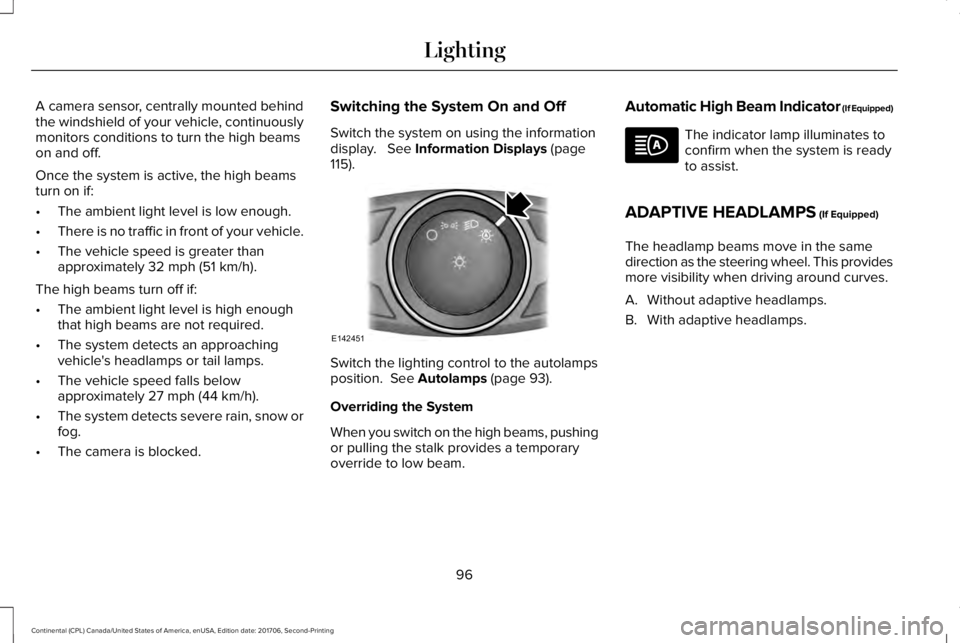
Switch the system on using the informationdisplay. See Information Displays (page115).
Switch the lighting control to the autolampsposition. See Autolamps (page 93).
Overriding the System
When you switch on the high beams, pushingor pulling the stalk provides a temporaryoverride to low beam.
Automatic High Beam Indicator (If Equipped)
The indicator lamp illuminates toconfirm when the system is readyto assist.
ADAPTIVE HEADLAMPS (If Equipped)
The headlamp beams move in the samedirection as the steering wheel. This providesmore visibility when driving around curves.
A. Without adaptive headlamps.
B. With adaptive headlamps.
96
Continental (CPL) Canada/United States of America, enUSA, Edition date: 201706, Second-Printing
LightingE142451
Page 108 of 615
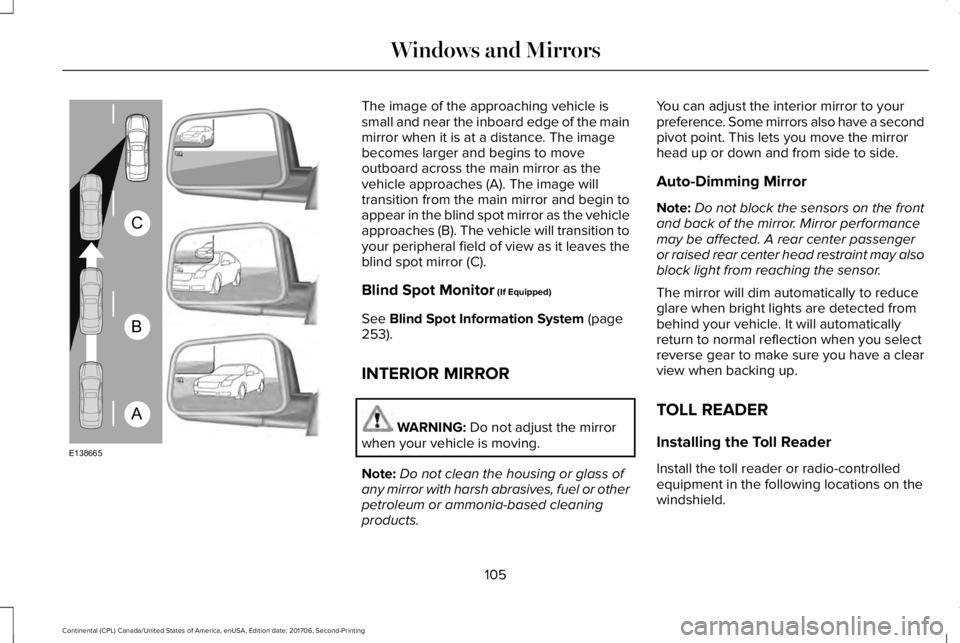
The image of the approaching vehicle issmall and near the inboard edge of the mainmirror when it is at a distance. The imagebecomes larger and begins to moveoutboard across the main mirror as thevehicle approaches (A). The image willtransition from the main mirror and begin toappear in the blind spot mirror as the vehicleapproaches (B). The vehicle will transition toyour peripheral field of view as it leaves theblind spot mirror (C).
Blind Spot Monitor (If Equipped)
See Blind Spot Information System (page253).
INTERIOR MIRROR
WARNING: Do not adjust the mirrorwhen your vehicle is moving.
Note:Do not clean the housing or glass ofany mirror with harsh abrasives, fuel or otherpetroleum or ammonia-based cleaningproducts.
You can adjust the interior mirror to yourpreference. Some mirrors also have a secondpivot point. This lets you move the mirrorhead up or down and from side to side.
Auto-Dimming Mirror
Note:Do not block the sensors on the frontand back of the mirror. Mirror performancemay be affected. A rear center passengeror raised rear center head restraint may alsoblock light from reaching the sensor.
The mirror will dim automatically to reduceglare when bright lights are detected frombehind your vehicle. It will automaticallyreturn to normal reflection when you selectreverse gear to make sure you have a clearview when backing up.
TOLL READER
Installing the Toll Reader
Install the toll reader or radio-controlledequipment in the following locations on thewindshield.
105
Continental (CPL) Canada/United States of America, enUSA, Edition date: 201706, Second-Printing
Windows and MirrorsA
B
C
E138665