ECU LINCOLN CORSAIR 2023 Owner's Manual
[x] Cancel search | Manufacturer: LINCOLN, Model Year: 2023, Model line: CORSAIR, Model: LINCOLN CORSAIR 2023Pages: 690, PDF Size: 15.04 MB
Page 200 of 690
Note:You can program a maximum of threedevices. To change or replace any of thethree devices after they have been initiallyprogrammed, you must either clear all codes,or reprogram each individual button.
Note:We recommend that upon the sale orlease termination of your vehicle, you erasethe programmed function buttons for securityreasons.
Reprogramming the Garage DoorOpener
If a button on your garage door opener hasalready been programmed, you can overrideit. To program a device to a previouslytrained button:
1.Press and hold the desired button forapproximately 20 seconds until theindicator begins to flash.
2.Without releasing the button, proceed toStep 3 of Programming the Garage DoorOpener to your Handheld Transmitter.
Programming the Garage Door Openerto your Handheld Transmitter
Note:The programming steps below assumeyou are programming a HomeLink that wasnot previously programmed. If yourHomeLink was previously programmed, youmay need to clear or reprogram yourHomeLink buttons.
Note:Put a new battery in the handheldtransmitter. This allows for quicker trainingand accurate transmission of theradio-frequency signal.
Note:Make sure that the garage door andsecurity device are free from obstructionwhen you are programming. Do not programthe system with the vehicle in the garage.
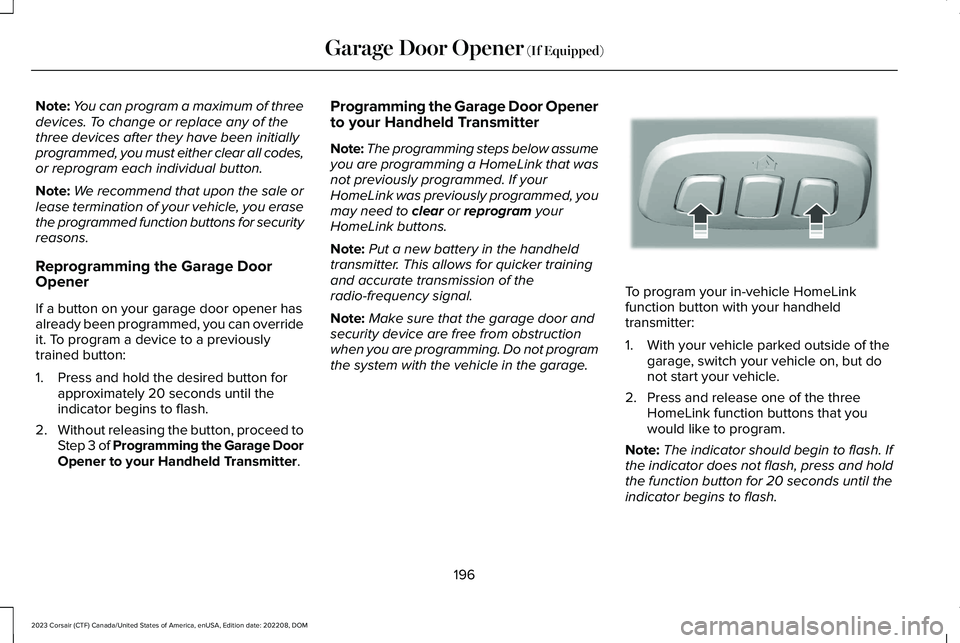
To program your in-vehicle HomeLinkfunction button with your handheldtransmitter:
1.With your vehicle parked outside of thegarage, switch your vehicle on, but donot start your vehicle.
2.Press and release one of the threeHomeLink function buttons that youwould like to program.
Note:The indicator should begin to flash. Ifthe indicator does not flash, press and holdthe function button for 20 seconds until theindicator begins to flash.
196
2023 Corsair (CTF) Canada/United States of America, enUSA, Edition date: 202208, DOMGarage Door Opener (If Equipped)E188213
Page 201 of 690
3.Hold your handheld garage doortransmitter 1–3 in (2–8 cm) away from theHomeLink button you want to program.
4.Press and hold the handheld transmitterbutton you want to program whilewatching the indicator on HomeLink.Continue to hold the handheld buttonuntil the HomeLink indicator flashesrapidly or is continuously on.
Note:You may need to use a differentmethod if you live in Canada or havedifficulties programming your gate operatoror garage door opener.
5.Press and hold the HomeLink button youprogrammed for two seconds, thenrelease. You may need to do this twiceto activate the door.
Note:If the indicator stays on, theprogramming is complete.
Note:If the HomeLink indicator flashesrapidly, repeat Step 5.
Note:If your device still does not operate,you must program your garage door.
6.To program additional buttons, repeatSteps 1–4.
Note:Make sure you keep the originalremote control transmitter for use in othervehicles as well as for future systemprogramming.
Programming the Garage Door Openerto your Garage Door Opener Motor
Note:Make sure that the garage door andsecurity device are free from obstructionwhen you are programming. Do not programthe system with the vehicle in the garage.
1.Press the learn button on the garagedoor opener motor and then you have30 seconds to complete the next twosteps.
2.Return to your vehicle.
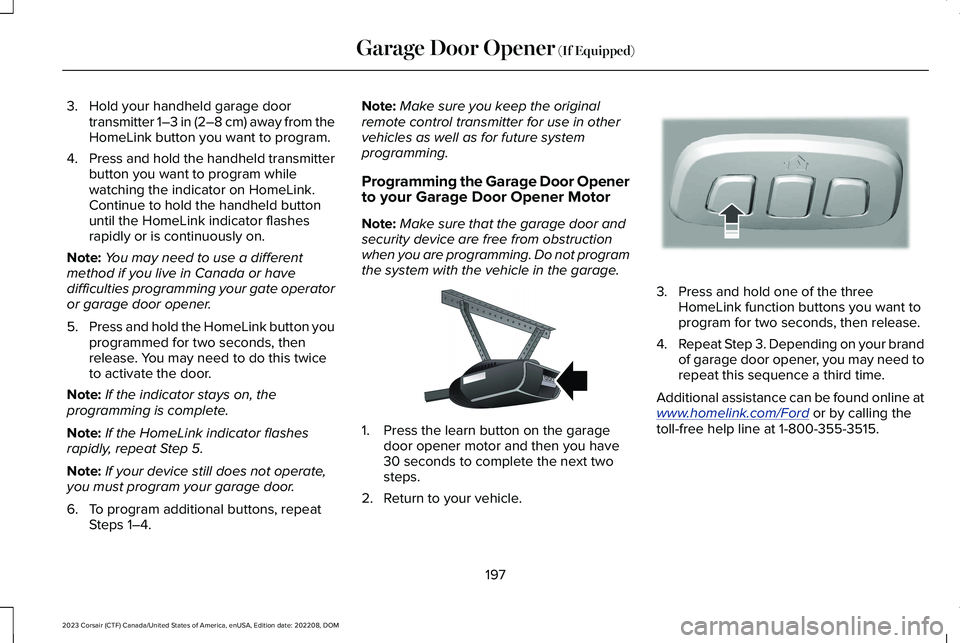
3.Press and hold one of the threeHomeLink function buttons you want toprogram for two seconds, then release.
4.Repeat Step 3. Depending on your brandof garage door opener, you may need torepeat this sequence a third time.
Additional assistance can be found online atwww.homelink.com/Ford or by calling thetoll-free help line at 1-800-355-3515.
197
2023 Corsair (CTF) Canada/United States of America, enUSA, Edition date: 202208, DOMGarage Door Opener (If Equipped)E142659 E188212
Page 318 of 690
Switching Adaptive Cruise Control Off
Press the button when the systemis in standby mode or switch theignition off.
Note:When you switch the system off, theset speed clears.
ADAPTIVE CRUISE CONTROL
AUTOMATIC CANCELLATION
The system may cancel if:
•The tires lose traction.
•You apply the parking brake.
The system may cancel and set the parkingbrake if:
•You unbuckle the seatbelt and open thedriver door after adaptive cruise controlstops your vehicle.
•Adaptive cruise control holds yourvehicle at a stop continuously for morethan three minutes.
The system may deactivate or preventactivating when requested if:
•The vehicle has a blocked sensor.
•The brake temperature is too high.
•There is a failure in the system or arelated system.
SETTING THE ADAPTIVE CRUISE
CONTROL SPEED
Drive to the speed you prefer.
Press either button to set thecurrent speed.
Take your foot off the accelerator pedal.
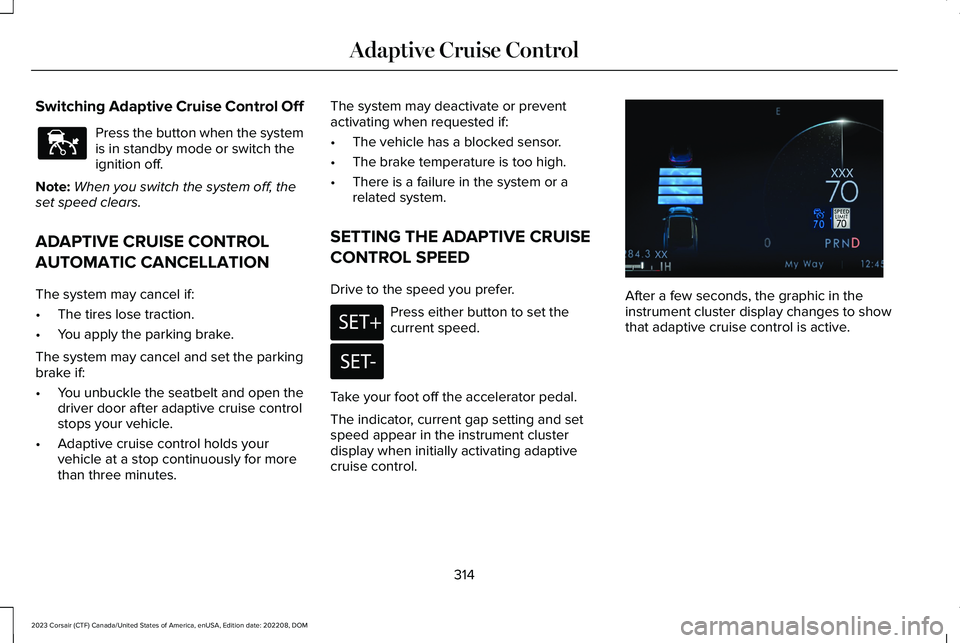
The indicator, current gap setting and setspeed appear in the instrument clusterdisplay when initially activating adaptivecruise control.
After a few seconds, the graphic in theinstrument cluster display changes to showthat adaptive cruise control is active.
314
2023 Corsair (CTF) Canada/United States of America, enUSA, Edition date: 202208, DOMAdaptive Cruise ControlE144529 E246884 E246885 E371374
Page 386 of 690
ROOF RACK (IF EQUIPPED)
ROOF RACK PRECAUTIONS
WARNING: Read and follow themanufacturer's instructions when you arefitting a roof rack.
WARNING: When loading the roofracks, we recommend you evenly distributethe load, as well as maintain a low centerof gravity. Loaded vehicles, with highercenters of gravity, may handle differentlythan unloaded vehicles. Take extraprecautions, such as slower speeds andincreased stopping distance, when drivinga heavily loaded vehicle.
Note:If you use a roof rack, the fuelconsumption of your vehicle will be higherand you may experience different drivingcharacteristics.
Note:Never place loads directly on the roofpanel. The roof panel is not designed todirectly carry a load.
Make sure that you securely fasten the load. Check the tightness of the load beforedriving and at each fuel stop.
382
2023 Corsair (CTF) Canada/United States of America, enUSA, Edition date: 202208, DOMLoad Carrying
Page 387 of 690
LUGGAGE COMPARTMENT
PRECAUTIONS
WARNING: Make sure that youproperly secure objects in the luggagecompartment. Failure to follow thisinstruction could result in personal injuryin the event of a sudden stop or crash.
WARNING: Do not place objects onthe luggage cover. Failure to follow thisinstruction could result in personal injuryor death in the event of a sudden stop orcrash.
WARNING: The appropriate loadingcapacity of your vehicle can be limitedeither by volume capacity (how muchspace is available) or by payload capacity(how much weight the vehicle shouldcarry). Once you have reached themaximum payload of your vehicle, do notadd more cargo, even if there is spaceavailable. Overloading or improperlyloading your vehicle can contribute to lossof vehicle control and vehicle rollover.
WARNING: Make sure that you fullyclose the liftgate to prevent exhaust fumesfrom entering your vehicle. If you areunable to fully close the liftgate, open theair vents or the windows to allow fresh airto enter your vehicle. Failure to follow thisinstruction could result in personal injuryor death.
WARNING: Do not exceed themaximum front and rear axle loads for yourvehicle.
Note: When loading long objects into yourvehicle, for example pipes, timber orfurniture, be careful not to damage theinterior trim.
INSTALLING AND REMOVING THE
LUGGAGE COMPARTMENT COVER
WARNING: Make sure that youproperly secure the luggage cover. Failureto follow this instruction could result inpersonal injury in the event of a suddenstop or crash.
WARNING: Do not place objects onthe luggage cover. Failure to follow thisinstruction could result in personal injuryor death in the event of a sudden stop orcrash.
Installing the Luggage Cover
1.Insert the luggage cover.
383
2023 Corsair (CTF) Canada/United States of America, enUSA, Edition date: 202208, DOMLuggage Compartment
Page 389 of 690
LUGGAGE COMPARTMENT ANCHOR
POINTS
LUGGAGE COMPARTMENT ANCHORPOINT PRECAUTIONS
WARNING: Make sure that youproperly secure objects in the luggagecompartment. Failure to follow thisinstruction could result in personal injuryin the event of a sudden stop or crash.
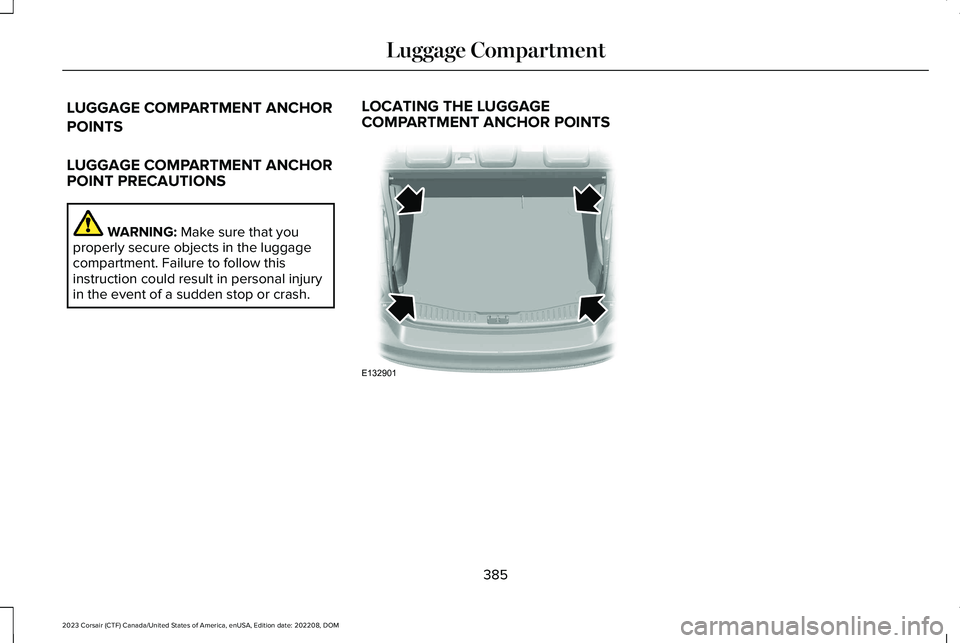
LOCATING THE LUGGAGECOMPARTMENT ANCHOR POINTS
385
2023 Corsair (CTF) Canada/United States of America, enUSA, Edition date: 202208, DOMLuggage CompartmentE132901
Page 401 of 690
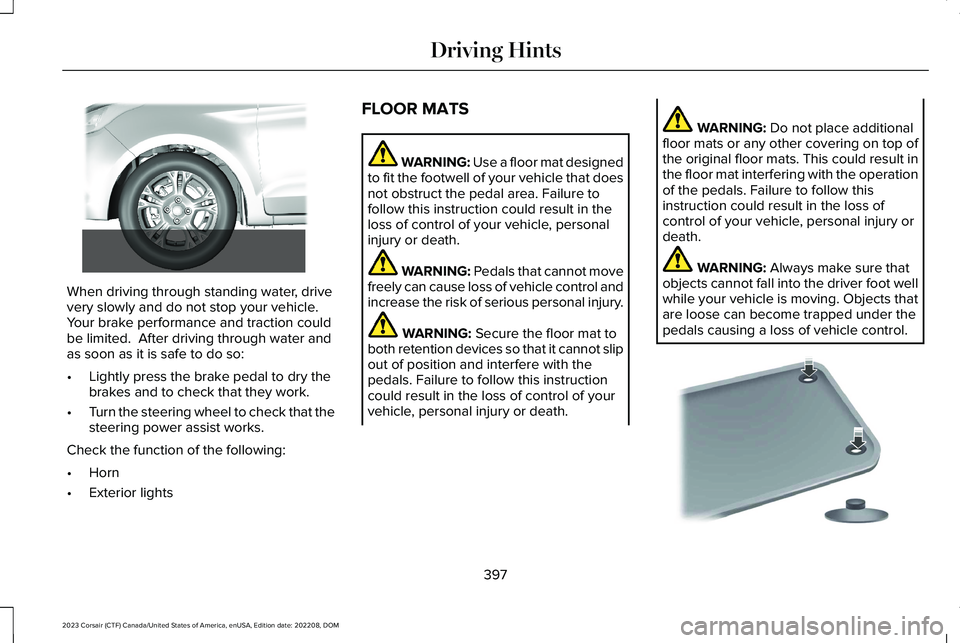
When driving through standing water, drivevery slowly and do not stop your vehicle. Your brake performance and traction couldbe limited. After driving through water andas soon as it is safe to do so:
•Lightly press the brake pedal to dry thebrakes and to check that they work.
•Turn the steering wheel to check that thesteering power assist works.
Check the function of the following:
•Horn
•Exterior lights
FLOOR MATS
WARNING: Use a floor mat designedto fit the footwell of your vehicle that doesnot obstruct the pedal area. Failure tofollow this instruction could result in theloss of control of your vehicle, personalinjury or death.
WARNING: Pedals that cannot movefreely can cause loss of vehicle control andincrease the risk of serious personal injury.
WARNING: Secure the floor mat toboth retention devices so that it cannot slipout of position and interfere with thepedals. Failure to follow this instructioncould result in the loss of control of yourvehicle, personal injury or death.
WARNING: Do not place additionalfloor mats or any other covering on top ofthe original floor mats. This could result inthe floor mat interfering with the operationof the pedals. Failure to follow thisinstruction could result in the loss ofcontrol of your vehicle, personal injury ordeath.
WARNING: Always make sure thatobjects cannot fall into the driver foot wellwhile your vehicle is moving. Objects thatare loose can become trapped under thepedals causing a loss of vehicle control.
397
2023 Corsair (CTF) Canada/United States of America, enUSA, Edition date: 202208, DOMDriving Hints E266447 E142666
Page 402 of 690
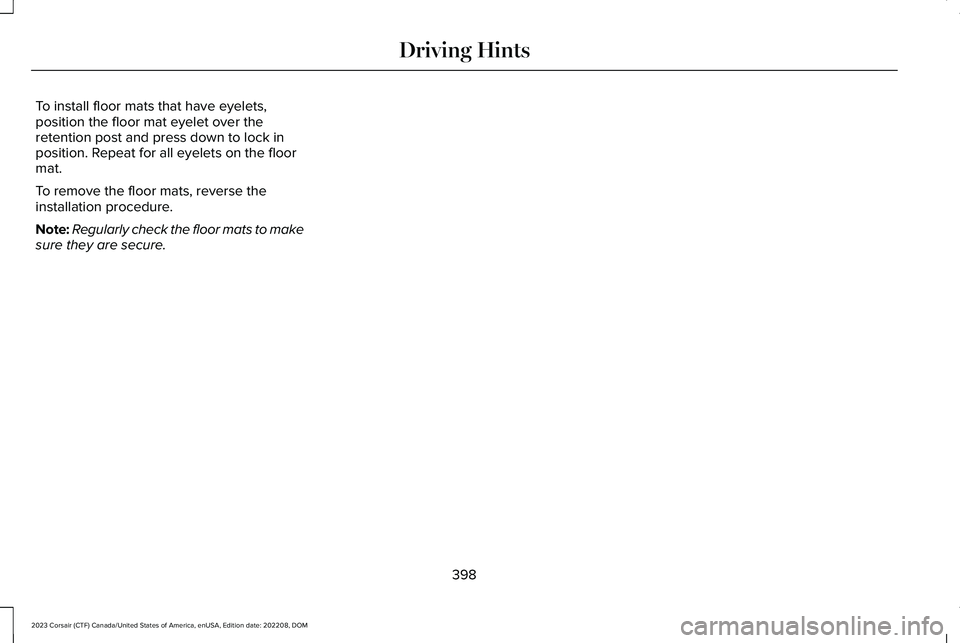
To install floor mats that have eyelets,position the floor mat eyelet over theretention post and press down to lock inposition. Repeat for all eyelets on the floormat.
To remove the floor mats, reverse theinstallation procedure.
Note:Regularly check the floor mats to makesure they are secure.
398
2023 Corsair (CTF) Canada/United States of America, enUSA, Edition date: 202208, DOMDriving Hints
Page 413 of 690
TOWING YOUR VEHICLE
PRECAUTIONS
Use the following guidelines when towingyour vehicle. Failure to follow this instructioncould result in vehicle damage not coveredby the vehicle warranty.
Note:Make sure you properly secure yourvehicle to the tow vehicle.
Note:If you are unsure of the vehicle’sconfiguration, contact an authorized dealer.
RECREATIONALLY TOWING YOUR
VEHICLE - PLUG-IN HYBRID
ELECTRIC VEHICLE (PHEV)
Follow these guidelines if you have a needfor recreational towing. An example ofrecreational towing is towing your vehiclebehind a motorhome. These guidelinesensure that you do not damage thetransmission.
Note: Put your climate control system inrecirculated air mode to prevent exhaustfumes from entering your vehicle. SeeClimate Control (page 168).
You can tow your vehicle with all four wheelson the ground under the followingconditions:
•You switch Neutral Tow on.
•Your vehicle is facing forward for towingin a forward direction.
•You release the parking brake.
•You do not exceed 70 mph (113 km/h).
Switching Neutral Tow On
1.Switch your vehicle on in accessorymode.
2.Press the menu button on the steeringwheel to enter the information displaymain menu.
3.Select Settings.
4.Select Neutral Tow.
5.Follow the instructions on the informationdisplay.
6.Fully press the brake pedal.
7.Shift into neutral (N).
8.Switch the ignition off.
Note:Switching neutral tow on requiresbattery power.
Note:If the parking brake is applied, amessage appears in the information display.
Note:If your vehicle has an ignition key, youcannot remove the key from the ignitionwhen the transmission is in neutral (N) andyour vehicle is off.
Note:Start the engine and allow it to run fora few minutes at the beginning of each day,and every six hours or fewer. With the enginerunning and your foot on the brake, shift intodrive (D) and then into reverse (R) beforeshifting back into neutral (N). Beforecontinuing to tow, switch neutral tow on.
409
2023 Corsair (CTF) Canada/United States of America, enUSA, Edition date: 202208, DOMTowing Your Vehicle
Page 431 of 690
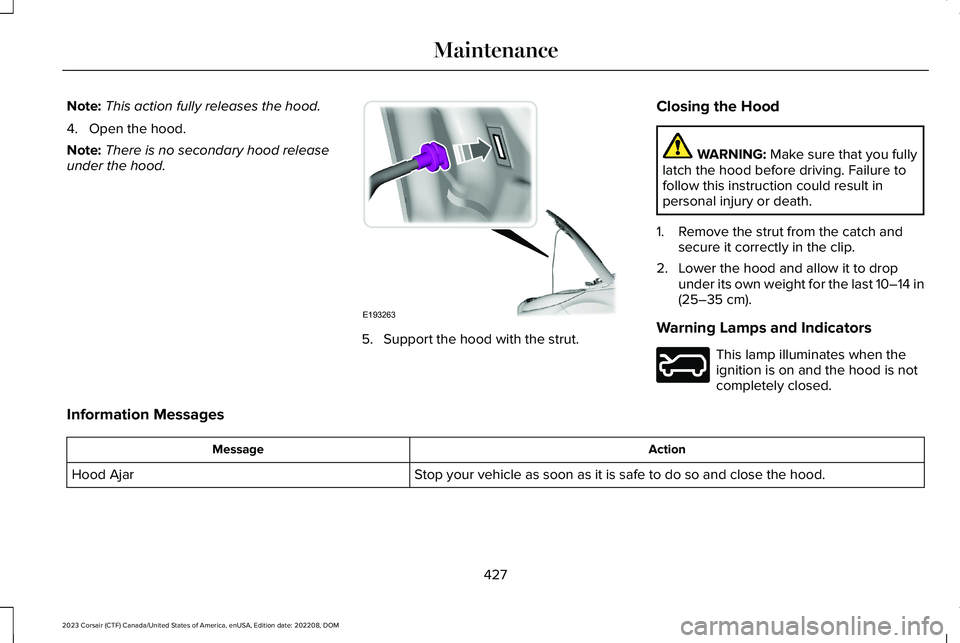
Note:This action fully releases the hood.
4.Open the hood.
Note:There is no secondary hood releaseunder the hood.
5.Support the hood with the strut.
Closing the Hood
WARNING: Make sure that you fullylatch the hood before driving. Failure tofollow this instruction could result inpersonal injury or death.
1.Remove the strut from the catch andsecure it correctly in the clip.
2.Lower the hood and allow it to dropunder its own weight for the last 10–14 in(25–35 cm).
Warning Lamps and Indicators
This lamp illuminates when theignition is on and the hood is notcompletely closed.
Information Messages
ActionMessage
Stop your vehicle as soon as it is safe to do so and close the hood.Hood Ajar
427
2023 Corsair (CTF) Canada/United States of America, enUSA, Edition date: 202208, DOMMaintenanceE193263 E246598