driver door LINCOLN MKC 2019 User Guide
[x] Cancel search | Manufacturer: LINCOLN, Model Year: 2019, Model line: MKC, Model: LINCOLN MKC 2019Pages: 581, PDF Size: 5.41 MB
Page 74 of 581
Tips:
•Do not set a code that uses five of thesame number.
•Do not use five numbers in sequentialorder.
•The factory-set code works even if youhave set your own personal code.
Erasing a Personal Code
1. Enter the factory-set five-digit code.
2. Press and release 1•2 on the keypadwithin five seconds.
3.Press and hold 1•2 for two seconds. Youmust do this within five seconds ofcompleting Step 2.
All personal codes erase and only thefactory-set five-digit code works.
Anti-Scan Feature
The keypad goes into an anti-scan mode ifyou enter the wrong code seven times (35consecutive button presses). This modedisables the keypad for one minute and thekeypad lamp flashes.
The anti-scan feature turns off after any ofthe following occur:
•One minute of keypad inactivity passes.
•You press the unlock button on theremote control.
•You switch the ignition on.
•You unlock the vehicle using intelligentaccess.
Unlocking and Locking the Doors
To Unlock the Driver Door
Enter the factory-set five-digit code or yourpersonal code. You must press each numberwithin five seconds of each other. Theinterior lamps illuminates.
Note:All doors unlock if the two-stageunlocking feature is disabled. See Lockingand Unlocking (page 65).
To Unlock All Doors
Enter the factory-set code or your personalcode, then press 3•4 control within fiveseconds.
To Lock All Doors
Press and hold 7•8 and 9•0 at the same timewith the driver door closed. You do not needto enter the keypad code first.
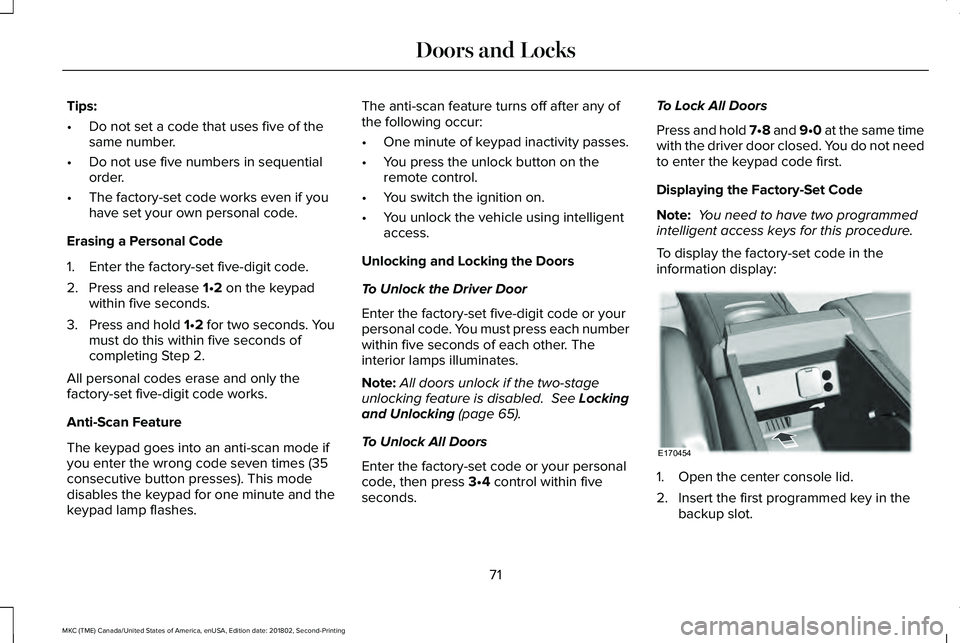
Displaying the Factory-Set Code
Note: You need to have two programmedintelligent access keys for this procedure.
To display the factory-set code in theinformation display:
1. Open the center console lid.
2. Insert the first programmed key in thebackup slot.
71
MKC (TME) Canada/United States of America, enUSA, Edition date: 201802, Second-Printing
Doors and LocksE170454
Page 80 of 581
PASSIVE ANTI-THEFT SYSTEM
Note: The system is not compatible withnon-Lincoln aftermarket remote startsystems. Use of these systems may resultin engine starting problems and a loss ofsecurity protection.
Note: Metallic objects, electronic devicesor a second coded key on the same keychain may result in vehicle starting problems,especially if they are too close to the keywhen starting your vehicle. Prevent theseobjects from touching the coded key whenstarting your vehicle. Switch the ignition off,move all objects on the key chain away fromthe coded key and restart your vehicle if aproblem occurs.
Note: Do not leave a duplicate coded keyin your vehicle. Always take your keys andlock all doors when leaving your vehicle.
SecuriLock®
The system helps prevent the engine fromstarting unless you use a coded keyprogrammed to your vehicle. Using thewrong key may prevent your vehicle fromstarting. A message may appear in theinformation display.
If you are unable to start your vehicle with acoded key, it is not operating correctly. Amessage may appear in the informationdisplay.
Automatic Arming
The system arms when you switch theignition off.
Automatic Disarming
The system disarms when you switch theignition on with a coded key.
Replacement Keys
Note:Your vehicle comes with two keys.
The intelligent access key functions as aprogrammed key that operates the driverdoor lock and turns on the intelligent accesswith push button start system, as well as aremote control.
If your programmed transmitters are lost orstolen and you do not have an extra codedkey, you will need to have your vehicletowed to an authorized dealer to programnew coded keys.
Store a spare intelligent access key awayfrom your vehicle in a safe place. You canpurchase replacement keys or remotecontrols from an authorized dealer.
Programming a Spare Key
Note:You can program a maximum of fourkeys to your vehicle.
You must have two previously programmedintelligent access keys inside your vehicleand the new unprogrammed intelligentaccess keys readily accessible. Contact anauthorized dealer to have the spare keyprogrammed if two previously programmedkeys are not available.
77
MKC (TME) Canada/United States of America, enUSA, Edition date: 201802, Second-Printing
Security
Page 82 of 581
•Unlock the doors or luggagecompartment with the remote control orkeyless entry keypad.
•Switch your vehicle on or start yourvehicle.
•Use a key in the driver door to unlockyour vehicle, then switch your vehicle onwithin 12 seconds.
Note:Pressing the panic button on theremote control will stop the horn and signalindicators, but will not disarm the system.
79
MKC (TME) Canada/United States of America, enUSA, Edition date: 201802, Second-Printing
Security
Page 100 of 581
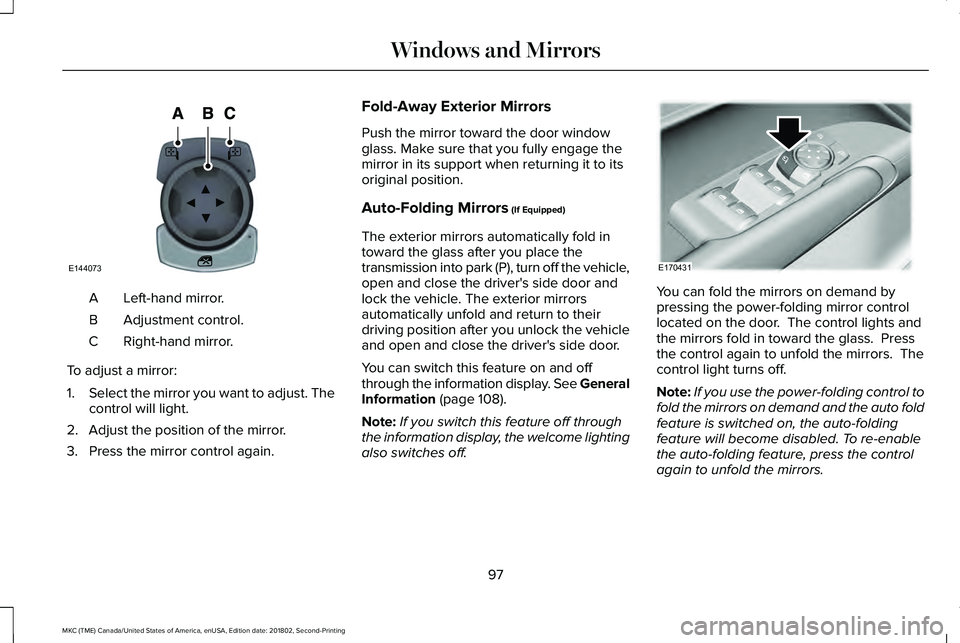
Left-hand mirror.A
Adjustment control.B
Right-hand mirror.C
To adjust a mirror:
1.Select the mirror you want to adjust. Thecontrol will light.
2. Adjust the position of the mirror.
3. Press the mirror control again.
Fold-Away Exterior Mirrors
Push the mirror toward the door windowglass. Make sure that you fully engage themirror in its support when returning it to itsoriginal position.
Auto-Folding Mirrors (If Equipped)
The exterior mirrors automatically fold intoward the glass after you place thetransmission into park (P), turn off the vehicle,open and close the driver's side door andlock the vehicle. The exterior mirrorsautomatically unfold and return to theirdriving position after you unlock the vehicleand open and close the driver's side door.
You can switch this feature on and offthrough the information display. See GeneralInformation (page 108).
Note:If you switch this feature off throughthe information display, the welcome lightingalso switches off.
You can fold the mirrors on demand bypressing the power-folding mirror controllocated on the door. The control lights andthe mirrors fold in toward the glass. Pressthe control again to unfold the mirrors. Thecontrol light turns off.
Note:If you use the power-folding control tofold the mirrors on demand and the auto foldfeature is switched on, the auto-foldingfeature will become disabled. To re-enablethe auto-folding feature, press the controlagain to unfold the mirrors.
97
MKC (TME) Canada/United States of America, enUSA, Edition date: 201802, Second-Printing
Windows and MirrorsE144073 E170431
Page 110 of 581
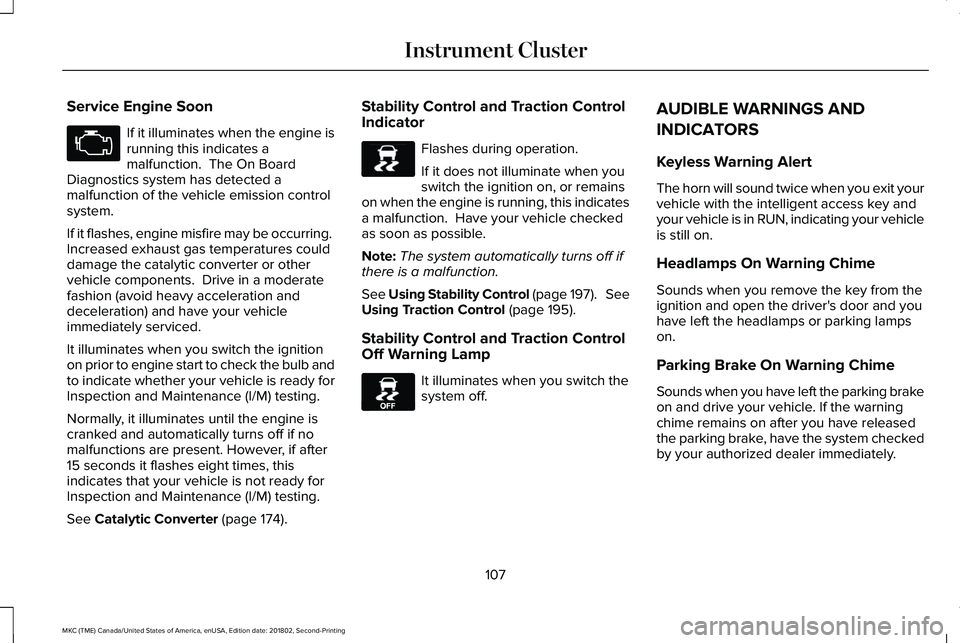
Service Engine Soon
If it illuminates when the engine isrunning this indicates amalfunction. The On BoardDiagnostics system has detected amalfunction of the vehicle emission controlsystem.
If it flashes, engine misfire may be occurring. Increased exhaust gas temperatures coulddamage the catalytic converter or othervehicle components. Drive in a moderatefashion (avoid heavy acceleration anddeceleration) and have your vehicleimmediately serviced.
It illuminates when you switch the ignitionon prior to engine start to check the bulb andto indicate whether your vehicle is ready forInspection and Maintenance (I/M) testing.
Normally, it illuminates until the engine iscranked and automatically turns off if nomalfunctions are present. However, if after15 seconds it flashes eight times, thisindicates that your vehicle is not ready forInspection and Maintenance (I/M) testing.
See Catalytic Converter (page 174).
Stability Control and Traction ControlIndicator
Flashes during operation.
If it does not illuminate when youswitch the ignition on, or remainson when the engine is running, this indicatesa malfunction. Have your vehicle checkedas soon as possible.
Note:The system automatically turns off ifthere is a malfunction.
See Using Stability Control (page 197). SeeUsing Traction Control (page 195).
Stability Control and Traction ControlOff Warning Lamp
It illuminates when you switch thesystem off.
AUDIBLE WARNINGS AND
INDICATORS
Keyless Warning Alert
The horn will sound twice when you exit yourvehicle with the intelligent access key andyour vehicle is in RUN, indicating your vehicleis still on.
Headlamps On Warning Chime
Sounds when you remove the key from theignition and open the driver's door and youhave left the headlamps or parking lampson.
Parking Brake On Warning Chime
Sounds when you have left the parking brakeon and drive your vehicle. If the warningchime remains on after you have releasedthe parking brake, have the system checkedby your authorized dealer immediately.
107
MKC (TME) Canada/United States of America, enUSA, Edition date: 201802, Second-Printing
Instrument Cluster E138639 E130458
Page 123 of 581
Doors and Locks
ActionMessage
The door(s) listed is not completely closed.X Door Ajar
The luggage compartment is not completely closed.Trunk Ajar
The hood is not completely closed.Hood Ajar
The system has disabled the door switches.Switches Inhibited Security Mode
There is a system malfunction with the child locks. Contact an authorized dealer as soon aspossible.Child Lock Malfunction Service Required
The factory keypad code displays in the information display after system resets the keypad.See Keyless Entry (page 70).Factory Keypad Code {X X X X X}
Driver Alert
ActionMessage
Stop and rest as soon as it is safe to do so.Driver Alert Warning Rest Now
Take a rest soon.Driver Alert Warning Rest Suggested
120
MKC (TME) Canada/United States of America, enUSA, Edition date: 201802, Second-Printing
Information Displays
Page 146 of 581
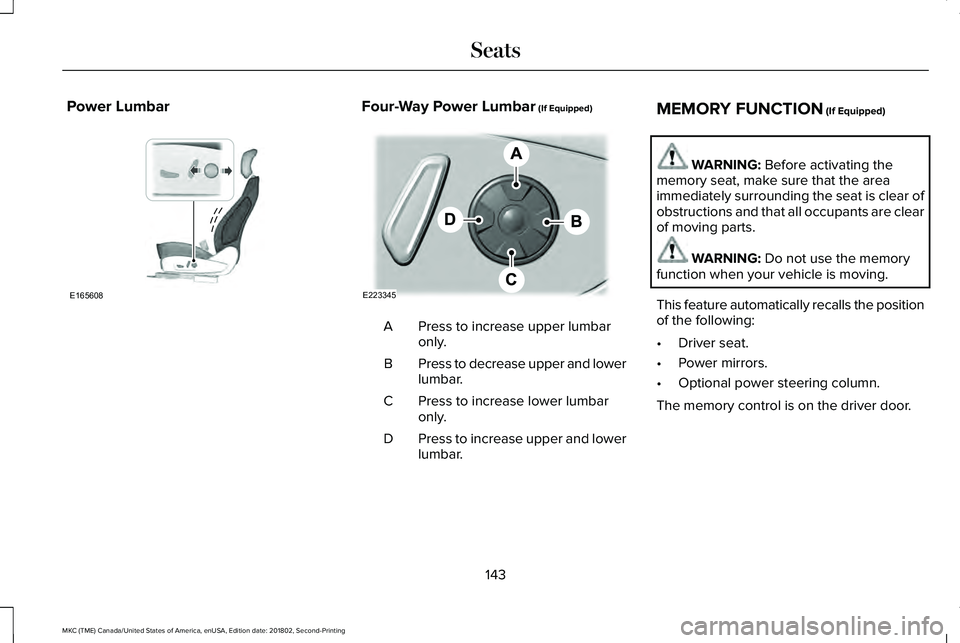
Power LumbarFour-Way Power Lumbar (If Equipped)
Press to increase upper lumbaronly.A
Press to decrease upper and lowerlumbar.B
Press to increase lower lumbaronly.C
Press to increase upper and lowerlumbar.D
MEMORY FUNCTION (If Equipped)
WARNING: Before activating thememory seat, make sure that the areaimmediately surrounding the seat is clear ofobstructions and that all occupants are clearof moving parts.
WARNING: Do not use the memoryfunction when your vehicle is moving.
This feature automatically recalls the positionof the following:
•Driver seat.
•Power mirrors.
•Optional power steering column.
The memory control is on the driver door.
143
MKC (TME) Canada/United States of America, enUSA, Edition date: 201802, Second-Printing
SeatsE165608 E223345
Page 147 of 581
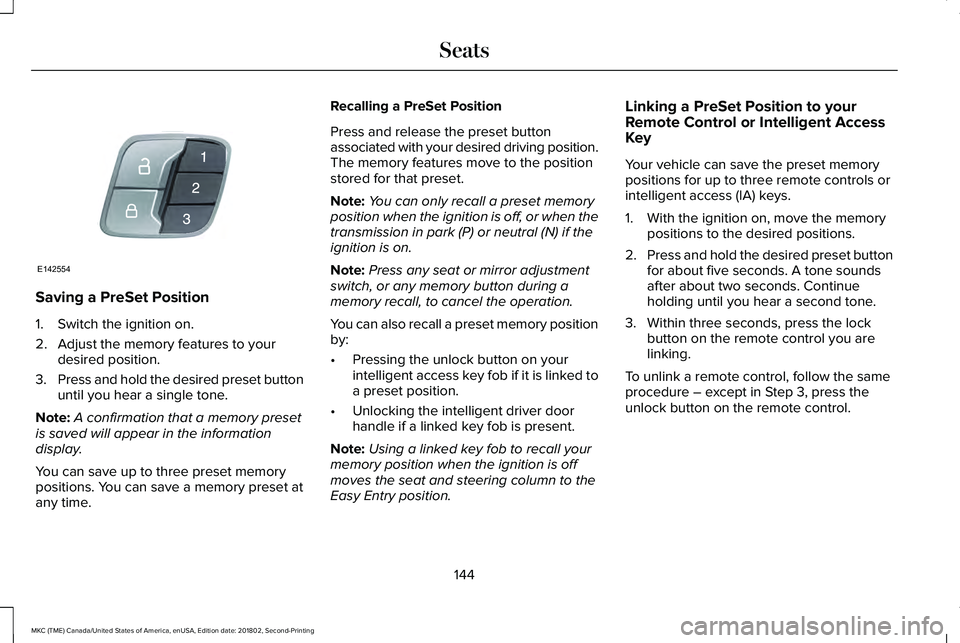
Saving a PreSet Position
1. Switch the ignition on.
2. Adjust the memory features to yourdesired position.
3.Press and hold the desired preset buttonuntil you hear a single tone.
Note:A confirmation that a memory presetis saved will appear in the informationdisplay.
You can save up to three preset memorypositions. You can save a memory preset atany time.
Recalling a PreSet Position
Press and release the preset buttonassociated with your desired driving position.The memory features move to the positionstored for that preset.
Note:You can only recall a preset memoryposition when the ignition is off, or when thetransmission in park (P) or neutral (N) if theignition is on.
Note:Press any seat or mirror adjustmentswitch, or any memory button during amemory recall, to cancel the operation.
You can also recall a preset memory positionby:
•Pressing the unlock button on yourintelligent access key fob if it is linked toa preset position.
•Unlocking the intelligent driver doorhandle if a linked key fob is present.
Note:Using a linked key fob to recall yourmemory position when the ignition is offmoves the seat and steering column to theEasy Entry position.
Linking a PreSet Position to yourRemote Control or Intelligent AccessKey
Your vehicle can save the preset memorypositions for up to three remote controls orintelligent access (IA) keys.
1. With the ignition on, move the memorypositions to the desired positions.
2.Press and hold the desired preset buttonfor about five seconds. A tone soundsafter about two seconds. Continueholding until you hear a second tone.
3. Within three seconds, press the lockbutton on the remote control you arelinking.
To unlink a remote control, follow the sameprocedure – except in Step 3, press theunlock button on the remote control.
144
MKC (TME) Canada/United States of America, enUSA, Edition date: 201802, Second-Printing
SeatsE142554
Page 152 of 581
HomeLink Wireless Control System
WARNING: Do not use the system withany garage door opener that does not havethe safety stop and reverse feature asrequired by U.S. Federal Safety Standards(this includes any garage door openermanufactured before April 1, 1982). A garagedoor opener which cannot detect an object,signaling the door to stop and reverse, doesnot meet current federal safety standards.Using a garage door opener without thesefeatures increases the risk of serious injuryor death.
Note:Make sure that the garage door andsecurity device are free from obstructionwhen you are programming. Do not programthe system with the vehicle in the garage.
Note:Make sure you keep the originalremote control transmitter for use in othervehicles as well as for future systemprogramming.
Note:We recommend that upon the sale orlease termination of your vehicle, you erasethe programmed function buttons for securityreasons. See Erasing the Function ButtonCodes.
Note:You can program a maximum of threedevices. To change or replace any of thethree devices after it has been initiallyprogrammed, you must first erase the currentsettings. See Erasing the Function ButtonCodes.
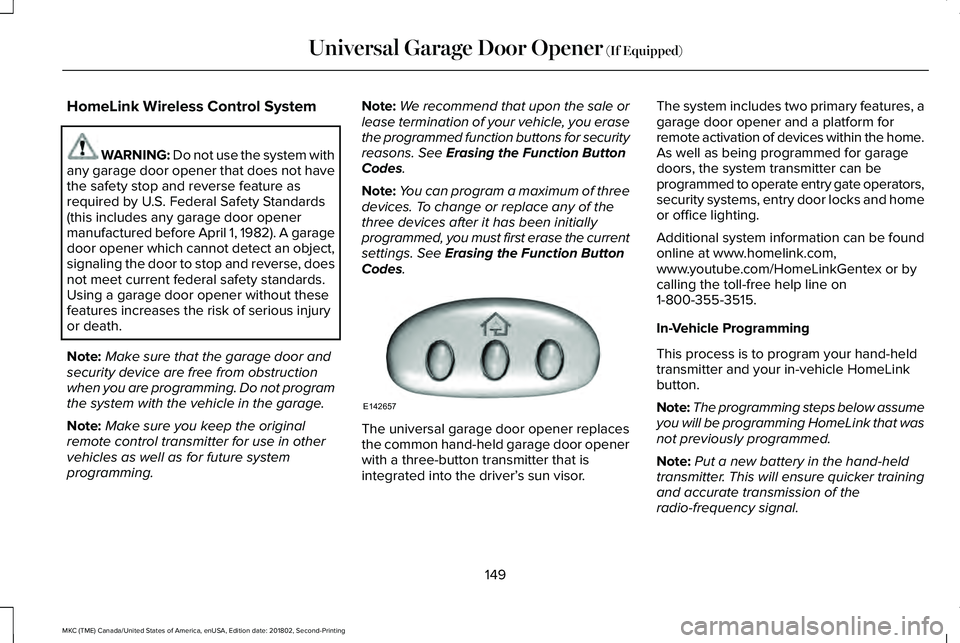
The universal garage door opener replacesthe common hand-held garage door openerwith a three-button transmitter that isintegrated into the driver’s sun visor.
The system includes two primary features, agarage door opener and a platform forremote activation of devices within the home.As well as being programmed for garagedoors, the system transmitter can beprogrammed to operate entry gate operators,security systems, entry door locks and homeor office lighting.
Additional system information can be foundonline at www.homelink.com,www.youtube.com/HomeLinkGentex or bycalling the toll-free help line on1-800-355-3515.
In-Vehicle Programming
This process is to program your hand-heldtransmitter and your in-vehicle HomeLinkbutton.
Note:The programming steps below assumeyou will be programming HomeLink that wasnot previously programmed.
Note:Put a new battery in the hand-heldtransmitter. This will ensure quicker trainingand accurate transmission of theradio-frequency signal.
149
MKC (TME) Canada/United States of America, enUSA, Edition date: 201802, Second-Printing
Universal Garage Door Opener (If Equipped)E142657
Page 166 of 581
AUTO-START-STOP (If Equipped)
WARNING: Always fully apply theparking brake. Make sure you shift into park(P) for vehicles with an automatictransmission. Switch the ignition off andremove the key whenever you leave yourvehicle.
WARNING: Before opening the hoodor performing any maintenance, fully applythe parking brake, shift into park (P) orneutral (N) and switch the ignition off.
WARNING: Always switch the ignitionoff before leaving the vehicle. If the ignitionis switched on an automatic restart mayoccur at any time.
WARNING: The system may requirethe engine to automatically restart when theauto-start-stop indicator illuminates green orflashes amber. Failure to follow thisinstruction could result in personal injury.
The system helps reduce fuel consumptionby automatically shutting off and restartingthe engine while your vehicle is stopped.The engine will restart automatically whenyou release the brake pedal. In somesituations, your vehicle may restartautomatically, for example:
•To maintain interior comfort
•To recharge the battery
Note:Power assist steering is turned offwhen the engine is off.
The Auto-Start-Stop system status isavailable at a glance within the informationdisplay. See Information Displays (page108).
Enabling Auto-Start-Stop
The system is automatically enabled everytime you start your vehicle if the followingconditions are met:
•The Auto-Start-Stop button is not pressed(not illuminated).
•Your vehicle exceeds an initial speed of3 mph (5 km/h) after the vehicle has beeninitially started.
•Your vehicle is stopped.
•Your foot is on the brake pedal.
•The transmission is in drive (D).
•The driver's door is closed.
•There is adequate brake vacuum.
•The interior compartment has beencooled or warmed to an acceptable level.
•The front windshield defroster is off.
•The steering wheel is not turned rapidlyor is not at a sharp angle.
•The vehicle is not on a steep road grade.
•The battery is within optimal operatingconditions (battery state of charge andtemperature in range).
•The engine coolant is at operatingtemperature.
•Elevation is below approximately10,000 ft (3,048 m).
•Ambient temperature is moderate.
The green Auto-Start-Stopindicator light on the instrumentcluster will illuminate to indicatewhen the automatic engine stop occurs.
163
MKC (TME) Canada/United States of America, enUSA, Edition date: 201802, Second-Printing
Unique Driving Characteristics