instrument cluster LINCOLN MKC 2019 User Guide
[x] Cancel search | Manufacturer: LINCOLN, Model Year: 2019, Model line: MKC, Model: LINCOLN MKC 2019Pages: 581, PDF Size: 5.41 MB
Page 110 of 581
Service Engine Soon
If it illuminates when the engine isrunning this indicates amalfunction. The On BoardDiagnostics system has detected amalfunction of the vehicle emission controlsystem.
If it flashes, engine misfire may be occurring. Increased exhaust gas temperatures coulddamage the catalytic converter or othervehicle components. Drive in a moderatefashion (avoid heavy acceleration anddeceleration) and have your vehicleimmediately serviced.
It illuminates when you switch the ignitionon prior to engine start to check the bulb andto indicate whether your vehicle is ready forInspection and Maintenance (I/M) testing.
Normally, it illuminates until the engine iscranked and automatically turns off if nomalfunctions are present. However, if after15 seconds it flashes eight times, thisindicates that your vehicle is not ready forInspection and Maintenance (I/M) testing.
See Catalytic Converter (page 174).
Stability Control and Traction ControlIndicator
Flashes during operation.
If it does not illuminate when youswitch the ignition on, or remainson when the engine is running, this indicatesa malfunction. Have your vehicle checkedas soon as possible.
Note:The system automatically turns off ifthere is a malfunction.
See Using Stability Control (page 197). SeeUsing Traction Control (page 195).
Stability Control and Traction ControlOff Warning Lamp
It illuminates when you switch thesystem off.
AUDIBLE WARNINGS AND
INDICATORS
Keyless Warning Alert
The horn will sound twice when you exit yourvehicle with the intelligent access key andyour vehicle is in RUN, indicating your vehicleis still on.
Headlamps On Warning Chime
Sounds when you remove the key from theignition and open the driver's door and youhave left the headlamps or parking lampson.
Parking Brake On Warning Chime
Sounds when you have left the parking brakeon and drive your vehicle. If the warningchime remains on after you have releasedthe parking brake, have the system checkedby your authorized dealer immediately.
107
MKC (TME) Canada/United States of America, enUSA, Edition date: 201802, Second-Printing
Instrument Cluster E138639 E130458
Page 116 of 581
INFORMATION MESSAGES
Note: Depending on your vehicle optionsand instrument cluster type, not all of themessages will display or be available. Theinformation display may abbreviate orshorten certain messages.
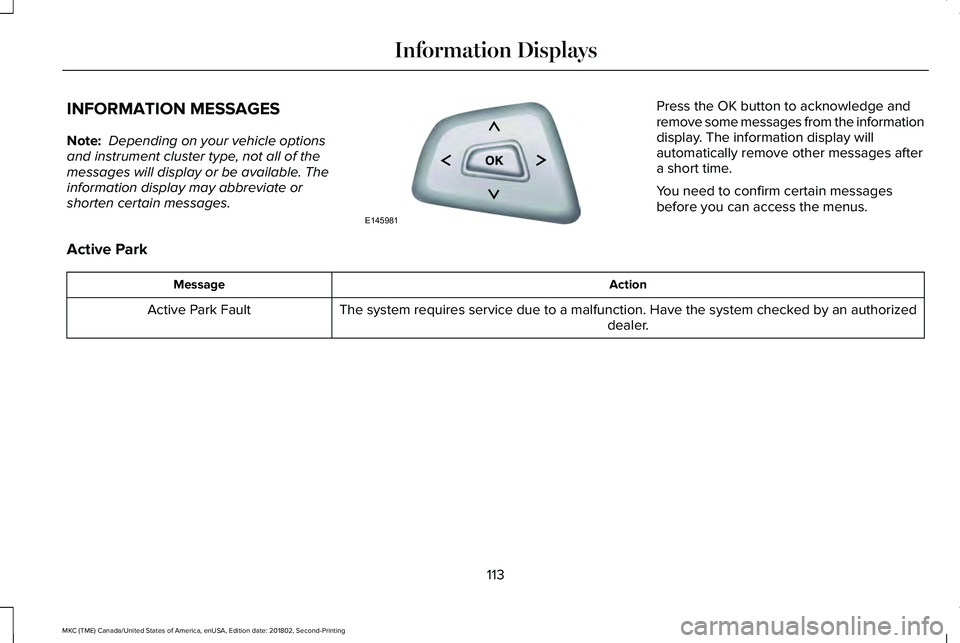
Press the OK button to acknowledge andremove some messages from the informationdisplay. The information display willautomatically remove other messages aftera short time.
You need to confirm certain messagesbefore you can access the menus.
Active Park
ActionMessage
The system requires service due to a malfunction. Have the system checked by an authorizeddealer.Active Park Fault
113
MKC (TME) Canada/United States of America, enUSA, Edition date: 201802, Second-Printing
Information DisplaysE145981
Page 166 of 581
AUTO-START-STOP (If Equipped)
WARNING: Always fully apply theparking brake. Make sure you shift into park(P) for vehicles with an automatictransmission. Switch the ignition off andremove the key whenever you leave yourvehicle.
WARNING: Before opening the hoodor performing any maintenance, fully applythe parking brake, shift into park (P) orneutral (N) and switch the ignition off.
WARNING: Always switch the ignitionoff before leaving the vehicle. If the ignitionis switched on an automatic restart mayoccur at any time.
WARNING: The system may requirethe engine to automatically restart when theauto-start-stop indicator illuminates green orflashes amber. Failure to follow thisinstruction could result in personal injury.
The system helps reduce fuel consumptionby automatically shutting off and restartingthe engine while your vehicle is stopped.The engine will restart automatically whenyou release the brake pedal. In somesituations, your vehicle may restartautomatically, for example:
•To maintain interior comfort
•To recharge the battery
Note:Power assist steering is turned offwhen the engine is off.
The Auto-Start-Stop system status isavailable at a glance within the informationdisplay. See Information Displays (page108).
Enabling Auto-Start-Stop
The system is automatically enabled everytime you start your vehicle if the followingconditions are met:
•The Auto-Start-Stop button is not pressed(not illuminated).
•Your vehicle exceeds an initial speed of3 mph (5 km/h) after the vehicle has beeninitially started.
•Your vehicle is stopped.
•Your foot is on the brake pedal.
•The transmission is in drive (D).
•The driver's door is closed.
•There is adequate brake vacuum.
•The interior compartment has beencooled or warmed to an acceptable level.
•The front windshield defroster is off.
•The steering wheel is not turned rapidlyor is not at a sharp angle.
•The vehicle is not on a steep road grade.
•The battery is within optimal operatingconditions (battery state of charge andtemperature in range).
•The engine coolant is at operatingtemperature.
•Elevation is below approximately10,000 ft (3,048 m).
•Ambient temperature is moderate.
The green Auto-Start-Stopindicator light on the instrumentcluster will illuminate to indicatewhen the automatic engine stop occurs.
163
MKC (TME) Canada/United States of America, enUSA, Edition date: 201802, Second-Printing
Unique Driving Characteristics
Page 167 of 581
If the instrument cluster isequipped with a greyAuto-Start-Stop indicator light, it isilluminated when automatic engine stop isnot available due to one of the above notedconditions not being met.
Automatic Engine Restart
Any of the following conditions will result inan automatic restart of the engine:
•Your foot is removed from the brakepedal.
•You press the accelerator pedal.
•You press the accelerator and the brakepedal at the same time.
•The driver safety belt becomesunfastened or the driver door is ajar.
•The transmission is moved from drive (D).
•Your vehicle is moving.
•The interior compartment does not meetcustomer comfort when air conditioningor heat is on.
•Fogging of the windows could occur andthe air conditioning is on.
•The battery is not within optimaloperating conditions.
•The maximum engine off time isexceeded.
•When you press the Auto-Start-Stopbutton while the engine is stoppedautomatically.
•The heated windshield is turned on.
Any of the following conditions may result inan automatic restart of the engine:
•The blower fan speed is increased or theclimate control temperature is changed.
•An electrical accessory is turned on orplugged in.
Disabling Auto-Start-Stop
Press the Auto-Start-Stop button located onthe center console to switch the system off.The button will illuminate. The system willonly be deactivated for the current ignitioncycle. Press the button again to restoreAuto-Start-Stop function.
164
MKC (TME) Canada/United States of America, enUSA, Edition date: 201802, Second-Printing
Unique Driving CharacteristicsE146361 E223639
Page 180 of 581
AUTOMATIC TRANSMISSION
WARNING: Always fully apply theparking brake and make sure you shift intopark (P). Failure to follow this instructioncould result in personal injury or death.
WARNING: Do not apply the brakepedal and accelerator pedal simultaneously.Applying both pedals simultaneously formore than a few seconds will limit engineperformance, which may result in difficultymaintaining speed in traffic and could leadto serious injury.
Note:Under certain conditions, you may notbe able to shift out of park (P) unless theintelligent access key is inside the vehicle.
Push Button Shift Transmission
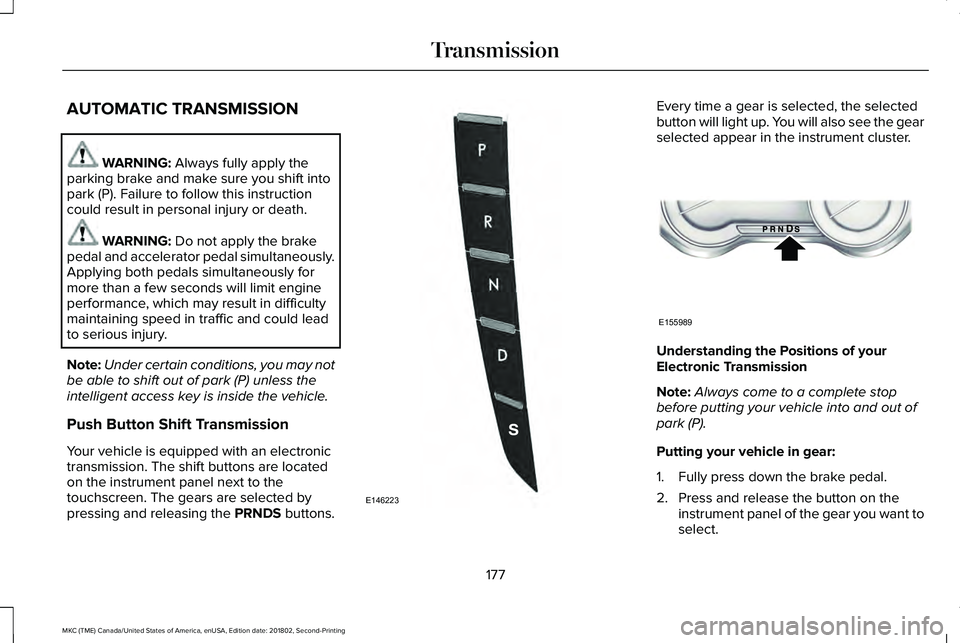
Your vehicle is equipped with an electronictransmission. The shift buttons are locatedon the instrument panel next to thetouchscreen. The gears are selected bypressing and releasing the PRNDS buttons.
Every time a gear is selected, the selectedbutton will light up. You will also see the gearselected appear in the instrument cluster.
Understanding the Positions of yourElectronic Transmission
Note:Always come to a complete stopbefore putting your vehicle into and out ofpark (P).
Putting your vehicle in gear:
1. Fully press down the brake pedal.
2. Press and release the button on theinstrument panel of the gear you want toselect.
177
MKC (TME) Canada/United States of America, enUSA, Edition date: 201802, Second-Printing
TransmissionE146223 E155989
Page 181 of 581
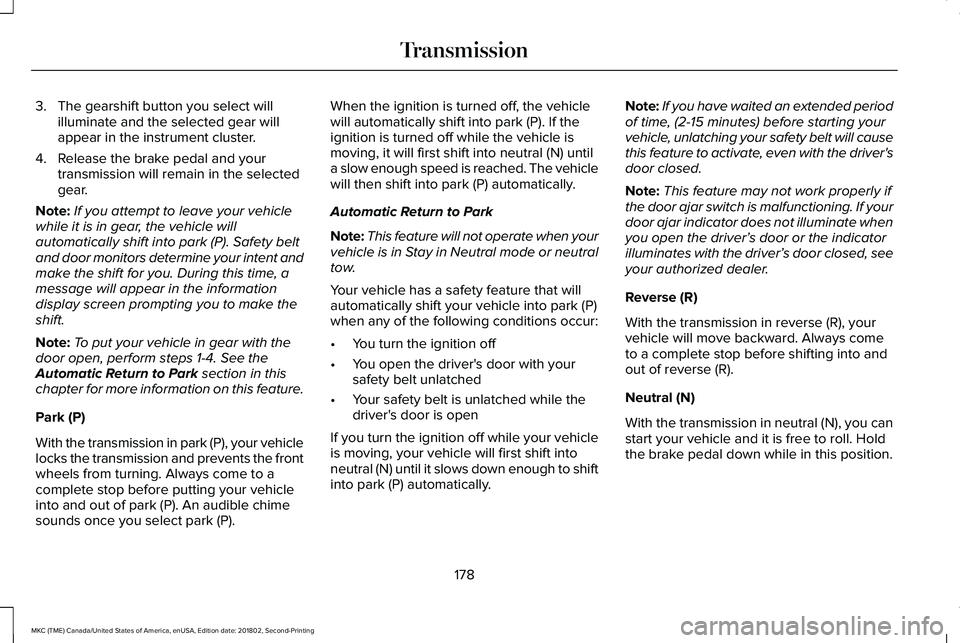
3. The gearshift button you select willilluminate and the selected gear willappear in the instrument cluster.
4. Release the brake pedal and yourtransmission will remain in the selectedgear.
Note:If you attempt to leave your vehiclewhile it is in gear, the vehicle willautomatically shift into park (P). Safety beltand door monitors determine your intent andmake the shift for you. During this time, amessage will appear in the informationdisplay screen prompting you to make theshift.
Note:To put your vehicle in gear with thedoor open, perform steps 1-4. See theAutomatic Return to Park section in thischapter for more information on this feature.
Park (P)
With the transmission in park (P), your vehiclelocks the transmission and prevents the frontwheels from turning. Always come to acomplete stop before putting your vehicleinto and out of park (P). An audible chimesounds once you select park (P).
When the ignition is turned off, the vehiclewill automatically shift into park (P). If theignition is turned off while the vehicle ismoving, it will first shift into neutral (N) untila slow enough speed is reached. The vehiclewill then shift into park (P) automatically.
Automatic Return to Park
Note:This feature will not operate when yourvehicle is in Stay in Neutral mode or neutraltow.
Your vehicle has a safety feature that willautomatically shift your vehicle into park (P)when any of the following conditions occur:
•You turn the ignition off
•You open the driver's door with yoursafety belt unlatched
•Your safety belt is unlatched while thedriver's door is open
If you turn the ignition off while your vehicleis moving, your vehicle will first shift intoneutral (N) until it slows down enough to shiftinto park (P) automatically.
Note:If you have waited an extended periodof time, (2-15 minutes) before starting yourvehicle, unlatching your safety belt will causethis feature to activate, even with the driver'sdoor closed.
Note:This feature may not work properly ifthe door ajar switch is malfunctioning. If yourdoor ajar indicator does not illuminate whenyou open the driver’s door or the indicatorilluminates with the driver’s door closed, seeyour authorized dealer.
Reverse (R)
With the transmission in reverse (R), yourvehicle will move backward. Always cometo a complete stop before shifting into andout of reverse (R).
Neutral (N)
With the transmission in neutral (N), you canstart your vehicle and it is free to roll. Holdthe brake pedal down while in this position.
178
MKC (TME) Canada/United States of America, enUSA, Edition date: 201802, Second-Printing
Transmission
Page 182 of 581
Stay in Neutral mode
Stay in Neutral mode allows your vehicle tostay in neutral (N) when you exit the vehicle.Your vehicle must be stationary to enter thismode.
To enter Stay in Neutral mode:
1. Press the neutral (N) button on yourshifter assembly.
2. A message will appear in yourinformation display.
3. Press the neutral (N) button again toenter Stay in Neutral mode.
A message will appear in your informationdisplay screen when your vehicle hasentered Stay in Neutral mode.
Note:During this mode the N button willflash continuously and your instrumentcluster will display N as the selected gear.
Exiting Stay in Neutral mode
To disable Stay in Neutral mode selectanother gear. See the Putting the Vehiclein Gear for instructions on how to do this.
Entering a Carwash
Note:Always put your vehicle in Stay inNeutral mode when entering an automaticcar wash. Failure to do this could result invehicle damage not covered by warranty.
Drive (D)
The normal driving position for the best fueleconomy.
Sport (S)
Putting the vehicle in sport (S):
•Provides additional engine braking andextends lower gear operation to enhanceperformance for uphill climbs, hilly terrainor mountainous areas. This will increaseengine RPM during engine braking
•Provides additional lower gear operationthrough the automatic transmission shiftstrategy
•Provides gear selection more quickly andat higher engine speeds
SelectShift Automatic™ Transmission
Your SelectShift Automatic transmissiongives you the ability to change gearsmanually.
Paddle Shifters
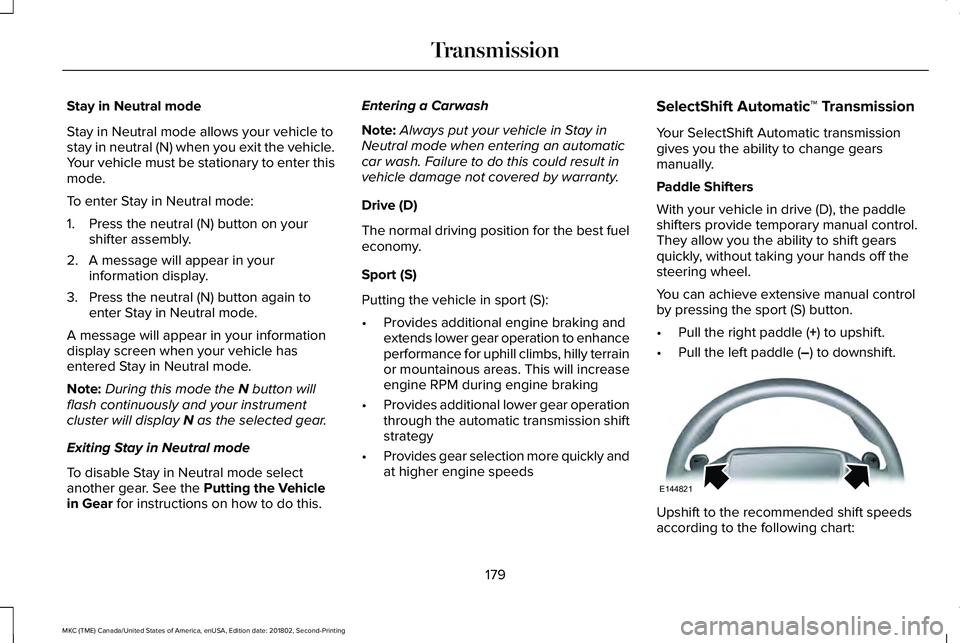
With your vehicle in drive (D), the paddleshifters provide temporary manual control.They allow you the ability to shift gearsquickly, without taking your hands off thesteering wheel.
You can achieve extensive manual controlby pressing the sport (S) button.
•Pull the right paddle (+) to upshift.
•Pull the left paddle (–) to downshift.
Upshift to the recommended shift speedsaccording to the following chart:
179
MKC (TME) Canada/United States of America, enUSA, Edition date: 201802, Second-Printing
TransmissionE144821
Page 183 of 581
Upshifts when accelerating (recommended for best fuel economy)
mph (km/h)Gear Upshift
ToFrom
15 mph (24 km/h)21
25 mph (40 km/h)32
40 mph (64 km/h)43
45 mph (72 km/h)54
50 mph (80 km/h)65
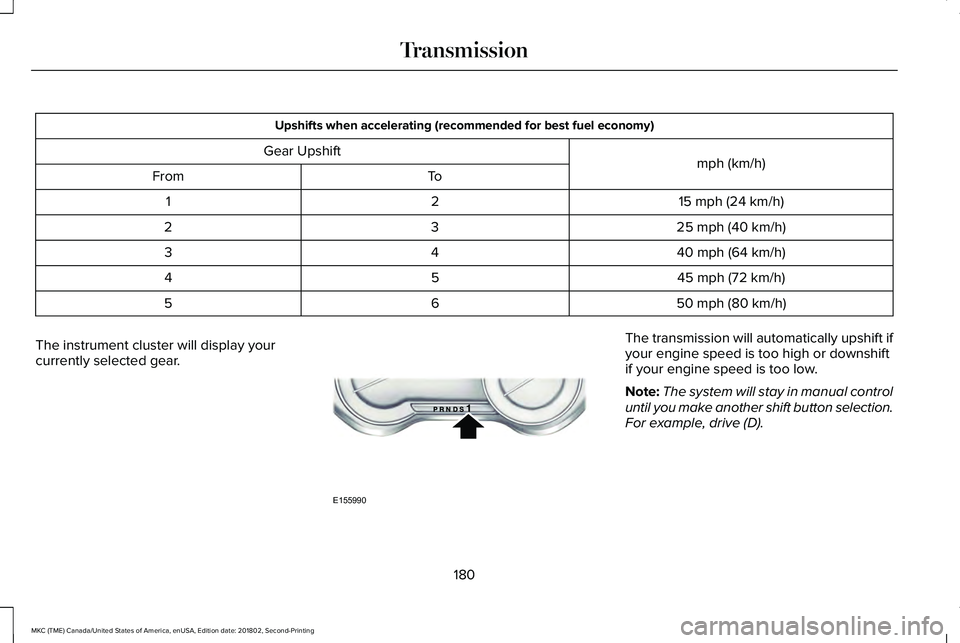
The instrument cluster will display yourcurrently selected gear.
The transmission will automatically upshift ifyour engine speed is too high or downshiftif your engine speed is too low.
Note:The system will stay in manual controluntil you make another shift button selection.For example, drive (D).
180
MKC (TME) Canada/United States of America, enUSA, Edition date: 201802, Second-Printing
TransmissionE155990
Page 193 of 581
The brake system warning lamp will flash forapproximately 2 seconds then illuminate toconfirm that the electric parking brake hasbeen applied. See Instrument Cluster (page102).
Applying the electric parking brake
when the vehicle is moving
WARNING: Applying the electricparking brake while moving will result in useof the anti-lock braking system. Do not usethe electric parking brake system when thevehicle is moving unless the normal brakesystem is unable to stop the vehicle.
WARNING: With the exception ofemergency conditions (for example, thebrake pedal does not work or is blocked), donot apply the electric parking brake whilethe vehicle is moving. On bends, or poorroad surfaces or weather conditions,emergency braking can cause the vehicle toskid out of control or off the road.
If you apply the electric parking brake whenyour vehicle is moving, the brake systemwarning lamp will illuminate and a warningchime will sound. See Instrument Cluster(page 102).
If your vehicle speed is above 4 mph (6km/h), the braking force is applied as longas the switch is applied. Release or press theswitch or press the accelerator pedal to stopthe braking force.
Releasing the electric parking brake
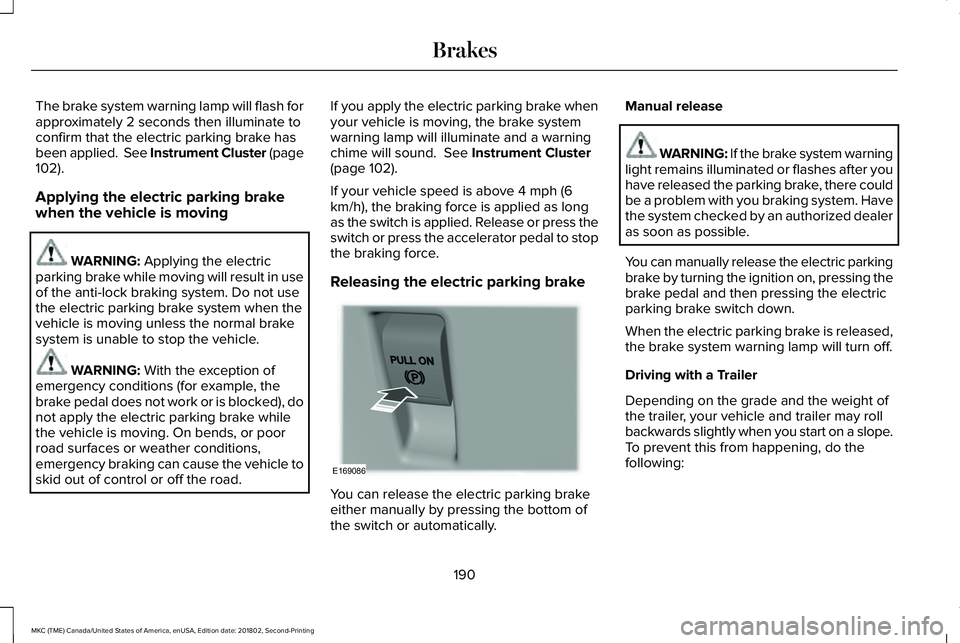
You can release the electric parking brakeeither manually by pressing the bottom ofthe switch or automatically.
Manual release
WARNING: If the brake system warninglight remains illuminated or flashes after youhave released the parking brake, there couldbe a problem with you braking system. Havethe system checked by an authorized dealeras soon as possible.
You can manually release the electric parkingbrake by turning the ignition on, pressing thebrake pedal and then pressing the electricparking brake switch down.
When the electric parking brake is released,the brake system warning lamp will turn off.
Driving with a Trailer
Depending on the grade and the weight ofthe trailer, your vehicle and trailer may rollbackwards slightly when you start on a slope.To prevent this from happening, do thefollowing:
190
MKC (TME) Canada/United States of America, enUSA, Edition date: 201802, Second-Printing
BrakesE169086
Page 197 of 581
Note:Auto Hold will remain on or offdepending upon the current setting whenyour vehicle is powered down.
When Auto Hold is off, your vehicle behavesthe same as a vehicle without Auto Hold.
There is an Auto Hold indicator lamp in theinstrument cluster that has two modes, activeand unavailable:
The Auto Hold (ACTIVE) indicatorlight illuminates in the informationdisplay when the system holdsyour vehicle stationary. When in active mode,press the brake pedal and the Auto Holdbutton to switch Auto Hold off.
The Auto Hold (UNAVAILABLE)indicator light illuminates in theinformation display when thesystem is on but unavailable to hold yourvehicle (for example, during Active ParkAssist, Stay in Neutral Mode, when youengage reverse gear or when you do notfasten your seatbelt or close the door).
Note:Make sure you switch off Auto Holdor use the Stay in Neutral mode before youenter a car wash. See AutomaticTransmission (page 177).
Using Auto Hold
1. Bring your vehicle to a stop by pressingthe brake pedal. After coming to a stop,the green Auto Hold (ACTIVE) indicatorlamp illuminates in the informationdisplay.
2.Release the brake pedal. The Auto Hold(ACTIVE) indicator light remainsilluminated in the information display andAuto Hold will hold your vehicle at a stop.
3. When you press the accelerator pedal,Auto Hold releases the brakes and youwill be able to drive off. Once you driveoff, the green Auto Hold (ACTIVE)indicator no longer illuminates in theinformation display.
Note:The Stop/Start system (if equipped)may stop the engine when you press thebrake pedal. If this occurs, it will restart onceyou press the accelerator pedal. Auto Holdstill holds your vehicle at a standstill with theengine off.
194
MKC (TME) Canada/United States of America, enUSA, Edition date: 201802, Second-Printing
BrakesE197933 E197934