ECO mode LINCOLN MKT 2019 User Guide
[x] Cancel search | Manufacturer: LINCOLN, Model Year: 2019, Model line: MKT, Model: LINCOLN MKT 2019Pages: 575, PDF Size: 4.66 MB
Page 50 of 575
We recommend that all seatbelt assembliesin use in vehicles involved in a crash bereplaced. However, if the crash was minorand an authorized dealer finds that the beltsdo not show damage and continue tooperate properly, they do not need to bereplaced. Seatbelt assemblies not in useduring a crash should also be inspected andreplaced if either damage or improperoperation is noted.
Properly care for seatbelts. See VehicleCare (page 303).
SEATBELT EXTENSION
WARNING: Persons who fit into thevehicle's seatbelt should not use anextension. Unnecessary use could resultin serious personal injury in the event of acrash.
WARNING: Only use extensionsprovided free of charge by Lincoln MotorCompany dealers. The dealer will providean extension designed specifically for thisvehicle, model year and seating position.The use of an extension intended foranother vehicle, model year or seatingposition may not offer you the fullprotection of your vehicle’s seatbeltrestraint system.
WARNING: Never use seatbeltextensions to install child restraints.
WARNING: Do not use a seatbeltextension with an inflatable seatbelt.
WARNING: Do not use extensionsto change the fit of the belt across thetorso, over the lap or to make the seatbeltbuckle easier to reach.
If, because of body size or driving position,it is not possible to properly fasten theseatbelt over your lap and shoulder, anextension that is compatible with theseatbelts is available free of charge fromLincoln Motor Company dealers. Only Lincolnseatbelt extensions made by the samecompany which made the original equipmentseatbelts, should be used with Lincolnseatbelts. Ask your authorized dealer if yourextension is compatible with your Lincolnvehicle restraint system.
47
MKT (TP4) , enUSA, Edition date: 201803, Second-Printing
Seatbelts
Page 67 of 575
PRINCIPLE OF OPERATION
MyKey allows you to program keys withrestricted driving modes to promote gooddriving habits. All but one of the keysprogrammed to the vehicle can be activatedwith these restricted modes.
Any keys that have not been programmedare referred to as administrator keys oradmin keys. They can be used to:
•Create a MyKey.
•Program configurable MyKey settings.
•Clear all MyKey features.
When you have programmed a MyKey, youcan access the following information usingthe information display:
•How many admin keys and MyKeys areprogrammed to your vehicle.
•The total distance your vehicle hastraveled using a MyKey.
Note:All MyKeys are programmed to thesame settings. You cannot program themindividually.
Note:For vehicles equipped with apush-button start switch: When both a MyKeyand an admin key are present when youstart your vehicle, the system recognizes theadmin key only.
Non-configurable Settings
The following settings cannot be changedby an admin key user:
•Belt-Minder or safety belt reminder. Youcannot disable this feature. The audiosystem will mute when the front seatoccupants’ safety belts are not fastened.
•Early low fuel. The low fuel warning isactivated earlier, giving the MyKey usermore time to refuel.
•Driver assist features, if equipped on yourvehicle, are forced on: parking aid, blindspot information system (BLIS), crosstraffic alert, lane departure warning andforward collision warning system.
•Satellite radio adult content restrictions(available only in some markets).
Configurable Settings
With an admin key, you can configure certainMyKey settings when you first create aMyKey and before you recycle the key orrestart the vehicle. You can also change thesettings afterward with an admin key:
•A vehicle speed limit can be set.Warnings will be shown in the display,followed by an audible tone when yourvehicle reaches the set speed. Youcannot override the set speed by fullydepressing the accelerator pedal or bysetting cruise control.
WARNING: Do not set MyKeymaximum speed limit to a limit that willprevent the driver from maintaining a safespeed considering posted speed limits andprevailing road conditions. The driver isalways responsible to drive in accordancewith local laws and prevailing conditions.Failure to do so could result in accident orinjury.
64
MKT (TP4) , enUSA, Edition date: 201803, Second-Printing
MyKey™
Page 70 of 575
Potential CausesCondition
The key or transmitter used to start the vehicle does not have admin privileges.I cannot create a MyKey.Vehicles with keyless start: Make sure you place the transmitter into the backup slot. See PassiveAnti-Theft System (page 77).The key or transmitter used to start the vehicle is the only admin key. There always has to be atleast one admin key.The passive anti-theft system is disabled or in unlimited mode.
The transmitter used to start your vehicle does not have admin privileges.I cannot program the configurablesettings.There are no MyKeys programmed to the vehicle. See Creating a MyKey (page 65).
The key or transmitter used to start the vehicle does not have admin privileges.I cannot clear the MyKeys.No MyKeys are created. See Creating a MyKey (page 65).
Purchase a new key or transmitter from an authorized dealer.I lost the only admin key.
Program a spare key or transmitter. You may need to see an authorized dealer. See Passive Anti-Theft System (page 77).I lost a key.
The MyKey user is not using the MyKey.The MyKey distance does not accumu-late.An admin key holder cleared the MyKeys and created new MyKeys.The key system has been reset.
An admin transmitter is present at vehicle start.No MyKey functions with the trans-mitter.There are no MyKeys programmed to your vehicle. See Creating a MyKey (page 65).
67
MKT (TP4) , enUSA, Edition date: 201803, Second-Printing
MyKey™
Page 71 of 575
LOCKING AND UNLOCKING
You can use the power door lock control orthe remote control to lock and unlock yourvehicle.
Power Door Locks
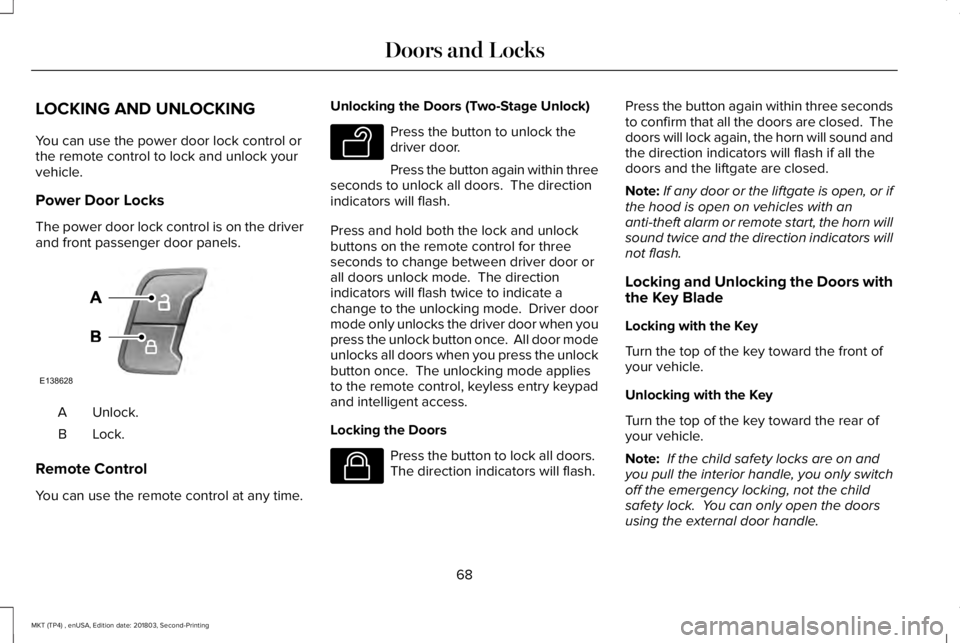
The power door lock control is on the driverand front passenger door panels.
Unlock.A
Lock.B
Remote Control
You can use the remote control at any time.
Unlocking the Doors (Two-Stage Unlock)
Press the button to unlock thedriver door.
Press the button again within threeseconds to unlock all doors. The directionindicators will flash.
Press and hold both the lock and unlockbuttons on the remote control for threeseconds to change between driver door orall doors unlock mode. The directionindicators will flash twice to indicate achange to the unlocking mode. Driver doormode only unlocks the driver door when youpress the unlock button once. All door modeunlocks all doors when you press the unlockbutton once. The unlocking mode appliesto the remote control, keyless entry keypadand intelligent access.
Locking the Doors
Press the button to lock all doors. The direction indicators will flash.
Press the button again within three secondsto confirm that all the doors are closed. Thedoors will lock again, the horn will sound andthe direction indicators will flash if all thedoors and the liftgate are closed.
Note:If any door or the liftgate is open, or ifthe hood is open on vehicles with ananti-theft alarm or remote start, the horn willsound twice and the direction indicators willnot flash.
Locking and Unlocking the Doors withthe Key Blade
Locking with the Key
Turn the top of the key toward the front ofyour vehicle.
Unlocking with the Key
Turn the top of the key toward the rear ofyour vehicle.
Note: If the child safety locks are on andyou pull the interior handle, you only switchoff the emergency locking, not the childsafety lock. You can only open the doorsusing the external door handle.
68
MKT (TP4) , enUSA, Edition date: 201803, Second-Printing
Doors and LocksE138628 E138629 E138623
Page 73 of 575
When you electronically lock your vehiclewith any door open, the transmission is inpark (P) and the ignition is off, the systemsearches for an intelligent access key insideyour vehicle after you close the last door. Ifthe system finds a key, all of the doors willimmediately unlock and the horn will soundtwice, indicating that a key is inside.
You can override the smart unlock featureand intentionally lock the intelligent accesskey inside your vehicle.
To override smart unlock, lock your vehicleafter you have closed all doors by:
•Using the keyless entry keypad.
•Pressing the lock button on anotherintelligent access key.
•Touching the locking area on the front ofthe door handle with another intelligentaccess key in your hand.
When you open one of the front doors andlock your vehicle using the power door lockcontrol, all doors will lock then unlock if:
•The ignition is on.
•The ignition is off and the transmissionis not in park (P).
Autolock
Autolock locks all the doors when all of thefollowing occur:
•All doors are closed.
•The ignition is on.
•You shift into any gear putting yourvehicle in motion.
•Your vehicle attains a speed greater than4 mph (7 km/h).
Autounlock
Autounlock unlocks all the doors when all ofthe following occur:
•The ignition is on, all the doors are closedand your vehicle has been in motion ata speed greater than 4 mph (7 km/h).
•Your vehicle comes to a stop and youswitch the ignition off or to the accessoryposition.
•You open the driver door within 10minutes of switching the ignition off or toaccessory.
Note:If you electronically lock your vehicleafter you switch the ignition off with thedriver door closed, the doors will notautounlock.
Enabling or Disabling Autounlock
To enable or disable autounlock, do thefollowing:
1. Switch the ignition on.
2. Press the power door unlock controlthree times.
3. Switch the ignition off.
4. Press the power door unlock controlthree times.
5.Switch the ignition on. The horn soundsindicating your vehicle is in programmingmode.
6. Press the power door lock control andwithin five seconds, press the power doorunlock control. The horn sounds once ifdisabled or twice if enabled.
7.Switch the ignition off. The horn soundsindicating programming is complete.
70
MKT (TP4) , enUSA, Edition date: 201803, Second-Printing
Doors and Locks
Page 75 of 575
You can operate the keypad with thefactory-set five-digit entry code. The codeis on the owner’s wallet card in the glove boxand is available from an authorized dealer. You can also program up to five of your ownfive-digit personal entry codes.
Programming a Personal Entry Code
1. Enter the factory-set five-digit code.
2. Press 1·2 on the keypad within fiveseconds.
3.Enter your personal five-digit code. Youmust enter each number within fiveseconds of each other.
4.Press 1·2 on the keypad to save personalcode 1.
The doors lock then unlock to confirm thatprogramming was successful.
To program additional personal entry codes,repeat steps 1 through 3, then for step 4:
•Press 3·4 to save personal code 2.
•Press 5·6 to save personal code 3.
•Press 7·8 to save personal code 4.
•Press 9·0 to save personal code 5.
Hints:
•Do not set a code that uses five of thesame number.
•Do not use five numbers in sequentialorder.
•The factory-set code works even if youhave set your own personal code.
Recalling Memory Positions
The programmed entry codes recall drivermemory positions as follows:
•Entry code 1 recalls driver 1 memorypositions.
•Entry code 2 recalls driver 2 memorypositions.
•Entry code 3 recalls driver 3 memorypositions.
Note:Personal entry codes 4 and 5 will notrecall memory positions.
Erasing a Personal Code
1. Enter the factory-set five-digit code.
2. Press and release 1·2 on the keypadwithin five seconds.
3. Press and hold 1·2 for two seconds. Youmust do this within five seconds ofcompleting step 2.
All personal codes erase and only thefactory-set five-digit code works.
Anti-Scan Feature
The keypad goes into an anti-scan mode ifyou enter the wrong code seven times. Thismode turns off the keypad for one minuteand the keypad lamp flashes.
The anti-scan feature turns off after any ofthe following occur:
•One minute of keypad inactivity.
•You press the unlock button on theremote control.
•You switch your vehicle on.
•You unlock the vehicle using intelligentaccess.
72
MKT (TP4) , enUSA, Edition date: 201803, Second-Printing
Doors and Locks
Page 84 of 575
Note: If you press any adjustment ormemory button when in easy exit mode, thesystem cancels the operation.
Note:Depending on your vehicle, the columnmay move up and in.
AUDIO CONTROL
You can operate the following functions withthe control:
Volume up.A
Volume down.B
Seek up and down or next.C
Seek, Next or Previous
Press the seek button to:
•Tune the radio to the next or previousstored preset.
•Play the next or the previous track.
Press and hold the seek button to:
•Tune the radio to the next station up ordown the frequency band.
•Seek through a track.
VOICE CONTROL
Phone mode.A
Voice recognition.B
CRUISE CONTROL
Type One
See Using Cruise Control (page 203).
81
MKT (TP4) , enUSA, Edition date: 201803, Second-Printing
Steering WheelE272897
V E173609
V E173610
Page 93 of 575
Note:If the system detects a blockage, forexample bird droppings, bug splatter, snowor ice, the system goes into low beam modeuntil you clear the blockage. A message mayappear in the information display if thecamera is blocked.
Note:Using much larger tires or equippingvehicle accessories such as snowplows canmodify your vehicle's ride height anddegrade automatic high beam controlperformance.
A camera sensor, centrally mounted behindthe windshield of your vehicle, continuouslymonitors conditions to turn the high beamson and off.
Once the system is active, the high beamsturn on if:
•The ambient light level is low enough.
•There is no traffic in front of your vehicle.
•The vehicle speed is greater thanapproximately 32 mph (51 km/h).
The system turns the high beams off if:
•The ambient light level is high enoughthat high beams are not required.
•The system detects an approachingvehicle's headlamps or tail lamps.
•The vehicle speed falls belowapproximately 27 mph (43 km/h).
•The system detects severe rain, snow orfog.
•The camera is blocked.
Switching the System On and Off
Switch the system on using the informationdisplay. See Information Displays (page105).The indicator illuminates to confirmwhen the system is ready to assist.
Switch the lighting control to theautolamps position. See Autolamps (page87).
Overriding the System
Pushing or pulling the stalk provides atemporary override to low beam.
90
MKT (TP4) , enUSA, Edition date: 201803, Second-Printing
LightingE158778
Page 101 of 575
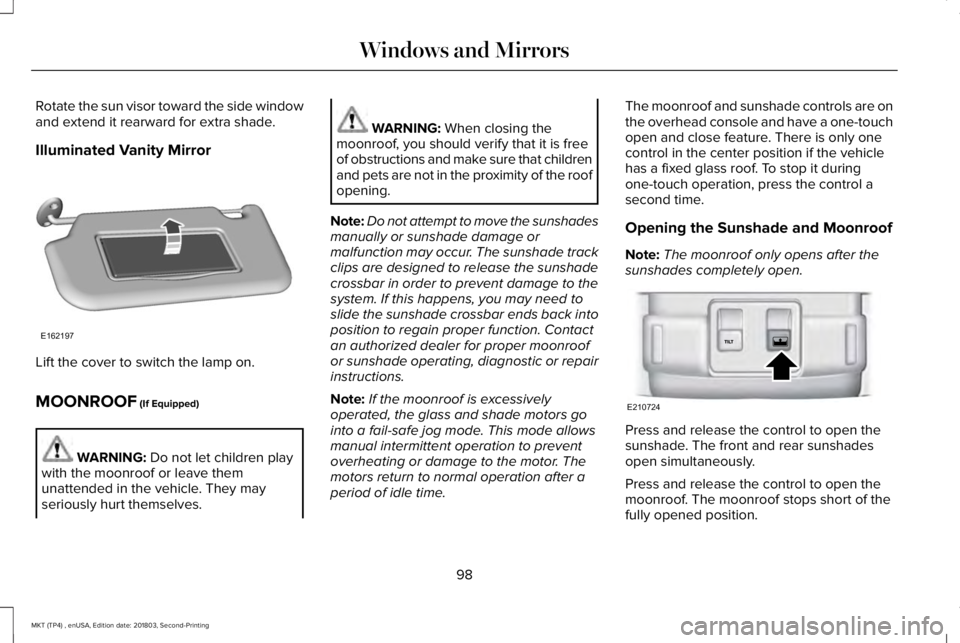
Rotate the sun visor toward the side windowand extend it rearward for extra shade.
Illuminated Vanity Mirror
Lift the cover to switch the lamp on.
MOONROOF (If Equipped)
WARNING: Do not let children playwith the moonroof or leave themunattended in the vehicle. They mayseriously hurt themselves.
WARNING: When closing themoonroof, you should verify that it is freeof obstructions and make sure that childrenand pets are not in the proximity of the roofopening.
Note:Do not attempt to move the sunshadesmanually or sunshade damage ormalfunction may occur. The sunshade trackclips are designed to release the sunshadecrossbar in order to prevent damage to thesystem. If this happens, you may need toslide the sunshade crossbar ends back intoposition to regain proper function. Contactan authorized dealer for proper moonroofor sunshade operating, diagnostic or repairinstructions.
Note:If the moonroof is excessivelyoperated, the glass and shade motors gointo a fail-safe jog mode. This mode allowsmanual intermittent operation to preventoverheating or damage to the motor. Themotors return to normal operation after aperiod of idle time.
The moonroof and sunshade controls are onthe overhead console and have a one-touchopen and close feature. There is only onecontrol in the center position if the vehiclehas a fixed glass roof. To stop it duringone-touch operation, press the control asecond time.
Opening the Sunshade and Moonroof
Note:The moonroof only opens after thesunshades completely open.
Press and release the control to open thesunshade. The front and rear sunshadesopen simultaneously.
Press and release the control to open themoonroof. The moonroof stops short of thefully opened position.
98
MKT (TP4) , enUSA, Edition date: 201803, Second-Printing
Windows and MirrorsE162197 E210724
Page 104 of 575
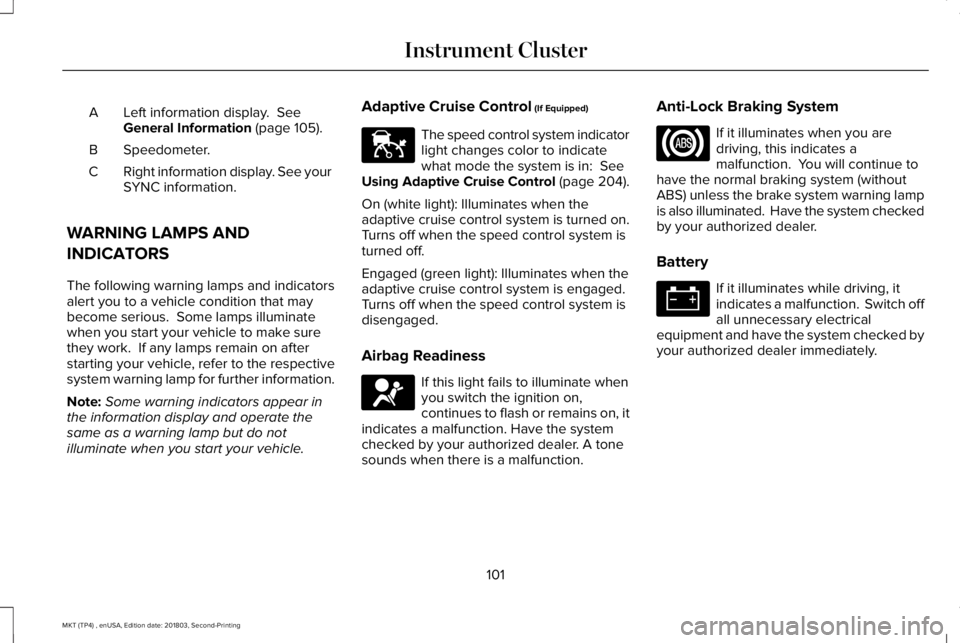
Left information display. SeeGeneral Information (page 105).A
Speedometer.B
Right information display. See yourSYNC information.C
WARNING LAMPS AND
INDICATORS
The following warning lamps and indicatorsalert you to a vehicle condition that maybecome serious. Some lamps illuminatewhen you start your vehicle to make surethey work. If any lamps remain on afterstarting your vehicle, refer to the respectivesystem warning lamp for further information.
Note:Some warning indicators appear inthe information display and operate thesame as a warning lamp but do notilluminate when you start your vehicle.
Adaptive Cruise Control (If Equipped)
The speed control system indicatorlight changes color to indicatewhat mode the system is in: SeeUsing Adaptive Cruise Control (page 204).
On (white light): Illuminates when theadaptive cruise control system is turned on.Turns off when the speed control system isturned off.
Engaged (green light): Illuminates when theadaptive cruise control system is engaged.Turns off when the speed control system isdisengaged.
Airbag Readiness
If this light fails to illuminate whenyou switch the ignition on,continues to flash or remains on, itindicates a malfunction. Have the systemchecked by your authorized dealer. A tonesounds when there is a malfunction.
Anti-Lock Braking System
If it illuminates when you aredriving, this indicates amalfunction. You will continue tohave the normal braking system (withoutABS) unless the brake system warning lampis also illuminated. Have the system checkedby your authorized dealer.
Battery
If it illuminates while driving, itindicates a malfunction. Switch offall unnecessary electricalequipment and have the system checked byyour authorized dealer immediately.
101
MKT (TP4) , enUSA, Edition date: 201803, Second-Printing
Instrument ClusterE144524 E67017