display LINCOLN MKT 2019 Owner's Manual
[x] Cancel search | Manufacturer: LINCOLN, Model Year: 2019, Model line: MKT, Model: LINCOLN MKT 2019Pages: 575, PDF Size: 4.66 MB
Page 110 of 575
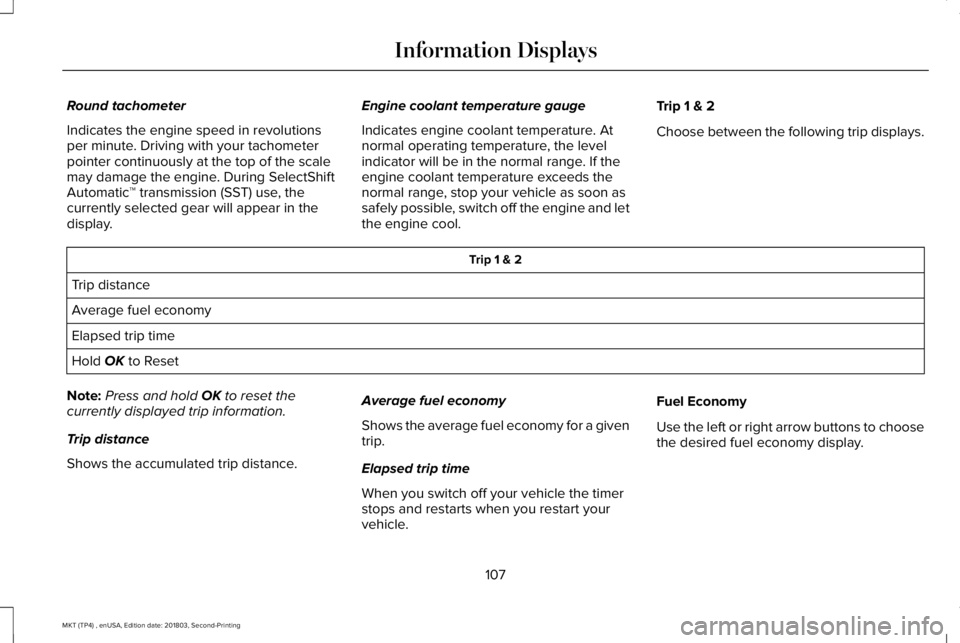
Round tachometer
Indicates the engine speed in revolutionsper minute. Driving with your tachometerpointer continuously at the top of the scalemay damage the engine. During SelectShiftAutomatic™ transmission (SST) use, thecurrently selected gear will appear in thedisplay.
Engine coolant temperature gauge
Indicates engine coolant temperature. Atnormal operating temperature, the levelindicator will be in the normal range. If theengine coolant temperature exceeds thenormal range, stop your vehicle as soon assafely possible, switch off the engine and letthe engine cool.
Trip 1 & 2
Choose between the following trip displays.
Trip 1 & 2
Trip distance
Average fuel economy
Elapsed trip time
Hold OK to Reset
Note:Press and hold OK to reset thecurrently displayed trip information.
Trip distance
Shows the accumulated trip distance.
Average fuel economy
Shows the average fuel economy for a giventrip.
Elapsed trip time
When you switch off your vehicle the timerstops and restarts when you restart yourvehicle.
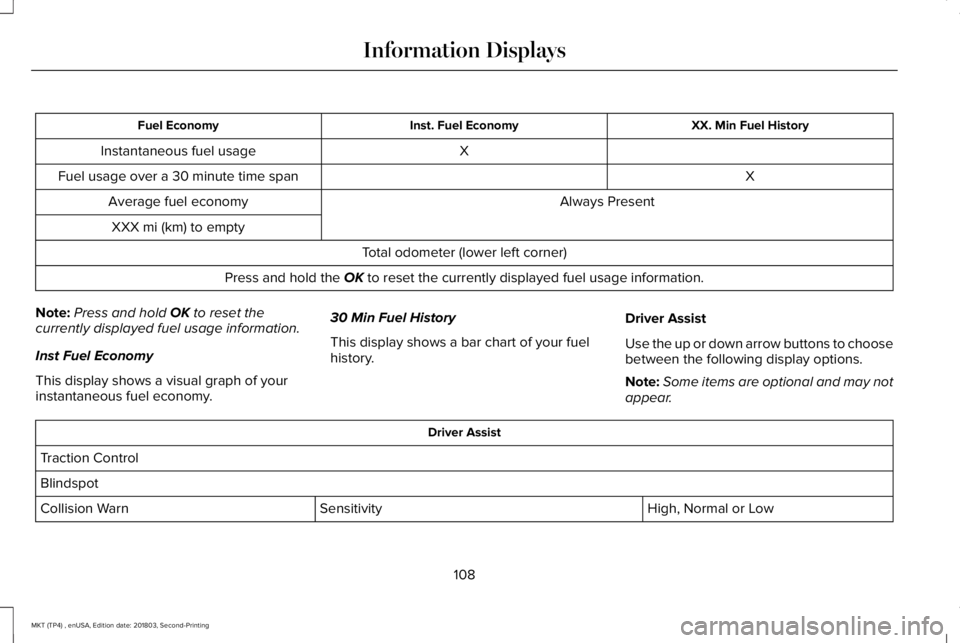
Fuel Economy
Use the left or right arrow buttons to choosethe desired fuel economy display.
107
MKT (TP4) , enUSA, Edition date: 201803, Second-Printing
Information Displays
Page 111 of 575
XX. Min Fuel HistoryInst. Fuel EconomyFuel Economy
XInstantaneous fuel usage
XFuel usage over a 30 minute time span
Always PresentAverage fuel economy
XXX mi (km) to empty
Total odometer (lower left corner)
Press and hold the OK to reset the currently displayed fuel usage information.
Note:Press and hold OK to reset thecurrently displayed fuel usage information.
Inst Fuel Economy
This display shows a visual graph of yourinstantaneous fuel economy.
30 Min Fuel History
This display shows a bar chart of your fuelhistory.
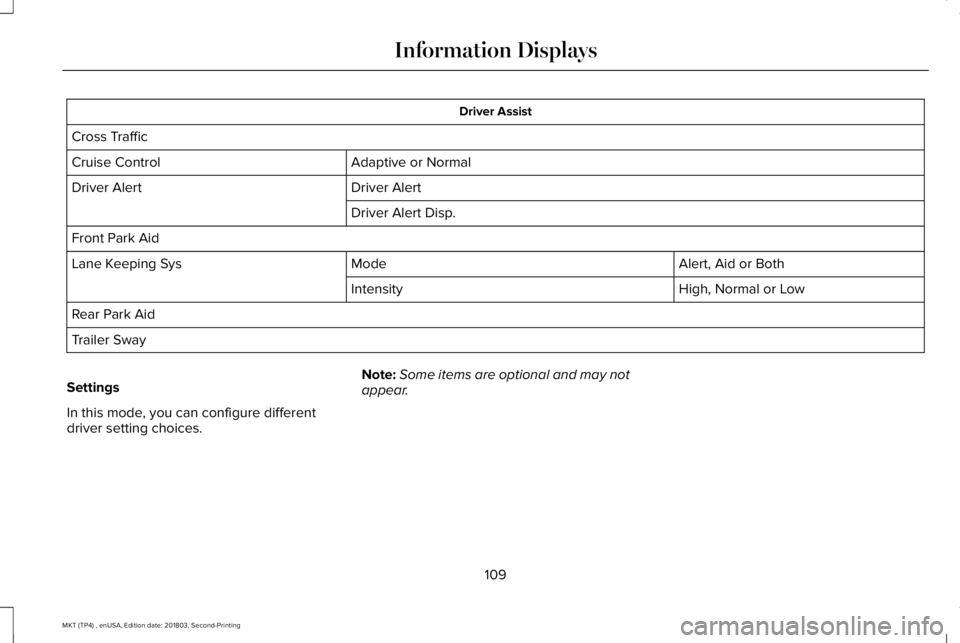
Driver Assist
Use the up or down arrow buttons to choosebetween the following display options.
Note:Some items are optional and may notappear.
Driver Assist
Traction Control
Blindspot
High, Normal or LowSensitivityCollision Warn
108
MKT (TP4) , enUSA, Edition date: 201803, Second-Printing
Information Displays
Page 112 of 575
Driver Assist
Cross Traffic
Adaptive or NormalCruise Control
Driver AlertDriver Alert
Driver Alert Disp.
Front Park Aid
Alert, Aid or BothModeLane Keeping Sys
High, Normal or LowIntensity
Rear Park Aid
Trailer Sway
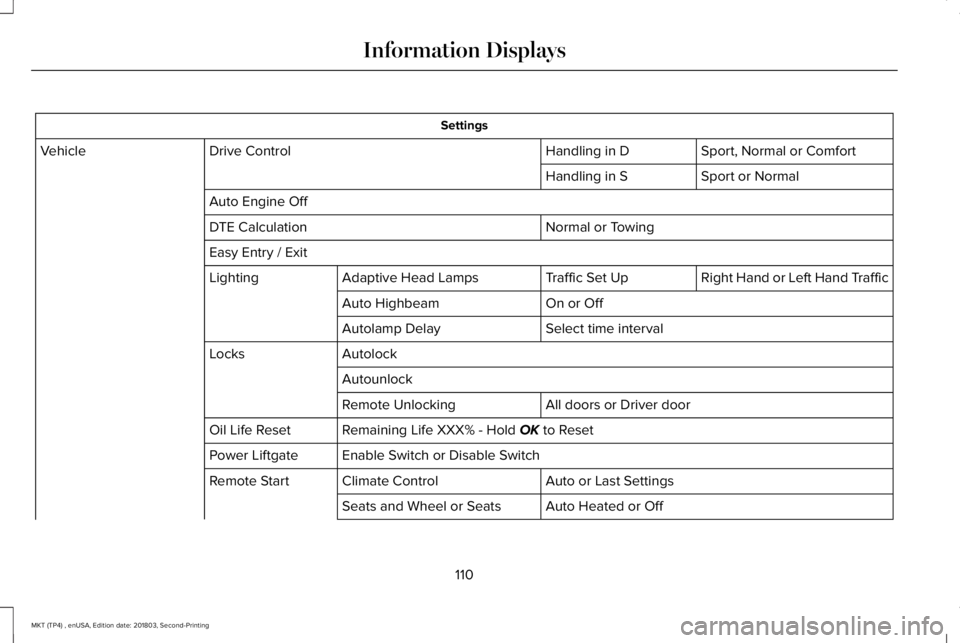
Settings
In this mode, you can configure differentdriver setting choices.
Note:Some items are optional and may notappear.
109
MKT (TP4) , enUSA, Edition date: 201803, Second-Printing
Information Displays
Page 113 of 575
Settings
Sport, Normal or ComfortHandling in DDrive ControlVehicle
Sport or NormalHandling in S
Auto Engine Off
Normal or TowingDTE Calculation
Easy Entry / Exit
Right Hand or Left Hand TrafficTraffic Set UpAdaptive Head LampsLighting
On or OffAuto Highbeam
Select time intervalAutolamp Delay
AutolockLocks
Autounlock
All doors or Driver doorRemote Unlocking
Remaining Life XXX% - Hold OK to ResetOil Life Reset
Enable Switch or Disable SwitchPower Liftgate
Auto or Last SettingsClimate ControlRemote Start
Auto Heated or OffSeats and Wheel or Seats
110
MKT (TP4) , enUSA, Edition date: 201803, Second-Printing
Information Displays
Page 114 of 575
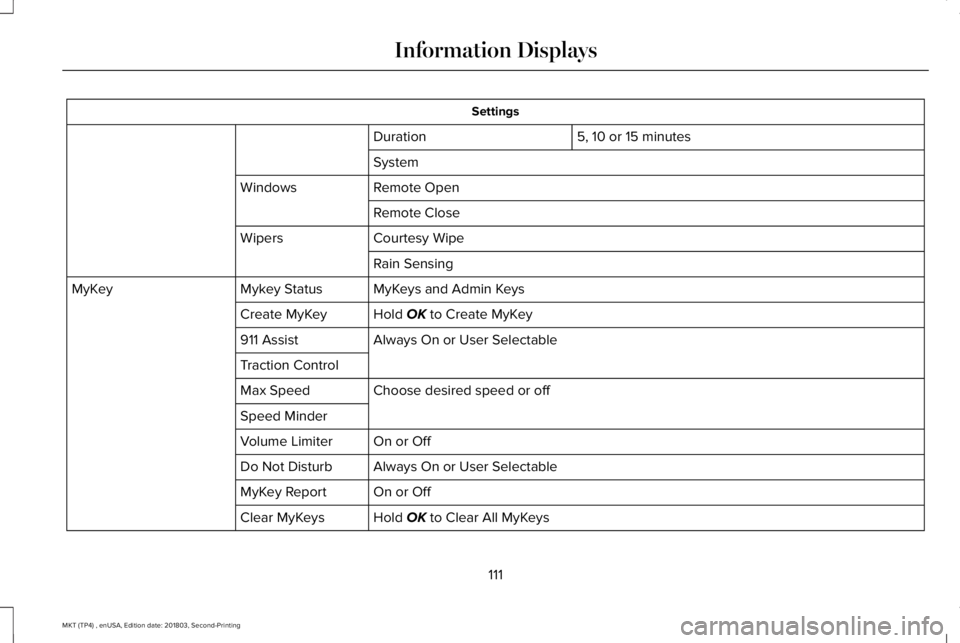
Settings
5, 10 or 15 minutesDuration
System
Remote OpenWindows
Remote Close
Courtesy WipeWipers
Rain Sensing
MyKeys and Admin KeysMykey StatusMyKey
Hold OK to Create MyKeyCreate MyKey
Always On or User Selectable911 Assist
Traction Control
Choose desired speed or offMax Speed
Speed Minder
On or OffVolume Limiter
Always On or User SelectableDo Not Disturb
On or OffMyKey Report
Hold OK to Clear All MyKeysClear MyKeys
111
MKT (TP4) , enUSA, Edition date: 201803, Second-Printing
Information Displays
Page 115 of 575
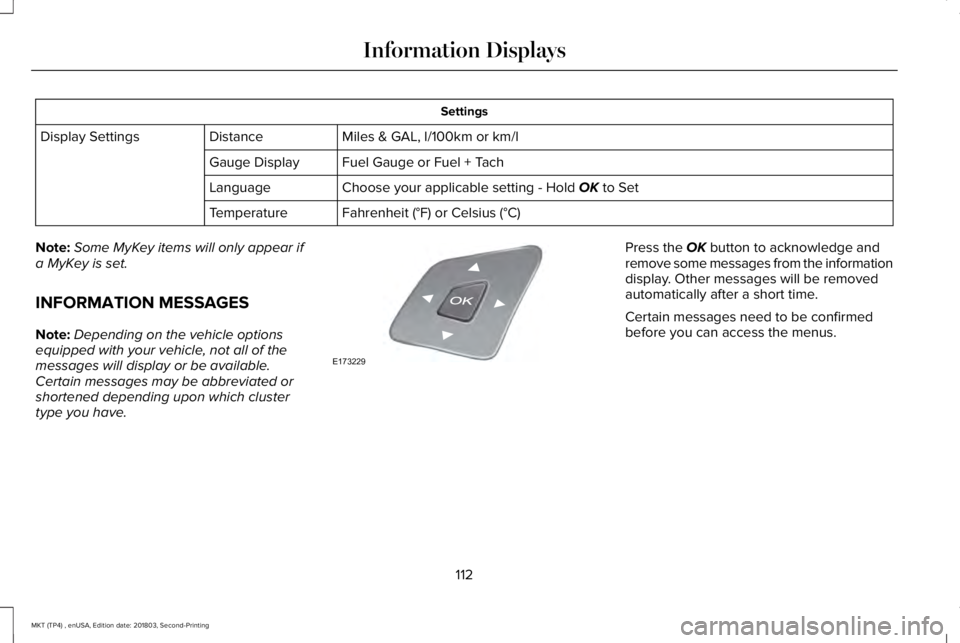
Settings
Miles & GAL, l/100km or km/lDistanceDisplay Settings
Fuel Gauge or Fuel + TachGauge Display
Choose your applicable setting - Hold OK to SetLanguage
Fahrenheit (°F) or Celsius (°C)Temperature
Note:Some MyKey items will only appear ifa MyKey is set.
INFORMATION MESSAGES
Note:Depending on the vehicle optionsequipped with your vehicle, not all of themessages will display or be available.Certain messages may be abbreviated orshortened depending upon which clustertype you have.
Press the OK button to acknowledge andremove some messages from the informationdisplay. Other messages will be removedautomatically after a short time.
Certain messages need to be confirmedbefore you can access the menus.
112
MKT (TP4) , enUSA, Edition date: 201803, Second-Printing
Information DisplaysE173229
Page 116 of 575
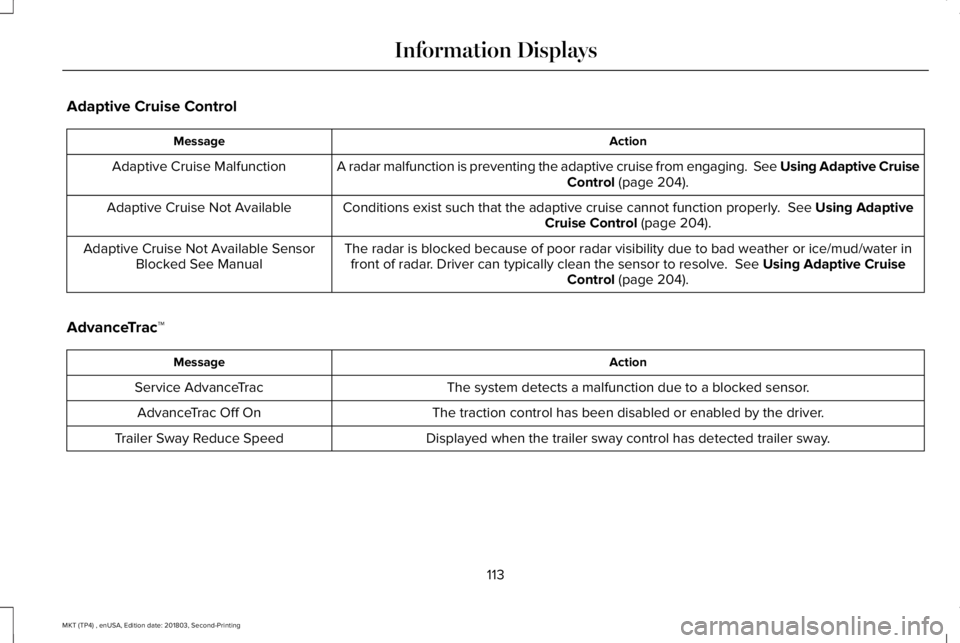
Adaptive Cruise Control
ActionMessage
A radar malfunction is preventing the adaptive cruise from engaging. See Using Adaptive CruiseControl (page 204).Adaptive Cruise Malfunction
Conditions exist such that the adaptive cruise cannot function properly. See Using AdaptiveCruise Control (page 204).Adaptive Cruise Not Available
The radar is blocked because of poor radar visibility due to bad weather or ice/mud/water infront of radar. Driver can typically clean the sensor to resolve. See Using Adaptive CruiseControl (page 204).
Adaptive Cruise Not Available SensorBlocked See Manual
AdvanceTrac™
ActionMessage
The system detects a malfunction due to a blocked sensor.Service AdvanceTrac
The traction control has been disabled or enabled by the driver.AdvanceTrac Off On
Displayed when the trailer sway control has detected trailer sway.Trailer Sway Reduce Speed
113
MKT (TP4) , enUSA, Edition date: 201803, Second-Printing
Information Displays
Page 117 of 575
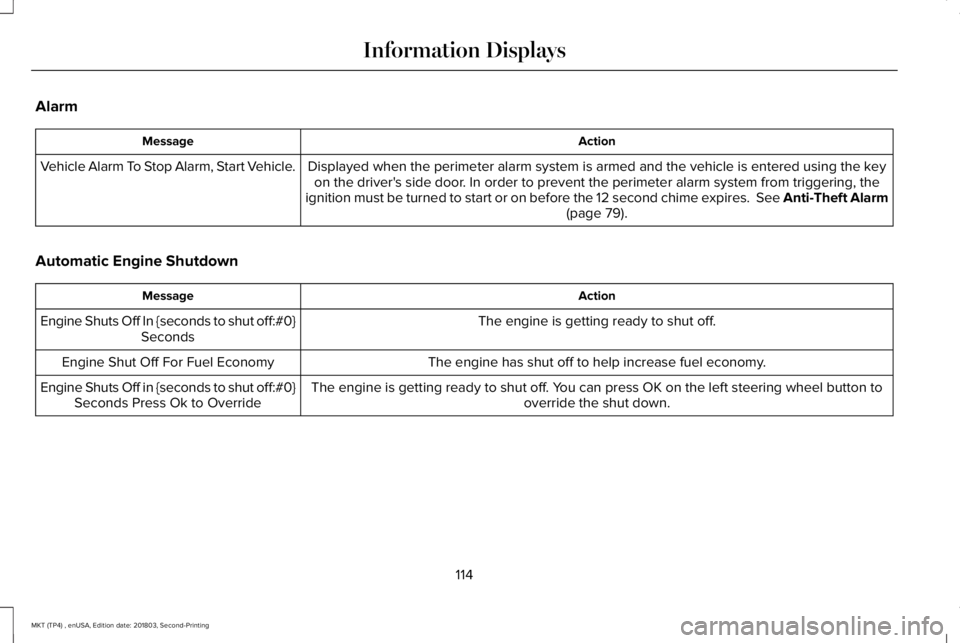
Alarm
ActionMessage
Displayed when the perimeter alarm system is armed and the vehicle is entered using the keyon the driver's side door. In order to prevent the perimeter alarm system from triggering, theignition must be turned to start or on before the 12 second chime expires. See Anti-Theft Alarm(page 79).
Vehicle Alarm To Stop Alarm, Start Vehicle.
Automatic Engine Shutdown
ActionMessage
The engine is getting ready to shut off.Engine Shuts Off In {seconds to shut off:#0}Seconds
The engine has shut off to help increase fuel economy.Engine Shut Off For Fuel Economy
The engine is getting ready to shut off. You can press OK on the left steering wheel button tooverride the shut down.Engine Shuts Off in {seconds to shut off:#0}Seconds Press Ok to Override
114
MKT (TP4) , enUSA, Edition date: 201803, Second-Printing
Information Displays
Page 118 of 575
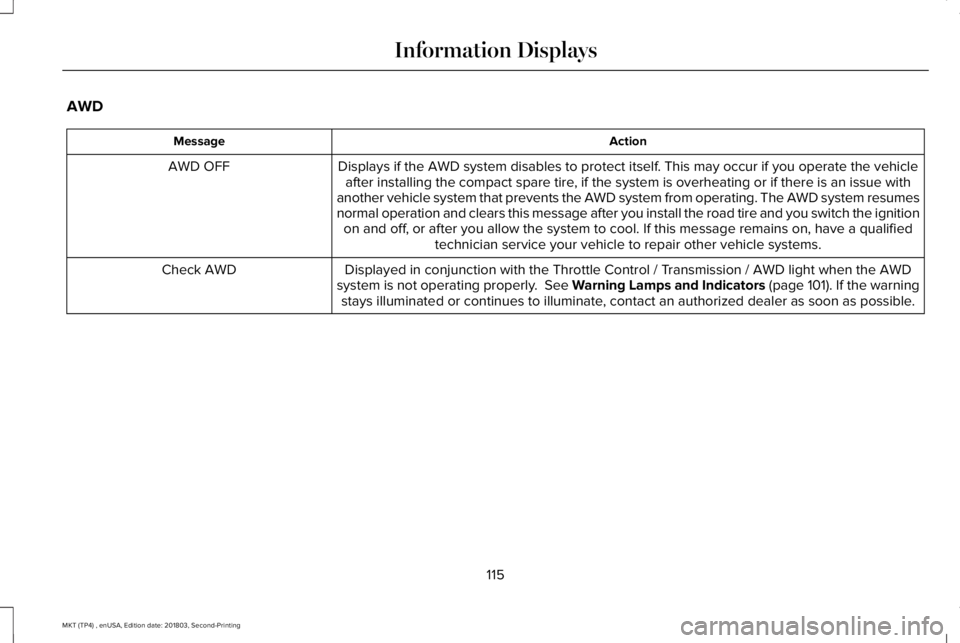
AWD
ActionMessage
Displays if the AWD system disables to protect itself. This may occur if you operate the vehicleafter installing the compact spare tire, if the system is overheating or if there is an issue withanother vehicle system that prevents the AWD system from operating. The AWD system resumesnormal operation and clears this message after you install the road tire and you switch the ignitionon and off, or after you allow the system to cool. If this message remains on, have a qualifiedtechnician service your vehicle to repair other vehicle systems.
AWD OFF
Displayed in conjunction with the Throttle Control / Transmission / AWD light when the AWDsystem is not operating properly. See Warning Lamps and Indicators (page 101). If the warningstays illuminated or continues to illuminate, contact an authorized dealer as soon as possible.
Check AWD
115
MKT (TP4) , enUSA, Edition date: 201803, Second-Printing
Information Displays
Page 119 of 575
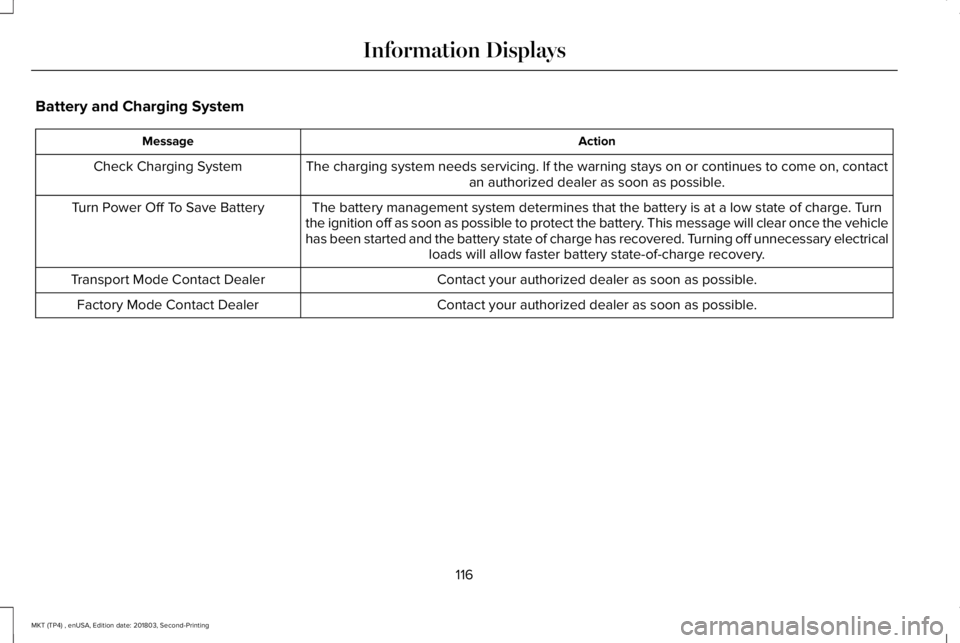
Battery and Charging System
ActionMessage
The charging system needs servicing. If the warning stays on or continues to come on, contactan authorized dealer as soon as possible.Check Charging System
The battery management system determines that the battery is at a low state of charge. Turnthe ignition off as soon as possible to protect the battery. This message will clear once the vehiclehas been started and the battery state of charge has recovered. Turning off unnecessary electricalloads will allow faster battery state-of-charge recovery.
Turn Power Off To Save Battery
Contact your authorized dealer as soon as possible.Transport Mode Contact Dealer
Contact your authorized dealer as soon as possible.Factory Mode Contact Dealer
116
MKT (TP4) , enUSA, Edition date: 201803, Second-Printing
Information Displays