wheel LINCOLN MKT 2019 Owner's Manual
[x] Cancel search | Manufacturer: LINCOLN, Model Year: 2019, Model line: MKT, Model: LINCOLN MKT 2019Pages: 575, PDF Size: 4.66 MB
Page 178 of 575
AUTOMATIC TRANSMISSION
WARNING: Always apply the parkingbrake fully and make sure you shift intopark (P). Switch the ignition off and removethe key whenever you leave your vehicle.
WARNING: Do not apply the brakepedal and accelerator pedalsimultaneously. Applying both pedalssimultaneously for more than a fewseconds will limit engine performance,which may result in difficulty maintainingspeed in traffic and could lead to seriousinjury.
Understanding the Positions of YourAutomatic Transmission
Putting your vehicle in gear:
1. Fully press down the brake pedal.
2.Move the gearshift lever into the desiredgear.
3. Come to a complete stop.
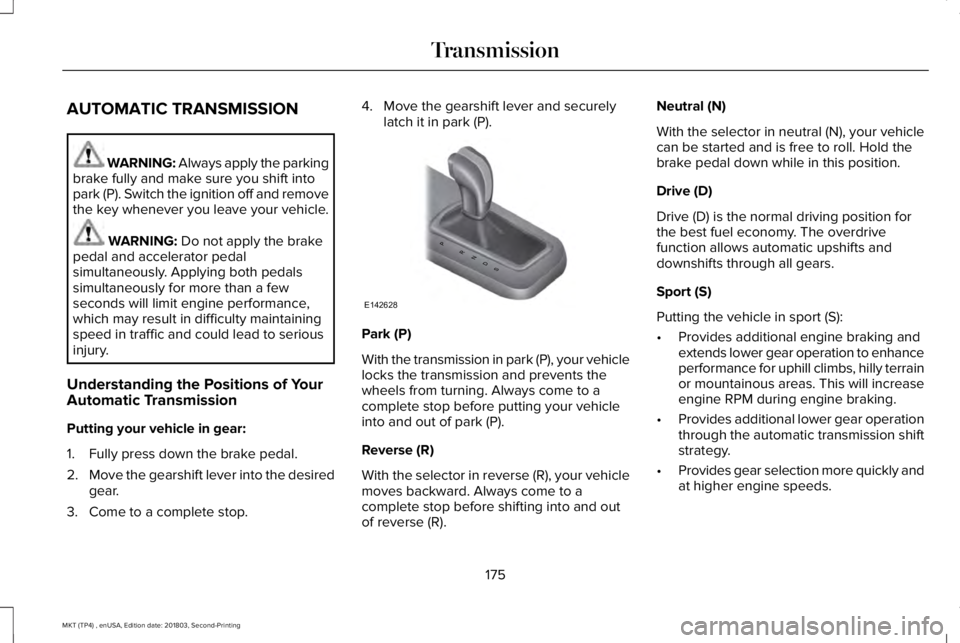
4. Move the gearshift lever and securelylatch it in park (P).
Park (P)
With the transmission in park (P), your vehiclelocks the transmission and prevents thewheels from turning. Always come to acomplete stop before putting your vehicleinto and out of park (P).
Reverse (R)
With the selector in reverse (R), your vehiclemoves backward. Always come to acomplete stop before shifting into and outof reverse (R).
Neutral (N)
With the selector in neutral (N), your vehiclecan be started and is free to roll. Hold thebrake pedal down while in this position.
Drive (D)
Drive (D) is the normal driving position forthe best fuel economy. The overdrivefunction allows automatic upshifts anddownshifts through all gears.
Sport (S)
Putting the vehicle in sport (S):
•Provides additional engine braking andextends lower gear operation to enhanceperformance for uphill climbs, hilly terrainor mountainous areas. This will increaseengine RPM during engine braking.
•Provides additional lower gear operationthrough the automatic transmission shiftstrategy.
•Provides gear selection more quickly andat higher engine speeds.
175
MKT (TP4) , enUSA, Edition date: 201803, Second-Printing
TransmissionPRNDS
E142628
Page 179 of 575
SelectShift Automatic™ Transmission (If
Equipped)
Your vehicle is equipped with a SelectShiftAutomatic transmission. The SelectShiftAutomatic transmission gives you the abilityto change gears up or down (without aclutch) as desired.
In order to prevent the engine from runningat too low an RPM, which may cause it tostall, SelectShift still automatically makessome downshifts if it has determined thatyou have not downshifted in time. AlthoughSelectShift makes some downshifts for you,it still allows you to downshift at any time aslong as the SelectShift determines thatdamage will not be caused to the enginefrom over-revving.
Note:Engine damage may occur if youmaintain excessive engine revving withoutshifting.
SelectShift does not automatically upshift,even if the engine is approaching the RPMlimit. It must be shifted manually by pressingthe + button. Notice should be taken of theshift indicator lamp, which alerts you whento shift to make sure you achieve the highestlevel or efficiency and fuel economy.
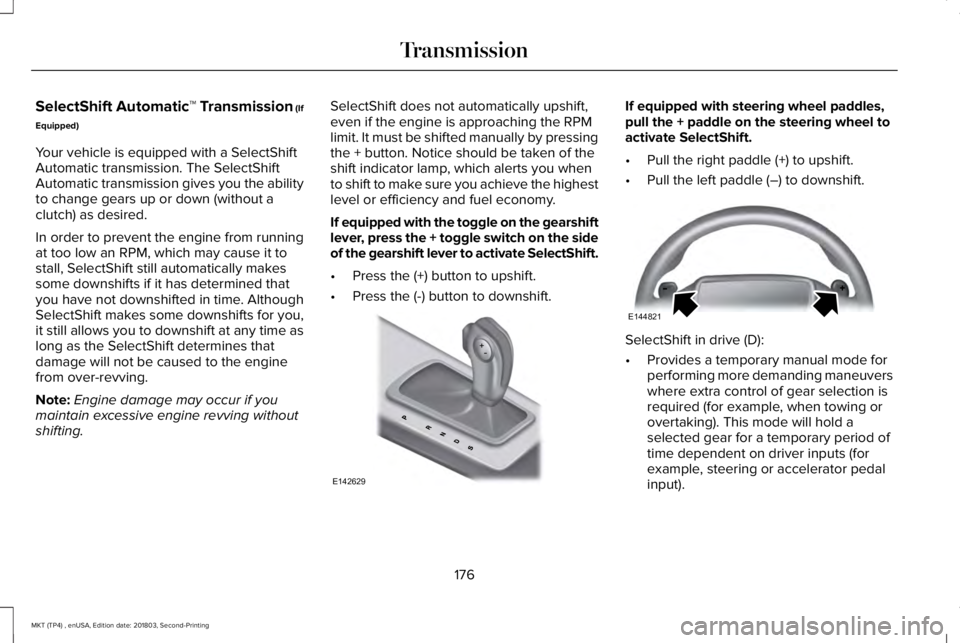
If equipped with the toggle on the gearshiftlever, press the + toggle switch on the sideof the gearshift lever to activate SelectShift.
•Press the (+) button to upshift.
•Press the (-) button to downshift.
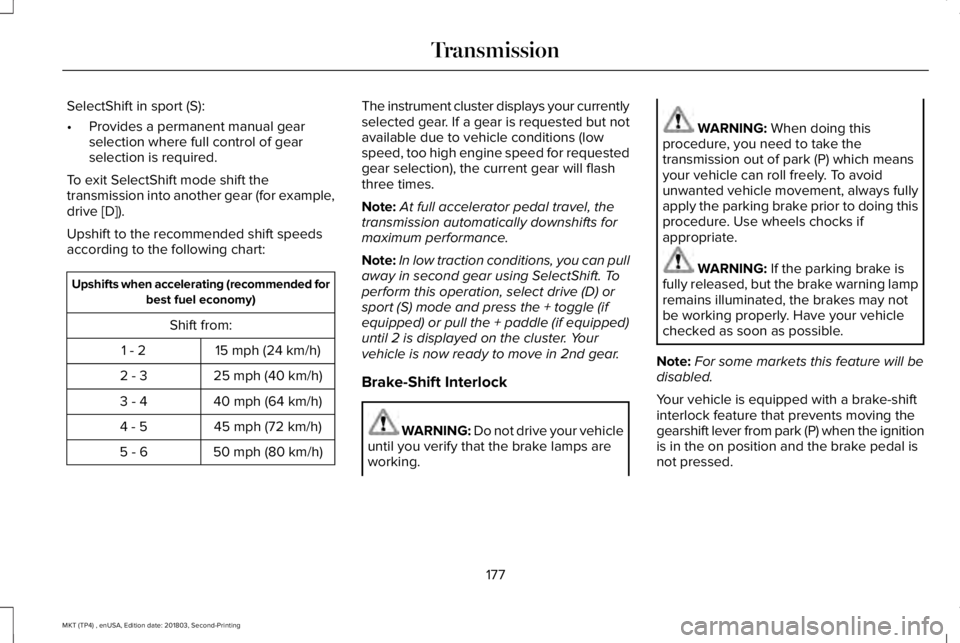
If equipped with steering wheel paddles,pull the + paddle on the steering wheel toactivate SelectShift.
•Pull the right paddle (+) to upshift.
•Pull the left paddle (–) to downshift.
SelectShift in drive (D):
•Provides a temporary manual mode forperforming more demanding maneuverswhere extra control of gear selection isrequired (for example, when towing orovertaking). This mode will hold aselected gear for a temporary period oftime dependent on driver inputs (forexample, steering or accelerator pedalinput).
176
MKT (TP4) , enUSA, Edition date: 201803, Second-Printing
TransmissionE142629 E144821
Page 180 of 575
SelectShift in sport (S):
•Provides a permanent manual gearselection where full control of gearselection is required.
To exit SelectShift mode shift thetransmission into another gear (for example,drive [D]).
Upshift to the recommended shift speedsaccording to the following chart:
Upshifts when accelerating (recommended forbest fuel economy)
Shift from:
15 mph (24 km/h)1 - 2
25 mph (40 km/h)2 - 3
40 mph (64 km/h)3 - 4
45 mph (72 km/h)4 - 5
50 mph (80 km/h)5 - 6
The instrument cluster displays your currentlyselected gear. If a gear is requested but notavailable due to vehicle conditions (lowspeed, too high engine speed for requestedgear selection), the current gear will flashthree times.
Note:At full accelerator pedal travel, thetransmission automatically downshifts formaximum performance.
Note:In low traction conditions, you can pullaway in second gear using SelectShift. Toperform this operation, select drive (D) orsport (S) mode and press the + toggle (ifequipped) or pull the + paddle (if equipped)until 2 is displayed on the cluster. Yourvehicle is now ready to move in 2nd gear.
Brake-Shift Interlock
WARNING: Do not drive your vehicleuntil you verify that the brake lamps areworking.
WARNING: When doing thisprocedure, you need to take thetransmission out of park (P) which meansyour vehicle can roll freely. To avoidunwanted vehicle movement, always fullyapply the parking brake prior to doing thisprocedure. Use wheels chocks ifappropriate.
WARNING: If the parking brake isfully released, but the brake warning lampremains illuminated, the brakes may notbe working properly. Have your vehiclechecked as soon as possible.
Note:For some markets this feature will bedisabled.
Your vehicle is equipped with a brake-shiftinterlock feature that prevents moving thegearshift lever from park (P) when the ignitionis in the on position and the brake pedal isnot pressed.
177
MKT (TP4) , enUSA, Edition date: 201803, Second-Printing
Transmission
Page 182 of 575
USING ALL-WHEEL DRIVE
All-wheel drive uses all four wheels to powerthe vehicle. This increases traction, enablingyou to drive over terrain and road conditionsthat a conventional two-wheel drive vehiclecannot. The AWD system is active all the timeand requires no input from the operator.
Note:Your AWD vehicle is not intended foroff-road use. The AWD feature gives yourvehicle some limited off-road capabilities inwhich driving surfaces are relatively level,obstruction-free and otherwise similar tonormal on-road driving conditions. Operatingyour vehicle under other than thoseconditions could subject the vehicle toexcessive stress which might result indamage which is not covered under yourwarranty.
Note:When an AWD system fault is present,the warning Check AWD displays in theinformation display. The AWD system is notfunctioning correctly and defaults tofront-wheel drive. When this warningdisplays, have your vehicle serviced at anauthorized dealer.
Note: The AWD OFF message may alsoappear in the information display if the AWDsystem overheats and defaults to front-wheeldrive. This may occur if the vehicle isoperated in extreme conditions withexcessive wheel slip, such as deep sand. To resume normal AWD function as soon aspossible, stop the vehicle in a safe locationand stop the engine for at least 10 minutes. After the engine has been restarted and theAWD system has adequately cooled, theAWD OFF message will turn off and normalAWD function returns. If the engine is notstopped, the AWD OFF message turns offwhen the system cools and normal AWDfunction returns.
179
MKT (TP4) , enUSA, Edition date: 201803, Second-Printing
All-Wheel Drive (If Equipped)
Page 183 of 575
All-Wheel Drive Messages
Action / DescriptionAWD Messages
Displays if the AWD system disables to protect itself. This may occurif you operate the vehicle after installing the compact spare tire, if thesystem is overheating or if there is an issue with another vehiclesystem that prevents the AWD system from operating. The AWDsystem resumes normal operation and clears this message after youinstall the road tire and you switch the ignition on and off, or after youallow the system to cool. If this message remains on, have a qualifiedtechnician service your vehicle to repair other vehicle systems.
AWD OFF
Displayed in conjunction with the powertrain malfunction/reducedpower light when the system is not operating properly. If the warningstays on or continues to come on, contact your authorized dealer assoon as possible.
Check AWD
Operating AWD Vehicles With SpareTires
A spare tire of a different size other than thetire provided should never be used. TheAWD system may disable automatically andenter front-wheel drive only mode to protectdriveline components if a non-full sized tireis installed. This condition may display an
AWD OFF message in the informationdisplay. If there is an AWD OFF message inthe information display from using a non-fullsized spare tire, this indicator should turn offafter reinstalling the repaired or replacednormal road tire and cycling the ignition offand on. It is recommended to reinstall therepaired or replaced road tire as soon aspossible. Major dissimilar tire sizes between
the front and rear axles (for example, 17 inchlow profile tires on the front axle and 22 inchhigh profile tires on the rear axle) couldcause the AWD system to stop functioningand default to front-wheel drive or damagethe AWD system.
180
MKT (TP4) , enUSA, Edition date: 201803, Second-Printing
All-Wheel Drive (If Equipped)
Page 184 of 575
Operating AWD Vehicles WithMismatched Tires
WARNING: Only use replacementtires and wheels that are the same size,load index, speed rating and type (such asP-metric versus LT-metric or all-seasonversus all-terrain) as those originallyprovided by Ford. The recommended tireand wheel size may be found on either theSafety Compliance Certification Label(affixed to either the door hinge pillar,door-latch post, or the door edge thatmeets the door-latch post, next to thedriver's seating position), or the Tire Labelwhich is located on the B-Pillar or edge ofthe driver's door. If this information is notfound on these labels, then you shouldcontact your authorized dealer as soon aspossible. Use of any tire or wheel notrecommended by Ford can affect thesafety and performance of your vehicle,which could result in an increased risk ofloss of vehicle control, vehicle rollover,personal injury and death.
WARNING: The use ofnon-recommended tires and wheels couldcause steering, suspension, axle, transfercase or power transfer unit failure. If youhave questions regarding tire replacement,contact your authorized dealer as soon aspossible.
Major dissimilar tire sizes between the frontand rear axles (for example, 17 inch lowprofile tires on the front axle and 22 inch highprofile tires on the rear axle) could cause theAWD system to stop functioning and defaultto front-wheel drive or damage the AWDsystem. However, the AWD system iscapable of tolerating any combination of newand worn tires of the same original tire size. For example, using 3 worn tread tires and 1new tread tire all of the same original tiresize, can be tolerated by the AWD system.
Driving In Special Conditions With All-Wheel Drive (AWD)
AWD vehicles are equipped for driving onsand, snow, mud and rough roads and haveoperating characteristics that are somewhatdifferent from conventional vehicles, both onand off the highway.
When driving at slow speeds in deep sandunder high outside temperatures, use a lowgear when possible. Lower gear operationwill maximize the engine and transmissioncooling capability.
Under severe operating conditions, the A/Cmay cycle on and off to protect overheatingof the engine.
Basic operating principles in specialconditions
•Drive slower in strong crosswinds whichcan affect the normal steeringcharacteristics of your vehicle.
•Be extremely careful when driving onpavement made slippery by loose sand,water, gravel, snow or ice.
181
MKT (TP4) , enUSA, Edition date: 201803, Second-Printing
All-Wheel Drive (If Equipped)
Page 185 of 575
If Your Vehicle Goes Off the Edge of thePavement
•If your vehicle goes off the edge of thepavement, slow down, but avoid severebrake application, ease the vehicle backonto the pavement only after reducingyour speed. Do not turn the steeringwheel too sharply while returning to theroad surface.
•It may be safer to stay on the apron orshoulder of the road and slow downgradually before returning to thepavement. You may lose control if youdo not slow down or if you turn thesteering wheel too sharply or abruptly.
•It often may be less risky to strike smallobjects, such as highway reflectors, withminor damage to your vehicle rather thanattempt a sudden return to the pavementwhich could cause the vehicle to slidesideways out of control or rollover.Remember, your safety and the safety ofothers should be your primary concern.
If Your Vehicle Gets Stuck
WARNING: Always fully apply theparking brake. Make sure you shift intopark (P) for vehicles with an automatictransmission. Switch the ignition off andremove the key whenever you leave yourvehicle.
WARNING: If the parking brake isfully released, but the brake warning lampremains illuminated, the brakes may notbe working properly. Have your vehiclechecked as soon as possible.
WARNING: Do not spin the wheelsat over 34 mph (55 km/h). The tires mayfail and injure a passenger or bystander.
Note:Do not rock the vehicle if the engineis not at normal operating temperature ordamage to the transmission may occur.
Note:Do not rock the vehicle for more thana few minutes or damage to the transmissionand tires may occur or the engine mayoverheat.
If your vehicle gets stuck in mud or snow itmay be rocked out by shifting betweenforward and reverse gears, stoppingbetween shifts, in a steady pattern. Presslightly on the accelerator in each gear.
If your vehicle is equipped withAdvanceTrac® with Roll Stability Control™, itmay be beneficial to disengage theAdvanceTrac® with Roll Stability Control™system while attempting to rock the vehicle.
Emergency Maneuvers
•In an unavoidable emergency situationwhere a sudden sharp turn must bemade, remember to avoid "over-driving"your vehicle (that is, turn the steeringwheel only as rapidly and as far asrequired to avoid the emergency).Excessive steering will result in lessvehicle control, not more. Additionally,smooth variations of the acceleratorand/or brake pedal pressure should beutilized if changes in vehicle speed arecalled for. Avoid abrupt steering,
182
MKT (TP4) , enUSA, Edition date: 201803, Second-Printing
All-Wheel Drive (If Equipped)
Page 186 of 575
acceleration or braking which could resultin an increased risk of loss of vehiclecontrol, vehicle rollover and/or personalinjury. Use all available road surface toreturn the vehicle to a safe direction oftravel.
•In the event of an emergency stop, avoidskidding the tires and do not attempt anysharp steering wheel movements.
•If the vehicle goes from one type ofsurface to another (that is, from concreteto gravel) there will be a change in theway the vehicle responds to a maneuver(steering, acceleration or braking). Again,avoid these abrupt inputs.
Sand
Most of the time traction control improvestire traction by managing wheel slip throughBrake, Engine, and AWD calibrations.However, during low speed driving, disablingtraction control in deep sand can help keepthe wheels moving to maintain vehiclemomentum.
When driving over sand, try to keep all fourwheels on the most solid area of the trail.Avoid reducing the tire pressures but shiftto a lower gear and drive steadily throughthe terrain. Apply the accelerator slowly andavoid spinning the wheels.
Do not drive your vehicle in deep sand foran extended period of time. This couldcause the AWD system to overheat anddefault to front-wheel drive. If this occurs,an AWD OFF message displays in theinformation display. To resume normal AWDfunction as soon as possible, stop the vehiclein a safe location and stop the engine for atleast 10 minutes. After the engine has beenrestarted and the AWD system hasadequately cooled, the AWD OFF messageturns off and normal AWD function returns. In the event the engine is not stopped, theAWD OFF message turns off when thesystem cools and normal AWD functionreturns.
When driving at slow speeds in deep sandunder high outside temperatures, use L (Low)gear when possible. L (Low) gear operationwill maximize the engine and transmissioncooling capability.
Under severe operating conditions, the A/Cmay cycle on and off to protect overheatingof the engine.
Avoid excessive speed because vehiclemomentum can work against you and causethe vehicle to become stuck to the point thatassistance may be required from anothervehicle. Remember, you may be able to backout the way you came if you proceed withcaution.
Mud and Water
If you must drive through high water, driveslowly. Traction or brake capability may belimited.
When driving through water, determine thedepth; avoid water higher than the bottomof the wheel rims (for cars) or the bottom ofthe hubs (for trucks) (if possible) and proceedslowly. If the ignition system gets wet, thevehicle may stall.
183
MKT (TP4) , enUSA, Edition date: 201803, Second-Printing
All-Wheel Drive (If Equipped)
Page 187 of 575
Once through water, always try the brakes.Wet brakes do not stop the vehicle aseffectively as dry brakes. Drying can beimproved by moving your vehicle slowlywhile applying light pressure on the brakepedal.
Be cautious of sudden changes in vehiclespeed or direction when you are driving inmud. Even AWD vehicles can lose tractionin slick mud. As when you are driving oversand, apply the accelerator slowly and avoidspinning your wheels. If the vehicle doesslide, steer in the direction of the slide untilyou regain control of the vehicle.
After driving through mud, clean off residuestuck to rotating driveshafts and tires. Excessmud stuck on tires and rotating driveshaftscauses an imbalance that could damagedrive components.
Note:Driving through deep water maydamage the transmission.
If the front or rear axle is submerged in water,have the power transfer unit (PTU) or rearaxle serviced by an authorized dealer.
“Tread Lightly” is an educational programdesigned to increase public awareness ofland-use regulations and responsibilities inour nations wilderness areas. Ford MotorCompany joins the U.S. Forest Service andthe Bureau of Land Management inencouraging you to help preserve ournational forest and other public and privatelands by “treading lightly.”
Driving on Hilly or Sloping Terrain
Note:Avoid driving crosswise or turning onsteep slopes or hills. A danger lies in losingtraction, slipping sideways and possiblyrolling over. Whenever driving on a hill,determine beforehand the route you will use.Do not drive over the crest of a hill withoutseeing what conditions are on the other side.Do not drive in reverse over a hill withoutthe aid of an observer.
Although natural obstacles may make itnecessary to travel diagonally up or down ahill or steep incline, you should always try todrive straight up or straight down.
When climbing a steep slope or hill, start ina lower gear rather than downshifting to alower gear from a higher gear once theascent has started. This reduces strain onthe engine and the possibility of stalling.
If you do stall out, do not try to turnaroundbecause you might roll over. It is better toback down to a safe location.
Apply just enough power to the wheels toclimb the hill. Too much power will cause thetires to slip, spin or lose traction, resulting inloss of vehicle control.
184
MKT (TP4) , enUSA, Edition date: 201803, Second-Printing
All-Wheel Drive (If Equipped)E143950
Page 188 of 575
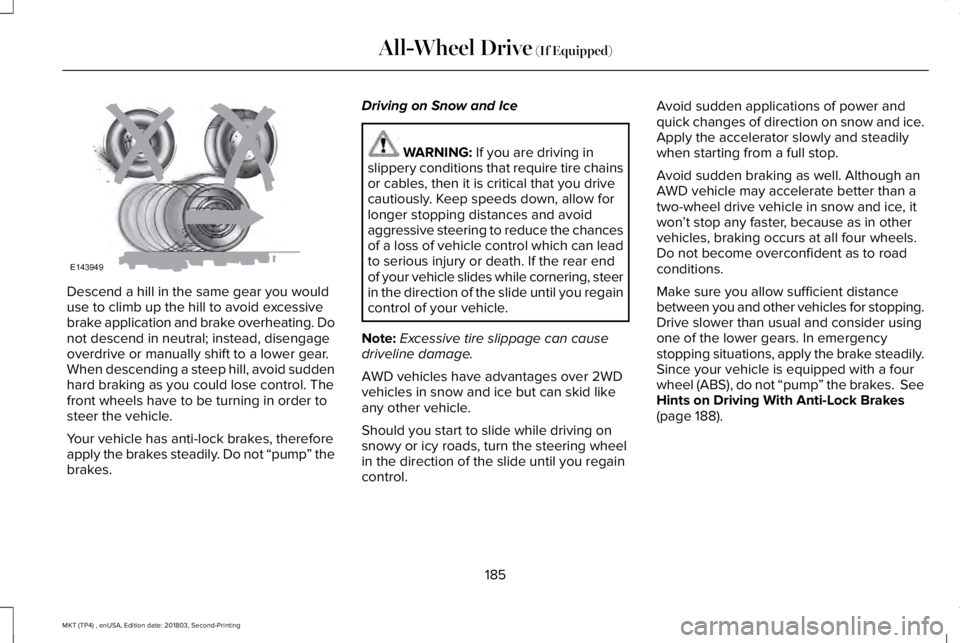
Descend a hill in the same gear you woulduse to climb up the hill to avoid excessivebrake application and brake overheating. Donot descend in neutral; instead, disengageoverdrive or manually shift to a lower gear.When descending a steep hill, avoid suddenhard braking as you could lose control. Thefront wheels have to be turning in order tosteer the vehicle.
Your vehicle has anti-lock brakes, thereforeapply the brakes steadily. Do not “pump” thebrakes.
Driving on Snow and Ice
WARNING: If you are driving inslippery conditions that require tire chainsor cables, then it is critical that you drivecautiously. Keep speeds down, allow forlonger stopping distances and avoidaggressive steering to reduce the chancesof a loss of vehicle control which can leadto serious injury or death. If the rear endof your vehicle slides while cornering, steerin the direction of the slide until you regaincontrol of your vehicle.
Note:Excessive tire slippage can causedriveline damage.
AWD vehicles have advantages over 2WDvehicles in snow and ice but can skid likeany other vehicle.
Should you start to slide while driving onsnowy or icy roads, turn the steering wheelin the direction of the slide until you regaincontrol.
Avoid sudden applications of power andquick changes of direction on snow and ice.Apply the accelerator slowly and steadilywhen starting from a full stop.
Avoid sudden braking as well. Although anAWD vehicle may accelerate better than atwo-wheel drive vehicle in snow and ice, itwon’t stop any faster, because as in othervehicles, braking occurs at all four wheels.Do not become overconfident as to roadconditions.
Make sure you allow sufficient distancebetween you and other vehicles for stopping.Drive slower than usual and consider usingone of the lower gears. In emergencystopping situations, apply the brake steadily.Since your vehicle is equipped with a fourwheel (ABS), do not “pump” the brakes. SeeHints on Driving With Anti-Lock Brakes(page 188).
185
MKT (TP4) , enUSA, Edition date: 201803, Second-Printing
All-Wheel Drive (If Equipped)E143949