page 91 LINCOLN MKX 2017 Owner's Guide
[x] Cancel search | Manufacturer: LINCOLN, Model Year: 2017, Model line: MKX, Model: LINCOLN MKX 2017Pages: 587, PDF Size: 5.4 MB
Page 89 of 587
Seek, Next or Previous
Press the seek button to:
•
Tune the radio to the next or previous
stored preset.
• Play the next or the previous track.
Press and hold the seek button to:
• Tune the radio to the next station up or
down the frequency band.
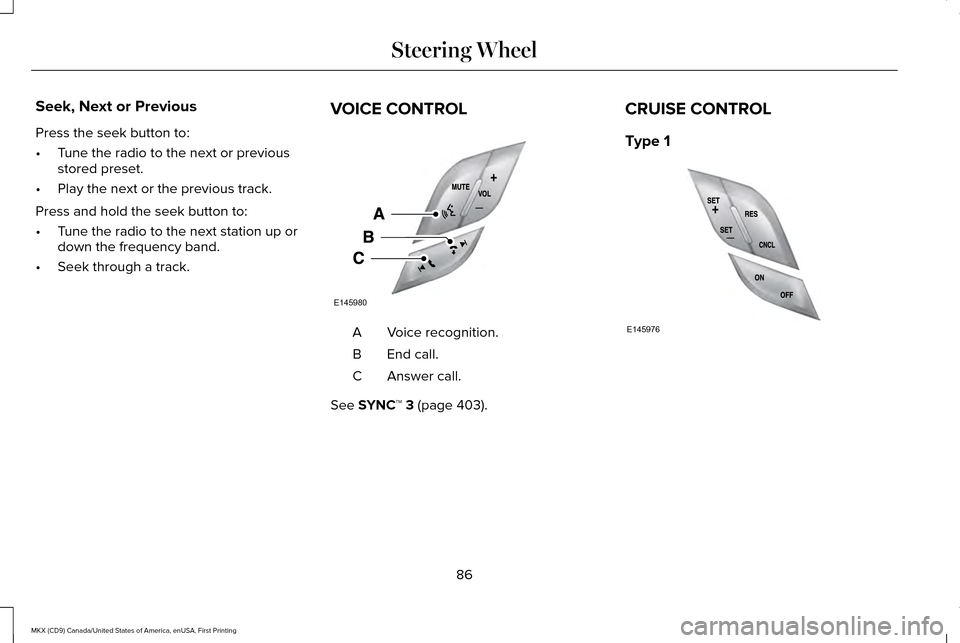
• Seek through a track. VOICE CONTROL Voice recognition.
A
End call.
B
Answer call.
C
See SYNC™ 3 (page 403). CRUISE CONTROL
Type 1
86
MKX (CD9) Canada/United States of America, enUSA, First Printing Steering WheelE145980 E145976
Page 90 of 587
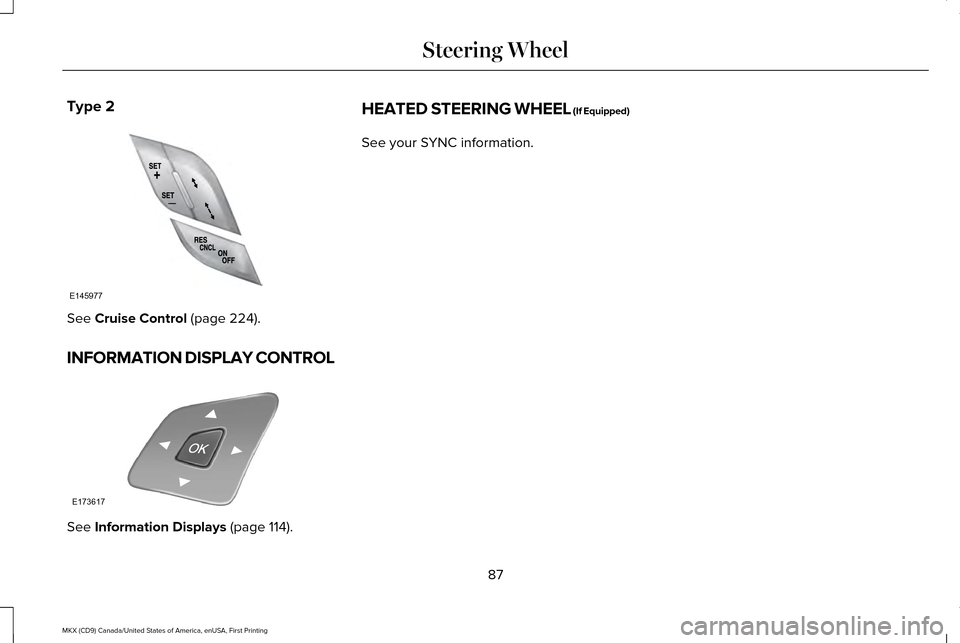
Type 2
See Cruise Control (page 224).
INFORMATION DISPLAY CONTROL See
Information Displays (page 114). HEATED STEERING WHEEL (If Equipped)
See your SYNC information.
87
MKX (CD9) Canada/United States of America, enUSA, First Printing Steering WheelE145977 E173617
Page 92 of 587
AUTOWIPERS (If Equipped)
Note: Fully defrost the windshield before you
switch the windshield wipers on.
Note: Make sure you switch the windshield
wipers off before entering a car wash.
Note: If streaks or smears appear on the
windshield, clean the windshield and the
wiper blades.
See Checking the Wiper
Blades (page 324). If that does not resolve
the issue, install new wiper blades. See
Changing the Wiper Blades (page 324).
Autowipers uses a rain sensor located in the
area around the interior mirror. The rain
sensor will continue to monitor the amount
of water on the windshield and automatically
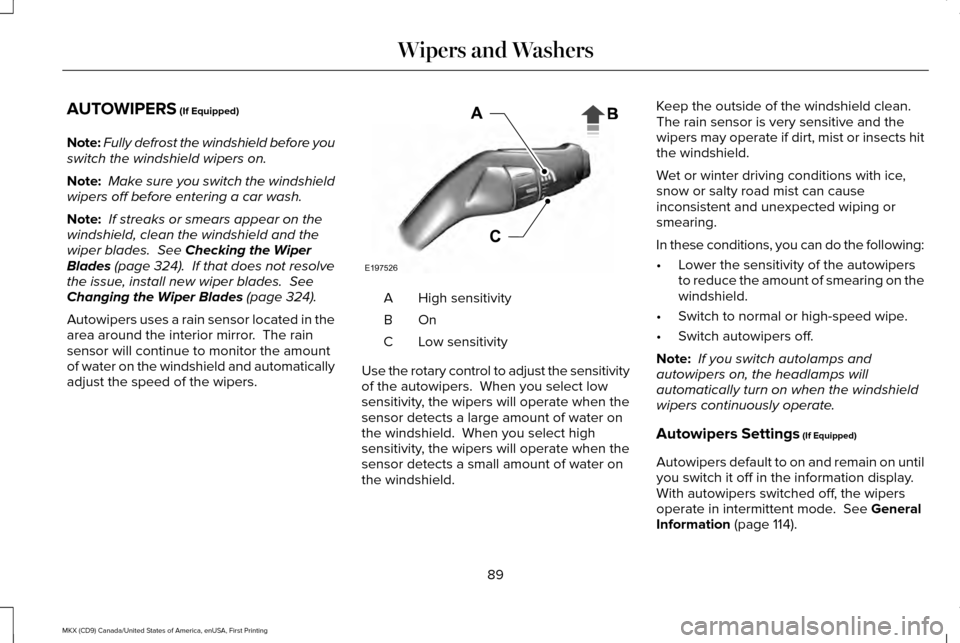
adjust the speed of the wipers. High sensitivity
A
OnB
Low sensitivity
C
Use the rotary control to adjust the sensitivity
of the autowipers. When you select low
sensitivity, the wipers will operate when the
sensor detects a large amount of water on
the windshield. When you select high
sensitivity, the wipers will operate when the
sensor detects a small amount of water on
the windshield. Keep the outside of the windshield clean.
The rain sensor is very sensitive and the
wipers may operate if dirt, mist or insects hit
the windshield.
Wet or winter driving conditions with ice,
snow or salty road mist can cause
inconsistent and unexpected wiping or
smearing.
In these conditions, you can do the following:
•
Lower the sensitivity of the autowipers
to reduce the amount of smearing on the
windshield.
• Switch to normal or high-speed wipe.
• Switch autowipers off.
Note: If you switch autolamps and
autowipers on, the headlamps will
automatically turn on when the windshield
wipers continuously operate.
Autowipers Settings
(If Equipped)
Autowipers default to on and remain on until
you switch it off in the information display.
With autowipers switched off, the wipers
operate in intermittent mode.
See General
Information (page 114).
89
MKX (CD9) Canada/United States of America, enUSA, First Printing Wipers and WashersE197526
Page 93 of 587
WINDSHIELD WASHERS
Note:
Do not operate the washers when the
washer reservoir is empty. This may cause
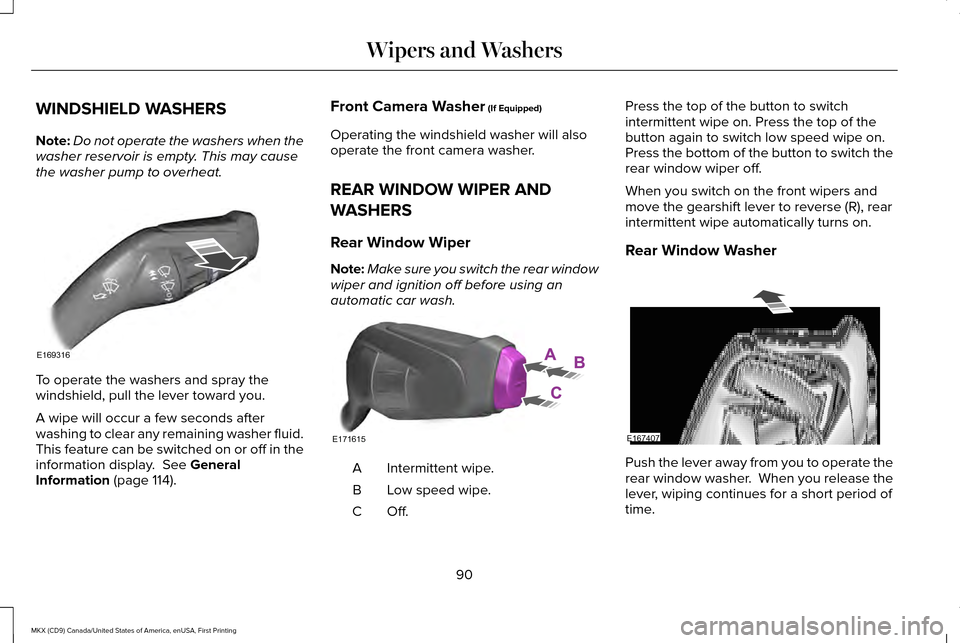
the washer pump to overheat. To operate the washers and spray the
windshield, pull the lever toward you.
A wipe will occur a few seconds after
washing to clear any remaining washer fluid.
This feature can be switched on or off in the
information display. See General
Information (page 114). Front Camera Washer
(If Equipped)
Operating the windshield washer will also
operate the front camera washer.
REAR WINDOW WIPER AND
WASHERS
Rear Window Wiper
Note: Make sure you switch the rear window
wiper and ignition off before using an
automatic car wash. Intermittent wipe.
A
Low speed wipe.
B
Off.C Press the top of the button to switch
intermittent wipe on. Press the top of the
button again to switch low speed wipe on.
Press the bottom of the button to switch the
rear window wiper off.
When you switch on the front wipers and
move the gearshift lever to reverse (R), rear
intermittent wipe automatically turns on.
Rear Window Washer
Push the lever away from you to operate the
rear window washer. When you release the
lever, wiping continues for a short period of
time.
90
MKX (CD9) Canada/United States of America, enUSA, First Printing Wipers and WashersE169316 E171615 E167407
Page 96 of 587
The headlamps remain on for a period of
time after you switch the ignition off. Use the
information display controls to adjust the
period of time that the headlamps remain
on. See Information Displays (page 114).
Note: With the headlamps in the autolamps
position, you cannot switch the high beam
headlamps on until the autolamps system
turns the low beam headlamps on.
Windshield Wiper Activated Headlamps
The windshield wiper activated headlamps
turn on within 10 seconds when you switch
the windshield wipers on and the lighting
control is in the autolamps position. They
turn off approximately 60 seconds after you
switch the windshield wipers off.
The headlamps will not turn on by wiper
activation:
• During a mist wipe.
• When the wipers are on to clear washer
fluid during a wash condition.
• If the wipers are in intermittent mode. Note:
If you switch autolamps and
autowipers on, the headlamps will
automatically turn on when the windshield
wipers continuously operate.
INSTRUMENT LIGHTING DIMMER
Note: If you disconnect the battery or it
becomes discharged, the illuminated
components will switch to the maximum
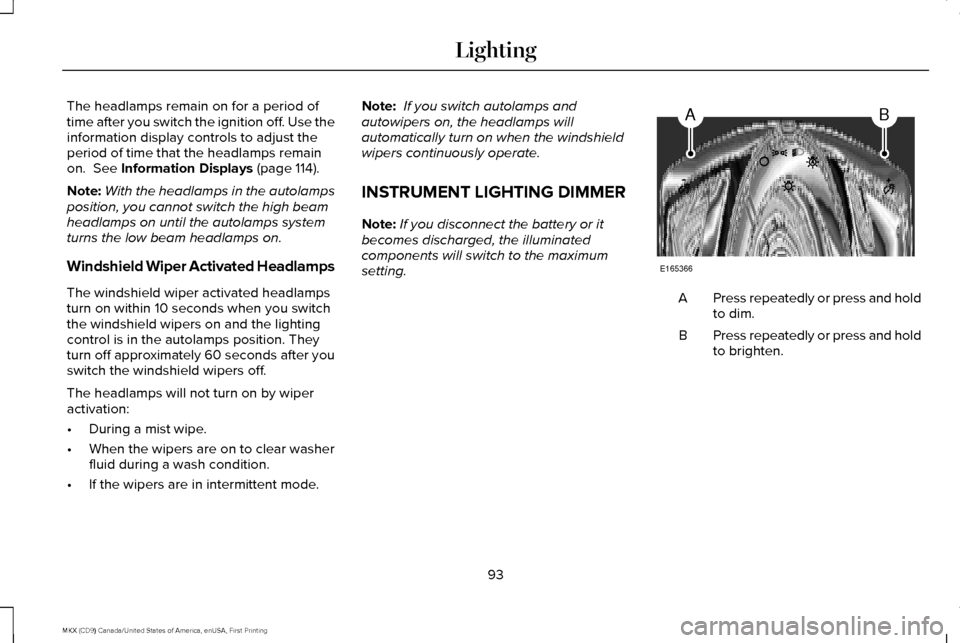
setting. Press repeatedly or press and hold
to dim.
A
Press repeatedly or press and hold
to brighten.
B
93
MKX (CD9) Canada/United States of America, enUSA, First Printing LightingAB
E165366
Page 97 of 587
HEADLAMP EXIT DELAY
After you switch the ignition off, you can
switch the headlamps on by pulling the
direction indicator lever toward you. You will
hear a short tone. The headlamps will switch
off automatically after three minutes with any
door open or 30 seconds after the last door
has been closed. You can cancel this feature
by pulling the direction indicator toward you
again or switching the ignition on.
DAYTIME RUNNING LAMPS (If
Equipped) WARNING
The daytime running lamps system
does not activate the rear lamps and
may not provide adequate lighting during
low visibility driving conditions. Also, the
autolamps switch position may not activate
the headlamps in all low visibility conditions,
such as daytime fog. Make sure the
headlamps are switched to auto or on, as
appropriate, during all low visibility
conditions. Failure to do so may result in a
crash. Type 1 - Conventional (Non-
Configurable)
The daytime running lamps turn on when:
1. The ignition is switched to the on
position.
2. The transmission is not in park (P) for vehicles with automatic transmissions or
the parking brake is released for vehicles
with manual transmissions. 3. The lighting control is in the off, parking
lamp or autolamps positions.
4. The headlamps are off.
Type 2 - Configurable
Switch the daytime running lamps on or off
using the information display controls.
See
Information Displays (page 114).
The daytime running lamps turn on when:
1. They are switched on in the information display. See Information Displays (page
114
).
2. The ignition is switched to the on position.
3. The transmission is not in park (P) for vehicles with automatic transmissions or
the parking brake is released for vehicles
with manual transmissions.
4. The lighting control is in the autolamps position.
5. The headlamps are off.
The other lighting control switch positions
do not activate the daytime running lamps,
and you can use them to temporarily override
autolamp control.
94
MKX (CD9) Canada/United States of America, enUSA, First Printing Lighting
Page 98 of 587
When switched off in the information display,
the daytime running lamps are off in all
lighting control switch positions.
AUTOMATIC HIGH BEAM
CONTROL (If Equipped)
The system will automatically turn on your
high beams if it is dark enough and no other
traffic is present. When it detects the
headlights of an approaching vehicle, the tail
lamps of the preceding vehicle or street
lighting, the system will turn off the high
beams before they distract other drivers. The
low beams remain on.
Note: If it appears that automatic control of
the high beams is not functioning properly,
check the windshield in front of the camera
for a blockage. A clear view of the road is
required for proper system operation. Have
any windshield damage in the area of the
camera ’s field-of-view repaired. Note:
If the system detects a blockage, for
example bird droppings, bug splatter, snow
or ice, the system will go into low beam
mode until you clear the blockage. A
message may also appear in the instrument
cluster display noting the front camera is
blocked.
Note: In cold or inclement weather
conditions, you will notice a decrease in the
availability of the high beam system,
especially at start up. If you want to change
the beam state independently of the system,
you may switch the high beams on or off
using the multifunction switch. Automatic
control will resume when conditions are
correct.
Note: Modification of the vehicle ride height
such as using much larger tires, may
degrade feature performance.
A camera sensor, centrally mounted behind
the windshield of your vehicle, continuously
monitors conditions to decide when to switch
the high beams off and on. Once the system is active, the high beams
will switch on if:
•
The ambient light level is low enough.
• There is no traffic in front of the vehicle.
• The vehicle speed is greater than
approximately 32 mph (52 km/h).
The high beams will switch off if:
• The system detects the headlamps of an
approaching vehicle or the tail lamps of
a preceding vehicle.
• Vehicle speed falls below approximately
27 mph (44 km/h)
.
• The ambient light level is high enough
that high beams are not required.
• The system detects severe rain, snow or
fog.
• The camera is blocked.
Activating the System
Switch on the system using the information
display and autolamps.
See Information
Displays (page 114). See Autolamps (page
92).
95
MKX (CD9) Canada/United States of America, enUSA, First Printing Lighting
Page 104 of 587
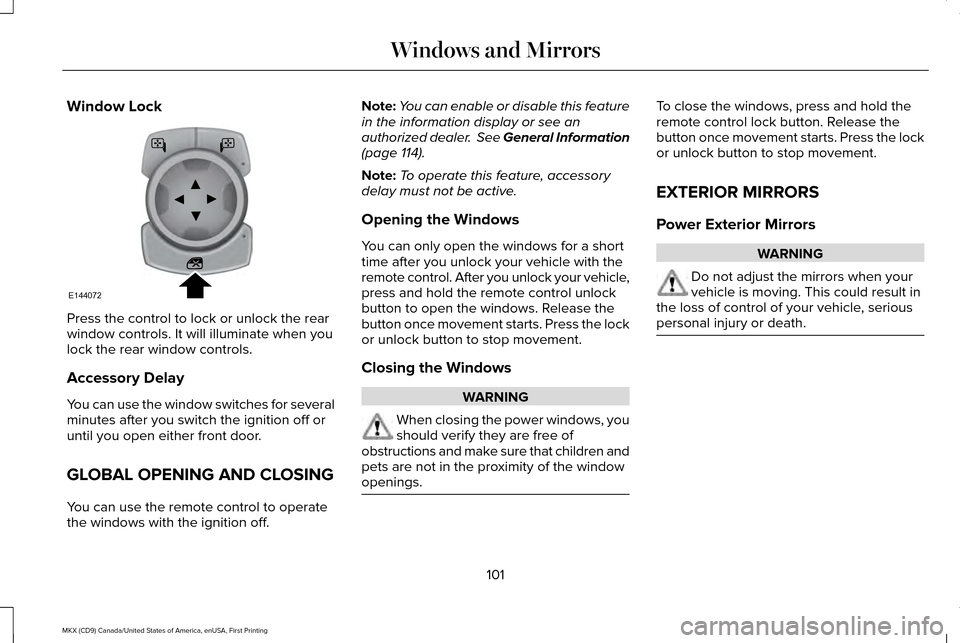
Window Lock
Press the control to lock or unlock the rear
window controls. It will illuminate when you
lock the rear window controls.
Accessory Delay
You can use the window switches for several
minutes after you switch the ignition off or
until you open either front door.
GLOBAL OPENING AND CLOSING
You can use the remote control to operate
the windows with the ignition off. Note:
You can enable or disable this feature
in the information display or see an
authorized dealer. See General Information
(page 114).
Note: To operate this feature, accessory
delay must not be active.
Opening the Windows
You can only open the windows for a short
time after you unlock your vehicle with the
remote control. After you unlock your vehicle,
press and hold the remote control unlock
button to open the windows. Release the
button once movement starts. Press the lock
or unlock button to stop movement.
Closing the Windows WARNING
When closing the power windows, you
should verify they are free of
obstructions and make sure that children and
pets are not in the proximity of the window
openings. To close the windows, press and hold the
remote control lock button. Release the
button once movement starts. Press the lock
or unlock button to stop movement.
EXTERIOR MIRRORS
Power Exterior Mirrors
WARNING
Do not adjust the mirrors when your
vehicle is moving. This could result in
the loss of control of your vehicle, serious
personal injury or death. 101
MKX (CD9) Canada/United States of America, enUSA, First Printing Windows and MirrorsE144072
Page 105 of 587
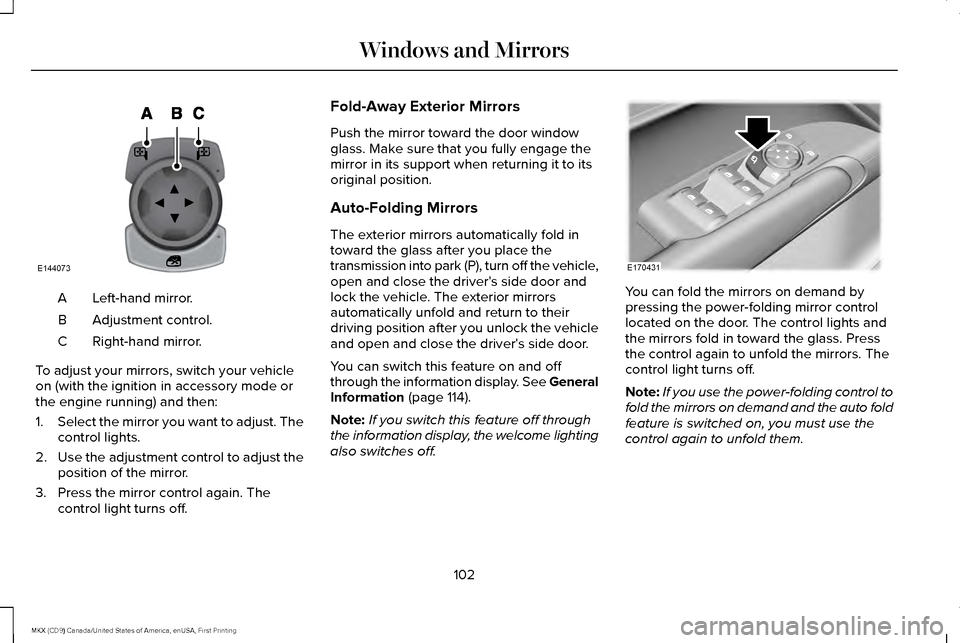
Left-hand mirror.
A
Adjustment control.
B
Right-hand mirror.
C
To adjust your mirrors, switch your vehicle
on (with the ignition in accessory mode or
the engine running) and then:
1. Select the mirror you want to adjust. The
control lights.
2. Use the adjustment control to adjust the
position of the mirror.
3. Press the mirror control again. The control light turns off. Fold-Away Exterior Mirrors
Push the mirror toward the door window
glass. Make sure that you fully engage the
mirror in its support when returning it to its
original position.
Auto-Folding Mirrors
The exterior mirrors automatically fold in
toward the glass after you place the
transmission into park (P), turn off the vehicle,
open and close the driver's side door and
lock the vehicle. The exterior mirrors
automatically unfold and return to their
driving position after you unlock the vehicle
and open and close the driver's side door.
You can switch this feature on and off
through the information display. See General
Information (page 114).
Note: If you switch this feature off through
the information display, the welcome lighting
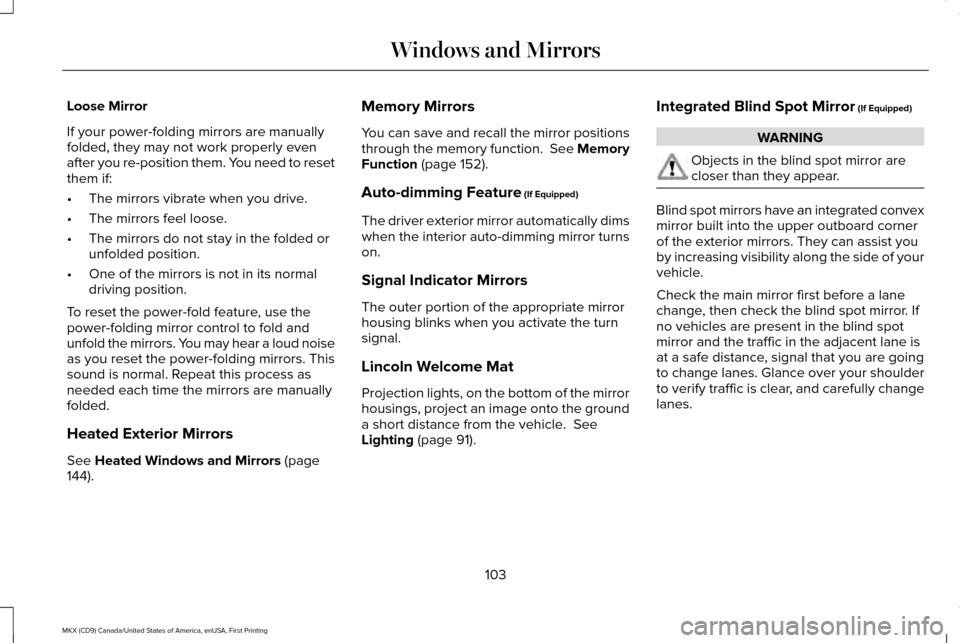
also switches off. You can fold the mirrors on demand by
pressing the power-folding mirror control
located on the door. The control lights and
the mirrors fold in toward the glass. Press
the control again to unfold the mirrors. The
control light turns off.
Note:
If you use the power-folding control to
fold the mirrors on demand and the auto fold
feature is switched on, you must use the
control again to unfold them.
102
MKX (CD9) Canada/United States of America, enUSA, First Printing Windows and MirrorsE144073 E170431
Page 106 of 587
Loose Mirror
If your power-folding mirrors are manually
folded, they may not work properly even
after you re-position them. You need to reset
them if:
•
The mirrors vibrate when you drive.
• The mirrors feel loose.
• The mirrors do not stay in the folded or
unfolded position.
• One of the mirrors is not in its normal
driving position.
To reset the power-fold feature, use the
power-folding mirror control to fold and
unfold the mirrors. You may hear a loud noise
as you reset the power-folding mirrors. This
sound is normal. Repeat this process as
needed each time the mirrors are manually
folded.
Heated Exterior Mirrors
See Heated Windows and Mirrors (page
144). Memory Mirrors
You can save and recall the mirror positions
through the memory function. See Memory
Function
(page 152).
Auto-dimming Feature
(If Equipped)
The driver exterior mirror automatically dims
when the interior auto-dimming mirror turns
on.
Signal Indicator Mirrors
The outer portion of the appropriate mirror
housing blinks when you activate the turn
signal.
Lincoln Welcome Mat
Projection lights, on the bottom of the mirror
housings, project an image onto the ground
a short distance from the vehicle.
See
Lighting (page 91). Integrated Blind Spot Mirror
(If Equipped) WARNING
Objects in the blind spot mirror are
closer than they appear.
Blind spot mirrors have an integrated convex
mirror built into the upper outboard corner
of the exterior mirrors. They can assist you
by increasing visibility along the side of your
vehicle.
Check the main mirror first before a lane
change, then check the blind spot mirror. If
no vehicles are present in the blind spot
mirror and the traffic in the adjacent lane is
at a safe distance, signal that you are going
to change lanes. Glance over your shoulder
to verify traffic is clear, and carefully change
lanes.
103
MKX (CD9) Canada/United States of America, enUSA, First Printing Windows and Mirrors