ECU LINCOLN MKZ 2013 Owner's Manual
[x] Cancel search | Manufacturer: LINCOLN, Model Year: 2013, Model line: MKZ, Model: LINCOLN MKZ 2013Pages: 474, PDF Size: 3.79 MB
Page 123 of 474
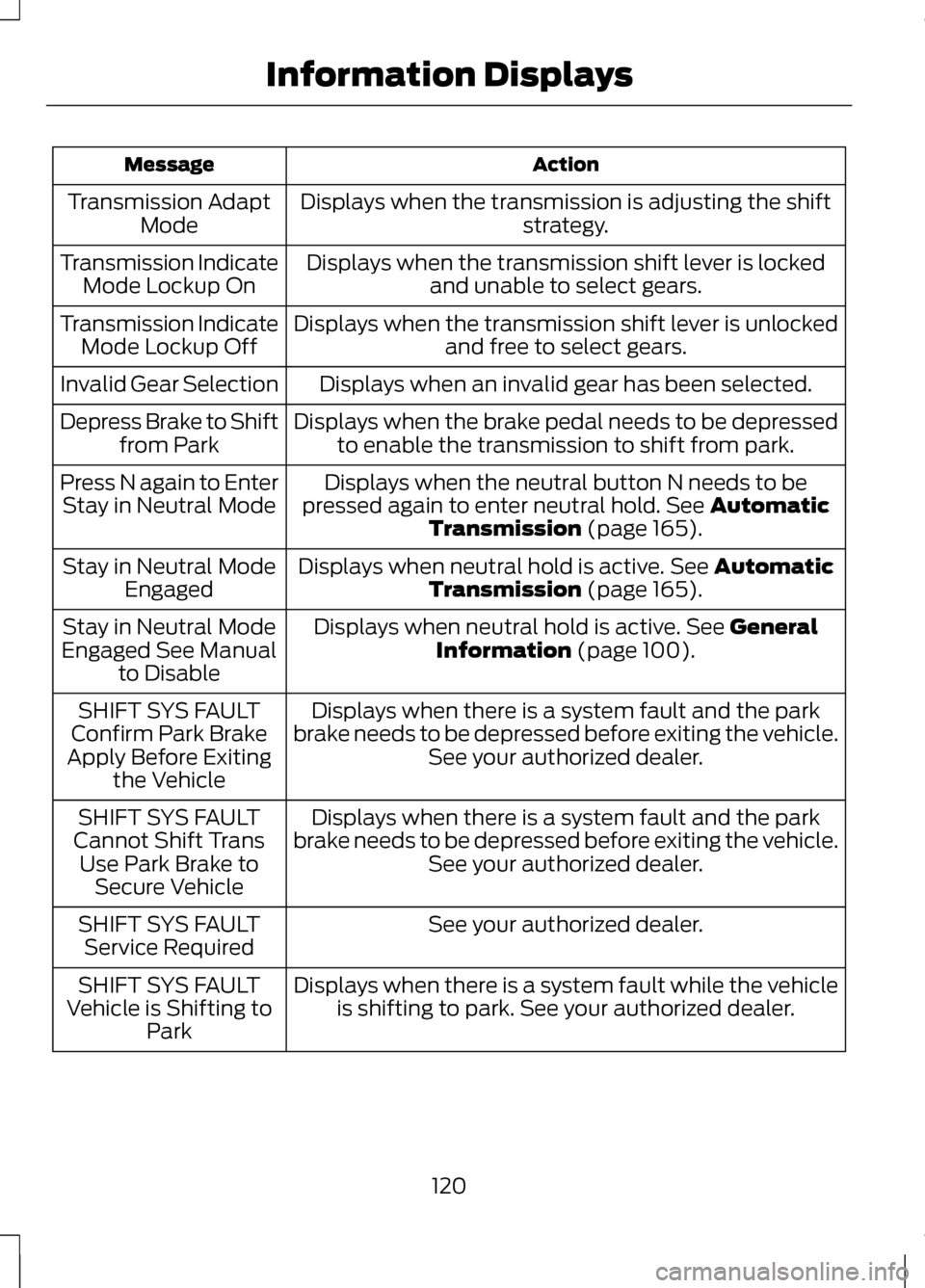
Action
Message
Displays when the transmission is adjusting the shift strategy.
Transmission Adapt
Mode
Displays when the transmission shift lever is lockedand unable to select gears.
Transmission Indicate
Mode Lockup On
Displays when the transmission shift lever is unlockedand free to select gears.
Transmission Indicate
Mode Lockup Off
Displays when an invalid gear has been selected.
Invalid Gear Selection
Displays when the brake pedal needs to be depressedto enable the transmission to shift from park.
Depress Brake to Shift
from Park
Displays when the neutral button N needs to be
pressed again to enter neutral hold. See Automatic
Transmission (page 165).
Press N again to Enter
Stay in Neutral Mode
Displays when neutral hold is active.
See Automatic
Transmission (page 165).
Stay in Neutral Mode
Engaged
Displays when neutral hold is active.
See General
Information (page 100).
Stay in Neutral Mode
Engaged See Manual to Disable
Displays when there is a system fault and the park
brake needs to be depressed before exiting the vehicle. See your authorized dealer.
SHIFT SYS FAULT
Confirm Park Brake
Apply Before Exiting the Vehicle
Displays when there is a system fault and the park
brake needs to be depressed before exiting the vehicle. See your authorized dealer.
SHIFT SYS FAULT
Cannot Shift Trans Use Park Brake to Secure Vehicle
See your authorized dealer.
SHIFT SYS FAULT
Service Required
Displays when there is a system fault while the vehicleis shifting to park. See your authorized dealer.
SHIFT SYS FAULT
Vehicle is Shifting to Park
120
Information Displays
Page 145 of 474
HomeLink® Wireless Control
System (If Equipped)
WARNINGS
Make sure that the garage door
and security device are free from
obstruction when you are
programming. Do not program the
system with the vehicle in the garage. Do not use the system with any
garage door opener that does
not have the safety stop and reverse
feature as required by U.S. Federal
Safety Standards (this includes any
garage door opener manufactured
before April 1, 1982). Note:
Make sure you keep the original
remote control transmitter for use in
other vehicles as well as for future
system programming.
Note: We recommend that upon the
sale or lease termination of your
vehicle, you erase the programmed
function buttons for security reasons.
See Erasing the function button codes
later in this section.
Note: You can program a maximum
of three devices. To change or replace
any of the three devices after it has
been initially programmed, you must
first erase the current settings. See
Erasing the function button codes later
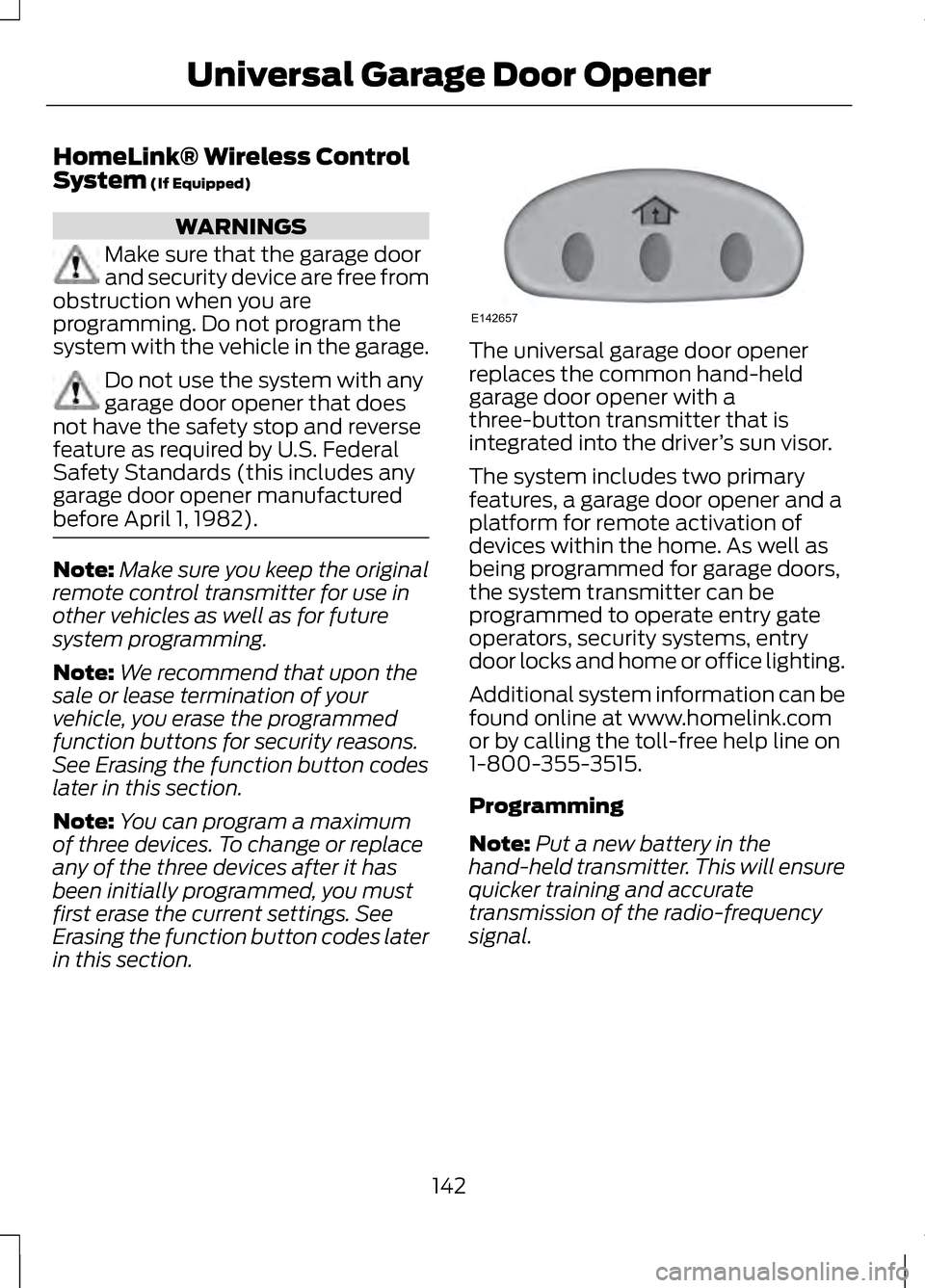
in this section. The universal garage door opener
replaces the common hand-held
garage door opener with a
three-button transmitter that is
integrated into the driver
’s sun visor.
The system includes two primary
features, a garage door opener and a
platform for remote activation of
devices within the home. As well as
being programmed for garage doors,
the system transmitter can be
programmed to operate entry gate
operators, security systems, entry
door locks and home or office lighting.
Additional system information can be
found online at www.homelink.com
or by calling the toll-free help line on
1-800-355-3515.
Programming
Note: Put a new battery in the
hand-held transmitter. This will ensure
quicker training and accurate
transmission of the radio-frequency
signal.
142
Universal Garage Door OpenerE142657
Page 192 of 474
When automatic steering is finished,
the touch screen displays a message
indicating that the active park assist
process is done. The driver is
responsible for checking the parking
job and making any necessary
corrections before putting the
transmission in P (Park).
Deactivating the Park Assist
Feature
The system can be deactivated
manually by:
•
pressing the active park assist
button
• grabbing the steering wheel
• driving above approximately 20
mph (35 km/h) for 30 seconds
during an active park search •
driving above 6 mph (10 km/h)
during automatic steering
• turning off the traction control
system.
Certain vehicle conditions can also
deactivate the system, such as:
• Traction control has activated on
a slippery or loose surface.
• There is an anti-lock brake system
activation or failure.
• Something touches the steering
wheel.
If a problem occurs with the system,
a warning message is displayed,
followed by a chime. Occasional
system messages may occur in
normal operation. For recurring or
frequent system faults, contact an
authorized dealer to have your vehicle
serviced.
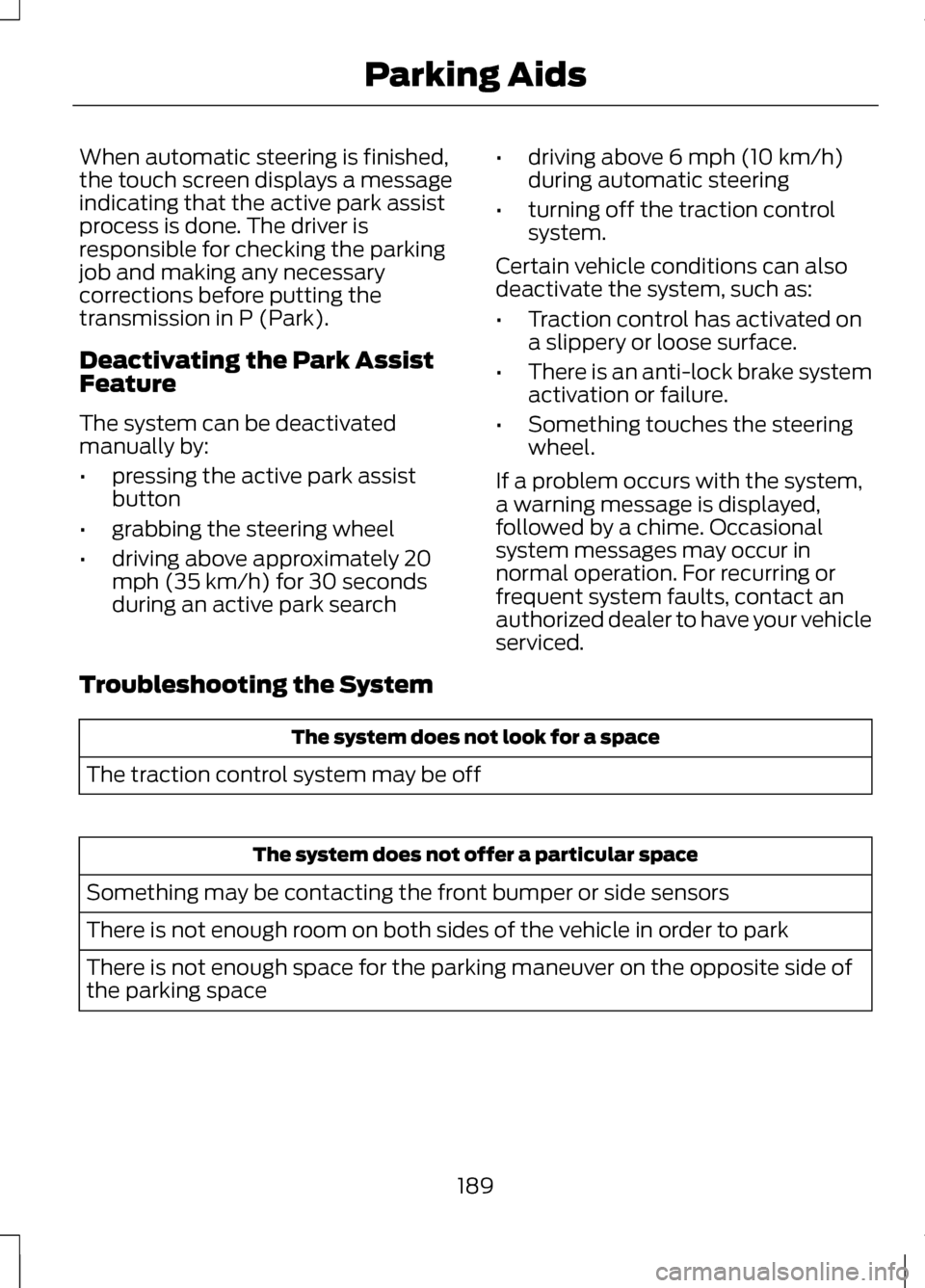
Troubleshooting the System The system does not look for a space
The traction control system may be off The system does not offer a particular space
Something may be contacting the front bumper or side sensors
There is not enough room on both sides of the vehicle in order to park
There is not enough space for the parking maneuver on the opposite side of
the parking space
189
Parking Aids
Page 239 of 474
DRIVING THROUGH WATER
Note:
Driving through deep water
above the recommended levels can
cause vehicle damage.
Note: Once through the water, always
dry the brakes by moving your vehicle
slowly while applying light pressure on
the brake pedal. Wet brakes do not
stop the vehicle as quickly as dry
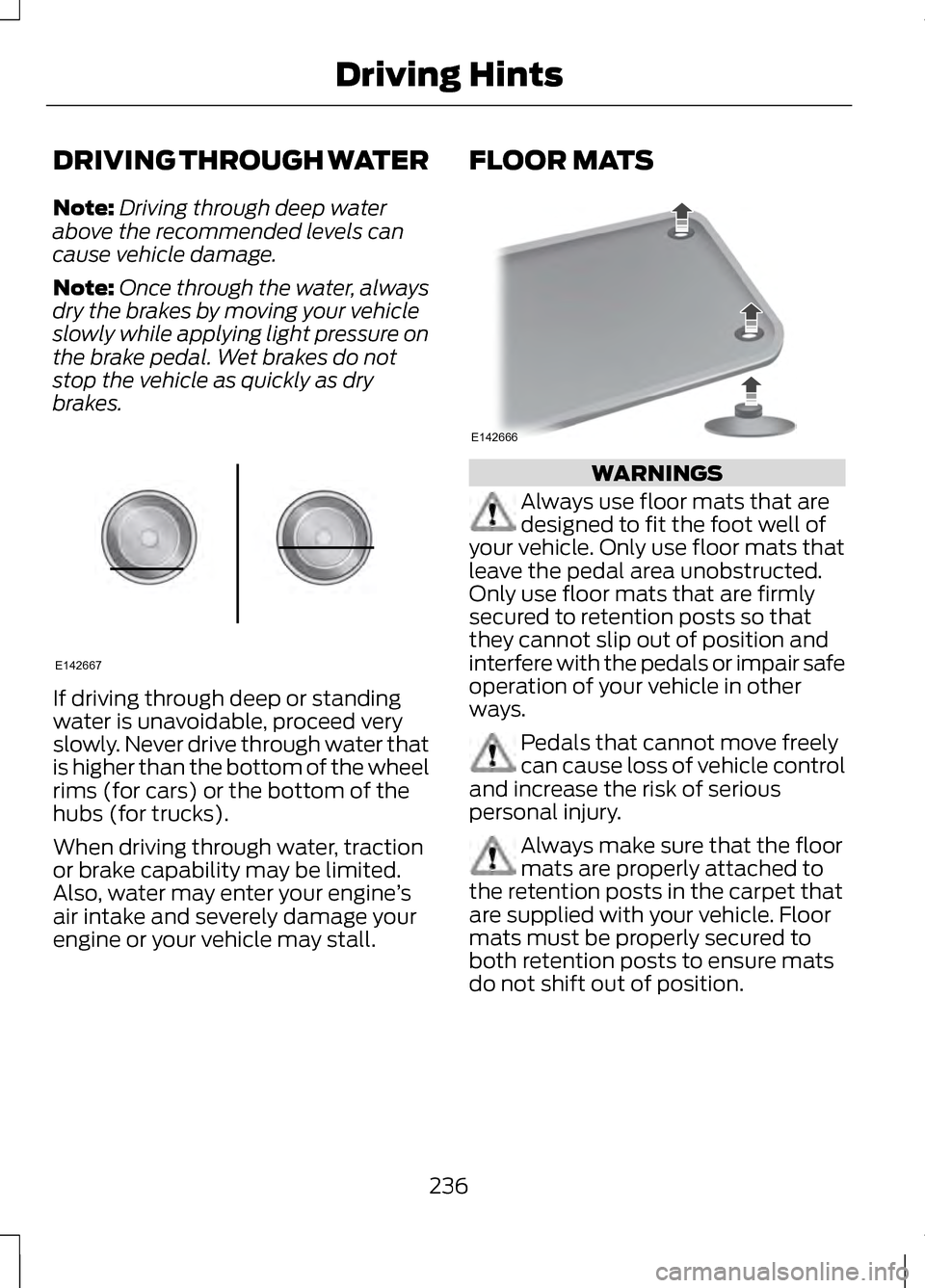
brakes. If driving through deep or standing
water is unavoidable, proceed very
slowly. Never drive through water that
is higher than the bottom of the wheel
rims (for cars) or the bottom of the
hubs (for trucks).
When driving through water, traction
or brake capability may be limited.
Also, water may enter your engine
’s
air intake and severely damage your
engine or your vehicle may stall. FLOOR MATS
WARNINGS
Always use floor mats that are
designed to fit the foot well of
your vehicle. Only use floor mats that
leave the pedal area unobstructed.
Only use floor mats that are firmly
secured to retention posts so that
they cannot slip out of position and
interfere with the pedals or impair safe
operation of your vehicle in other
ways. Pedals that cannot move freely
can cause loss of vehicle control
and increase the risk of serious
personal injury. Always make sure that the floor
mats are properly attached to
the retention posts in the carpet that
are supplied with your vehicle. Floor
mats must be properly secured to
both retention posts to ensure mats
do not shift out of position.
236
Driving HintsE142667 E142666
Page 240 of 474
WARNINGS
Never place floor mats or any
other covering in the vehicle foot
well that cannot be properly secured
to prevent them from moving and
interfering with the pedals or the
ability to control the vehicle. Never place floor mats or any
other covering on top of already
installed floor mats. Floor mats
should always rest on top of vehicle
carpeting surface and not another
floor mat or other covering. Additional
floor mats or any other covering will
reduce the pedal clearance and
potentially interfere with pedal
operation. Check attachment of floor mats
on a regular basis. Always
properly reinstall and secure floor
mats that have been removed for
cleaning or replacement. Always make sure that objects
cannot fall into the driver foot
well while the vehicle is moving.
Objects that are loose can become
trapped under the pedals causing a
loss of vehicle control. Failure to properly follow floor
mat installation or attachment
instructions can potentially cause
interference with pedal operation
causing loss of control of vehicle. To install floor mats, position the
floor mat so that the eyelet is
over the retention post and press
down to lock in. To remove the floor mat, reverse
the installation procedure.
237
Driving Hints
Page 248 of 474
California Civil Code Section
1793.22(b) presumes that the
manufacturer has had a reasonable
number of attempts to conform the
vehicle to its applicable express
warranties if, within the first 18
months of ownership of a new vehicle
or the first 18000 miles (29 000 km),
whichever occurs first:
1. Two or more repair attempts are
made on the same non-conformity
likely to cause death or serious
bodily injury OR
2. Four or more repair attempts are made on the same nonconformity
(a defect or condition that
substantially impairs the use, value
or safety of the vehicle) OR
3. The vehicle is out of service for repair of nonconformities for a
total of more than 30 calendar
days (not necessarily all at one
time).
In the case of 1 or 2 above, the
consumer must also notify the
manufacturer of the need for the
repair of the nonconformity at the
following address:
Ford Motor Company
16800 Executive Plaza Drive
Mail Drop 3NE-B
Dearborn, MI 48126 You are required to submit your
warranty dispute to BBB AUTO LINE
before asserting in court any rights or
remedies conferred by California Civil
Code Section 1793.22(b). You are also
required to use BBB AUTO LINE before
exercising rights or seeking remedies
created by the Federal
Magnuson-Moss Warranty Act, 15
U.S.C. sec. 2301 et seq. If you choose
to seek redress by pursuing rights and
remedies not created by California
Civil Code Section 1793.22(b) or the
Magnuson-Moss Warranty Act, resort
to BBB AUTO LINE is not required by
those statutes.
THE BETTER BUSINESS
BUREAU (BBB) AUTO LINE
PROGRAM (U.S. ONLY)
Your satisfaction is important to Ford
Motor Company and to your dealer. If
a warranty concern has not been
resolved using the three-step
procedure outlined earlier in this
chapter in the Getting the Services you
need section, you may be eligible to
participate in the BBB AUTO LINE
program.
245
Customer Assistance
Page 283 of 474
Poor wiper quality can be improved
by cleaning the wiper blades and the
windshield.
CHANGING THE ENGINE AIR
FILTER - 2.0L
ECOBOOST™/3.7L
WARNING
To reduce the risk of vehicle
damage and/or personal burn
injuries do not start your engine with
the air cleaner removed and do not
remove it while the engine is running. When changing the air filter element,
use only the air filter element listed.
See Capacities and Specifications
(page 325).
For EcoBoost equipped vehicles:
When servicing the air cleaner, it is
important that no foreign material
enter the air induction system. The
engine and turbocharger are
susceptible to damage from even
small particles.
Change the air filter element at the
proper interval. See
Scheduled
Maintenance (page 440).
Note: Failure to use the correct air filter
element may result in severe engine
damage. The customer warranty may
be void for any damage to the engine
if the correct air filter element is not
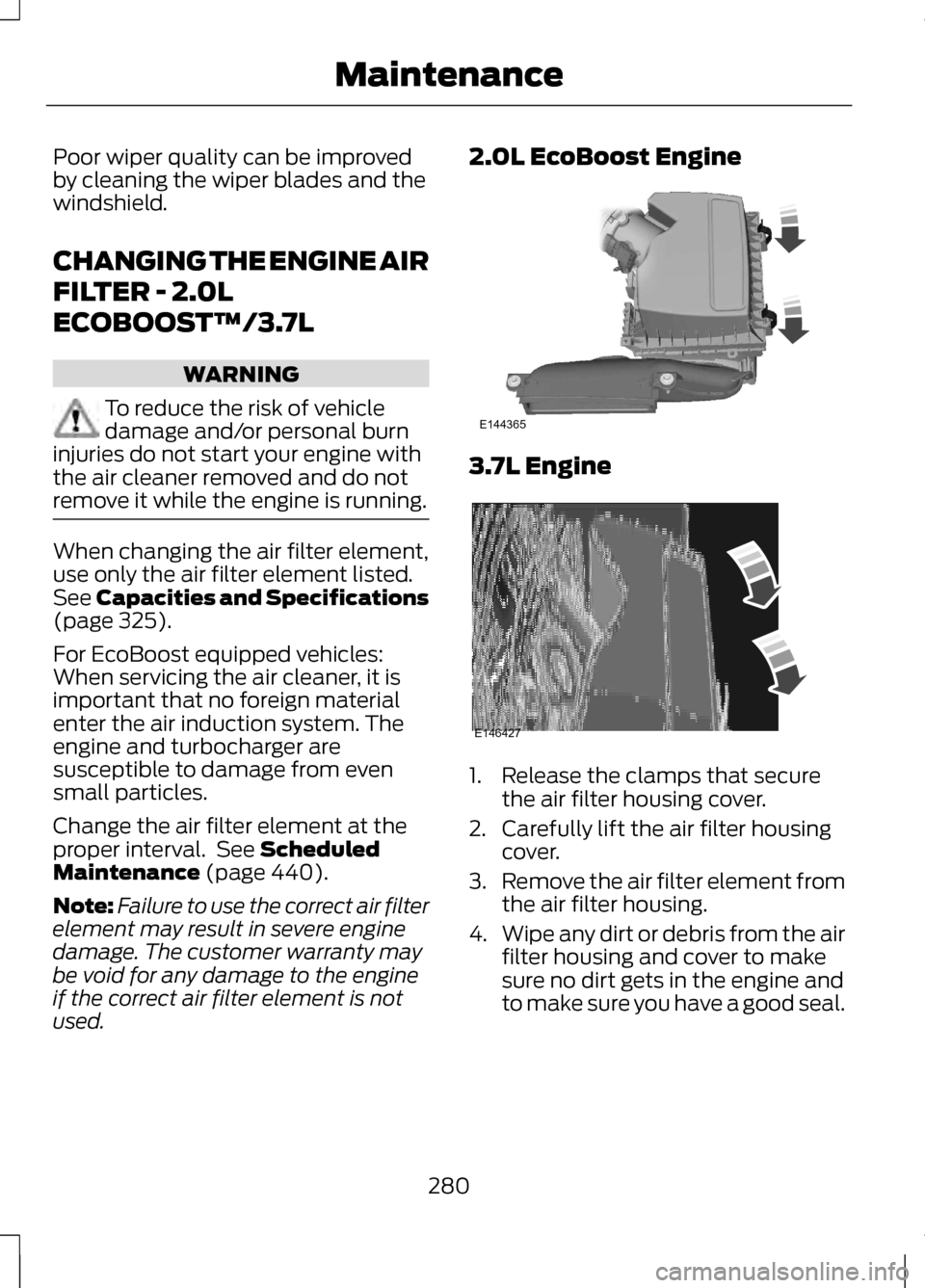
used. 2.0L EcoBoost Engine
3.7L Engine
1. Release the clamps that secure
the air filter housing cover.
2. Carefully lift the air filter housing cover.
3. Remove the air filter element from
the air filter housing.
4. Wipe any dirt or debris from the air
filter housing and cover to make
sure no dirt gets in the engine and
to make sure you have a good seal.
280
MaintenanceE144365 E146427
Page 284 of 474
5. Install a new air filter element. Be
careful not to crimp the filter
element edges between the air
filter housing and cover. This could
cause filter damage and allow
unfiltered air to enter the engine if
not properly seated.
6. Install the air filter housing cover.
7. Engage the clamps to secure the air filter housing cover to the air
filter housing.
ADJUSTING THE
HEADLAMPS
Vertical Aim Adjustment
The headlamps on your vehicle are
properly aimed at the assembly plant.
If your vehicle has been in an accident,
the alignment of your headlamps
should be checked by your authorized
dealer.
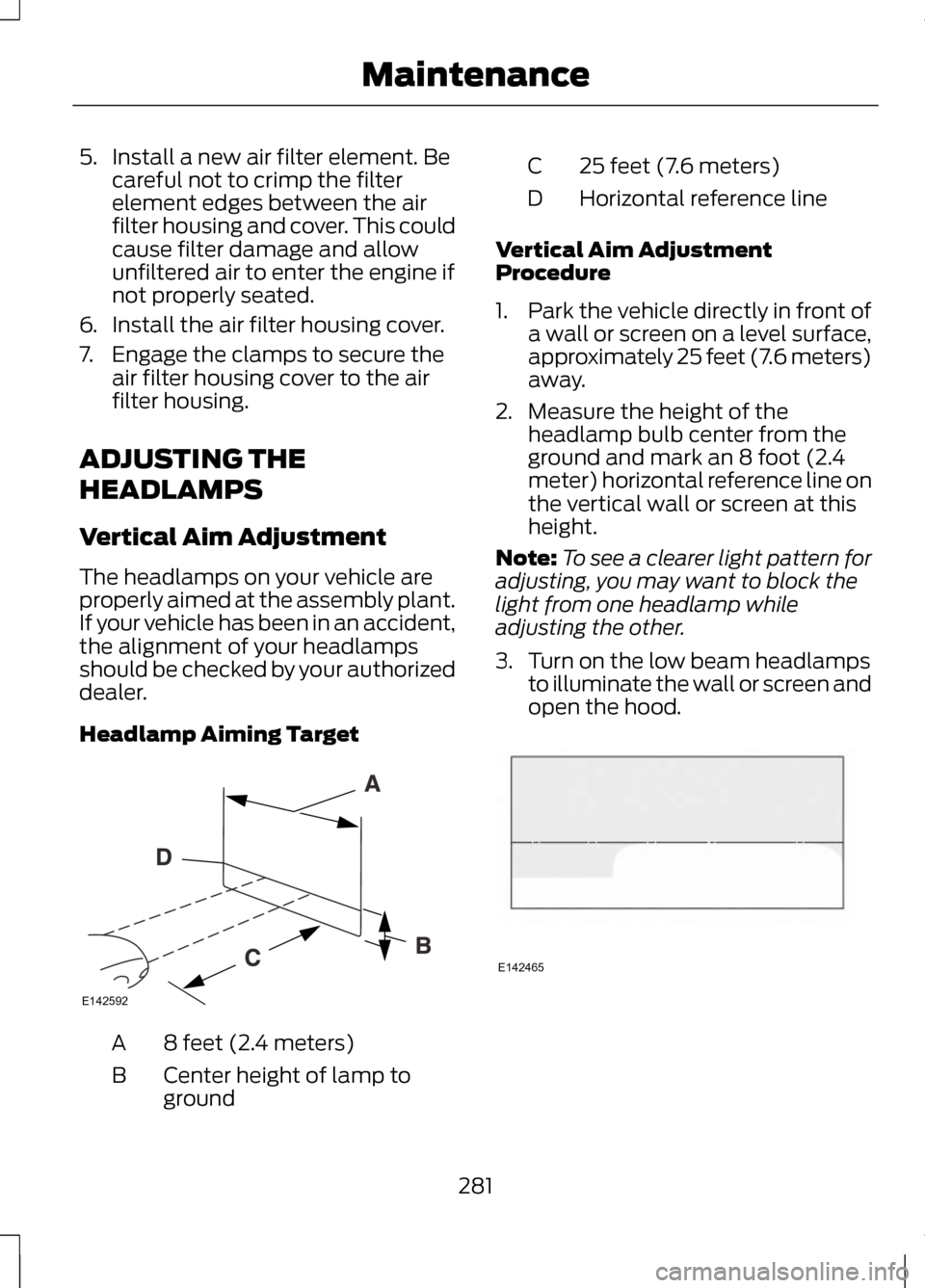
Headlamp Aiming Target 8 feet (2.4 meters)
A
Center height of lamp to
ground
B 25 feet (7.6 meters)
C
Horizontal reference line
D
Vertical Aim Adjustment
Procedure
1. Park the vehicle directly in front of
a wall or screen on a level surface,
approximately 25 feet (7.6 meters)
away.
2. Measure the height of the headlamp bulb center from the
ground and mark an 8 foot (2.4
meter) horizontal reference line on
the vertical wall or screen at this
height.
Note: To see a clearer light pattern for
adjusting, you may want to block the
light from one headlamp while
adjusting the other.
3. Turn on the low beam headlamps to illuminate the wall or screen and
open the hood. 281
MaintenanceE142592 E142465
Page 297 of 474
•
Only use the sealing compound
before the use by date. The use by
date is on the lower right hand
corner of the label located on the
sealant canister (bottle). Check
the use by date regularly and
replace the canister after four
years.
• Do not store the kit unsecured
inside the passenger compartment
of the vehicle as it may cause injury
during a sudden stop or collision.
Always store the kit in its original
location.
• After sealant use, the tire pressure
monitoring system sensor and
valve stem on the wheel must be
replaced by an authorized Ford
dealer.
• When inflating a tire or other
objects, use the black air hose only.
Do not use the transparent hose
which is designed for sealant
application only.
• Operating the kit could cause an
electrical disturbance in radio, CD,
and DVD player operation.
What to do when a Tire Is
Punctured
A tire puncture within the tire's tread
area can be repaired in two stages
with the kit. •
In the first stage, the tire will be
reinflated with a sealing
compound and air. After the tire
has been reinflated, you will need
to drive the vehicle a short
distance (approximately 4 miles
[6 km]) to distribute the sealant
in the tire.
• In the second stage, you will need
to check the tire pressure and
adjust, if necessary, to the vehicle's
tire inflation pressure.
First Stage: Reinflating the Tire
with Sealing Compound and Air WARNINGS
Do not stand directly over the kit
while inflating the tire. If you
notice any unusual bulges or
deformations in the tire's sidewall
during inflation, stop and call roadside
assistance. If the tire doesn't inflate to the
recommended tire pressure
within 15 minutes, stop and call
roadside assistance. Preparation: Park the vehicle in a safe,
level and secure area, away from
moving traffic. Turn the hazard lights
on. Apply the parking brake and turn
the engine off. Inspect the flat tire for
visible damage.
Sealant compound contains latex. To
avoid any allergic reactions, use the
non-latex gloves located in the
accessory box on the underside of the
kit housing.
294
Wheels and Tires
Page 325 of 474
WARNINGS
Do not attempt to change a tire
on the side of the vehicle close
to moving traffic. Pull far enough off
the road to avoid the danger of being
hit when operating the jack or
changing the wheel. Always use the jack provided as
original equipment with your
vehicle. If using a jack other than the
one provided as original equipment
with your vehicle, make sure the jack
capacity is adequate for the vehicle
weight, including any vehicle cargo or
modifications. 1. Park on a level surface, set the
parking brake and activate the
hazard flashers.
2. Place the transmission selector lever in position P and turn the
engine off.
3. Remove the carpeted wheel cover.
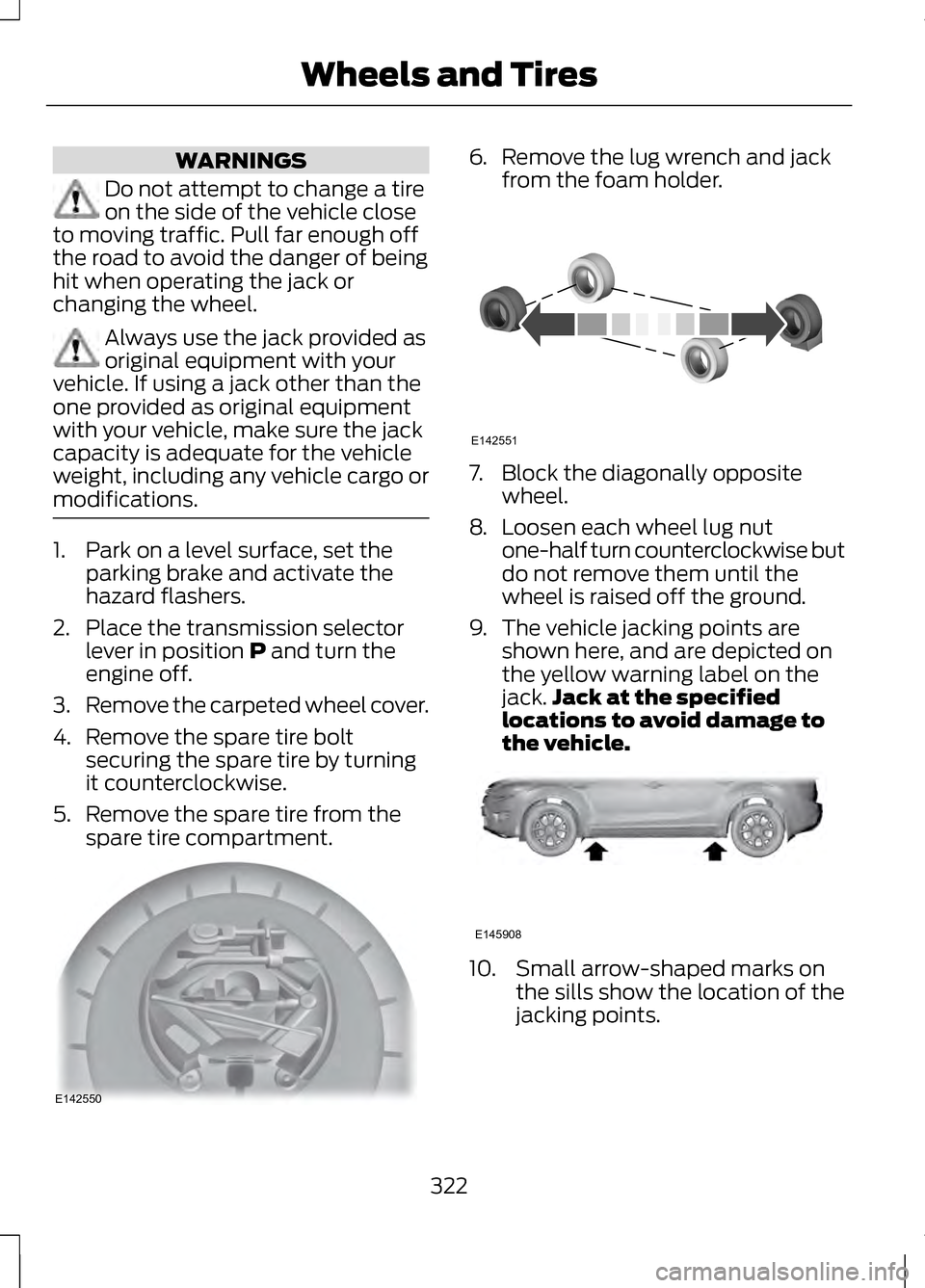
4. Remove the spare tire bolt securing the spare tire by turning
it counterclockwise.
5. Remove the spare tire from the spare tire compartment. 6.
Remove the lug wrench and jack
from the foam holder. 7. Block the diagonally opposite
wheel.
8. Loosen each wheel lug nut
one-half turn counterclockwise but
do not remove them until the
wheel is raised off the ground.
9. The vehicle jacking points are shown here, and are depicted on
the yellow warning label on the
jack. Jack at the specified
locations to avoid damage to
the vehicle. 10. Small arrow-shaped marks on
the sills show the location of the
jacking points.
322
Wheels and TiresE142550 E142551 E145908