alarm LINCOLN MKZ 2014 User Guide
[x] Cancel search | Manufacturer: LINCOLN, Model Year: 2014, Model line: MKZ, Model: LINCOLN MKZ 2014Pages: 468, PDF Size: 4.49 MB
Page 111 of 468
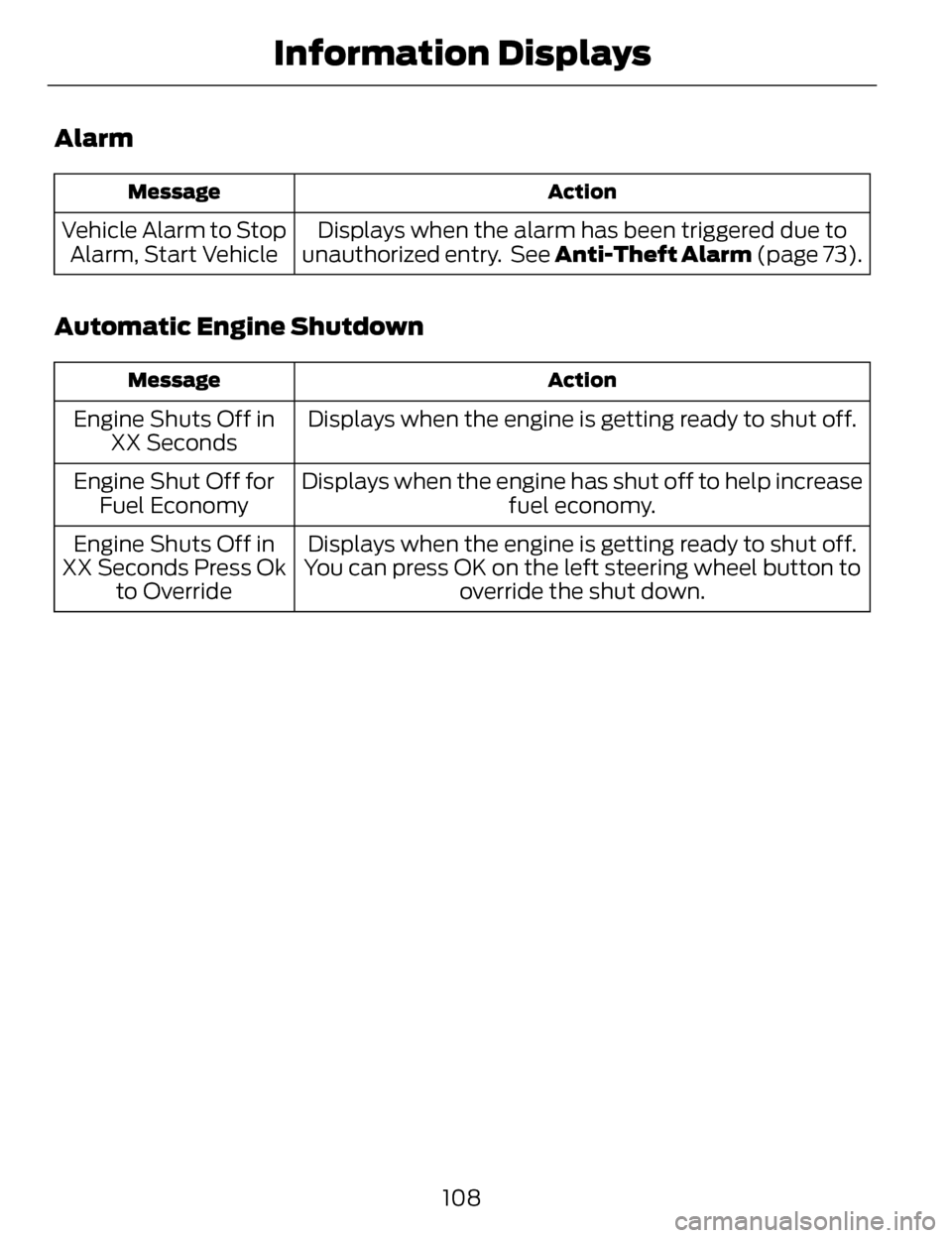
Alarm
Action
Message
Displays when the alarm has been triggered due to
unauthorized entry. See Anti-Theft Alarm (page 73).
Vehicle Alarm to Stop
Alarm, Start Vehicle
Automatic Engine Shutdown
Action
Message
Displays when the engine is getting ready to shut off.
Engine Shuts Off in
XX Seconds
Displays when the engine has shut off to help increase fuel economy.
Engine Shut Off for
Fuel Economy
Displays when the engine is getting ready to shut off.
You can press OK on the left steering wheel button to override the shut down.
Engine Shuts Off in
XX Seconds Press Ok to Override
108
Information Displays
Page 190 of 468
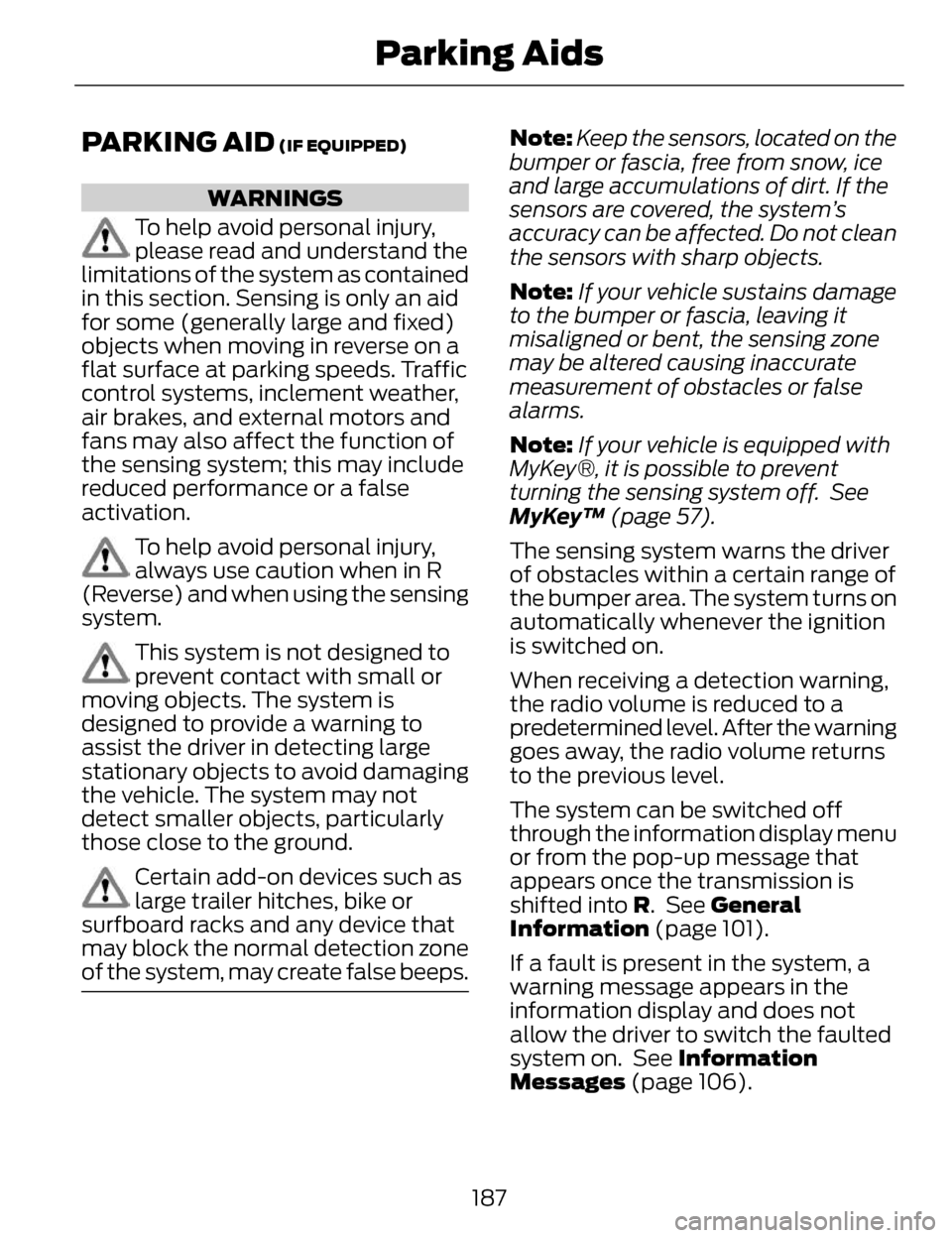
PARKING AID (IF EQUIPPED)
WARNINGS
To help avoid personal injury,
please read and understand the
limitations of the system as contained
in this section. Sensing is only an aid
for some (generally large and fixed)
objects when moving in reverse on a
flat surface at parking speeds. Traffic
control systems, inclement weather,
air brakes, and external motors and
fans may also affect the function of
the sensing system; this may include
reduced performance or a false
activation.
To help avoid personal injury,
always use caution when in R
(Reverse) and when using the sensing
system.
This system is not designed to
prevent contact with small or
moving objects. The system is
designed to provide a warning to
assist the driver in detecting large
stationary objects to avoid damaging
the vehicle. The system may not
detect smaller objects, particularly
those close to the ground.
Certain add-on devices such as
large trailer hitches, bike or
surfboard racks and any device that
may block the normal detection zone
of the system, may create false beeps.
Note: Keep the sensors, located on the
bumper or fascia, free from snow, ice
and large accumulations of dirt. If the
sensors are covered, the system’s
accuracy can be affected. Do not clean
the sensors with sharp objects.
Note: If your vehicle sustains damage
to the bumper or fascia, leaving it
misaligned or bent, the sensing zone
may be altered causing inaccurate
measurement of obstacles or false
alarms.
Note: If your vehicle is equipped with
MyKey®, it is possible to prevent
turning the sensing system off. See
MyKey™ (page 57).
The sensing system warns the driver
of obstacles within a certain range of
the bumper area. The system turns on
automatically whenever the ignition
is switched on.
When receiving a detection warning,
the radio volume is reduced to a
predetermined level. After the warning
goes away, the radio volume returns
to the previous level.
The system can be switched off
through the information display menu
or from the pop-up message that
appears once the transmission is
shifted into R. See General
Information (page 101).
If a fault is present in the system, a
warning message appears in the
information display and does not
allow the driver to switch the faulted
system on. See Information
Messages (page 106).
187
Parking Aids
Page 206 of 468
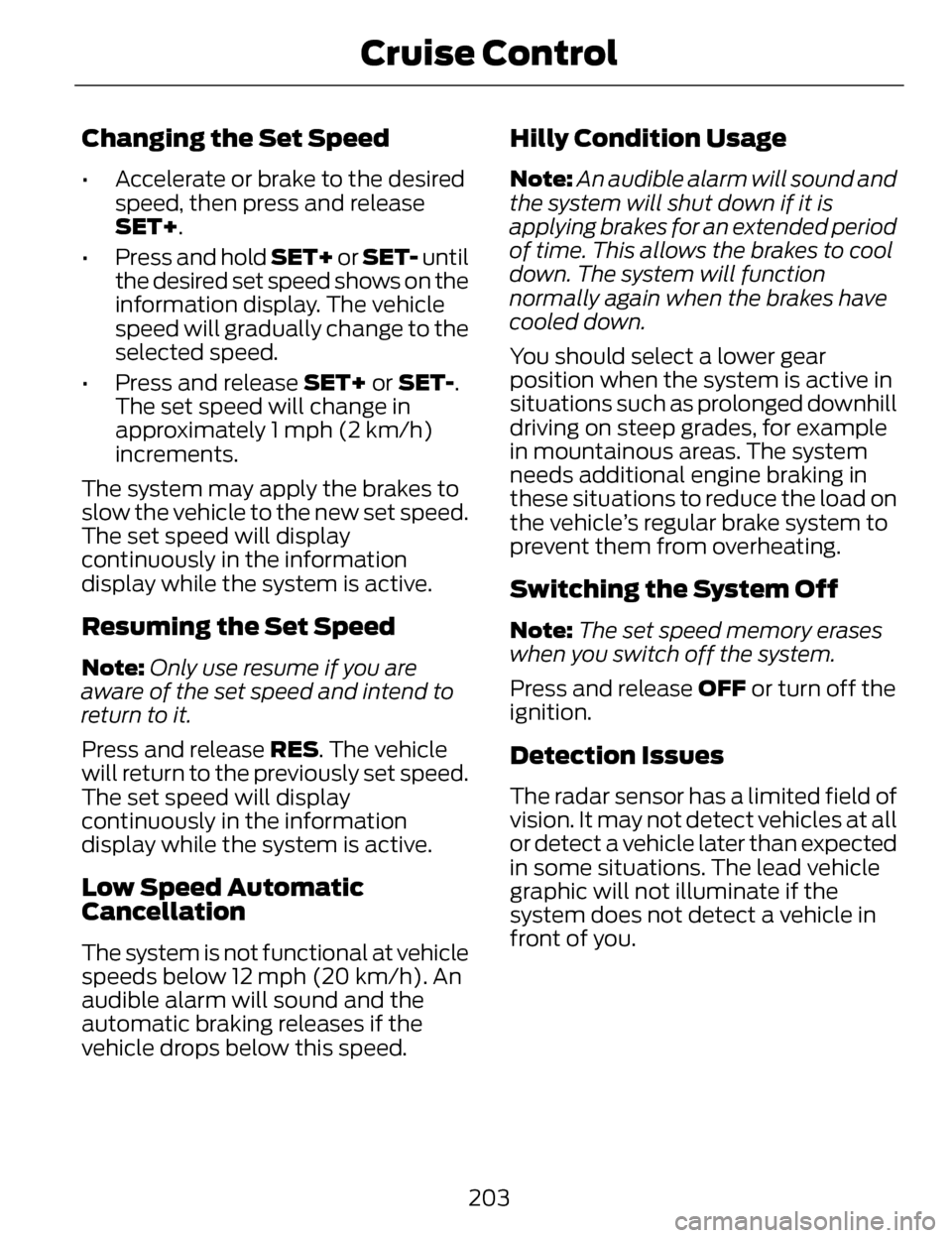
Changing the Set Speed
• Accelerate or brake to the desiredspeed, then press and release
SET+.
• Press and hold SET+ or SET- until the desired set speed shows on the
information display. The vehicle
speed will gradually change to the
selected speed.
• Press and release SET+ or SET-. The set speed will change in
approximately 1 mph (2 km/h)
increments.
The system may apply the brakes to
slow the vehicle to the new set speed.
The set speed will display
continuously in the information
display while the system is active.
Resuming the Set Speed
Note: Only use resume if you are
aware of the set speed and intend to
return to it.
Press and release RES. The vehicle
will return to the previously set speed.
The set speed will display
continuously in the information
display while the system is active.
Low Speed Automatic
Cancellation
The system is not functional at vehicle
speeds below 12 mph (20 km/h). An
audible alarm will sound and the
automatic braking releases if the
vehicle drops below this speed.
Hilly Condition Usage
Note: An audible alarm will sound and
the system will shut down if it is
applying brakes for an extended period
of time. This allows the brakes to cool
down. The system will function
normally again when the brakes have
cooled down.
You should select a lower gear
position when the system is active in
situations such as prolonged downhill
driving on steep grades, for example
in mountainous areas. The system
needs additional engine braking in
these situations to reduce the load on
the vehicle’s regular brake system to
prevent them from overheating.
Switching the System Off
Note: The set speed memory erases
when you switch off the system.
Press and release OFF or turn off the
ignition.
Detection Issues
The radar sensor has a limited field of
vision. It may not detect vehicles at all
or detect a vehicle later than expected
in some situations. The lead vehicle
graphic will not illuminate if the
system does not detect a vehicle in
front of you.
203
Cruise Control
Page 341 of 468
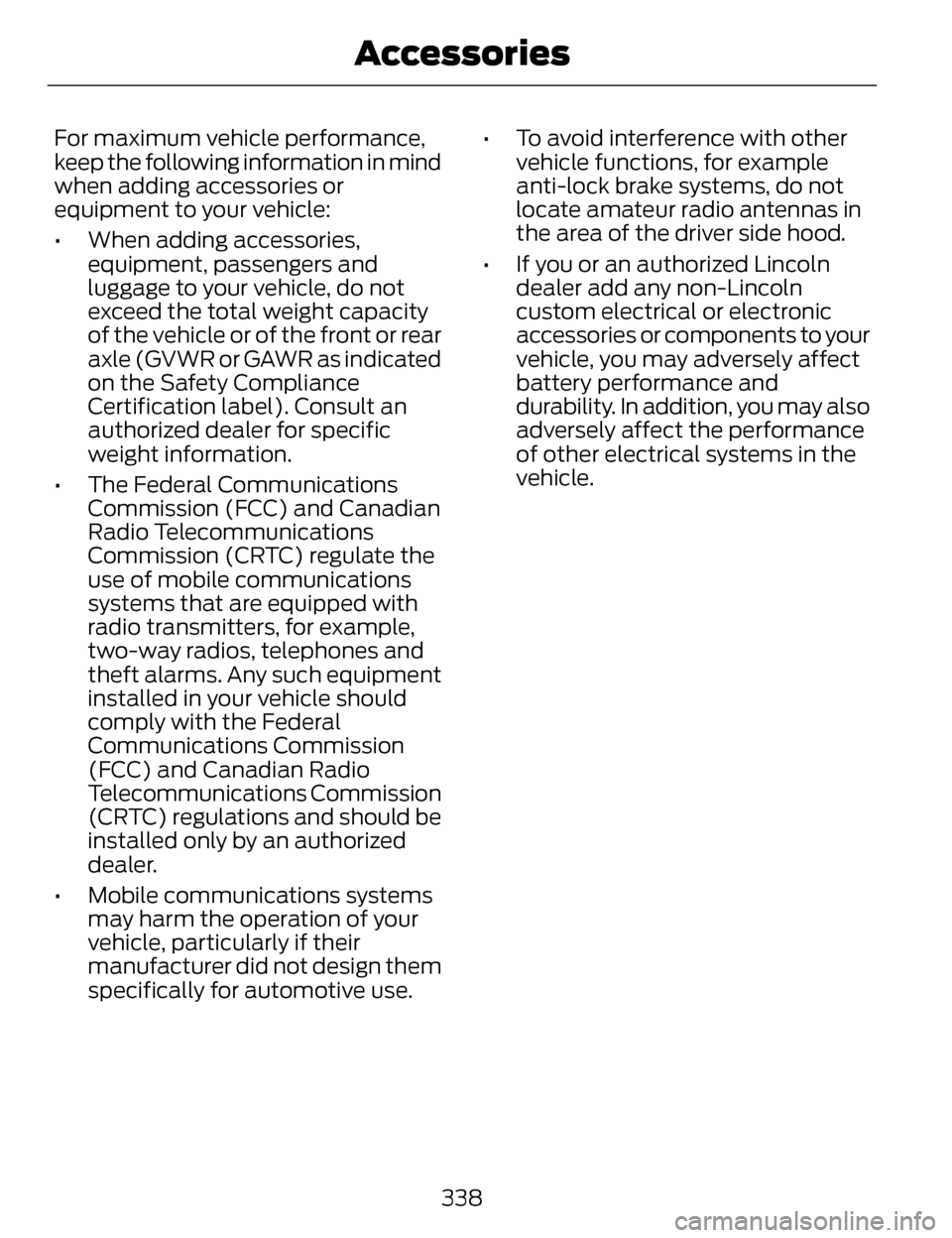
For maximum vehicle performance,
keep the following information in mind
when adding accessories or
equipment to your vehicle:
• When adding accessories,equipment, passengers and
luggage to your vehicle, do not
exceed the total weight capacity
of the vehicle or of the front or rear
axle (GVWR or GAWR as indicated
on the Safety Compliance
Certification label). Consult an
authorized dealer for specific
weight information.
• The Federal Communications Commission (FCC) and Canadian
Radio Telecommunications
Commission (CRTC) regulate the
use of mobile communications
systems that are equipped with
radio transmitters, for example,
two-way radios, telephones and
theft alarms. Any such equipment
installed in your vehicle should
comply with the Federal
Communications Commission
(FCC) and Canadian Radio
Telecommunications Commission
(CRTC) regulations and should be
installed only by an authorized
dealer.
• Mobile communications systems may harm the operation of your
vehicle, particularly if their
manufacturer did not design them
specifically for automotive use. • To avoid interference with other
vehicle functions, for example
anti-lock brake systems, do not
locate amateur radio antennas in
the area of the driver side hood.
• If you or an authorized Lincoln dealer add any non-Lincoln
custom electrical or electronic
accessories or components to your
vehicle, you may adversely affect
battery performance and
durability. In addition, you may also
adversely affect the performance
of other electrical systems in the
vehicle.
338
Accessories
Page 456 of 468
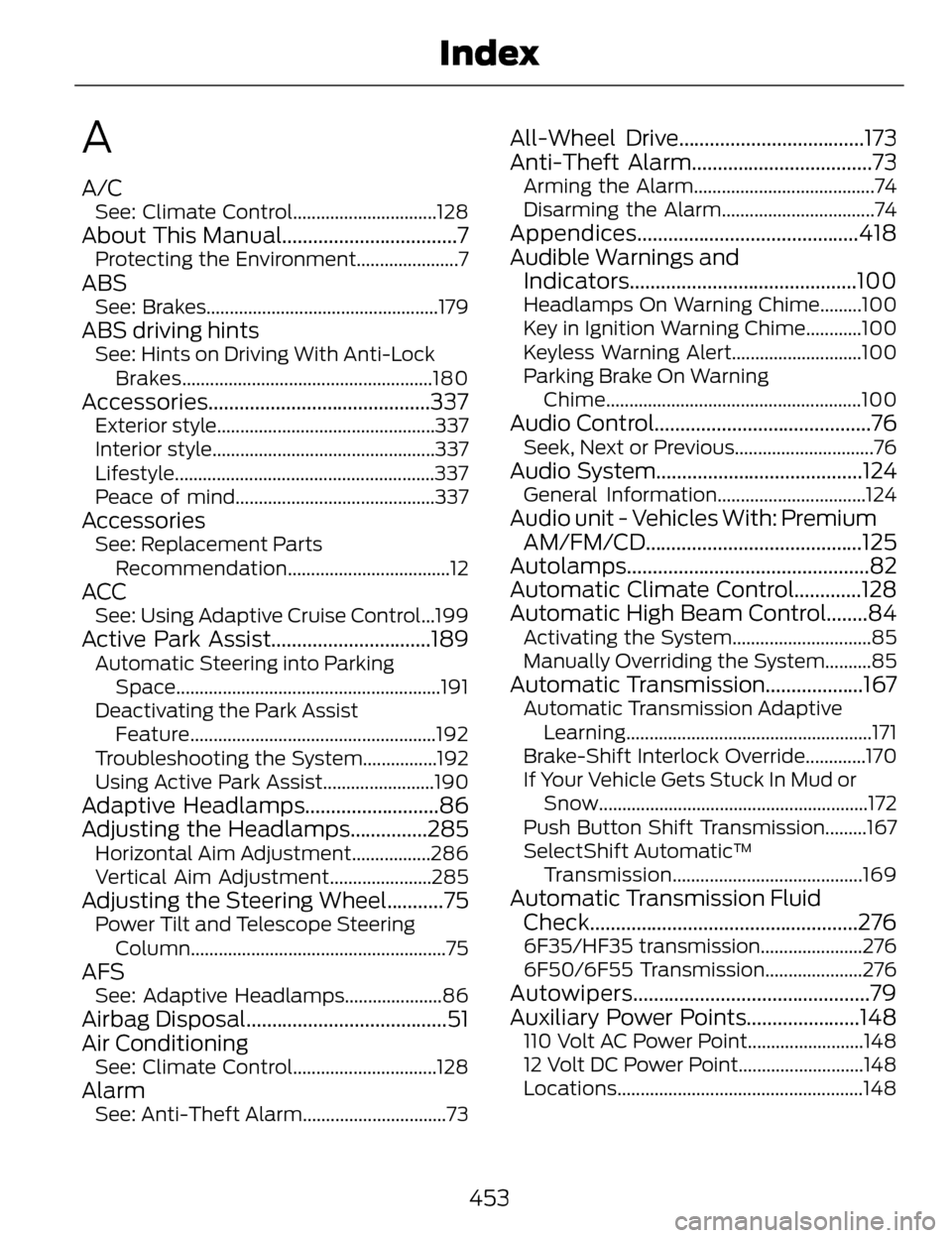
A
A/CSee: Climate Control...............................128
About This Manual..................................7Protecting the Environment......................7
ABSSee: Brakes..................................................179
ABS driving hintsSee: Hints on Driving With Anti-LockBrakes......................................................180
Accessories ...........................................337Exterior style...............................................337
Interior style................................................337
Lifestyle........................................................337
Peace of mind...........................................337
AccessoriesSee: Replacement Parts
Recommendation...................................12
ACCSee: Using Adaptive Cruise Control...199
Active Park Assist...............................189Automatic Steering into ParkingSpace.........................................................191
Deactivating the Park Assist Feature.....................................................192
Troubleshooting the System................192
Using Active Park Assist........................190
Adaptive Headlamps..........................86
Adjusting the Headlamps...............285
Horizontal Aim Adjustment.................286
Vertical Aim Adjustment......................285
Adjusting the Steering Wheel...........75Power Tilt and Telescope Steering Column.......................................................75
AFSSee: Adaptive Headlamps.....................86
Airbag Disposal.......................................51
Air Conditioning
See: Climate Control...............................128
AlarmSee: Anti-Theft Alarm...............................73
All-Wheel Drive....................................173
Anti-Theft Alarm...................................73
Arming the Alarm.......................................74
Disarming the Alarm.................................74
Appendices...........................................418
Audible Warnings andIndicators............................................100
Headlamps On Warning Chime.........100
Key in Ignition Warning Chime............100
Keyless Warning Alert............................100
Parking Brake On Warning
Chime....................................................... 100
Audio Control..........................................76Seek, Next or Previous..............................76
Audio System........................................124General Information................................124
Audio unit - Vehicles With: Premium
AM/FM/CD..........................................125
Autolamps...............................................82
Automatic Climate Control.............128
Automatic High Beam Control........84
Activating the System..............................85
Manually Overriding the System..........85
Automatic Transmission...................167Automatic Transmission Adaptive
Learning.....................................................171
Brake-Shift Interlock Override.............170
If Your Vehicle Gets Stuck In Mud or Snow..........................................................172
Push Button Shift Transmission.........167
SelectShift Automatic™ Transmission.........................................169
Automatic Transmission FluidCheck....................................................276
6F35/HF35 transmission......................276
6F50/6F55 Transmission.....................276
Autowipers..............................................79
Auxiliary Power Points......................148
110 Volt AC Power Point.........................148
12 Volt DC Power Point...........................148
Locations.....................................................148
453
Index
Page 461 of 468
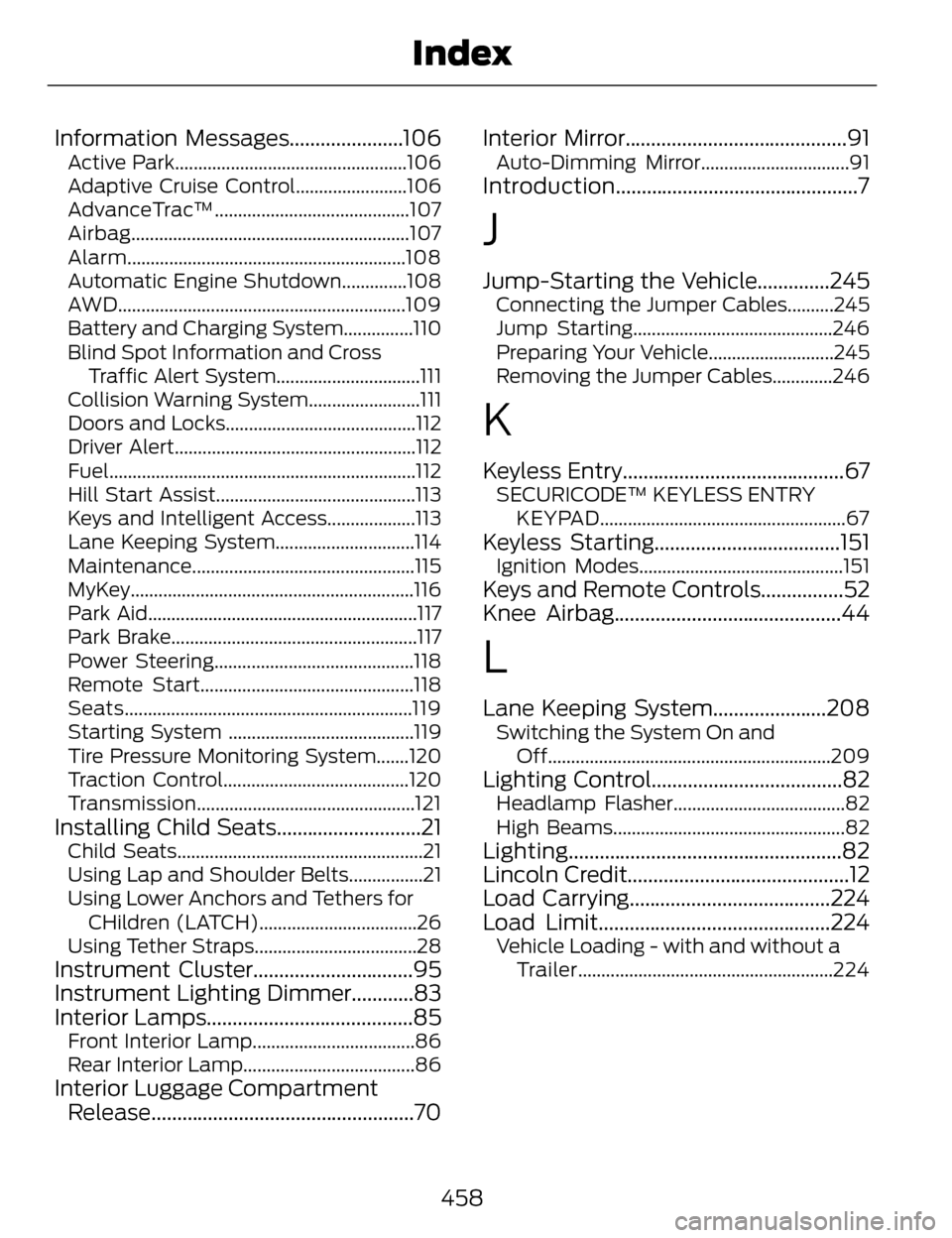
Information Messages......................106Active Park..................................................106
Adaptive Cruise Control........................106
AdvanceTrac™..........................................107
Airbag............................................................107
Alarm............................................................108
Automatic Engine Shutdown..............108
AWD..............................................................109
Battery and Charging System...............110
Blind Spot Information and CrossTraffic Alert System...............................111
Collision Warning System........................111
Doors and Locks.........................................112
Driver Alert....................................................112
Fuel..................................................................112
Hill Start Assist...........................................113
Keys and Intelligent Access...................113
Lane Keeping System..............................114
Maintenance................................................115
MyKey.............................................................116
Park Aid..........................................................117
Park Brake.....................................................117
Power Steering...........................................118
Remote Start..............................................118
Seats..............................................................119
Starting System ........................................119
Tire Pressure Monitoring System.......120
Traction Control........................................120
Transmission...............................................121
Installing Child Seats............................21Child Seats.....................................................21
Using Lap and Shoulder Belts................21
Using Lower Anchors and Tethers for CHildren (LATCH)..................................26
Using Tether Straps...................................28
Instrument Cluster...............................95
Instrument Lighting Dimmer............83
Interior Lamps........................................85
Front Interior Lamp...................................86
Rear Interior Lamp.....................................86
Interior Luggage Compartment Release...................................................70 Interior Mirror...........................................91
Auto-Dimming Mirror................................91
Introduction...............................................7
J
Jump-Starting the Vehicle..............245Connecting the Jumper Cables..........245
Jump Starting...........................................246
Preparing Your Vehicle...........................245
Removing the Jumper Cables.............246
K
Keyless Entry...........................................67SECURICODE™ KEYLESS ENTRY
KEYPAD.....................................................67
Keyless Starting....................................151Ignition Modes............................................151
Keys and Remote Controls................52
Knee Airbag............................................44
L
Lane Keeping System......................208Switching the System On andOff.............................................................209
Lighting Control.....................................82Headlamp Flasher.....................................82
High Beams..................................................82
Lighting.....................................................82
Lincoln Credit...........................................12
Load Carrying.......................................224
Load Limit.............................................224
Vehicle Loading - with and without aTrailer.......................................................224
458
Index
Page 463 of 468
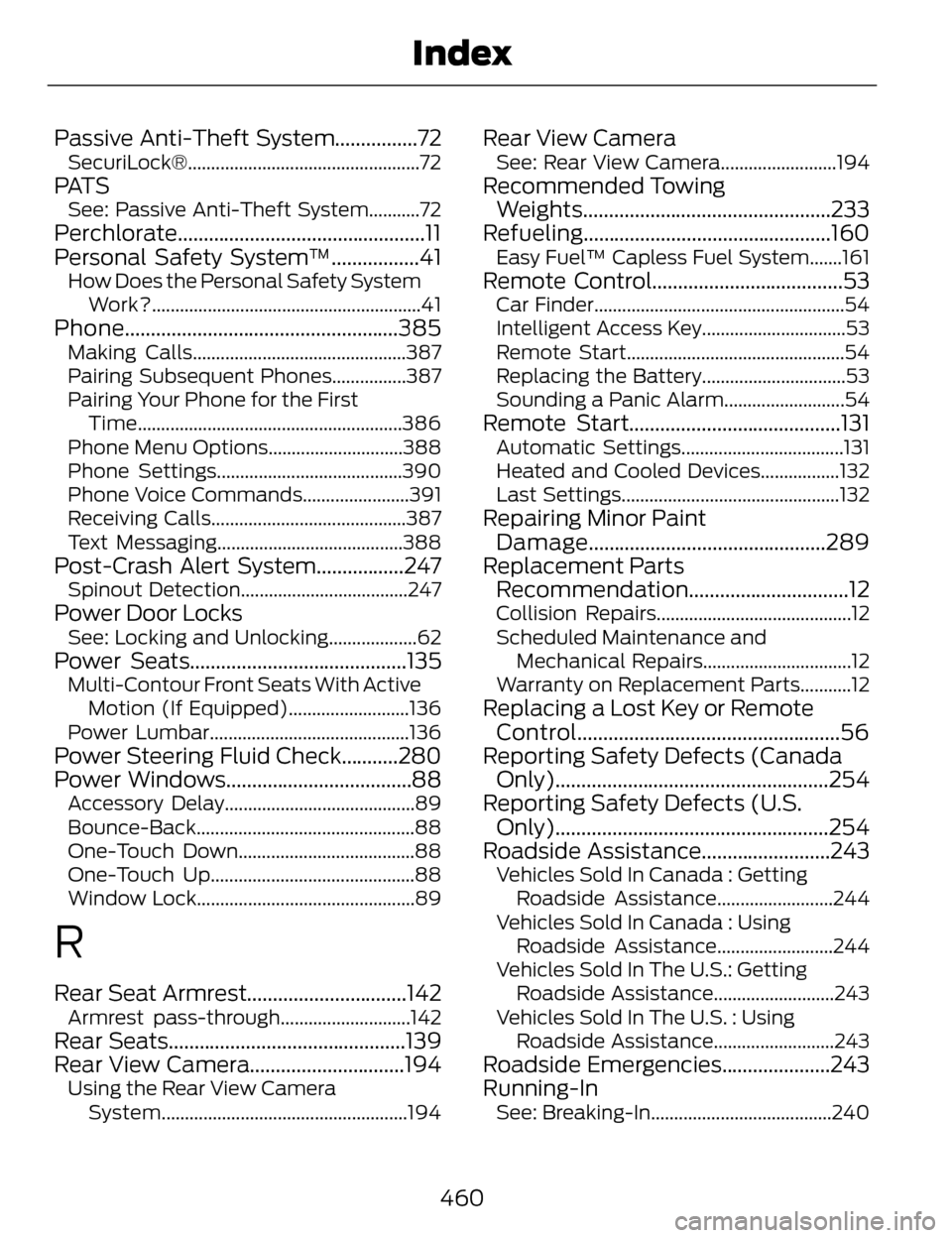
Passive Anti-Theft System................72SecuriLock®..................................................72
PAT SSee: Passive Anti-Theft System...........72
Perchlorate................................................11
Personal Safety System™.................41
How Does the Personal Safety SystemWork?..........................................................41
Phone.....................................................385Making Calls..............................................387
Pairing Subsequent Phones................387
Pairing Your Phone for the FirstTime.........................................................386
Phone Menu Options.............................388
Phone Settings........................................390
Phone Voice Commands.......................391
Receiving Calls..........................................387
Text Messaging........................................388
Post-Crash Alert System.................247Spinout Detection....................................247
Power Door LocksSee: Locking and Unlocking...................62
Power Seats..........................................135Multi-Contour Front Seats With Active Motion (If Equipped)..........................136
Power Lumbar...........................................136
Power Steering Fluid Check...........280
Power Windows....................................88
Accessory Delay.........................................89
Bounce-Back...............................................88
One-Touch Down......................................88
One-Touch Up............................................88
Window Lock...............................................89
R
Rear Seat Armrest...............................142Armrest pass-through............................142
Rear Seats..............................................139
Rear View Camera..............................194
Using the Rear View Camera System.....................................................194
Rear View CameraSee: Rear View Camera.........................194
Recommended TowingWeights................................................233
Refueling................................................160
Easy Fuel™ Capless Fuel System.......161
Remote Control.....................................53Car Finder......................................................54
Intelligent Access Key...............................53
Remote Start...............................................54
Replacing the Battery...............................53
Sounding a Panic Alarm..........................54
Remote Start.........................................131Automatic Settings...................................131
Heated and Cooled Devices.................132
Last Settings...............................................132
Repairing Minor Paint Damage..............................................289
Replacement Parts Recommendation...............................12
Collision Repairs..........................................12
Scheduled Maintenance and
Mechanical Repairs................................12
Warranty on Replacement Parts...........12
Replacing a Lost Key or Remote Control...................................................56
Reporting Safety Defects (Canada Only).....................................................254
Reporting Safety Defects (U.S. Only).....................................................254
Roadside Assistance.........................243
Vehicles Sold In Canada : Getting
Roadside Assistance.........................244
Vehicles Sold In Canada : Using Roadside Assistance.........................244
Vehicles Sold In The U.S.: Getting Roadside Assistance..........................243
Vehicles Sold In The U.S. : Using Roadside Assistance..........................243
Roadside Emergencies.....................243
Running-In
See: Breaking-In.......................................240
460
Index