Head LINCOLN MKZ 2014 Service Manual
[x] Cancel search | Manufacturer: LINCOLN, Model Year: 2014, Model line: MKZ, Model: LINCOLN MKZ 2014Pages: 468, PDF Size: 4.49 MB
Page 288 of 468
ADJUSTING THE
HEADLAMPS
Vertical Aim Adjustment
The headlamps on your vehicle are
properly aimed at the assembly plant.
If your vehicle has been in an accident,
the alignment of your headlamps
should be checked by your authorized
dealer.
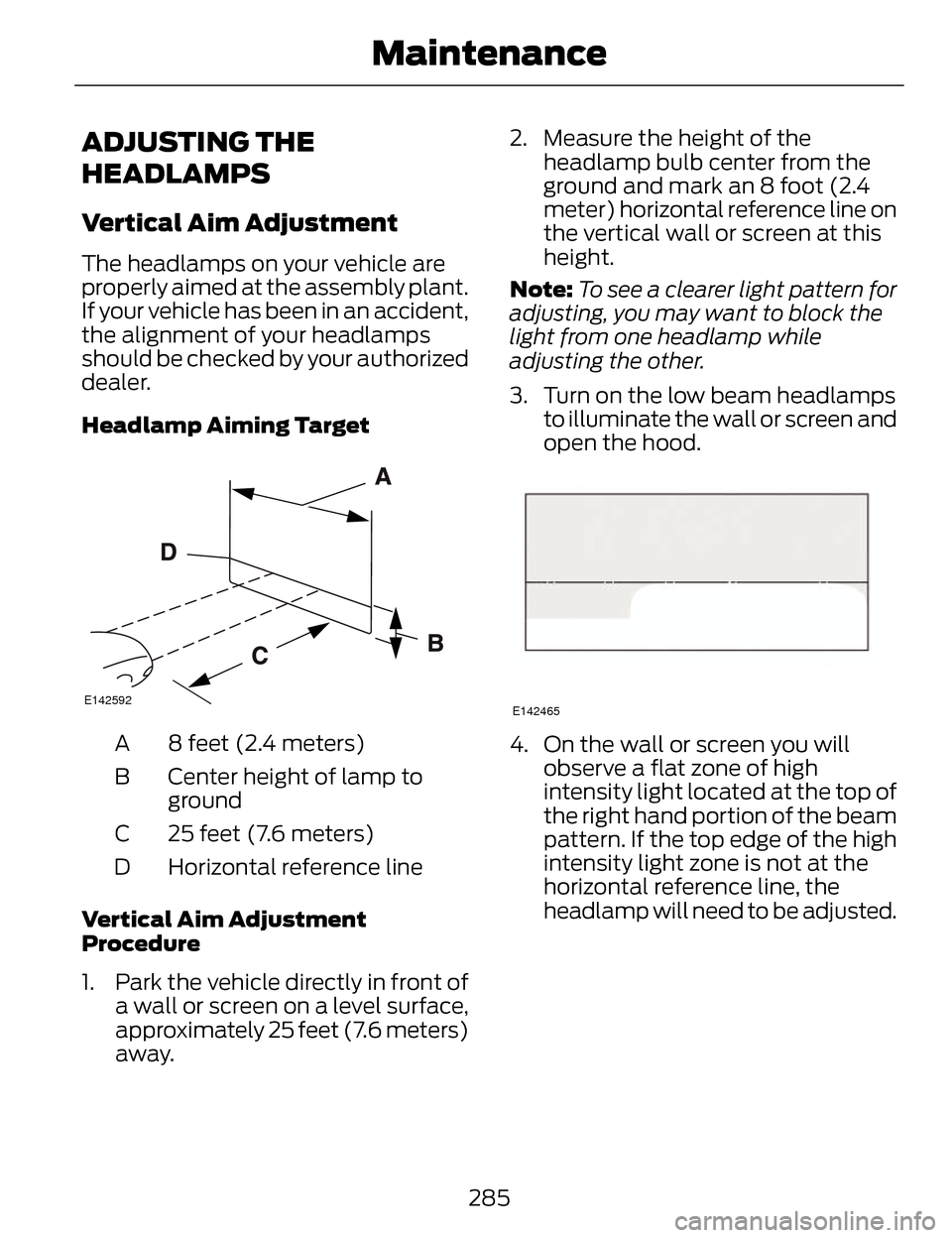
Headlamp Aiming Target
E142592
8 feet (2.4 meters)
A
Center height of lamp to
ground
B
25 feet (7.6 meters)
C
Horizontal reference line
D
Vertical Aim Adjustment
Procedure
1. Park the vehicle directly in front of a wall or screen on a level surface,
approximately 25 feet (7.6 meters)
away. 2. Measure the height of the
headlamp bulb center from the
ground and mark an 8 foot (2.4
meter) horizontal reference line on
the vertical wall or screen at this
height.
Note: To see a clearer light pattern for
adjusting, you may want to block the
light from one headlamp while
adjusting the other.
3. Turn on the low beam headlamps to illuminate the wall or screen and
open the hood.
E142465
4. On the wall or screen you willobserve a flat zone of high
intensity light located at the top of
the right hand portion of the beam
pattern. If the top edge of the high
intensity light zone is not at the
horizontal reference line, the
headlamp will need to be adjusted.
285
Maintenance
Page 289 of 468
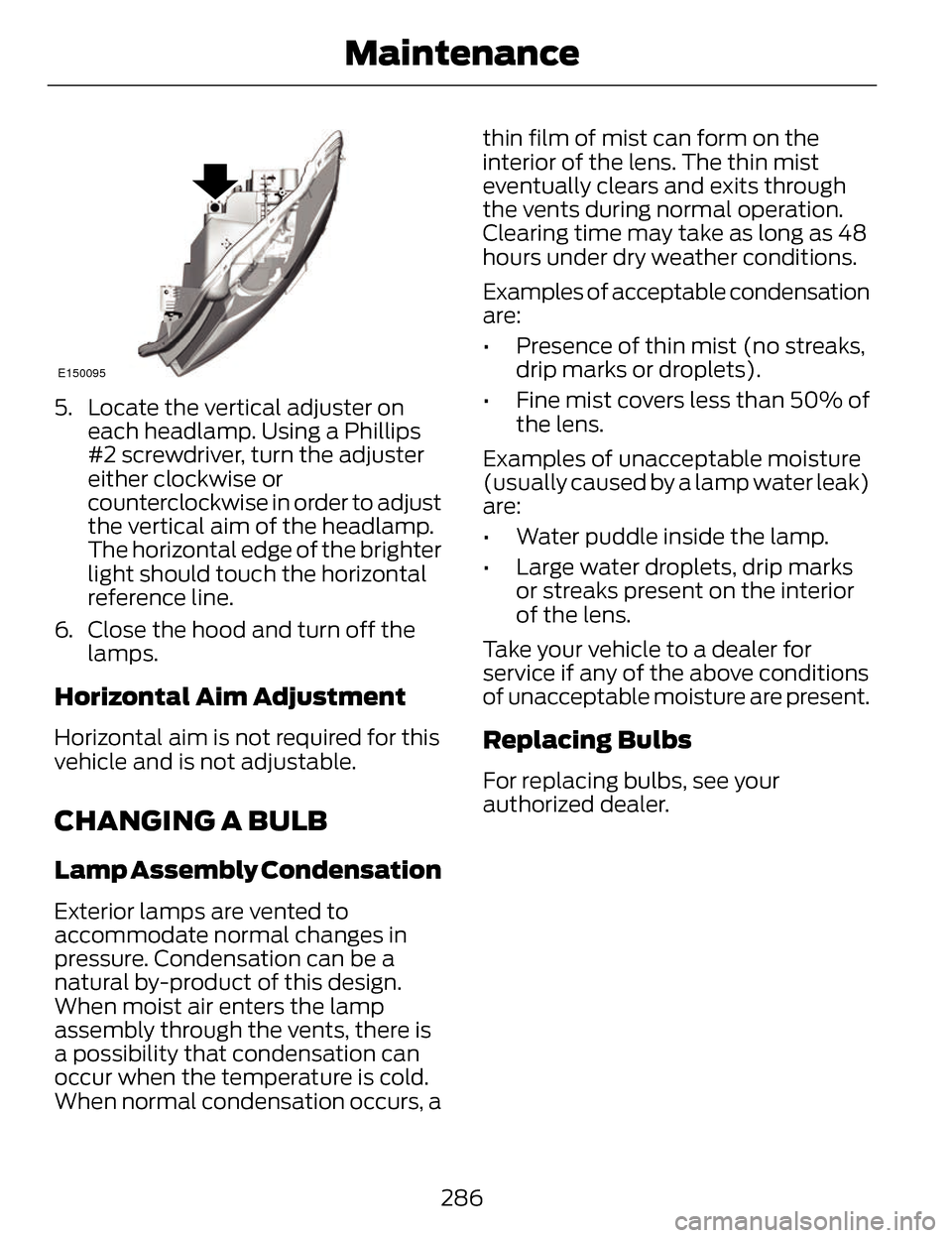
E150095
5. Locate the vertical adjuster oneach headlamp. Using a Phillips
#2 screwdriver, turn the adjuster
either clockwise or
counterclockwise in order to adjust
the vertical aim of the headlamp.
The horizontal edge of the brighter
light should touch the horizontal
reference line.
6. Close the hood and turn off the lamps.
Horizontal Aim Adjustment
Horizontal aim is not required for this
vehicle and is not adjustable.
CHANGING A BULB
Lamp Assembly Condensation
Exterior lamps are vented to
accommodate normal changes in
pressure. Condensation can be a
natural by-product of this design.
When moist air enters the lamp
assembly through the vents, there is
a possibility that condensation can
occur when the temperature is cold.
When normal condensation occurs, a thin film of mist can form on the
interior of the lens. The thin mist
eventually clears and exits through
the vents during normal operation.
Clearing time may take as long as 48
hours under dry weather conditions.
Examples of acceptable condensation
are:
• Presence of thin mist (no streaks,
drip marks or droplets).
• Fine mist covers less than 50% of the lens.
Examples of unacceptable moisture
(usually caused by a lamp water leak)
are:
• Water puddle inside the lamp.
• Large water droplets, drip marks or streaks present on the interior
of the lens.
Take your vehicle to a dealer for
service if any of the above conditions
of unacceptable moisture are present.
Replacing Bulbs
For replacing bulbs, see your
authorized dealer.
286
Maintenance
Page 290 of 468
BULB SPECIFICATION
CHART
Replacement bulbs are specified in
the chart below. Headlamp bulbs
must be marked with an authorized
“D.O.T.” for North America to makesure they have the proper lamp
performance, light brightness, light
pattern, and safe visibility. The correct
bulbs will not damage the lamp
assembly or void the lamp assembly
warranty and will provide quality bulb
illumination time.
Trade name
Function
LED
Headlamp high beam
LED
Headlamp low beam
LED
Side marker lamp - front
LED
Park lamp - front
LED
Turn lamp - front
LED
Tail and brake lamp - high series
LED
Tail and brake lamp - low series
LED
Reverse lamp
LED
Turn lamp - rear - high series
LED
Turn lamp - rear - low series
LED
Side marker lamp - rear
LED
License plate lamp
LED
Trunk lamp
LED
High-mount brake lamp
LED
Side repeater lamp
LED
Glove compartment lamp
LED
Interior lamp
To replace any bulb, see your authorized dealer.
287
Maintenance
Page 311 of 468
Information About Uniform
Tire Quality Grading
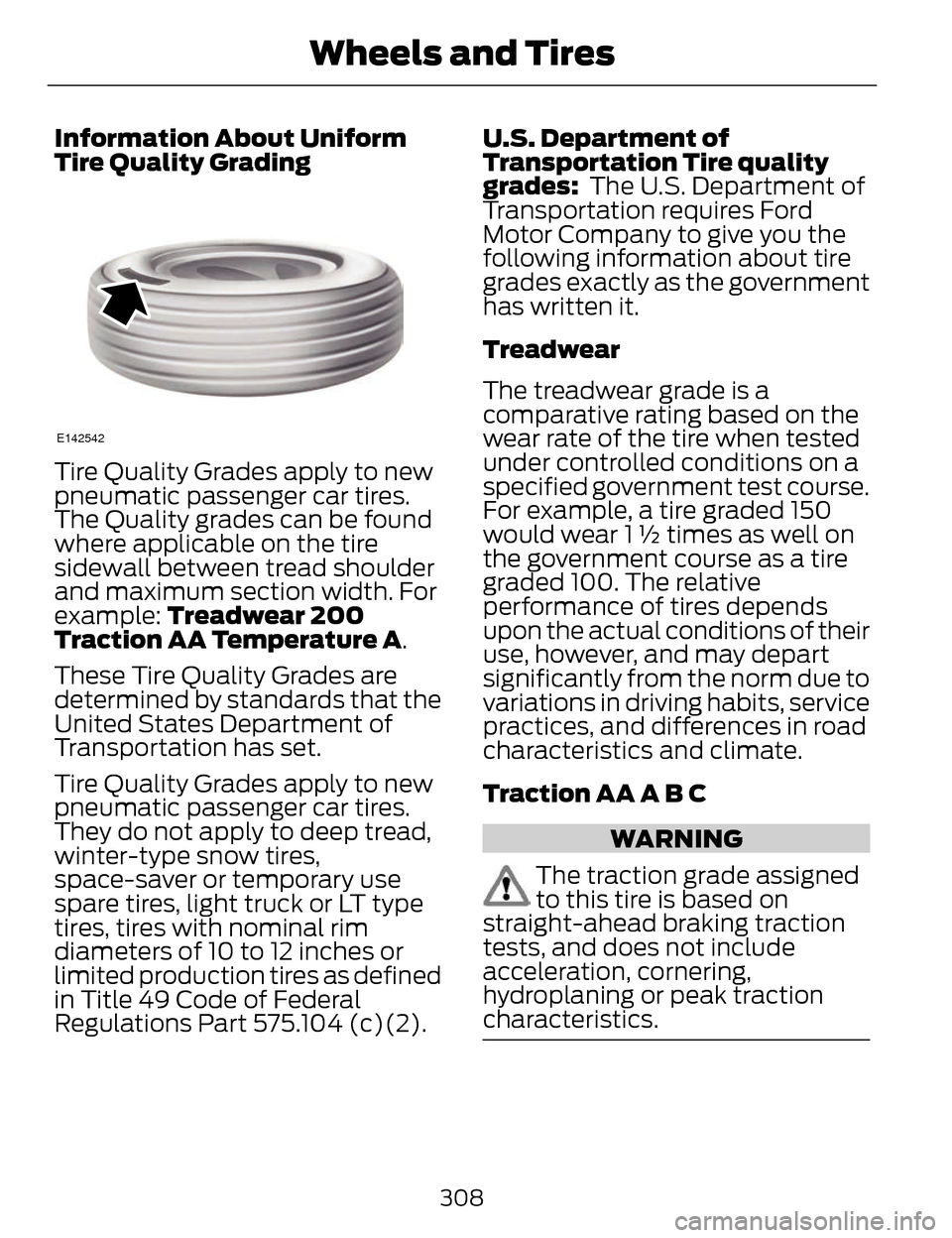
E142542
Tire Quality Grades apply to new
pneumatic passenger car tires.
The Quality grades can be found
where applicable on the tire
sidewall between tread shoulder
and maximum section width. For
example: Treadwear 200
Traction AA Temperature A.
These Tire Quality Grades are
determined by standards that the
United States Department of
Transportation has set.
Tire Quality Grades apply to new
pneumatic passenger car tires.
They do not apply to deep tread,
winter-type snow tires,
space-saver or temporary use
spare tires, light truck or LT type
tires, tires with nominal rim
diameters of 10 to 12 inches or
limited production tires as defined
in Title 49 Code of Federal
Regulations Part 575.104 (c)(2). U.S. Department of
Transportation Tire quality
grades:
The U.S. Department of
Transportation requires Ford
Motor Company to give you the
following information about tire
grades exactly as the government
has written it.
Treadwear
The treadwear grade is a
comparative rating based on the
wear rate of the tire when tested
under controlled conditions on a
specified government test course.
For example, a tire graded 150
would wear 1 ½ times as well on
the government course as a tire
graded 100. The relative
performance of tires depends
upon the actual conditions of their
use, however, and may depart
significantly from the norm due to
variations in driving habits, service
practices, and differences in road
characteristics and climate.
Traction AA A B C
WARNING
The traction grade assigned
to this tire is based on
straight-ahead braking traction
tests, and does not include
acceleration, cornering,
hydroplaning or peak traction
characteristics.
308
Wheels and Tires
Page 387 of 468
WARNINGS
Store the portable music player
in a secure location, such as the
center console or the glove box, when
your vehicle is moving. Hard objects
may become projectiles in a crash or
sudden stop, which may increase the
risk of serious injury. The audio
extension cable must be long enough
to allow the portable music player to
be safely stored while your vehicle is
moving.
E142622
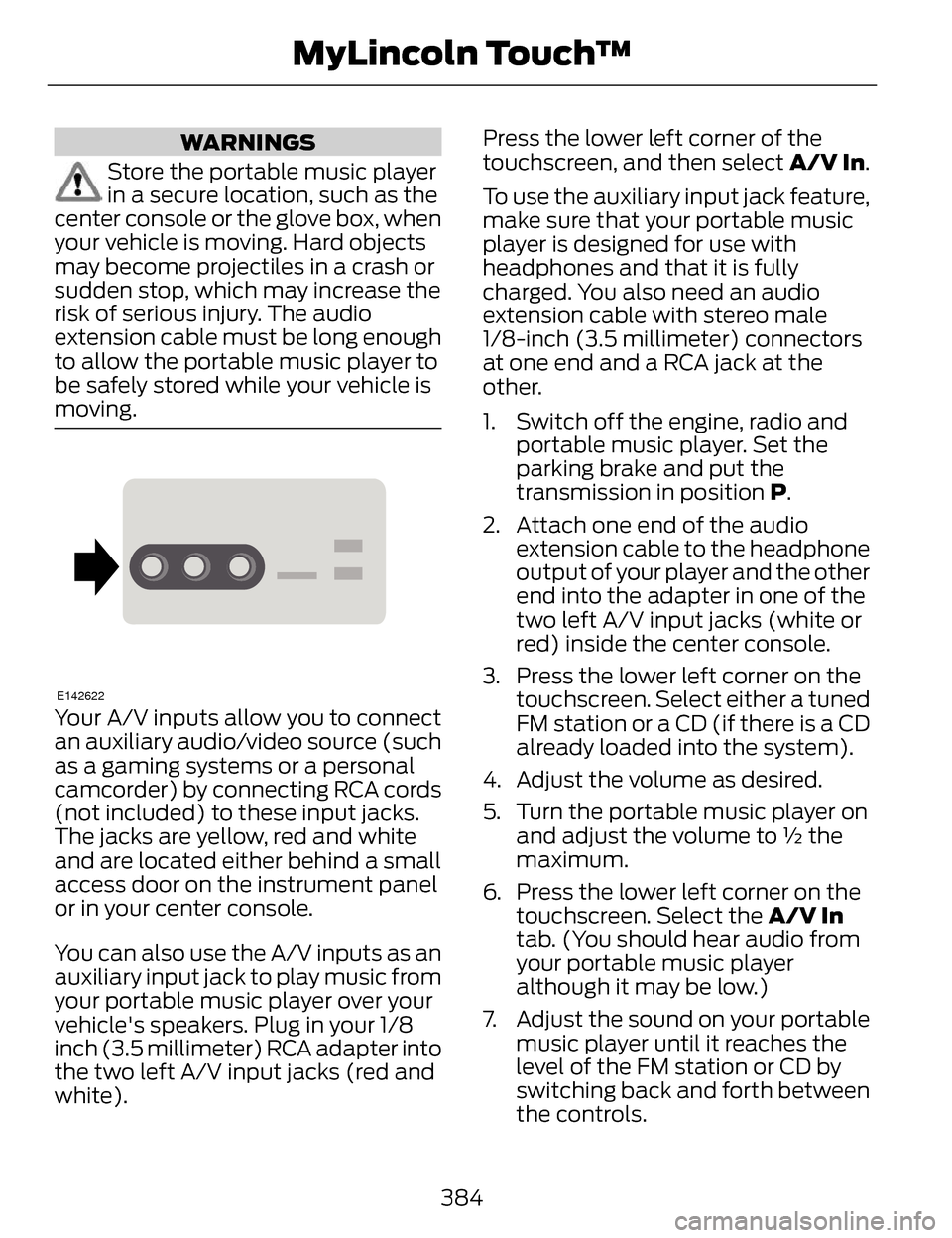
Your A/V inputs allow you to connect
an auxiliary audio/video source (such
as a gaming systems or a personal
camcorder) by connecting RCA cords
(not included) to these input jacks.
The jacks are yellow, red and white
and are located either behind a small
access door on the instrument panel
or in your center console.
You can also use the A/V inputs as an
auxiliary input jack to play music from
your portable music player over your
vehicle's speakers. Plug in your 1/8
inch (3.5 millimeter) RCA adapter into
the two left A/V input jacks (red and
white). Press the lower left corner of the
touchscreen, and then select
A/V In.
To use the auxiliary input jack feature,
make sure that your portable music
player is designed for use with
headphones and that it is fully
charged. You also need an audio
extension cable with stereo male
1/8-inch (3.5 millimeter) connectors
at one end and a RCA jack at the
other.
1. Switch off the engine, radio and portable music player. Set the
parking brake and put the
transmission in position P.
2. Attach one end of the audio extension cable to the headphone
output of your player and the other
end into the adapter in one of the
two left A/V input jacks (white or
red) inside the center console.
3. Press the lower left corner on the touchscreen. Select either a tuned
FM station or a CD (if there is a CD
already loaded into the system).
4. Adjust the volume as desired.
5. Turn the portable music player on and adjust the volume to ½ the
maximum.
6. Press the lower left corner on the touchscreen. Select the A/V In
tab. (You should hear audio from
your portable music player
although it may be low.)
7. Adjust the sound on your portable music player until it reaches the
level of the FM station or CD by
switching back and forth between
the controls.
384
MyLincoln Touch™
Page 388 of 468
In order to playback video from your
iPod or iPhone, you must have a
special combination USB/RCA
composite video cable (which you can
buy from Apple). When you connect
the cable to your iPod or iPhone, plug
the other end into both the RCA jacks
and the USB port.
Troubleshooting
• Do not connect the audio inputjack to a line level output. The jack
only works correctly with devices
that have a headphone output
with a volume control.
• Do not set the portable music player's volume level higher than
is necessary to match the volume
of the CD or FM radio as this
causes distortion and reduces
sound quality. • If the music sounds distorted at
lower listening levels, turn the
portable music player volume
down. If the problem persists,
replace or recharge the batteries
in the portable media player.
• Control the portable media player in the same manner when used
with headphones, as the auxiliary
input jack does not provide control
(such as Play or Pause) over the
attached portable media player.
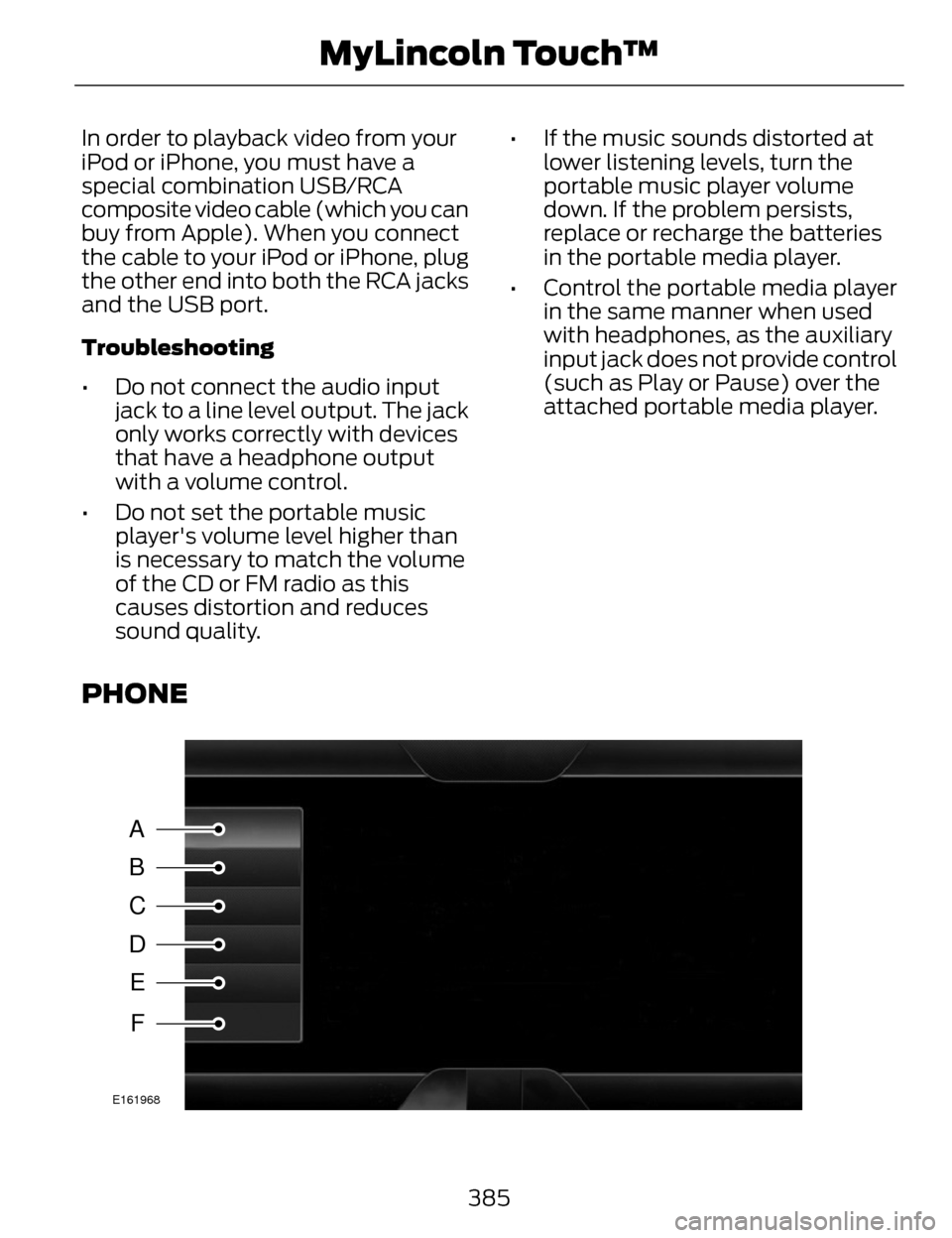
PHONE
A
B
C
D
E
F
E161968
385
MyLincoln Touch™
Page 392 of 468
Note:SYNC does not download read
text messages from your phone.
You can send and receive text
messages using Bluetooth, read them
aloud and translate text messaging
acronyms, such as LOL.
1. Touch the top left corner of the display to access the Phone
menu.
2. Select Messaging.
3. Choose from the following:
• Listen (speaker icon)
• Dial
• Send Text
• View
• Delete.
Composing a Text Message
Note: This is a speed-dependent
feature. It is unavailable when your
vehicle is traveling at speeds over 3
mph (5 km/h).
Note: Downloading and sending text
messages using Bluetooth are
phone-dependent features.
1. Touch the top left corner of the display to access the Phone
menu.
2. Touch Messaging > Send Text.
3. Enter a phone number or choose from your phonebook.
4. You can select from the following options: •
Send, which sends the message
as it is.
• Edit Text, which allows you to
customize the pre-defined
message or create a message on
your own.
You can then preview the message,
verify the recipient as well as update
the message list.
Text message options
I’ll call you back in a few minutes.
I just left, I’ll be there soon.Can you give me a call? I’m on my way.
I’m running a few minutes late.
I’m ahead of schedule, so I’ll be there early.
I’m outside.
I’ll call you when I get there. OK
Ye s No
Thanks
Stuck in traffic. Call me later. LO L
389
MyLincoln Touch™
Page 401 of 468
"SIRIUS TRAVEL LINK"
"5-day weather forecast""Fuel prices"
"Movie listings"
"Sports headlines"
*
"Sports schedules"*
"Sports scores"*
"Traffic"
"Weather"
"Weather map" "Help"
* If you say "Sports headlines", "Sports schedules" or "Sports scores", you can
then say any of the commands in the following chart.
Sports-related Commands*
"Baseball"
"College basketball" "College football" "Golf"
"MLS"
"My teams" "NBA""NFL"
"NHL"
398
MyLincoln Touch™
Page 402 of 468
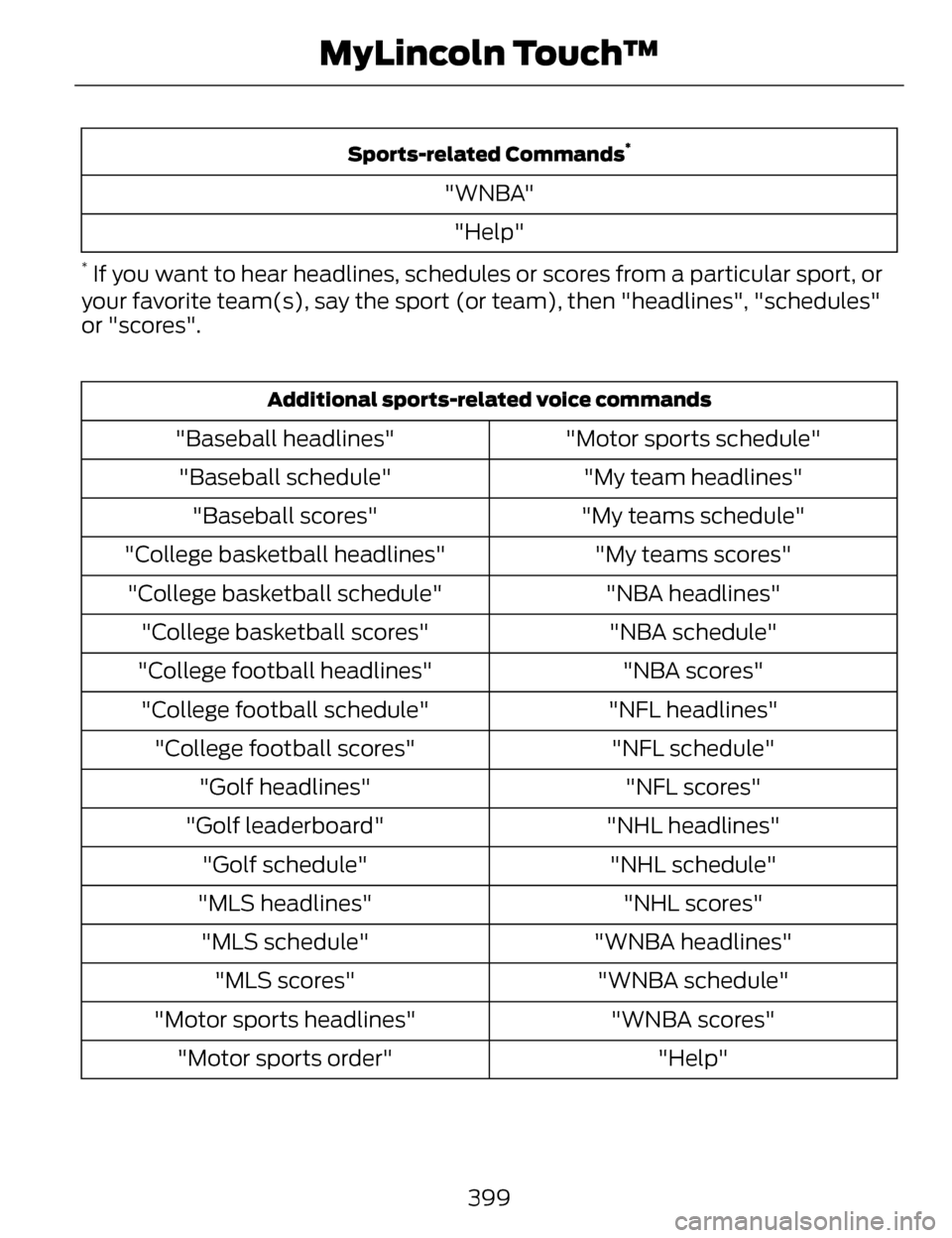
Sports-related Commands*
"WNBA""Help"
* If you want to hear headlines, schedules or scores from a particular sport, or
your favorite team(s), say the sport (or team), then "headlines", "schedules"
or "scores".
Additional sports-related voice commands
"Motor sports schedule"
"Baseball headlines"
"My team headlines"
"Baseball schedule"
"My teams schedule"
"Baseball scores"
"My teams scores"
"College basketball headlines"
"NBA headlines"
"College basketball schedule"
"NBA schedule"
"College basketball scores"
"NBA scores"
"College football headlines"
"NFL headlines"
"College football schedule"
"NFL schedule"
"College football scores"
"NFL scores"
"Golf headlines"
"NHL headlines"
"Golf leaderboard"
"NHL schedule"
"Golf schedule"
"NHL scores"
"MLS headlines"
"WNBA headlines"
"MLS schedule"
"WNBA schedule"
"MLS scores"
"WNBA scores"
"Motor sports headlines"
"Help"
"Motor sports order"
399
MyLincoln Touch™
Page 416 of 468
E162051
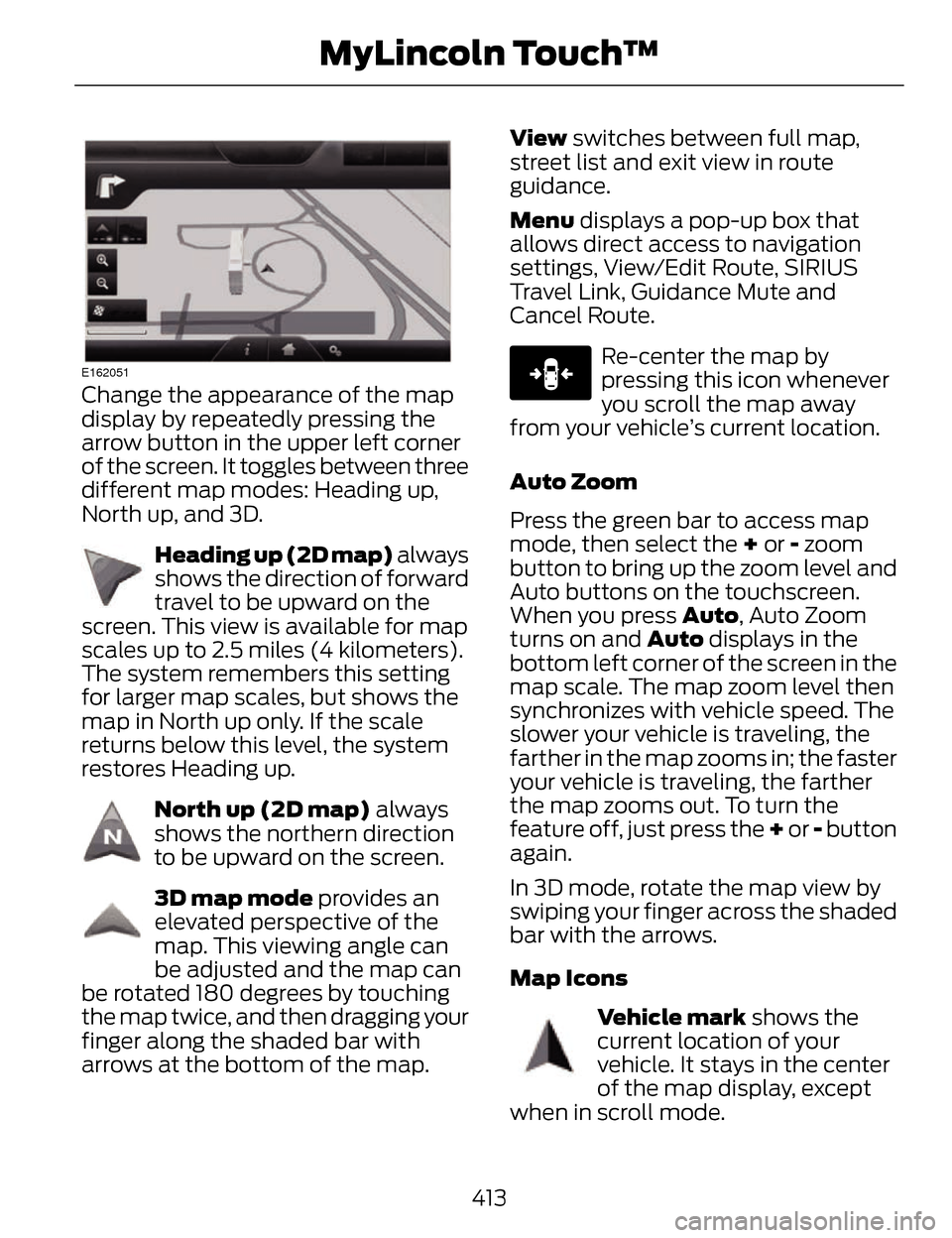
Change the appearance of the map
display by repeatedly pressing the
arrow button in the upper left corner
of the screen. It toggles between three
different map modes: Heading up,
North up, and 3D.
E142642
Heading up (2D map) always
shows the direction of forward
travel to be upward on the
screen. This view is available for map
scales up to 2.5 miles (4 kilometers).
The system remembers this setting
for larger map scales, but shows the
map in North up only. If the scale
returns below this level, the system
restores Heading up.
E142643
North up (2D map) always
shows the northern direction
to be upward on the screen.
E142644
3D map mode provides an
elevated perspective of the
map. This viewing angle can
be adjusted and the map can
be rotated 180 degrees by touching
the map twice, and then dragging your
finger along the shaded bar with
arrows at the bottom of the map. View
switches between full map,
street list and exit view in route
guidance.
Menu displays a pop-up box that
allows direct access to navigation
settings, View/Edit Route, SIRIUS
Travel Link, Guidance Mute and
Cancel Route.
E146188
Re-center the map by
pressing this icon whenever
you scroll the map away
from your vehicle’s current location.
Auto Zoom
Press the green bar to access map
mode, then select the + or - zoom
button to bring up the zoom level and
Auto buttons on the touchscreen.
When you press Auto , Auto Zoom
turns on and Auto displays in the
bottom left corner of the screen in the
map scale. The map zoom level then
synchronizes with vehicle speed. The
slower your vehicle is traveling, the
farther in the map zooms in; the faster
your vehicle is traveling, the farther
the map zooms out. To turn the
feature off, just press the + or - button
again.
In 3D mode, rotate the map view by
swiping your finger across the shaded
bar with the arrows.
Map Icons
E142646
Vehicle mark shows the
current location of your
vehicle. It stays in the center
of the map display, except
when in scroll mode.
413
MyLincoln Touch™