Head LINCOLN MKZ 2014 Owner's Manual
[x] Cancel search | Manufacturer: LINCOLN, Model Year: 2014, Model line: MKZ, Model: LINCOLN MKZ 2014Pages: 468, PDF Size: 4.49 MB
Page 95 of 468
SUN VISORS
E138666
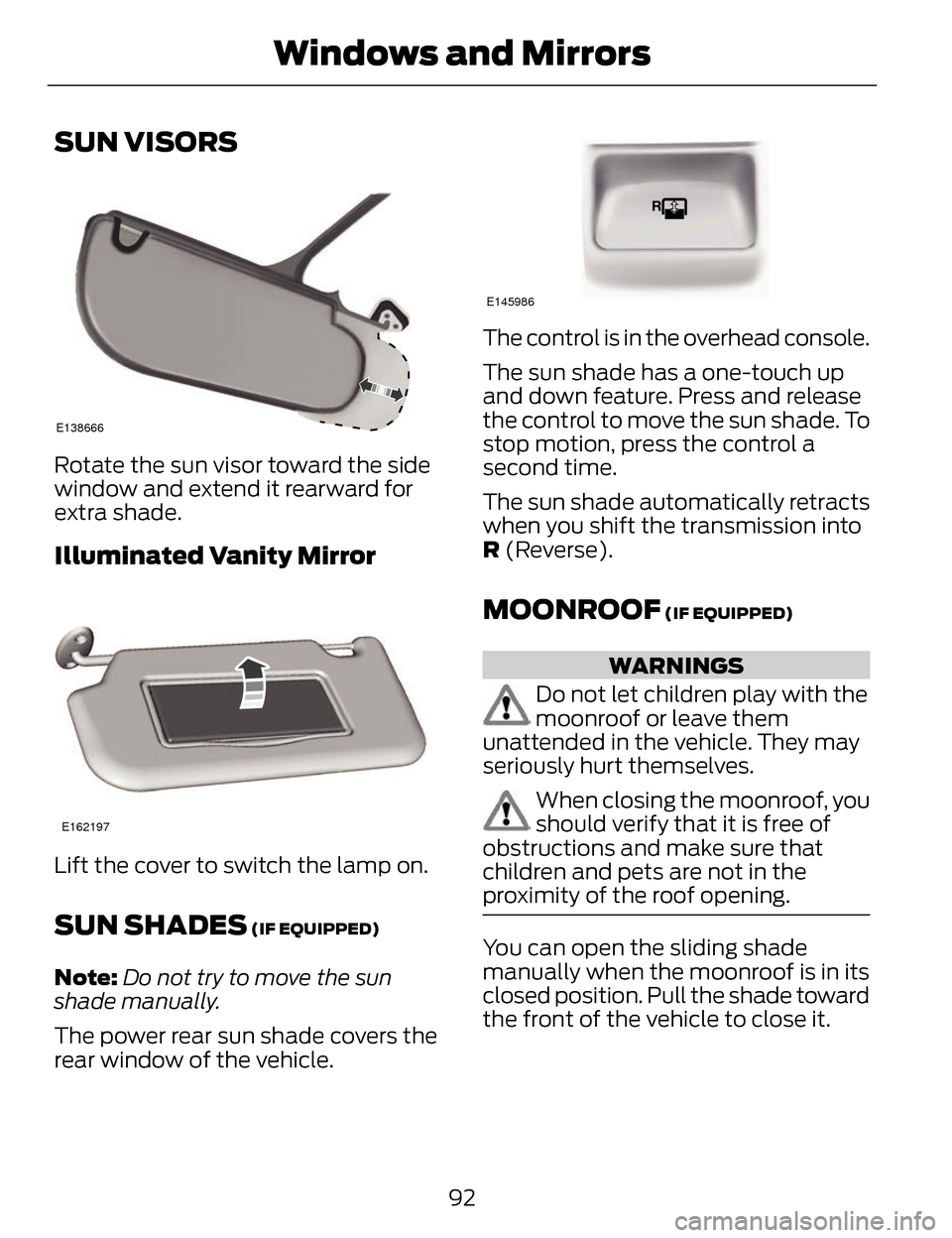
Rotate the sun visor toward the side
window and extend it rearward for
extra shade.
Illuminated Vanity Mirror
E162197
Lift the cover to switch the lamp on.
SUN SHADES (IF EQUIPPED)
Note:Do not try to move the sun
shade manually.
The power rear sun shade covers the
rear window of the vehicle.
E145986
The control is in the overhead console.
The sun shade has a one-touch up
and down feature. Press and release
the control to move the sun shade. To
stop motion, press the control a
second time.
The sun shade automatically retracts
when you shift the transmission into
R (Reverse).
MOONROOF (IF EQUIPPED)
WARNINGS
Do not let children play with the
moonroof or leave them
unattended in the vehicle. They may
seriously hurt themselves.
When closing the moonroof, you
should verify that it is free of
obstructions and make sure that
children and pets are not in the
proximity of the roof opening.
You can open the sliding shade
manually when the moonroof is in its
closed position. Pull the shade toward
the front of the vehicle to close it.
92
Windows and Mirrors
Page 96 of 468
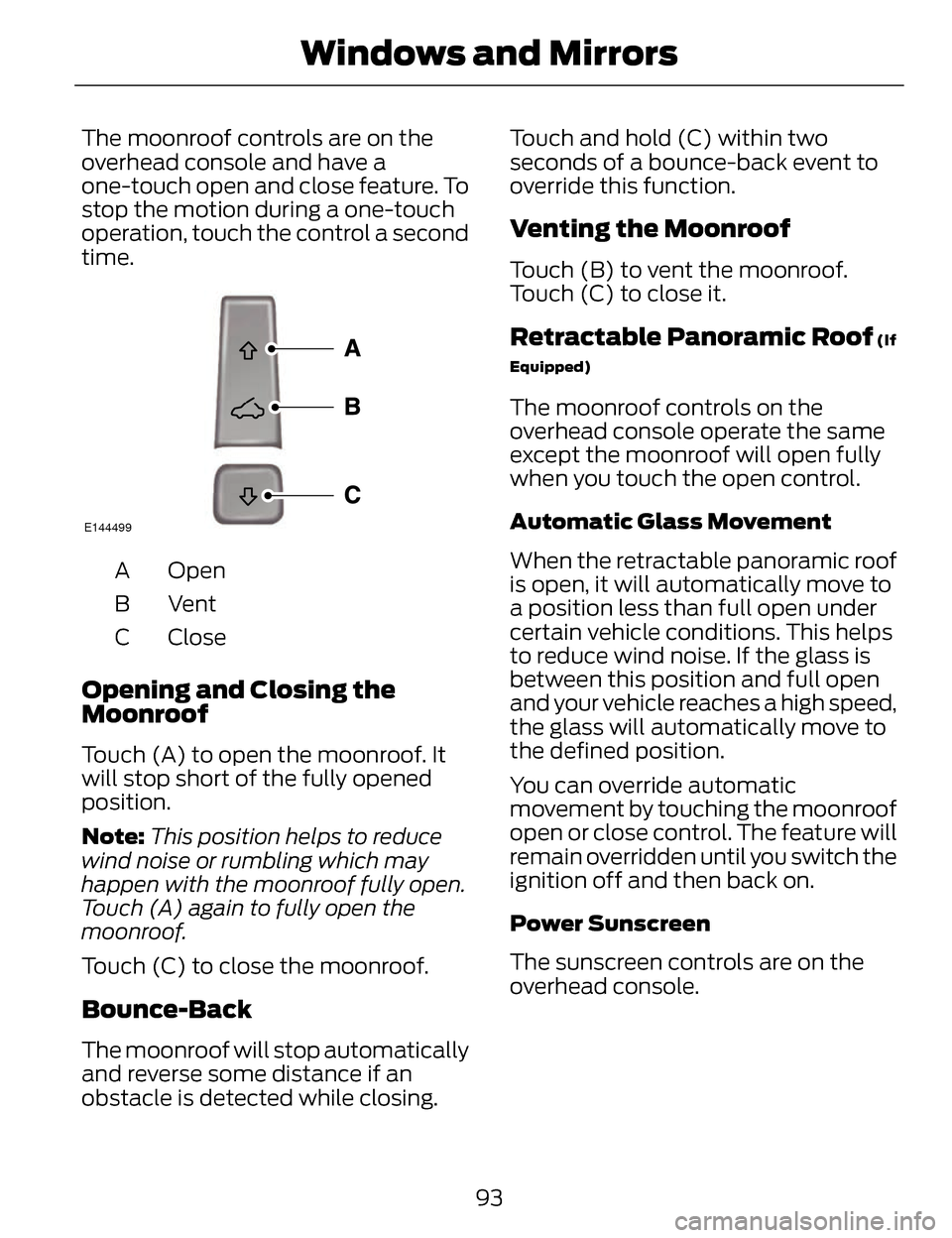
The moonroof controls are on the
overhead console and have a
one-touch open and close feature. To
stop the motion during a one-touch
operation, touch the control a second
time.
E144499
Open
A
VentB
Close
C
Opening and Closing the
Moonroof
Touch (A) to open the moonroof. It
will stop short of the fully opened
position.
Note: This position helps to reduce
wind noise or rumbling which may
happen with the moonroof fully open.
Touch (A) again to fully open the
moonroof.
Touch (C) to close the moonroof.
Bounce-Back
The moonroof will stop automatically
and reverse some distance if an
obstacle is detected while closing. Touch and hold (C) within two
seconds of a bounce-back event to
override this function.
Venting the Moonroof
Touch (B) to vent the moonroof.
Touch (C) to close it.
Retractable Panoramic Roof (If
Equipped)
The moonroof controls on the
overhead console operate the same
except the moonroof will open fully
when you touch the open control.
Automatic Glass Movement
When the retractable panoramic roof
is open, it will automatically move to
a position less than full open under
certain vehicle conditions. This helps
to reduce wind noise. If the glass is
between this position and full open
and your vehicle reaches a high speed,
the glass will automatically move to
the defined position.
You can override automatic
movement by touching the moonroof
open or close control. The feature will
remain overridden until you switch the
ignition off and then back on.
Power Sunscreen
The sunscreen controls are on the
overhead console.
93
Windows and Mirrors
Page 101 of 468
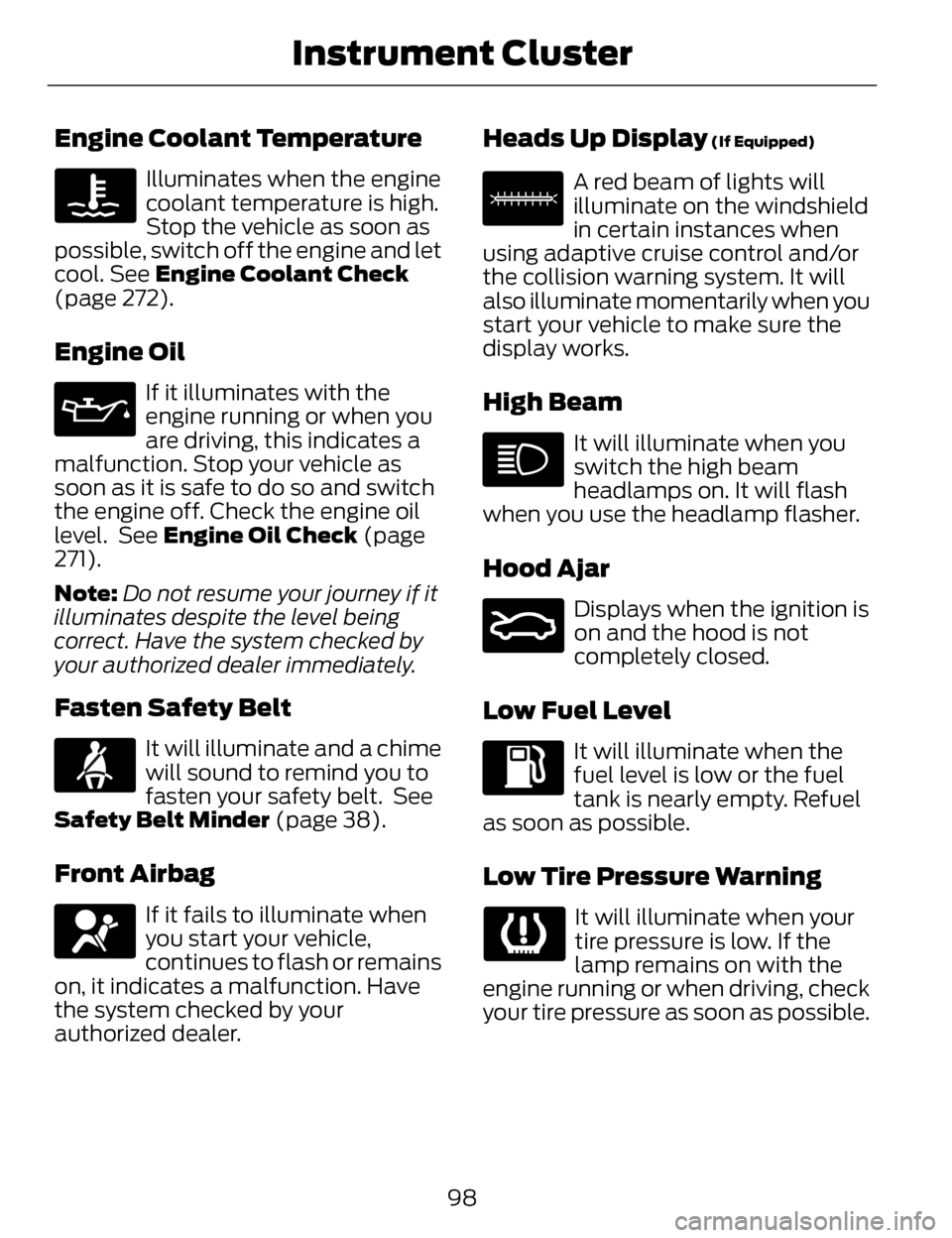
Engine Coolant Temperature
Illuminates when the engine
coolant temperature is high.
Stop the vehicle as soon as
possible, switch off the engine and let
cool. See Engine Coolant Check
(page 272).
Engine Oil
If it illuminates with the
engine running or when you
are driving, this indicates a
malfunction. Stop your vehicle as
soon as it is safe to do so and switch
the engine off. Check the engine oil
level. See Engine Oil Check (page
271).
Note: Do not resume your journey if it
illuminates despite the level being
correct. Have the system checked by
your authorized dealer immediately.
Fasten Safety Belt
It will illuminate and a chime
will sound to remind you to
fasten your safety belt. See
Safety Belt Minder (page 38).
Front Airbag
If it fails to illuminate when
you start your vehicle,
continues to flash or remains
on, it indicates a malfunction. Have
the system checked by your
authorized dealer.
Heads Up Display (If Equipped)
E156133
A red beam of lights will
illuminate on the windshield
in certain instances when
using adaptive cruise control and/or
the collision warning system. It will
also illuminate momentarily when you
start your vehicle to make sure the
display works.
High Beam
It will illuminate when you
switch the high beam
headlamps on. It will flash
when you use the headlamp flasher.
Hood Ajar
E159324
Displays when the ignition is
on and the hood is not
completely closed.
Low Fuel Level
It will illuminate when the
fuel level is low or the fuel
tank is nearly empty. Refuel
as soon as possible.
Low Tire Pressure Warning
It will illuminate when your
tire pressure is low. If the
lamp remains on with the
engine running or when driving, check
your tire pressure as soon as possible.
98
Instrument Cluster
Page 103 of 468
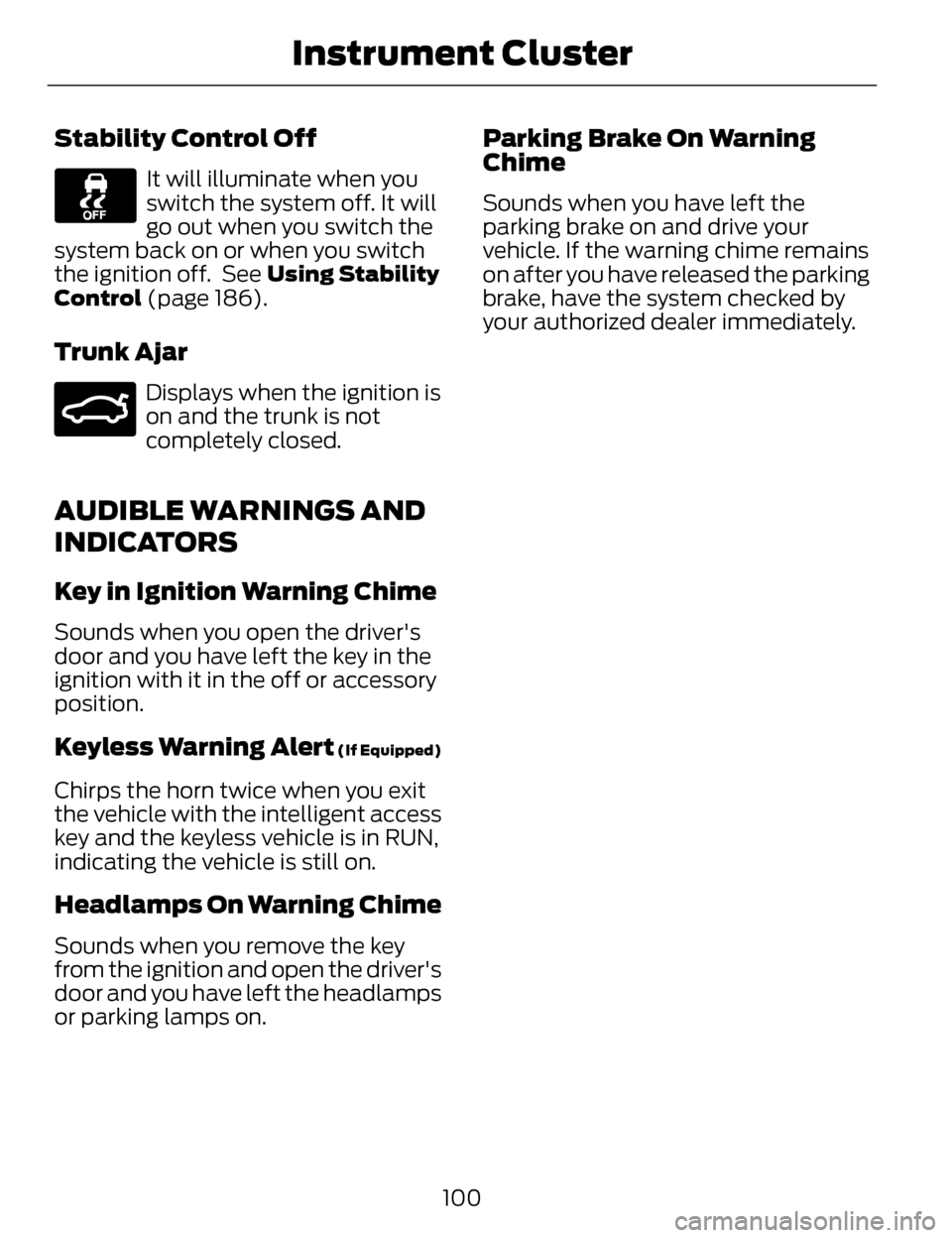
Stability Control Off
It will illuminate when you
switch the system off. It will
go out when you switch the
system back on or when you switch
the ignition off. See Using Stability
Control (page 186).
Trunk Ajar
E159323
Displays when the ignition is
on and the trunk is not
completely closed.
AUDIBLE WARNINGS AND
INDICATORS
Key in Ignition Warning Chime
Sounds when you open the driver's
door and you have left the key in the
ignition with it in the off or accessory
position.
Keyless Warning Alert (If Equipped)
Chirps the horn twice when you exit
the vehicle with the intelligent access
key and the keyless vehicle is in RUN,
indicating the vehicle is still on.
Headlamps On Warning Chime
Sounds when you remove the key
from the ignition and open the driver's
door and you have left the headlamps
or parking lamps on.
Parking Brake On Warning
Chime
Sounds when you have left the
parking brake on and drive your
vehicle. If the warning chime remains
on after you have released the parking
brake, have the system checked by
your authorized dealer immediately.
100
Instrument Cluster
Page 106 of 468
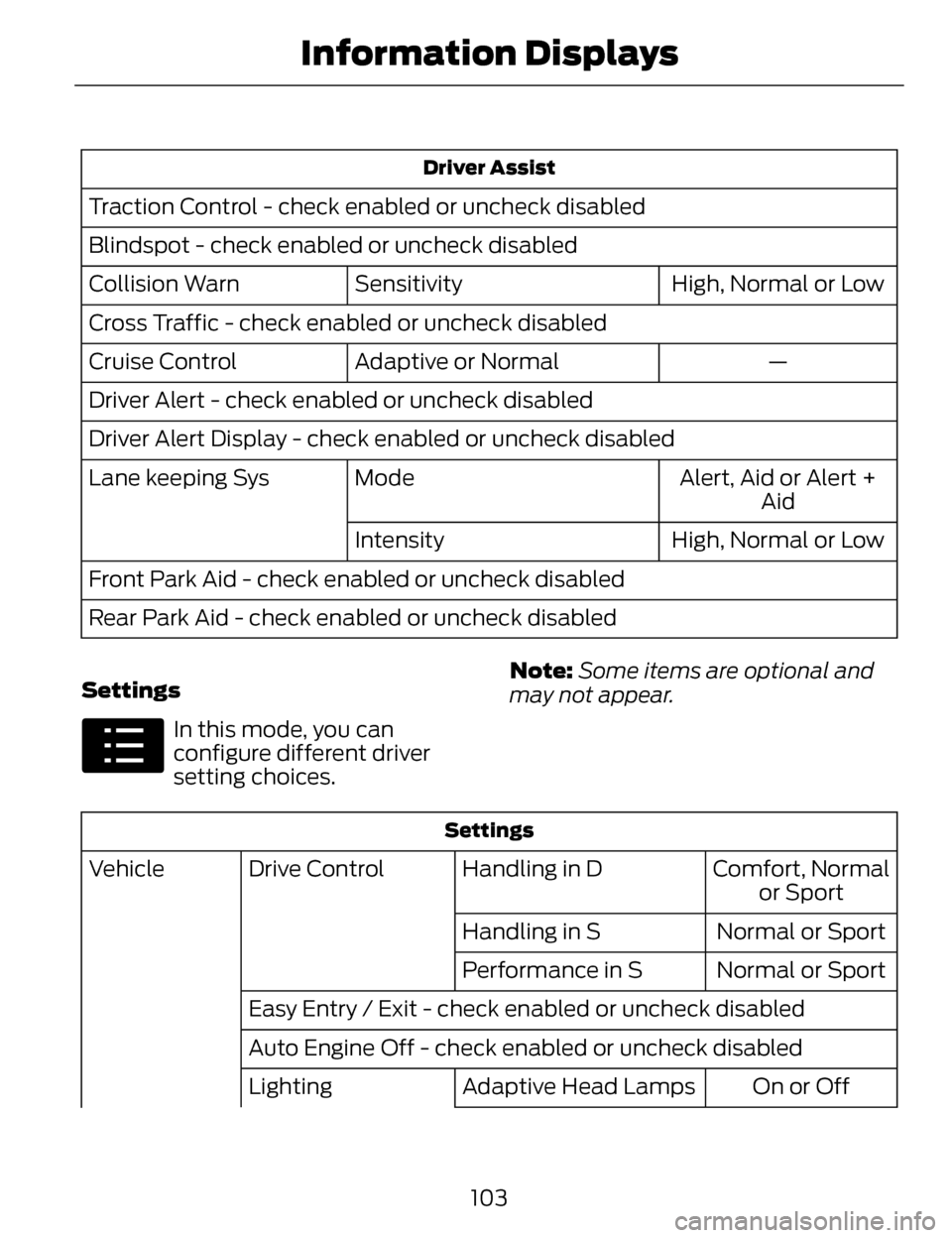
Driver Assist
Traction Control - check enabled or uncheck disabled
Blindspot - check enabled or uncheck disabledHigh, Normal or Low
Sensitivity
Collision Warn
Cross Traffic - check enabled or uncheck disabled
—
Adaptive or Normal
Cruise Control
Driver Alert - check enabled or uncheck disabled
Driver Alert Display - check enabled or uncheck disabled
Alert, Aid or Alert +Aid
Mode
Lane keeping Sys
High, Normal or Low
Intensity
Front Park Aid - check enabled or uncheck disabled
Rear Park Aid - check enabled or uncheck disabled
Settings
E100023
In this mode, you can
configure different driver
setting choices. Note:
Some items are optional and
may not appear.
Settings
Comfort, Normal or Sport
Handling in D
Drive Control
Vehicle
Normal or Sport
Handling in S
Normal or Sport
Performance in S
Easy Entry / Exit - check enabled or uncheck disabled
Auto Engine Off - check enabled or uncheck disabled On or Off
Adaptive Head Lamps
Lighting
103
Information Displays
Page 136 of 468
SITTING IN THE CORRECT
POSITION
WARNINGS
Sitting improperly, out of
position or with the seat back
reclined too far can take weight off
the seat cushion and affect the
decision of the passenger sensing
system, resulting in serious injury or
death in the event of a crash. Always
sit upright against your seat back, with
your feet on the floor.
Do not recline the seat back as
this can cause the occupant to
slide under the safety belt, resulting
in serious injury in the event of a crash.
Do not place objects higher than
the seat back to reduce the risk
of serious injury in the event of a crash
or during heavy braking.
E68595
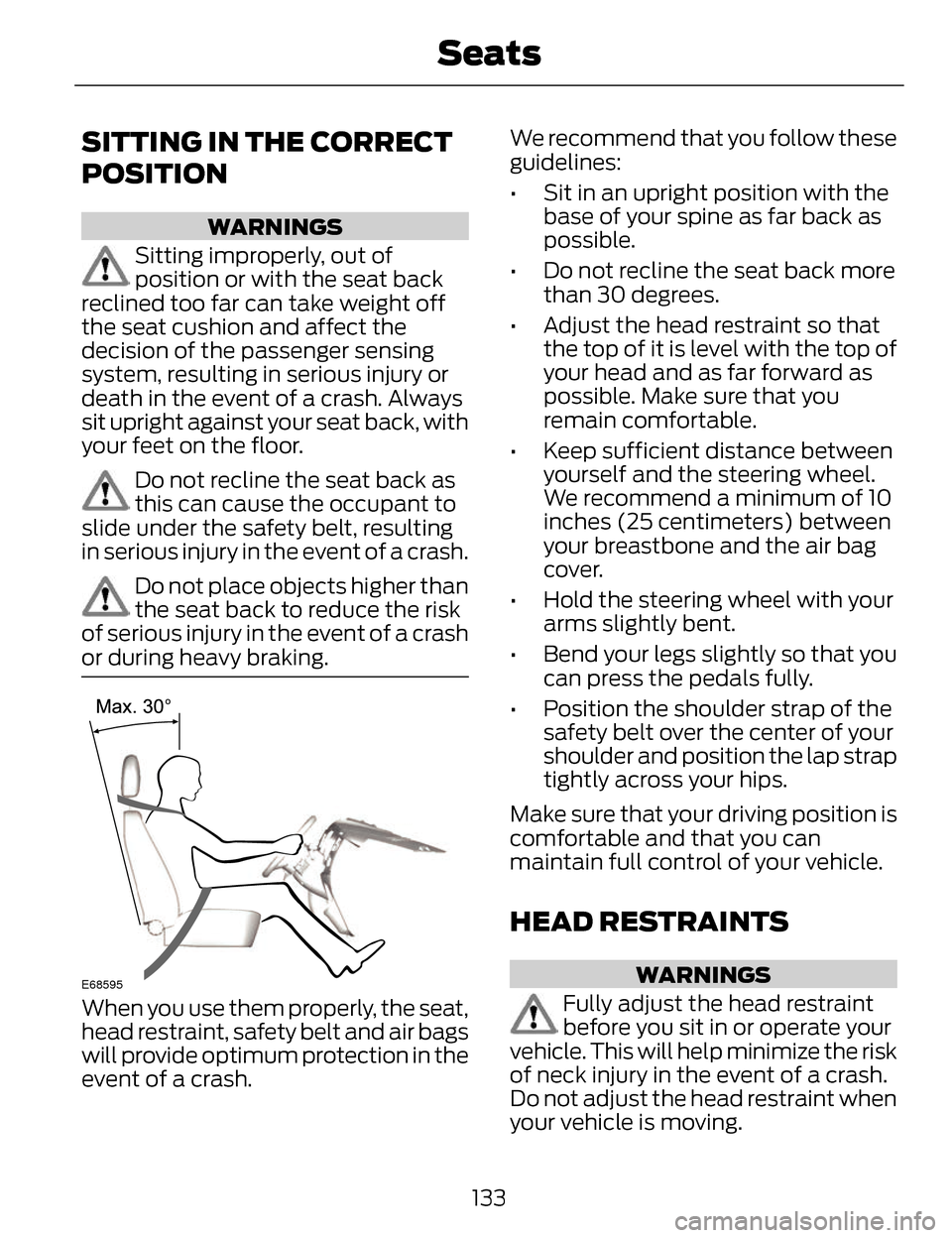
When you use them properly, the seat,
head restraint, safety belt and air bags
will provide optimum protection in the
event of a crash. We recommend that you follow these
guidelines:
• Sit in an upright position with the
base of your spine as far back as
possible.
• Do not recline the seat back more than 30 degrees.
• Adjust the head restraint so that the top of it is level with the top of
your head and as far forward as
possible. Make sure that you
remain comfortable.
• Keep sufficient distance between yourself and the steering wheel.
We recommend a minimum of 10
inches (25 centimeters) between
your breastbone and the air bag
cover.
• Hold the steering wheel with your arms slightly bent.
• Bend your legs slightly so that you can press the pedals fully.
• Position the shoulder strap of the safety belt over the center of your
shoulder and position the lap strap
tightly across your hips.
Make sure that your driving position is
comfortable and that you can
maintain full control of your vehicle.
HEAD RESTRAINTS
WARNINGS
Fully adjust the head restraint
before you sit in or operate your
vehicle. This will help minimize the risk
of neck injury in the event of a crash.
Do not adjust the head restraint when
your vehicle is moving.
133
Seats
Page 137 of 468
WARNINGS
The head restraint is a safety
device. Whenever possible it
should be installed and properly
adjusted when the seat is occupied.
Install the head restraint properly
to help minimize the risk of neck
injury in the event of a crash.
Note: Adjust the seatback to an
upright driving position before adjusting
the head restraint. Adjust the head
restraint so that the top of it is level
with the top of your head and as far
forward as possible. Make sure that you
remain comfortable. If you are
extremely tall, adjust the head restraint
to its highest position.
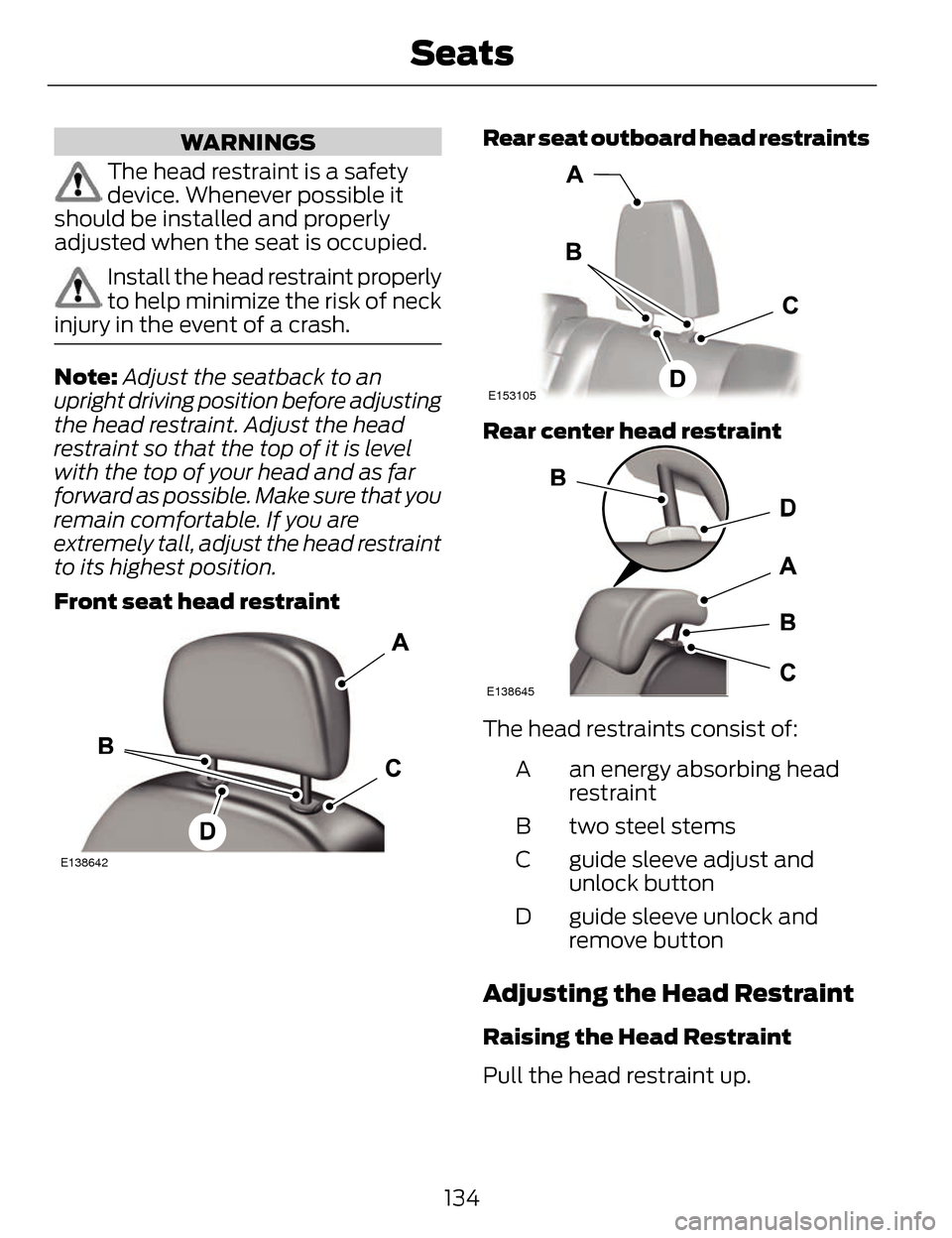
Front seat head restraint
E138642
Rear seat outboard head restraints
E153105
Rear center head restraint
E138645
The head restraints consist of:
an energy absorbing head
restraint
A
two steel stems
B
guide sleeve adjust and
unlock button
C
guide sleeve unlock and
remove button
D
Adjusting the Head Restraint
Raising the Head Restraint
Pull the head restraint up.
134
Seats
Page 138 of 468
Lowering the Head Restraint
1. Press and hold button C.
2. Push the head restraint down.
Removing the Head Restraint
1. Pull the head restraint up until itreaches its highest position.
2. Press and hold buttons C and D.
3. Pull the head restraint up.
Installing the Head Restraint
Align the steel stems into the guide
sleeves and push the head restraint
down until it locks.
Tilting Head Restraints
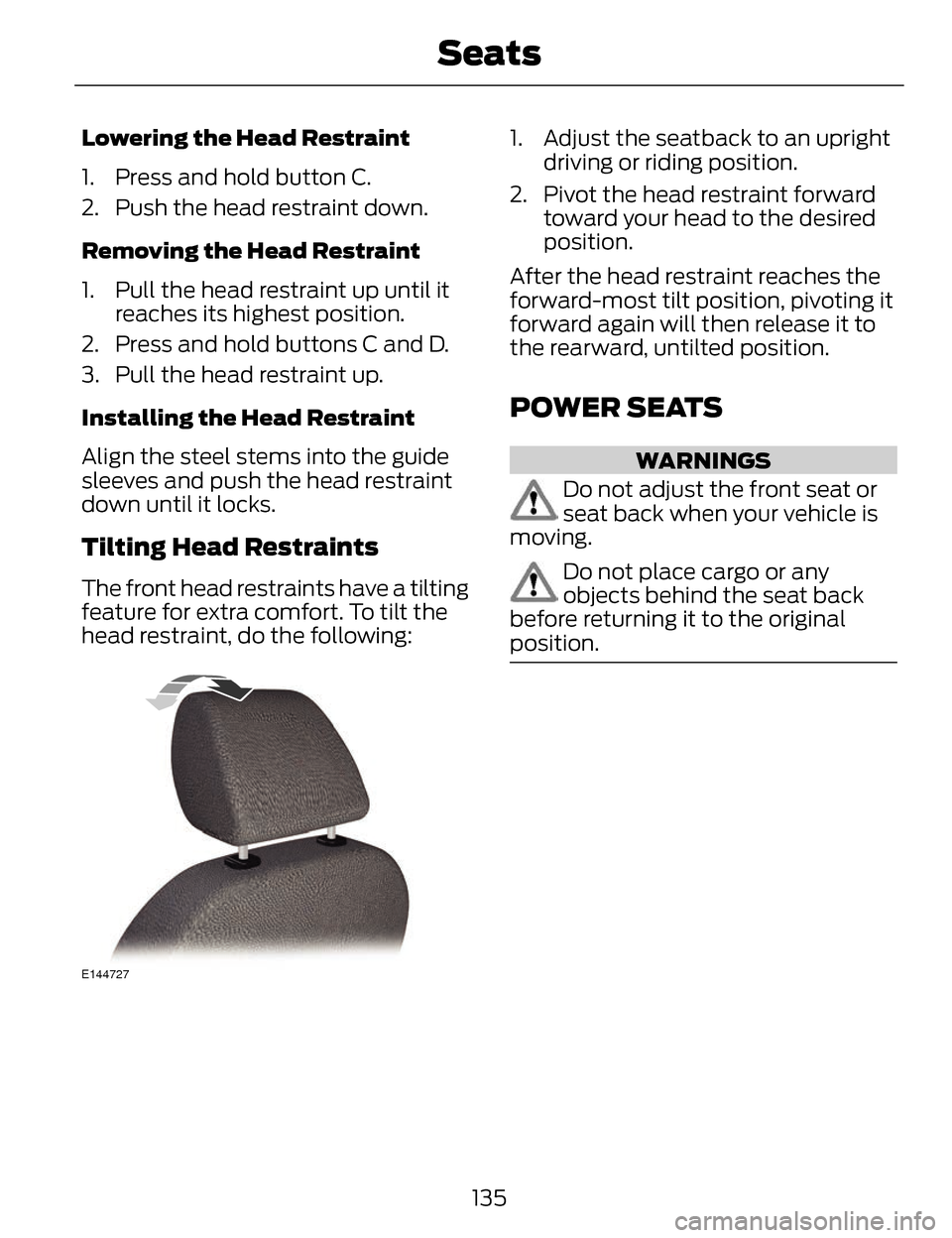
The front head restraints have a tilting
feature for extra comfort. To tilt the
head restraint, do the following:
E144727
1. Adjust the seatback to an upright driving or riding position.
2. Pivot the head restraint forward toward your head to the desired
position.
After the head restraint reaches the
forward-most tilt position, pivoting it
forward again will then release it to
the rearward, untilted position.
POWER SEATS
WARNINGS
Do not adjust the front seat or
seat back when your vehicle is
moving.
Do not place cargo or any
objects behind the seat back
before returning it to the original
position.
135
Seats
Page 153 of 468
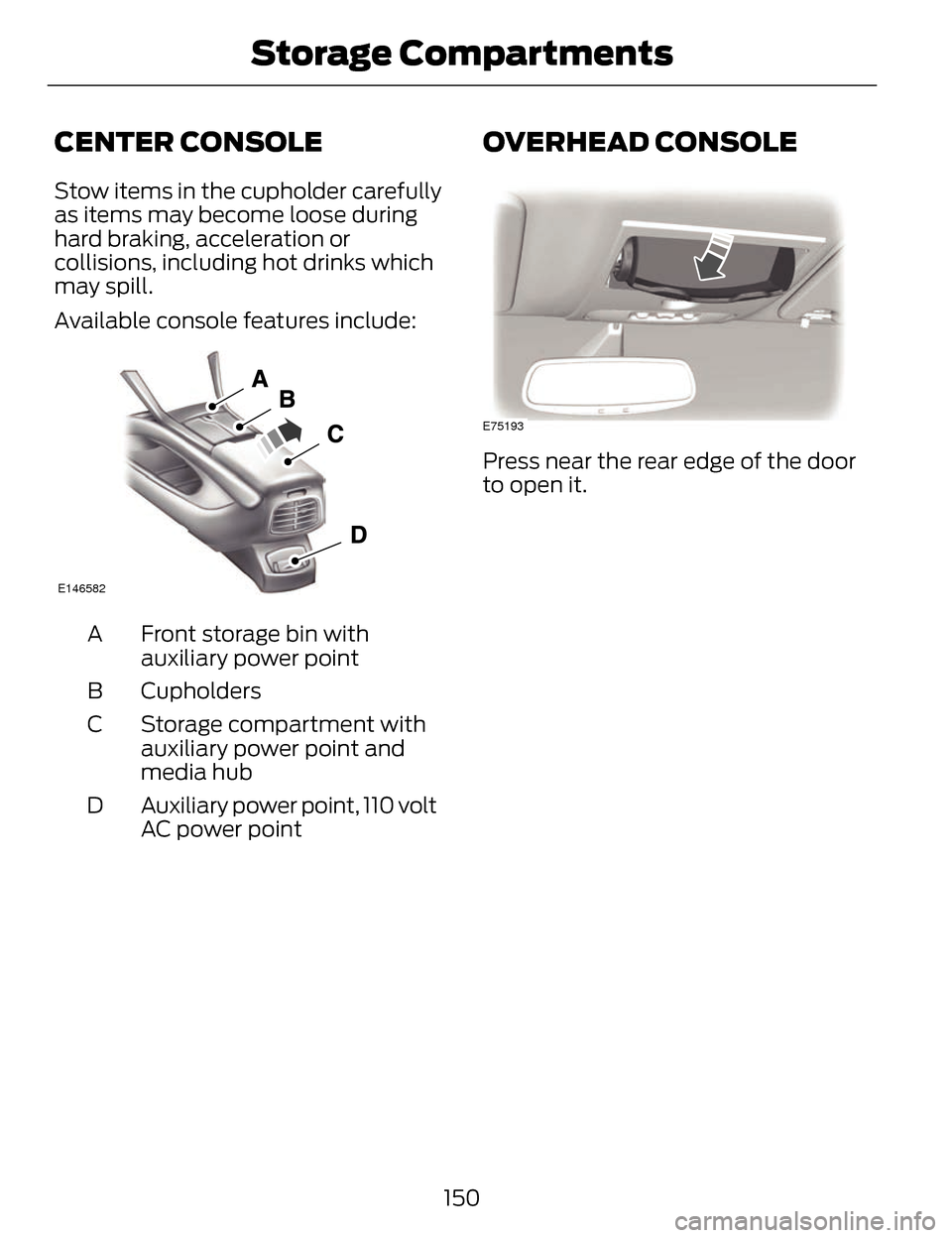
CENTER CONSOLE
Stow items in the cupholder carefully
as items may become loose during
hard braking, acceleration or
collisions, including hot drinks which
may spill.
Available console features include:
E146582
Front storage bin with
auxiliary power point
A
Cupholders
B
Storage compartment with
auxiliary power point and
media hub
C
Auxiliary power point, 110 volt
AC power point
D
OVERHEAD CONSOLE
E75193
Press near the rear edge of the door
to open it.
150
Storage Compartments
Page 155 of 468
The keyless starting system has three
modes:
•Off: Turns the ignition off.
• Without applying the brake
pedal, press and release the
button once when the ignition
is in the on mode, or when the
engine is running but the
vehicle is not moving.
• On: All electrical circuits are
operational and the warning lamps
and indicators illuminate.
• Without applying the brake
pedal, press and release the
button once.
• Start: Starts the engine.
• Press the brake pedal, and then
press the button for any length
of time. An indicator light on the
button illuminates when then
ignition is on and when the
engine starts.
STARTING A GASOLINE
ENGINE
When you start the engine, the idle
speed increases, this helps to warm
up the engine. If the engine idle speed
does not slow down automatically,
have your vehicle checked by an
authorized dealer.
Before starting the engine, check the
following:
• Make sure all occupants havefastened their safety belts.
• Make sure the headlamps and electrical accessories are off. • Make sure the parking brake is on.
• Put the transmission in P.
Note:
Do not touch the accelerator
pedal.
1. Fully press the brake pedal.
2. Press the button.
The system does not function if:
• The key frequencies are jammed.
• The key battery has no charge.
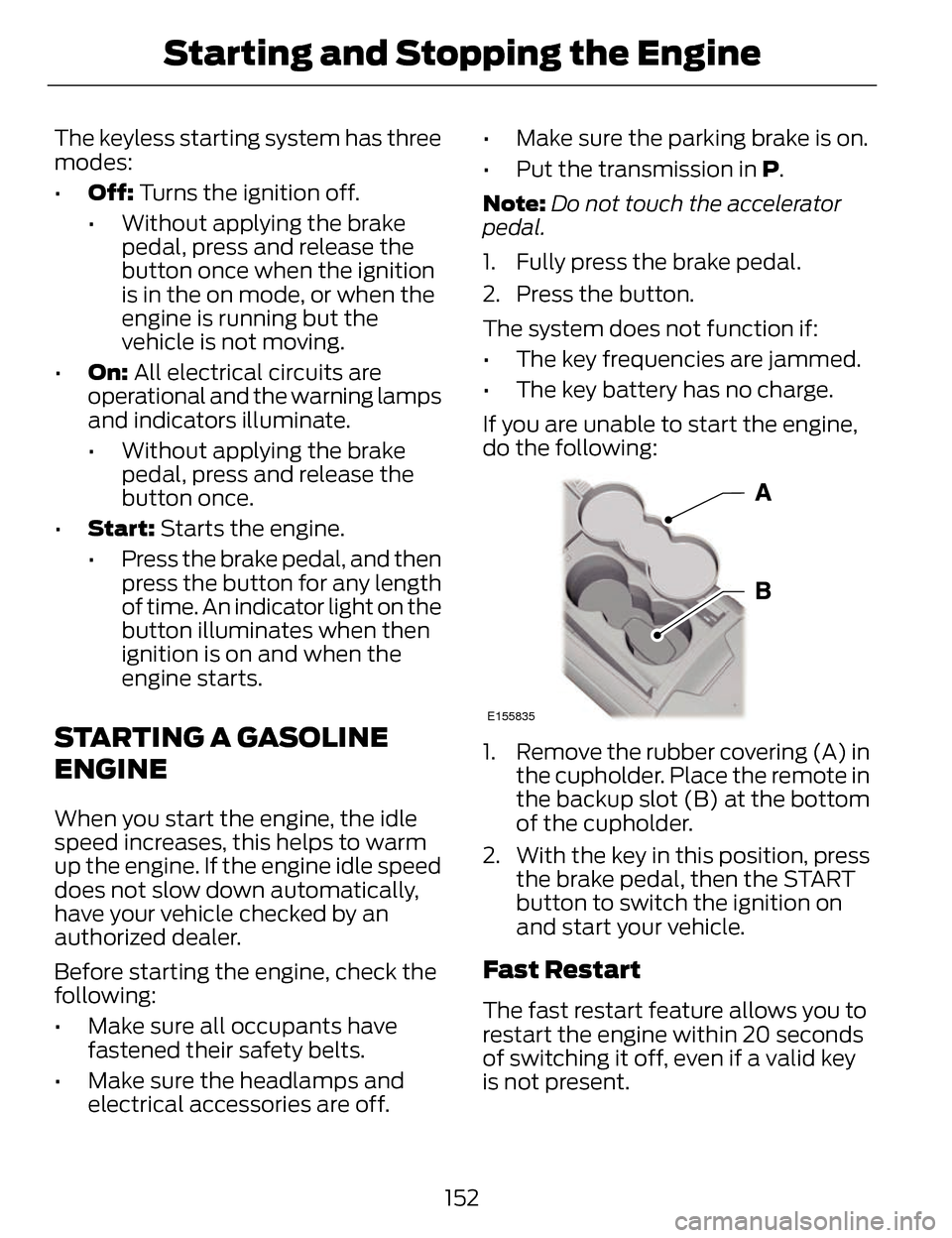
If you are unable to start the engine,
do the following:
E155835
1. Remove the rubber covering (A) in the cupholder. Place the remote in
the backup slot (B) at the bottom
of the cupholder.
2. With the key in this position, press the brake pedal, then the START
button to switch the ignition on
and start your vehicle.
Fast Restart
The fast restart feature allows you to
restart the engine within 20 seconds
of switching it off, even if a valid key
is not present.
152
Starting and Stopping the Engine