height LINCOLN MKZ 2018 User Guide
[x] Cancel search | Manufacturer: LINCOLN, Model Year: 2018, Model line: MKZ, Model: LINCOLN MKZ 2018Pages: 595, PDF Size: 5.06 MB
Page 94 of 595
Type One - Conventional (Non-Configurable)
The daytime running lamps turn on when:
1. Switching the ignition on.
2. The transmission is not in park (P) forvehicles with automatic transmissions, orreleasing the parking brake for vehicleswith manual transmissions.
3. The lighting control is in the off, parkinglamp or autolamps positions.
4. The headlamps are off.
Type Two - Configurable
Switch the daytime running lamps on or offusing the information display. SeeInformation Displays (page 111).
The daytime running lamps turn on when:
1. The lamps are on in the informationdisplay.
2. Switching the ignition on.
3. The transmission is not in park (P) forvehicles with automatic transmissions, orreleasing the parking brake for vehicleswith manual transmissions.
4. The lighting control is in the autolampsposition.
5. The headlamps are off.
The other lighting control switch positionsdo not turn on the daytime running lamps.
If the daytime running lamps are off in theinformation display, the lamps stay off in allswitch positions.
AUTOMATIC HIGH BEAM
CONTROL (If Equipped)
WARNING
The system does not relieve you ofyour responsibility to drive with duecare and attention. You may need to overridethe system if it does not turn the high beamson or off.
The system turns on high beams if it is darkenough and no other traffic is present. If itdetects an approaching vehicle’s headlampsor tail lamps, or street lighting ahead, thesystem turns off high beams before they candistract other road users. Low beams remainon.
Note:The system may not operate properlyif the sensor is blocked. Keep the windshieldfree from obstruction or damage.
Note:The system may not operate properlyin cold or inclement conditions. You canswitch on the high beams by overriding thesystem.
Note:If the system detects a blockage, forexample bird droppings, bug splatter, snowor ice, the system goes into low beam modeuntil you clear the blockage. A message mayappear in the information display if thecamera is blocked.
Note:Using much larger tires or equippingvehicle accessories such as snowplows canmodify your vehicle's ride height anddegrade automatic high beam controlperformance.
91
MKZ (CC9) Canada/United States of America, enUSA, Edition date: 201706, First Printing
Lighting
Page 234 of 595
DRIVER ALERT (If Equipped)
PRINCIPLE OF OPERATION
WARNINGS
The system is designed to aid thedriver. It is not intended to replace yourattention and judgment. You are stillresponsible to drive with due care andattention.
At all times, you are responsible forcontrolling your vehicle, supervisingthe system and intervening, if required.Failure to take care may result in the loss ofcontrol of your vehicle, serious personalinjury or death.
The system may not function if thesensor is blocked.
Take regular rest breaks if you feeltired. Do not wait for the system towarn you.
Certain driving styles may result in thesystem warning you even if you are notfeeling tired.
WARNINGS
In cold and severe weather conditionsthe system may not function. Rain,snow and spray can all limit sensorperformance.
The system will not operate if thesensor cannot track the road lanemarkings.
If damage occurs in the immediate areasurrounding the sensor, have yourvehicle checked as soon as possible.
Note:The system may not operate correctlyif you modify the ride height.
Note:Keep the windshield free fromobstructions. For example, bird droppings,insects, snow or ice.
Note:If the camera is blocked or if thewindshield is damaged, the system may notfunction.
Note:If enabled in the menu, the systemactivates at speeds above 40 mph (64 km/h).When below the activation speed, theinformation display informs the driver thatthe system is unavailable.
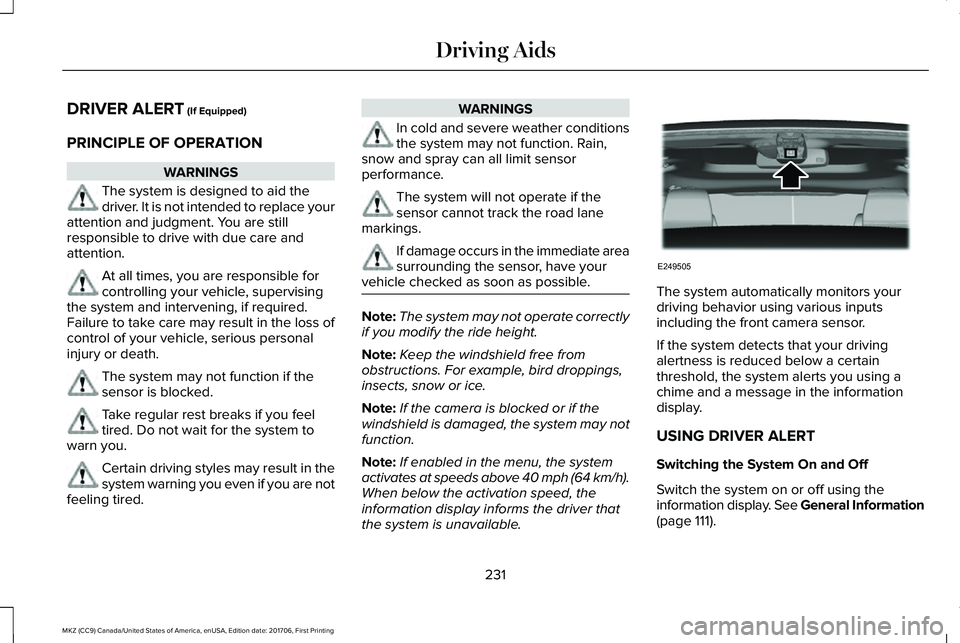
The system automatically monitors yourdriving behavior using various inputsincluding the front camera sensor.
If the system detects that your drivingalertness is reduced below a certainthreshold, the system alerts you using achime and a message in the informationdisplay.
USING DRIVER ALERT
Switching the System On and Off
Switch the system on or off using theinformation display. See General Information(page 111).
231
MKZ (CC9) Canada/United States of America, enUSA, Edition date: 201706, First Printing
Driving AidsE249505
Page 325 of 595
1. Pull the wiper blade and arm away fromthe glass. Press the locking buttonstogether.
2. Slightly rotate the wiper blade.
3. Remove the wiper blade.
4. Install in the reverse order.
Note:Make sure that the wiper blade locksinto place.
ADJUSTING THE HEADLAMPS
Vertical Aim Adjustment
The headlamps on your vehicle are properlyaimed at the assembly plant. If your vehiclehas been in an accident, the alignment ofyour headlamps should be checked by yourauthorized dealer.
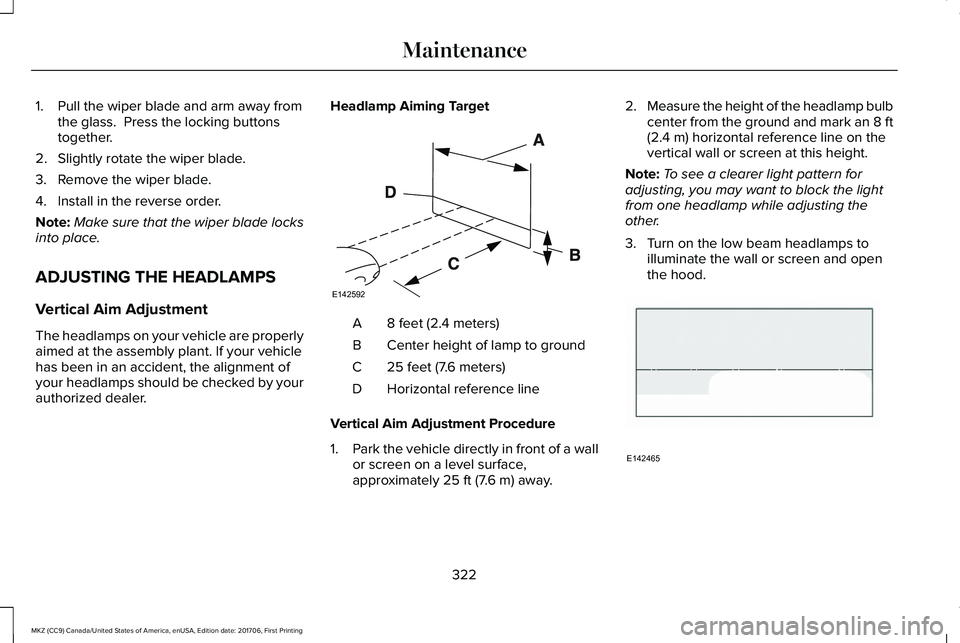
Headlamp Aiming Target
8 feet (2.4 meters)A
Center height of lamp to groundB
25 feet (7.6 meters)C
Horizontal reference lineD
Vertical Aim Adjustment Procedure
1.Park the vehicle directly in front of a wallor screen on a level surface,approximately 25 ft (7.6 m) away.
2.Measure the height of the headlamp bulbcenter from the ground and mark an 8 ft(2.4 m) horizontal reference line on thevertical wall or screen at this height.
Note:To see a clearer light pattern foradjusting, you may want to block the lightfrom one headlamp while adjusting theother.
3. Turn on the low beam headlamps toilluminate the wall or screen and openthe hood.
322
MKZ (CC9) Canada/United States of America, enUSA, Edition date: 201706, First Printing
MaintenanceE142592 E142465
Page 350 of 595
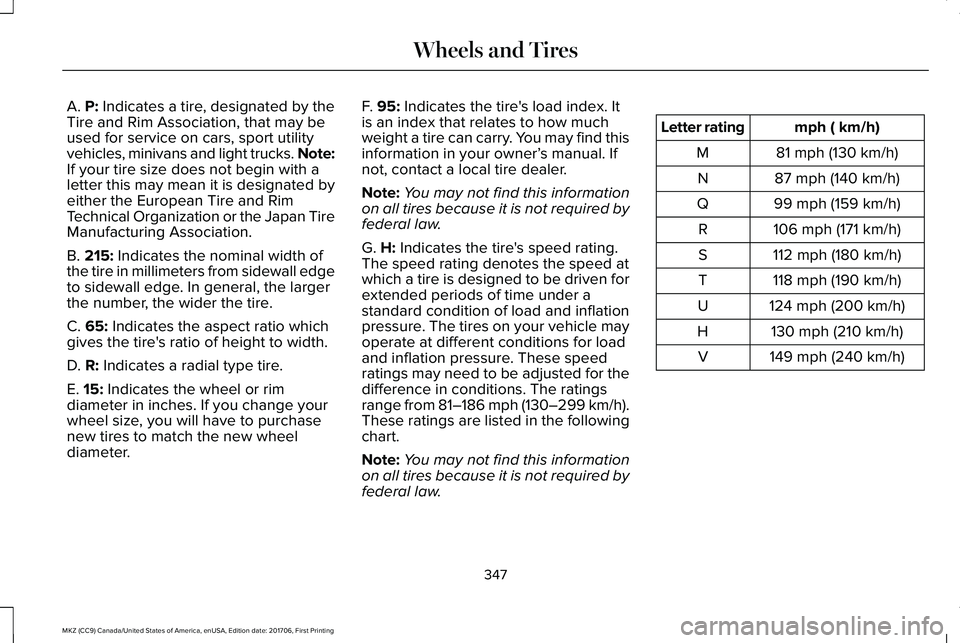
A. P: Indicates a tire, designated by theTire and Rim Association, that may beused for service on cars, sport utilityvehicles, minivans and light trucks. Note:If your tire size does not begin with aletter this may mean it is designated byeither the European Tire and RimTechnical Organization or the Japan TireManufacturing Association.
B. 215: Indicates the nominal width ofthe tire in millimeters from sidewall edgeto sidewall edge. In general, the largerthe number, the wider the tire.
C. 65: Indicates the aspect ratio whichgives the tire's ratio of height to width.
D. R: Indicates a radial type tire.
E. 15: Indicates the wheel or rim
diameter in inches. If you change yourwheel size, you will have to purchasenew tires to match the new wheeldiameter.
F. 95: Indicates the tire's load index. Itis an index that relates to how muchweight a tire can carry. You may find thisinformation in your owner’s manual. Ifnot, contact a local tire dealer.
Note:You may not find this informationon all tires because it is not required byfederal law.
G. H: Indicates the tire's speed rating.The speed rating denotes the speed atwhich a tire is designed to be driven forextended periods of time under astandard condition of load and inflationpressure. The tires on your vehicle mayoperate at different conditions for loadand inflation pressure. These speedratings may need to be adjusted for thedifference in conditions. The ratings
range from 81–186 mph (130–299 km/h).These ratings are listed in the followingchart.
Note:You may not find this informationon all tires because it is not required byfederal law.
mph ( km/h)Letter rating
81 mph (130 km/h)M
87 mph (140 km/h)N
99 mph (159 km/h)Q
106 mph (171 km/h)R
112 mph (180 km/h)S
118 mph (190 km/h)T
124 mph (200 km/h)U
130 mph (210 km/h)H
149 mph (240 km/h)V
347
MKZ (CC9) Canada/United States of America, enUSA, Edition date: 201706, First Printing
Wheels and Tires
Page 353 of 595
B. Load Range and Load InflationLimits: Indicates the tire's load-carryingcapabilities and its inflation limits.
C. Maximum Load Dual lb (kg) at psi(kPa) cold: Indicates the maximum loadand tire pressure when the tire is usedas a dual; defined as four tires on therear axle (a total of six or more tires onthe vehicle).
D. Maximum Load Single lb (kg) at psi(kPa) cold: Indicates the maximum loadand tire pressure when the tire is usedas a single; defined as two tires (total)on the rear axle.
Information on T Type Tires
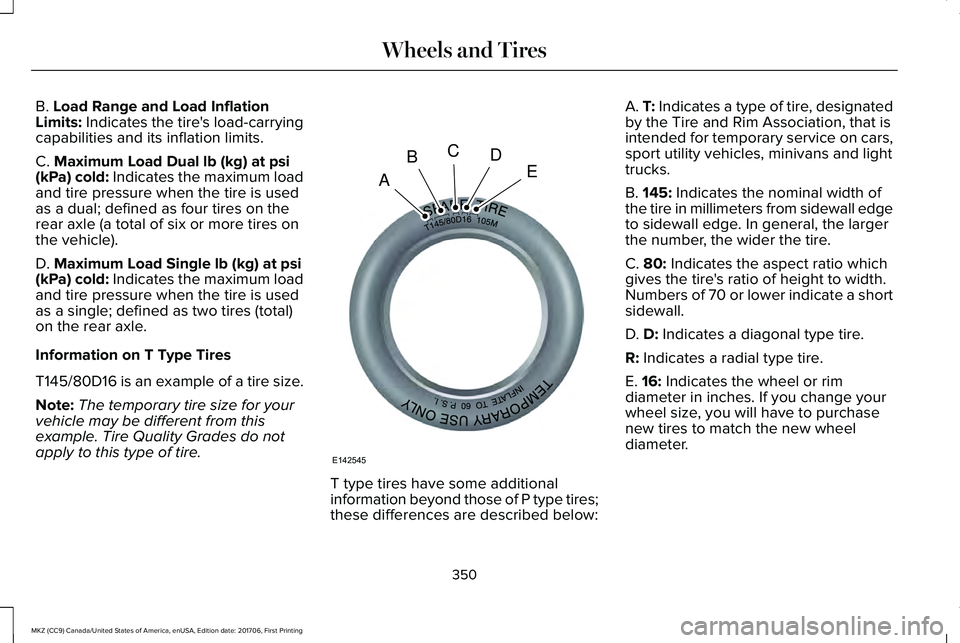
T145/80D16 is an example of a tire size.
Note:The temporary tire size for yourvehicle may be different from thisexample. Tire Quality Grades do notapply to this type of tire.
T type tires have some additionalinformation beyond those of P type tires;these differences are described below:
A. T: Indicates a type of tire, designatedby the Tire and Rim Association, that isintended for temporary service on cars,sport utility vehicles, minivans and lighttrucks.
B. 145: Indicates the nominal width ofthe tire in millimeters from sidewall edgeto sidewall edge. In general, the largerthe number, the wider the tire.
C. 80: Indicates the aspect ratio whichgives the tire's ratio of height to width.Numbers of 70 or lower indicate a shortsidewall.
D. D: Indicates a diagonal type tire.
R: Indicates a radial type tire.
E. 16: Indicates the wheel or rimdiameter in inches. If you change your
wheel size, you will have to purchasenew tires to match the new wheeldiameter.
350
MKZ (CC9) Canada/United States of America, enUSA, Edition date: 201706, First Printing
Wheels and TiresA
BCDE
E142545
Page 356 of 595
7. Check the sidewalls to make surethere are no gouges, cuts or bulges.
Inspecting Your Tires and Wheel ValveStems
Periodically inspect the tire treads for
uneven or excessive wear and removeobjects such as stones, nails or glassthat may be wedged in the treadgrooves. Check the tire and valve stemsfor holes, cracks, or cuts that may permitair leakage and repair or replace the tireand replace the valve stem. Inspect thetire sidewalls for cracking, cuts, bruisesand other signs of damage or excessivewear. If internal damage to the tire issuspected, have the tire demounted andinspected in case it needs to be repairedor replaced. For your safety, tires thatare damaged or show signs of excessivewear should not be used because theyare more likely to blow out or fail.
Improper or inadequate vehiclemaintenance can cause tires to wearabnormally. Inspect all your tires,including the spare, frequently, andreplace them if one or more of thefollowing conditions exist:
Tire Wear
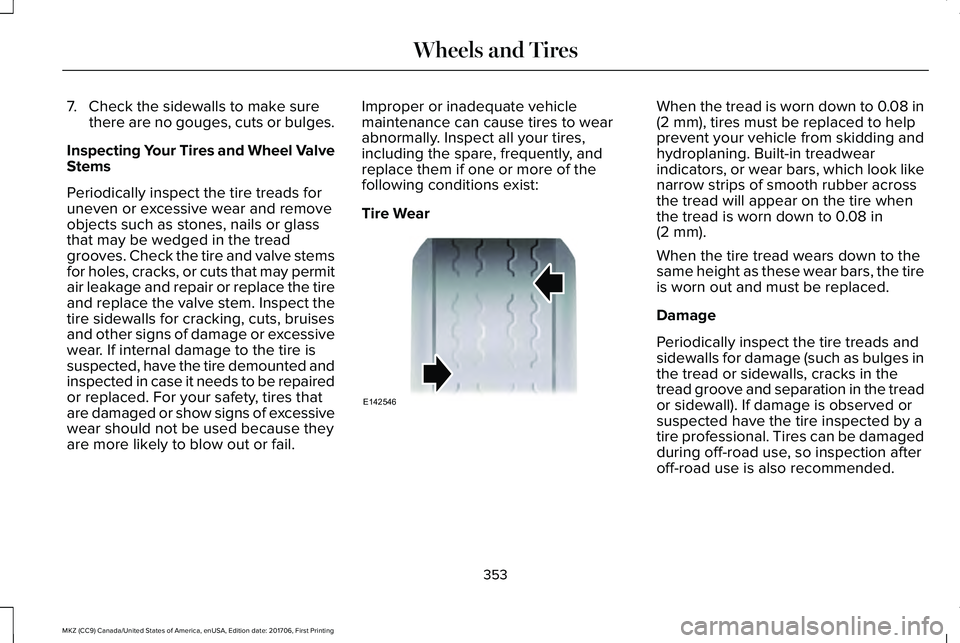
When the tread is worn down to 0.08 in(2 mm), tires must be replaced to helpprevent your vehicle from skidding andhydroplaning. Built-in treadwearindicators, or wear bars, which look likenarrow strips of smooth rubber acrossthe tread will appear on the tire whenthe tread is worn down to 0.08 in(2 mm).
When the tire tread wears down to thesame height as these wear bars, the tireis worn out and must be replaced.
Damage
Periodically inspect the tire treads andsidewalls for damage (such as bulges inthe tread or sidewalls, cracks in thetread groove and separation in the treador sidewall). If damage is observed orsuspected have the tire inspected by atire professional. Tires can be damagedduring off-road use, so inspection afteroff-road use is also recommended.
353
MKZ (CC9) Canada/United States of America, enUSA, Edition date: 201706, First Printing
Wheels and TiresE142546
Page 371 of 595
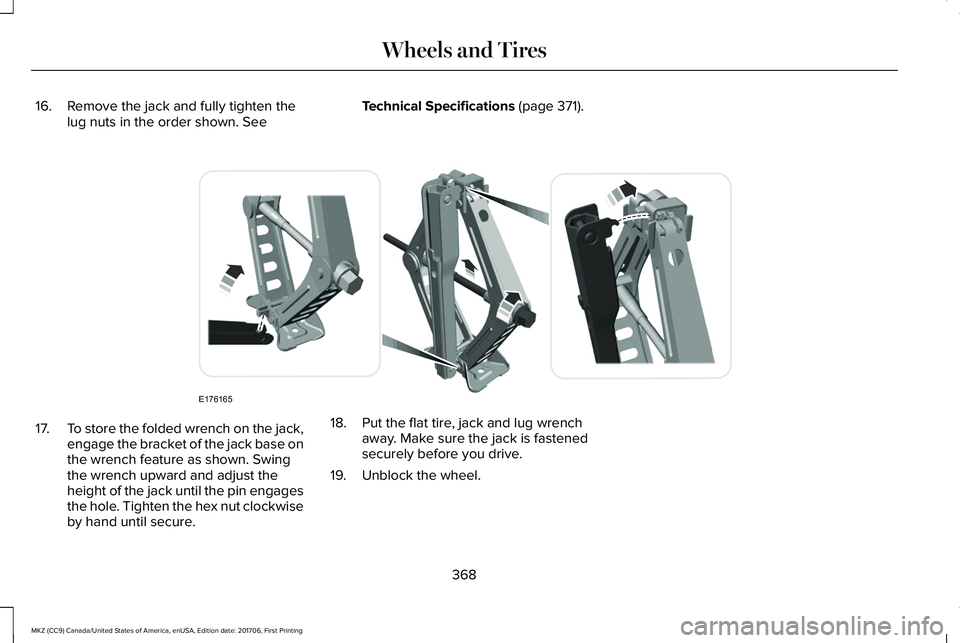
16. Remove the jack and fully tighten thelug nuts in the order shown. SeeTechnical Specifications (page 371).
17.To store the folded wrench on the jack,engage the bracket of the jack base onthe wrench feature as shown. Swingthe wrench upward and adjust theheight of the jack until the pin engagesthe hole. Tighten the hex nut clockwiseby hand until secure.
18. Put the flat tire, jack and lug wrenchaway. Make sure the jack is fastenedsecurely before you drive.
19. Unblock the wheel.
368
MKZ (CC9) Canada/United States of America, enUSA, Edition date: 201706, First Printing
Wheels and TiresE176165
Page 592 of 595
Safety Precautions........................................168Scheduled Maintenance Record...............521Scheduled Maintenance............................509Seatbelt Extension.........................................45Seatbelt Height Adjustment..........................41Seatbelt Reminder..........................................42Belt-Minder™...........................................................42
Seatbelts...........................................................36Principle of Operation..........................................36
Seatbelt Warning Lamp and IndicatorChime...............................................................41Conditions of operation......................................42
Seats.................................................................143Security..............................................................78Settings...........................................................466911 Assist...............................................................474Ambient Lighting................................................483Bluetooth..............................................................469Clock......................................................................469Display...................................................................485General.................................................................480Media Player........................................................467Mobile Apps.........................................................479Navigation............................................................476Phone....................................................................470Radio......................................................................475SiriusXM................................................................476Sound....................................................................466
Valet Mode...........................................................486Vehicle...................................................................483Voice Control.......................................................485Wi-Fi & Hotspot....................................................481
Side Airbags.....................................................52Side Sensing System..................................208Obstacle Distance Indicator............................209
Sitting in the Correct Position....................143Snow ChainsSee: Using Snow Chains..................................358
Spare WheelSee: Changing a Road Wheel.........................363
Special Notices.................................................13New Vehicle Limited Warranty...........................13On Board Diagnostics Data LinkConnector............................................................14Special Instructions...............................................13
Special Operating Conditions ScheduledMaintenance................................................517Exceptions............................................................520
Speed ControlSee: Cruise Control...........................................222
Stability Control............................................203Principle of Operation.......................................203
Starting a Gasoline Engine.........................164Automatic Engine Shutdown............................165Failure to Start......................................................165Fast Restart...........................................................164
Guarding Against Exhaust Fumes..................166Important Ventilating Information...................166Stopping the Engine When Your Vehicle isMoving...............................................................166Stopping the Engine When Your Vehicle isStationary..........................................................166
Starting and Stopping the Engine.............163General Information............................................163
Steering...........................................................244Electric Power Steering....................................244
Steering Wheel.................................................81Storage Compartments...............................162SunroofSee: Moonroof......................................................101
Sun Shades......................................................101Sun Visors........................................................101Illuminated Vanity Mirror....................................101
Supplementary Restraints System..............47Principle of Operation..........................................47
Symbols Glossary..............................................7SYNC™ 3..........................................................398General Information...........................................398
SYNC™ 3 Troubleshooting..........................486
T
Technical SpecificationsSee: Capacities and Specifications................373
589
MKZ (CC9) Canada/United States of America, enUSA, Edition date: 201706, First Printing
Index