reset LINCOLN MKZ HYBRID 2016 User Guide
[x] Cancel search | Manufacturer: LINCOLN, Model Year: 2016, Model line: MKZ HYBRID, Model: LINCOLN MKZ HYBRID 2016Pages: 543, PDF Size: 5.04 MB
Page 124 of 543
Note:
Fuel economy is not always a measure
of appropriate driving behavior. For example,
when driving uphill and maintaining an
appropriate speed, your instant fuel
economy may not be good (losing leaves)
but the Coach may show a blue bar for
Acceleration and Cruising.
Common Displays
Both Average fuel economy and an
instantaneous fuel economy gauge are
included in Engage, Empower and MyView
(if selected) on the left information display.
They are also included in Fuel History on the
right information display.
Average Fuel Economy
Average Fuel Economy is continuously
averaged since the last reset. You can reset
your average fuel economy by pressing and
holding the OK button on the corresponding
steering wheel controls. Note:
Average fuel economy cannot be reset
in MyView.
Instantaneous Fuel Economy
If your instantaneous fuel economy is greater
than the maximum value displayed, a + sign
will be shown next to the maximum scale
number. When your vehicle is operating on
battery power only, EV will display and the
gauge fill will show in blue.
INFORMATION MESSAGES
Note: Depending on the vehicle options
equipped with your vehicle, not all of the
messages will display or be available.
Certain messages may be abbreviated or
shortened depending upon which cluster
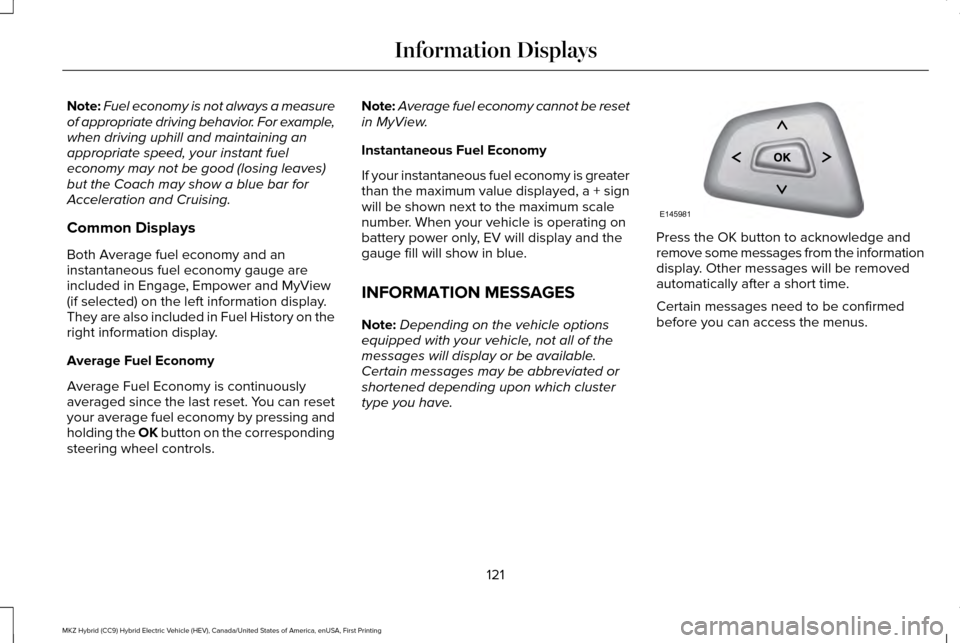
type you have. Press the OK button to acknowledge and
remove some messages from the information
display. Other messages will be removed
automatically after a short time.
Certain messages need to be confirmed
before you can access the menus.
121
MKZ Hybrid (CC9) Hybrid Electric Vehicle (HEV), Canada/United States of America, enUSA, First Printing Information DisplaysE145981
Page 130 of 543

Action
Message
Displays when the door switches have been disabled.
Switches Inhibited Security Mode
Displays when there is a system malfunction with the child locks. Contac\
t your authorized dealeras soon as possible.
Child Lock Malfunction Service Required
Displays the factory keypad code after the keypad has been reset. See Keyless Entry (page
72).
Factory Keypad Code XXXXX
Driver Alert Action
Message
Stop and rest as soon as it is safe to do so.
Driver Alert Warning Rest Now
Take a rest break soon.
Driver Alert Warning Rest Suggested
Fuel Action
Message
Displayed as an early reminder of a low fuel condition.
Fuel Level Low
Displayed when the fuel fill inlet may not be properly closed.
Check Fuel Fill Inlet
127
MKZ Hybrid (CC9) Hybrid Electric Vehicle (HEV), Canada/United States of America, enUSA, First Printing Information Displays
Page 155 of 543
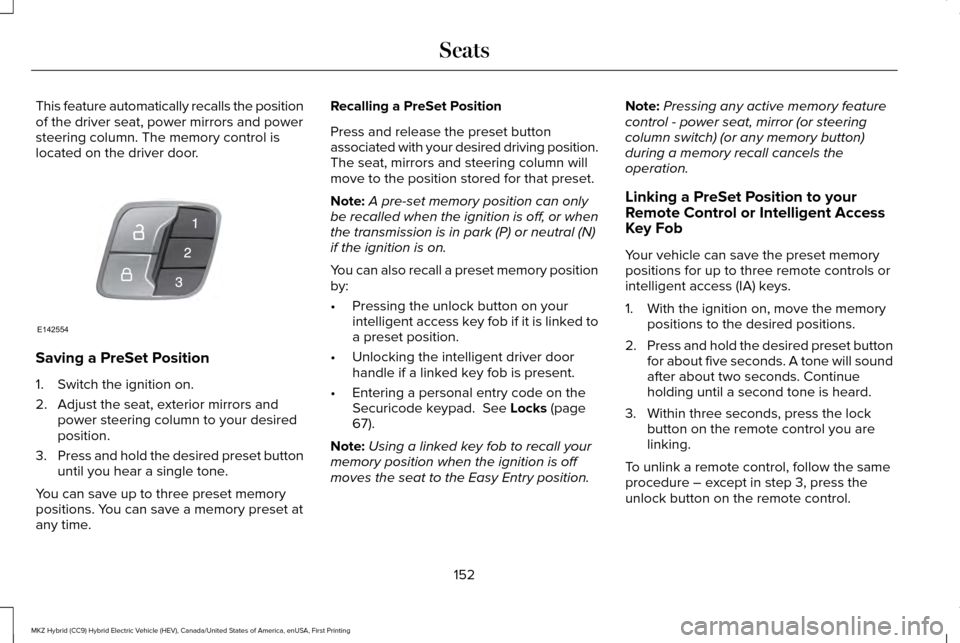
This feature automatically recalls the position
of the driver seat, power mirrors and power
steering column. The memory control is
located on the driver door.
Saving a PreSet Position
1. Switch the ignition on.
2. Adjust the seat, exterior mirrors and
power steering column to your desired
position.
3. Press and hold the desired preset button
until you hear a single tone.
You can save up to three preset memory
positions. You can save a memory preset at
any time. Recalling a PreSet Position
Press and release the preset button
associated with your desired driving position.
The seat, mirrors and steering column will
move to the position stored for that preset.
Note:
A pre-set memory position can only
be recalled when the ignition is off, or when
the transmission is in park (P) or neutral (N)
if the ignition is on.
You can also recall a preset memory position
by:
• Pressing the unlock button on your
intelligent access key fob if it is linked to
a preset position.
• Unlocking the intelligent driver door
handle if a linked key fob is present.
• Entering a personal entry code on the
Securicode keypad. See Locks (page
67).
Note: Using a linked key fob to recall your
memory position when the ignition is off
moves the seat to the Easy Entry position. Note:
Pressing any active memory feature
control - power seat, mirror (or steering
column switch) (or any memory button)
during a memory recall cancels the
operation.
Linking a PreSet Position to your
Remote Control or Intelligent Access
Key Fob
Your vehicle can save the preset memory
positions for up to three remote controls or
intelligent access (IA) keys.
1. With the ignition on, move the memory positions to the desired positions.
2. Press and hold the desired preset button
for about five seconds. A tone will sound
after about two seconds. Continue
holding until a second tone is heard.
3. Within three seconds, press the lock button on the remote control you are
linking.
To unlink a remote control, follow the same
procedure – except in step 3, press the
unlock button on the remote control.
152
MKZ Hybrid (CC9) Hybrid Electric Vehicle (HEV), Canada/United States of America, enUSA, First Printing SeatsE142554
Page 158 of 543
Do not do the following:
•
Place heavy objects on the seat.
• Operate the seat heater if water or any
other liquid is spilled on the seat. Allow
the seat to dry thoroughly.
• Operate the heated seats unless the
engine is running. Doing so can cause
the battery to lose charge.
The rear seat heat controls are located on
the rear of the center console. Press the heated seat symbol to cycle
through the various heat settings and off.
More indicator lights indicate warmer
settings. The heated seat module resets at every
ignition run cycle. While the ignition is on,
press the high or low heated seat switch to
enable heating mode. When activated, they
will turn off automatically when you turn the
engine off.
CLIMATE CONTROLLED SEATS (If
Equipped)
Heated Seats WARNING
People who are unable to feel pain to
their skin because of advanced age,
chronic illness, diabetes, spinal cord injury,
medication, alcohol use, exhaustion or other
physical conditions, must exercise care when
using the heated seat. The heated seat may
cause burns even at low temperatures,
especially if used for long periods of time.
Do not place anything on the seat that
insulates against heat, such as a blanket or
cushion. This may cause the heated seat to
overheat. Do not puncture the seat with pins,
needles or other pointed objects. This may
damage the heating element which may
cause the heated seat to overheat. An
overheated seat may cause serious personal
injury. 155
MKZ Hybrid (CC9) Hybrid Electric Vehicle (HEV), Canada/United States of America, enUSA, First Printing SeatsE146322
Page 167 of 543
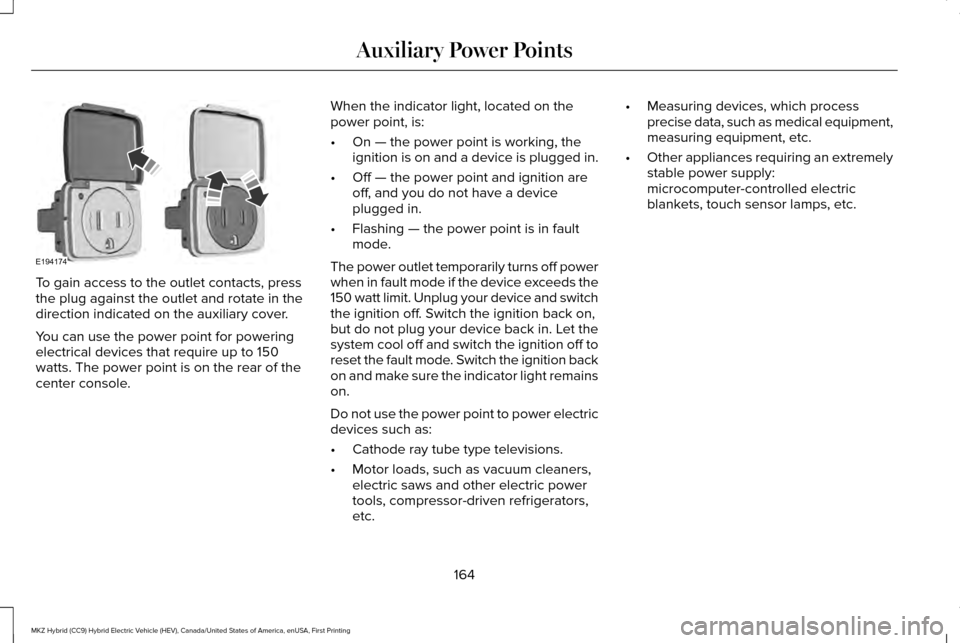
To gain access to the outlet contacts, press
the plug against the outlet and rotate in the
direction indicated on the auxiliary cover.
You can use the power point for powering
electrical devices that require up to 150
watts. The power point is on the rear of the
center console.
When the indicator light, located on the
power point, is:
•
On — the power point is working, the
ignition is on and a device is plugged in.
• Off — the power point and ignition are
off, and you do not have a device
plugged in.
• Flashing — the power point is in fault
mode.
The power outlet temporarily turns off power
when in fault mode if the device exceeds the
150 watt limit. Unplug your device and switch
the ignition off. Switch the ignition back on,
but do not plug your device back in. Let the
system cool off and switch the ignition off to
reset the fault mode. Switch the ignition back
on and make sure the indicator light remains
on.
Do not use the power point to power electric
devices such as:
• Cathode ray tube type televisions.
• Motor loads, such as vacuum cleaners,
electric saws and other electric power
tools, compressor-driven refrigerators,
etc. •
Measuring devices, which process
precise data, such as medical equipment,
measuring equipment, etc.
• Other appliances requiring an extremely
stable power supply:
microcomputer-controlled electric
blankets, touch sensor lamps, etc.
164
MKZ Hybrid (CC9) Hybrid Electric Vehicle (HEV), Canada/United States of America, enUSA, First Printing Auxiliary Power PointsE194174
Page 171 of 543
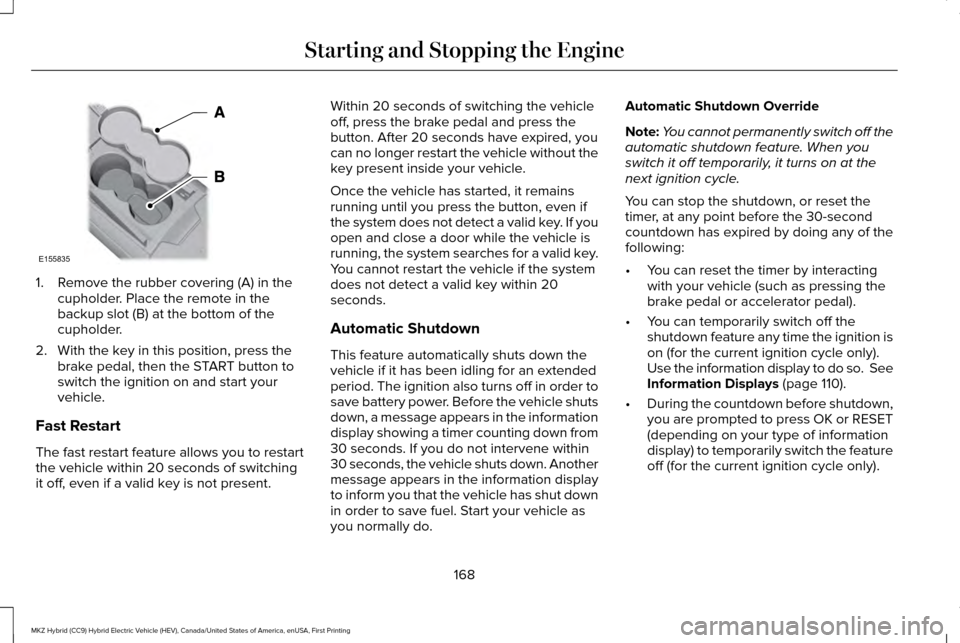
1. Remove the rubber covering (A) in the
cupholder. Place the remote in the
backup slot (B) at the bottom of the
cupholder.
2. With the key in this position, press the brake pedal, then the START button to
switch the ignition on and start your
vehicle.
Fast Restart
The fast restart feature allows you to restart
the vehicle within 20 seconds of switching
it off, even if a valid key is not present. Within 20 seconds of switching the vehicle
off, press the brake pedal and press the
button. After 20 seconds have expired, you
can no longer restart the vehicle without the
key present inside your vehicle.
Once the vehicle has started, it remains
running until you press the button, even if
the system does not detect a valid key. If you
open and close a door while the vehicle is
running, the system searches for a valid key.
You cannot restart the vehicle if the system
does not detect a valid key within 20
seconds.
Automatic Shutdown
This feature automatically shuts down the
vehicle if it has been idling for an extended
period. The ignition also turns off in order to
save battery power. Before the vehicle shuts
down, a message appears in the information
display showing a timer counting down from
30 seconds. If you do not intervene within
30 seconds, the vehicle shuts down. Another
message appears in the information display
to inform you that the vehicle has shut down
in order to save fuel. Start your vehicle as
you normally do.Automatic Shutdown Override
Note:
You cannot permanently switch off the
automatic shutdown feature. When you
switch it off temporarily, it turns on at the
next ignition cycle.
You can stop the shutdown, or reset the
timer, at any point before the 30-second
countdown has expired by doing any of the
following:
• You can reset the timer by interacting
with your vehicle (such as pressing the
brake pedal or accelerator pedal).
• You can temporarily switch off the
shutdown feature any time the ignition is
on (for the current ignition cycle only).
Use the information display to do so. See
Information Displays (page 110).
• During the countdown before shutdown,
you are prompted to press OK or RESET
(depending on your type of information
display) to temporarily switch the feature
off (for the current ignition cycle only).
168
MKZ Hybrid (CC9) Hybrid Electric Vehicle (HEV), Canada/United States of America, enUSA, First Printing Starting and Stopping the EngineE155835
Page 176 of 543
•
Keep the tires properly inflated and only
use the recommended size.
• Aggressive driving increases the amount
of energy required to move your vehicle.
In general, you can achieve better fuel
economy with mild to moderate
acceleration and deceleration. Moderate
braking is particularly important since it
allows you to maximize the energy
captured by the regenerative braking
system.
Additional Tips:
• Do not carry extra loads.
• Be mindful of adding external
accessories that may increase
aerodynamic drag.
• Observe posted speed limits.
• Perform all scheduled maintenance.
• There is no need to wait for your engine
to warm up. The vehicle is ready to drive
immediately after starting. EV+ Mode
Your vehicle will recognize your frequent
destinations and allow for more EV driving
as you approach them. For example, when
nearing your home it should be easier to stay
in electric mode. The EV indicator will display
EV+ when this mode is active. You should
see this about 1/8 mile (200 meters) from a
frequent destination. See Information
Displays (page 110).
Note: Frequent destinations are learned by
your vehicle after two to four weeks of use.
To add a destination immediately, perform
the following process: cycle the ignition on
for 2 seconds, but do not start your vehicle,
then off for 2 seconds. Repeat the process
10 times. This location is now programmed
for EV+. You can clear these destinations
with a Driving History reset through the
Settings menu.
Note: The EV+ feature can be turned on or
off through the Driver Assist section of the
Settings menu. EcoSelect
EcoSelect is designed to offer the best
possible fuel economy with only a slight
impact to vehicle performance and comfort. To
activate EcoSelect, press the ECO button on
the center console.
A graphic displays on your information
display when EcoSelect is active.
Your vehicle will remember the last selected
mode between key cycles.
173
MKZ Hybrid (CC9) Hybrid Electric Vehicle (HEV), Canada/United States of America, enUSA, First Printing Unique Driving CharacteristicsE198654
Page 186 of 543
If this action corrects the problem, the
message may not reset immediately. It may
take several driving cycles for the message
to turn off. A driving cycle consists of an
engine start-up (after four or more hours with
the engine off ) followed by city or highway
driving. Continuing to drive with the message
on may cause the service engine soon lamp
to turn on as well.
FUEL CONSUMPTION
Note:
The amount of usable fuel in the empty
reserve varies and should not be relied upon
to increase driving range. When refueling
your vehicle after the fuel gauge indicates
empty, you might not be able to refuel the
full amount of the advertised capacity of the
fuel tank due to the empty reserve still
present in the tank. Empty reserve is the amount of fuel
remaining in the tank after the fuel gauge
indicates empty. Do not rely on this fuel for
driving. The usable capacity of the fuel tank
is the amount of fuel that can be put into the
tank after the gauge indicates empty. The
advertised capacity is the total fuel tank size
– it is the combined usable capacity plus the
empty reserve.
Filling the Tank
For consistent results when filling the fuel
tank:
•
Turn the ignition off before fueling; an
inaccurate reading results if the engine
is left running.
• Use the same fill rate (low-medium-high)
each time the tank is filled.
• Allow no more than two automatic
click-offs when filling.
Results are most accurate when the filling
method is consistent. Calculating Fuel Economy
Do not measure fuel economy during the
first 1000 miles (1600 kilometers) of driving
(this is your engine
’s break-in period); a more
accurate measurement is obtained after
2000 miles - 3000 miles (3200 kilometers -
4800 kilometers). Also, fuel expense,
frequency of fill ups or fuel gauge readings
are not accurate ways to measure fuel
economy.
1. Fill the fuel tank completely and record the initial odometer reading.
2. Each time you fill the tank, record the amount of fuel added.
3. After at least three to five tank fill ups, fill
the fuel tank and record the current
odometer reading.
4. Subtract your initial odometer reading from the current odometer reading.
5. Calculate fuel economy by dividing miles
traveled by gallons used (For Metric:
Multiply liters used by 100, then divide
by kilometers traveled).
183
MKZ Hybrid (CC9) Hybrid Electric Vehicle (HEV), Canada/United States of America, enUSA, First Printing Fuel and Refueling
Page 220 of 543
Following a Vehicle
WARNINGS
When following a vehicle, your vehicle
will not decelerate automatically to a
stop, nor will your vehicle always decelerate
quickly enough to avoid a crash without
driver intervention. Always apply the brakes
when necessary. Failing to do so may result
in a crash, serious injury or death. Adaptive cruise control only warns of
vehicles detected by the radar sensor.
In some cases there may be no warning or
a delayed warning. You should always apply
the brakes when necessary. Failure to do so
may result in a crash, serious injury or death. Note:
The brakes may emit a sound when
modulated by the adaptive cruise control
system.
When a vehicle ahead of you enters the
same lane or a slower vehicle is ahead in the
same lane, the vehicle speed adjusts to
maintain a preset gap distance. The distance
setting is adjustable. A vehicle graphic illuminates in the
instrument cluster.
To help you pass while adaptive cruise
control is active, when you switch on your
left turn signal, you may experience a small
temporary acceleration.
The vehicle will maintain a constant distance
between the vehicle ahead until:
•
The vehicle in front of you accelerates to
a speed above the set speed.
• The vehicle in front of you moves out of
your lane or out of view.
• The vehicle speed falls below 12 mph (20
km/h).
• A new gap distance is set.
The vehicle will apply the brakes to slow the
vehicle to maintain a safe distance from the
vehicle in front. The maximum braking which
the system can apply is limited. You can
override the system by applying the brakes. If the system predicts that its maximum
braking level will not be sufficient, an audible
warning will sound while the system
continues to brake. This is accompanied by
a heads-up display; a red warning bar
illuminating on the windshield. You should
take immediate action.
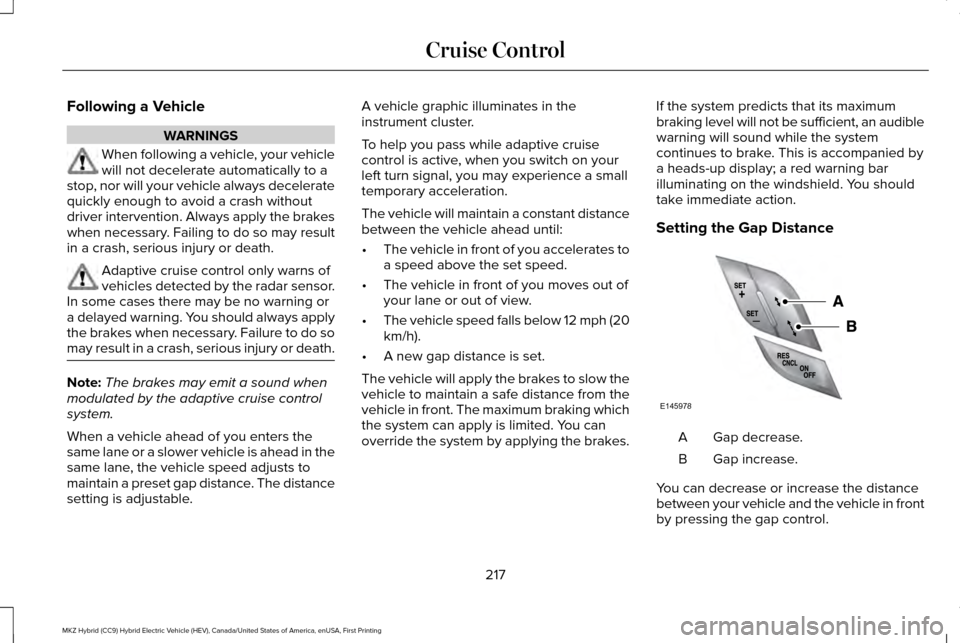
Setting the Gap Distance
Gap decrease.
A
Gap increase.
B
You can decrease or increase the distance
between your vehicle and the vehicle in front
by pressing the gap control.
217
MKZ Hybrid (CC9) Hybrid Electric Vehicle (HEV), Canada/United States of America, enUSA, First Printing Cruise ControlE145978
Page 227 of 543
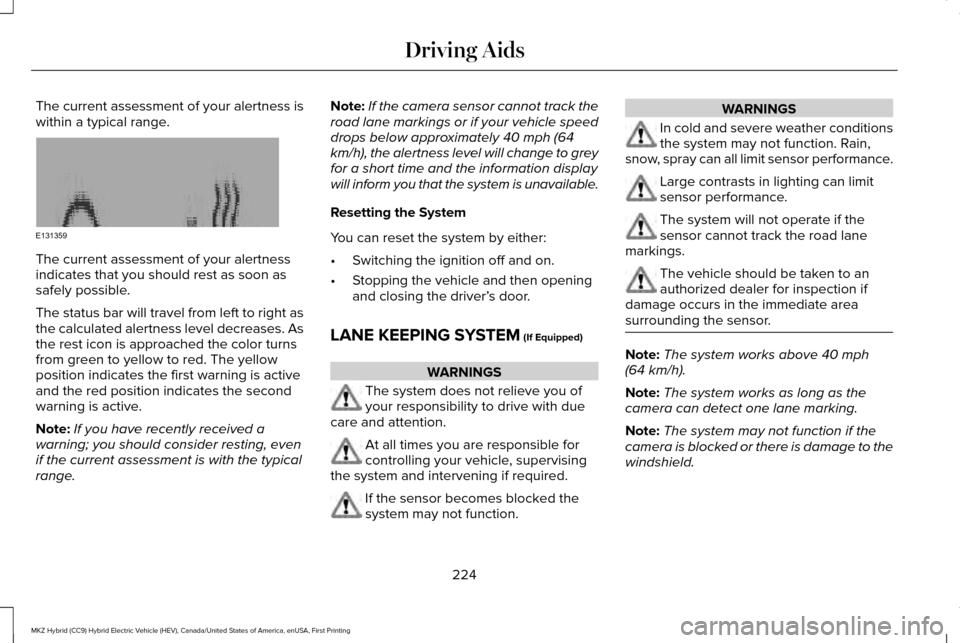
The current assessment of your alertness is
within a typical range.
The current assessment of your alertness
indicates that you should rest as soon as
safely possible.
The status bar will travel from left to right as
the calculated alertness level decreases. As
the rest icon is approached the color turns
from green to yellow to red. The yellow
position indicates the first warning is active
and the red position indicates the second
warning is active.
Note:
If you have recently received a
warning; you should consider resting, even
if the current assessment is with the typical
range. Note:
If the camera sensor cannot track the
road lane markings or if your vehicle speed
drops below approximately 40 mph (64
km/h), the alertness level will change to grey
for a short time and the information display
will inform you that the system is unavailable.
Resetting the System
You can reset the system by either:
• Switching the ignition off and on.
• Stopping the vehicle and then opening
and closing the driver’ s door.
LANE KEEPING SYSTEM (If Equipped) WARNINGS
The system does not relieve you of
your responsibility to drive with due
care and attention. At all times you are responsible for
controlling your vehicle, supervising
the system and intervening if required. If the sensor becomes blocked the
system may not function. WARNINGS
In cold and severe weather conditions
the system may not function. Rain,
snow, spray can all limit sensor performance. Large contrasts in lighting can limit
sensor performance.
The system will not operate if the
sensor cannot track the road lane
markings. The vehicle should be taken to an
authorized dealer for inspection if
damage occurs in the immediate area
surrounding the sensor. Note:
The system works above
40 mph
(64 km/h).
Note: The system works as long as the
camera can detect one lane marking.
Note: The system may not function if the
camera is blocked or there is damage to the
windshield.
224
MKZ Hybrid (CC9) Hybrid Electric Vehicle (HEV), Canada/United States of America, enUSA, First Printing Driving AidsE131359