rear LINCOLN NAVIGATOR 2004 Owner's Guide
[x] Cancel search | Manufacturer: LINCOLN, Model Year: 2004, Model line: NAVIGATOR, Model: LINCOLN NAVIGATOR 2004Pages: 368, PDF Size: 8.21 MB
Page 115 of 368
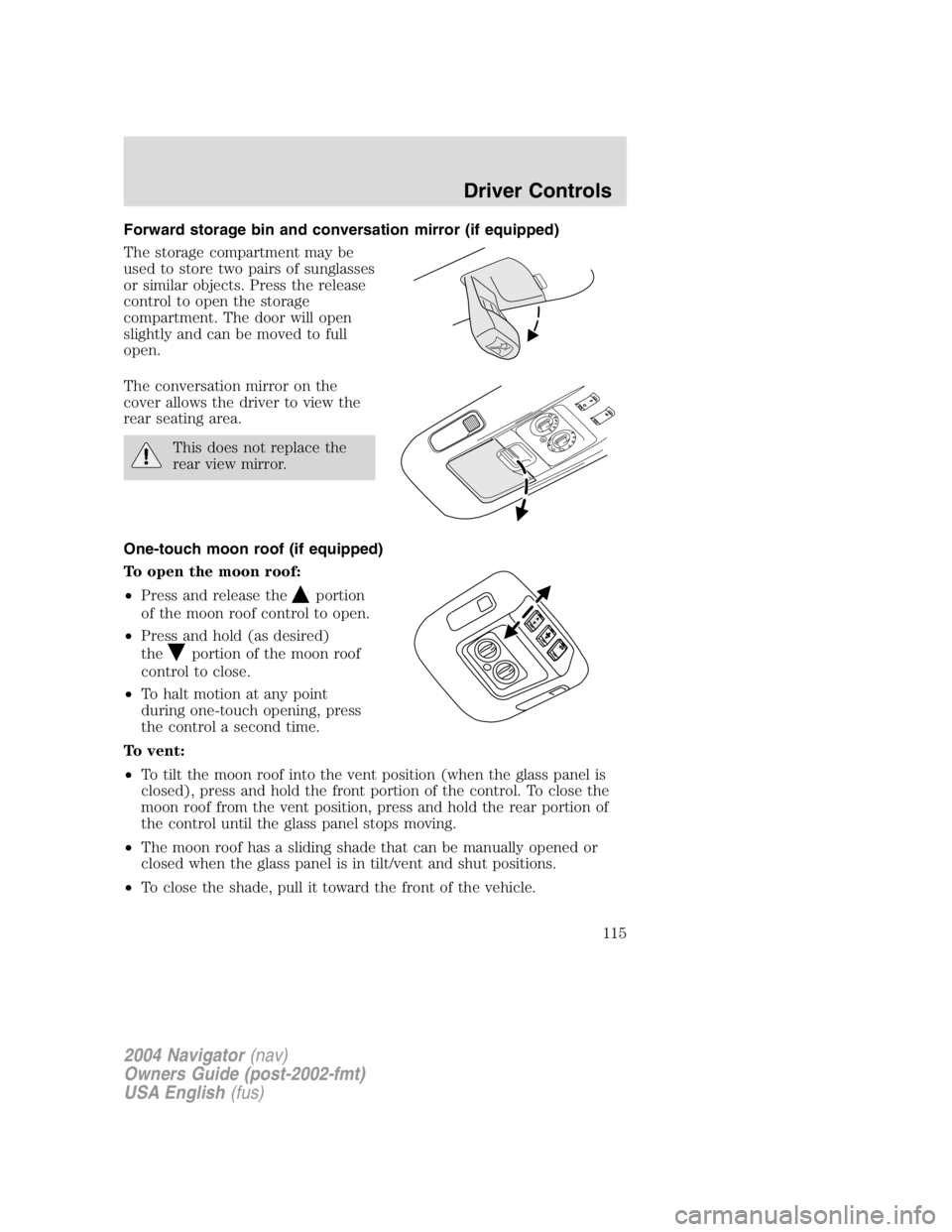
Forward storage bin and conversation mirror (if equipped)
The storage compartment may be
used to store two pairs of sunglasses
or similar objects. Press the release
control to open the storage
compartment. The door will open
slightly and can be moved to full
open.
The conversation mirror on the
cover allows the driver to view the
rear seating area.
This does not replace the
rear view mirror.
One-touch moon roof (if equipped)
To open the moon roof:
• Press and release the portion
of the moon roof control to open.
• Press and hold (as desired)
the portion of the moon roof
control to close.
• To halt motion at any point
during one-touch opening, press
the control a second time.
To vent:
• To tilt the moon roof into the vent position (when the glass panel is
closed), press and hold the front portion of the control. To close the
moon roof from the vent position, press and hold the rear portion of
the control until the glass panel stops moving.
• The moon roof has a sliding shade that can be manually opened or
closed when the glass panel is in tilt/vent and shut positions.
• To close the shade, pull it toward the front of the vehicle.
2004 Navigator (nav)
Owners Guide (post-2002-fmt)
USA English (fus) Driver Controls
115
Page 116 of 368
Do not let children play with the moon roof. They may seriously
hurt themselves.
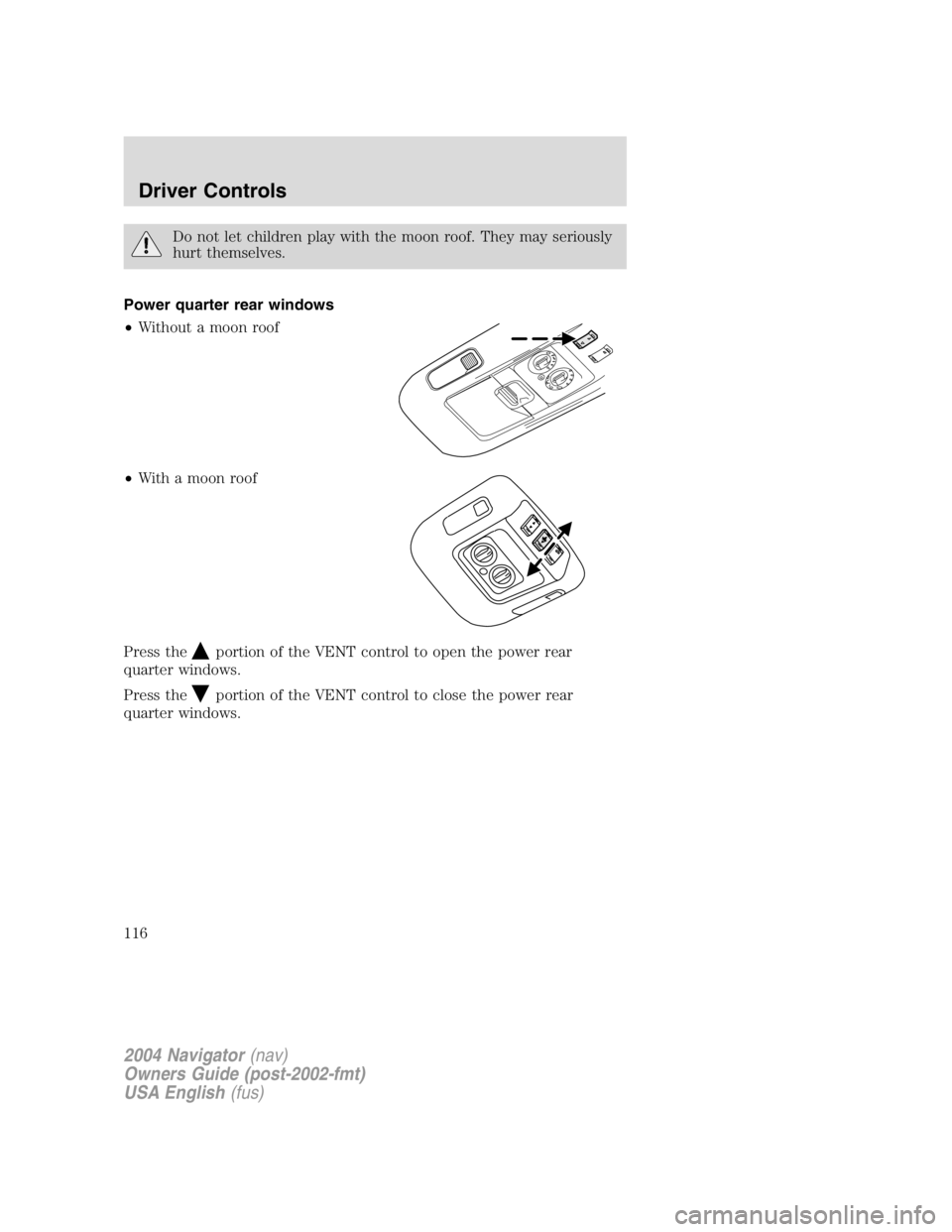
Power quarter rear windows
• Without a moon roof
• With a moon roof
Press the
portion of the VENT control to open the power rear
quarter windows.
Press the
portion of the VENT control to close the power rear
quarter windows.
2004 Navigator (nav)
Owners Guide (post-2002-fmt)
USA English (fus)Driver Controls
116
Page 118 of 368
AUXILIARY POWER POINT
Power points are designed for accessory plugs only. Do not hang
any type of accessory or accessory bracket from the plug.
Improper use of the power points can cause damage not covered
by your warranty.
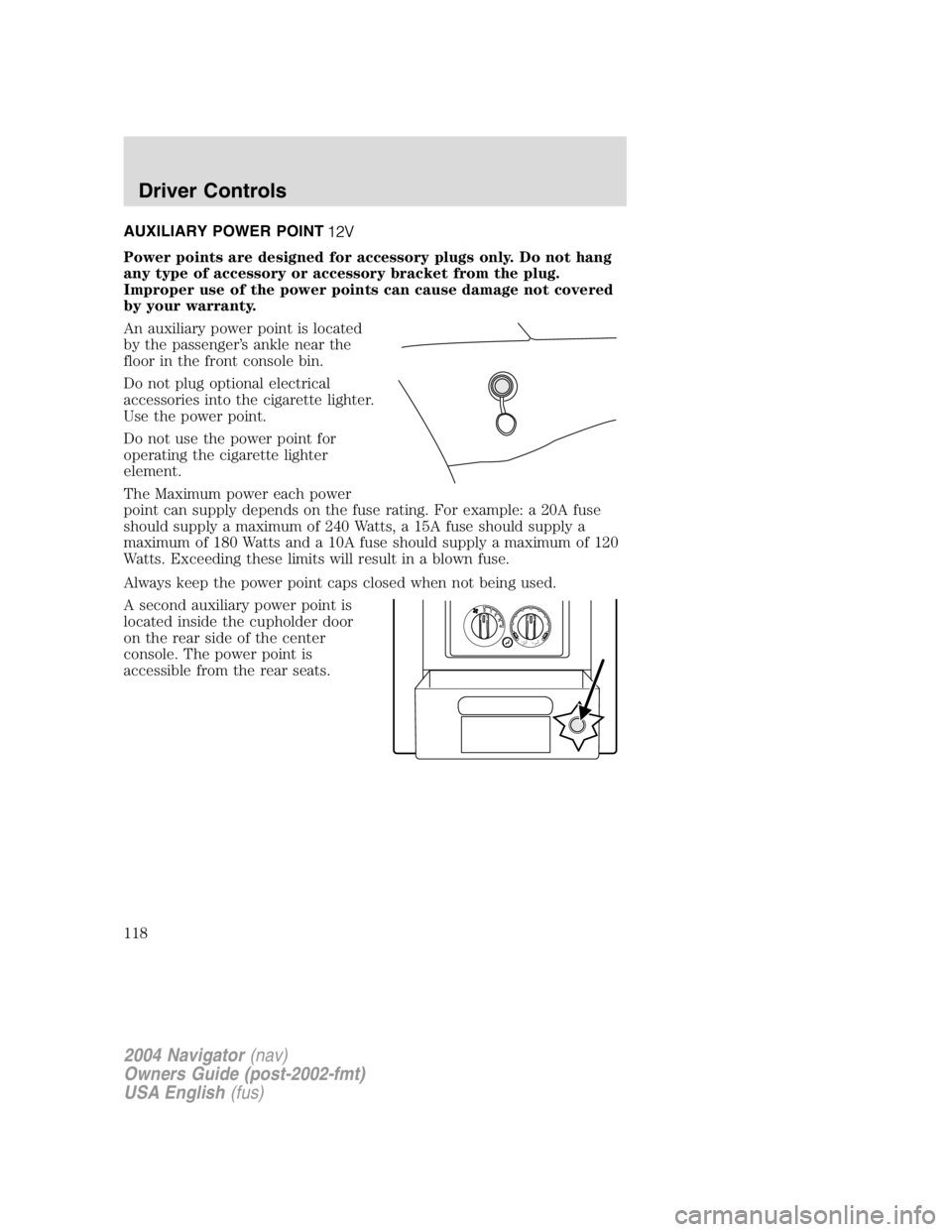
An auxiliary power point is located
by the passenger ’ s ankle near the
floor in the front console bin.
Do not plug optional electrical
accessories into the cigarette lighter.
Use the power point.
Do not use the power point for
operating the cigarette lighter
element.
The Maximum power each power
point can supply depends on the fuse rating. For example: a 20A fuse
should supply a maximum of 240 Watts, a 15A fuse should supply a
maximum of 180 Watts and a 10A fuse should supply a maximum of 120
Watts. Exceeding these limits will result in a blown fuse.
Always keep the power point caps closed when not being used.
A second auxiliary power point is
located inside the cupholder door
on the rear side of the center
console. The power point is
accessible from the rear seats. 43210
2004 Navigator (nav)
Owners Guide (post-2002-fmt)
USA English (fus)Driver Controls
118
Page 119 of 368
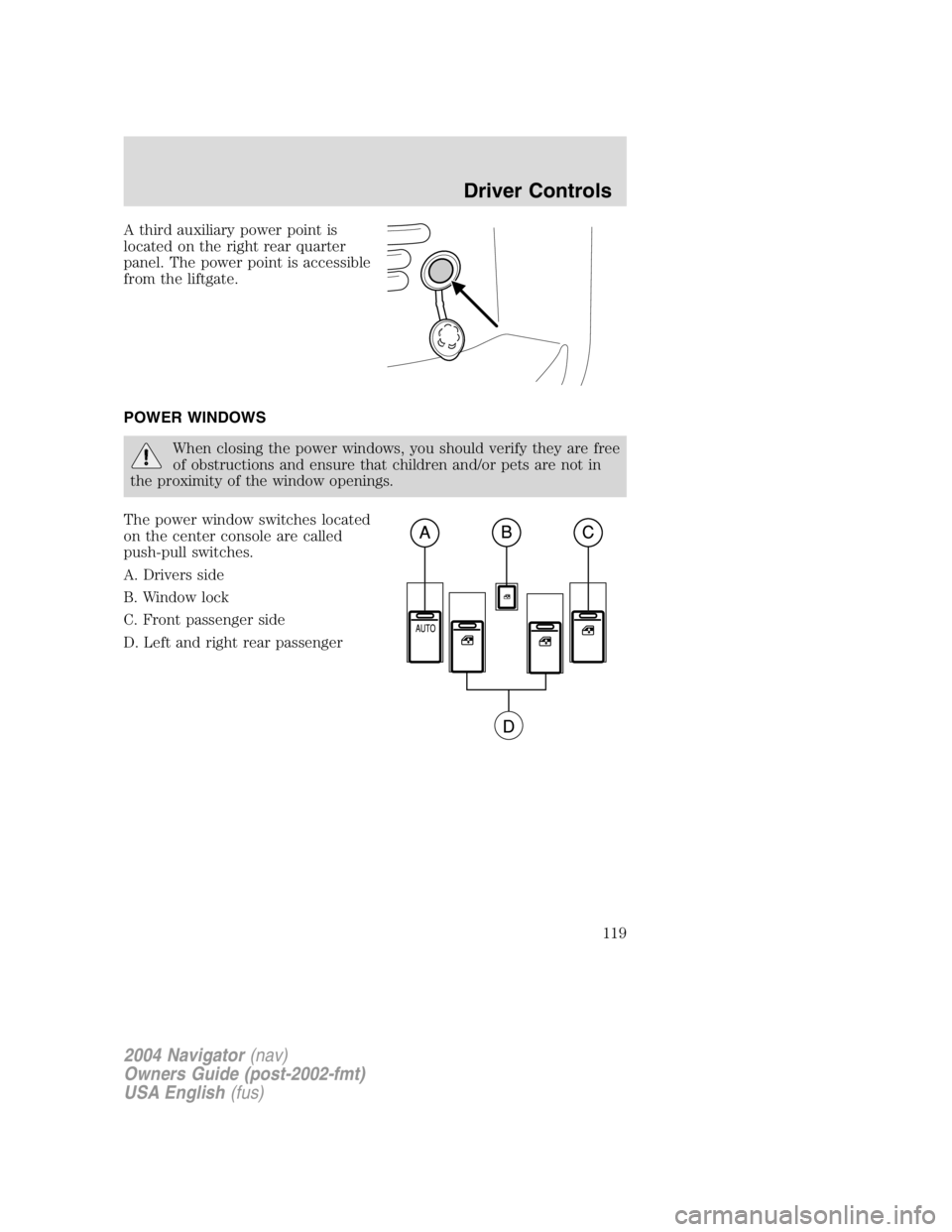
A third auxiliary power point is
located on the right rear quarter
panel. The power point is accessible
from the liftgate.
POWER WINDOWS
When closing the power windows, you should verify they are free
of obstructions and ensure that children and/or pets are not in
the proximity of the window openings.
The power window switches located
on the center console are called
push-pull switches.
A. Drivers side
B. Window lock
C. Front passenger side
D. Left and right rear passenger
2004 Navigator (nav)
Owners Guide (post-2002-fmt)
USA English (fus) Driver Controls
119
Page 120 of 368
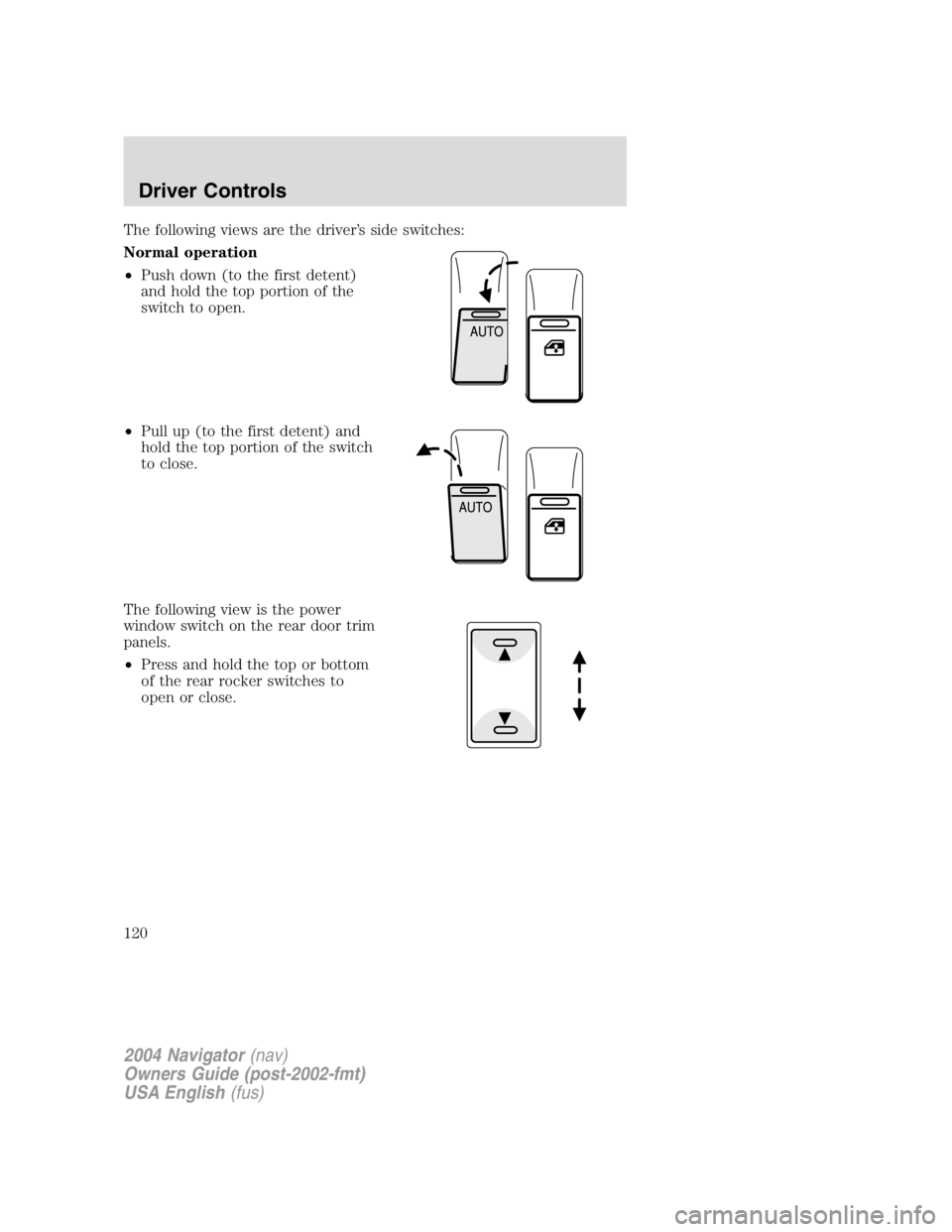
The following views are the driver ’ s side switches:
Normal operation
• Push down (to the first detent)
and hold the top portion of the
switch to open.
• Pull up (to the first detent) and
hold the top portion of the switch
to close.
The following view is the power
window switch on the rear door trim
panels.
• Press and hold the top or bottom
of the rear rocker switches to
open or close.
2004 Navigator (nav)
Owners Guide (post-2002-fmt)
USA English (fus)Driver Controls
120
Page 122 of 368
Security Override
If during a bounce-back condition, the switch is released to the neutral
position, then held in the one touch up position within two seconds after
the window reaches the bounce-back position, the window will travel
up with no bounce-back protection. If the switch is released before
the window reaches fully closed or the ignition is turned OFF (without
accessory delay being active), the window will stop. Security override
can be used if there is ice on the window or seals, causing a restriction.
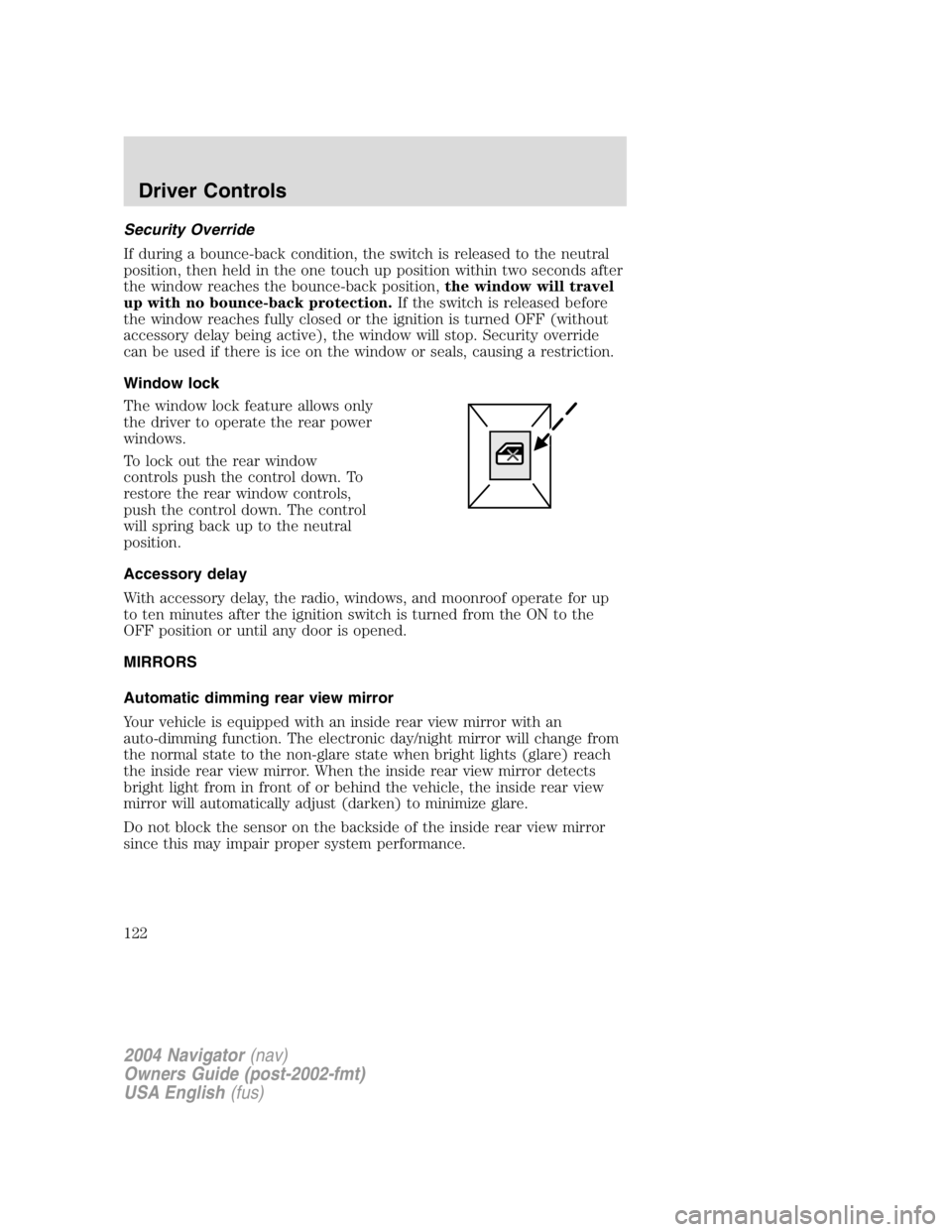
Window lock
The window lock feature allows only
the driver to operate the rear power
windows.
To lock out the rear window
controls push the control down. To
restore the rear window controls,
push the control down. The control
will spring back up to the neutral
position.
Accessory delay
With accessory delay, the radio, windows, and moonroof operate for up
to ten minutes after the ignition switch is turned from the ON to the
OFF position or until any door is opened.
MIRRORS
Automatic dimming rear view mirror
Your vehicle is equipped with an inside rear view mirror with an
auto-dimming function. The electronic day/night mirror will change from
the normal state to the non-glare state when bright lights (glare) reach
the inside rear view mirror. When the inside rear view mirror detects
bright light from in front of or behind the vehicle, the inside rear view
mirror will automatically adjust (darken) to minimize glare.
Do not block the sensor on the backside of the inside rear view mirror
since this may impair proper system performance.
2004 Navigator (nav)
Owners Guide (post-2002-fmt)
USA English (fus)Driver Controls
122
Page 123 of 368
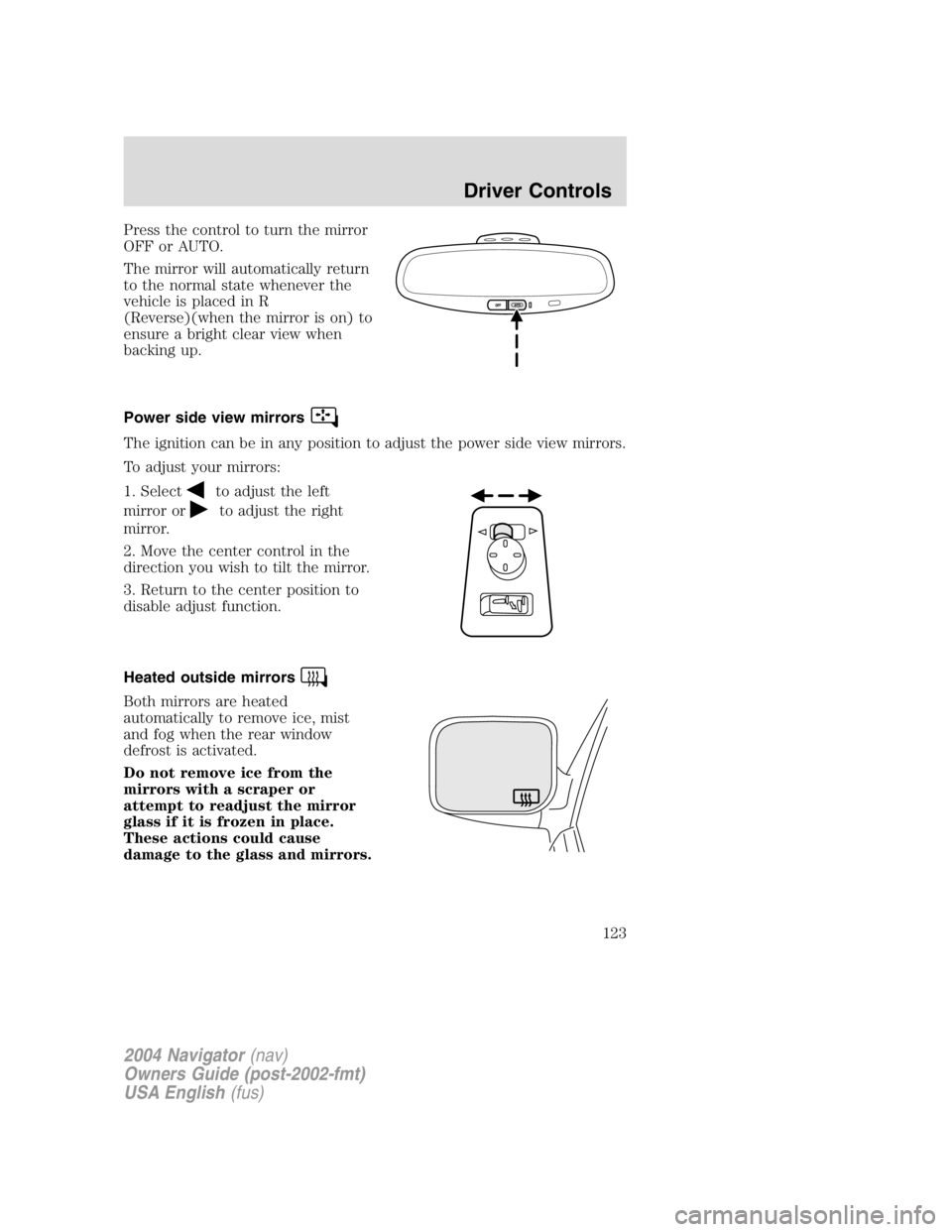
Press the control to turn the mirror
OFF or AUTO.
The mirror will automatically return
to the normal state whenever the
vehicle is placed in R
(Reverse)(when the mirror is on) to
ensure a bright clear view when
backing up.
Power side view mirrors
The ignition can be in any position to adjust the power side view mirrors.
To adjust your mirrors:
1. Select
to adjust the left
mirror or to adjust the right
mirror.
2. Move the center control in the
direction you wish to tilt the mirror.
3. Return to the center position to
disable adjust function.
Heated outside mirrors
Both mirrors are heated
automatically to remove ice, mist
and fog when the rear window
defrost is activated.
Do not remove ice from the
mirrors with a scraper or
attempt to readjust the mirror
glass if it is frozen in place.
These actions could cause
damage to the glass and mirrors.
2004 Navigator (nav)
Owners Guide (post-2002-fmt)
USA English (fus) Driver Controls
123
Page 124 of 368
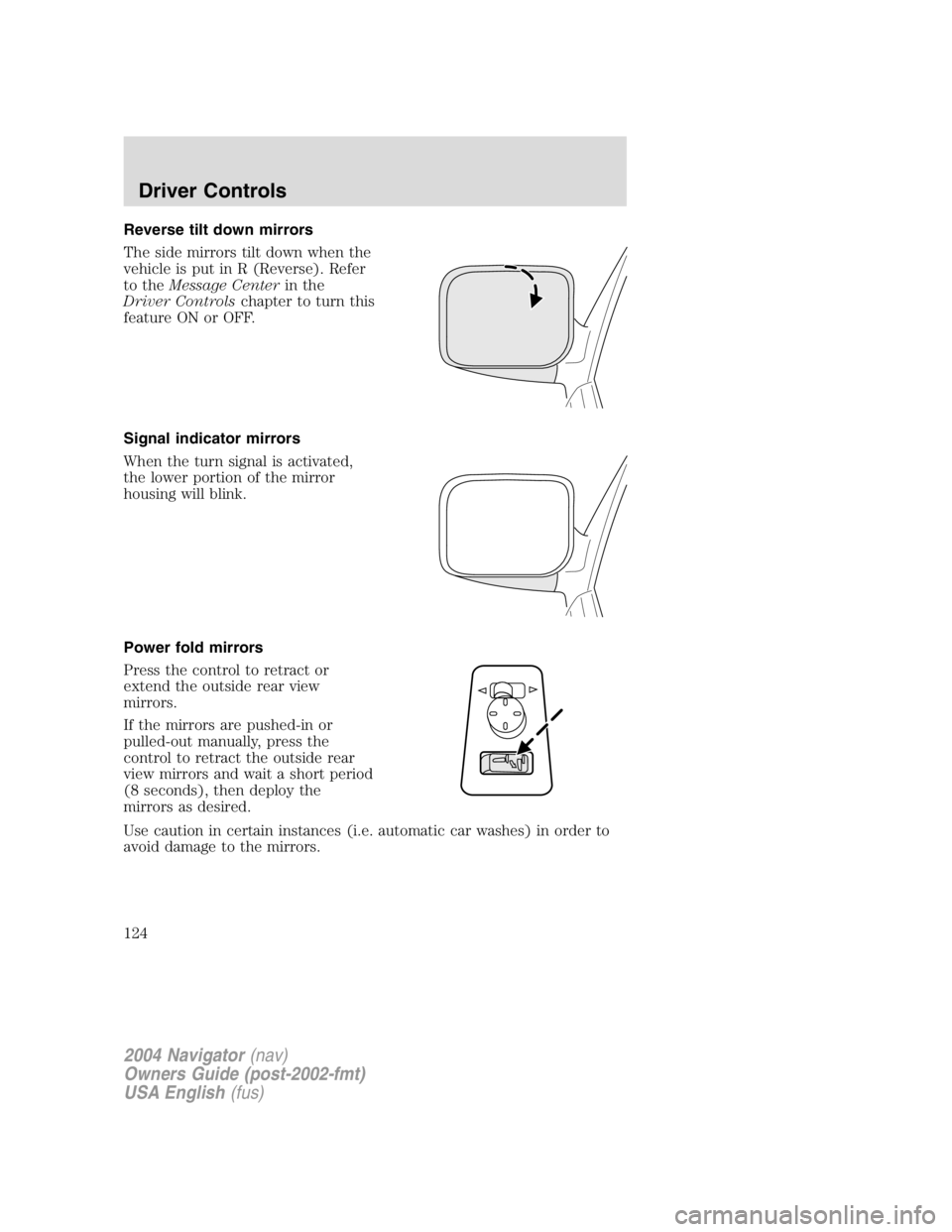
Reverse tilt down mirrors
The side mirrors tilt down when the
vehicle is put in R (Reverse). Refer
to the Message Center in the
Driver Controls chapter to turn this
feature ON or OFF.
Signal indicator mirrors
When the turn signal is activated,
the lower portion of the mirror
housing will blink.
Power fold mirrors
Press the control to retract or
extend the outside rear view
mirrors.
If the mirrors are pushed-in or
pulled-out manually, press the
control to retract the outside rear
view mirrors and wait a short period
(8 seconds), then deploy the
mirrors as desired.
Use caution in certain instances (i.e. automatic car washes) in order to
avoid damage to the mirrors.
2004 Navigator (nav)
Owners Guide (post-2002-fmt)
USA English (fus)Driver Controls
124
Page 142 of 368
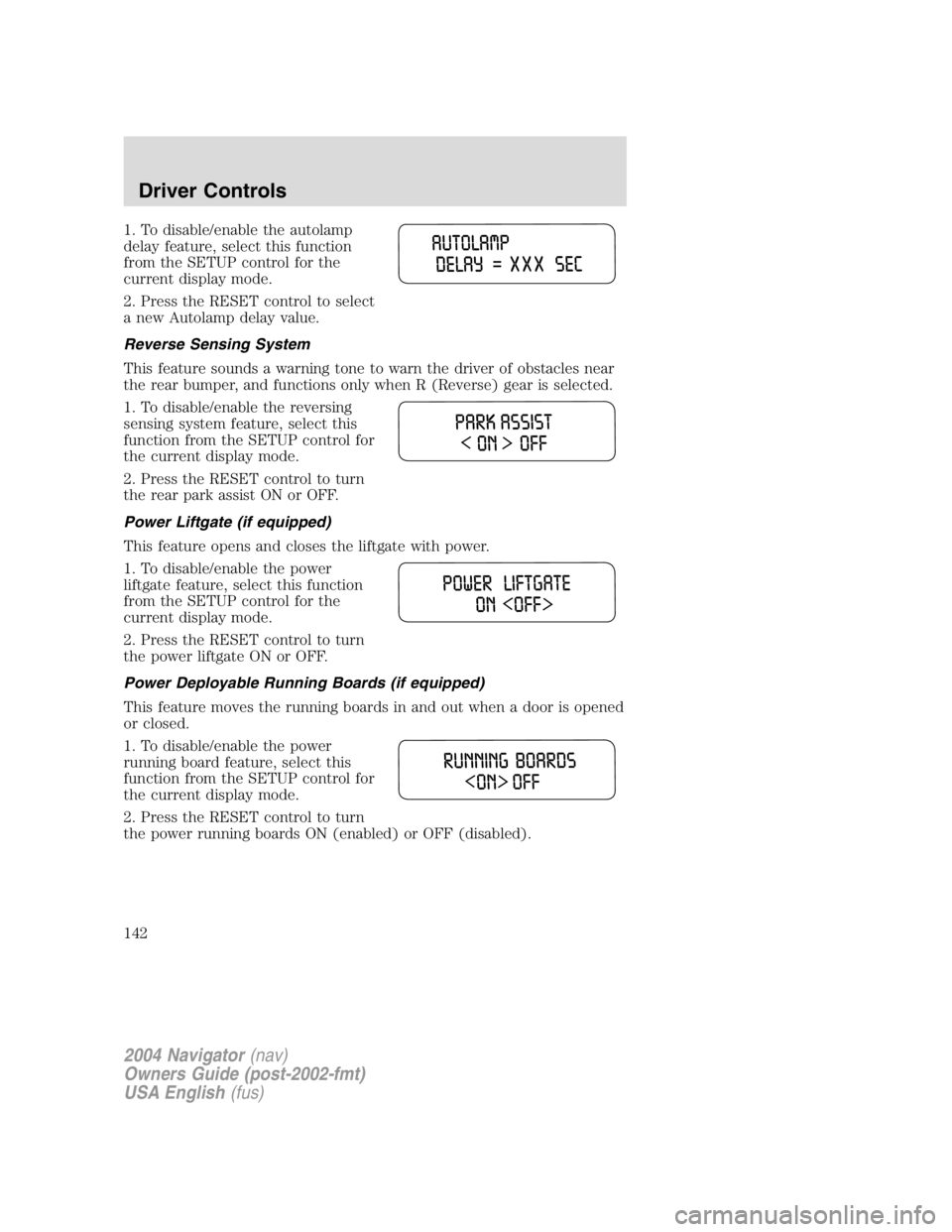
1. To disable/enable the autolamp
delay feature, select this function
from the SETUP control for the
current display mode.
2. Press the RESET control to select
a new Autolamp delay value.
Reverse Sensing System
This feature sounds a warning tone to warn the driver of obstacles near
the rear bumper, and functions only when R (Reverse) gear is selected.
1. To disable/enable the reversing
sensing system feature, select this
function from the SETUP control for
the current display mode.
2. Press the RESET control to turn
the rear park assist ON or OFF.
Power Liftgate (if equipped)
This feature opens and closes the liftgate with power.
1. To disable/enable the power
liftgate feature, select this function
from the SETUP control for the
current display mode.
2. Press the RESET control to turn
the power liftgate ON or OFF.
Power Deployable Running Boards (if equipped)
This feature moves the running boards in and out when a door is opened
or closed.
1. To disable/enable the power
running board feature, select this
function from the SETUP control for
the current display mode.
2. Press the RESET control to turn
the power running boards ON (enabled) or OFF (disabled).
2004 Navigator (nav)
Owners Guide (post-2002-fmt)
USA English (fus)Driver Controls
142
Page 148 of 368
DATA ERR. These messages indicate improper operation of the vehicle
network communication between electronic modules.
• Fuel computer
• Charging system
• Door sensor
• Washer fluid
• Brake fluid
• Compass
• Outside temperature
• Engine sensor
Contact your dealer as soon as possible if these messages occur on a
regular basis.
CENTER CONSOLE
Your vehicle may be equipped with a variety of console features. These
include:
• Utility compartment
• Cupholders
• Coin holder slots
• Tissue box holder
• Rear audio controls
• Power point
Use only soft cups in the cupholder. Hard objects can injure you
in a collision.
Cell phone use
The use of Mobile Communications Equipment has become increasingly
important in the conduct of business and personal affairs. However,
drivers must not compromise their own or others ’ safety when using
such equipment. Mobile Communications can enhance personal safety
and security when appropriately used, particularly in emergency
situations. Safety must be paramount when using mobile communications
equipment to avoid negating these benefits.
Mobile Communication Equipment includes, but is not limited to cellular
phones, pagers, portable email devices, in vehicle communications
systems, telematics devices and portable two-way radios.
2004 Navigator (nav)
Owners Guide (post-2002-fmt)
USA English (fus)Driver Controls
148