rear LINCOLN NAVIGATOR 2004 Service Manual
[x] Cancel search | Manufacturer: LINCOLN, Model Year: 2004, Model line: NAVIGATOR, Model: LINCOLN NAVIGATOR 2004Pages: 368, PDF Size: 8.21 MB
Page 149 of 368
A driver ’ s first responsibility is the safe operation of the vehicle.
The most important thing you can do to prevent a crash is to
avoid distractions and pay attention to the road. Wait until it is safe to
operate Mobile Communications Equipment.
Rear center console features (if equipped)
The rear center console incorporates the following features:
• utility compartment
• cupholders
POSITIVE RETENTION FLOOR MAT
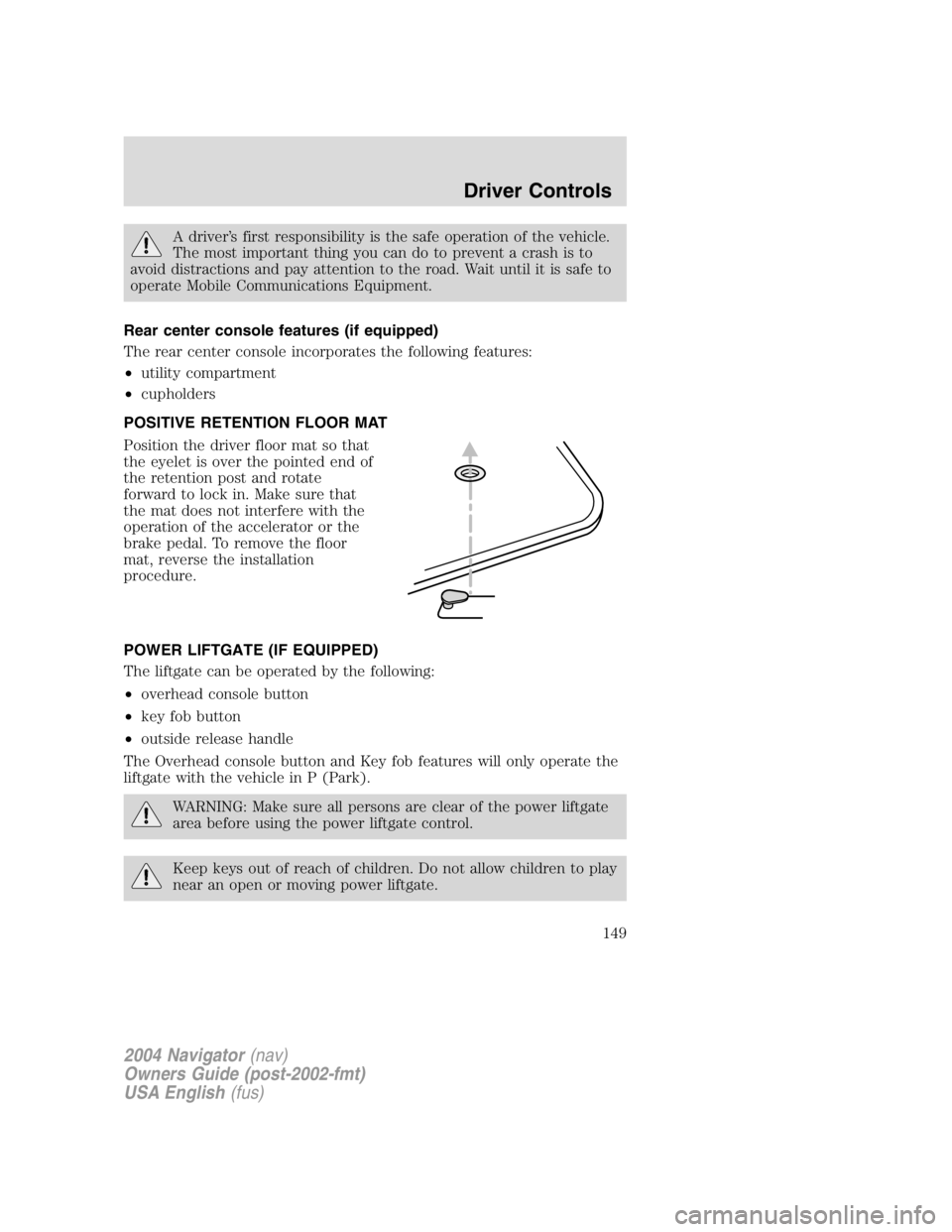
Position the driver floor mat so that
the eyelet is over the pointed end of
the retention post and rotate
forward to lock in. Make sure that
the mat does not interfere with the
operation of the accelerator or the
brake pedal. To remove the floor
mat, reverse the installation
procedure.
POWER LIFTGATE (IF EQUIPPED)
The liftgate can be operated by the following:
• overhead console button
• key fob button
• outside release handle
The Overhead console button and Key fob features will only operate the
liftgate with the vehicle in P (Park).
WARNING: Make sure all persons are clear of the power liftgate
area before using the power liftgate control.
Keep keys out of reach of children. Do not allow children to play
near an open or moving power liftgate.
2004 Navigator (nav)
Owners Guide (post-2002-fmt)
USA English (fus) Driver Controls
149
Page 152 of 368
LUGGAGE RACK
The rear cross-bar can be adjusted to fit the item being carried. The
front cross-bar does not move.
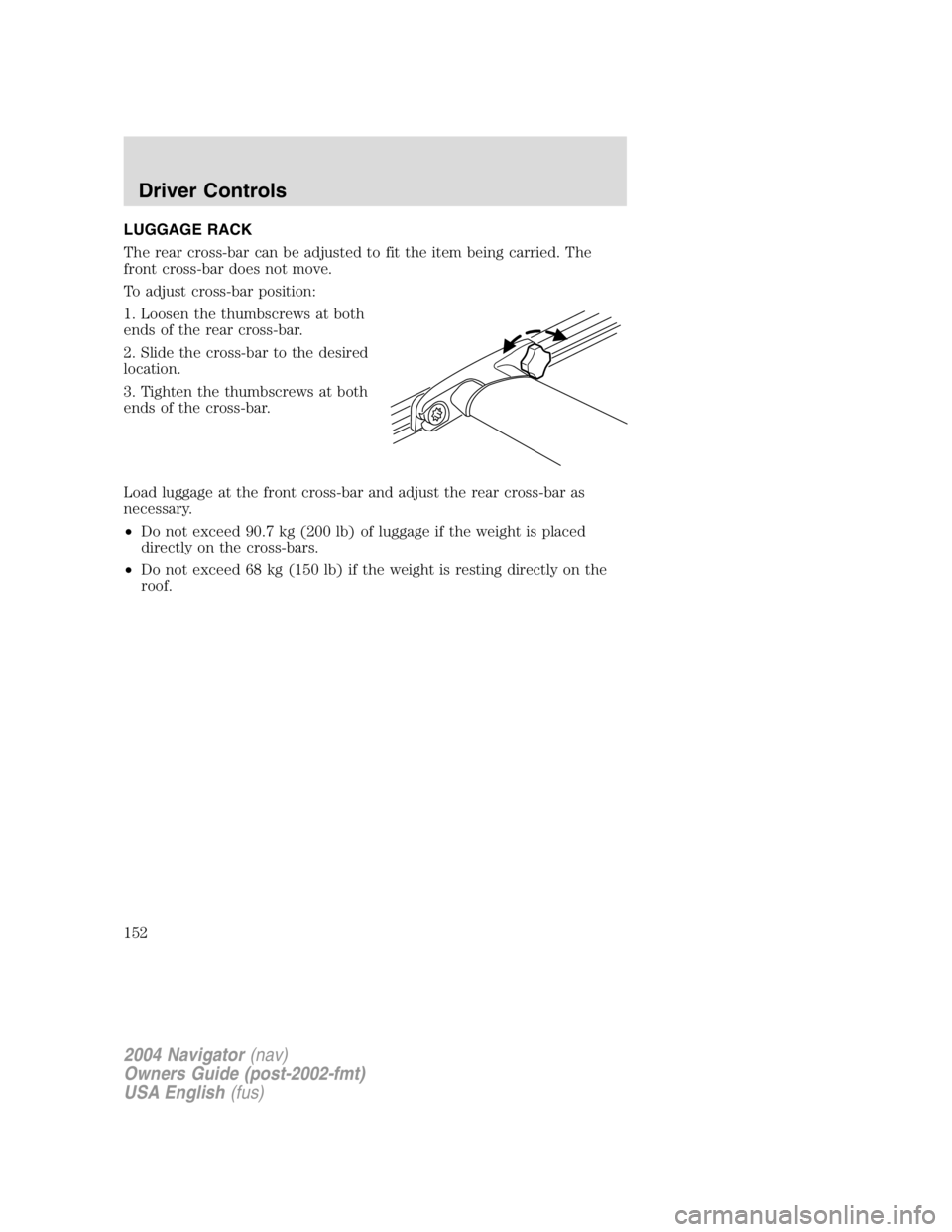
To adjust cross-bar position:
1. Loosen the thumbscrews at both
ends of the rear cross-bar.
2. Slide the cross-bar to the desired
location.
3. Tighten the thumbscrews at both
ends of the cross-bar.
Load luggage at the front cross-bar and adjust the rear cross-bar as
necessary.
• Do not exceed 90.7 kg (200 lb) of luggage if the weight is placed
directly on the cross-bars.
• Do not exceed 68 kg (150 lb) if the weight is resting directly on the
roof.
2004 Navigator (nav)
Owners Guide (post-2002-fmt)
USA English (fus)Driver Controls
152
Page 154 of 368
Childproof door locks
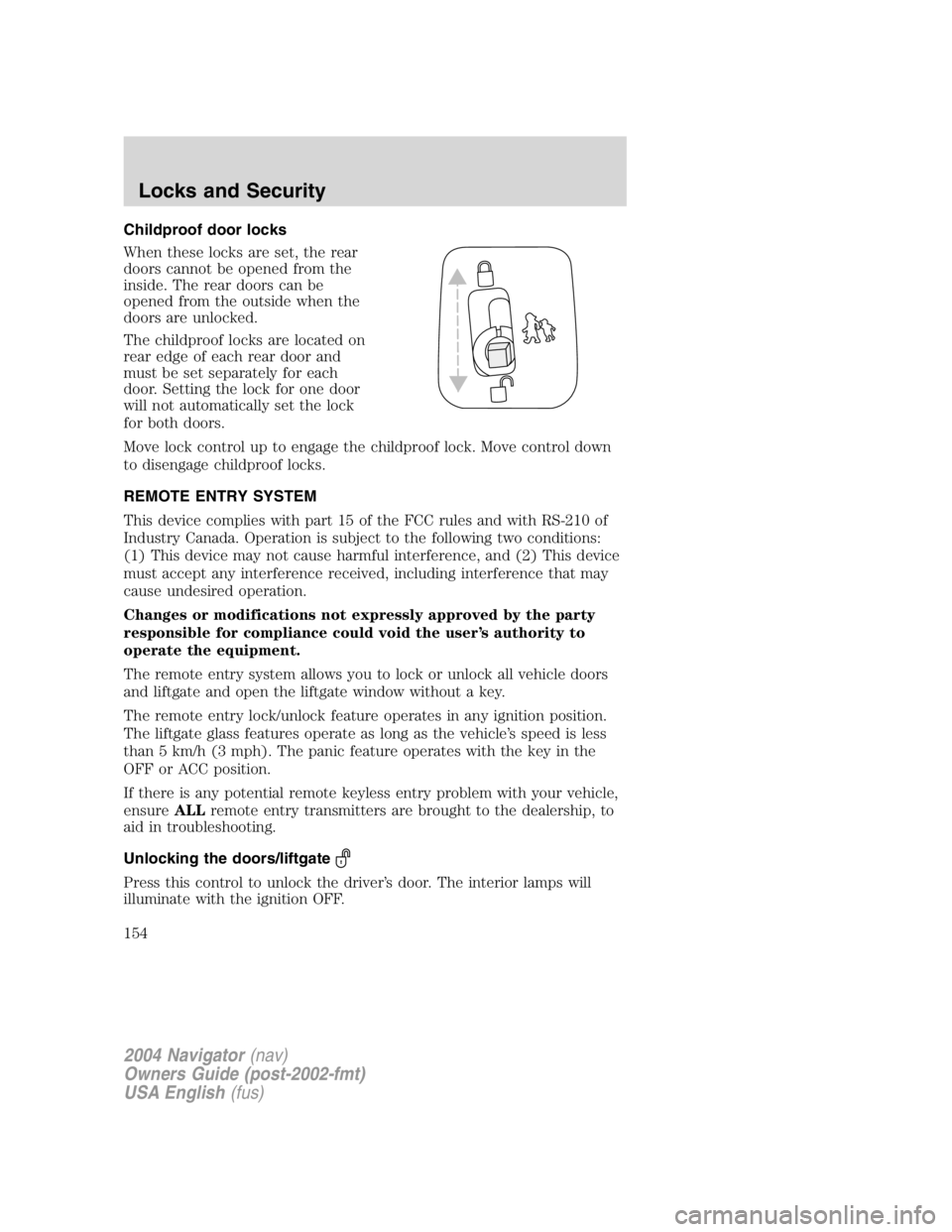
When these locks are set, the rear
doors cannot be opened from the
inside. The rear doors can be
opened from the outside when the
doors are unlocked.
The childproof locks are located on
rear edge of each rear door and
must be set separately for each
door. Setting the lock for one door
will not automatically set the lock
for both doors.
Move lock control up to engage the childproof lock. Move control down
to disengage childproof locks.
REMOTE ENTRY SYSTEM
This device complies with part 15 of the FCC rules and with RS-210 of
Industry Canada. Operation is subject to the following two conditions:
(1) This device may not cause harmful interference, and (2) This device
must accept any interference received, including interference that may
cause undesired operation.
Changes or modifications not expressly approved by the party
responsible for compliance could void the user ’ s authority to
operate the equipment.
The remote entry system allows you to lock or unlock all vehicle doors
and liftgate and open the liftgate window without a key.
The remote entry lock/unlock feature operates in any ignition position.
The liftgate glass features operate as long as the vehicle ’ s speed is less
than 5 km/h (3 mph). The panic feature operates with the key in the
OFF or ACC position.
If there is any potential remote keyless entry problem with your vehicle,
ensure ALL remote entry transmitters are brought to the dealership, to
aid in troubleshooting.
Unlocking the doors/liftgate
Press this control to unlock the driver ’ s door. The interior lamps will
illuminate with the ignition OFF.
2004 Navigator (nav)
Owners Guide (post-2002-fmt)
USA English (fus)Locks and Security
154
Page 158 of 368
• 4 – button remote
• 5 – button remote
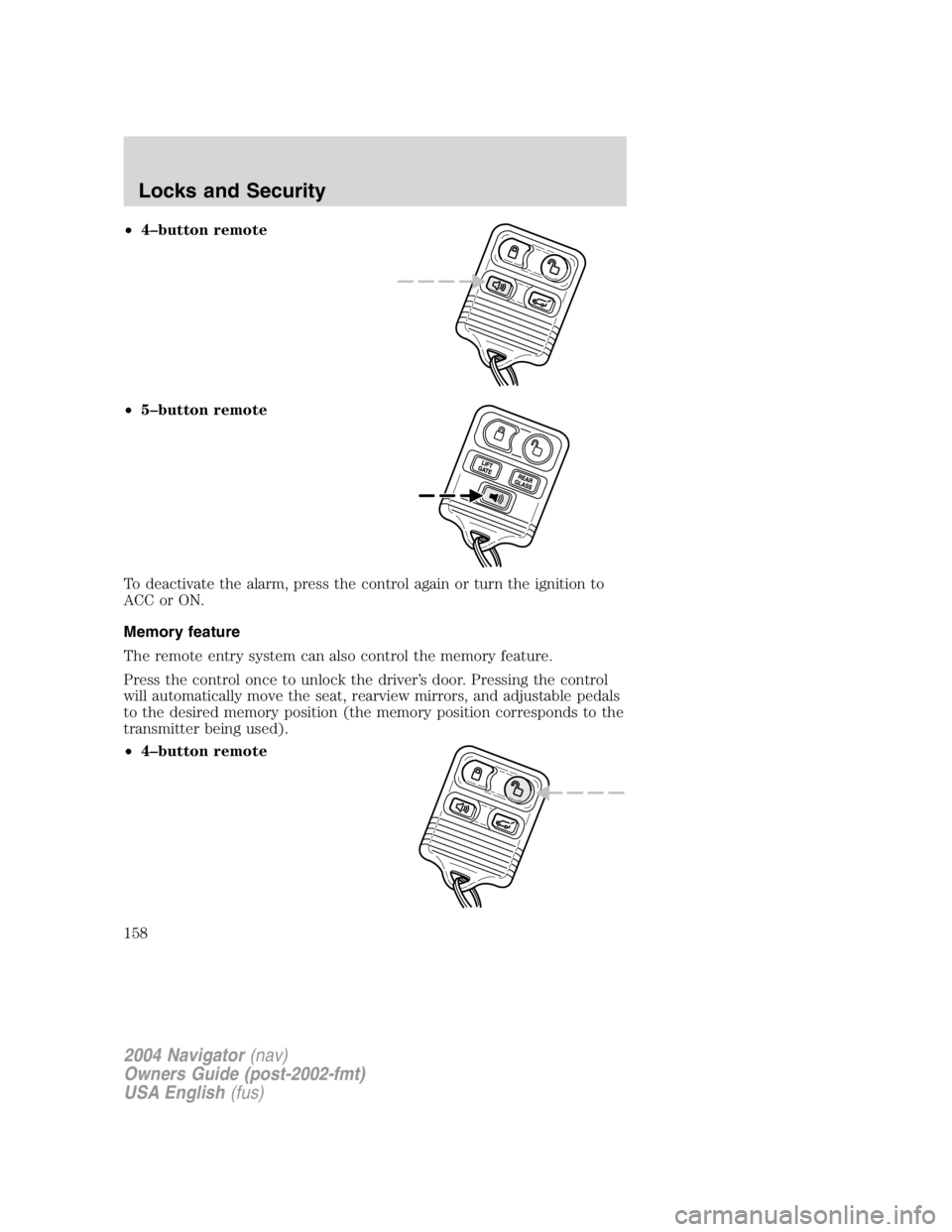
To deactivate the alarm, press the control again or turn the ignition to
ACC or ON.
Memory feature
The remote entry system can also control the memory feature.
Press the control once to unlock the driver ’ s door. Pressing the control
will automatically move the seat, rearview mirrors, and adjustable pedals
to the desired memory position (the memory position corresponds to the
transmitter being used).
• 4 – button remote
2004 Navigator (nav)
Owners Guide (post-2002-fmt)
USA English (fus)Locks and Security
158
Page 159 of 368
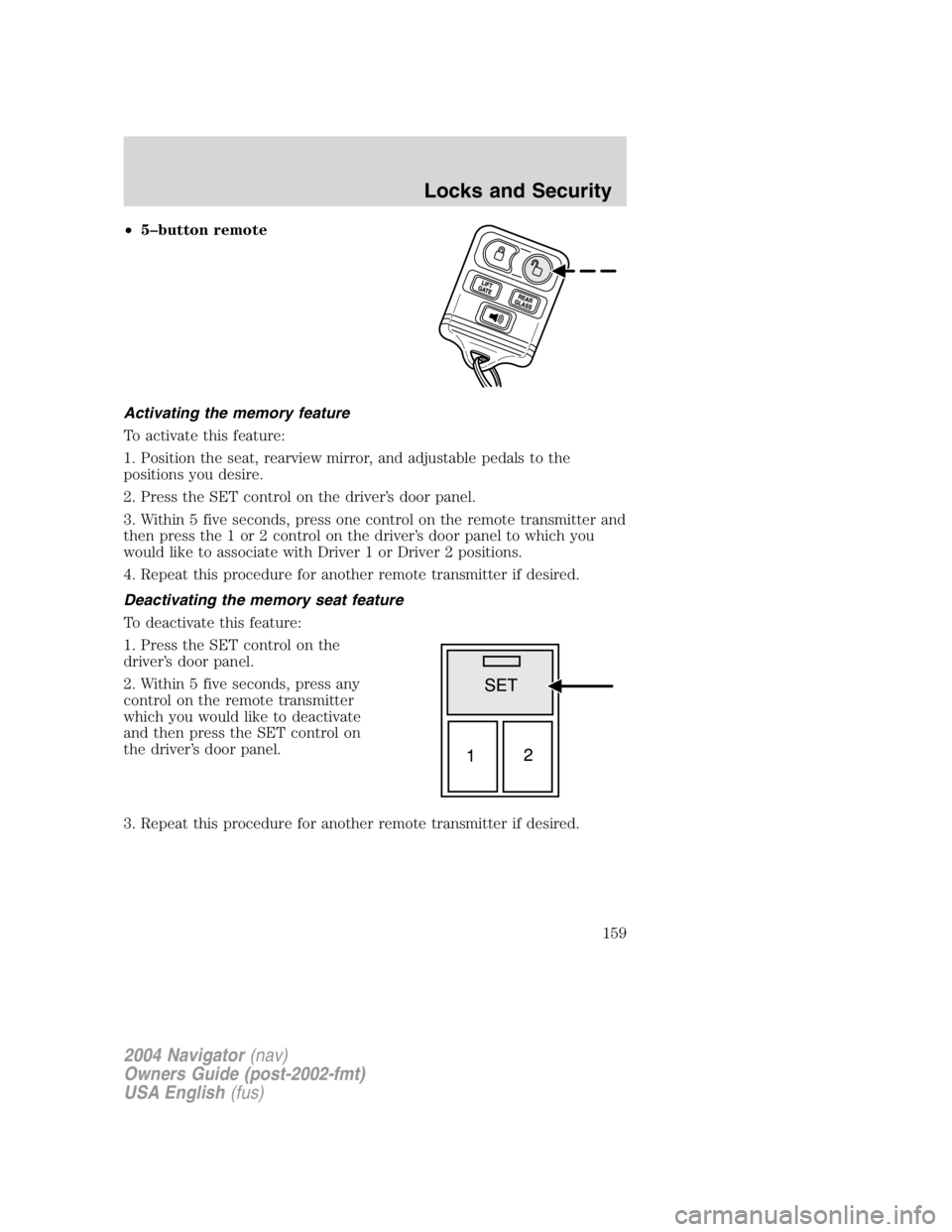
• 5 – button remote
Activating the memory feature
To activate this feature:
1. Position the seat, rearview mirror, and adjustable pedals to the
positions you desire.
2. Press the SET control on the driver ’ s door panel.
3. Within 5 five seconds, press one control on the remote transmitter and
then press the 1 or 2 control on the driver ’ s door panel to which you
would like to associate with Driver 1 or Driver 2 positions.
4. Repeat this procedure for another remote transmitter if desired.
Deactivating the memory seat feature
To deactivate this feature:
1. Press the SET control on the
driver ’ s door panel.
2. Within 5 five seconds, press any
control on the remote transmitter
which you would like to deactivate
and then press the SET control on
the driver ’ s door panel.
3. Repeat this procedure for another remote transmitter if desired.
2004 Navigator (nav)
Owners Guide (post-2002-fmt)
USA English (fus) Locks and Security
159
Page 169 of 368
SEATING
Front row adjustable head restraints
Your vehicle ’ s seats are equipped with four-way adjustable head
restraints. The purpose of these head restraints is to help limit head
motion in the event of a rear collision. To properly adjust your head
restraints, lift the head restraint so that it is located directly behind your
head or as close to that position as possible. Refer to the following
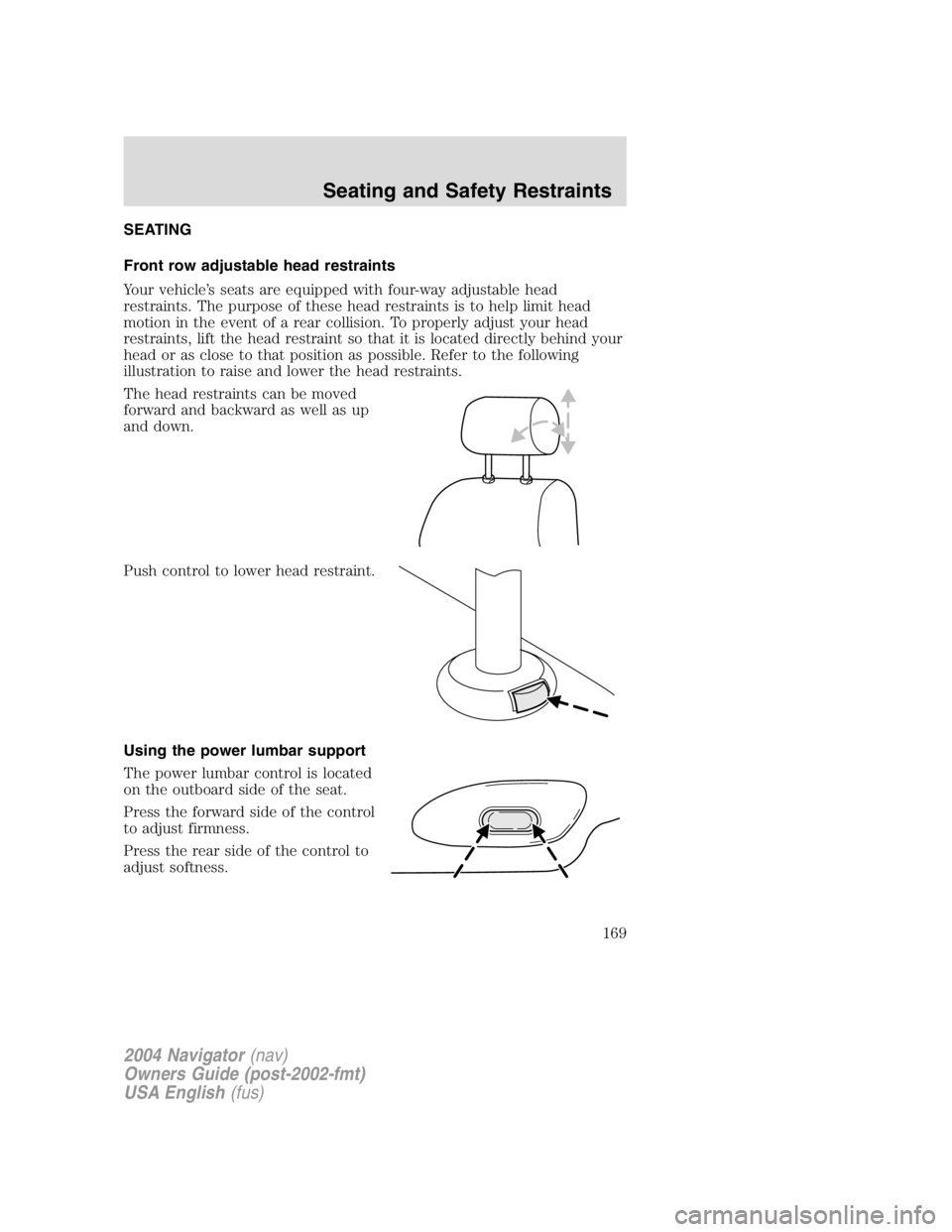
illustration to raise and lower the head restraints.
The head restraints can be moved
forward and backward as well as up
and down.
Push control to lower head restraint.
Using the power lumbar support
The power lumbar control is located
on the outboard side of the seat.
Press the forward side of the control
to adjust firmness.
Press the rear side of the control to
adjust softness.
2004 Navigator (nav)
Owners Guide (post-2002-fmt)
USA English (fus)Seating and Safety Restraints
Seating and Safety Restraints
169
Page 170 of 368
Adjusting the front power seat
Never adjust the driver ’ s seat or seatback when the vehicle is
moving.
Do not pile cargo higher than the seatbacks to avoid injuring
people in a collision or sudden stop.
Always drive and ride with your seatback upright and the lap
belt snug and low across the hips.
Reclining the seatback can cause an occupant to slide under the
seat ’ s safety belt, resulting in severe personal injuries in the
event of a collision.
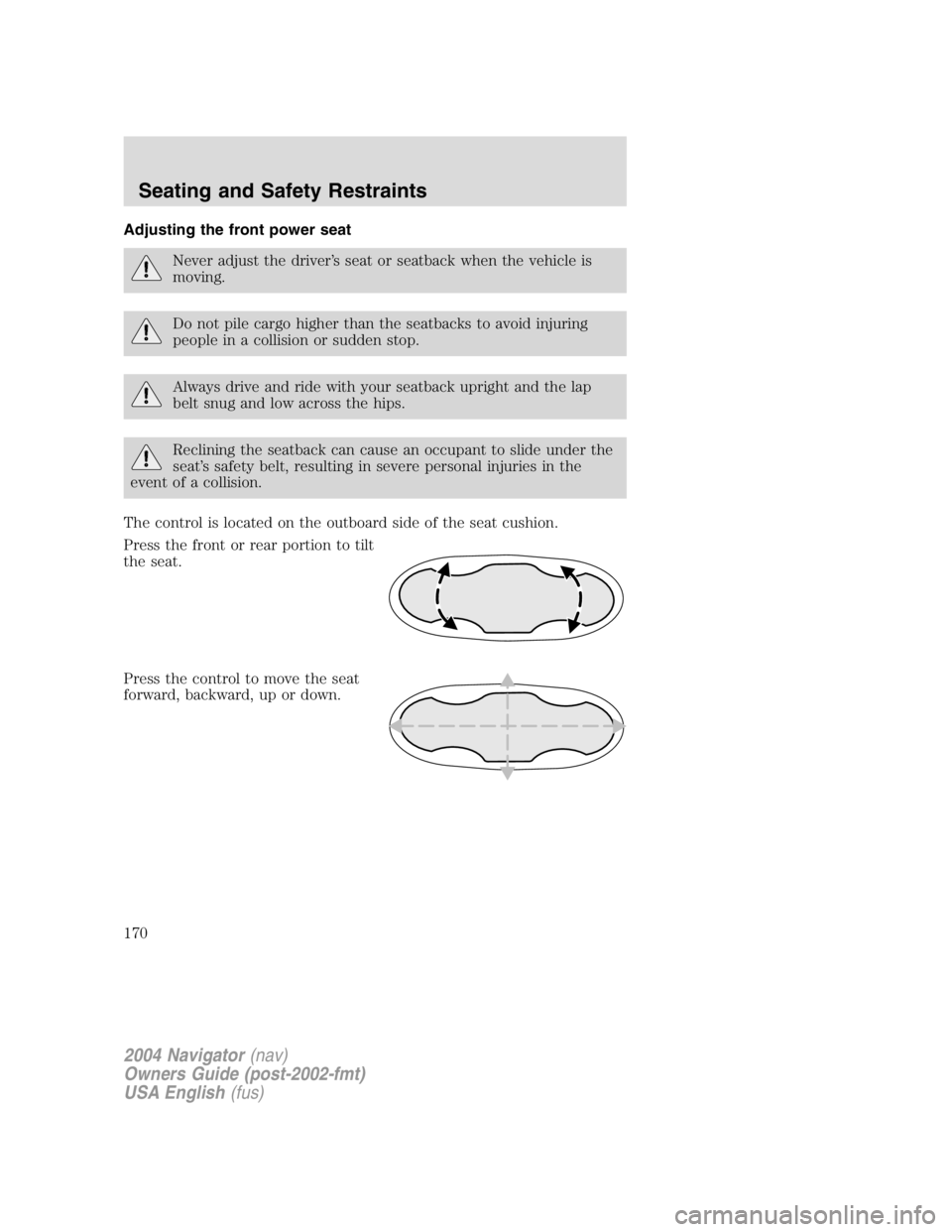
The control is located on the outboard side of the seat cushion.
Press the front or rear portion to tilt
the seat.
Press the control to move the seat
forward, backward, up or down.
2004 Navigator (nav)
Owners Guide (post-2002-fmt)
USA English (fus)Seating and Safety Restraints
170
Page 171 of 368
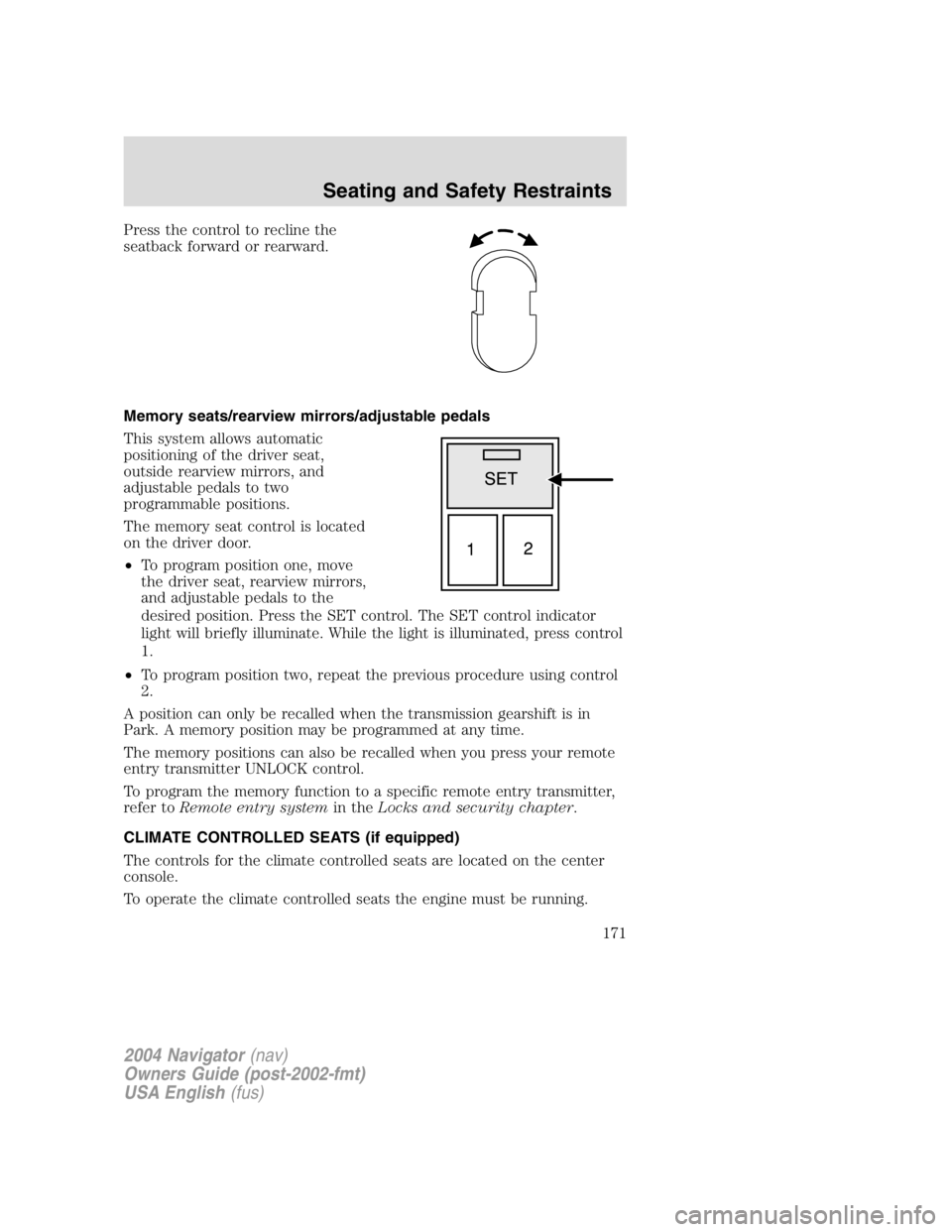
Press the control to recline the
seatback forward or rearward.
Memory seats/rearview mirrors/adjustable pedals
This system allows automatic
positioning of the driver seat,
outside rearview mirrors, and
adjustable pedals to two
programmable positions.
The memory seat control is located
on the driver door.
• To program position one, move
the driver seat, rearview mirrors,
and adjustable pedals to the
desired position. Press the SET control. The SET control indicator
light will briefly illuminate. While the light is illuminated, press control
1.
• To program position two, repeat the previous procedure using control
2.
A position can only be recalled when the transmission gearshift is in
Park. A memory position may be programmed at any time.
The memory positions can also be recalled when you press your remote
entry transmitter UNLOCK control.
To program the memory function to a specific remote entry transmitter,
refer to Remote entry system in the Locks and security chapter .
CLIMATE CONTROLLED SEATS (if equipped)
The controls for the climate controlled seats are located on the center
console.
To operate the climate controlled seats the engine must be running.
2004 Navigator (nav)
Owners Guide (post-2002-fmt)
USA English (fus) Seating and Safety Restraints
171
Page 174 of 368
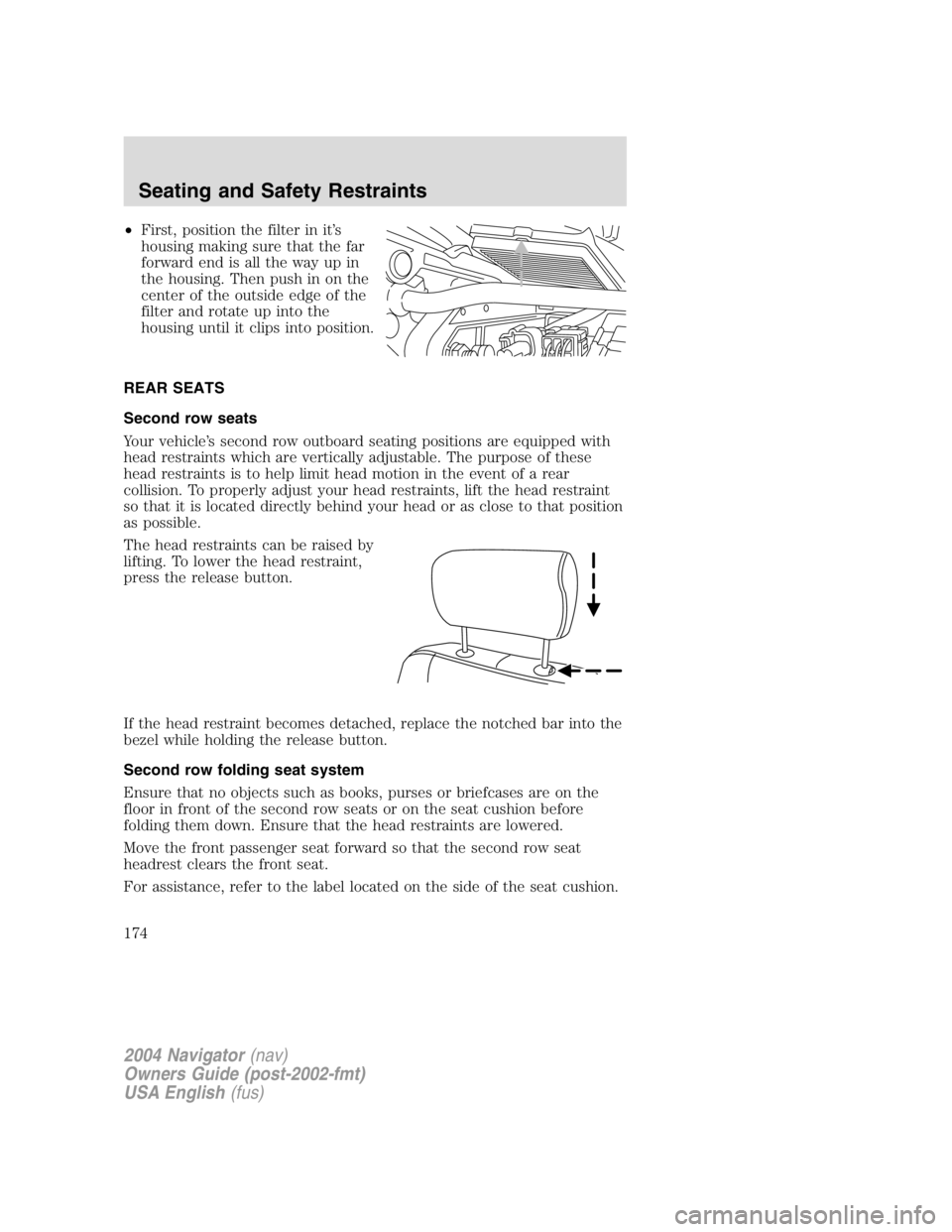
• First, position the filter in it ’ s
housing making sure that the far
forward end is all the way up in
the housing. Then push in on the
center of the outside edge of the
filter and rotate up into the
housing until it clips into position.
REAR SEATS
Second row seats
Your vehicle ’ s second row outboard seating positions are equipped with
head restraints which are vertically adjustable. The purpose of these
head restraints is to help limit head motion in the event of a rear
collision. To properly adjust your head restraints, lift the head restraint
so that it is located directly behind your head or as close to that position
as possible.
The head restraints can be raised by
lifting. To lower the head restraint,
press the release button.
If the head restraint becomes detached, replace the notched bar into the
bezel while holding the release button.
Second row folding seat system
Ensure that no objects such as books, purses or briefcases are on the
floor in front of the second row seats or on the seat cushion before
folding them down. Ensure that the head restraints are lowered.
Move the front passenger seat forward so that the second row seat
headrest clears the front seat.
For assistance, refer to the label located on the side of the seat cushion.
2004 Navigator (nav)
Owners Guide (post-2002-fmt)
USA English (fus)Seating and Safety Restraints
174
Page 177 of 368
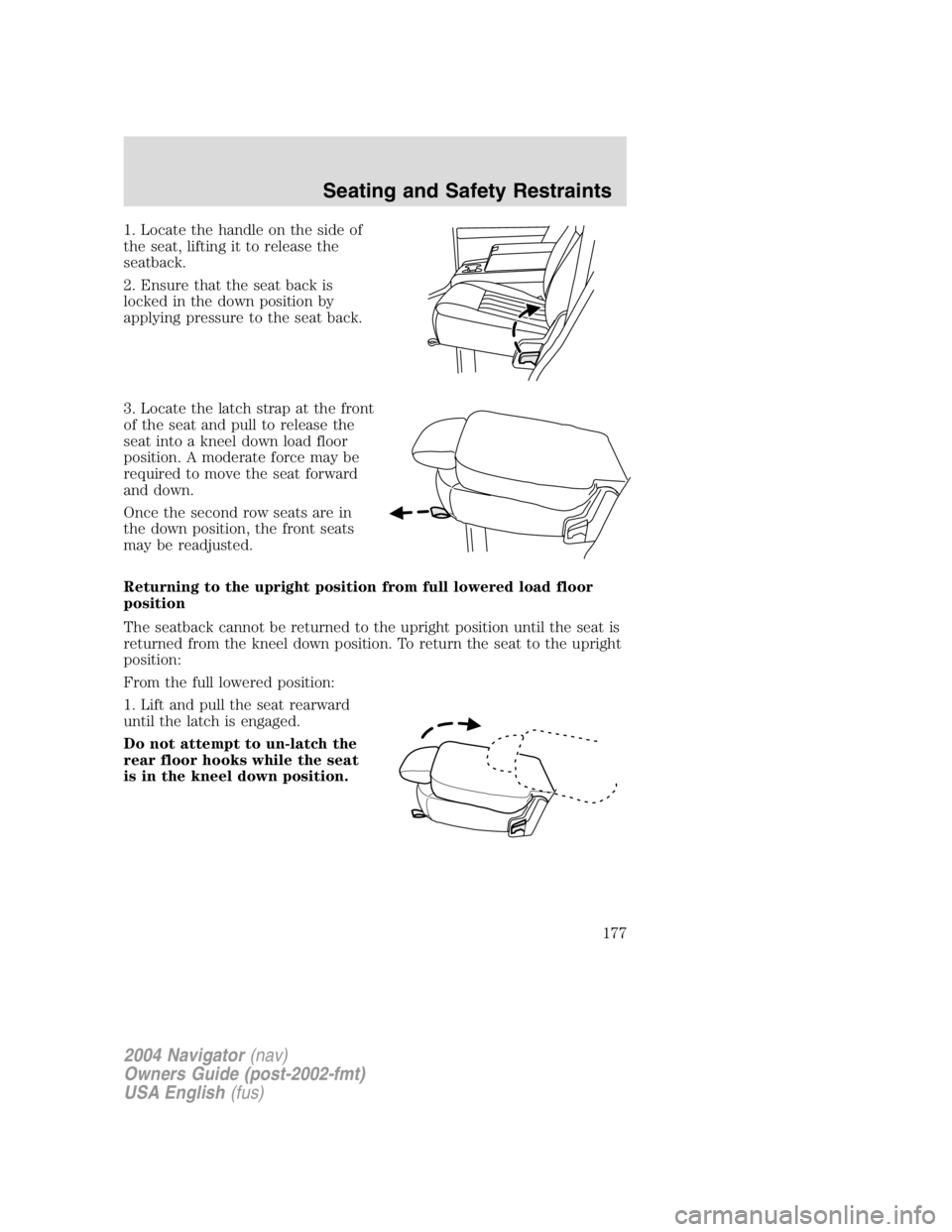
1. Locate the handle on the side of
the seat, lifting it to release the
seatback.
2. Ensure that the seat back is
locked in the down position by
applying pressure to the seat back.
3. Locate the latch strap at the front
of the seat and pull to release the
seat into a kneel down load floor
position. A moderate force may be
required to move the seat forward
and down.
Once the second row seats are in
the down position, the front seats
may be readjusted.
Returning to the upright position from full lowered load floor
position
The seatback cannot be returned to the upright position until the seat is
returned from the kneel down position. To return the seat to the upright
position:
From the full lowered position:
1. Lift and pull the seat rearward
until the latch is engaged.
Do not attempt to un-latch the
rear floor hooks while the seat
is in the kneel down position.
2004 Navigator (nav)
Owners Guide (post-2002-fmt)
USA English (fus) Seating and Safety Restraints
177