jack LINCOLN NAVIGATOR 2008 User Guide
[x] Cancel search | Manufacturer: LINCOLN, Model Year: 2008, Model line: NAVIGATOR, Model: LINCOLN NAVIGATOR 2008Pages: 352, PDF Size: 3.01 MB
Page 59 of 352
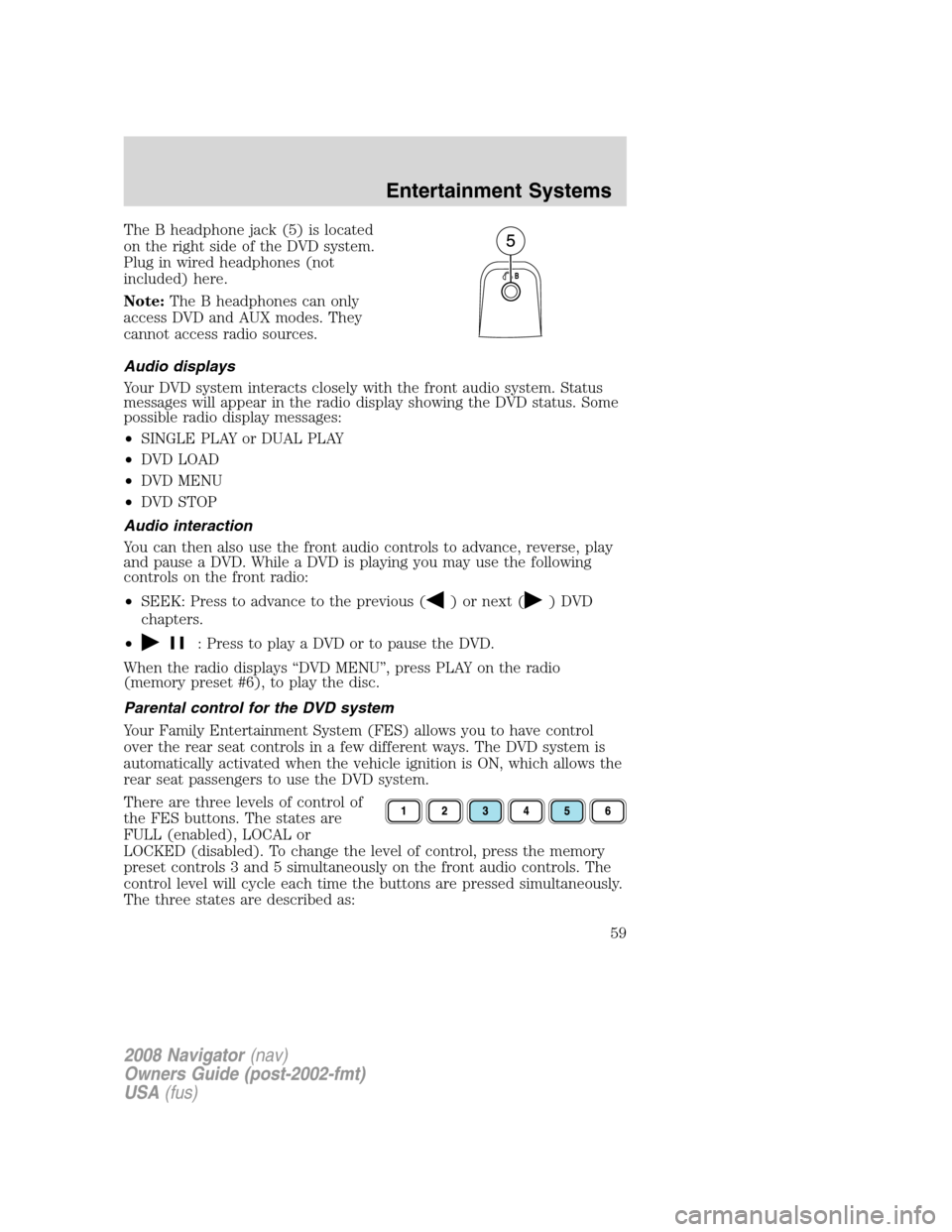
The B headphone jack (5) is located
on the right side of the DVD system.
Plug in wired headphones (not
included) here.
Note:The B headphones can only
access DVD and AUX modes. They
cannot access radio sources.
Audio displays
Your DVD system interacts closely with the front audio system. Status
messages will appear in the radio display showing the DVD status. Some
possible radio display messages:
•SINGLE PLAY or DUAL PLAY
•DVD LOAD
•DVD MENU
•DVD STOP
Audio interaction
You can then also use the front audio controls to advance, reverse, play
and pause a DVD. While a DVD is playing you may use the following
controls on the front radio:
•SEEK: Press to advance to the previous (
) or next () DVD
chapters.
•
: Press to play a DVD or to pause the DVD.
When the radio displays “DVD MENU”, press PLAY on the radio
(memory preset #6), to play the disc.
Parental control for the DVD system
Your Family Entertainment System (FES) allows you to have control
over the rear seat controls in a few different ways. The DVD system is
automatically activated when the vehicle ignition is ON, which allows the
rear seat passengers to use the DVD system.
There are three levels of control of
the FES buttons. The states are
FULL (enabled), LOCAL or
LOCKED (disabled). To change the level of control, press the memory
preset controls 3 and 5 simultaneously on the front audio controls. The
control level will cycle each time the buttons are pressed simultaneously.
The three states are described as:
2008 Navigator(nav)
Owners Guide (post-2002-fmt)
USA(fus)
Entertainment Systems
59
Page 62 of 352
Be sure to review User Manuals for video games and video game
equipment when used as auxiliary inputs for your Family Entertainment
System (FES).
Do not operate video games or video equipment if the power cords
and/or cables are broken, split or damaged. Carefully place cords and/or
cables where they will not be stepped on or interfere with the operation
of seats and/or compartments.
Disconnect video games and video equipment power cords and/or cables
when not in use.
Avoid touching auxiliary input jacks with your fingers. Do not blow on
them or allow them to get wet or dirty.
Do not clean any part of the DVD player with benzene, paint thinner or
any other solvent.
Federal Communication Commission (FCC) Compliance
Changes or modifications not approved by Ford Lincoln-Mercury could
void user’s authority to operate the equipment. This equipment has been
tested and found to comply with the limits for a Class B digital device,
pursuant to Part 15 of the FCC Rules. These limits are designed to
provide reasonable protection against harmful interference in a
residential installation. This equipment generates, uses and can radiate
radio frequency energy and, if not installed and used in accordance with
the instructions, may cause harmful interference and radio
communications.
However, there is no guarantee that interference will not occur in a
particular installation. If this equipment does cause harmful interference
to radio or television reception, which can be determined by turning the
equipment off and on, the user is encouraged to consult the dealer or an
experienced radio/TV technician for help.
Care and service of the DVD player
Environmental extremes
DVD players which are subjected to harsh environmental conditions may
be damaged or perform at less than maximum capability. To avoid these
outcomes, whenever possible avoid exposing your DVD player to:
•extremely hot or cold temperatures.
•direct sunlight.
•high humidity.
•a dusty environment.
2008 Navigator(nav)
Owners Guide (post-2002-fmt)
USA(fus)
Entertainment Systems
62
Page 96 of 352
Note:Do not use the running boards, front and rear hinge assemblies,
running board motors, or the running board under body mounts to lift
the vehicle when jacking. Please utilize proper jacking points. Refer to
Changing tiresin theRoadside Emergencieschapter.
In extreme climates, excessive ice buildup may occur, causing
the running boards not to deploy. Be sure that the running
boards have deployed, and have finished moving before attempting to
step on them. Note: The running boards will resume normal function
once the blockage is cleared.
Turn off the running boards before jacking or placing any object
under the vehicle. Never place your hand between the extended
running board and the vehicle. A moving running board may cause
injury.
SPEED CONTROL
With speed control set, you can maintain a set speed without keeping
your foot on the accelerator pedal.
Do not use the speed control in heavy traffic or on roads that
are winding, slippery or unpaved.
Setting speed control
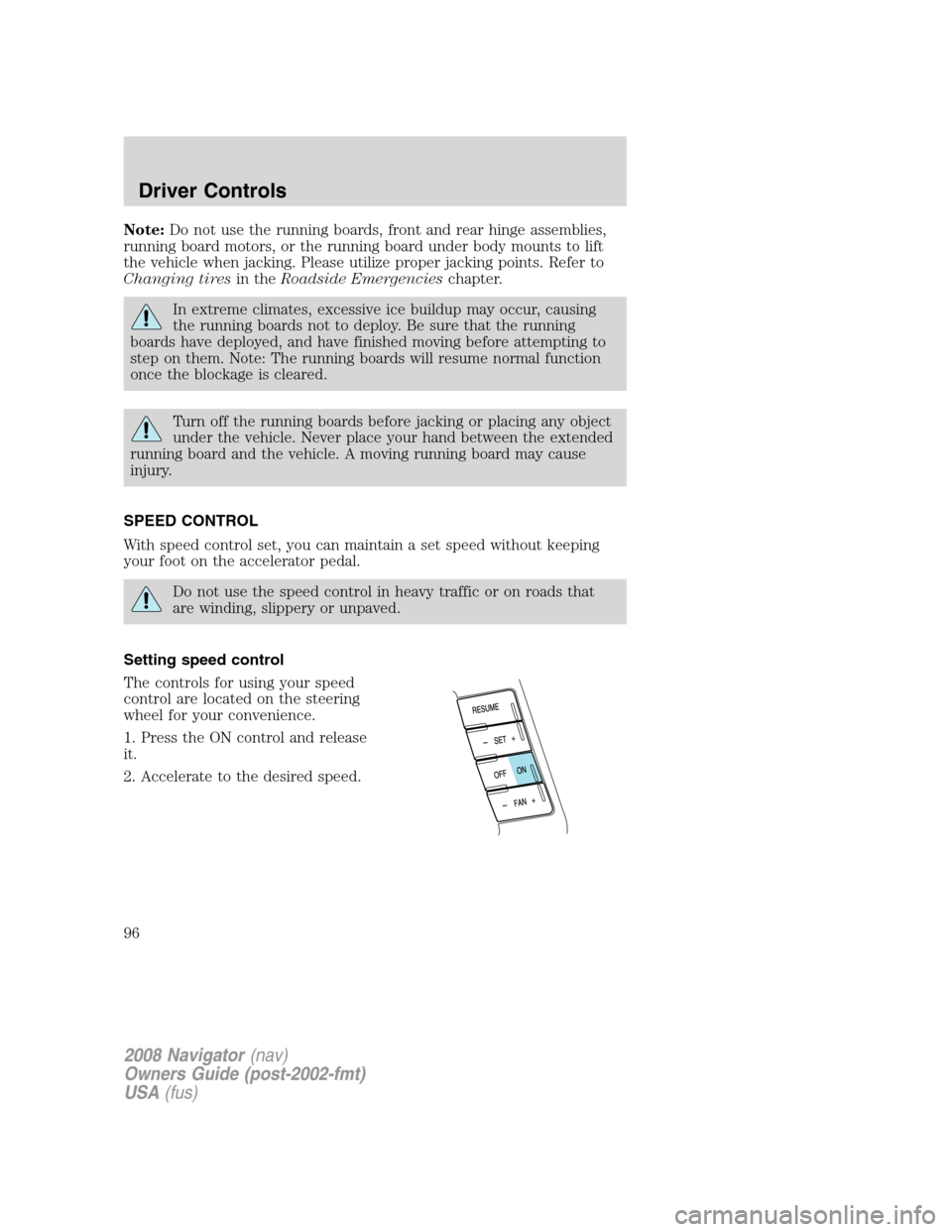
The controls for using your speed
control are located on the steering
wheel for your convenience.
1. Press the ON control and release
it.
2. Accelerate to the desired speed.
2008 Navigator(nav)
Owners Guide (post-2002-fmt)
USA(fus)
Driver Controls
96
Page 99 of 352
Turning off speed control
There are two ways to turn off the speed control:
•Depress the brake pedal. This will
not erase your vehicle’s
previously set speed.
•Press the speed control OFF
control.
Note:When you turn off the speed
control or the ignition, your speed
control set speed memory is erased.
STEERING WHEEL CONTROLS
Driving while distracted can result in loss of vehicle control,
accident and injury. Ford strongly recommends that drivers use
extreme caution when using any device that may take their focus off
the road. The drivers primary responsibility is the safe operation of
their vehicle. Only use steering wheel controls and other devices not
essential to the driving task when it is safe to do so.
These controls allow you to operate some radio and climate control
features.
Radio control features
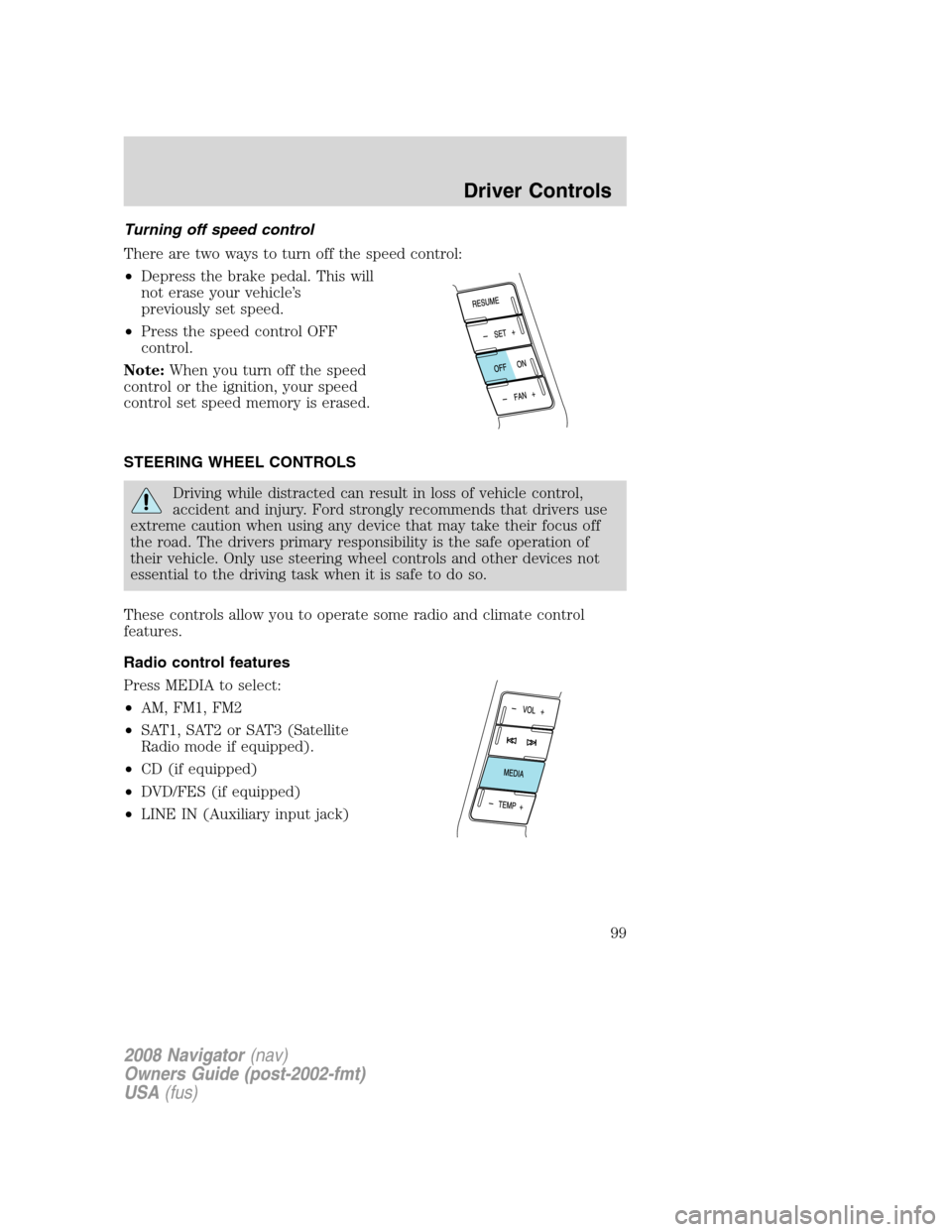
Press MEDIA to select:
•AM, FM1, FM2
•SAT1, SAT2 or SAT3 (Satellite
Radio mode if equipped).
•CD (if equipped)
•DVD/FES (if equipped)
•LINE IN (Auxiliary input jack)
2008 Navigator(nav)
Owners Guide (post-2002-fmt)
USA(fus)
Driver Controls
99
Page 246 of 352
The air suspension system can be enabled or disabled through the
message center. Refer toMessage centerin theDriver Controlschapter.
If the system is off, the rear air suspension will not operate and will not
raise (pump) or lower (vent) while the vehicle is not moving. However, if
the system determines that the vehicle is low or high and needs to make
a height adjustment while driving at speeds above 15 mph (24 km/h), the
system will pump or vent as required. Normal vehicle operation does not
require any action by the driver.
On vehicles equipped with air suspension, turn the air
suspension and the ignition switch off prior to jacking, hoisting
or towing your vehicle.
PREPARING TO DRIVE
Utility vehicles have a significantly higher rollover rate than
other types of vehicles.
In a rollover crash, an unbelted person is significantly more likely
to die than a person wearing a seat belt.
Utility vehicles and trucks have larger tires and increased ground
clearance, giving the vehicle a higher center of gravity than a passenger
car.
Vehicles with a higher center of gravity such as utility vehicles
and trucks handle differently than vehicles with a lower center
of gravity. Utility vehicles and trucks arenotdesigned for cornering at
speeds as high as passenger cars any more than low-slung sports cars
are designed to perform satisfactorily under off-road conditions. Avoid
sharp turns, excessive speed or abrupt maneuvers in these vehicles.
Failure to drive cautiously could result in an increased risk of loss of
vehicle control, vehicle rollover, personal injury and death.
Loaded vehicles, with a higher center of gravity, may handle
differently than unloaded vehicles. Do not overload your vehicle
and use extra precautions, such as driving at slower speeds, avoiding
abrupt steering changes and allowing for increased stopping distance,
when driving a heavily loaded vehicle. Over loading or loading the
vehicle improperly can deteriorate handling capability and contribute
to loss of vehicle control and vehicle rollover.
2008 Navigator(nav)
Owners Guide (post-2002-fmt)
USA(fus)
Driving
246
Page 277 of 352
The usage of a full-size dissimilar spare tire/wheel can lead to
impairment of the following:
•Handling, stability and braking performance
•Comfort and noise
•Ground clearance and parking at curbs
•Winter weather driving capability
•Wet weather driving capability
•All-Wheel driving capability (if applicable)
•Load leveling adjustment (if applicable)
When driving with the full-size dissimilar spare tire/wheel additional
caution should be given to:
•Towing a trailer
•Driving vehicles equipped with a camper body
•Driving vehicles with a load on the cargo rack
Drive cautiously when using a full-size dissimilar spare tire/wheel and
seek service as soon as possible.
Stopping and securing the vehicle
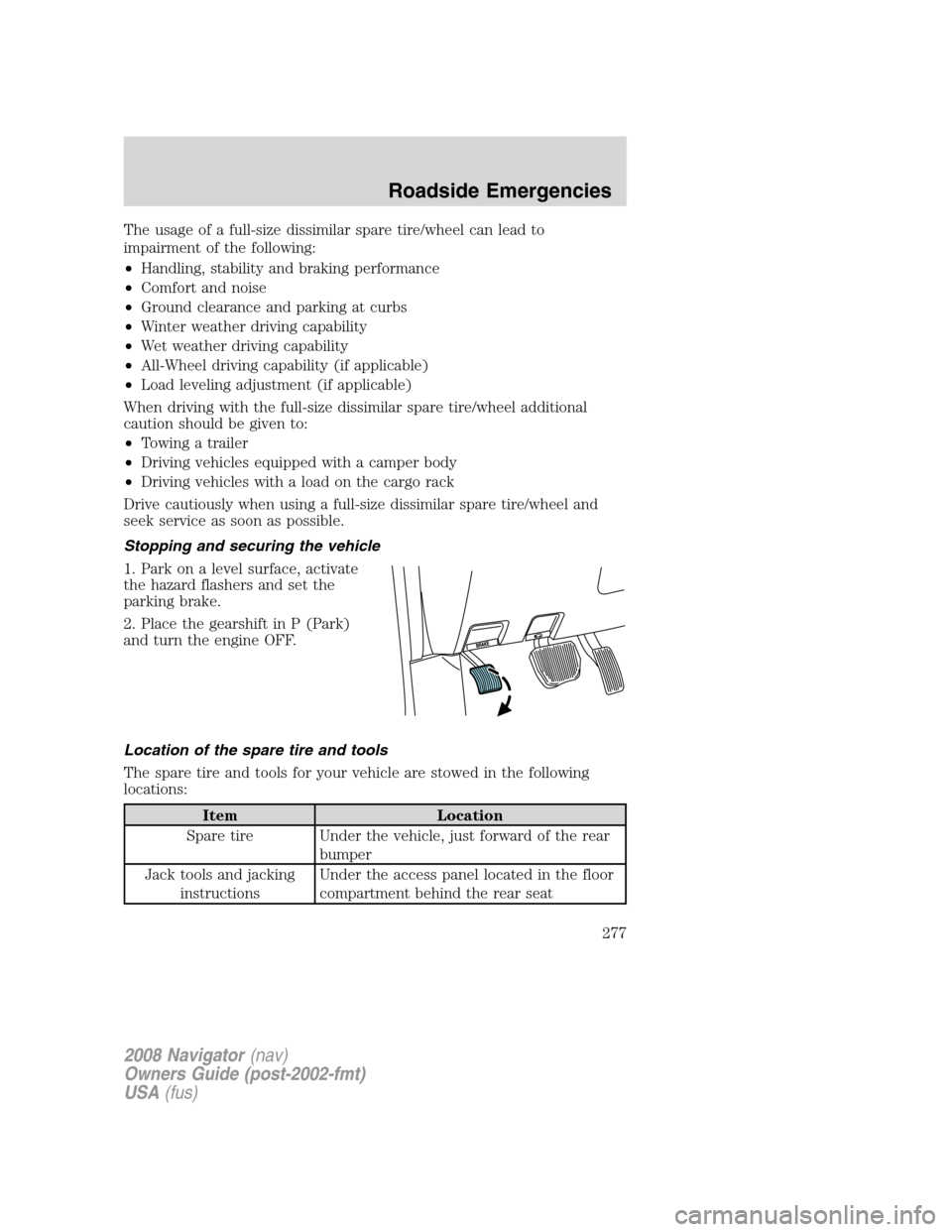
1. Park on a level surface, activate
the hazard flashers and set the
parking brake.
2. Place the gearshift in P (Park)
and turn the engine OFF.
Location of the spare tire and tools
The spare tire and tools for your vehicle are stowed in the following
locations:
Item Location
Spare tire Under the vehicle, just forward of the rear
bumper
Jack tools and jacking
instructionsUnder the access panel located in the floor
compartment behind the rear seat
2008 Navigator(nav)
Owners Guide (post-2002-fmt)
USA(fus)
Roadside Emergencies
277
Page 278 of 352
Removing the jack and tools
1. Open the liftgate, then locate the
access panel on the floor behind the
3rd row seat. Unlatch and remove
the panel.
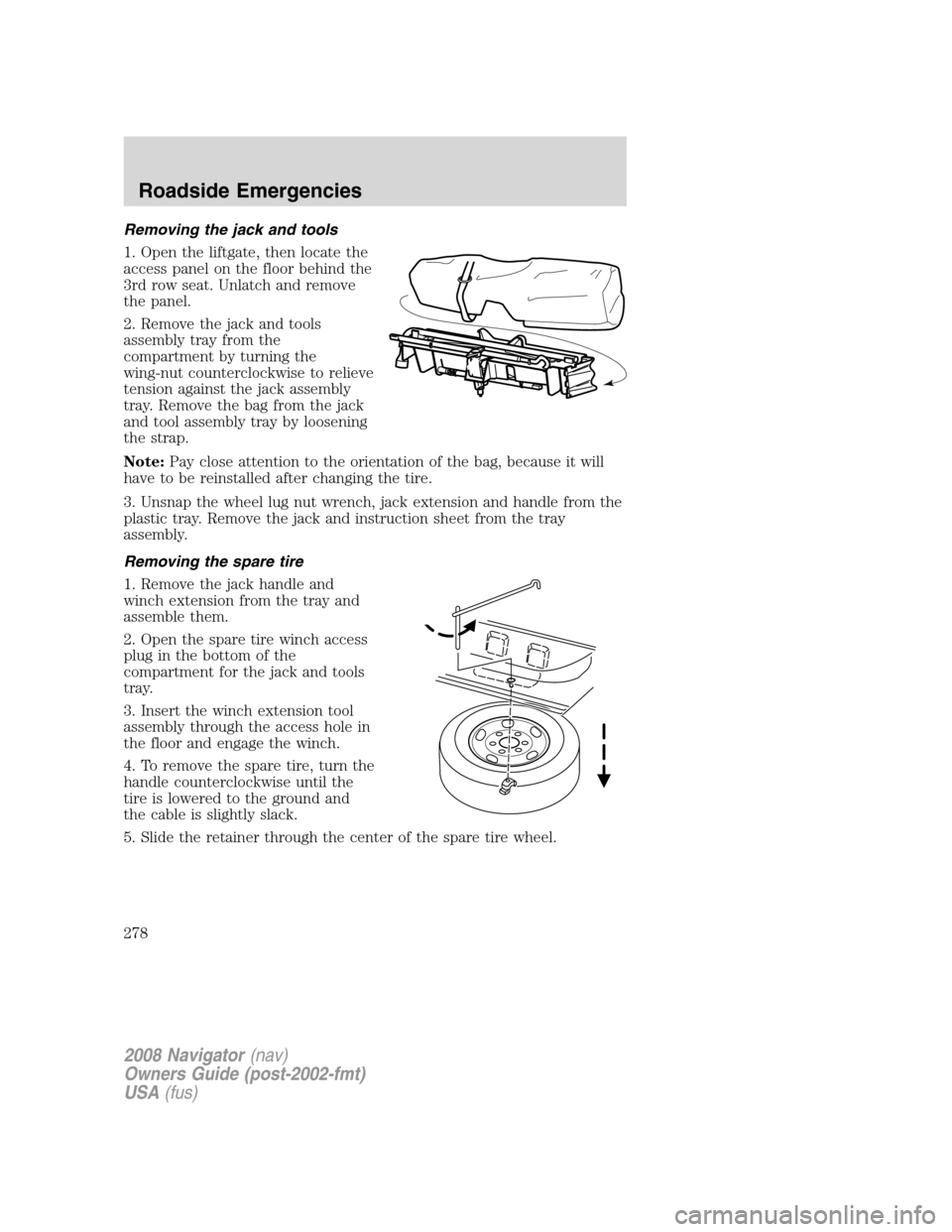
2. Remove the jack and tools
assembly tray from the
compartment by turning the
wing-nut counterclockwise to relieve
tension against the jack assembly
tray. Remove the bag from the jack
and tool assembly tray by loosening
the strap.
Note:Pay close attention to the orientation of the bag, because it will
have to be reinstalled after changing the tire.
3. Unsnap the wheel lug nut wrench, jack extension and handle from the
plastic tray. Remove the jack and instruction sheet from the tray
assembly.
Removing the spare tire
1. Remove the jack handle and
winch extension from the tray and
assemble them.
2. Open the spare tire winch access
plug in the bottom of the
compartment for the jack and tools
tray.
3. Insert the winch extension tool
assembly through the access hole in
the floor and engage the winch.
4. To remove the spare tire, turn the
handle counterclockwise until the
tire is lowered to the ground and
the cable is slightly slack.
5. Slide the retainer through the center of the spare tire wheel.
2008 Navigator(nav)
Owners Guide (post-2002-fmt)
USA(fus)
Roadside Emergencies
278
Page 279 of 352
Tire change procedure
To help prevent the vehicle from moving when you change a tire,
be sure the parking brake is set, then block the wheels (both
front or both rear) on the opposite end of the vehicle from the wheel
being changed. If on a grade, block both opposite wheels on the
downward side of the hill.
If the vehicle slips off the jack, you or someone else could be
seriously injured.
On vehicles equipped with Air Suspension, turn OFF the Air
Suspension system prior to jacking, hoisting or towing your
vehicle.
Turn off the running boards (if equipped) before jacking or
placing any object under the vehicle. Never place your hand
between the extended running board and the vehicle. A moving
running board may cause injury.
Do not attempt to change a tire on the side of the vehicle close
to moving traffic. Pull far enough off the road to avoid the
danger of being hit when operating the jack and changing the wheel.
If your vehicle is equipped with air suspension, refer to Message center
in the Driver Controls chapter for instructions on turning the air
suspension system off.
Refer to the instruction sheet (located in the rear floor compartment
behind the 3rd row seat with the jack tray tools assembly kit) for
detailed tire change instructions.
2008 Navigator (nav)
Owners Guide (post-2002-fmt)
USA (fus)
Roadside Emergencies
279
Page 280 of 352
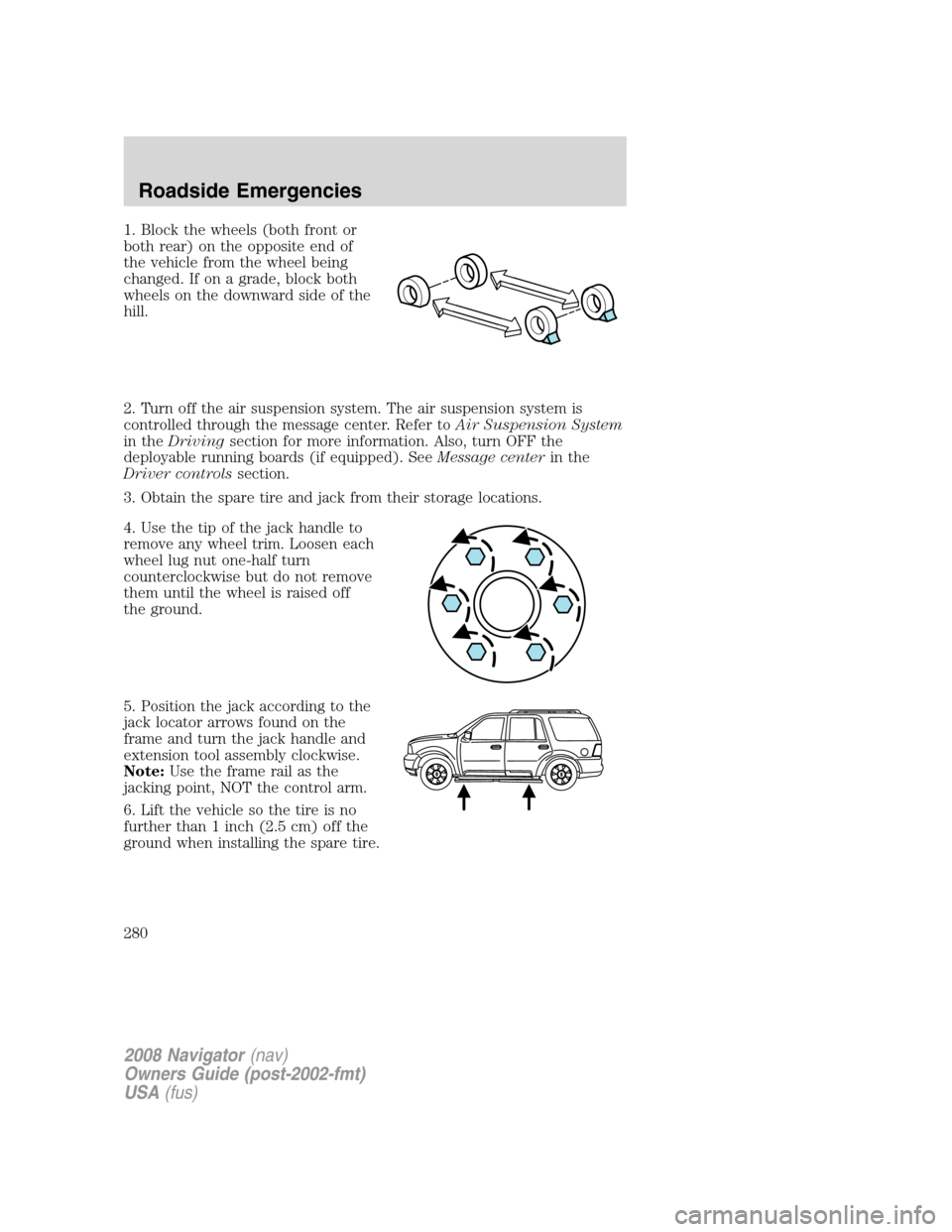
1. Block the wheels (both front or
both rear) on the opposite end of
the vehicle from the wheel being
changed. If on a grade, block both
wheels on the downward side of the
hill.
2. Turn off the air suspension system. The air suspension system is
controlled through the message center. Refer toAir Suspension System
in the Driving section for more information. Also, turn OFF the
deployable running boards (if equipped). See Message centerin the
Driver controls section.
3. Obtain the spare tire and jack from their storage locations.
4. Use the tip of the jack handle to
remove any wheel trim. Loosen each
wheel lug nut one-half turn
counterclockwise but do not remove
them until the wheel is raised off
the ground.
5. Position the jack according to the
jack locator arrows found on the
frame and turn the jack handle and
extension tool assembly clockwise.
Note: Use the frame rail as the
jacking point, NOT the control arm.
6. Lift the vehicle so the tire is no
further than 1 inch (2.5 cm) off the
ground when installing the spare tire.
2008 Navigator (nav)
Owners Guide (post-2002-fmt)
USA (fus)
Roadside Emergencies
280
Page 281 of 352
When one of the rear wheels is off the ground, the transmission
alone will not prevent the vehicle from moving or slipping off the
jack, even if the transmission is in P (Park). To prevent the vehicle
from moving when you change the tire, be sure that the parking brake
is set and the block the wheels (both front or both rear) on the
opposite end of the vehicle from the wheel being changed. If on a
grade, block both opposite wheels on the downward side of the hill. If
the vehicle slips off the jack, someone could be seriously injured.
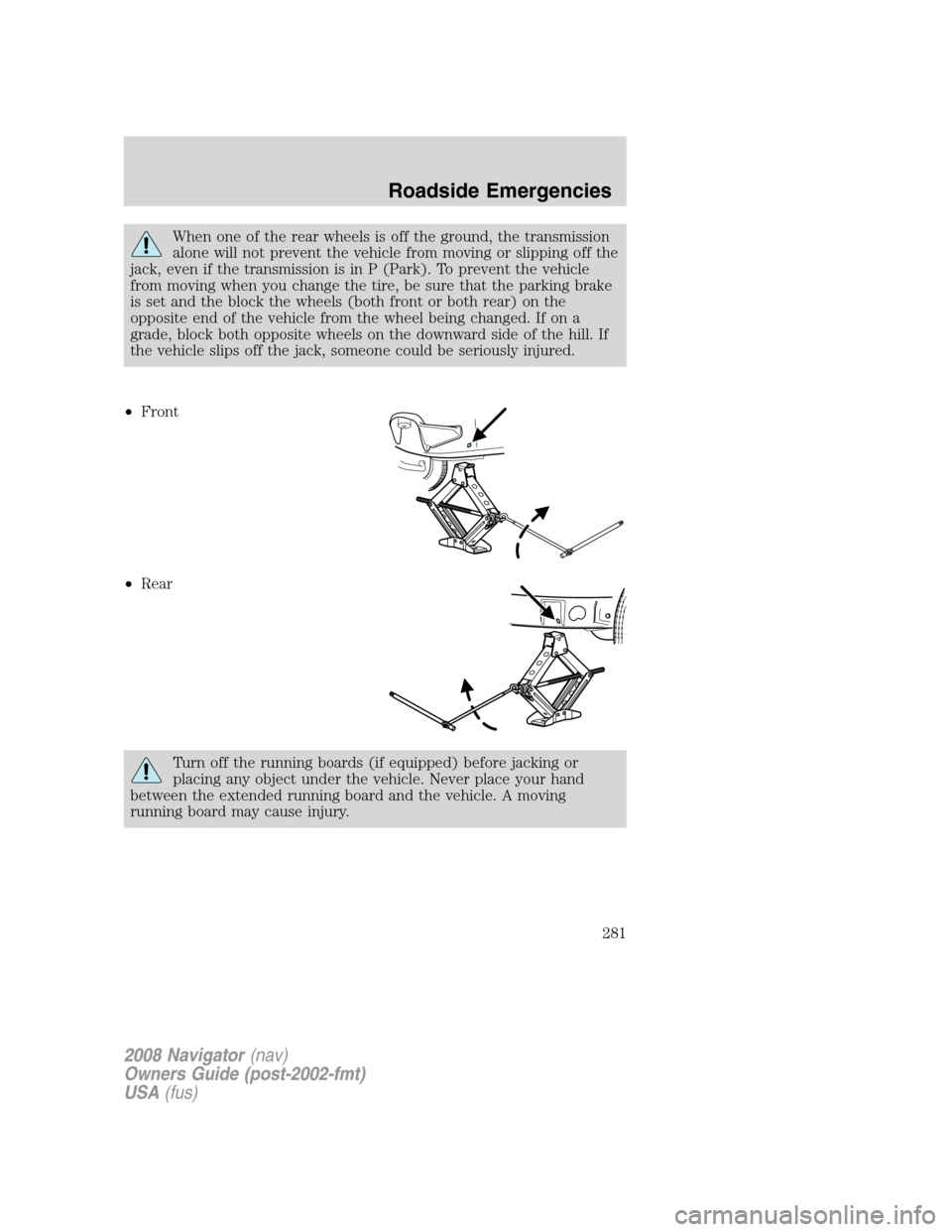
• Front
• Rear
Turn off the running boards (if equipped) before jacking or
placing any object under the vehicle. Never place your hand
between the extended running board and the vehicle. A moving
running board may cause injury.
2008 Navigator (nav)
Owners Guide (post-2002-fmt)
USA (fus)
Roadside Emergencies
281