light LINCOLN NAVIGATOR 2014 User Guide
[x] Cancel search | Manufacturer: LINCOLN, Model Year: 2014, Model line: NAVIGATOR, Model: LINCOLN NAVIGATOR 2014Pages: 506, PDF Size: 5.72 MB
Page 47 of 506
Deactivating and Activating the Belt-Minder® Feature
WARNING:While the design allows you to deactivate your
Belt-Minder, this system is designed to improve your chances of
being safely belted and surviving an accident. We recommend you leave
the Belt-Minder system activated for yourself and others who may use
the vehicle. To reduce the risk of injury, do not deactivate or activate
the Belt-Minder feature while driving the vehicle.
Read Steps1-4thoroughly before proceeding with the programming
procedure.
The Belt-Minder feature can be deactivated or activated by performing
the following procedure.
Before following the procedure, make sure that:
•the parking brake is set.
•the transmission selector lever is in positionP.
•the ignition is off.
•all vehicle doors are closed.
•the driver’s safety belt is unbuckled.
1. Switch the ignition on. Do not start the engine.
2. Wait until the safety belt warning light turns off
(about 1 to 2 minutes).
•Steps 3 and 4 must be completed within 60 seconds or the procedure
will have to be repeated.
3. Buckle then unbuckle the safety belt three times, ending with the
safety belt unbuckled. The safety belt warning light will come on for
about three seconds.
4. Within seven seconds of the safety belt warning light turning off,
buckle then unbuckle the safety belt. The safety warning light will flash.
This will disable Belt-Minder if it is currently enabled, or enable
Belt-Minder if it is currently disabled.
46Safety Belts
2014 Navigator(nav)
Owners Guide gf, 1st Printing, June 2013
USA(fus)
Page 51 of 506
Your vehicle’s Restraint Safety System consists of:
•driver and passenger dual-stage airbag supplemental restraints.
•front outboard safety belts with pretensioners, energy management
retractors (first row only), and safety belt usage sensors.
•driver’s seat position sensor.
•front crash severity sensors.
•restraints control module with impact and safing sensors.
•restraint system warning light and backup tone.
•the electrical wiring for the airbags, crash sensor(s), safety belt
pretensioners, front safety belt usage sensors, driver seat position
sensor, and indicator lights.
How does the Restraint Safety System work?
The Restraint Safety System can adapt the deployment strategy of
your vehicle’s safety devices according to crash severity and occupant
conditions. A collection of crash and occupant sensors provides
information to the restraints control module. During a crash, the
restraints control module may activate the safety belt pretensioners
and/or either one or both stages of the dual-stage airbag supplemental
restraints based on crash severity and occupant conditions.
SOS POST-CRASH ALERT SYSTEM™
The system flashes the turn signal lamps and sounds the horn
(intermittently) in the event of a serious impact that deploys an airbag
equipped on your vehicle, such as front, side, side curtain or Safety
Canopy.
The horn and lamps will turn off when:
•you press the hazard control button
•you press the panic button (if equipped) on the remote entry
transmitter, or
•your vehicle runs out of power.
50Supplementary Restraints System
2014 Navigator(nav)
Owners Guide gf, 1st Printing, June 2013
USA(fus)
Page 53 of 506
Proper Driver and Front Passenger Seating Adjustment
WARNING:The National Highway Traffic Safety Administration
recommends a minimum distance of at least 10 inches
(25 centimeters) between an occupant’s chest and the driver airbag
module. Failure to follow this could seriously increase the risk of injury
or death.
To properly position yourself away from the airbag:
•Move your seat to the rear as far as you can while still reaching the
pedals comfortably.
•Recline the seat slightly (one or two degrees) from the upright
position.
After all occupants have adjusted their seats and put on safety belts,
it is very important that they continue to sit properly. Properly seated
occupants sit upright, lean against the seat back, and center themselves
on the seat cushion, with their feet comfortably extended on the floor.
Sitting improperly can increase the chance of injury in a crash event. For
example, if an occupant slouches, lies down, turns sideways, sits forward,
leans forward or sideways, or puts one or both feet up, the chance of
injury during a crash is greatly increased.
Children and Airbags
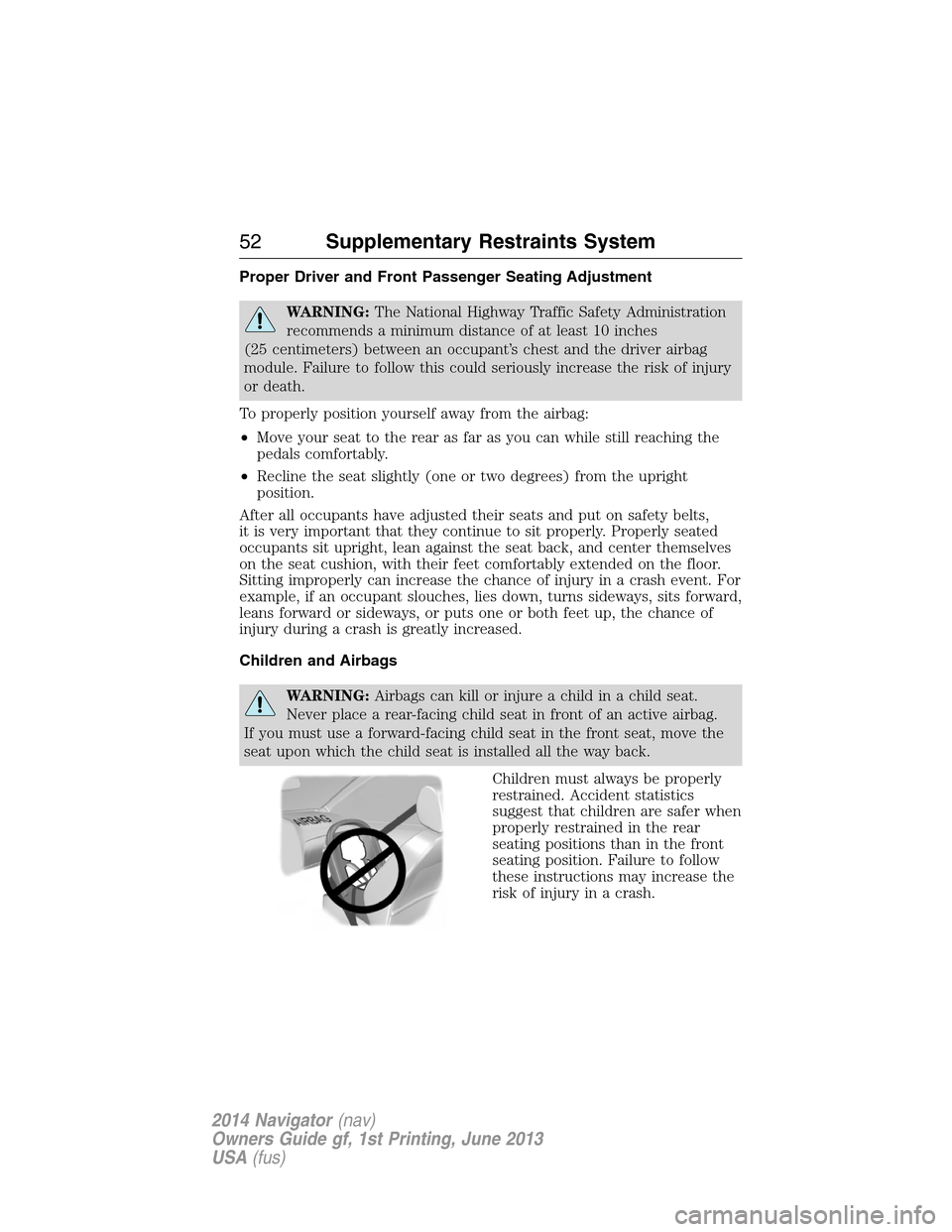
WARNING:Airbags can kill or injure a child in a child seat.
Never place a rear-facing child seat in front of an active airbag.
If you must use a forward-facing child seat in the front seat, move the
seat upon which the child seat is installed all the way back.
Children must always be properly
restrained. Accident statistics
suggest that children are safer when
properly restrained in the rear
seating positions than in the front
seating position. Failure to follow
these instructions may increase the
risk of injury in a crash.
52Supplementary Restraints System
2014 Navigator(nav)
Owners Guide gf, 1st Printing, June 2013
USA(fus)
Page 57 of 506
Children 12 years old and under should always be properly restrained
in the rear seats. The Safety Canopy will not interfere with children
restrained using a properly installed child or booster seat because it is
designed to inflate downward from the headliner above the doors along
the side window opening.
The design and development of the Safety Canopy included
recommended testing procedures that were developed by a group of
automotive safety experts known as the Side Airbag Technical Working
Group. These recommended testing procedures help reduce the risk of
injuries related to the deployment of side airbags (including the Safety
Canopy).
CRASH SENSORS AND AIRBAG INDICATOR
WARNING:Modifying or adding equipment to the front end of
your vehicle (including frame, bumper, front end body structure
and tow hooks) may affect the performance of the airbag system,
increasing the risk of injury. Do not modify the front end of your
vehicle.
Your vehicle has a collection of crash and occupant sensors which
provide information to the restraints control module. The restraints
control module deploys (activates) the front safety belt pretensioners,
driver airbag, passenger airbag, seat mounted side airbags, and the
Safety Canopy. Based on the type of accident (frontal impact, side
impact or rollover) the restraints control module will deploy the
appropriate safety devices.
The restraints control module also monitors the readiness of the above
safety devices plus the crash and occupant sensors. The readiness of the
safety system is indicated by a warning indicator light in the instrument
cluster or by a backup tone if the warning light is not working. See the
Instrument Clusterchapter. Routine maintenance of the airbag is not
required.
A difficulty with the system is indicated by one or more of the following:
•The readiness light will either flash or stay lit.
•The readiness light will not illuminate immediately after the
ignition is turned on.
•A series of five beeps will be heard. The tone pattern will repeat
periodically until the problem or light are repaired.
56Supplementary Restraints System
2014 Navigator(nav)
Owners Guide gf, 1st Printing, June 2013
USA(fus)
Page 64 of 506
•Audio system maximum volume of 45%. A message will be shown in
the display when you attempt to exceed the limited volume. Also, the
speed-sensitive or compensated automatic volume control will be
disabled.
•Always on setting. When this is selected, you will not be able to turn
off AdvanceTrac (if your vehicle is equipped with this feature).
CREATING A MYKEY
Use the information display to create a MyKey.
1. Insert the key you want to program into the ignition.
2. Switch the ignition on.
3. Access the main menu on the information display. PressSETUP
using the information display buttons untilPRESS RESET TO
CREATE MYKEYis displayed.
4. Press and release theRESETbutton.HOLD RESET TO
CONFIRM MYKEYwill be displayed.
5. Press and hold theRESETbutton for two seconds untilMARK
THIS AS RESTRICTEDis displayed Wait untilKEY
RESTRICTED AT NEXT STARTis displayed.
MyKey is successfully created. Make sure you label it so you can
distinguish it from the admin keys.
You can also program configurable settings for the key(s). Refer to
Programming/Changing Configurable Settings.
Programming/Changing Configurable Settings
Use the Information display to access your configurable MyKey settings:
1. Switch the ignition on with an admin key.
2. Access the main menu on the information display controls and press
SETUPuntil you seeRESET FOR MYKEY SETTINGSin the
display.
3. Press and release theRESETbutton to display the MyKey setup
menus.
4. Press theSETUPbutton to display the next menu and scroll through
your choices.
5. Within any of the menus, pressRESETto highlight your choice.
Use the arrow buttons to make a selection.
6. PressSETUPto enter your choice. The next configurable setting will
be displayed.
7. Repeat Steps 4 and 5 until you are done changing the configurable
settings.
MyKey63
2014 Navigator(nav)
Owners Guide gf, 1st Printing, June 2013
USA(fus)
Page 73 of 506
Illuminated Entry
The interior lamps and parking lamps illuminate when the remote entry
system is used to unlock the door(s).
The system will turn off the lights if:
•the ignition is turned on
•the lock button on the remote control is pressed
•the vehicle is locked using the keyless entry keypad
•after 25 seconds of illumination.
The dome lamp control (if equipped) must not be set to the off position
for the illuminated entry system to operate.
The lights will not turn off if:
•they have been turned on with the dimmer control
•any door is open.
Illuminated Exit
The interior lamps and parking lamps illuminate when doors are closed
and the key is removed from the ignition.
The lamps will turn off if all the doors remain closed and:
•25 seconds elapse
•the key is inserted in the ignition.
Battery Saver
If you leave the courtesy lamps, dome lamps or headlamps on, the
battery saver shuts them off 10 minutes after you switch the ignition off.
LIFTGATE
WARNING:It is extremely dangerous to ride in a cargo area,
inside or outside of a vehicle. In a crash, people riding in these
areas are more likely to be seriously injured or killed. Do not allow
people to ride in any area of your vehicle that is not equipped with
seats and safety belts. Be sure everyone in your vehicle is in a seat and
using a safety belt properly.
72Locks
2014 Navigator(nav)
Owners Guide gf, 1st Printing, June 2013
USA(fus)
Page 83 of 506
6. Turn the ignition off and remove the second previously programmed
coded key from the ignition.
7. After three seconds but within 20 seconds of turning the ignition off
and removing the previously programmed coded key, insert the new
unprogrammed key into the ignition.
8. Turn the ignition from off to on. Keep the ignition on for at least six
seconds.
9. Remove the newly programmed coded key from the ignition.
The key will start the vehicle’s engine and will operate the remote entry
system (if the new key is an integrated keyhead transmitter) if it has
been successfully programmed. The theft indicator light will illuminate
for three seconds and then go out to indicate successful programming.
If the key was not successfully programmed, the theft indicator light may
flash on and off. Wait 20 seconds and repeat Steps 1 through 8. Take
your vehicle to your authorized dealer to have the new key programmed
if you are still unsuccessful.
Wait 20 seconds and then repeat this procedure from Step 1 to program
an additional key.
ANTI-THEFT ALARM
The system will warn you of unauthorized entry to your vehicle.
The turn signal lamps will flash and the horn will sound when:
•any door or the hood is opened without using the key or the remote
control
•the ignition is turned on with an invalid key.
Take all keys and remote controls to your authorized dealer if there is
any potential alarm problem with your vehicle.
Arming the Alarm
The system is ready to arm whenever the ignition is off. Lock the vehicle
to arm the alarm.
The turn signal lamps will flash once after locking the vehicle to indicate
the alarm is in the pre-armed mode and will become fully armed in
20 seconds.
82Security
2014 Navigator(nav)
Owners Guide gf, 1st Printing, June 2013
USA(fus)
Page 90 of 506
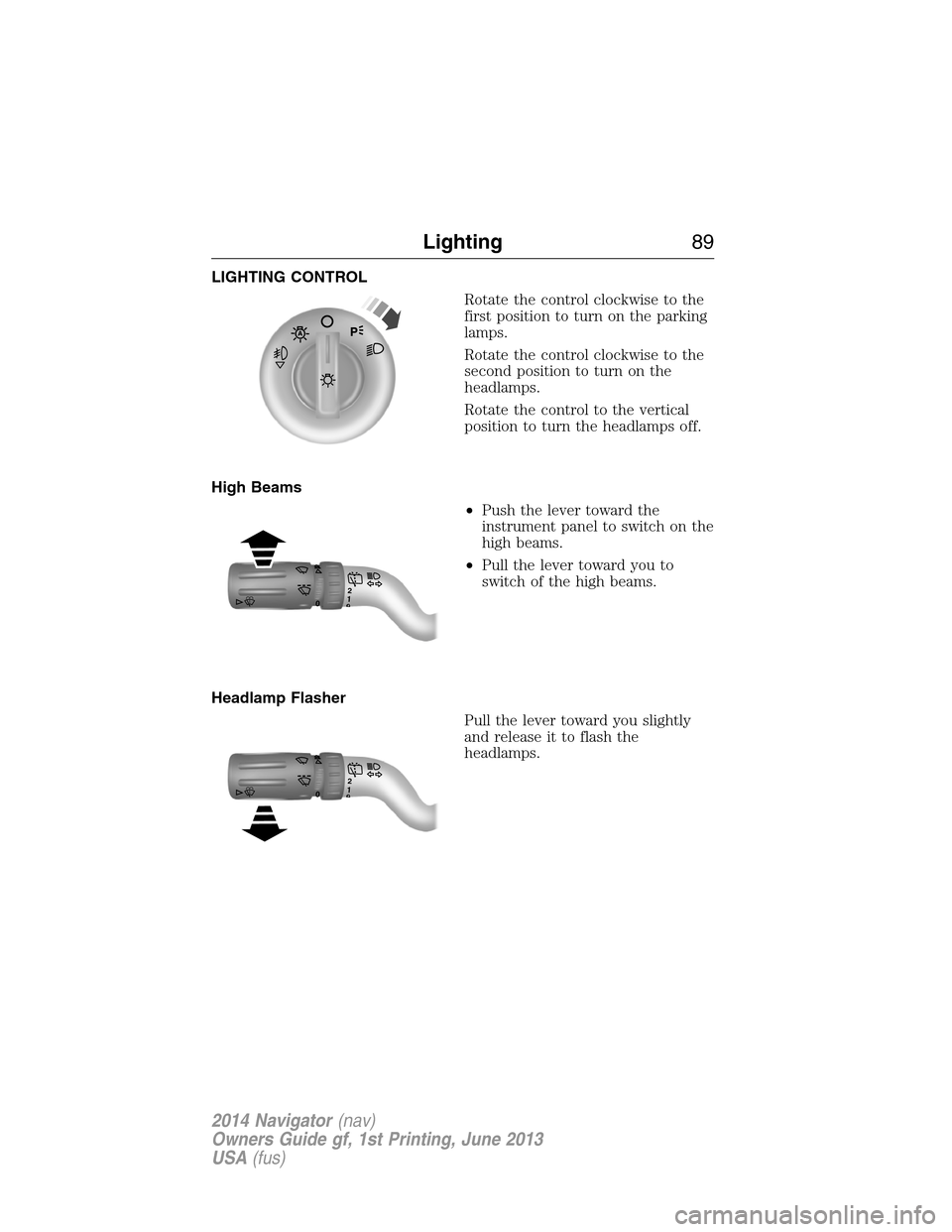
LIGHTING CONTROL
Rotate the control clockwise to the
first position to turn on the parking
lamps.
Rotate the control clockwise to the
second position to turn on the
headlamps.
Rotate the control to the vertical
position to turn the headlamps off.
High Beams
•Push the lever toward the
instrument panel to switch on the
high beams.
•Pull the lever toward you to
switch of the high beams.
Headlamp Flasher
Pull the lever toward you slightly
and release it to flash the
headlamps.
120
120
Lighting89
2014 Navigator(nav)
Owners Guide gf, 1st Printing, June 2013
USA(fus)
Page 91 of 506
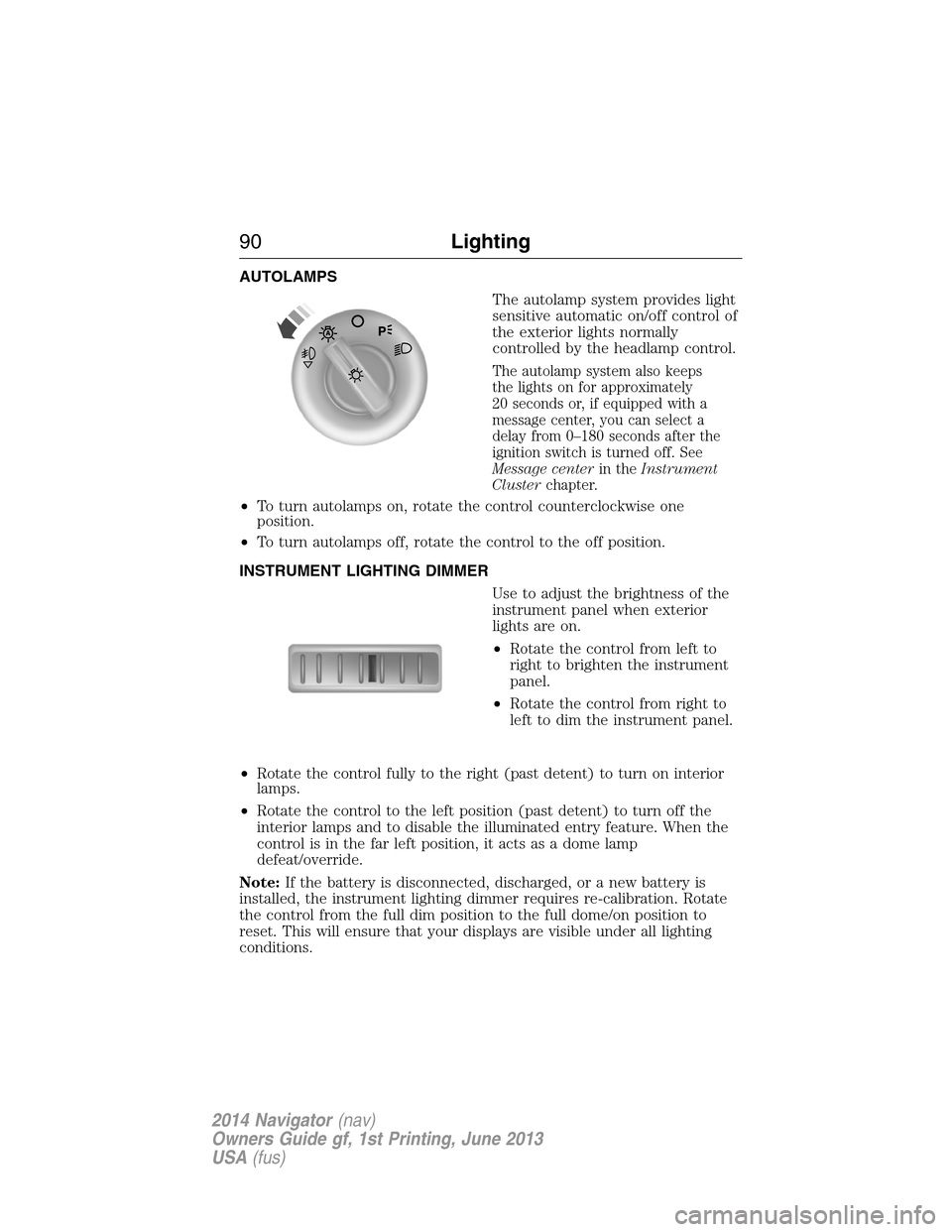
AUTOLAMPS
The autolamp system provides light
sensitive automatic on/off control of
the exterior lights normally
controlled by the headlamp control.
The autolamp system also keeps
the lights on for approximately
20 seconds or, if equipped with a
message center, you can select a
delay from 0–180 seconds after the
ignition switch is turned off. See
Message centerin theInstrument
Clusterchapter.
•To turn autolamps on, rotate the control counterclockwise one
position.
•To turn autolamps off, rotate the control to the off position.
INSTRUMENT LIGHTING DIMMER
Use to adjust the brightness of the
instrument panel when exterior
lights are on.
•Rotate the control from left to
right to brighten the instrument
panel.
•Rotate the control from right to
left to dim the instrument panel.
•Rotate the control fully to the right (past detent) to turn on interior
lamps.
•Rotate the control to the left position (past detent) to turn off the
interior lamps and to disable the illuminated entry feature. When the
control is in the far left position, it acts as a dome lamp
defeat/override.
Note:If the battery is disconnected, discharged, or a new battery is
installed, the instrument lighting dimmer requires re-calibration. Rotate
the control from the full dim position to the full dome/on position to
reset. This will ensure that your displays are visible under all lighting
conditions.
90Lighting
2014 Navigator(nav)
Owners Guide gf, 1st Printing, June 2013
USA(fus)
Page 92 of 506
DAYTIME RUNNING LAMPS (DRL) (IF EQUIPPED)
WARNING:Always remember to turn on your headlamps at
dusk or during inclement weather. The Daytime Running Lamp
(DRL) system does not activate the tail lamps and generally may not
provide adequate lighting during these conditions. Failure to activate
your headlamps under these conditions may result in a collision.
Turns the fog lamps on at full intensity output. To activate:
•the ignition must be in the on position and
•the headlamp control must be in the off, parking lamps or autolamp
position.
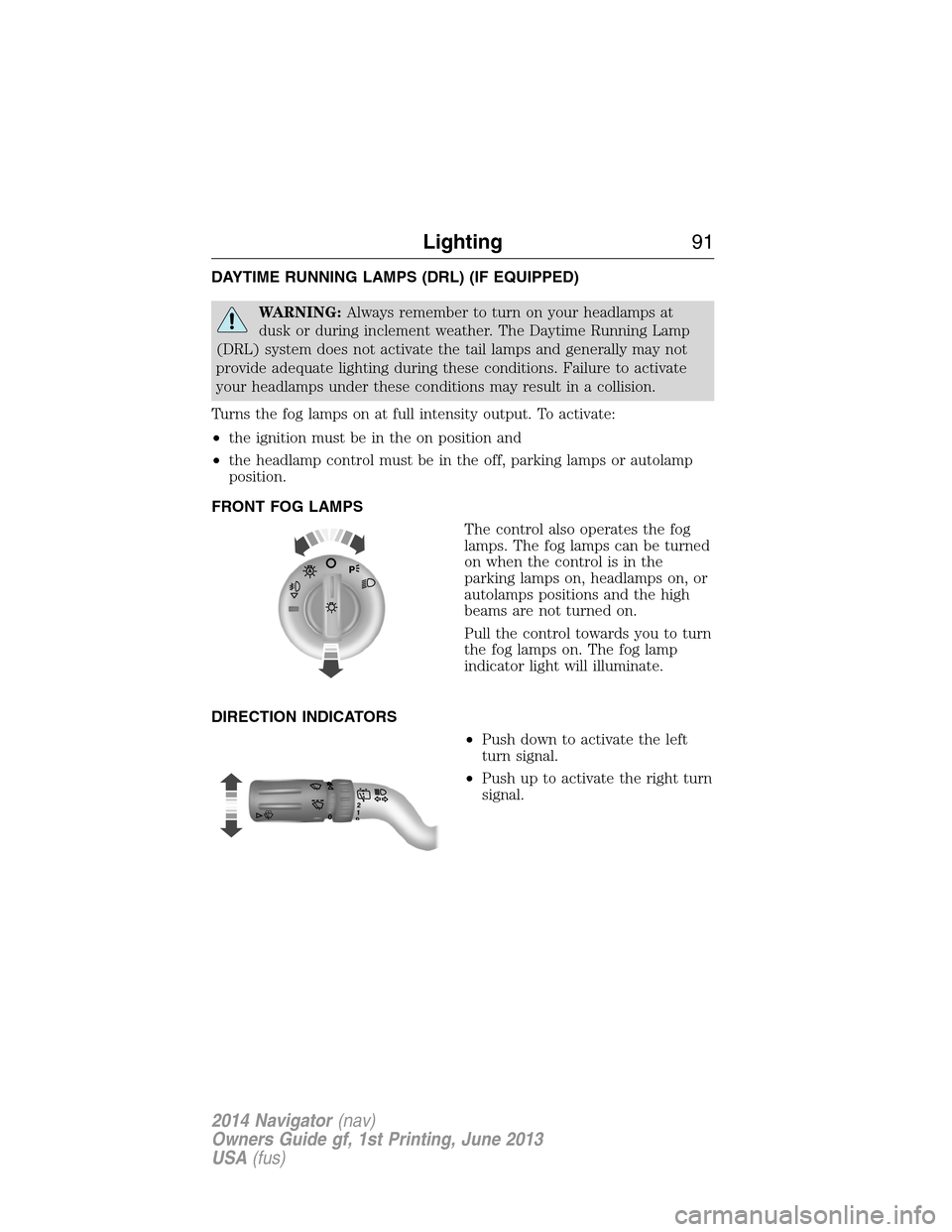
FRONT FOG LAMPS
The control also operates the fog
lamps. The fog lamps can be turned
on when the control is in the
parking lamps on, headlamps on, or
autolamps positions and the high
beams are not turned on.
Pull the control towards you to turn
the fog lamps on. The fog lamp
indicator light will illuminate.
DIRECTION INDICATORS
•Push down to activate the left
turn signal.
•Push up to activate the right turn
signal.
120
Lighting91
2014 Navigator(nav)
Owners Guide gf, 1st Printing, June 2013
USA(fus)