sat nav LINCOLN NAVIGATOR 2014 User Guide
[x] Cancel search | Manufacturer: LINCOLN, Model Year: 2014, Model line: NAVIGATOR, Model: LINCOLN NAVIGATOR 2014Pages: 506, PDF Size: 5.72 MB
Page 253 of 506
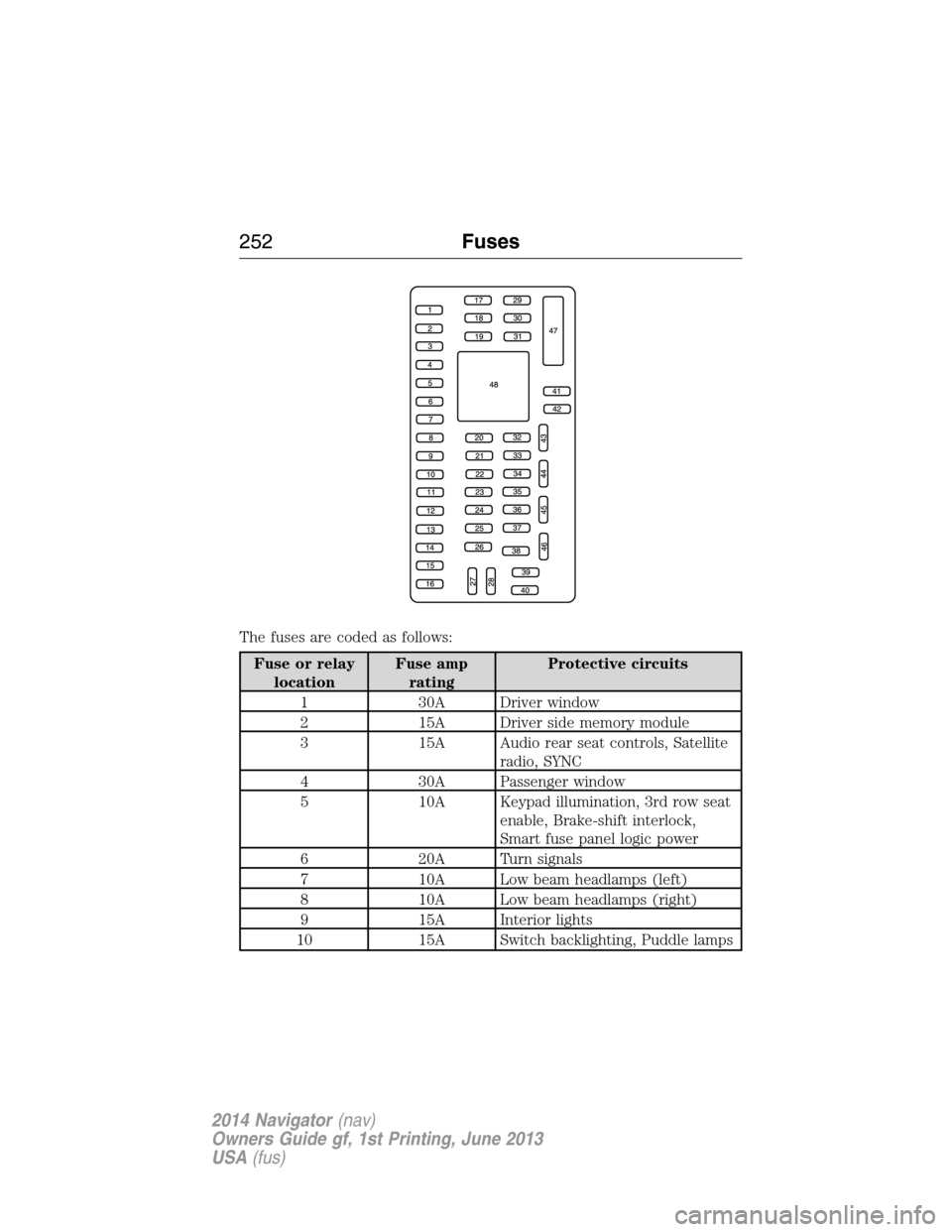
The fuses are coded as follows:
Fuse or relay
locationFuse amp
ratingProtective circuits
1 30A Driver window
2 15A Driver side memory module
3 15A Audio rear seat controls, Satellite
radio, SYNC
4 30A Passenger window
5 10A Keypad illumination, 3rd row seat
enable, Brake-shift interlock,
Smart fuse panel logic power
6 20A Turn signals
7 10A Low beam headlamps (left)
8 10A Low beam headlamps (right)
9 15A Interior lights
10 15A Switch backlighting, Puddle lamps
252Fuses
2014 Navigator(nav)
Owners Guide gf, 1st Printing, June 2013
USA(fus)
Page 254 of 506
Fuse or relay
locationFuse amp
ratingProtective circuits
11 10A Not used (spare)
12 7.5A Power mirrors, Driver seat
memory switch
13 5A Not used (spare)
14 10A Power liftgate module – keep-alive
power, Clock
15 10A Climate control, Global positioning
satellite module
16 15A Not used (spare)
17 20A Door locks, Liftgate release,
Liftglass release
18 20A Second row heated seats
19 25A Rear wiper
20 15A Adjustable pedals, Datalink
21 15A Fog lamps
22 15A Park lamps
23 15A High beam headlamps
24 20A Horn
25 10A Demand lamps, Glove box, Visor
26 10A Instrument panel cluster
27 20A Ignition switch
28 5A Radio
29 5A Instrument panel cluster
30 5A Not used (spare)
31 10A Not used (spare)
32 10A Airbag module
33 10A Not used (spare)
34 5A Not used (spare)
35 10A Rear park assist, 4x4, Rear video
camera, 2nd row heated seats
36 5A Passive anti-theft system
37 10A Climate control
Fuses253
2014 Navigator(nav)
Owners Guide gf, 1st Printing, June 2013
USA(fus)
Page 273 of 506
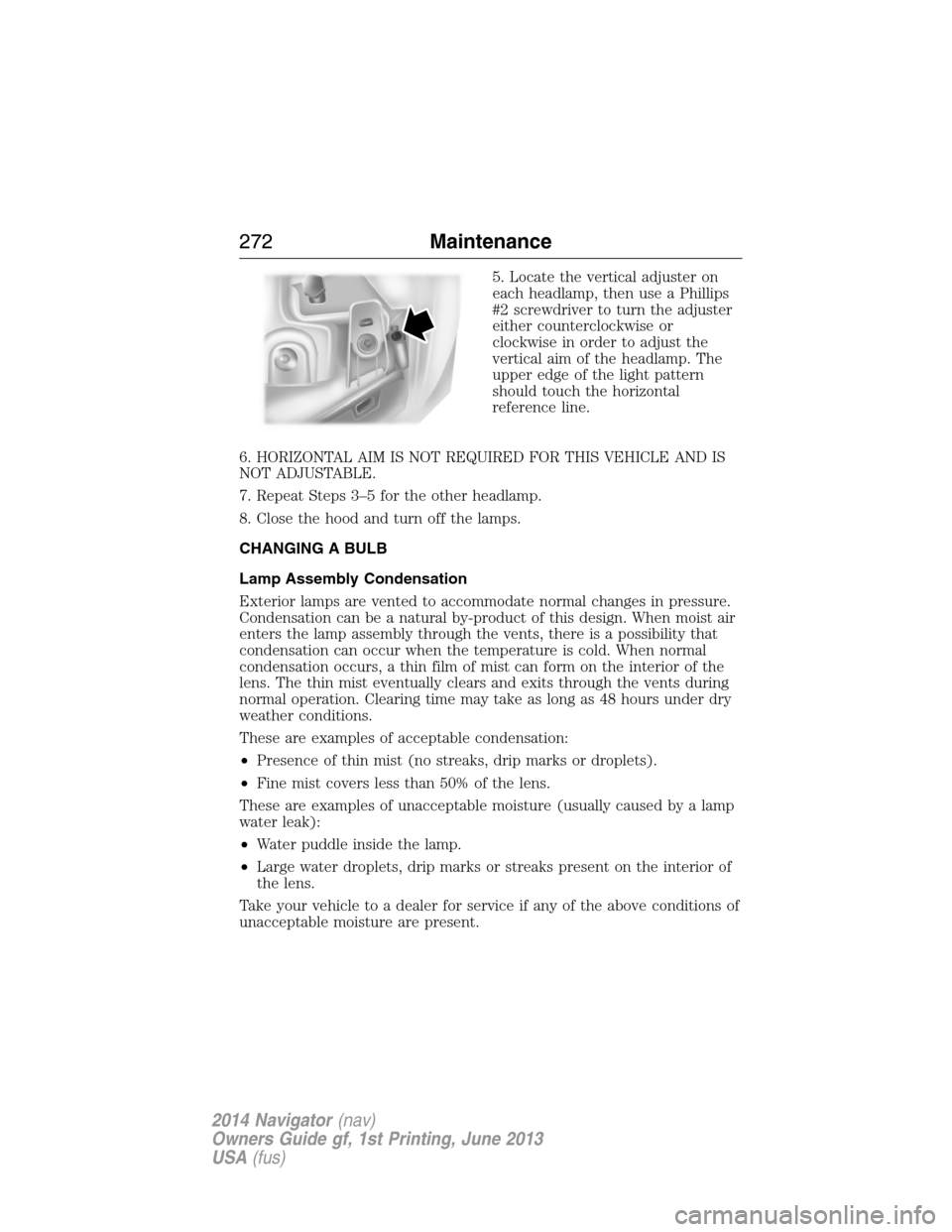
5. Locate the vertical adjuster on
each headlamp, then use a Phillips
#2 screwdriver to turn the adjuster
either counterclockwise or
clockwise in order to adjust the
vertical aim of the headlamp. The
upper edge of the light pattern
should touch the horizontal
reference line.
6. HORIZONTAL AIM IS NOT REQUIRED FOR THIS VEHICLE AND IS
NOT ADJUSTABLE.
7. Repeat Steps 3–5 for the other headlamp.
8. Close the hood and turn off the lamps.
CHANGING A BULB
Lamp Assembly Condensation
Exterior lamps are vented to accommodate normal changes in pressure.
Condensation can be a natural by-product of this design. When moist air
enters the lamp assembly through the vents, there is a possibility that
condensation can occur when the temperature is cold. When normal
condensation occurs, a thin film of mist can form on the interior of the
lens. The thin mist eventually clears and exits through the vents during
normal operation. Clearing time may take as long as 48 hours under dry
weather conditions.
These are examples of acceptable condensation:
•Presence of thin mist (no streaks, drip marks or droplets).
•Fine mist covers less than 50% of the lens.
These are examples of unacceptable moisture (usually caused by a lamp
water leak):
•Water puddle inside the lamp.
•Large water droplets, drip marks or streaks present on the interior of
the lens.
Take your vehicle to a dealer for service if any of the above conditions of
unacceptable moisture are present.
272Maintenance
2014 Navigator(nav)
Owners Guide gf, 1st Printing, June 2013
USA(fus)
Page 283 of 506
If you cannot remove those streaks after cleaning with the glass cleaner
or if the wipers chatter and move in a jerky motion, clean the outer
surface of the windshield and the wiper blades using a sponge or soft
cloth with a neutral detergent or mild-abrasive cleaning solution. After
cleaning, rinse the windshield and wiper blades with clean water. The
windshield is clean if beads do not form when you rinse the windshield
with water.
Note:Do not use sharp objects, such as a razor blade, to clean the
inside of the rear window or to remove decals, as it may cause damage
to the rear window defroster’s heated grid lines.
CLEANING THE INTERIOR
WARNING:Do not use cleaning solvents, bleach or dye on the
vehicle’s safety belts, as these actions may weaken the belt
webbing.
WARNING:On vehicles equipped with seat-mounted airbags, do
not use chemical solvents or strong detergents. Such products
could contaminate the side airbag system and affect performance of the
side airbag in a collision.
For fabric, carpets, cloth seats, safety belts and seats equipped with side
airbags:
•Remove dust and loose dirt with a vacuum cleaner.
•Apply a layer of high quality foam cleaner, designed for automotive
interiors, to the dry stained area (s) of the item you are cleaning and
allow soaking for one minute.
•If grease or tar is present on the material, spot-clean the area first
with Motorcraft Spot and Stain Remover. In Canada, use Motorcraft
Multi-Purpose Cleaner.
•If a ring forms on the fabric after spot cleaning, clean the entire area
immediately (but do not oversaturate) or the ring can set.
•Do not use household cleaning products or glass cleaners, which can
stain and discolor the fabric and affect the flame retardant abilities of
the seat materials.
CLEANING THE CLIMATE CONTROLLED SEATS (IF EQUIPPED)
Remove dust and loose dirt with a whisk broom or a vacuum cleaner.
Remove fresh spots immediately. Clean the seat with a damp cloth, using
a mild soap and water solution, if necessary.
282Vehicle Care
2014 Navigator(nav)
Owners Guide gf, 1st Printing, June 2013
USA(fus)
Page 288 of 506
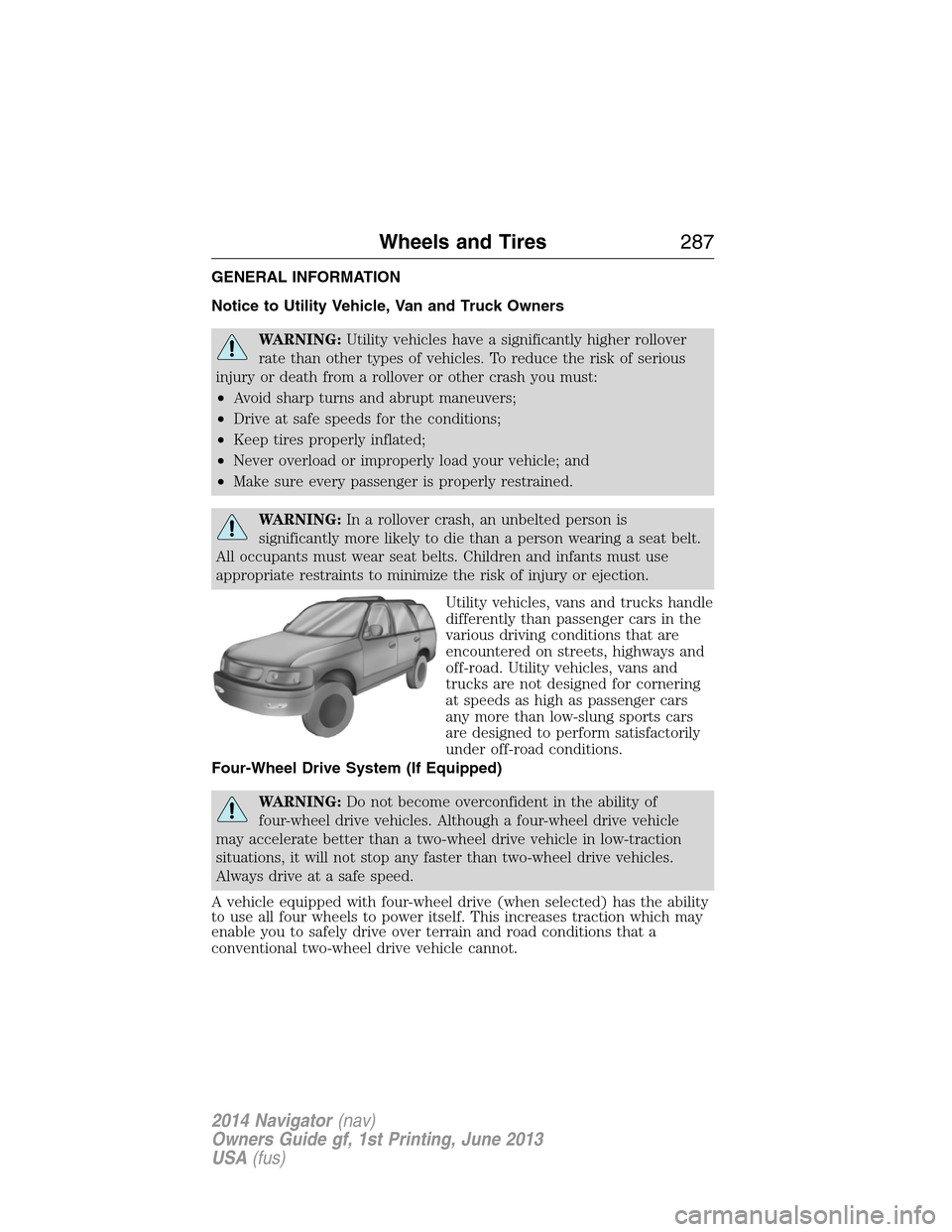
GENERAL INFORMATION
Notice to Utility Vehicle, Van and Truck Owners
WARNING:Utility vehicles have a significantly higher rollover
rate than other types of vehicles. To reduce the risk of serious
injury or death from a rollover or other crash you must:
•Avoid sharp turns and abrupt maneuvers;
•Drive at safe speeds for the conditions;
•Keep tires properly inflated;
•Never overload or improperly load your vehicle; and
•Make sure every passenger is properly restrained.
WARNING:In a rollover crash, an unbelted person is
significantly more likely to die than a person wearing a seat belt.
All occupants must wear seat belts. Children and infants must use
appropriate restraints to minimize the risk of injury or ejection.
Utility vehicles, vans and trucks handle
differently than passenger cars in the
various driving conditions that are
encountered on streets, highways and
off-road. Utility vehicles, vans and
trucks are not designed for cornering
at speeds as high as passenger cars
any more than low-slung sports cars
are designed to perform satisfactorily
under off-road conditions.
Four-Wheel Drive System (If Equipped)
WARNING:Do not become overconfident in the ability of
four-wheel drive vehicles. Although a four-wheel drive vehicle
may accelerate better than a two-wheel drive vehicle in low-traction
situations, it will not stop any faster than two-wheel drive vehicles.
Always drive at a safe speed.
A vehicle equipped with four-wheel drive (when selected) has the ability
to use all four wheels to power itself. This increases traction which may
enable you to safely drive over terrain and road conditions that a
conventional two-wheel drive vehicle cannot.
Wheels and Tires287
2014 Navigator(nav)
Owners Guide gf, 1st Printing, June 2013
USA(fus)
Page 290 of 506
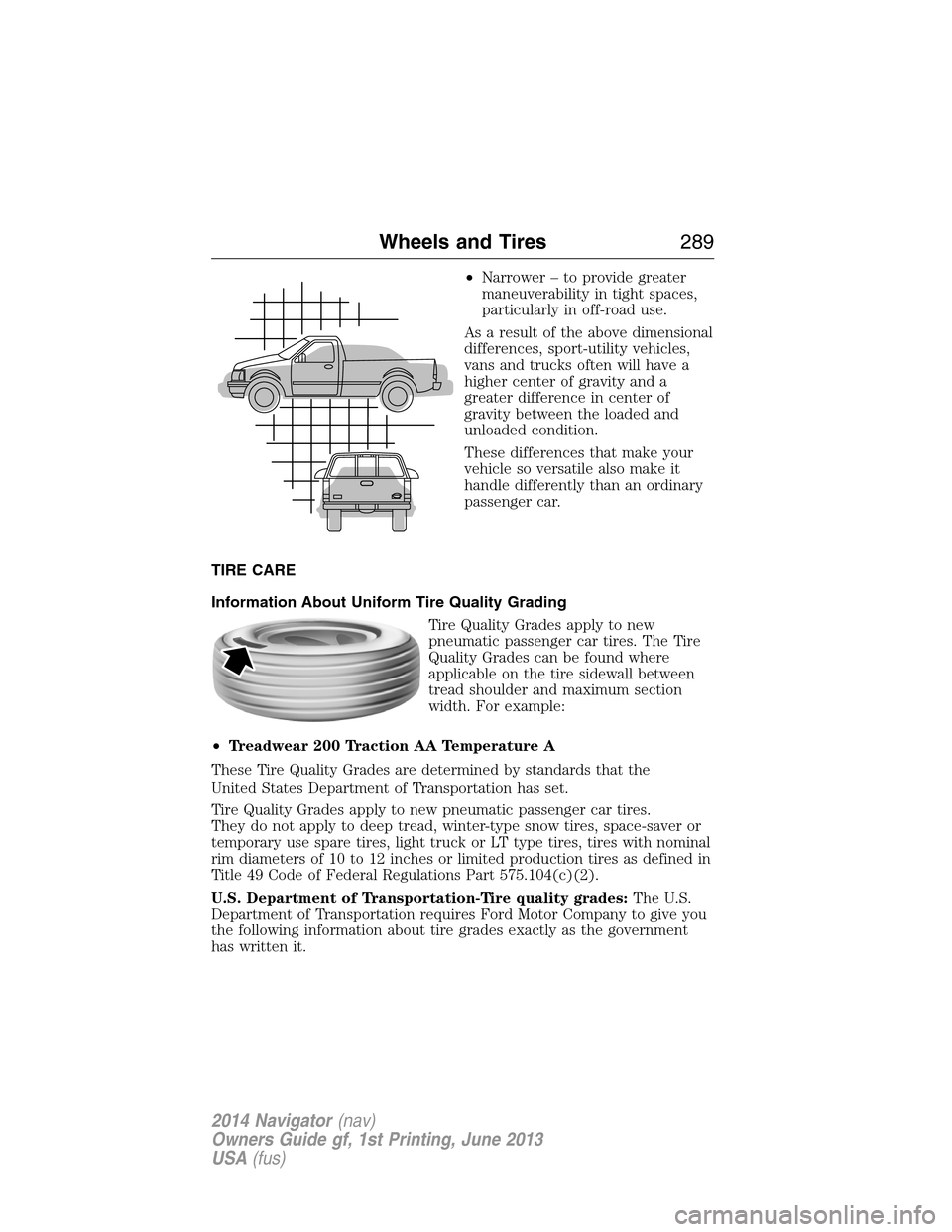
•Narrower – to provide greater
maneuverability in tight spaces,
particularly in off-road use.
As a result of the above dimensional
differences, sport-utility vehicles,
vans and trucks often will have a
higher center of gravity and a
greater difference in center of
gravity between the loaded and
unloaded condition.
These differences that make your
vehicle so versatile also make it
handle differently than an ordinary
passenger car.
TIRE CARE
Information About Uniform Tire Quality Grading
Tire Quality Grades apply to new
pneumatic passenger car tires. The Tire
Quality Grades can be found where
applicable on the tire sidewall between
tread shoulder and maximum section
width. For example:
•Treadwear 200 Traction AA Temperature A
These Tire Quality Grades are determined by standards that the
United States Department of Transportation has set.
Tire Quality Grades apply to new pneumatic passenger car tires.
They do not apply to deep tread, winter-type snow tires, space-saver or
temporary use spare tires, light truck or LT type tires, tires with nominal
rim diameters of 10 to 12 inches or limited production tires as defined in
Title 49 Code of Federal Regulations Part 575.104(c)(2).
U.S. Department of Transportation-Tire quality grades:The U.S.
Department of Transportation requires Ford Motor Company to give you
the following information about tire grades exactly as the government
has written it.
Wheels and Tires289
2014 Navigator(nav)
Owners Guide gf, 1st Printing, June 2013
USA(fus)
Page 335 of 506
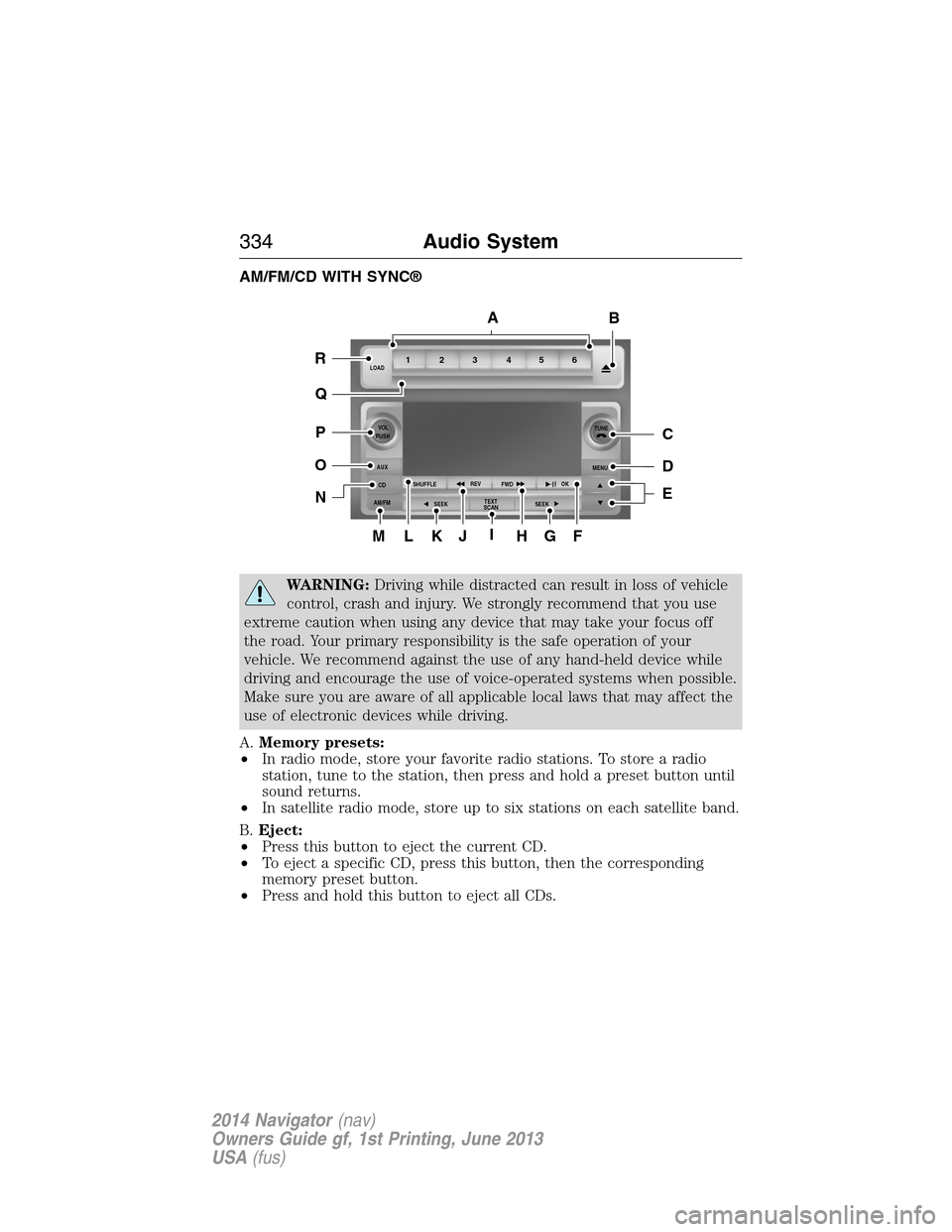
AM/FM/CD WITH SYNC®
WARNING:Driving while distracted can result in loss of vehicle
control, crash and injury. We strongly recommend that you use
extreme caution when using any device that may take your focus off
the road. Your primary responsibility is the safe operation of your
vehicle. We recommend against the use of any hand-held device while
driving and encourage the use of voice-operated systems when possible.
Make sure you are aware of all applicable local laws that may affect the
use of electronic devices while driving.
A.Memory presets:
•In radio mode, store your favorite radio stations. To store a radio
station, tune to the station, then press and hold a preset button until
sound returns.
•In satellite radio mode, store up to six stations on each satellite band.
B.Eject:
•Press this button to eject the current CD.
•To eject a specific CD, press this button, then the corresponding
memory preset button.
•Press and hold this button to eject all CDs.
ML
R
P
O
N
Q
KJIHGF
BA
C
D
E
1LOAD
VOL
PUSH
AUX
CD
AM/FMSHUFFLEREV
FWDOK
SEEKMENUTUNE
SEEKTEXT
SCAN23 456
334Audio System
2014 Navigator(nav)
Owners Guide gf, 1st Printing, June 2013
USA(fus)
Page 336 of 506
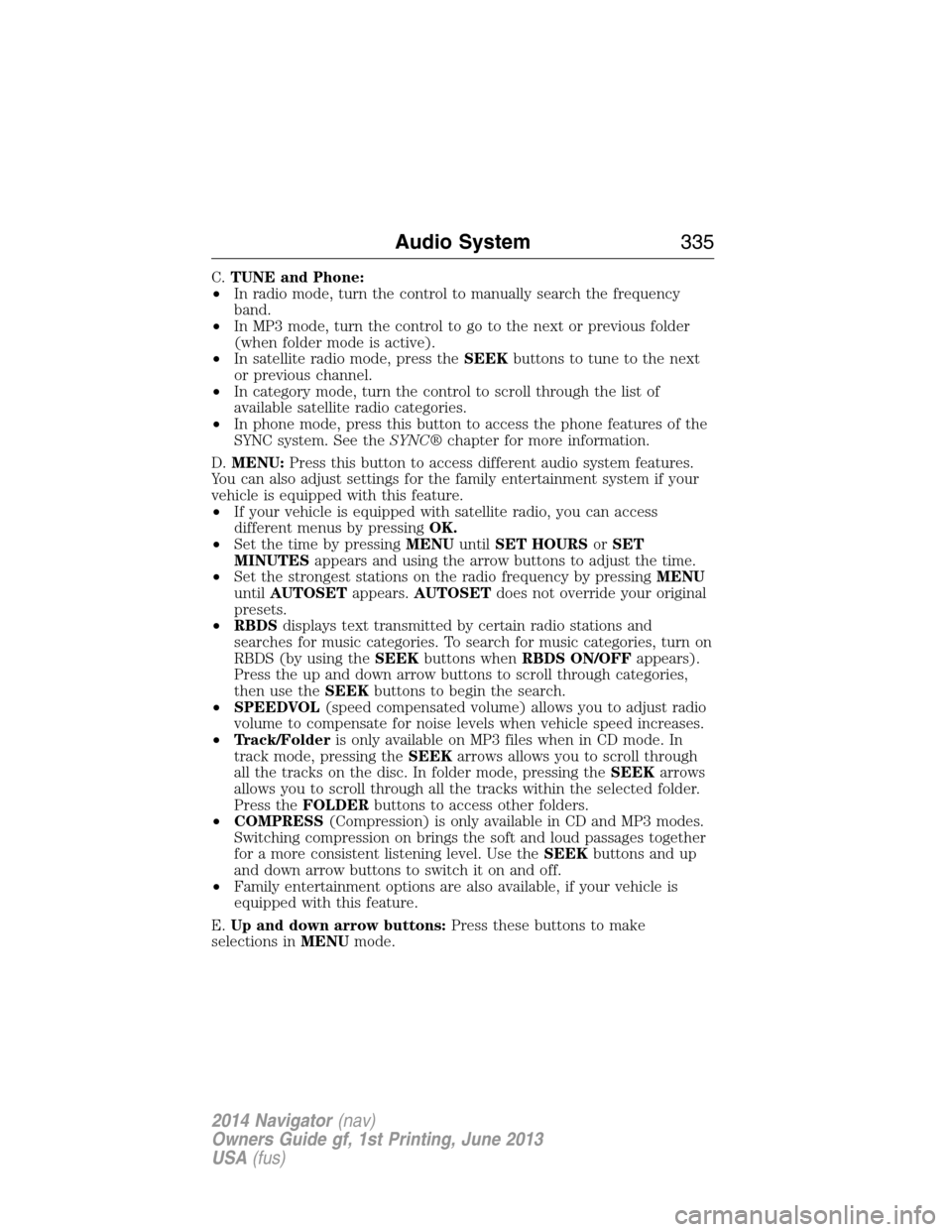
C.TUNE and Phone:
•In radio mode, turn the control to manually search the frequency
band.
•In MP3 mode, turn the control to go to the next or previous folder
(when folder mode is active).
•In satellite radio mode, press theSEEKbuttons to tune to the next
or previous channel.
•In category mode, turn the control to scroll through the list of
available satellite radio categories.
•In phone mode, press this button to access the phone features of the
SYNC system. See theSYNC®chapter for more information.
D.MENU:Press this button to access different audio system features.
You can also adjust settings for the family entertainment system if your
vehicle is equipped with this feature.
•If your vehicle is equipped with satellite radio, you can access
different menus by pressingOK.
•Set the time by pressingMENUuntilSET HOURSorSET
MINUTESappears and using the arrow buttons to adjust the time.
•Set the strongest stations on the radio frequency by pressingMENU
untilAUTOSETappears.AUTOSETdoes not override your original
presets.
•RBDSdisplays text transmitted by certain radio stations and
searches for music categories. To search for music categories, turn on
RBDS (by using theSEEKbuttons whenRBDS ON/OFFappears).
Press the up and down arrow buttons to scroll through categories,
then use theSEEKbuttons to begin the search.
•SPEEDVOL(speed compensated volume) allows you to adjust radio
volume to compensate for noise levels when vehicle speed increases.
•Track/Folderis only available on MP3 files when in CD mode. In
track mode, pressing theSEEKarrows allows you to scroll through
all the tracks on the disc. In folder mode, pressing theSEEKarrows
allows you to scroll through all the tracks within the selected folder.
Press theFOLDERbuttons to access other folders.
•COMPRESS(Compression) is only available in CD and MP3 modes.
Switching compression on brings the soft and loud passages together
for a more consistent listening level. Use theSEEKbuttons and up
and down arrow buttons to switch it on and off.
•Family entertainment options are also available, if your vehicle is
equipped with this feature.
E.Up and down arrow buttons:Press these buttons to make
selections inMENUmode.
Audio System335
2014 Navigator(nav)
Owners Guide gf, 1st Printing, June 2013
USA(fus)
Page 338 of 506
R.LOAD:Load a CD.
•Press LOAD and a memory preset button to load a CD to a specific
slot.
•Press and hold to autoload up to six CDs. The last disc inserted
automatically plays.
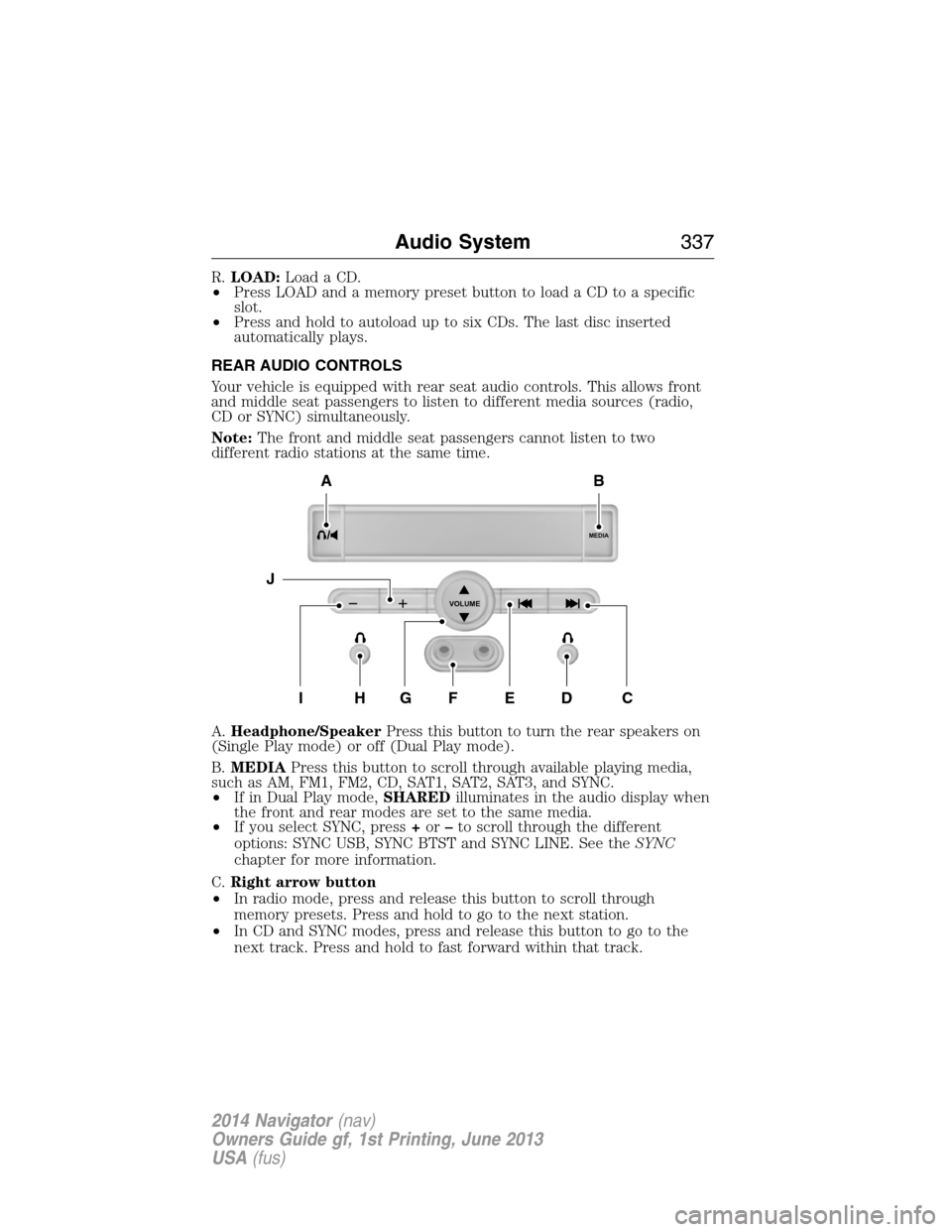
REAR AUDIO CONTROLS
Your vehicle is equipped with rear seat audio controls. This allows front
and middle seat passengers to listen to different media sources (radio,
CD or SYNC) simultaneously.
Note:The front and middle seat passengers cannot listen to two
different radio stations at the same time.
A.Headphone/SpeakerPress this button to turn the rear speakers on
(Single Play mode) or off (Dual Play mode).
B.MEDIAPress this button to scroll through available playing media,
such as AM, FM1, FM2, CD, SAT1, SAT2, SAT3, and SYNC.
•If in Dual Play mode,SHAREDilluminates in the audio display when
the front and rear modes are set to the same media.
•If you select SYNC, press+or–to scroll through the different
options: SYNC USB, SYNC BTST and SYNC LINE. See theSYNC
chapter for more information.
C.Right arrow button
•In radio mode, press and release this button to scroll through
memory presets. Press and hold to go to the next station.
•In CD and SYNC modes, press and release this button to go to the
next track. Press and hold to fast forward within that track.
MEDIA
VOLUME
B
HFGEDCI
A
J
Audio System337
2014 Navigator(nav)
Owners Guide gf, 1st Printing, June 2013
USA(fus)
Page 341 of 506
SATELLITE RADIO INFORMATION (IF EQUIPPED)
Satellite Radio Channels
Sirius broadcasts a variety of music, news, sports, weather, traffic and
entertainment satellite radio channels. For more information and a
complete list of Sirius satellite radio channels, visit www.siriusxm.com in
the United States, www.sirius.ca in Canada, or call Sirius at
1–888–539–7474.
Note:This receiver includes the eCos real-time operating system. eCos
is published under the eCos License.
Satellite Radio Reception Factors
Potential satellite radio reception issues
Antenna
obstructionsFor optimal reception performance, keep the
antenna clear of snow and ice build-up and
keep luggage and other material as far away
from the antenna as possible.
TerrainHills, mountains, tall buildings, bridges,
tunnels, freeway overpasses, parking garages,
dense tree foliage and thunderstorms can
interfere with your reception.
Station overloadWhen you pass a ground-based
broadcast-repeating tower, a stronger signal
may overtake a weaker one and the audio
system may mute.
Satellite radio signal
interferenceYour display may show ACQUIRING...to
indicate the interference and the audio
system may mute.
Sirius Satellite Radio Service
Note:
Sirius reserves the unrestricted right to change, rearrange, add or
delete programming including canceling, moving or adding particular
channels, and its prices, at any time, with or without notice to you. Ford
Motor Company shall not be responsible for any such programming changes.
340Audio System
2014 Navigator(nav)
Owners Guide gf, 1st Printing, June 2013
USA(fus)