light LINCOLN NAVIGATOR 2015 Owners Manual
[x] Cancel search | Manufacturer: LINCOLN, Model Year: 2015, Model line: NAVIGATOR, Model: LINCOLN NAVIGATOR 2015Pages: 475, PDF Size: 5.13 MB
Page 426 of 475
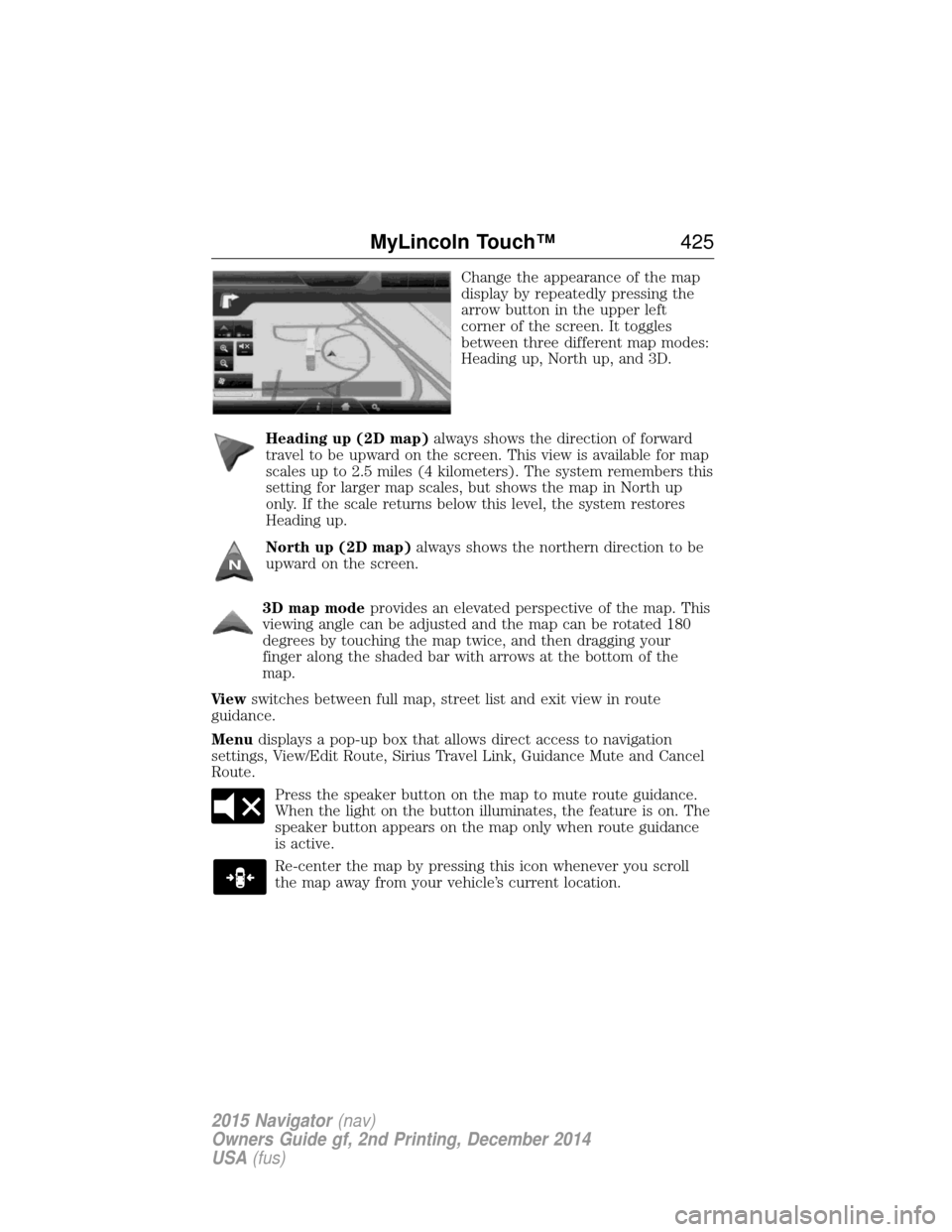
Change the appearance of the map
display by repeatedly pressing the
arrow button in the upper left
corner of the screen. It toggles
between three different map modes:
Heading up, North up, and 3D.
Heading up (2D map) always shows the direction of forward
travel to be upward on the screen. This view is available for map
scales up to 2.5 miles (4 kilometers). The system remembers this
setting for larger map scales, but shows the map in North up
only. If the scale returns below this level, the system restores
Heading up.
North up (2D map) always shows the northern direction to be
upward on the screen.
3D map mode provides an elevated perspective of the map. This
viewing angle can be adjusted and the map can be rotated 180
degrees by touching the map twice, and then dragging your
finger along the shaded bar with arrows at the bottom of the
map.
Vi e w switches between full map, street list and exit view in route
guidance.
Menu displays a pop-up box that allows direct access to navigation
settings, View/Edit Route, Sirius Travel Link, Guidance Mute and Cancel
Route.
Press the speaker button on the map to mute route guidance.
When the light on the button illuminates, the feature is on. The
speaker button appears on the map only when route guidance
is active.
Re-center the map by pressing this icon whenever you scroll
the map away from your vehicle’s current location.
MyLincoln Touch™ 425
2015 Navigator(nav)
Owners Guide gf, 2nd Printing, December 2014
USA (fus)
Page 453 of 475
Oils, Fluids and Flushing
In many cases, fluid discoloration is a normal operating characteristic
and, by itself, does not necessarily indicate a concern or that the fluid
needs to be changed. However, discolored fluids that also show signs of
overheating and foreign material contamination should be inspected
immediately by a qualified expert, such as the factory-trained technicians
at your dealership. Your vehicle’s oils and fluids should be changed at the
specified intervals or in conjunction with a repair. Flushing is a viable
way to change fluid for many vehicle sub-systems during scheduled
maintenance. It is critical that systems are flushed only with new fluid
that is the same as that required to fill and operate the system, or using
a Ford-approved flushing chemical.
Owner Checks and Services
Certain basic maintenance checks and inspections should be performed
every month or at six month intervals.
Check every month
Engine oil level.
Function of all interior and exterior lights.
Tires (including spare) for wear and proper pressure.
Windshield washer fluid level.
Check every six months
Battery connections. Clean if necessary.
Body and door drain holes for obstructions. Clean if necessary.
Cooling system fluid level and coolant strength.
Door weatherstrips for wear. Lubricate if necessary.
Hinges, latches and outside locks for proper operation. Lubricate if
necessary.
Parking brake for proper operation.
Safety belts and seat latches for wear and function.
Safety warning lamps (brake, ABS, airbag, safety belt) for operation.
Washer spray and wiper operation. Clean or replace blades as
necessary.
452 Scheduled Maintenance
2015 Navigator (nav)
Owners Guide gf, 2nd Printing, December 2014
USA (fus)
Page 467 of 475
EXCEPTIONS
Normal vehicle axle maintenance:Rear axles and power take-off
units with synthetic fluid and light-duty trucks equipped with
Ford-design axles are lubricated for life; do not check or change fluid
unless a leak is suspected, service is required or the assembly has been
submerged in water. During long periods of trailer towing with outside
temperatures above 70°F (21°C) and at wide-open throttle for long
periods above 45 mph (72 km/h), non-synthetic rear axle fluids should
be changed every 3000 miles (4800 kilometers) or three months,
whichever comes first. This interval can be waived if the axle is filled
with 75W140 synthetic gear fluid meeting Ford specification
WSL-M2C192-A, part number F1TZ-19580-B or equivalent. Add friction
modifier XL-3 (EST-M2C118-A) or equivalent for complete refill of
Traction-Lok rear axles (see Technical specificationsin theCapacities
and Specifications chapter for details).
Police/Taxi/Livery vehicle axle maintenance: Change rear axle fluid
every 100000 miles (160000 km). Rear axle fluid change may be waived
if the axle was filled with 75W140 synthetic gear fluid meeting Ford
specification WSL-M2C192-A, part number FITZ-19580-B or equivalent.
Add four ounces (118 mL) of additive friction modifier XL-3
(EST-M2C118-A) or equivalent for complete refill of Traction-Lok rear
axles. The axle fluid should be changed anytime the axle has been
submerged in water.
California fuel filter replacement: If the vehicle is registered in
California, the California Air Resources Board has determined that the
failure to perform this maintenance item will not nullify the emission
warranty or limit recall liability prior to the completion of the vehicle’s
useful life. Ford Motor Company, however, urges you to have all
recommended maintenance services performed at the specified intervals
and to record all vehicle service.
Hot climate oil change intervals: Vehicles operating in the Middle
East, North Africa, Sub-Saharan Africa or locations with similar climates
using an American Petroleum Institute (API) Certified for Gasoline
Engines (Certification mark) oil of SM or SN quality, the normal oil
change interval is 5000 miles (8000 kilometers).
If the available API SM or SN oils are not available, then the oil change
service interval is 3000 miles (4800 kilometers).
Engine air filter replacement: Engine air filter life is dependent on
exposure to dusty and dirty conditions. Vehicles operated in these
conditions require frequent inspection and replacement of the engine air
filter.
466 Scheduled Maintenance
2015 Navigator (nav)
Owners Guide gf, 2nd Printing, December 2014
USA (fus)
Page 469 of 475
911 Assist™ ..............................398
A
ABS (see Brakes) .....................187
Accessing and using your USB
port ............................................378
Accessing your calendar ..........398
Accessory delay ..........................94
Adding (pairing) a phone ........385
Airbag supplemental restraint
system ..........................................45and child safety seats ..............47
description ................................45
disposal ......................................52
driver airbag ..............................45
passenger airbag .......................45
side airbag ...........................45, 47
Air cleaner filter .......276–277, 333
Air filter .............................277, 333
All Wheel Drive (AWD),
driving off road .........................179
Ambient mood/lighting .............405
Ambulance packages ..................14
AM/FM .......................................366
Antifreeze
(see Engine coolant) ................267
Anti-lock brake system
(see Brakes) ..............................187
Anti-theft system ..................76–77 arming the system ..............76–77
disarming a triggered system ..77
Audio system Single CD ................................343 Audio system (see Radio) .......343
Automatic transmission
driving an automatic
overdrive .................................172
fluid, adding ............................271
fluid, checking ........................271
fluid, refill capacities ..............328
fluid, specification ..................328
Selectshift (SST) ....................175
Auxiliary Input Jack .................375
Auxiliary powerpoint ................152
A/V inputs ..........................351, 382
Axle lubricant specifications ..........328
refill capacities ........................328
B
Battery .......................................273 acid, treating emergencies .....273
jumping a disabled battery ....244
maintenance-free ....................273
replacement, specifications ...333
servicing ..................................273
Blind Spot Information
System .......................................205
Booster seats ...............................30
Brakes ........................................187 anti-lock ...................................187
anti-lock brake system (ABS)
warning light ...........................187
brake warning light ................187
fluid, checking and adding ....272
fluid, refill capacities ..............328
fluid, specifications .................328
lubricant specifications ..........328
parking ....................................188
shift interlock ..........................176
trailer .......................................231
468 Index
2015 Navigator(nav)
Owners Guide gf, 2nd Printing, December 2014
USA (fus)
Page 471 of 475
Engine ........................................327cleaning ...................................286
coolant .....................................267
fail-safe cooling .......................270
idle speed control ...................273
lubrication specifications .......328
refill capacities ........................328
service points ..........................265
Engine block heater .................160
Engine oil checking and adding ..............266
dipstick ....................................266
filter, specifications ................333
refill capacities ........................328
specifications ..........................328
Event data recording ..................11
Exhaust fumes ..........................159
F
Fail safe cooling ........................270
Fleet MyKey programming ........60
Floor mats .................................238
Fluid capacities .........................328
Forward and reverse sensing
system ........................................197
Four-Wheel Drive vehicles .......179 description ..............................180
driving off road .......................181
indicator light .........................179
Fuel cap ...........................................166
capacity ...................................328
choosing the right fuel ...........163
filler funnel .............................164
filling your vehicle with fuel ..166
filter, specifications ................272
fuel pump shut-off ..................243
octane rating ...................164, 327 quality ......................................163
running out of fuel .................164
safety information relating to
automotive fuels .....................162
Fuel - flex fuel vehicle
(FFV) .........................................163
Fuses ..................................255, 260
G
Garage door opener ..................147
Gas cap (see Fuel cap) ............166
Gauges .......................................100
H
Hazard flashers .........................243
HD Radio™ ...............................367
Headlamps ...................................87 aiming ......................................279
autolamp system .................88–89
bulb specifications ..................282
checking alignment ................279
daytime running lights .............89
flash to pass ..............................87
high beam .................................87
replacing bulbs .......................281
turning on and off ....................87
Head restraints .........................129
Heated steering wheel ..............415
Heating ......................................122
Help ............................................414
Hill descent mode .....................194
Hill start assist ..........................188
Homelink wireless control
system ........................................147
Hood ..........................................264
470 Index
2015 Navigator(nav)
Owners Guide gf, 2nd Printing, December 2014
USA (fus)
Page 472 of 475
How to use voice commands ...361
I
Ignition .......................................327
Illuminated visor mirror .............98
Inspection/maintenance (I/M)
testing ........................................171
Instrument panelcleaning ...................................289
cluster ......................................100
lighting up panel and interior..89
Intelligent Access Key ................54
J
Jack ............................................318 positioning ...............................318
storage .....................................318
Jump-starting your vehicle ......244
K
Keyless entry system autolock .....................................68
keypad .......................................74
locking and unlocking doors ....75
programming entry code .........74
L
Lamps ..........................................87 autolamp system .................88–89
bulb replacement
specifications chart ................282
daytime running light ...............89
headlamps .................................87
headlamps, flash to pass ..........87
instrument panel, dimming .....89
interior lamps ...........................91
replacing bulbs ...............281–282 Lane change indicator
(see Turn signal) ........................91
LATCH anchors ...........................22
Liftgate ........................................70
Lights, warning and indicator ..100
Listening to music ....................364
Loading instructions .................220
Load limits .................................213
Locks
autolock .....................................68
childproof ..................................33
doors ..........................................67
Lubricant specifications ...........328
Lug nuts ....................................325
M
Making and receiving calls .......386
MAP DVD - Loading and
Unloading ..................................386
Map icons ..................................426
Map mode ..................................424
Map preferences .......................422
Map updates ......................359, 428
Master lighting switch ................87
Message center warning messages ...................111
Mirrors ...................................94, 96 programmable memory ............55
side view mirrors (power) .......94
signal ...................................95–96
Moon roof ....................................98
Motorcraft® parts .............284, 333
MyFord Touch™ system ..........352
MyKey ..........................................60
Index 471
2015 Navigator(nav)
Owners Guide gf, 2nd Printing, December 2014
USA (fus)
Page 474 of 475
Safety belts (see Safety
restraints) ....................................36
Safety defects, reporting ..........254
Safety information ....................357
Safety restraints ..............36–37, 39Belt-Minder® ............................40
extension assembly ..................38
for adults .............................36–37
for children ...............................18
safety belt maintenance ...........42
seat belt maintenance ..............42
warning light and chime ..........40
Safety restraints - LATCH
anchors ........................................22
Safety seats for children ............18
Safety Compliance
Certification Label ....................334
Satellite Radio ...........................372
Scheduled Maintenance Guide Normal Scheduled
Maintenance and Log .............455
SD card ......................351, 378, 418
Seat belts
(see Safety restraints) ...............36
Seats child safety seats ......................18
climate control ........................135
filter .........................................333
heated ......................................143
memory seat .....................55, 132
SecuriCode keyless entry
system ..........................................73
SecuriLock passive anti-theft
system ..........................................76
Sending new text messages .....388
Setting a destination ................418 Setting a destination by
voice ...........................................419
Settings ......................................403
Setting the clock .......................403
Side air curtain ...........................48
Side-curtain airbags system .......48
SIRIUS® satellite radio ............372
SIRIUS satellite radio voice
commands .................................373
SIRIUS Travel Link ...................395
SIRIUS Travel Link voice
commands .................................396
Snowplowing ...............................14
SOS Post Crash Alert .................45
Spark plugs,
specifications .....................327, 333
Special notice
ambulance conversions ............14
Specification chart,
lubricants ...................................328
Stability system .........................192
Starting your vehicle ................157 jump starting ..........................244
push button start system .......156
Steering wheel ............................79 controls ......................................80
tilting .........................................79
Sun visor ......................................98
Supplemental Restraint System
(SRS) (see airbags) ....................45
Supported media file types ......381
Supported player, media
formats and metadata
information ................................381
Suspension ................................212
Index 473
2015 Navigator(nav)
Owners Guide gf, 2nd Printing, December 2014
USA (fus)
Page 475 of 475
SYNC® customer support ........356
SYNC® Services ........................391
System settings .........................406
T
Temperature control
(see Climate control) .......122, 415
Text messaging .........................387
Third-row power fold seat .......145
Tilt steering wheel ......................79
Tires ...........................297–298, 318alignment ................................311
care ..........................................297
changing ..........................318, 320
checking the pressure ............307
inflating ...................................305
label .........................................304
replacing ..................................309
rotating ....................................312
safety practices .......................311
sidewall information ...............299
snow tires and chains ............312
spare tire .................................318
terminology .............................298
tire grades ...............................298
treadwear ........................298, 307
Touchscreen features
(climate) ....................................415
Towing .......................224, 235–236 recreational towing .................236
trailer towing ..........................224
wrecker ....................................235
Traction control ........................190
Traffic preferences ...................422
Trailer sway control ..................225 Transmission
brake-shift interlock (BSI) ....176
fluid, checking and adding
(automatic) .............................271
fluid, refill capacities ..............328
lubricant specifications ..........328
Turn signal ..................................91
U
USB port ............................351, 378
V
Vehicle health report ................401
Vehicle Identification Number
(VIN) ..........................................333
Vehicle loading ..........................213
Ventilating your vehicle ...........160
Voice recognition ......................361
W
Warning lights (see Lights) .....100
Washer fluid ......................272–273
Water, Driving through .............238
Windows power .........................................93
rear wiper/washer .....................86
Windshield washer fluid and
wipers ..........................................85 checking and adding
fluid ..................................272–273
replacing wiper blades ...........275
Wrecker towing .........................235
474 Index
2015 Navigator(nav)
Owners Guide gf, 2nd Printing, December 2014
USA (fus)