brake LINCOLN NAVIGATOR 2015 User Guide
[x] Cancel search | Manufacturer: LINCOLN, Model Year: 2015, Model line: NAVIGATOR, Model: LINCOLN NAVIGATOR 2015Pages: 475, PDF Size: 5.13 MB
Page 106 of 475
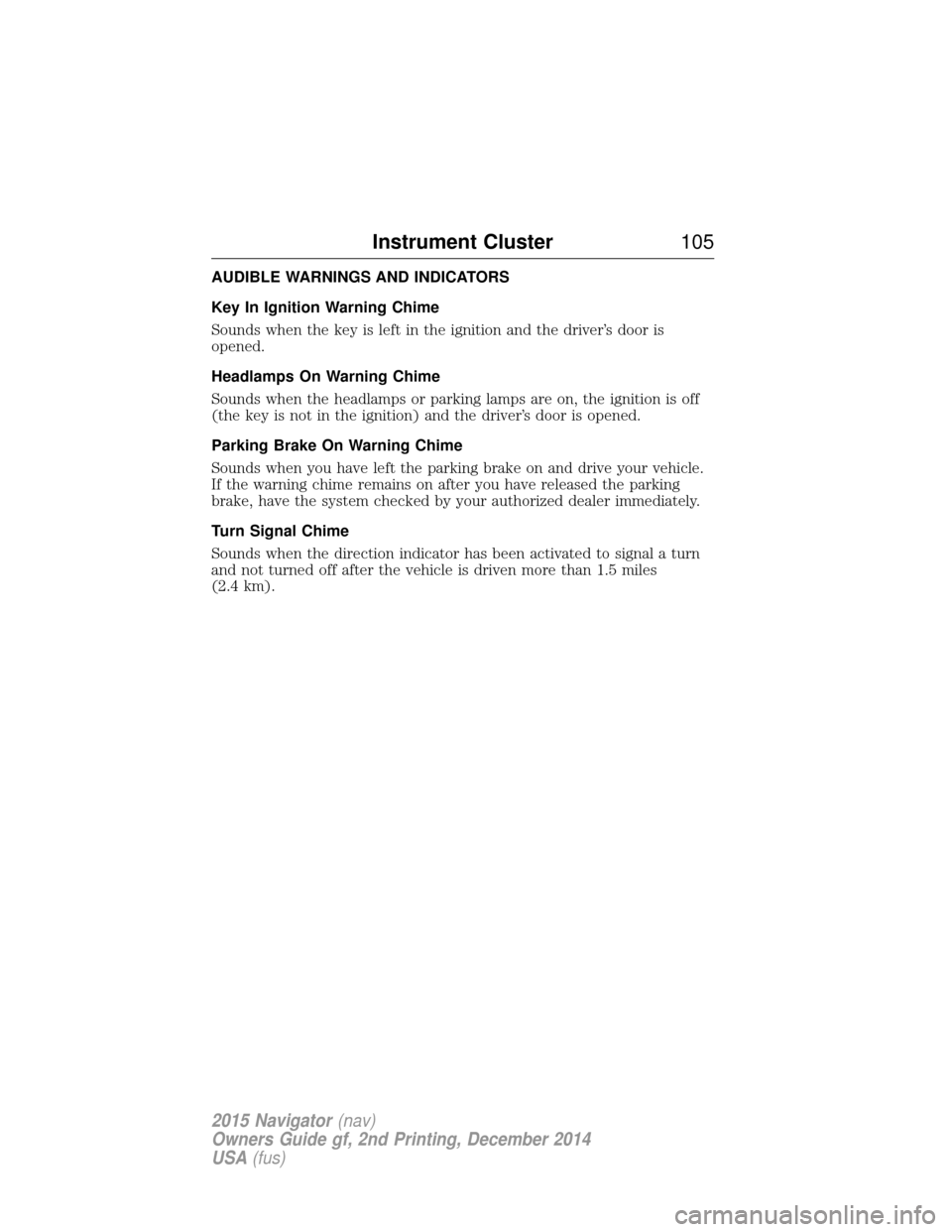
AUDIBLE WARNINGS AND INDICATORS
Key In Ignition Warning Chime
Sounds when the key is left in the ignition and the driver’s door is
opened.
Headlamps On Warning Chime
Sounds when the headlamps or parking lamps are on, the ignition is off
(the key is not in the ignition) and the driver’s door is opened.
Parking Brake On Warning Chime
Sounds when you have left the parking brake on and drive your vehicle.
If the warning chime remains on after you have released the parking
brake, have the system checked by your authorized dealer immediately.
Turn Signal Chime
Sounds when the direction indicator has been activated to signal a turn
and not turned off after the vehicle is driven more than 1.5 miles
(2.4 km).
Instrument Cluster105
2015 Navigator(nav)
Owners Guide gf, 2nd Printing, December 2014
USA (fus)
Page 109 of 475
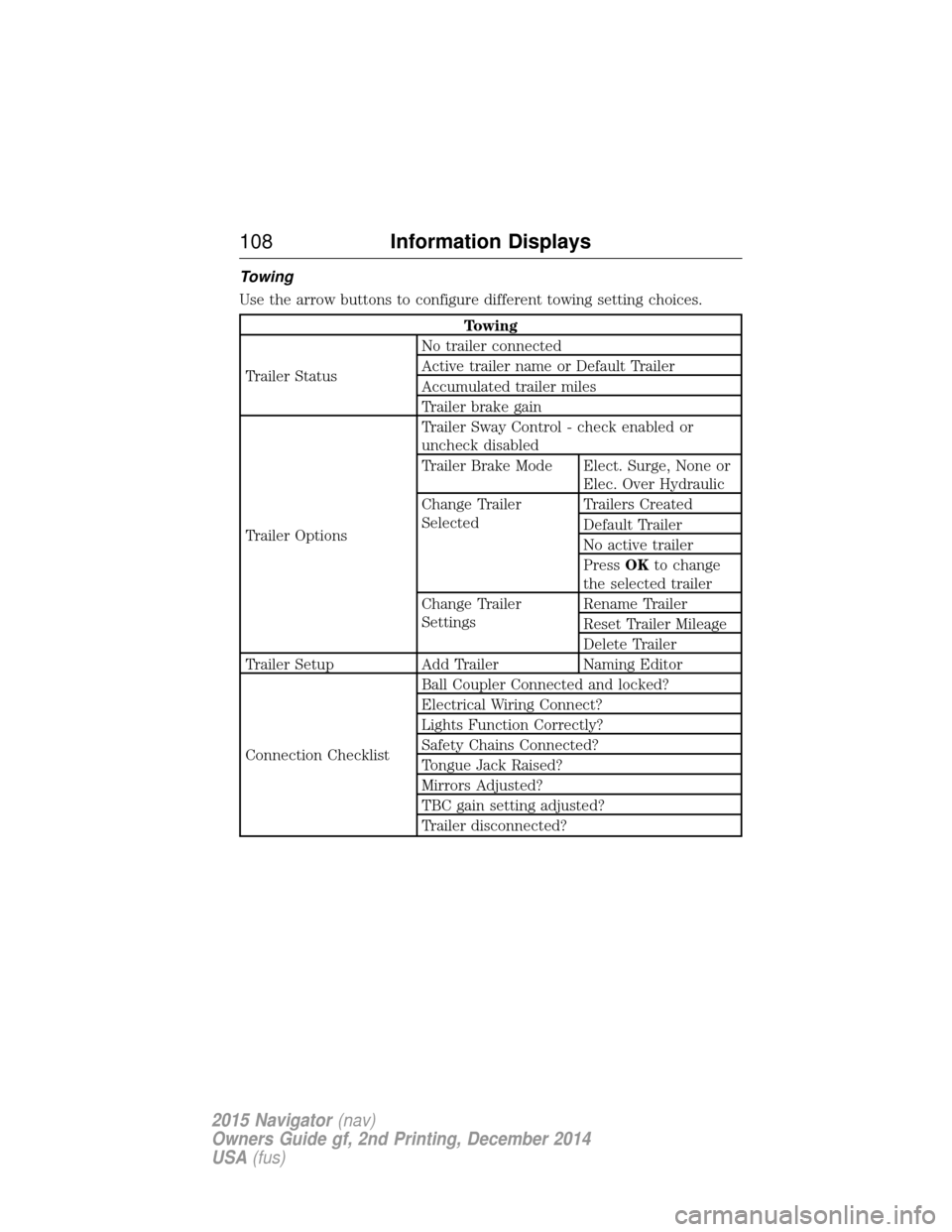
Towing
Use the arrow buttons to configure different towing setting choices.
Towing
Trailer Status No trailer connected
Active trailer name or Default Trailer
Accumulated trailer miles
Trailer brake gain
Trailer Options Trailer Sway Control - check enabled or
uncheck disabled
Trailer Brake Mode Elect. Surge, None or
Elec. Over Hydraulic
Change Trailer
Selected Trailers Created
Default Trailer
No active trailer
Press
OKto change
the selected trailer
Change Trailer
Settings Rename Trailer
Reset Trailer Mileage
Delete Trailer
Trailer Setup Add Trailer Naming Editor
Connection Checklist Ball Coupler Connected and locked?
Electrical Wiring Connect?
Lights Function Correctly?
Safety Chains Connected?
Tongue Jack Raised?
Mirrors Adjusted?
TBC gain setting adjusted?
Trailer disconnected?
108
Information Displays
2015 Navigator (nav)
Owners Guide gf, 2nd Printing, December 2014
USA (fus)
Page 114 of 475
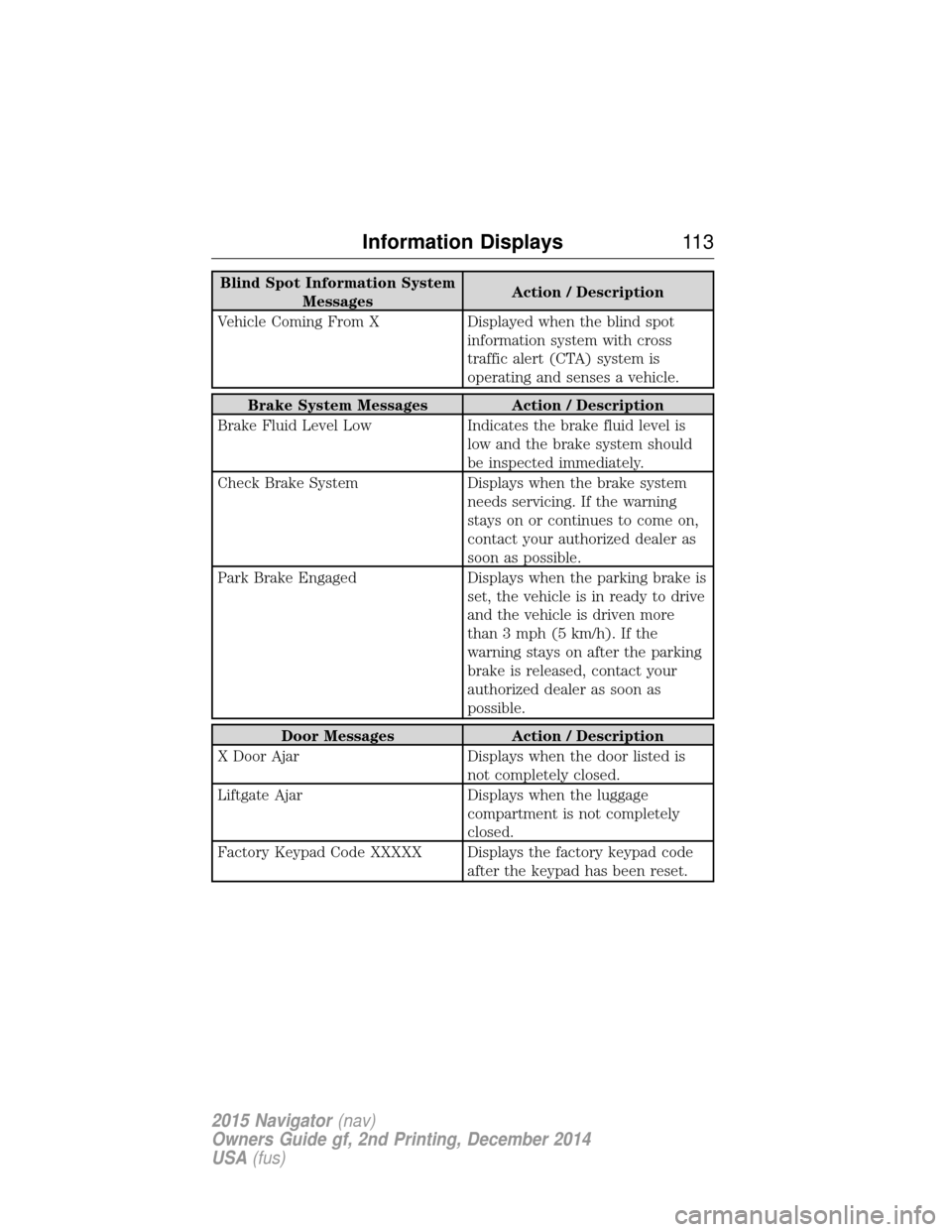
Blind Spot Information SystemMessages Action / Description
Vehicle Coming From X Displayed when the blind spot information system with cross
traffic alert (CTA) system is
operating and senses a vehicle.
Brake System Messages Action / Description
Brake Fluid Level Low Indicates the brake fluid level is
low and the brake system should
be inspected immediately.
Check Brake System Displays when the brake system
needs servicing. If the warning
stays on or continues to come on,
contact your authorized dealer as
soon as possible.
Park Brake Engaged Displays when the parking brake is
set, the vehicle is in ready to drive
and the vehicle is driven more
than 3 mph (5 km/h). If the
warning stays on after the parking
brake is released, contact your
authorized dealer as soon as
possible.
Door Messages Action / Description
X Door Ajar Displays when the door listed is
not completely closed.
Liftgate Ajar Displays when the luggage
compartment is not completely
closed.
Factory Keypad Code XXXXX Displays the factory keypad code after the keypad has been reset.
Information Displays11 3
2015 Navigator(nav)
Owners Guide gf, 2nd Printing, December 2014
USA (fus)
Page 116 of 475
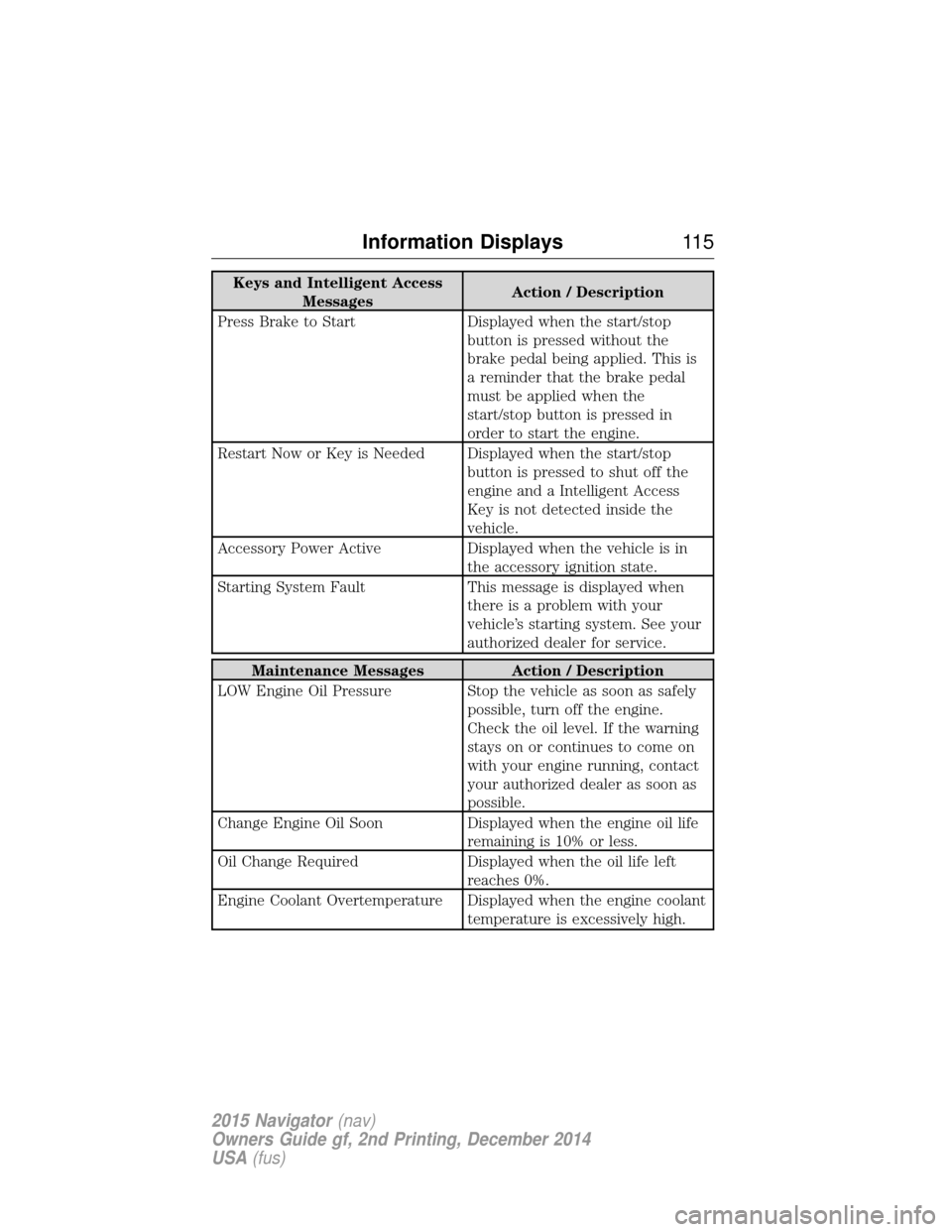
Keys and Intelligent AccessMessages Action / Description
Press Brake to Start Displayed when the start/stop button is pressed without the
brake pedal being applied. This is
a reminder that the brake pedal
must be applied when the
start/stop button is pressed in
order to start the engine.
Restart Now or Key is Needed Displayed when the start/stop button is pressed to shut off the
engine and a Intelligent Access
Key is not detected inside the
vehicle.
Accessory Power Active Displayed when the vehicle is in the accessory ignition state.
Starting System Fault This message is displayed when there is a problem with your
vehicle’s starting system. See your
authorized dealer for service.
Maintenance Messages Action / Description
LOW Engine Oil Pressure Stop the vehicle as soon as safely possible, turn off the engine.
Check the oil level. If the warning
stays on or continues to come on
with your engine running, contact
your authorized dealer as soon as
possible.
Change Engine Oil Soon Displayed when the engine oil life
remaining is 10% or less.
Oil Change Required Displayed when the oil life left
reaches 0%.
Engine Coolant Overtemperature Displayed when the engine coolant temperature is excessively high.
Information Displays11 5
2015 Navigator(nav)
Owners Guide gf, 2nd Printing, December 2014
USA (fus)
Page 118 of 475
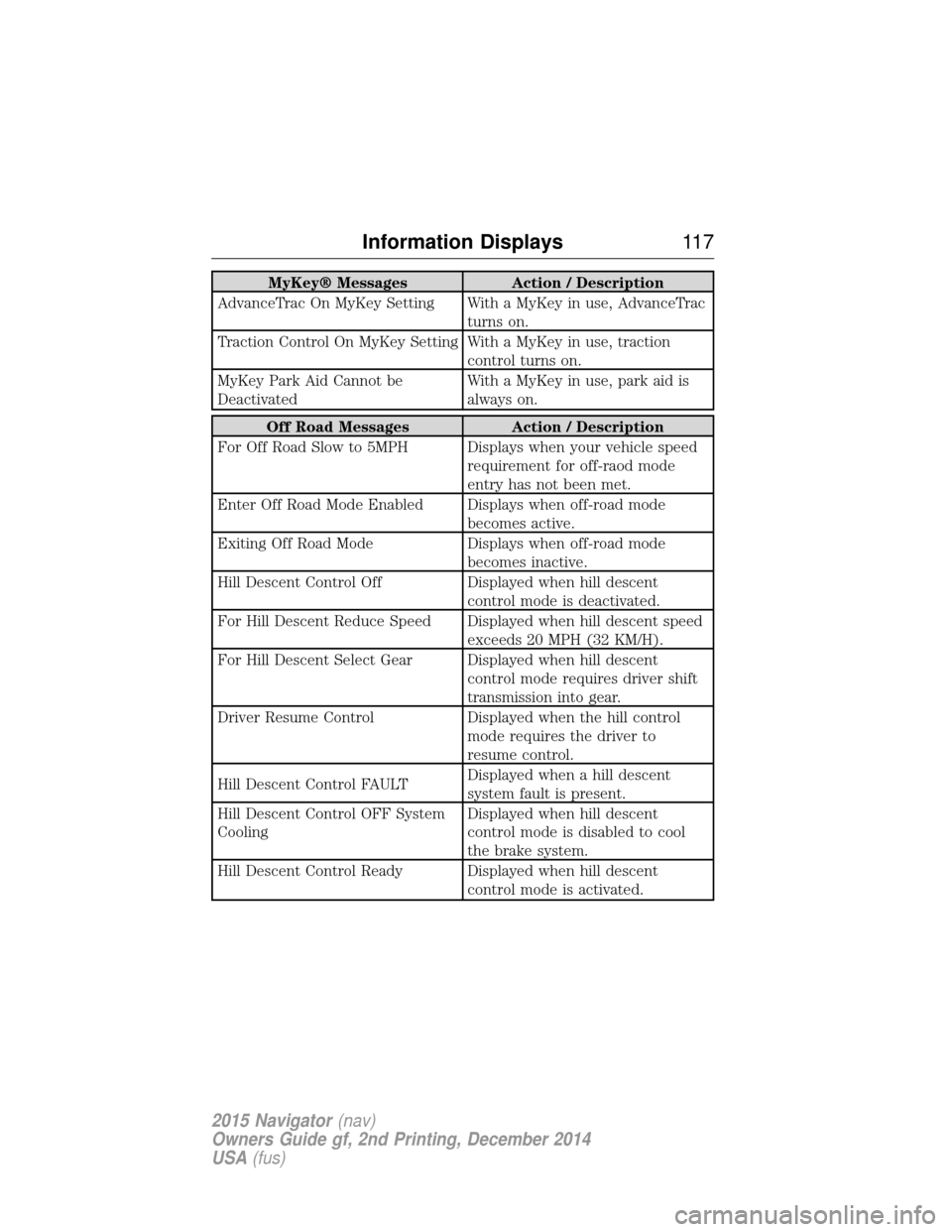
MyKey® MessagesAction / Description
AdvanceTrac On MyKey Setting With a MyKey in use, AdvanceTrac turns on.
Traction Control On MyKey Setting With a MyKey in use, traction control turns on.
MyKey Park Aid Cannot be
Deactivated With a MyKey in use, park aid is
always on.
Off Road Messages
Action / Description
For Off Road Slow to 5MPH Displays when your vehicle speed requirement for off-raod mode
entry has not been met.
Enter Off Road Mode Enabled Displays when off-road mode becomes active.
Exiting Off Road Mode Displays when off-road mode
becomes inactive.
Hill Descent Control Off Displayed when hill descent
control mode is deactivated.
For Hill Descent Reduce Speed Displayed when hill descent speed exceeds 20 MPH (32 KM/H).
For Hill Descent Select Gear Displayed when hill descent control mode requires driver shift
transmission into gear.
Driver Resume Control Displayed when the hill control
mode requires the driver to
resume control.
Hill Descent Control FAULT Displayed when a hill descent
system fault is present.
Hill Descent Control OFF System
Cooling Displayed when hill descent
control mode is disabled to cool
the brake system.
Hill Descent Control Ready Displayed when hill descent control mode is activated.
Information Displays11 7
2015 Navigator(nav)
Owners Guide gf, 2nd Printing, December 2014
USA (fus)
Page 119 of 475
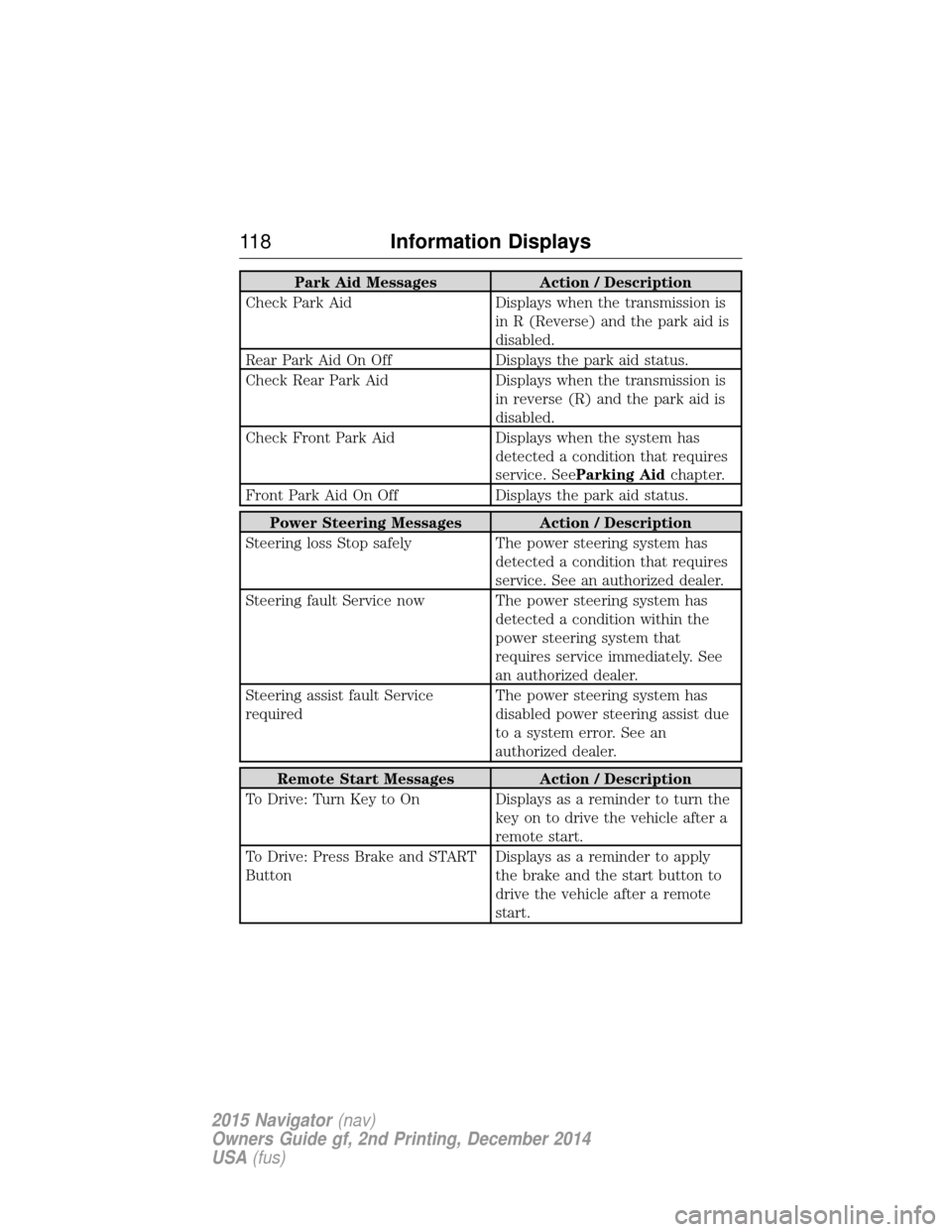
Park Aid MessagesAction / Description
Check Park Aid Displays when the transmission is
in R (Reverse) and the park aid is
disabled.
Rear Park Aid On Off Displays the park aid status.
Check Rear Park Aid Displays when the transmission is
in reverse (R) and the park aid is
disabled.
Check Front Park Aid Displays when the system has
detected a condition that requires
service. See Parking Aid chapter.
Front Park Aid On Off Displays the park aid status.
Power Steering Messages Action / Description
Steering loss Stop safely The power steering system has
detected a condition that requires
service. See an authorized dealer.
Steering fault Service now The power steering system has detected a condition within the
power steering system that
requires service immediately. See
an authorized dealer.
Steering assist fault Service
required The power steering system has
disabled power steering assist due
to a system error. See an
authorized dealer.
Remote Start Messages
Action / Description
To Drive: Turn Key to On Displays as a reminder to turn the key on to drive the vehicle after a
remote start.
To Drive: Press Brake and START
Button Displays as a reminder to apply
the brake and the start button to
drive the vehicle after a remote
start.
11 8
Information Displays
2015 Navigator (nav)
Owners Guide gf, 2nd Printing, December 2014
USA (fus)
Page 121 of 475
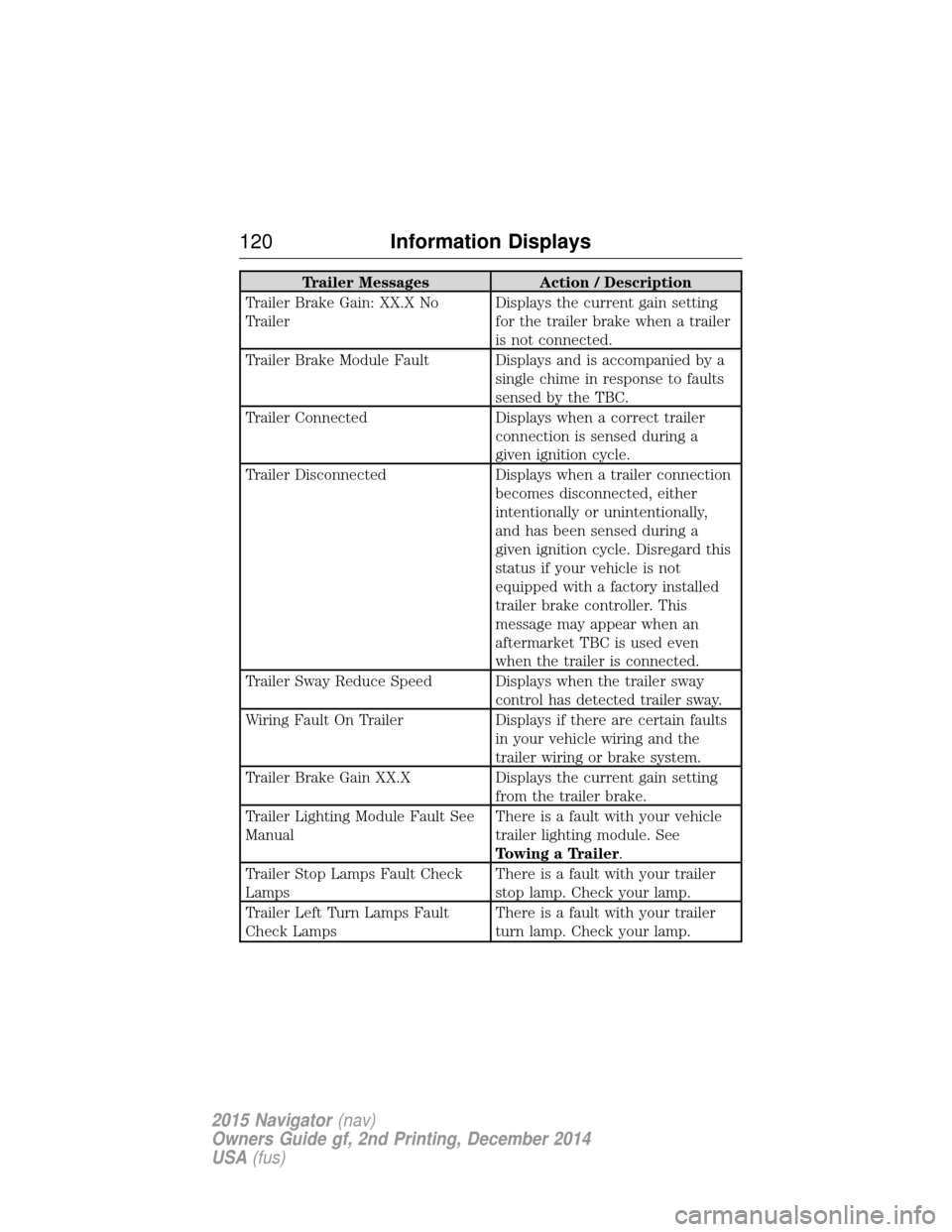
Trailer MessagesAction / Description
Trailer Brake Gain: XX.X No
Trailer Displays the current gain setting
for the trailer brake when a trailer
is not connected.
Trailer Brake Module Fault Displays and is accompanied by a single chime in response to faults
sensed by the TBC.
Trailer Connected Displays when a correct trailer
connection is sensed during a
given ignition cycle.
Trailer Disconnected Displays when a trailer connection
becomes disconnected, either
intentionally or unintentionally,
and has been sensed during a
given ignition cycle. Disregard this
status if your vehicle is not
equipped with a factory installed
trailer brake controller. This
message may appear when an
aftermarket TBC is used even
when the trailer is connected.
Trailer Sway Reduce Speed Displays when the trailer sway control has detected trailer sway.
Wiring Fault On Trailer Displays if there are certain faults
in your vehicle wiring and the
trailer wiring or brake system.
Trailer Brake Gain XX.X Displays the current gain setting
from the trailer brake.
Trailer Lighting Module Fault See
Manual There is a fault with your vehicle
trailer lighting module. See
Towing a Trailer.
Trailer Stop Lamps Fault Check
Lamps There is a fault with your trailer
stop lamp. Check your lamp.
Trailer Left Turn Lamps Fault
Check Lamps There is a fault with your trailer
turn lamp. Check your lamp.
120
Information Displays
2015 Navigator (nav)
Owners Guide gf, 2nd Printing, December 2014
USA (fus)
Page 158 of 475
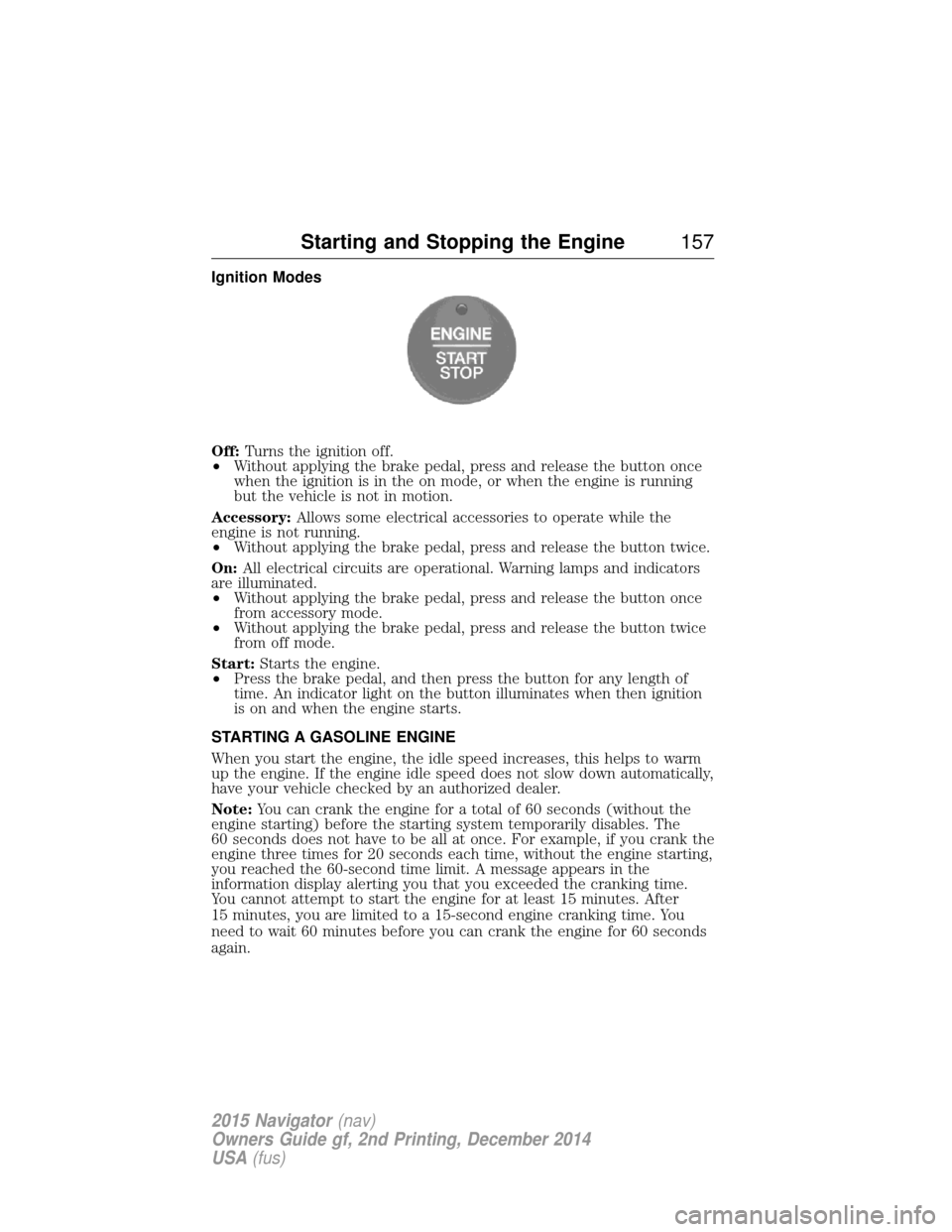
Ignition Modes
Off:Turns the ignition off.
• Without applying the brake pedal, press and release the button once
when the ignition is in the on mode, or when the engine is running
but the vehicle is not in motion.
Accessory: Allows some electrical accessories to operate while the
engine is not running.
• Without applying the brake pedal, press and release the button twice.
On: All electrical circuits are operational. Warning lamps and indicators
are illuminated.
• Without applying the brake pedal, press and release the button once
from accessory mode.
• Without applying the brake pedal, press and release the button twice
from off mode.
Start: Starts the engine.
• Press the brake pedal, and then press the button for any length of
time. An indicator light on the button illuminates when then ignition
is on and when the engine starts.
STARTING A GASOLINE ENGINE
When you start the engine, the idle speed increases, this helps to warm
up the engine. If the engine idle speed does not slow down automatically,
have your vehicle checked by an authorized dealer.
Note: You can crank the engine for a total of 60 seconds (without the
engine starting) before the starting system temporarily disables. The
60 seconds does not have to be all at once. For example, if you crank the
engine three times for 20 seconds each time, without the engine starting,
you reached the 60-second time limit. A message appears in the
information display alerting you that you exceeded the cranking time.
You cannot attempt to start the engine for at least 15 minutes. After
15 minutes, you are limited to a 15-second engine cranking time. You
need to wait 60 minutes before you can crank the engine for 60 seconds
again.
Starting and Stopping the Engine 157
2015 Navigator(nav)
Owners Guide gf, 2nd Printing, December 2014
USA (fus)
Page 159 of 475
Before starting the engine check the following:
•Make sure all occupants have fastened their safety belts.
• Make sure the headlamps and electrical accessories are off.
• Make sure the parking brake is on.
• Make sure the gearshift is in position P.
Note: Do not touch the accelerator pedal.
1. Fully press the brake pedal.
2. Press the button.
The system does not function if:
• The key frequencies are jammed.
• The key battery has no charge.
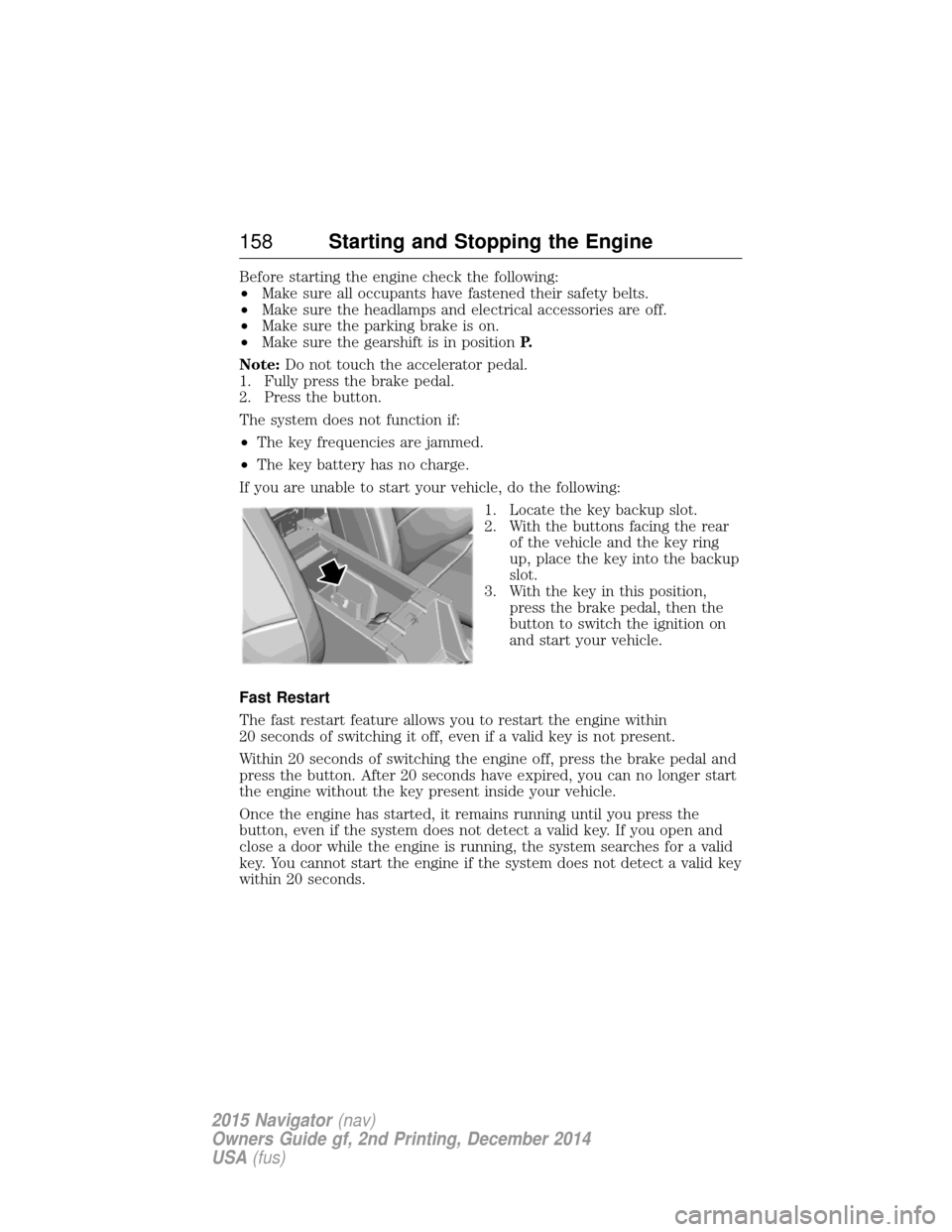
If you are unable to start your vehicle, do the following: 1. Locate the key backup slot.
2. With the buttons facing the rearof the vehicle and the key ring
up, place the key into the backup
slot.
3. With the key in this position, press the brake pedal, then the
button to switch the ignition on
and start your vehicle.
Fast Restart
The fast restart feature allows you to restart the engine within
20 seconds of switching it off, even if a valid key is not present.
Within 20 seconds of switching the engine off, press the brake pedal and
press the button. After 20 seconds have expired, you can no longer start
the engine without the key present inside your vehicle.
Once the engine has started, it remains running until you press the
button, even if the system does not detect a valid key. If you open and
close a door while the engine is running, the system searches for a valid
key. You cannot start the engine if the system does not detect a valid key
within 20 seconds.
158 Starting and Stopping the Engine
2015 Navigator (nav)
Owners Guide gf, 2nd Printing, December 2014
USA (fus)
Page 160 of 475
Failure to Start
If you cannot start the engine after three attempts, wait 10 seconds and
follow this procedure:
1. Fully press the brake pedal.
2. Fully press the accelerator pedal and hold it there.
3. Start the engine.
Stopping the Engine When Your Vehicle is Stationary
1. Move the transmission selector lever to positionP.
2. Press the button once.
3. Apply the parking brake.
Note: This switches off the ignition, all electrical circuits, warning lamps
and indicators.
Note: If the engine is idling for 30 minutes, the ignition and engine
automatically shut down.
Stopping the Engine When Your Vehicle is Moving
WARNING: Switching off the engine when the vehicle is still
moving will result in a loss of brake and steering assistance. The
steering will not lock, but higher effort will be required. When the
ignition is switched off, some electrical circuits, including air bags,
warning lamps and indicators may also be off. If the ignition was turned
off accidentally, you can shift into Neutral and restart the engine.
1. Move the transmission selector lever to position Nand use the brakes
to bring your vehicle to a safe stop.
2. When your vehicle has stopped, move the transmission selector lever to position Pand switch the ignition off by pressing and holding the
button for one second, or pressing it three times within two seconds.
3. Apply the parking brake.
Your vehicle may have remote start capability. Refer to Remote startin
the Keys and Remote Control chapter.
Guarding Against Exhaust Fumes
WARNING: If you smell exhaust fumes inside your vehicle, have
this checked immediately. Do not drive your vehicle if you smell
exhaust fumes. Carbon monoxide is present in exhaust fumes. Take
precautions to avoid its dangerous effects.
Starting and Stopping the Engine 159
2015 Navigator(nav)
Owners Guide gf, 2nd Printing, December 2014
USA (fus)