lock LINCOLN NAVIGATOR 2015 User Guide
[x] Cancel search | Manufacturer: LINCOLN, Model Year: 2015, Model line: NAVIGATOR, Model: LINCOLN NAVIGATOR 2015Pages: 475, PDF Size: 5.13 MB
Page 36 of 475
WARNING:When possible, all children 12 years old and under
should be properly restrained in a rear seating position. Failure
to follow this could seriously increase the risk of injury or death.
WARNING: Safety belts and seats can become hot in a vehicle
that has been closed up in sunny weather; they could burn a
small child. Check seat covers and buckles before you place a child
anywhere near them.
WARNING: Front and rear seat occupants, including pregnant
women, should wear safety belts for optimum protection in an
accident.
All seating positions in this vehicle have lap and shoulder safety belts. All
occupants of the vehicle should always properly wear their safety belts,
even when an airbag supplemental restraint system is provided.
The safety belt system consists of:
• Lap and shoulder safety belts.
• Shoulder safety belt with automatic locking mode, (except driver
safety belt).
• Height adjuster at the front outboard seating positions.
• Safety belt pretensioner at the front outboard seating positions.
•Safety belt warning light and chime. See Safety Belt
Warning Light and Indicator Chime later in this chapter.
• Crash sensors and monitoring system with readiness
indicator. See Crash Sensors and Airbag Indicator in the
Supplemental Restraints System chapter.
The safety belt pretensioners are designed to activate in frontal,
near-frontal and side crashes, and in rollovers. The safety belt
pretensioners at the front seating positions are designed to tighten the
safety belts firmly against the occupant’s body when activated. This helps
increase the effectiveness of the safety belts. In frontal crashes, the
safety belt pretensioners can be activated alone or, if the crash is of
sufficient severity, together with the front airbags.
Safety Belts 35
2015 Navigator(nav)
Owners Guide gf, 2nd Printing, December 2014
USA (fus)
Page 38 of 475
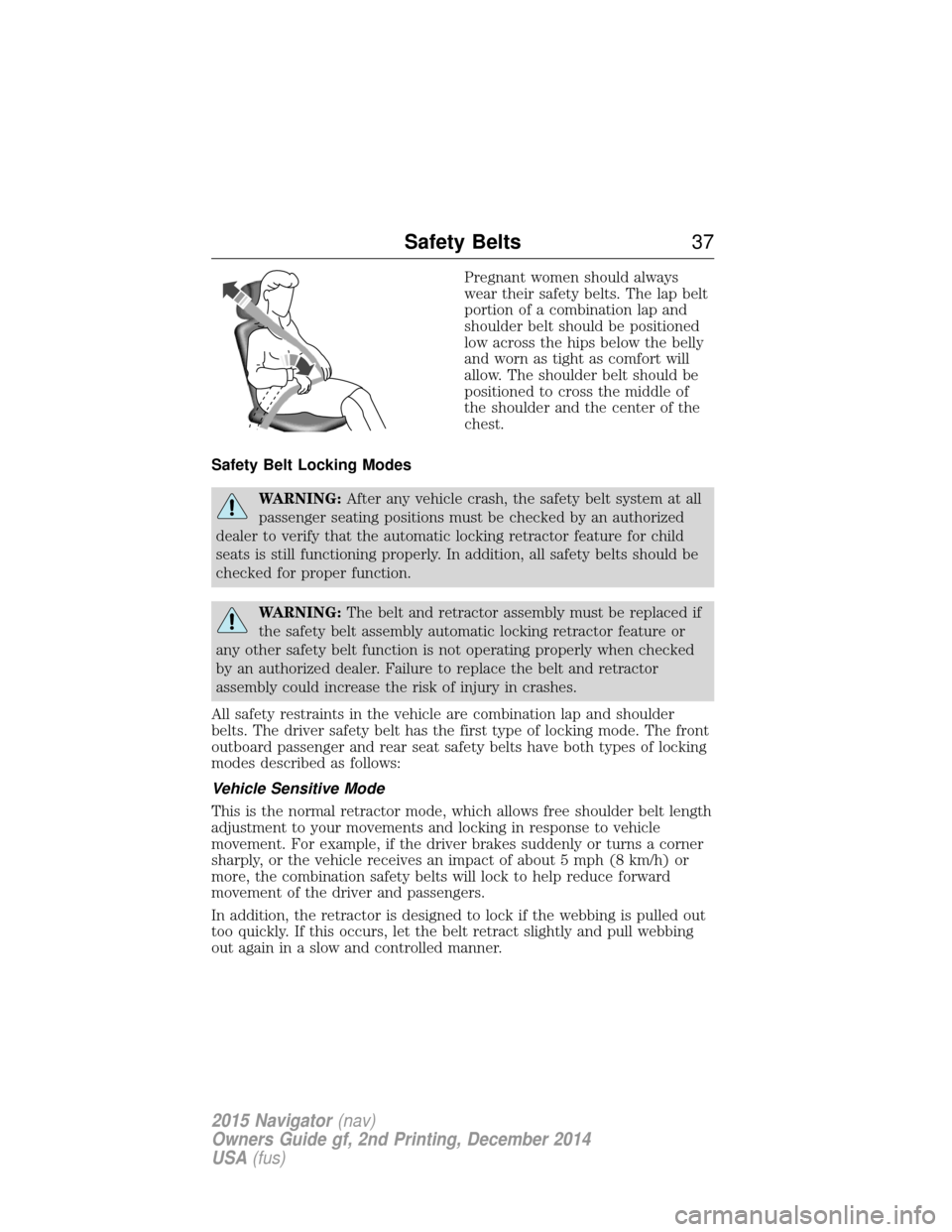
Pregnant women should always
wear their safety belts. The lap belt
portion of a combination lap and
shoulder belt should be positioned
low across the hips below the belly
and worn as tight as comfort will
allow. The shoulder belt should be
positioned to cross the middle of
the shoulder and the center of the
chest.
Safety Belt Locking Modes
WARNING: After any vehicle crash, the safety belt system at all
passenger seating positions must be checked by an authorized
dealer to verify that the automatic locking retractor feature for child
seats is still functioning properly. In addition, all safety belts should be
checked for proper function.
WARNING: The belt and retractor assembly must be replaced if
the safety belt assembly automatic locking retractor feature or
any other safety belt function is not operating properly when checked
by an authorized dealer. Failure to replace the belt and retractor
assembly could increase the risk of injury in crashes.
All safety restraints in the vehicle are combination lap and shoulder
belts. The driver safety belt has the first type of locking mode. The front
outboard passenger and rear seat safety belts have both types of locking
modes described as follows:
Vehicle Sensitive Mode
This is the normal retractor mode, which allows free shoulder belt length
adjustment to your movements and locking in response to vehicle
movement. For example, if the driver brakes suddenly or turns a corner
sharply, or the vehicle receives an impact of about 5 mph (8 km/h) or
more, the combination safety belts will lock to help reduce forward
movement of the driver and passengers.
In addition, the retractor is designed to lock if the webbing is pulled out
too quickly. If this occurs, let the belt retract slightly and pull webbing
out again in a slow and controlled manner.
Safety Belts 37
2015 Navigator(nav)
Owners Guide gf, 2nd Printing, December 2014
USA (fus)
Page 39 of 475
Automatic Locking Mode
In this mode, the shoulder belt is automatically pre-locked. The belt will
still retract to remove any slack in the shoulder belt. The automatic
locking mode is not available on the driver safety belt.
When to Use the Automatic Locking Mode
This mode should be used any time a child safety seat, except a booster,
is installed in passenger front or rear seating positions. Children 12 years
old and under should be properly restrained in a rear seating position
whenever possible. See theChild Safetychapter.
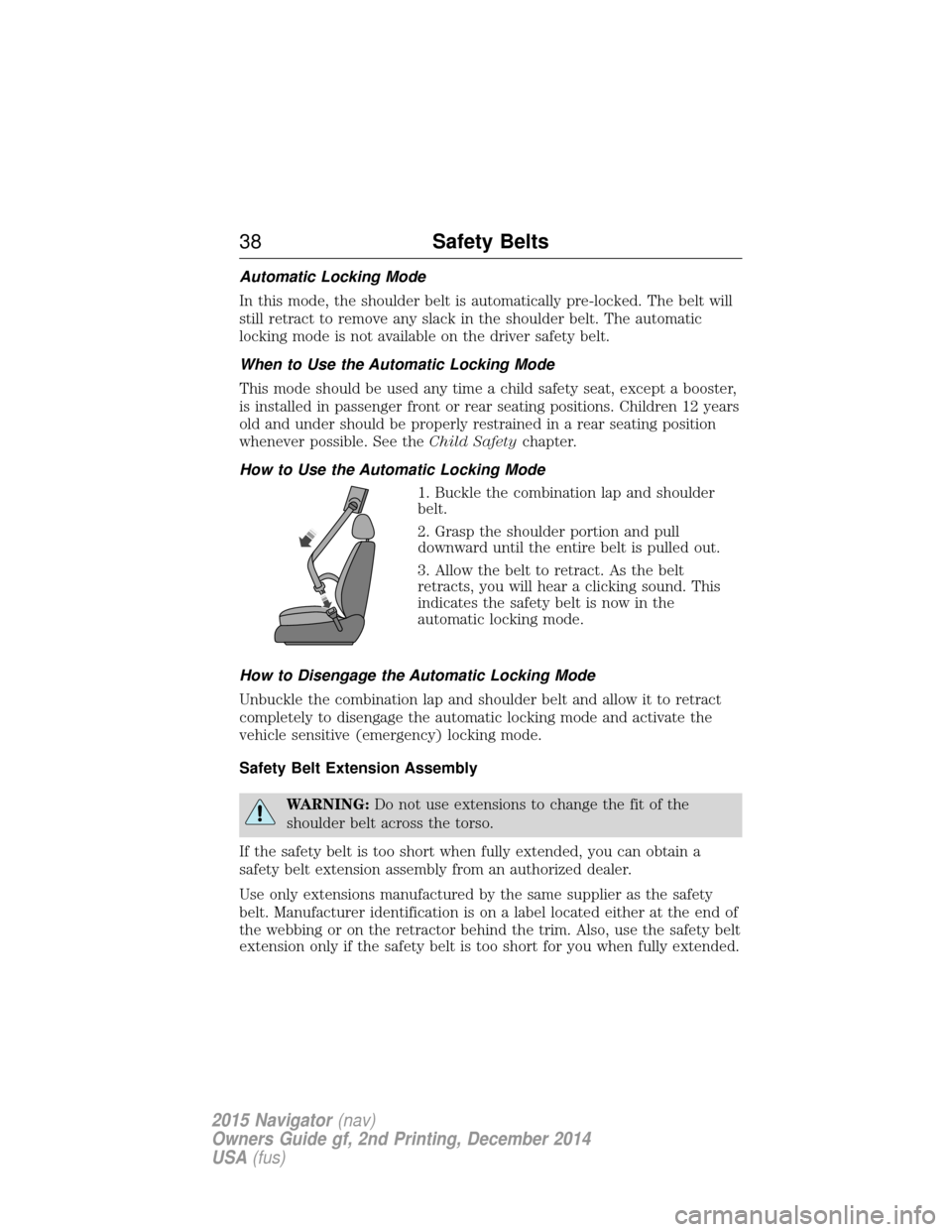
How to Use the Automatic Locking Mode 1. Buckle the combination lap and shoulder
belt.
2. Grasp the shoulder portion and pull
downward until the entire belt is pulled out.
3. Allow the belt to retract. As the belt
retracts, you will hear a clicking sound. This
indicates the safety belt is now in the
automatic locking mode.
How to Disengage the Automatic Locking Mode
Unbuckle the combination lap and shoulder belt and allow it to retract
completely to disengage the automatic locking mode and activate the
vehicle sensitive (emergency) locking mode.
Safety Belt Extension Assembly
WARNING: Do not use extensions to change the fit of the
shoulder belt across the torso.
If the safety belt is too short when fully extended, you can obtain a
safety belt extension assembly from an authorized dealer.
Use only extensions manufactured by the same supplier as the safety
belt. Manufacturer identification is on a label located either at the end of
the webbing or on the retractor behind the trim. Also, use the safety belt
extension only if the safety belt is too short for you when fully extended.
38 Safety Belts
2015 Navigator(nav)
Owners Guide gf, 2nd Printing, December 2014
USA (fus)
Page 40 of 475
SAFETY BELT HEIGHT ADJUSTMENT
WARNING:Position the safety belt height adjusters so that the
belt rests across the middle of your shoulder. Failure to adjust
the safety belt properly could reduce the effectiveness of the seat belt
and increase the risk of injury in a crash.
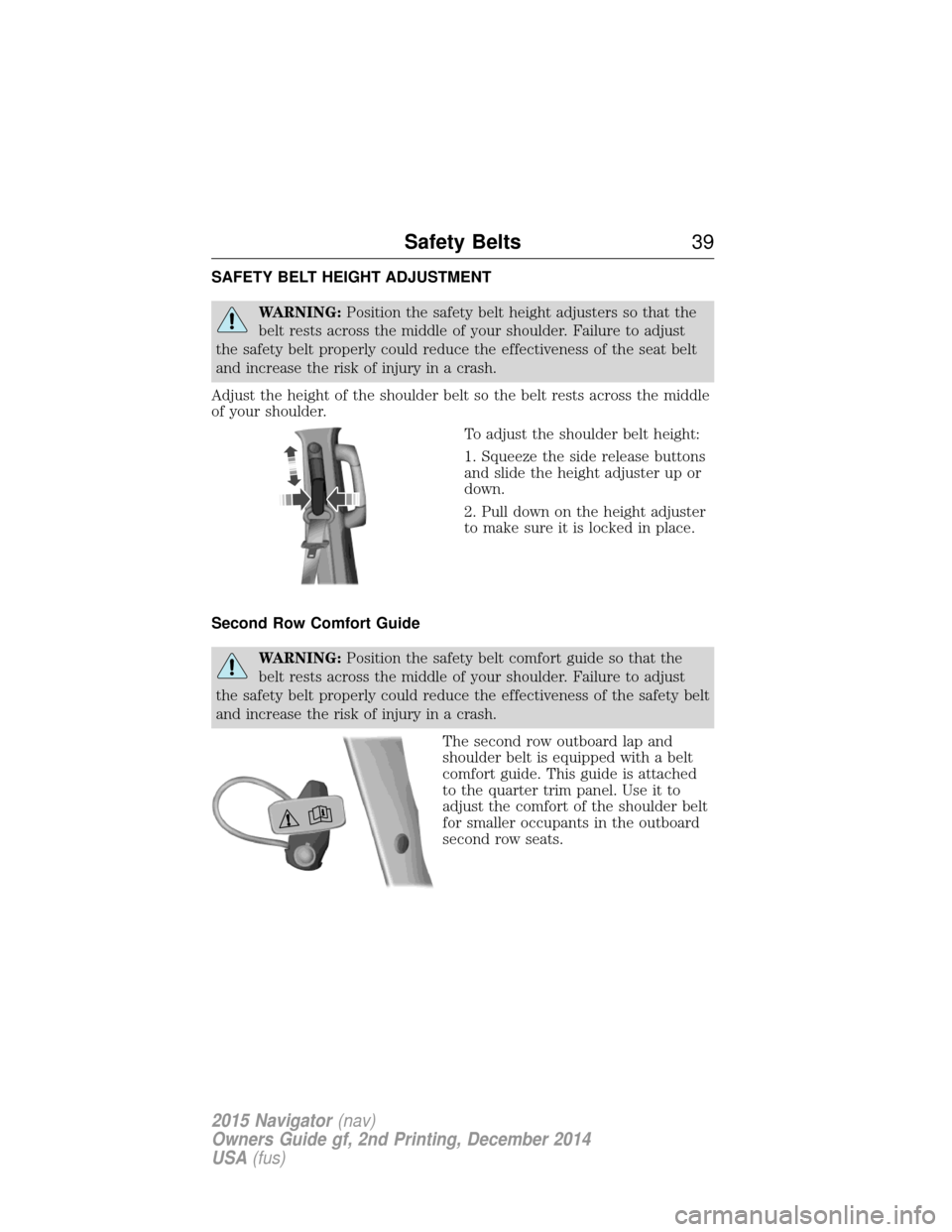
Adjust the height of the shoulder belt so the belt rests across the middle
of your shoulder. To adjust the shoulder belt height:
1. Squeeze the side release buttons
and slide the height adjuster up or
down.
2. Pull down on the height adjuster
to make sure it is locked in place.
Second Row Comfort Guide
WARNING: Position the safety belt comfort guide so that the
belt rests across the middle of your shoulder. Failure to adjust
the safety belt properly could reduce the effectiveness of the safety belt
and increase the risk of injury in a crash.
The second row outboard lap and
shoulder belt is equipped with a belt
comfort guide. This guide is attached
to the quarter trim panel. Use it to
adjust the comfort of the shoulder belt
for smaller occupants in the outboard
second row seats.
Safety Belts39
2015 Navigator(nav)
Owners Guide gf, 2nd Printing, December 2014
USA (fus)
Page 54 of 475
PRINCIPLE OF OPERATION
The remote control allows you to:
•remotely lock or unlock the vehicle doors.
• remotely open the power liftgate.
• remotely start or stop the engine.
• arm and disarm the anti-theft system.
• activate the panic alarm.
GENERAL INFORMATION ON RADIO FREQUENCIES
This device complies with part 15 of the FCC Rules and with Industry
Canada license-exempt RSS standard(s). Operation is subject to the
following two conditions: (1) This device may not cause harmful
interference, and (2) This device must accept any interference received,
including interference that may cause undesired operation.
Note: Changes or modifications not expressly approved by the party
responsible for compliance could void the user’s authority to operate the
equipment. The term ICbefore the radio certification number only
signifies that Industry Canada technical specifications were met.
The typical operating range for your transmitter is approximately 33 feet
(10 meters). Vehicles with the remote start feature will have a greater
range. A decrease in operating range could be caused by:
• weather conditions
• nearby radio towers
• structures around your vehicle
• other vehicles parked next to your vehicle.
The radio frequency used by your remote control can also be used by
other short-distance radio transmissions, for example amateur radios,
medical equipment, wireless headphones, remote controls and alarm
systems. If the frequencies are jammed, you will not be able to use your
remote control. You can lock and unlock the doors with the key.
Note: Make sure your vehicle is locked before leaving it unattended.
Note: If you are in range, the remote control will operate if you press
any button unintentionally.
Keys and Remote Control 53
2015 Navigator(nav)
Owners Guide gf, 2nd Printing, December 2014
USA (fus)
Page 55 of 475
Intelligent Access
The system uses a radio frequency signal to communicate with your
vehicle and authorize your vehicle to unlock when one of the following
conditions is met:
•You touch any button on the keypad.
• You press a button on the transmitter.
If excessive radio frequency interference is present in the area or if the
transmitter battery is low, it may be necessary to mechanically unlock
your door. You can use the mechanical key blade in your intelligent
access key to open the driver door in this situation. Refer to Remote
Control in this chapter for more information on the location and use of
the mechanical key blade.
REMOTE CONTROL
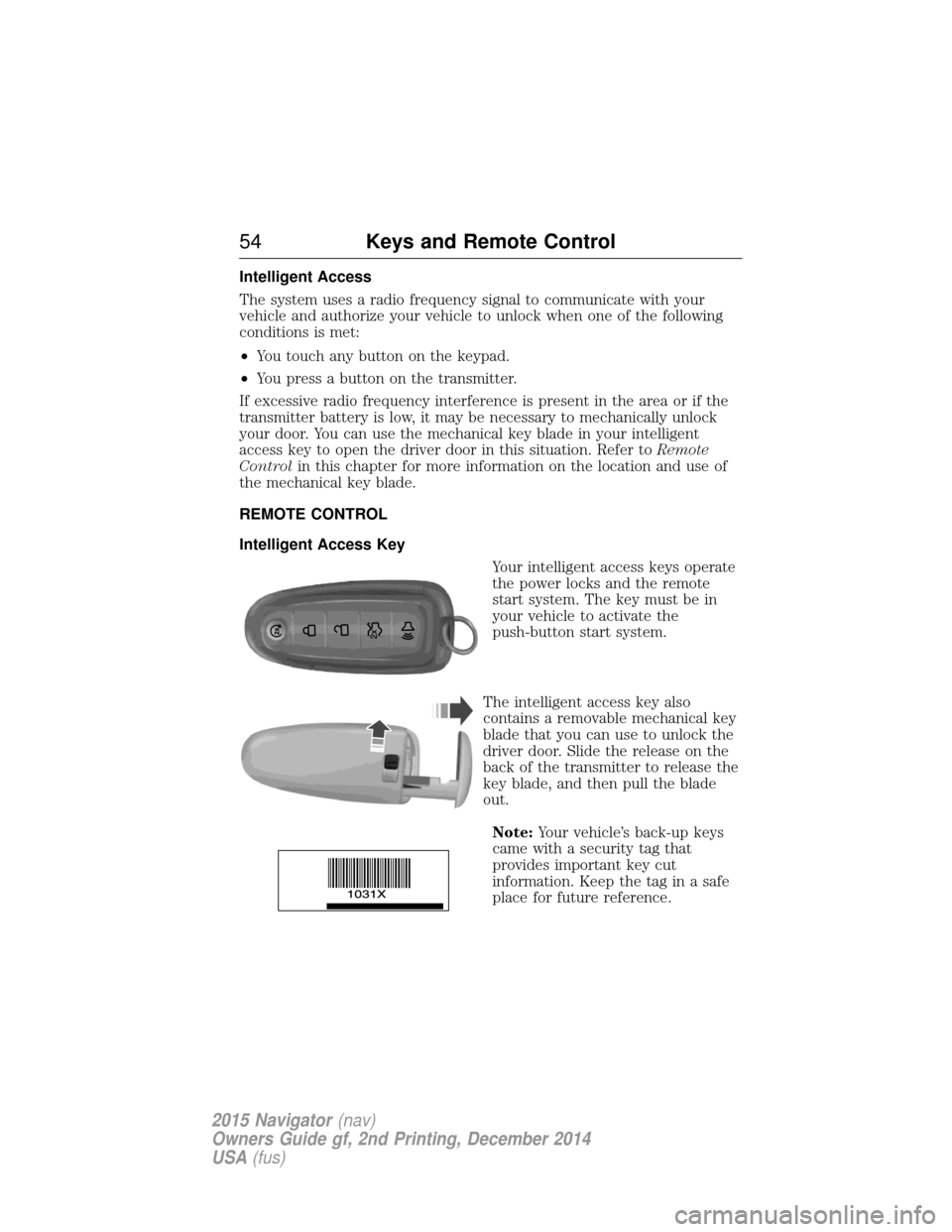
Intelligent Access Key
Your intelligent access keys operate
the power locks and the remote
start system. The key must be in
your vehicle to activate the
push-button start system.
The intelligent access key also
contains a removable mechanical key
blade that you can use to unlock the
driver door. Slide the release on the
back of the transmitter to release the
key blade, and then pull the blade
out. Note: Your vehicle’s back-up keys
came with a security tag that
provides important key cut
information. Keep the tag in a safe
place for future reference.
54 Keys and Remote Control
2015 Navigator (nav)
Owners Guide gf, 2nd Printing, December 2014
USA (fus)
Page 56 of 475
Replacing the Battery
Note:Refer to local regulations when disposing of transmitter batteries.
Note: Do not wipe off any grease on the battery terminals or on the
back surface of the circuit board.
Note: Replacing the battery will not delete the transmitter from your
vehicle. The transmitter should operate normally.
The remote control uses one coin-type three-volt lithium battery CR2032
or equivalent.
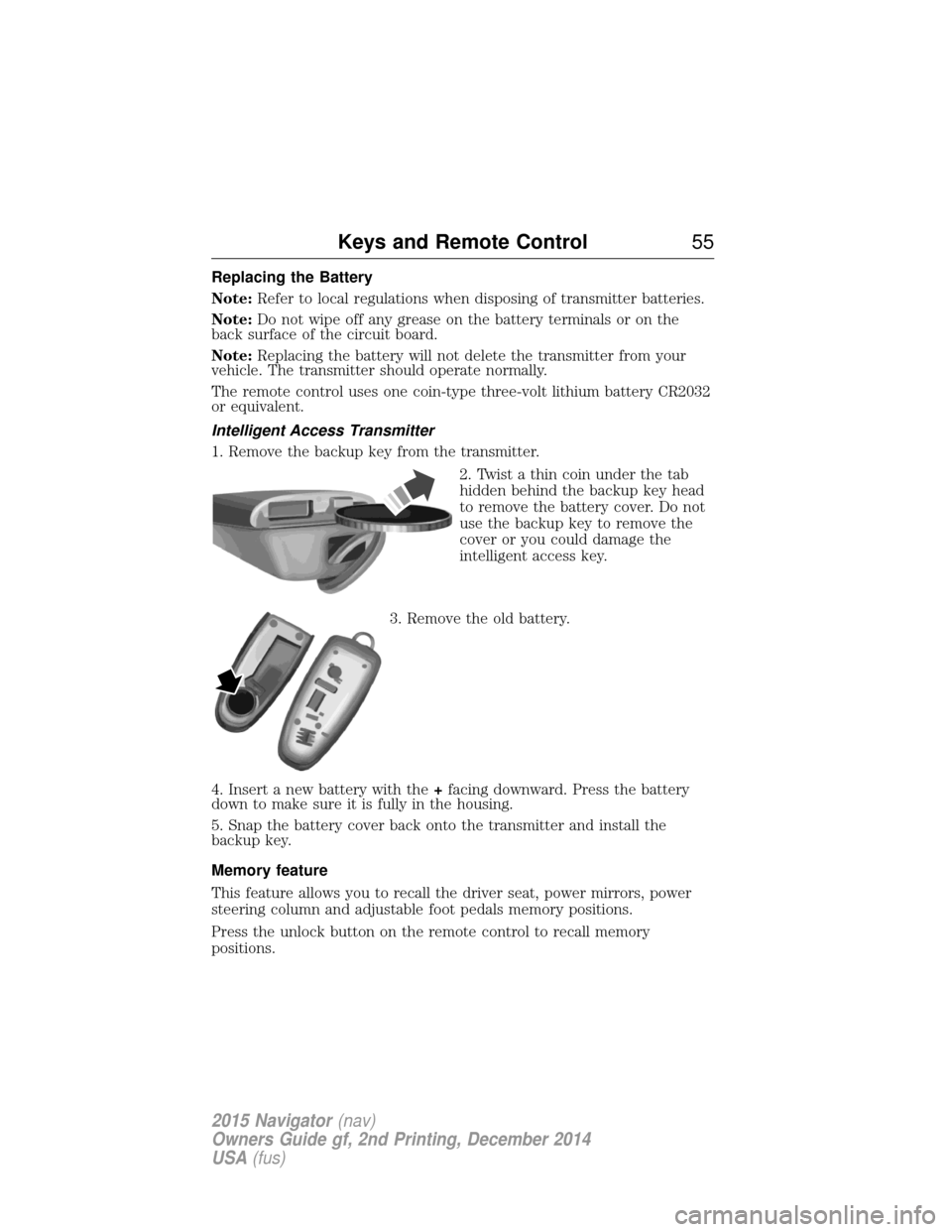
Intelligent Access Transmitter
1. Remove the backup key from the transmitter.
2. Twist a thin coin under the tab
hidden behind the backup key head
to remove the battery cover. Do not
use the backup key to remove the
cover or you could damage the
intelligent access key.
3. Remove the old battery.
4. Insert a new battery with the +facing downward. Press the battery
down to make sure it is fully in the housing.
5. Snap the battery cover back onto the transmitter and install the
backup key.
Memory feature
This feature allows you to recall the driver seat, power mirrors, power
steering column and adjustable foot pedals memory positions.
Press the unlock button on the remote control to recall memory
positions.
Keys and Remote Control 55
2015 Navigator(nav)
Owners Guide gf, 2nd Printing, December 2014
USA (fus)
Page 57 of 475
Programming memory to the remote control
To activate this feature:
1. Switch on the ignition.
2. Move the memory features to the desired positions using the
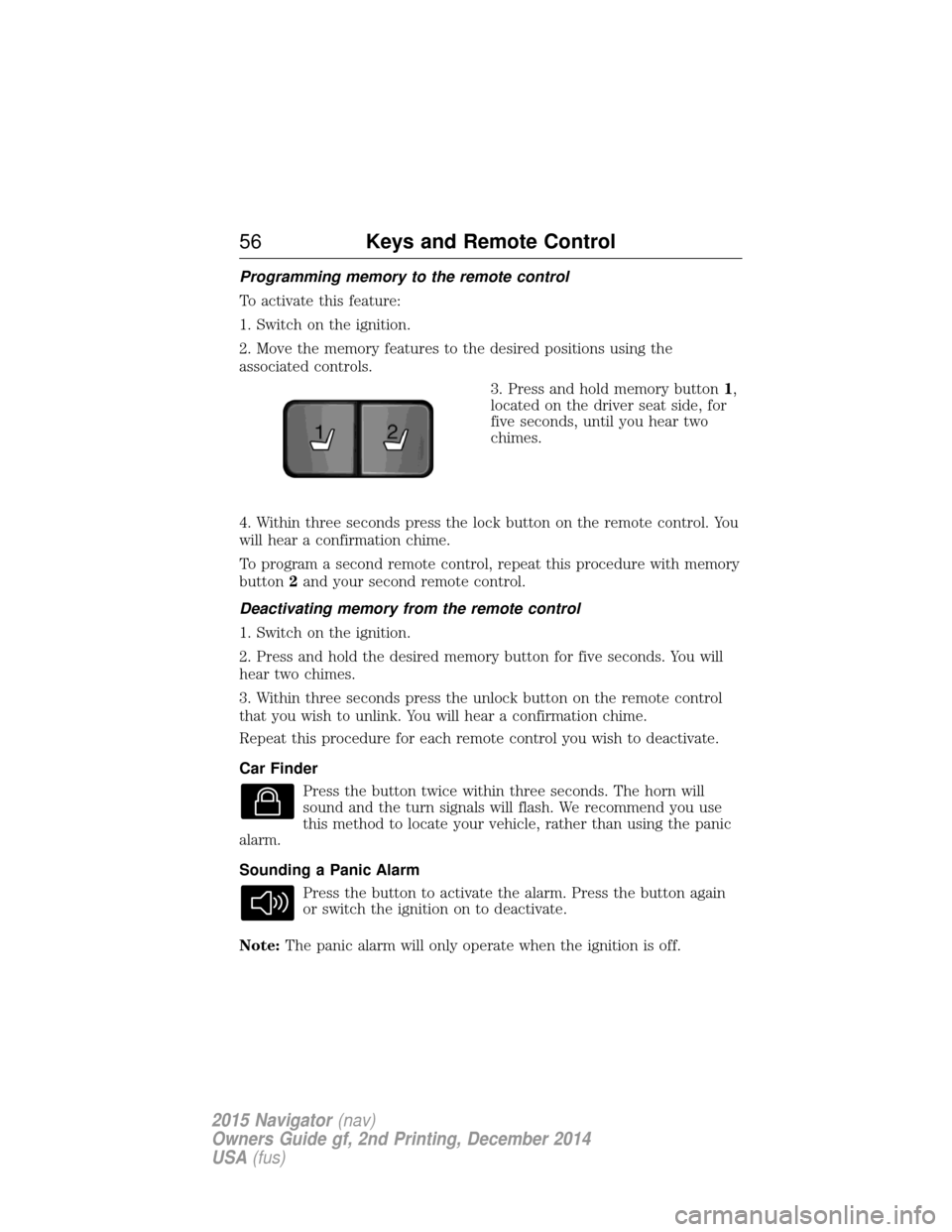
associated controls.3. Press and hold memory button1,
located on the driver seat side, for
five seconds, until you hear two
chimes.
4. Within three seconds press the lock button on the remote control. You
will hear a confirmation chime.
To program a second remote control, repeat this procedure with memory
button 2and your second remote control.
Deactivating memory from the remote control
1. Switch on the ignition.
2. Press and hold the desired memory button for five seconds. You will
hear two chimes.
3. Within three seconds press the unlock button on the remote control
that you wish to unlink. You will hear a confirmation chime.
Repeat this procedure for each remote control you wish to deactivate.
Car Finder Press the button twice within three seconds. The horn will
sound and the turn signals will flash. We recommend you use
this method to locate your vehicle, rather than using the panic
alarm.
Sounding a Panic Alarm
Press the button to activate the alarm. Press the button again
or switch the ignition on to deactivate.
Note: The panic alarm will only operate when the ignition is off.
21
56 Keys and Remote Control
2015 Navigator (nav)
Owners Guide gf, 2nd Printing, December 2014
USA (fus)
Page 59 of 475
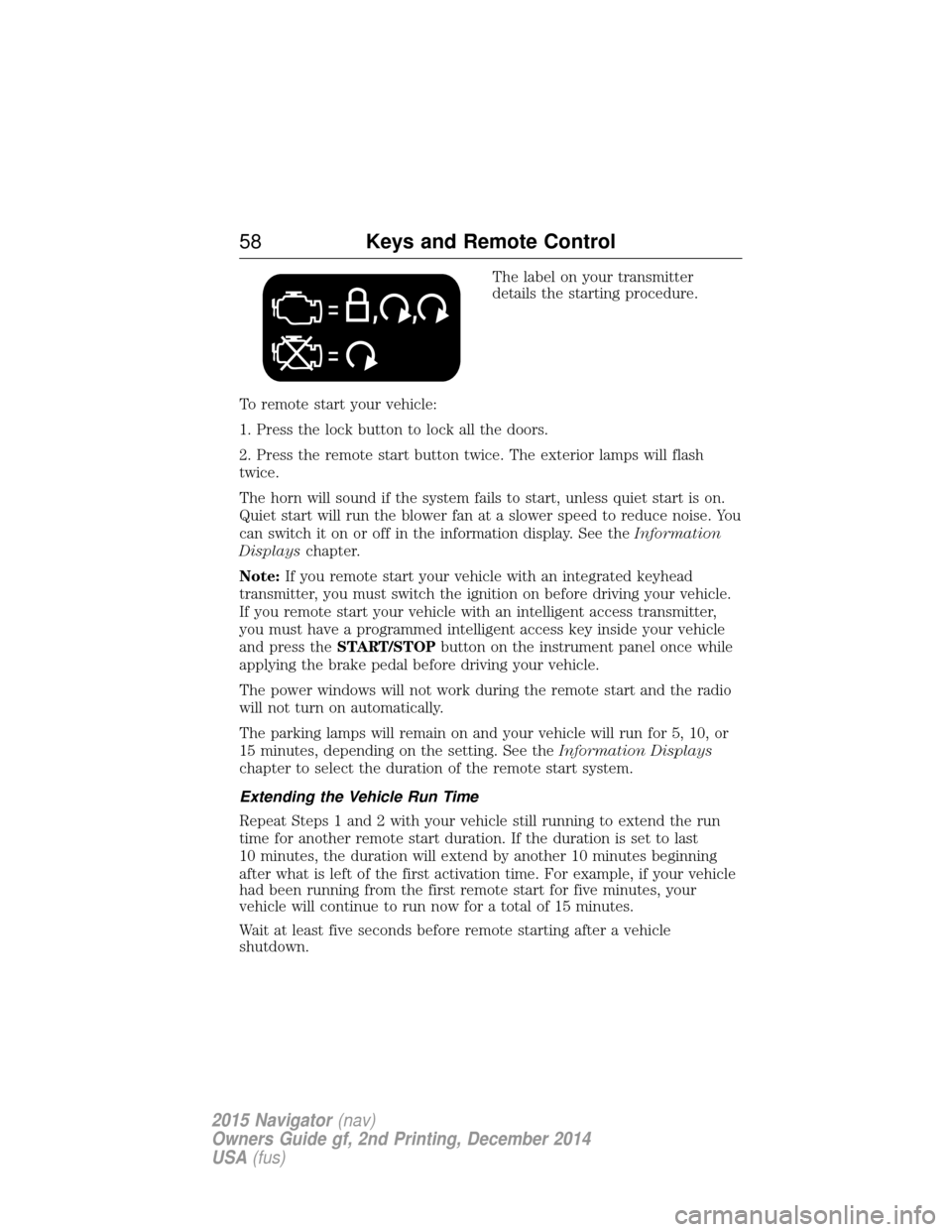
The label on your transmitter
details the starting procedure.
To remote start your vehicle:
1. Press the lock button to lock all the doors.
2. Press the remote start button twice. The exterior lamps will flash
twice.
The horn will sound if the system fails to start, unless quiet start is on.
Quiet start will run the blower fan at a slower speed to reduce noise. You
can switch it on or off in the information display. See the Information
Displays chapter.
Note: If you remote start your vehicle with an integrated keyhead
transmitter, you must switch the ignition on before driving your vehicle.
If you remote start your vehicle with an intelligent access transmitter,
you must have a programmed intelligent access key inside your vehicle
and press the START/STOP button on the instrument panel once while
applying the brake pedal before driving your vehicle.
The power windows will not work during the remote start and the radio
will not turn on automatically.
The parking lamps will remain on and your vehicle will run for 5, 10, or
15 minutes, depending on the setting. See the Information Displays
chapter to select the duration of the remote start system.
Extending the Vehicle Run Time
Repeat Steps 1 and 2 with your vehicle still running to extend the run
time for another remote start duration. If the duration is set to last
10 minutes, the duration will extend by another 10 minutes beginning
after what is left of the first activation time. For example, if your vehicle
had been running from the first remote start for five minutes, your
vehicle will continue to run now for a total of 15 minutes.
Wait at least five seconds before remote starting after a vehicle
shutdown.
58 Keys and Remote Control
2015 Navigator (nav)
Owners Guide gf, 2nd Printing, December 2014
USA (fus)
Page 66 of 475
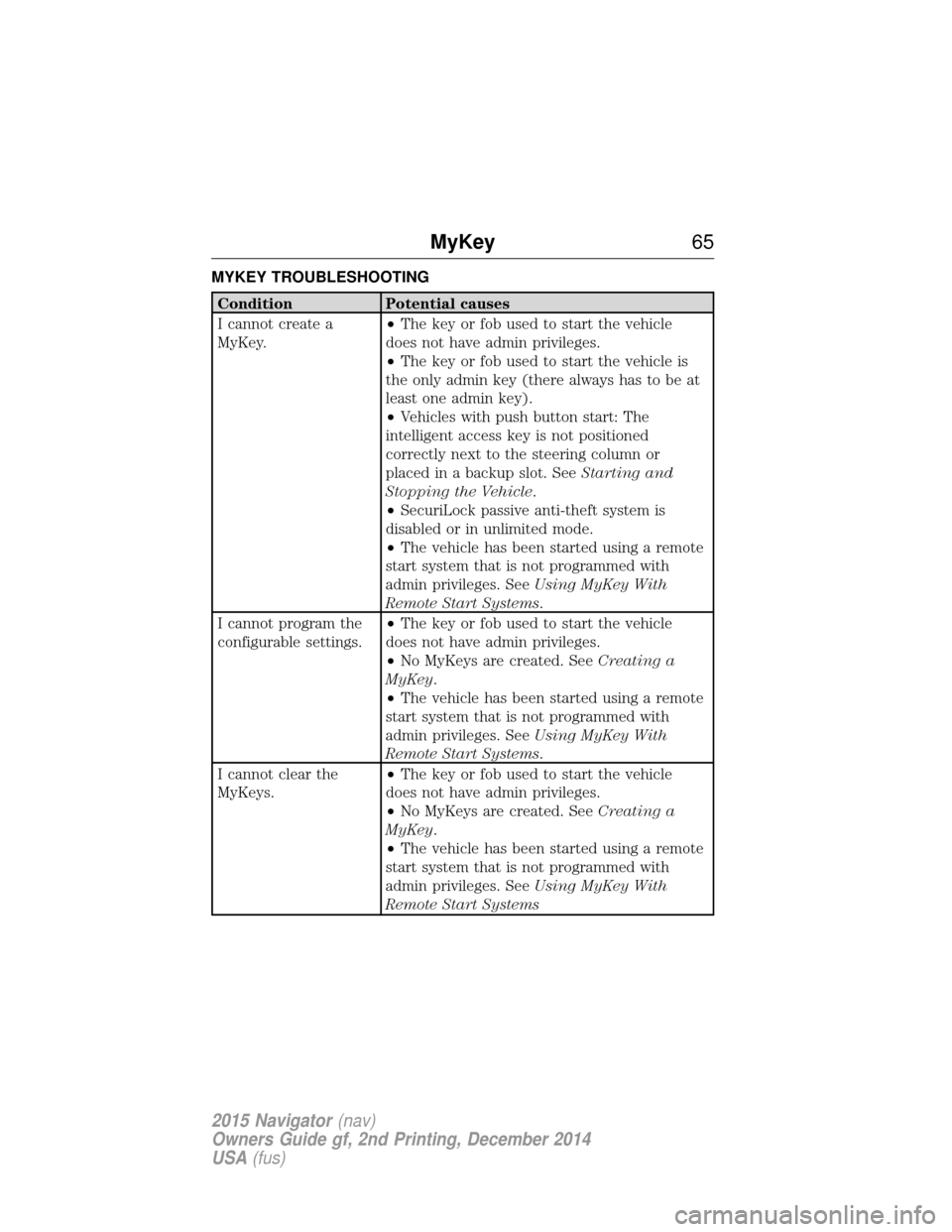
MYKEY TROUBLESHOOTING
ConditionPotential causes
I cannot create a
MyKey. •
The key or fob used to start the vehicle
does not have admin privileges.
• The key or fob used to start the vehicle is
the only admin key (there always has to be at
least one admin key).
• Vehicles with push button start: The
intelligent access key is not positioned
correctly next to the steering column or
placed in a backup slot. See Starting and
Stopping the Vehicle .
• SecuriLock passive anti-theft system is
disabled or in unlimited mode.
• The vehicle has been started using a remote
start system that is not programmed with
admin privileges. See Using MyKey With
Remote Start Systems .
I cannot program the
configurable settings. •
The key or fob used to start the vehicle
does not have admin privileges.
• No MyKeys are created. See Creating a
MyKey.
• The vehicle has been started using a remote
start system that is not programmed with
admin privileges. See Using MyKey With
Remote Start Systems .
I cannot clear the
MyKeys. •
The key or fob used to start the vehicle
does not have admin privileges.
• No MyKeys are created. See Creating a
MyKey.
• The vehicle has been started using a remote
start system that is not programmed with
admin privileges. See Using MyKey With
Remote Start Systems
MyKey 65
2015 Navigator(nav)
Owners Guide gf, 2nd Printing, December 2014
USA (fus)