lock LINCOLN NAVIGATOR 2015 Service Manual
[x] Cancel search | Manufacturer: LINCOLN, Model Year: 2015, Model line: NAVIGATOR, Model: LINCOLN NAVIGATOR 2015Pages: 475, PDF Size: 5.13 MB
Page 125 of 475
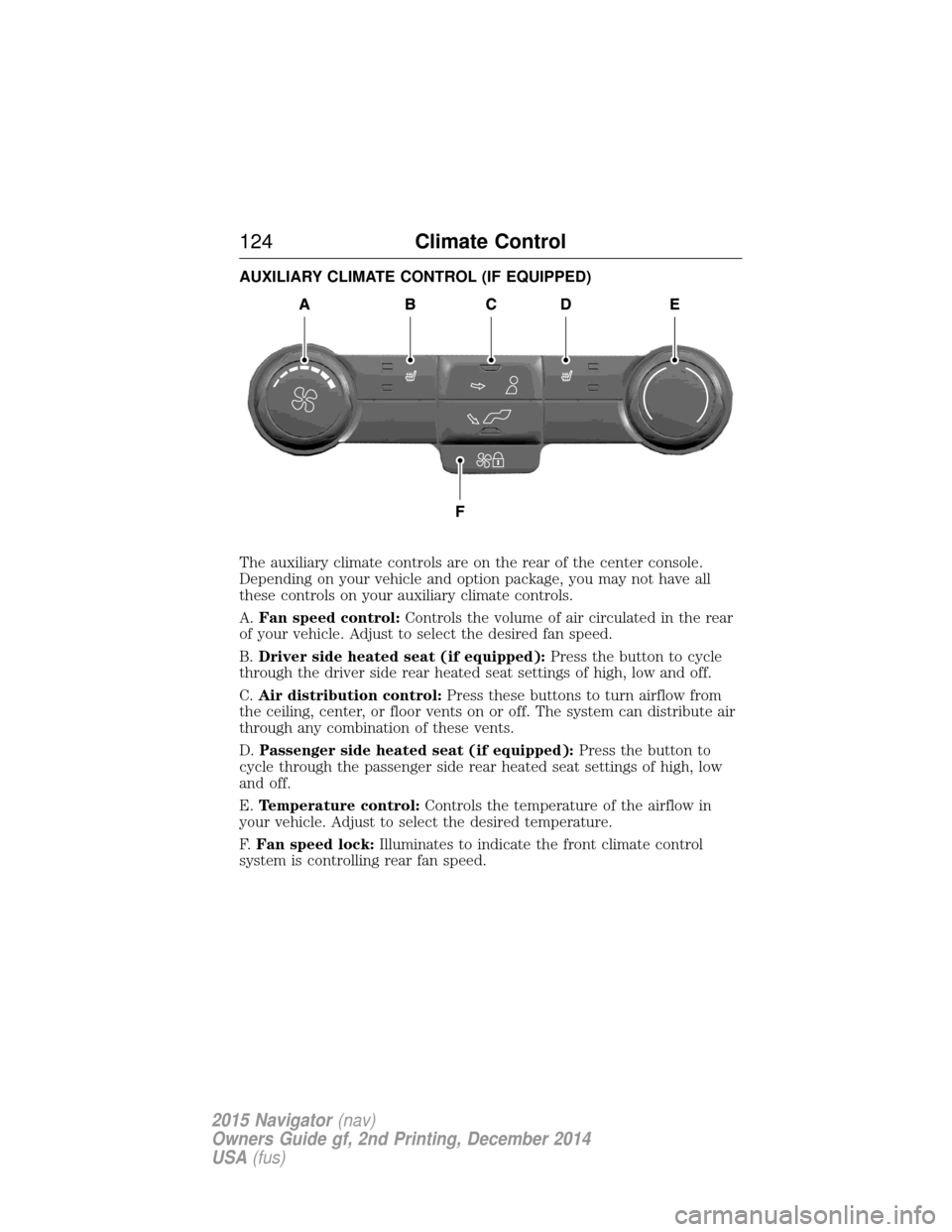
AUXILIARY CLIMATE CONTROL (IF EQUIPPED)
The auxiliary climate controls are on the rear of the center console.
Depending on your vehicle and option package, you may not have all
these controls on your auxiliary climate controls.
A.Fan speed control: Controls the volume of air circulated in the rear
of your vehicle. Adjust to select the desired fan speed.
B. Driver side heated seat (if equipped): Press the button to cycle
through the driver side rear heated seat settings of high, low and off.
C. Air distribution control: Press these buttons to turn airflow from
the ceiling, center, or floor vents on or off. The system can distribute air
through any combination of these vents.
D. Passenger side heated seat (if equipped): Press the button to
cycle through the passenger side rear heated seat settings of high, low
and off.
E. Temperature control: Controls the temperature of the airflow in
your vehicle. Adjust to select the desired temperature.
F. Fan speed lock: Illuminates to indicate the front climate control
system is controlling rear fan speed.
124 Climate Control
2015 Navigator(nav)
Owners Guide gf, 2nd Printing, December 2014
USA (fus)
Page 130 of 475
Make sure that your driving position is comfortable and that you can
maintain full control of your vehicle.
HEAD RESTRAINTS
WARNING:Fully adjust the head restraint before you sit in or
operate your vehicle. This will help minimize the risk of neck
injury in the event of a crash. Do not adjust the head restraint when
your vehicle is moving.
WARNING: The adjustable head restraint is a safety device.
Whenever possible, it should be installed and properly adjusted
when the seat is occupied. Failure to adjust the head restraint properly
could reduce its effectiveness during certain impacts.
WARNING: Install the head restraint properly to minimize the
risk of neck injury in the event of a crash.
Note: Adjust the seatback to an upright driving position before adjusting
any head restraint. Properly adjust the head restraint so that the top of
the head restraint is even with the top of your head and positioned as
close as possible to the back of your head. For occupants of extremely
tall stature, adjust the head restraint to its full up position.
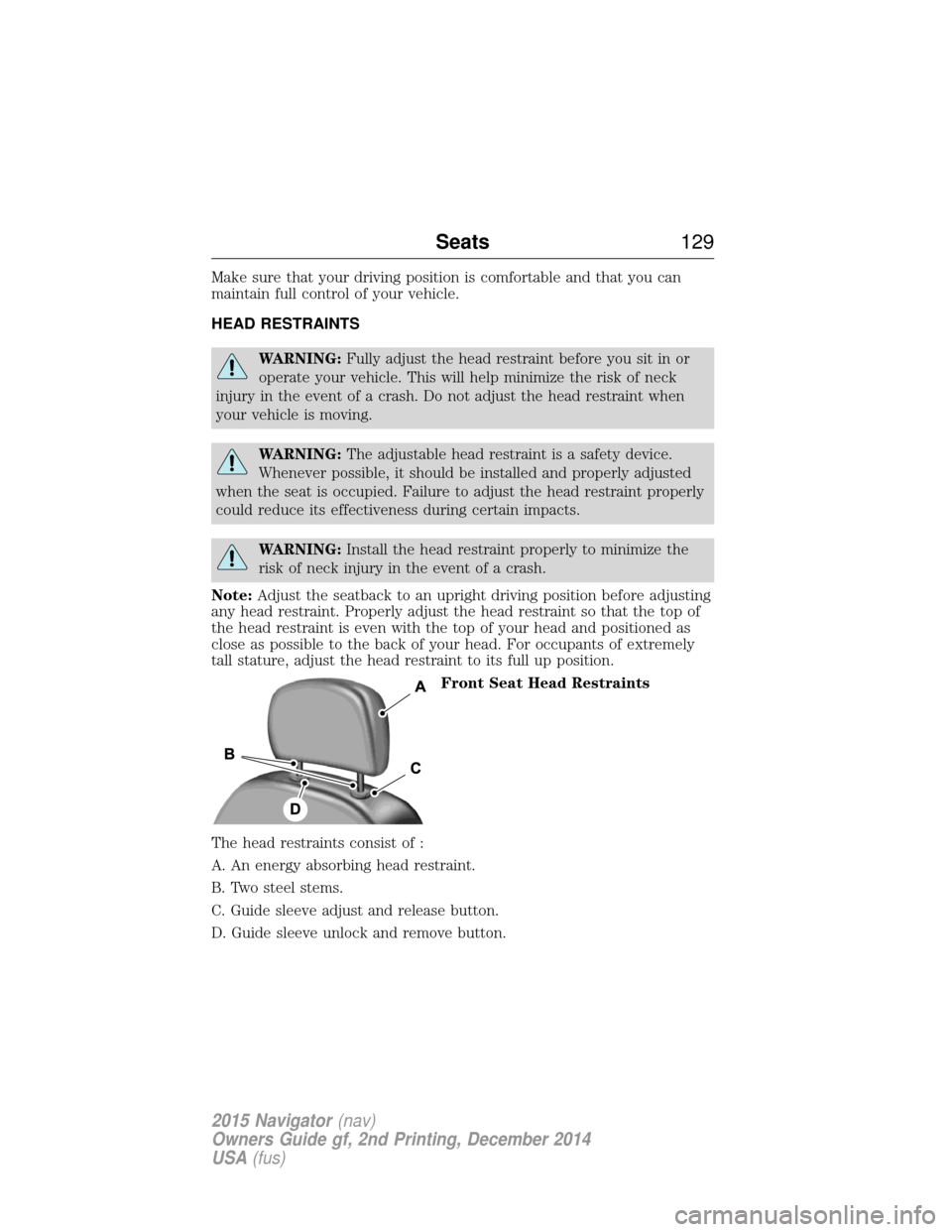
Front Seat Head Restraints
The head restraints consist of :
A. An energy absorbing head restraint.
B. Two steel stems.
C. Guide sleeve adjust and release button.
D. Guide sleeve unlock and remove button.
Seats 129
2015 Navigator(nav)
Owners Guide gf, 2nd Printing, December 2014
USA (fus)
Page 131 of 475
Adjusting the Head Restraint
Raise: Pull up the head restraint.
Lower:
1. Press and hold button C.
2. Push down on the head restraint.
Remove:
1. Pull up the head restraint until it reaches the highest adjustment
position.
2. Press and hold buttons C and D.
3. Pull up the head restraint.
Reinstall Align the steel stems into the guide sleeves and push the head
restraint down until it locks.
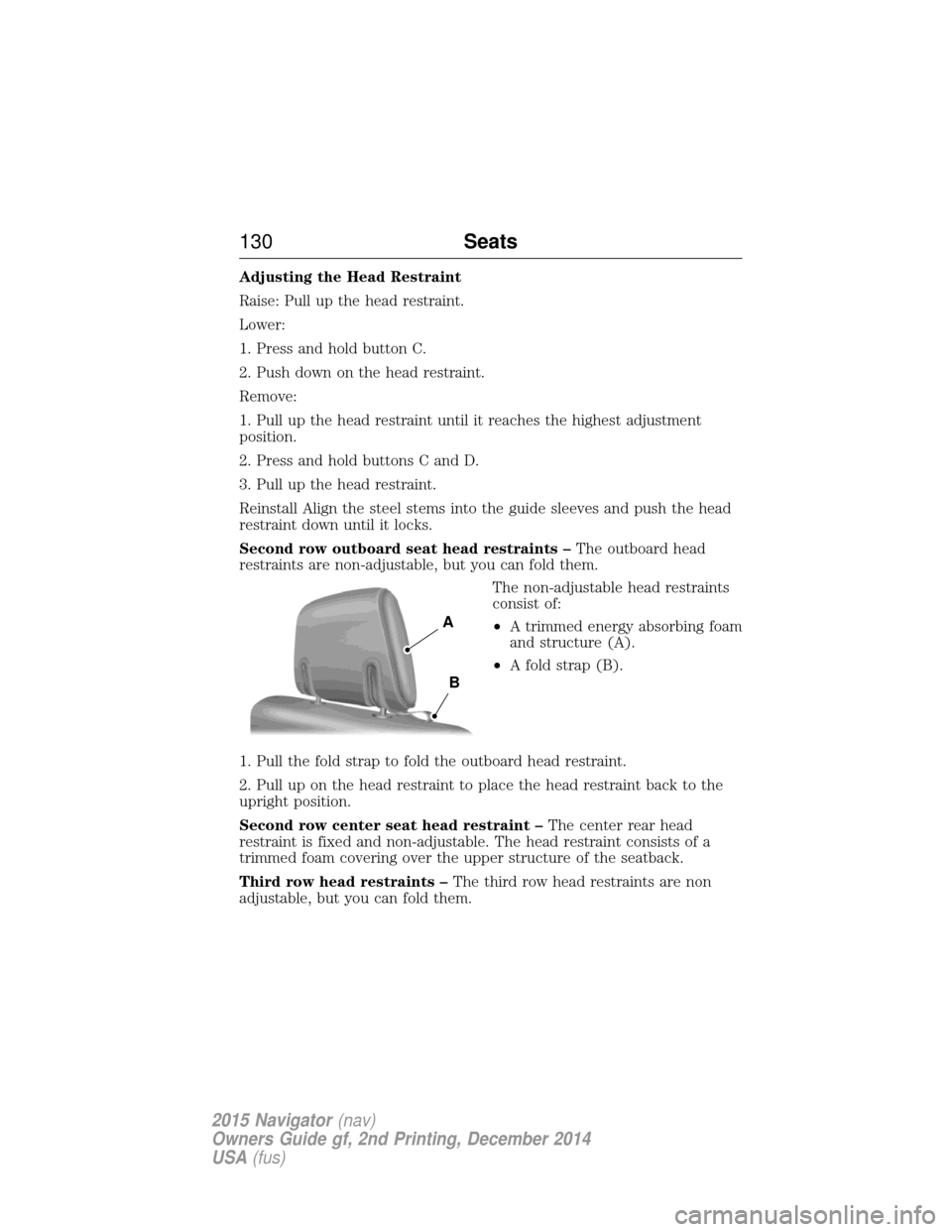
Second row outboard seat head restraints –The outboard head
restraints are non-adjustable, but you can fold them.
The non-adjustable head restraints
consist of:
•A trimmed energy absorbing foam
and structure (A).
• A fold strap (B).
1. Pull the fold strap to fold the outboard head restraint.
2. Pull up on the head restraint to place the head restraint back to the
upright position.
Second row center seat head restraint – The center rear head
restraint is fixed and non-adjustable. The head restraint consists of a
trimmed foam covering over the upper structure of the seatback.
Third row head restraints – The third row head restraints are non
adjustable, but you can fold them.
A
B
130 Seats
2015 Navigator(nav)
Owners Guide gf, 2nd Printing, December 2014
USA (fus)
Page 134 of 475
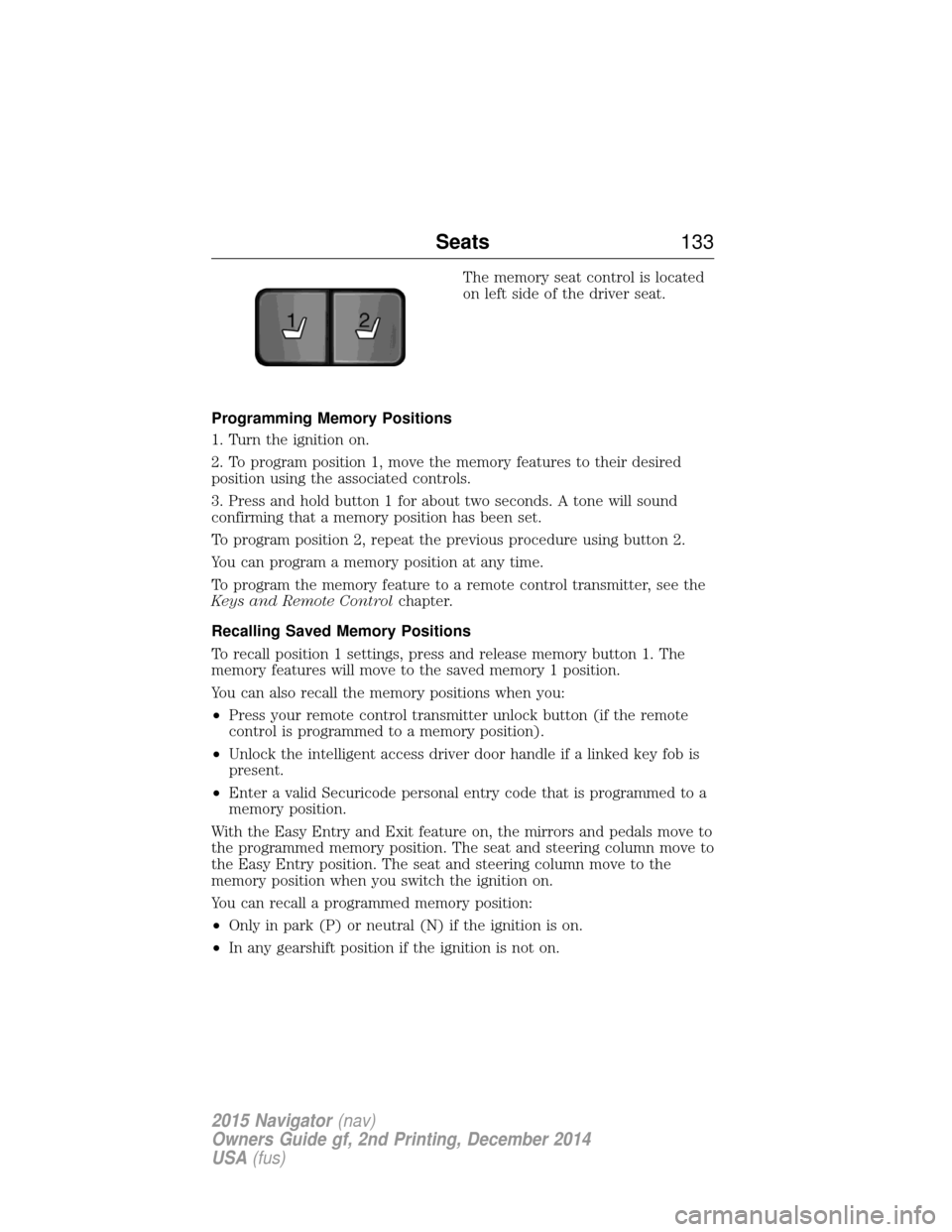
The memory seat control is located
on left side of the driver seat.
Programming Memory Positions
1. Turn the ignition on.
2. To program position 1, move the memory features to their desired
position using the associated controls.
3. Press and hold button 1 for about two seconds. A tone will sound
confirming that a memory position has been set.
To program position 2, repeat the previous procedure using button 2.
You can program a memory position at any time.
To program the memory feature to a remote control transmitter, see the
Keys and Remote Control chapter.
Recalling Saved Memory Positions
To recall position 1 settings, press and release memory button 1. The
memory features will move to the saved memory 1 position.
You can also recall the memory positions when you:
• Press your remote control transmitter unlock button (if the remote
control is programmed to a memory position).
• Unlock the intelligent access driver door handle if a linked key fob is
present.
• Enter a valid Securicode personal entry code that is programmed to a
memory position.
With the Easy Entry and Exit feature on, the mirrors and pedals move to
the programmed memory position. The seat and steering column move to
the Easy Entry position. The seat and steering column move to the
memory position when you switch the ignition on.
You can recall a programmed memory position:
• Only in park (P) or neutral (N) if the ignition is on.
• In any gearshift position if the ignition is not on.
21
Seats 133
2015 Navigator(nav)
Owners Guide gf, 2nd Printing, December 2014
USA (fus)
Page 136 of 475
Cooled Seats
The cooled seats will only function when the engine is running.
To operate the cooled seats:Press the cooled seat symbol to cycle through the various
cooling settings and off. Cooler settings are indicated by
more indicator lights.
If the engine falls below 350 RPM while the cooled seats are on, the
feature will turn itself off. You will need to reactivate it.
Climate Controlled Seats Air Filter Replacement (If Equipped)
The climate controlled seat system includes air filters. You must replace
them periodically. See scheduled maintenance information for more
information.
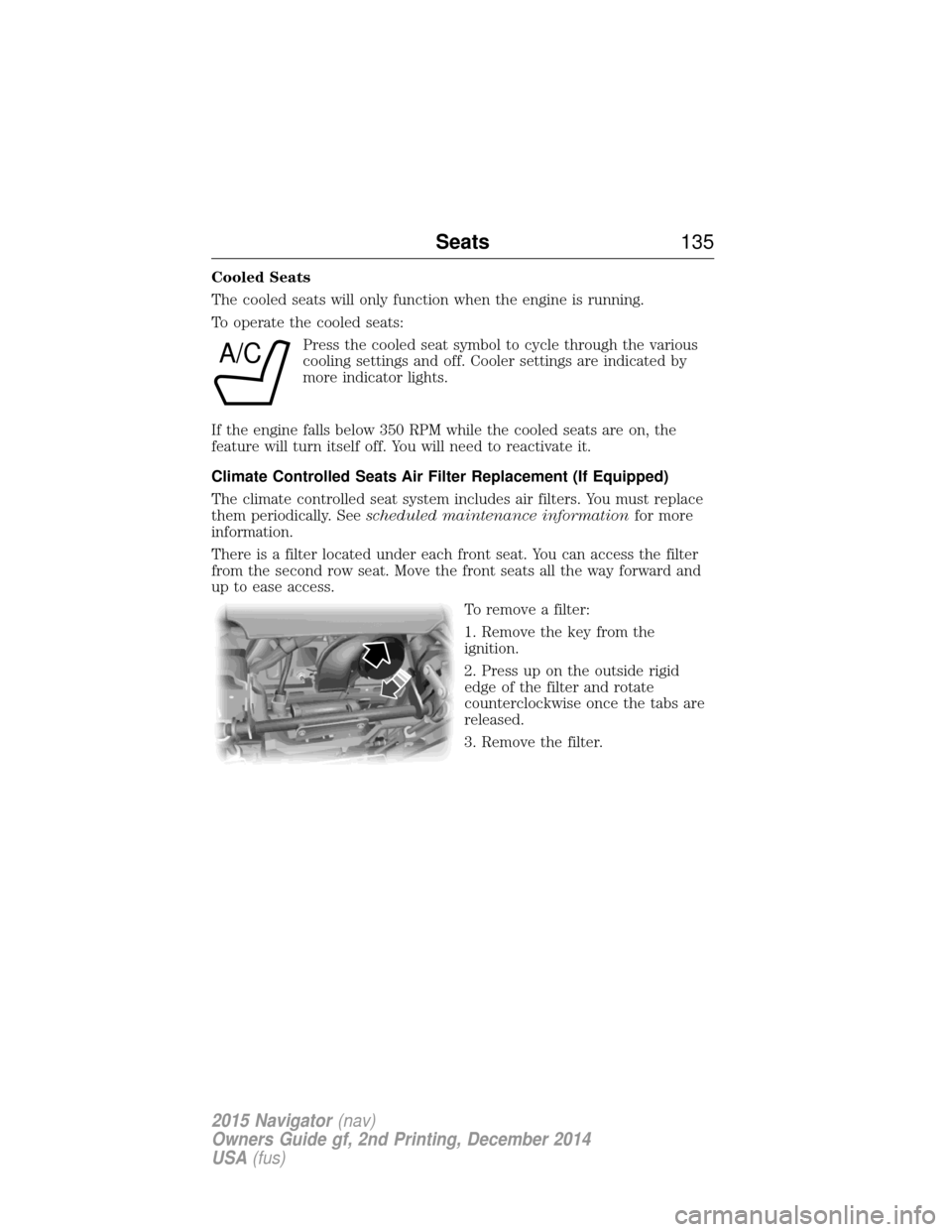
There is a filter located under each front seat. You can access the filter
from the second row seat. Move the front seats all the way forward and
up to ease access.
To remove a filter:
1. Remove the key from the
ignition.
2. Press up on the outside rigid
edge of the filter and rotate
counterclockwise once the tabs are
released.
3. Remove the filter.
A/C
Seats135
2015 Navigator(nav)
Owners Guide gf, 2nd Printing, December 2014
USA (fus)
Page 138 of 475
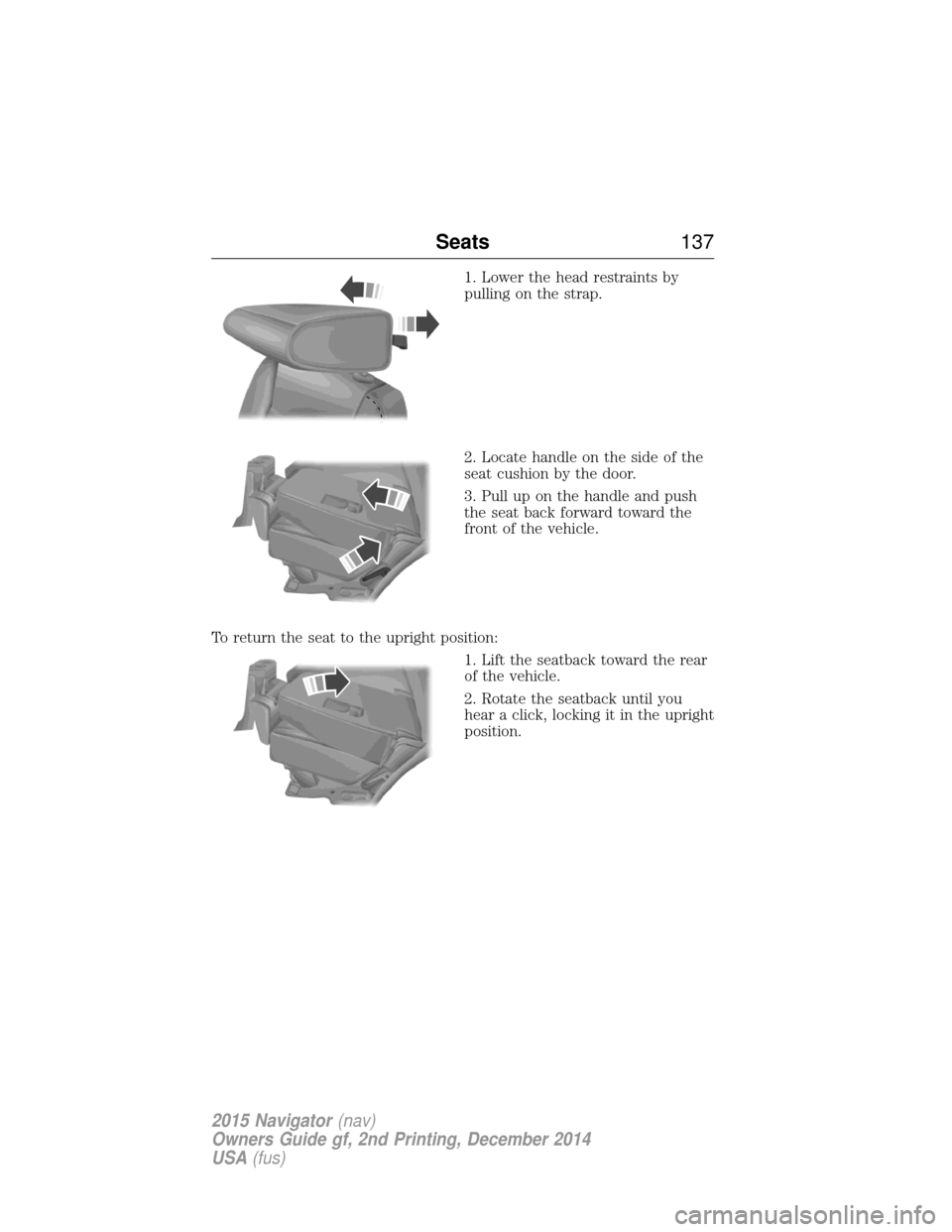
1. Lower the head restraints by
pulling on the strap.
2. Locate handle on the side of the
seat cushion by the door.
3. Pull up on the handle and push
the seat back forward toward the
front of the vehicle.
To return the seat to the upright position: 1. Lift the seatback toward the rear
of the vehicle.
2. Rotate the seatback until you
hear a click, locking it in the upright
position.
Seats137
2015 Navigator(nav)
Owners Guide gf, 2nd Printing, December 2014
USA (fus)
Page 139 of 475
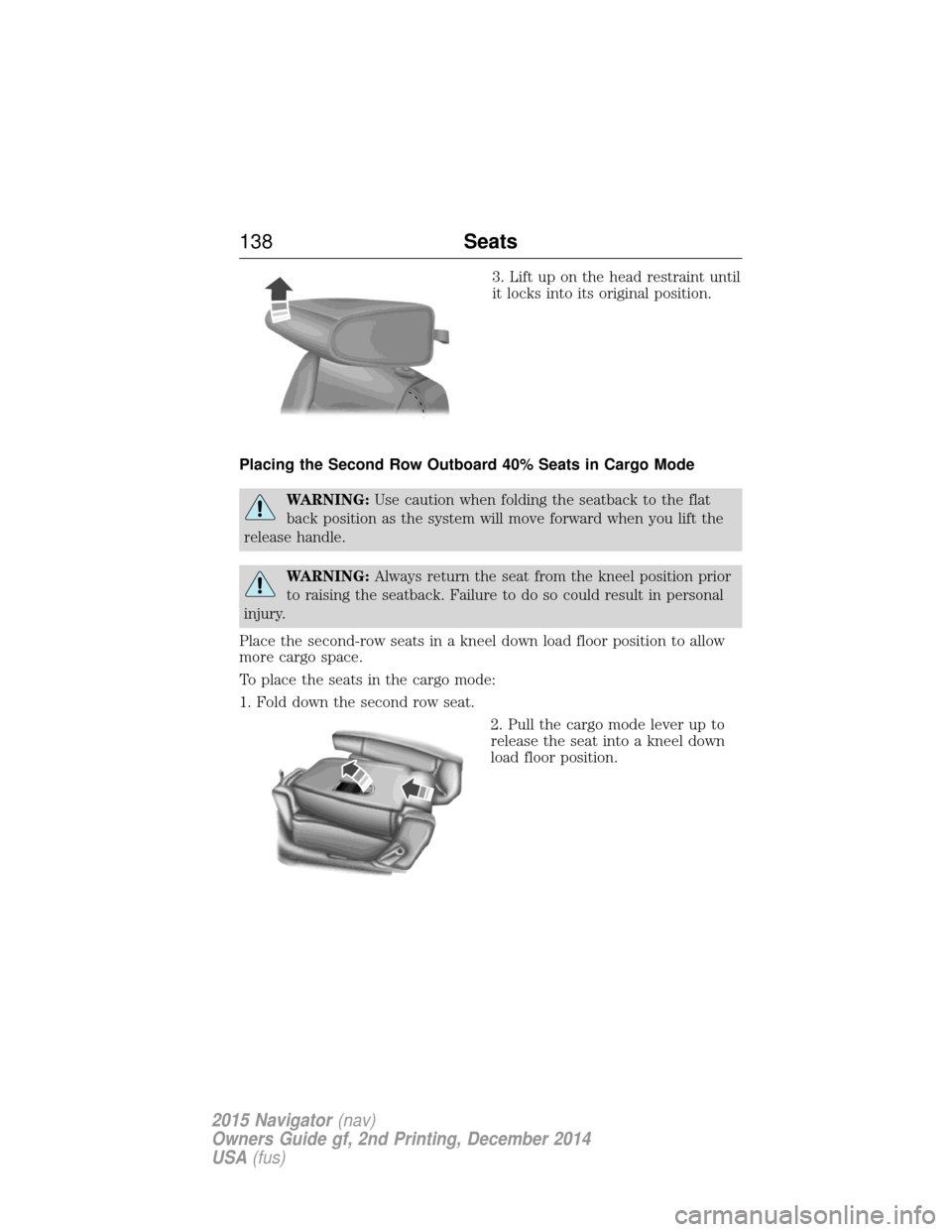
3. Lift up on the head restraint until
it locks into its original position.
Placing the Second Row Outboard 40% Seats in Cargo Mode
WARNING: Use caution when folding the seatback to the flat
back position as the system will move forward when you lift the
release handle.
WARNING: Always return the seat from the kneel position prior
to raising the seatback. Failure to do so could result in personal
injury.
Place the second-row seats in a kneel down load floor position to allow
more cargo space.
To place the seats in the cargo mode:
1. Fold down the second row seat. 2. Pull the cargo mode lever up to
release the seat into a kneel down
load floor position.
138Seats
2015 Navigator(nav)
Owners Guide gf, 2nd Printing, December 2014
USA (fus)
Page 141 of 475
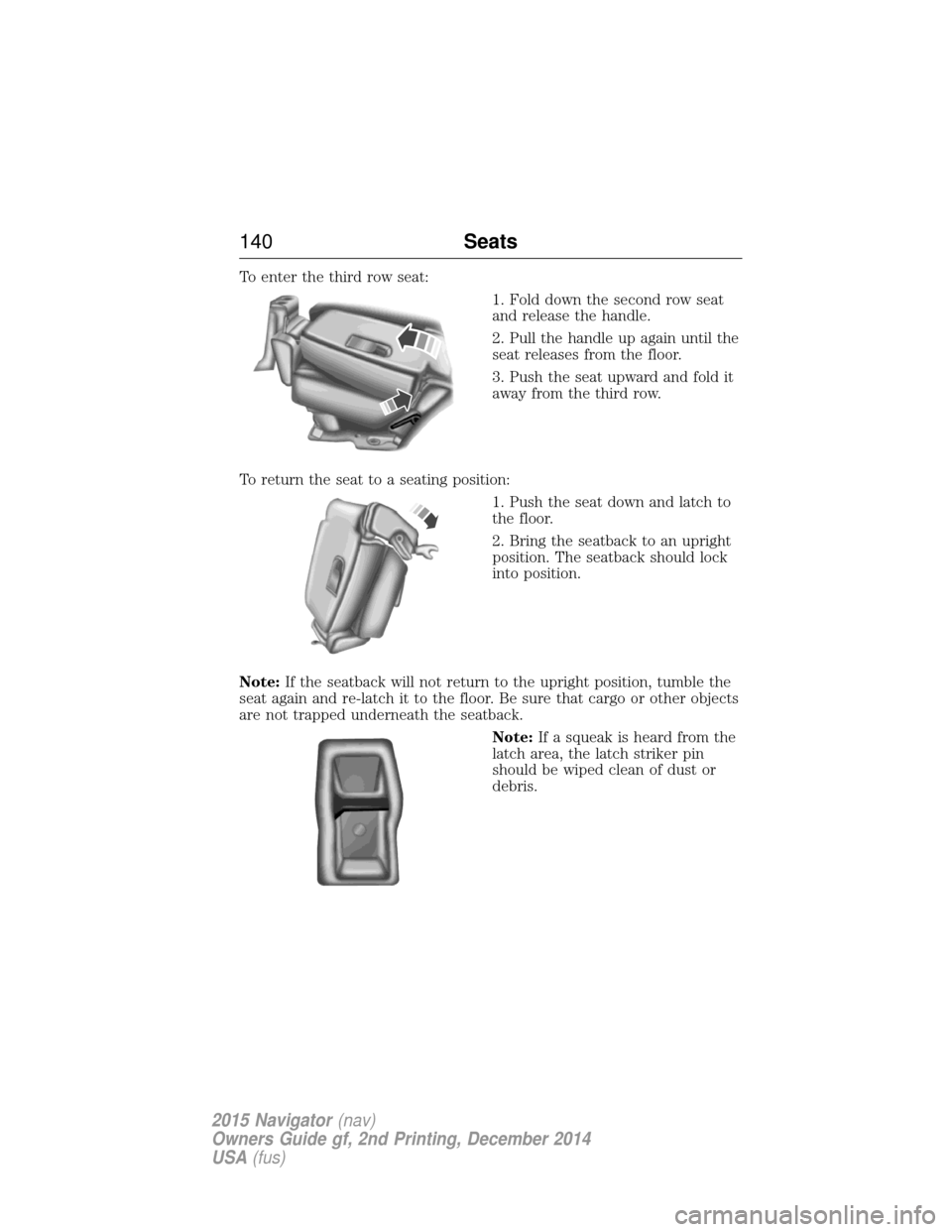
To enter the third row seat:1. Fold down the second row seat
and release the handle.
2. Pull the handle up again until the
seat releases from the floor.
3. Push the seat upward and fold it
away from the third row.
To return the seat to a seating position: 1. Push the seat down and latch to
the floor.
2. Bring the seatback to an upright
position. The seatback should lock
into position.
Note: If the seatback will not return to the upright position, tumble the
seat again and re-latch it to the floor. Be sure that cargo or other objects
are not trapped underneath the seatback.
Note:If a squeak is heard from the
latch area, the latch striker pin
should be wiped clean of dust or
debris.
140 Seats
2015 Navigator(nav)
Owners Guide gf, 2nd Printing, December 2014
USA (fus)
Page 147 of 475
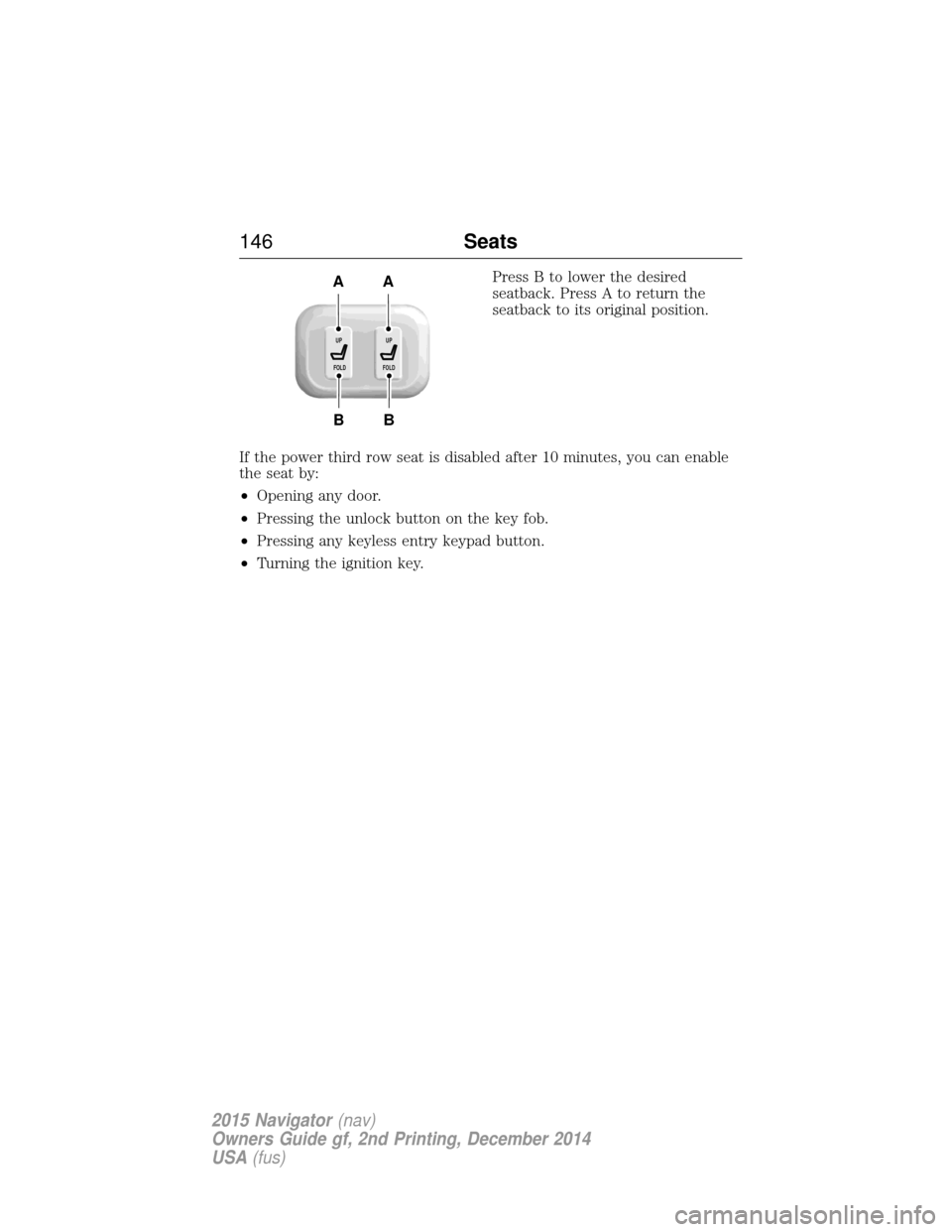
Press B to lower the desired
seatback. Press A to return the
seatback to its original position.
If the power third row seat is disabled after 10 minutes, you can enable
the seat by:
• Opening any door.
• Pressing the unlock button on the key fob.
• Pressing any keyless entry keypad button.
• Turning the ignition key.
B
AA
B
UP
FOLDUP
FOLD
146 Seats
2015 Navigator(nav)
Owners Guide gf, 2nd Printing, December 2014
USA (fus)
Page 148 of 475
HOMELINK® WIRELESS CONTROL SYSTEM (IF EQUIPPED)
WARNING:Make sure that the garage door and security device
are free from obstruction when you are programming. Do not
program the system with the vehicle in the garage.
WARNING: Do not use the system with any garage door opener
that does not have the safety stop and reverse feature as
required by U.S. Federal Safety Standards (this includes any garage
door opener manufactured before April 1, 1982).
Note: Make sure you keep the original remote control transmitter for
use in other vehicles as well as for future system programming.
Note: We recommend that upon the sale or lease termination of your
vehicle, you erase the programmed function buttons for security reasons.
See Erasing the function button codes later in this section.
Note: You can program a maximum of three devices. To change or
replace any of the three devices after it has been initially programmed,
you must first erase the current settings. See Erasing the function
button codes later in this section.
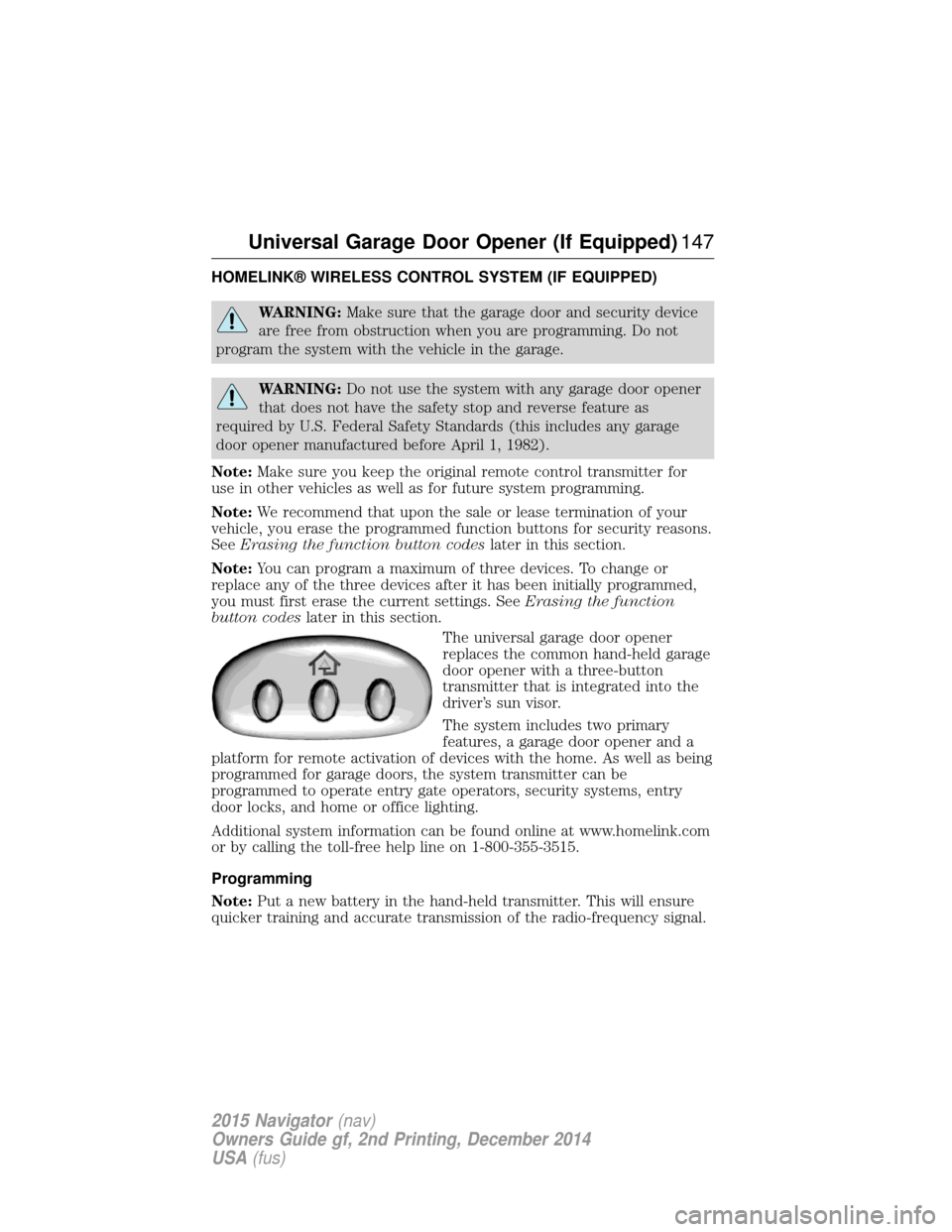
The universal garage door opener
replaces the common hand-held garage
door opener with a three-button
transmitter that is integrated into the
driver’s sun visor.
The system includes two primary
features, a garage door opener and a
platform for remote activation of devices with the home. As well as being
programmed for garage doors, the system transmitter can be
programmed to operate entry gate operators, security systems, entry
door locks, and home or office lighting.
Additional system information can be found online at www.homelink.com
or by calling the toll-free help line on 1-800-355-3515.
Programming
Note: Put a new battery in the hand-held transmitter. This will ensure
quicker training and accurate transmission of the radio-frequency signal.
Universal Garage Door Opener (If Equipped) 147
2015 Navigator(nav)
Owners Guide gf, 2nd Printing, December 2014
USA (fus)