tow LINCOLN NAVIGATOR 2015 Owner's Manual
[x] Cancel search | Manufacturer: LINCOLN, Model Year: 2015, Model line: NAVIGATOR, Model: LINCOLN NAVIGATOR 2015Pages: 475, PDF Size: 5.13 MB
Page 156 of 475
CENTER CONSOLE
Stow items in the cupholder carefully as items may become loose during
hard braking, acceleration or collisions, including hot drinks which may
spill.
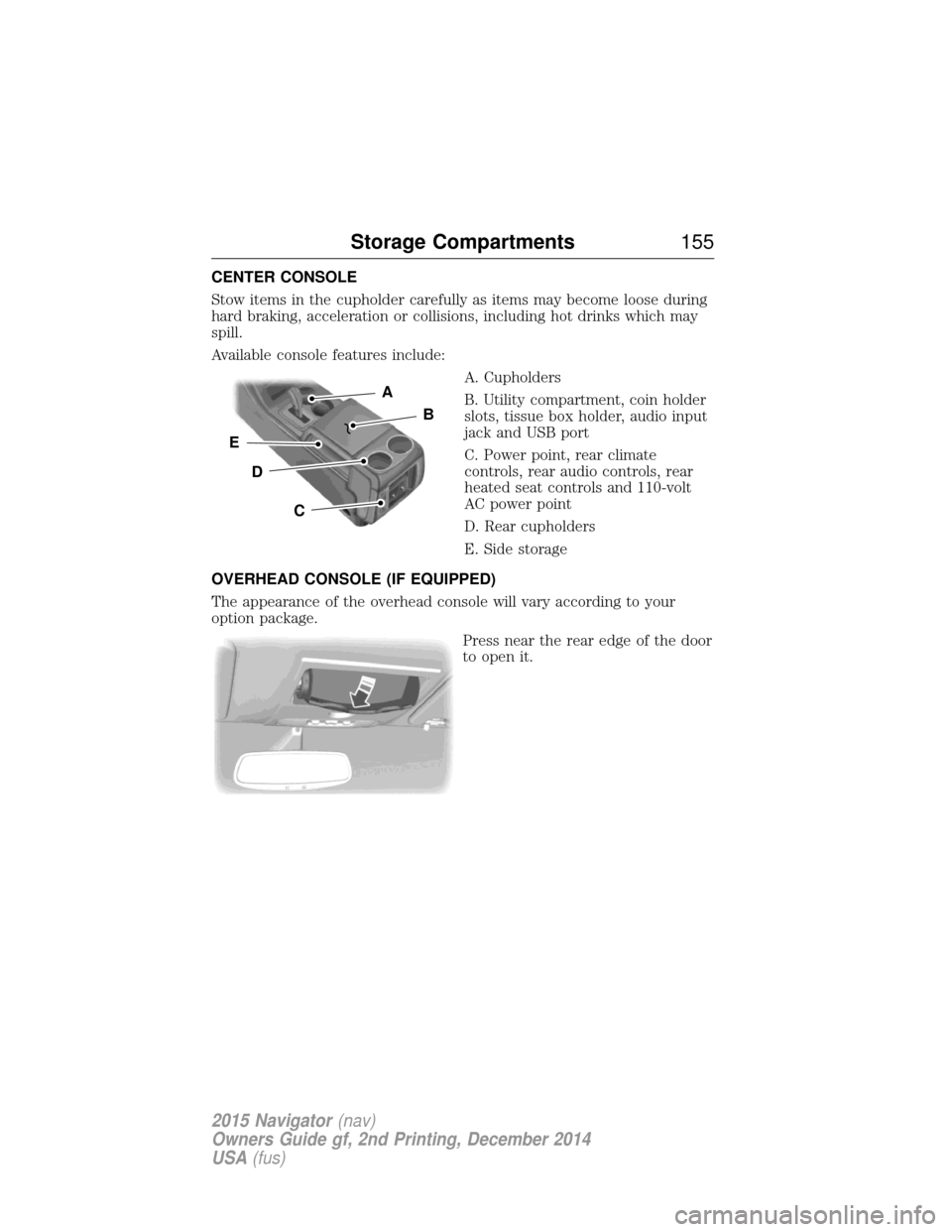
Available console features include:A. Cupholders
B. Utility compartment, coin holder
slots, tissue box holder, audio input
jack and USB port
C. Power point, rear climate
controls, rear audio controls, rear
heated seat controls and 110-volt
AC power point
D. Rear cupholders
E. Side storage
OVERHEAD CONSOLE (IF EQUIPPED)
The appearance of the overhead console will vary according to your
option package. Press near the rear edge of the door
to open it.
A
B
C
D
E
Storage Compartments 155
2015 Navigator(nav)
Owners Guide gf, 2nd Printing, December 2014
USA (fus)
Page 162 of 475
•Make sure the system is unplugged and properly stowed before driving
your vehicle. Make sure the protective cover seals the prongs of the
block heater cord plug when not in use.
• Keep plug terminals clean and free of dirt and corrosion.
• Make sure the heater system is checked for proper operation before
winter.
Using the Engine Block Heater
Make sure the receptacle terminals are clean and dry before use. To
clean them, use a dry cloth.
The heater uses 0.4 to 1.0 kilowatt-hours of energy per hour of use. The
system does not have a thermostat. It achieves maximum temperature
after approximately three hours of operation. Using the heater longer
than three hours does not improve system performance and
unnecessarily uses electricity.
Starting and Stopping the Engine 161
2015 Navigator(nav)
Owners Guide gf, 2nd Printing, December 2014
USA (fus)
Page 165 of 475
Note:Use of any fuel other than recommended fuel can cause
powertrain damage, impair the emission control system or cause loss of
vehicle performance. Any damage to the vehicle that is caused by the
use of fuel not recommended will not be covered under warranty.
Octane Recommendations
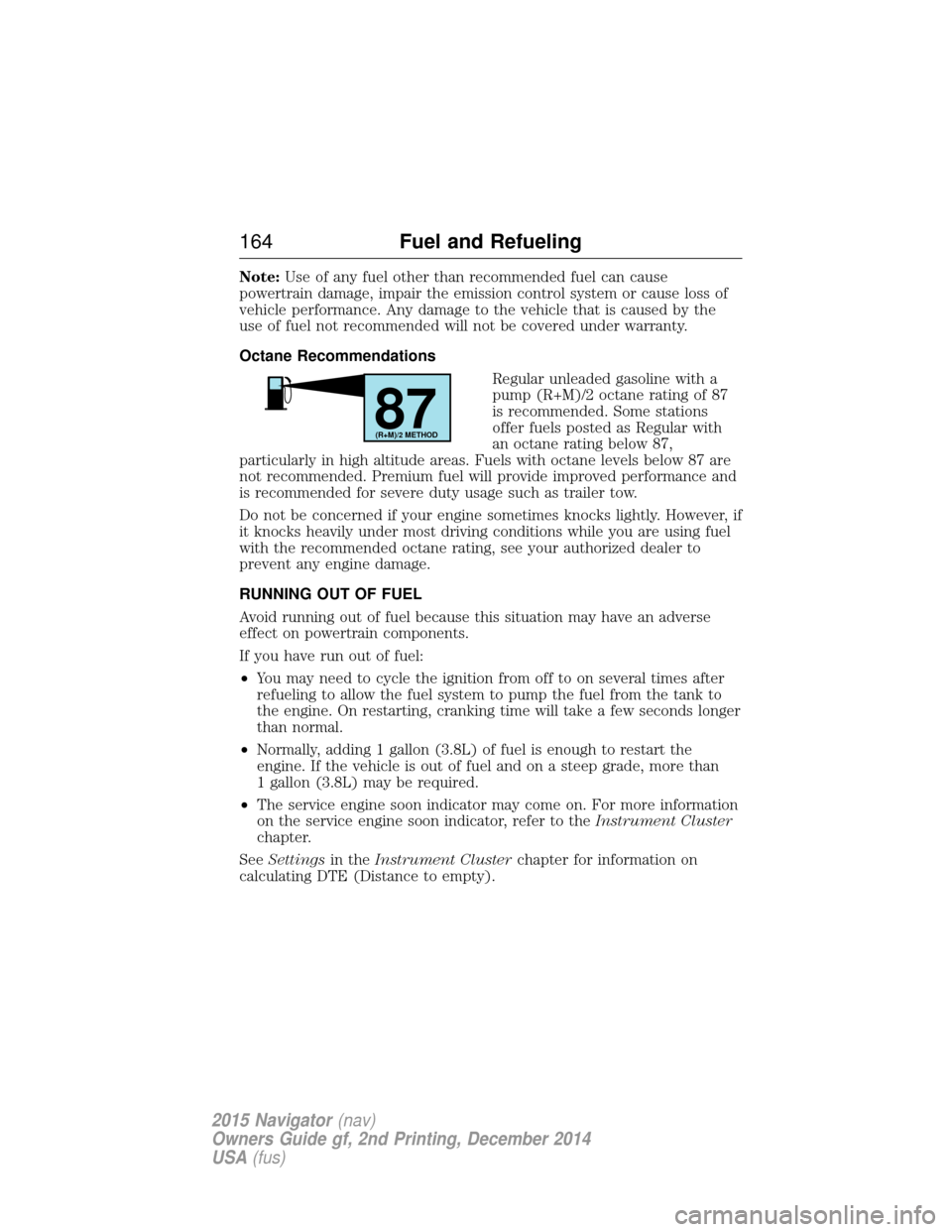
Regular unleaded gasoline with a
pump (R+M)/2 octane rating of 87
is recommended. Some stations
offer fuels posted as Regular with
an octane rating below 87,
particularly in high altitude areas. Fuels with octane levels below 87 are
not recommended. Premium fuel will provide improved performance and
is recommended for severe duty usage such as trailer tow.
Do not be concerned if your engine sometimes knocks lightly. However, if
it knocks heavily under most driving conditions while you are using fuel
with the recommended octane rating, see your authorized dealer to
prevent any engine damage.
RUNNING OUT OF FUEL
Avoid running out of fuel because this situation may have an adverse
effect on powertrain components.
If you have run out of fuel:
• You may need to cycle the ignition from off to on several times after
refueling to allow the fuel system to pump the fuel from the tank to
the engine. On restarting, cranking time will take a few seconds longer
than normal.
• Normally, adding 1 gallon (3.8L) of fuel is enough to restart the
engine. If the vehicle is out of fuel and on a steep grade, more than
1 gallon (3.8L) may be required.
• The service engine soon indicator may come on. For more information
on the service engine soon indicator, refer to the Instrument Cluster
chapter.
See Settings in theInstrument Cluster chapter for information on
calculating DTE (Distance to empty).
87(R+M)/2 METHOD
164 Fuel and Refueling
2015 Navigator(nav)
Owners Guide gf, 2nd Printing, December 2014
USA (fus)
Page 173 of 475
AUTOMATIC TRANSMISSION
WARNING:Always set the parking brake fully and make sure
the gearshift is latched in P (Park). Turn the ignition to the off
position and remove the key whenever you leave your vehicle.
WARNING: Do not use the tow/haul feature when driving in icy
or slippery conditions as the increased engine braking can cause
the rear wheels to slide and the vehicle to swing around with the
possible loss of vehicle control.
Your vehicle has been designed to improve fuel economy by reducing
fuel using while coasting or decelerating. When you take your foot off
the accelerator pedal and the vehicle begins to slow down, the torque
converter clutch locks up and aggressively shuts off fuel flow to the
engine while decelerating. This fuel economy benefit may be perceived
as a light to medium braking sensation when removing your foot from
the accelerator pedal.
This vehicle is equipped with an Adaptive Transmission Shift Strategy.
The Adaptive Transmission Shift Strategy offers the optimal transmission
operation and shift quality. When the engine is turned off, the shift data
which includes the adaptive information will be stored automatically in
the Powertrain Control Module. If the battery is disconnected for any
reason, the stored information from the last time the key was turned to
off will be read. This way, no information will be lost with any battery
removal or disconnect.
172 Transmission
2015 Navigator(nav)
Owners Guide gf, 2nd Printing, December 2014
USA (fus)
Page 174 of 475
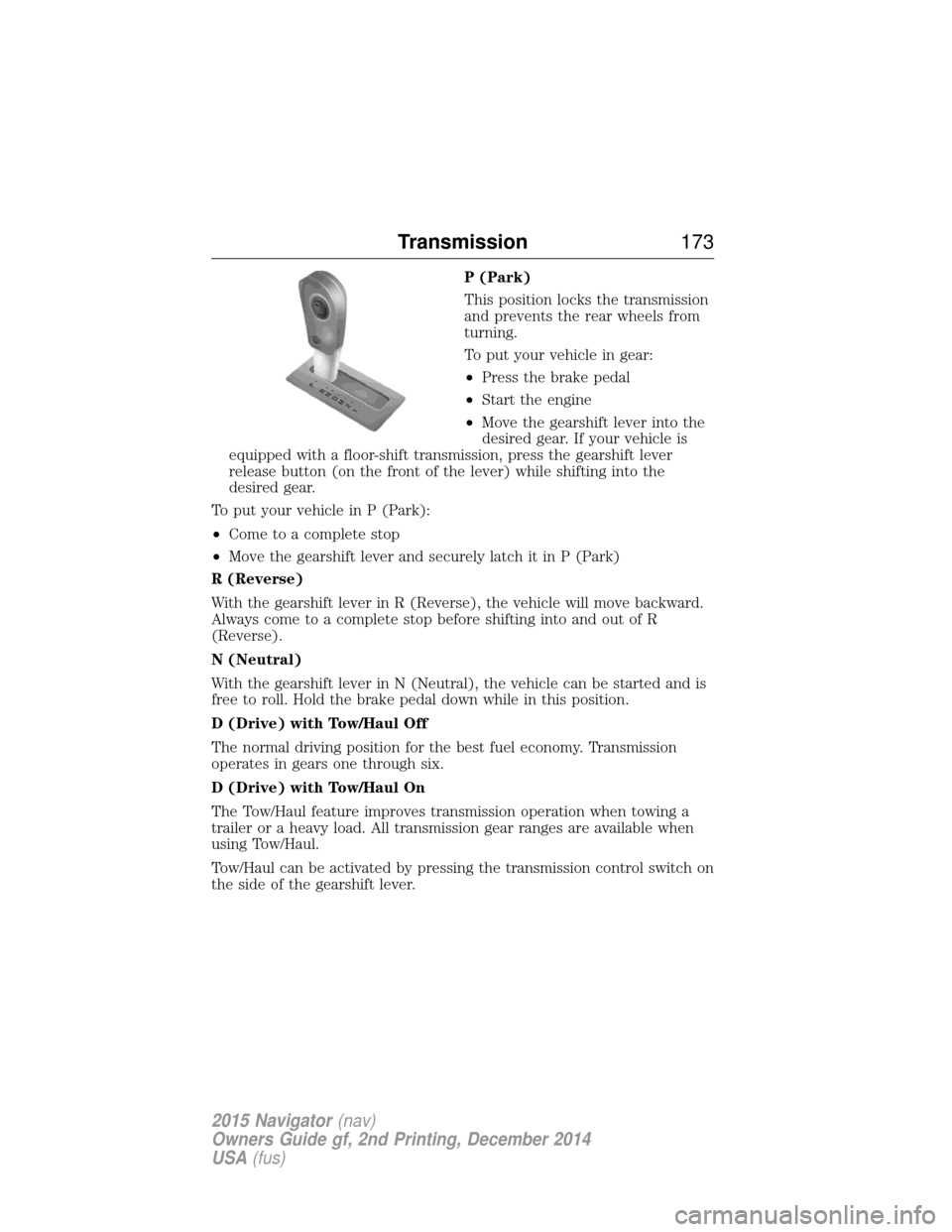
P (Park)
This position locks the transmission
and prevents the rear wheels from
turning.
To put your vehicle in gear:
•Press the brake pedal
• Start the engine
• Move the gearshift lever into the
desired gear. If your vehicle is
equipped with a floor-shift transmission, press the gearshift lever
release button (on the front of the lever) while shifting into the
desired gear.
To put your vehicle in P (Park):
• Come to a complete stop
• Move the gearshift lever and securely latch it in P (Park)
R (Reverse)
With the gearshift lever in R (Reverse), the vehicle will move backward.
Always come to a complete stop before shifting into and out of R
(Reverse).
N (Neutral)
With the gearshift lever in N (Neutral), the vehicle can be started and is
free to roll. Hold the brake pedal down while in this position.
D (Drive) with Tow/Haul Off
The normal driving position for the best fuel economy. Transmission
operates in gears one through six.
D (Drive) with Tow/Haul On
The Tow/Haul feature improves transmission operation when towing a
trailer or a heavy load. All transmission gear ranges are available when
using Tow/Haul.
Tow/Haul can be activated by pressing the transmission control switch on
the side of the gearshift lever.
T /H
PR
N
D
M
2
1
+ -
T /H
+
-
Transmission 173
2015 Navigator(nav)
Owners Guide gf, 2nd Printing, December 2014
USA (fus)
Page 175 of 475
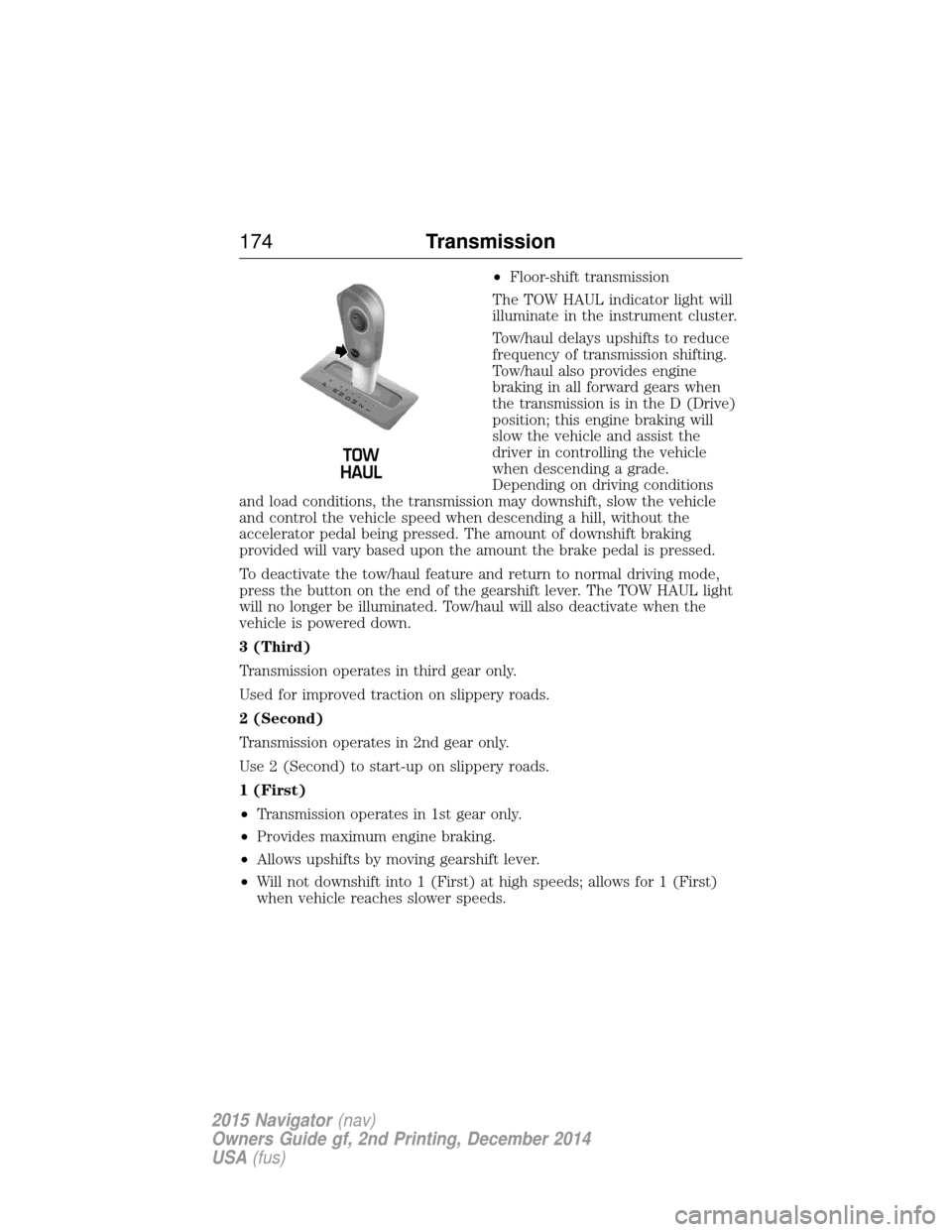
•Floor-shift transmission
The TOW HAUL indicator light will
illuminate in the instrument cluster.
Tow/haul delays upshifts to reduce
frequency of transmission shifting.
Tow/haul also provides engine
braking in all forward gears when
the transmission is in the D (Drive)
position; this engine braking will
slow the vehicle and assist the
driver in controlling the vehicle
when descending a grade.
Depending on driving conditions
and load conditions, the transmission may downshift, slow the vehicle
and control the vehicle speed when descending a hill, without the
accelerator pedal being pressed. The amount of downshift braking
provided will vary based upon the amount the brake pedal is pressed.
To deactivate the tow/haul feature and return to normal driving mode,
press the button on the end of the gearshift lever. The TOW HAUL light
will no longer be illuminated. Tow/haul will also deactivate when the
vehicle is powered down.
3 (Third)
Transmission operates in third gear only.
Used for improved traction on slippery roads.
2 (Second)
Transmission operates in 2nd gear only.
Use 2 (Second) to start-up on slippery roads.
1 (First)
• Transmission operates in 1st gear only.
• Provides maximum engine braking.
• Allows upshifts by moving gearshift lever.
• Will not downshift into 1 (First) at high speeds; allows for 1 (First)
when vehicle reaches slower speeds.
T /H
T /H
PR
N
D
M
2
1
+ -
+
-
174 Transmission
2015 Navigator(nav)
Owners Guide gf, 2nd Printing, December 2014
USA (fus)
Page 188 of 475
GENERAL INFORMATION
Note:Occasional brake noise is normal. If a metal-to-metal, continuous
grinding or continuous squeal sound is present, the brake linings may be
worn out. Have them inspected by an authorized dealer. If your vehicle
has continuous vibration or shudder in the steering wheel while braking,
have your vehicle inspected by an authorized dealer.
Note: Brake dust may accumulate on the wheels, even under normal
driving conditions. Some dust is inevitable as the brakes wear and does
not contribute to brake noise. See the Vehicle Carechapter for wheel
cleaning instructions.
See theInstrument Cluster chapter for information on the
brake system warning light.
Wet brakes result in reduced braking efficiency. Gently press the brake
pedal a few times when driving from a car wash or standing water to dry
the brakes.
Brake Over Accelerator
In the event the accelerator pedal becomes stuck or entrapped, apply
steady and firm pressure to the brake pedal to slow your vehicle and
reduce engine power. If you experience this condition, apply the brakes
and bring your vehicle to a safe stop. Turn the engine off, shift to park
(P) and apply the parking brake. Inspect the accelerator pedal and the
area around it for any items or debris that may be obstructing its
movement. If none are found and the condition persists, have your
vehicle towed to the nearest authorized dealer.
Anti-Lock Brake System
This system helps you maintain steering control during emergency stops
by keeping the brakes from locking. This lamp momentarily illuminates when you turn the ignition
on. If the light does not illuminate during start-up, remains on
or flashes, the anti-lock brake system may be disabled. Have
the system checked by an authorized dealer. If the anti-lock brake
system is disabled, normal braking is still effective.
If the brake warning lamp illuminates when you release the
parking brake, have the system checked by an authorized
dealer.
Brakes 187
2015 Navigator(nav)
Owners Guide gf, 2nd Printing, December 2014
USA (fus)
Page 198 of 475
When receiving a detection warning, the radio volume is reduced to a
predetermined level. After the warning goes away, the radio volume
returns to the previous level.
Using the Front and Rear Sensing System
Rear Sensing System
The rear sensors are only active when the transmission is in R (Reverse).
As the vehicle moves closer to the obstacle, the rate of the audible
warning increases. When the obstacle is fewer than 10 inches (25
centimeters) away, the warning sounds continuously. If a stationary or
receding object is detected farther than 10 inches (25 centimeters) from
the side of the vehicle, the tone sounds for only three seconds. Once the
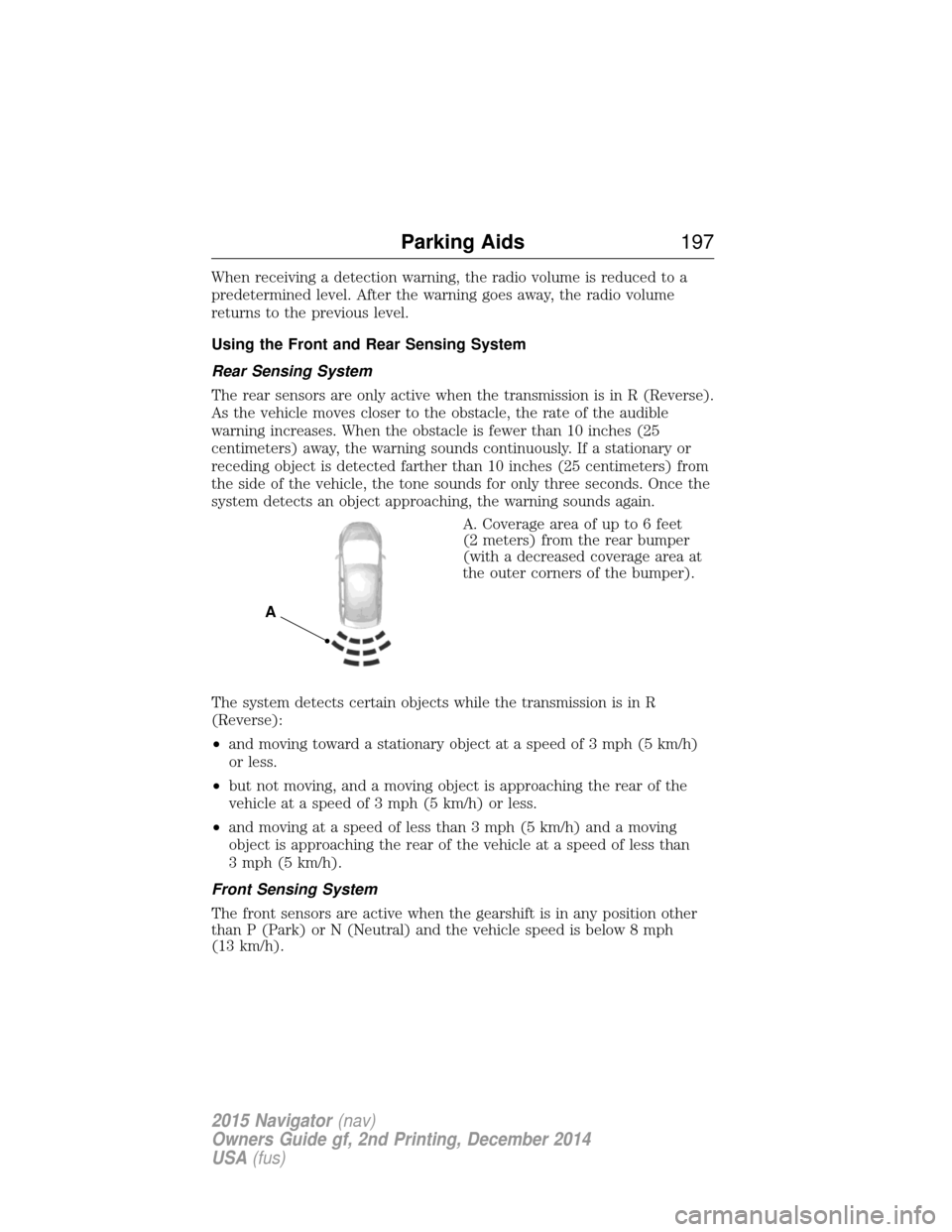
system detects an object approaching, the warning sounds again.A. Coverage area of up to 6 feet
(2 meters) from the rear bumper
(with a decreased coverage area at
the outer corners of the bumper).
The system detects certain objects while the transmission is in R
(Reverse):
• and moving toward a stationary object at a speed of 3 mph (5 km/h)
or less.
• but not moving, and a moving object is approaching the rear of the
vehicle at a speed of 3 mph (5 km/h) or less.
• and moving at a speed of less than 3 mph (5 km/h) and a moving
object is approaching the rear of the vehicle at a speed of less than
3 mph (5 km/h).
Front Sensing System
The front sensors are active when the gearshift is in any position other
than P (Park) or N (Neutral) and the vehicle speed is below 8 mph
(13 km/h).
A
Parking Aids 197
2015 Navigator(nav)
Owners Guide gf, 2nd Printing, December 2014
USA (fus)
Page 201 of 475
Note:If the image comes on while the transmission is not in R
(Reverse), have the system inspected by your authorized dealer.
Note: When towing, the camera only sees what is being towed behind
the vehicle. This might not provide adequate coverage as it usually
provides in normal operation and some objects might not be seen. In
some vehicles, the guidelines may disappear once the trailer tow
connector is engaged.
Note: The default setting for the camera delay is off. Press the Settings
button found on the navigation screen (if equipped) to set the camera
delay feature to on or off.
Note: The camera may not operate correctly under the following
conditions:
• Nighttime or dark areas if one or both reverse lamps are not
operating.
• The camera’s view is obstructed by mud, water or debris. Clean the
lens with a soft, lint-free cloth and non-abrasive cleaner.
• The rear of the vehicle is hit or damaged, causing the camera to
become misaligned.
To access any of the rear view camera system settings, make the
following selections in the touch screen when the transmission is not in
R (Reverse):
Menu > Vehicle > Rear View Camera.
After changing a system setting, the touch screen shows a preview of the
selected features.
Guidelines and the Centerline
Note: Fixed guidelines are only available when the transmission is in R
(Reverse).
Note: The centerline is only available if fixed guidelines are on.
200 Parking Aids
2015 Navigator(nav)
Owners Guide gf, 2nd Printing, December 2014
USA (fus)
Page 213 of 475
AUTO LEVELING SUSPENSION SYSTEM (if equipped)
The automatic leveling suspension system is designed to improve ride,
handling and general vehicle performance during:
•Certain road conditions
• Steering maneuvers
• Braking
• Acceleration
• Towing
This system keeps the rear of your vehicle at a constant level through a
hydraulic pump inside each rear shock. Depending on the payload or
road surface conditions it will take approximately 2 miles (3.2 km) for
the leveling to complete.
If the loaded vehicle is not moved for approximately 12 hours, the
leveling system may bleed down to a lower height. This can be especially
apparent if a trailer is left attached to the parked vehicle for long periods
of time. You must drive your vehicle in order to re-level the suspension.
If a self-equalizing hitch is being used, your vehicle should be drive
approximately 2 miles (3.2 km) with the trailer prior to adjusting
(leveling) the hitch.
212 Driving Aids
2015 Navigator(nav)
Owners Guide gf, 2nd Printing, December 2014
USA (fus)