Radio LINCOLN NAVIGATOR 2015 Service Manual
[x] Cancel search | Manufacturer: LINCOLN, Model Year: 2015, Model line: NAVIGATOR, Model: LINCOLN NAVIGATOR 2015Pages: 475, PDF Size: 5.13 MB
Page 384 of 475
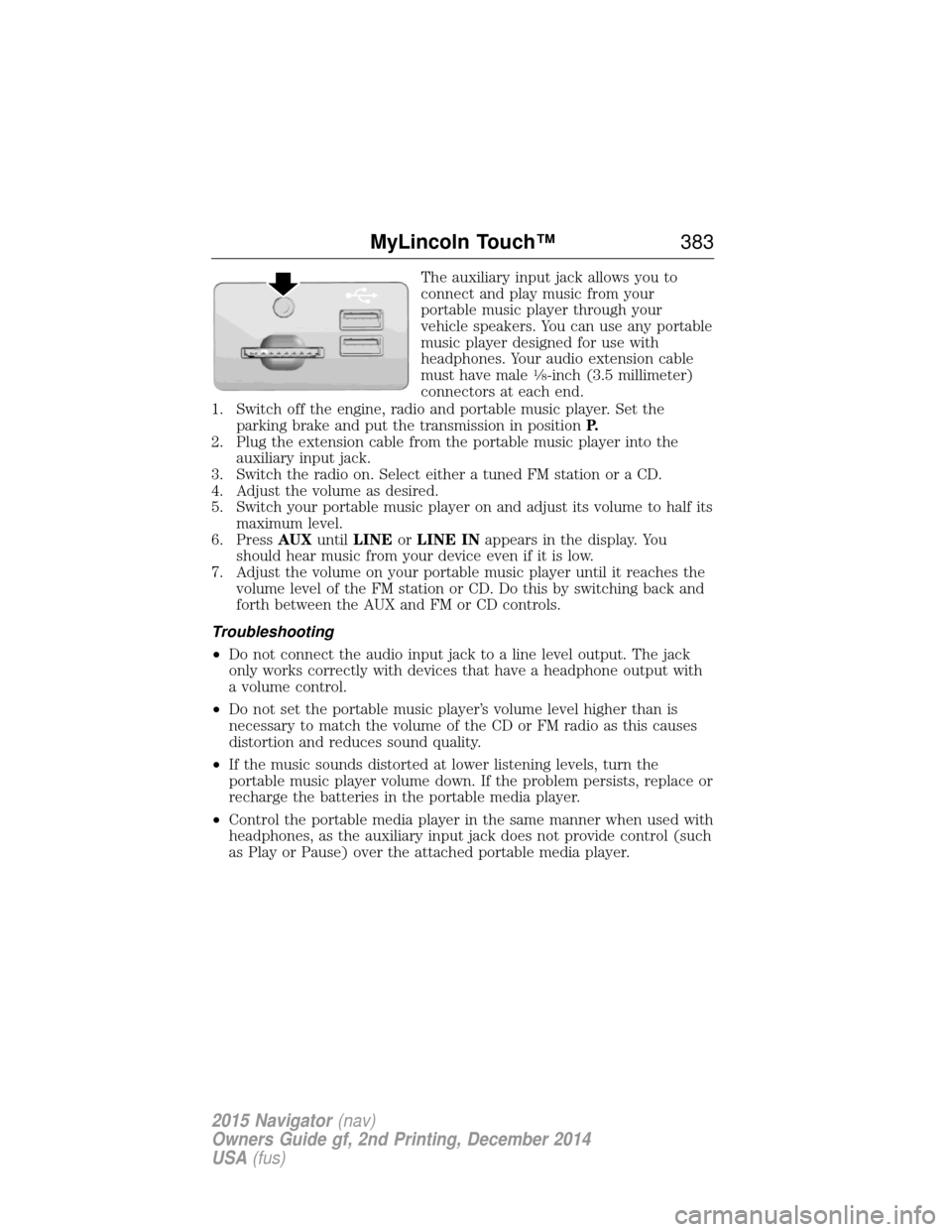
The auxiliary input jack allows you to
connect and play music from your
portable music player through your
vehicle speakers. You can use any portable
music player designed for use with
headphones. Your audio extension cable
must have male
18-inch (3.5 millimeter)
connectors at each end.
1. Switch off the engine, radio and portable music player. Set the parking brake and put the transmission in position P.
2. Plug the extension cable from the portable music player into the auxiliary input jack.
3. Switch the radio on. Select either a tuned FM station or a CD.
4. Adjust the volume as desired.
5. Switch your portable music player on and adjust its volume to half its maximum level.
6. Press AUXuntilLINE orLINE IN appears in the display. You
should hear music from your device even if it is low.
7. Adjust the volume on your portable music player until it reaches the volume level of the FM station or CD. Do this by switching back and
forth between the AUX and FM or CD controls.
Troubleshooting
• Do not connect the audio input jack to a line level output. The jack
only works correctly with devices that have a headphone output with
a volume control.
• Do not set the portable music player’s volume level higher than is
necessary to match the volume of the CD or FM radio as this causes
distortion and reduces sound quality.
• If the music sounds distorted at lower listening levels, turn the
portable music player volume down. If the problem persists, replace or
recharge the batteries in the portable media player.
• Control the portable media player in the same manner when used with
headphones, as the auxiliary input jack does not provide control (such
as Play or Pause) over the attached portable media player.
MyLincoln Touch™ 383
2015 Navigator(nav)
Owners Guide gf, 2nd Printing, December 2014
USA (fus)
Page 386 of 475
Pairing Your Phone for the First Time
WARNING:Driving while distracted can result in loss of vehicle
control, crash and injury. We strongly recommend that you use
extreme caution when using any device that may take your focus off
the road. Your primary responsibility is the safe operation of your
vehicle. We recommend against the use of any hand-held device while
driving and encourage the use of voice-operated systems when possible.
Make sure you are aware of all applicable local laws that may affect the
use of electronic devices while driving.
The first thing you must do to use the phone features of SYNC is to pair
your Bluetooth-enabled cellular phone with SYNC. This allows you to use
your phone in a hands-free manner.
Note: Put the transmission in position P.Turn on your vehicle ignition
and the radio.
1. Touch Add Phone in the upper left corner of the touchscreen. Find
SYNC appears on the screen and instructs you to begin the pairing
process from your device.
2. Make sure that Bluetooth is set to Onand that your cellular phone is
in the proper mode. See your phone’s manual if necessary.
• Select SYNC, and a six-digit PIN appears on your device.
3. If you are prompted to enter a PIN on your device, it does not support Secure Simple Pairing. To pair, enter the PIN displayed on
the touchscreen. Skip the next step.
4. When prompted on your phone’s display, confirm that the PIN provided by SYNC matches the PIN displayed on your cellular phone.
5. The display indicates when the pairing is successful.
SYNC may prompt you with more phone options. For more information
on your phone’s capability, see your phone’s manual and visit the
website.
Pairing Subsequent Phones
Note: Put the transmission in position P.Turn on your vehicle ignition
and the radio.
1. Press the Phonecorner of the touchscreen > Settings>BT
Devices >Add Device.
2. Make sure that Bluetooth is set to Onand that your cellular phone is
in the proper mode. See your phone’s manual if necessary.
• Select SYNC, and a six-digit PIN appears on your device.
MyLincoln Touch™ 385
2015 Navigator(nav)
Owners Guide gf, 2nd Printing, December 2014
USA (fus)
Page 411 of 475
Navigation
Traffic Preferences Have the system display areas where
roadwork occurs.
Have the system display incident icons.
Have the system display areas where difficult
driving conditions may occur.
Have the system display areas where snow
and ice on the road may occur.
Have the system display any smog alerts.
Have the system display weather warnings.
Have the system display where there may be
reduced visibility.
Have the system turn on your radio for traffic
announcements.
Have the system avoid traffic problems
automatically.
Switch traffic alert notifications on and off.
Have the system display accident icons.
Have the system display traffic jam icons.
Have the system display closed roads.
Avoid Areas Enter specific areas that you would like to
avoid on planned navigation routes.
410MyLincoln Touch™
2015 Navigator(nav)
Owners Guide gf, 2nd Printing, December 2014
USA (fus)
Page 415 of 475
HelpPress the Settings icon > Help,then select from the following:
Help
Where Am I? View your vehicle’s current location, if your
vehicle is equipped with navigation. If your
vehicle is not equipped with navigation,
nothing displays.
System Information Touchscreen system serial number.
Your vehicle identification number (VIN).
Touchscreen system software version.
Navigation system version.
Map database version.
Sirius satellite radio electronic serial number
(ESN).
Gracenote Database Information and Library
version.
Software Licenses View the licenses for any software and
applications installed on your system.
Driving Restrictions Certain features are not accessible when your
vehicle is moving.
911 Assist Turn on and turn off the 911 Assist feature.
See911 Assist in theSYNC applications
and services section.
In Case of Emergency (ICE) Speed Dial
allows you to save up to two numbers as ICE
contacts for quick access if there is an
emergency. Select Editto access your
phonebook and then select the desired
contacts. The numbers then appear as options
on this screen for the ICE 1 and ICE 2
buttons. The ICE contacts you select appear
at the end of the 911 Assist call process.
Voice Command List View categorized lists of voice commands.
To access Help using the voice commands, press the voice button, then,
after the tone, say “Help”. The system provides allowable voice
commands for the current mode.
414 MyLincoln Touch™
2015 Navigator(nav)
Owners Guide gf, 2nd Printing, December 2014
USA (fus)
Page 450 of 475
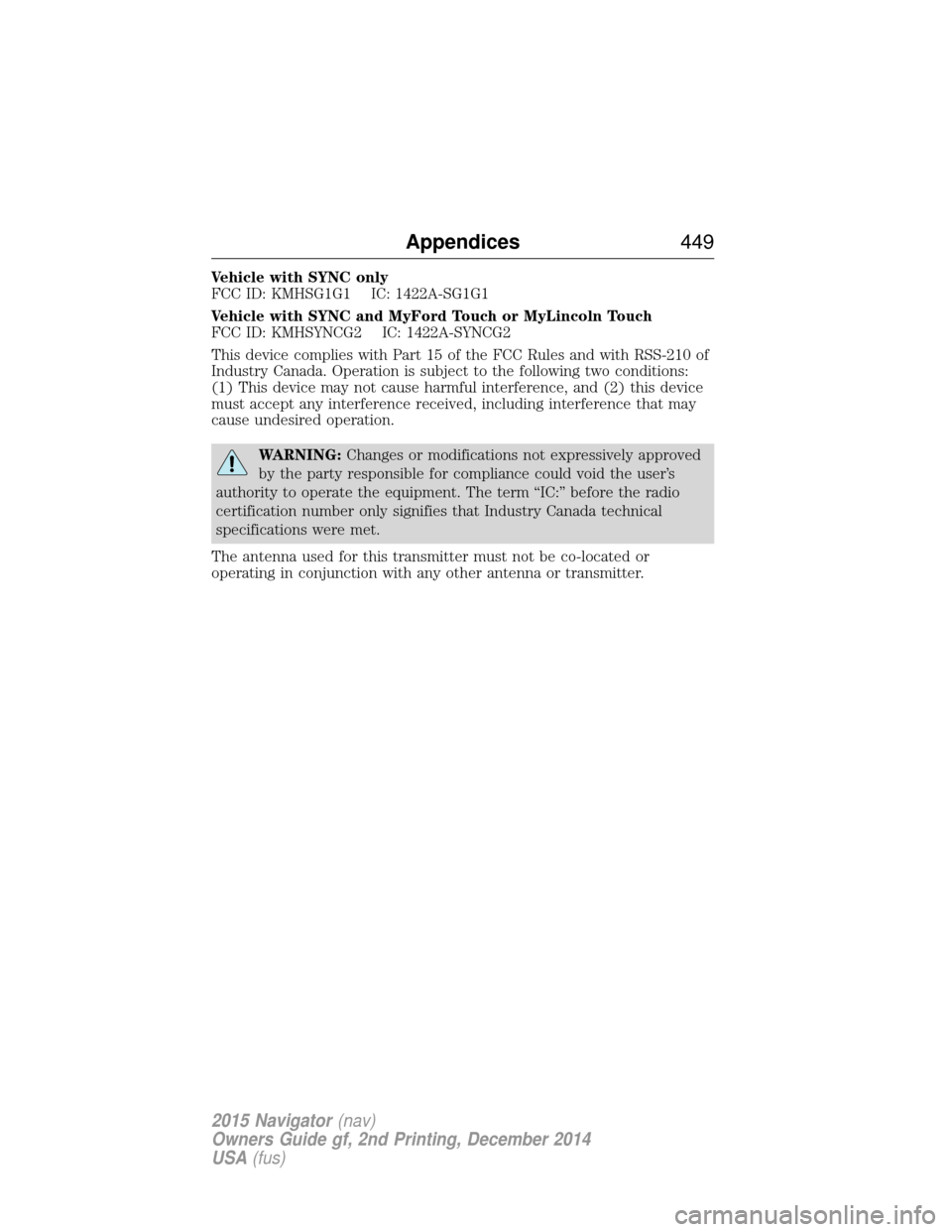
Vehicle with SYNC only
FCC ID: KMHSG1G1 IC: 1422A-SG1G1
Vehicle with SYNC and MyFord Touch or MyLincoln Touch
FCC ID: KMHSYNCG2 IC: 1422A-SYNCG2
This device complies with Part 15 of the FCC Rules and with RSS-210 of
Industry Canada. Operation is subject to the following two conditions:
(1) This device may not cause harmful interference, and (2) this device
must accept any interference received, including interference that may
cause undesired operation.
WARNING:Changes or modifications not expressively approved
by the party responsible for compliance could void the user’s
authority to operate the equipment. The term “IC:” before the radio
certification number only signifies that Industry Canada technical
specifications were met.
The antenna used for this transmitter must not be co-located or
operating in conjunction with any other antenna or transmitter.
Appendices 449
2015 Navigator(nav)
Owners Guide gf, 2nd Printing, December 2014
USA (fus)
Page 469 of 475
911 Assist™ ..............................398
A
ABS (see Brakes) .....................187
Accessing and using your USB
port ............................................378
Accessing your calendar ..........398
Accessory delay ..........................94
Adding (pairing) a phone ........385
Airbag supplemental restraint
system ..........................................45and child safety seats ..............47
description ................................45
disposal ......................................52
driver airbag ..............................45
passenger airbag .......................45
side airbag ...........................45, 47
Air cleaner filter .......276–277, 333
Air filter .............................277, 333
All Wheel Drive (AWD),
driving off road .........................179
Ambient mood/lighting .............405
Ambulance packages ..................14
AM/FM .......................................366
Antifreeze
(see Engine coolant) ................267
Anti-lock brake system
(see Brakes) ..............................187
Anti-theft system ..................76–77 arming the system ..............76–77
disarming a triggered system ..77
Audio system Single CD ................................343 Audio system (see Radio) .......343
Automatic transmission
driving an automatic
overdrive .................................172
fluid, adding ............................271
fluid, checking ........................271
fluid, refill capacities ..............328
fluid, specification ..................328
Selectshift (SST) ....................175
Auxiliary Input Jack .................375
Auxiliary powerpoint ................152
A/V inputs ..........................351, 382
Axle lubricant specifications ..........328
refill capacities ........................328
B
Battery .......................................273 acid, treating emergencies .....273
jumping a disabled battery ....244
maintenance-free ....................273
replacement, specifications ...333
servicing ..................................273
Blind Spot Information
System .......................................205
Booster seats ...............................30
Brakes ........................................187 anti-lock ...................................187
anti-lock brake system (ABS)
warning light ...........................187
brake warning light ................187
fluid, checking and adding ....272
fluid, refill capacities ..............328
fluid, specifications .................328
lubricant specifications ..........328
parking ....................................188
shift interlock ..........................176
trailer .......................................231
468 Index
2015 Navigator(nav)
Owners Guide gf, 2nd Printing, December 2014
USA (fus)
Page 471 of 475
Engine ........................................327cleaning ...................................286
coolant .....................................267
fail-safe cooling .......................270
idle speed control ...................273
lubrication specifications .......328
refill capacities ........................328
service points ..........................265
Engine block heater .................160
Engine oil checking and adding ..............266
dipstick ....................................266
filter, specifications ................333
refill capacities ........................328
specifications ..........................328
Event data recording ..................11
Exhaust fumes ..........................159
F
Fail safe cooling ........................270
Fleet MyKey programming ........60
Floor mats .................................238
Fluid capacities .........................328
Forward and reverse sensing
system ........................................197
Four-Wheel Drive vehicles .......179 description ..............................180
driving off road .......................181
indicator light .........................179
Fuel cap ...........................................166
capacity ...................................328
choosing the right fuel ...........163
filler funnel .............................164
filling your vehicle with fuel ..166
filter, specifications ................272
fuel pump shut-off ..................243
octane rating ...................164, 327 quality ......................................163
running out of fuel .................164
safety information relating to
automotive fuels .....................162
Fuel - flex fuel vehicle
(FFV) .........................................163
Fuses ..................................255, 260
G
Garage door opener ..................147
Gas cap (see Fuel cap) ............166
Gauges .......................................100
H
Hazard flashers .........................243
HD Radio™ ...............................367
Headlamps ...................................87 aiming ......................................279
autolamp system .................88–89
bulb specifications ..................282
checking alignment ................279
daytime running lights .............89
flash to pass ..............................87
high beam .................................87
replacing bulbs .......................281
turning on and off ....................87
Head restraints .........................129
Heated steering wheel ..............415
Heating ......................................122
Help ............................................414
Hill descent mode .....................194
Hill start assist ..........................188
Homelink wireless control
system ........................................147
Hood ..........................................264
470 Index
2015 Navigator(nav)
Owners Guide gf, 2nd Printing, December 2014
USA (fus)
Page 473 of 475
N
Navigation features ...................418
Navigation voice commands ....428
Notifications ..............................398
O
Octane rating ............................164
P
Pairing other phones ................385
Pairing your phone ...................385
Pairing your phone for the first
time ............................................385
Parental MyKey programming ...60
Parking brake ............................188
Parts
(see Motorcraft® parts) ..........333
Phone settings ..................389, 411
Phone voice commands ............390
POI categories ...........................420
Point of Interest (POI) .............420
Power deployable running
boards ........................................222
Power distribution box
(see Fuses) .......................255, 260
Power door locks ........................67
Power liftgate ..............................70
Power mirrors .............................94
Powerpoint ................................152
Power steering ..........................210fluid, checking and adding ....272
fluid, refill capacity ................328
fluid, specifications .................328 Power Windows ...........................93
Privacy information ..................358
Push button start system .........156
Q
Quick touch buttons .................427
R
Radio ..........................................343
AM/FM .....................................366
Single CD ................................343
Radio reception .........................341
Radio voice commands .............371
Rear heated seats .....................143
Rear view camera display..198, 406
Rear window defroster .............122
Receiving a text message .........388
Recommendations for
attaching safety restraints for
children ........................................18
Relays ........................................255
Remote entry system illuminated entry ................69–70
locking/unlocking doors ...........67
replacing the batteries .............55
Remote start climate
operation ...................................127
Roadside assistance ..................241
Roll stability control .................192
Roof rack ...................................213
Route preferences ....................422
S
Safety Belt Maintenance ............42
472 Index
2015 Navigator(nav)
Owners Guide gf, 2nd Printing, December 2014
USA (fus)
Page 474 of 475
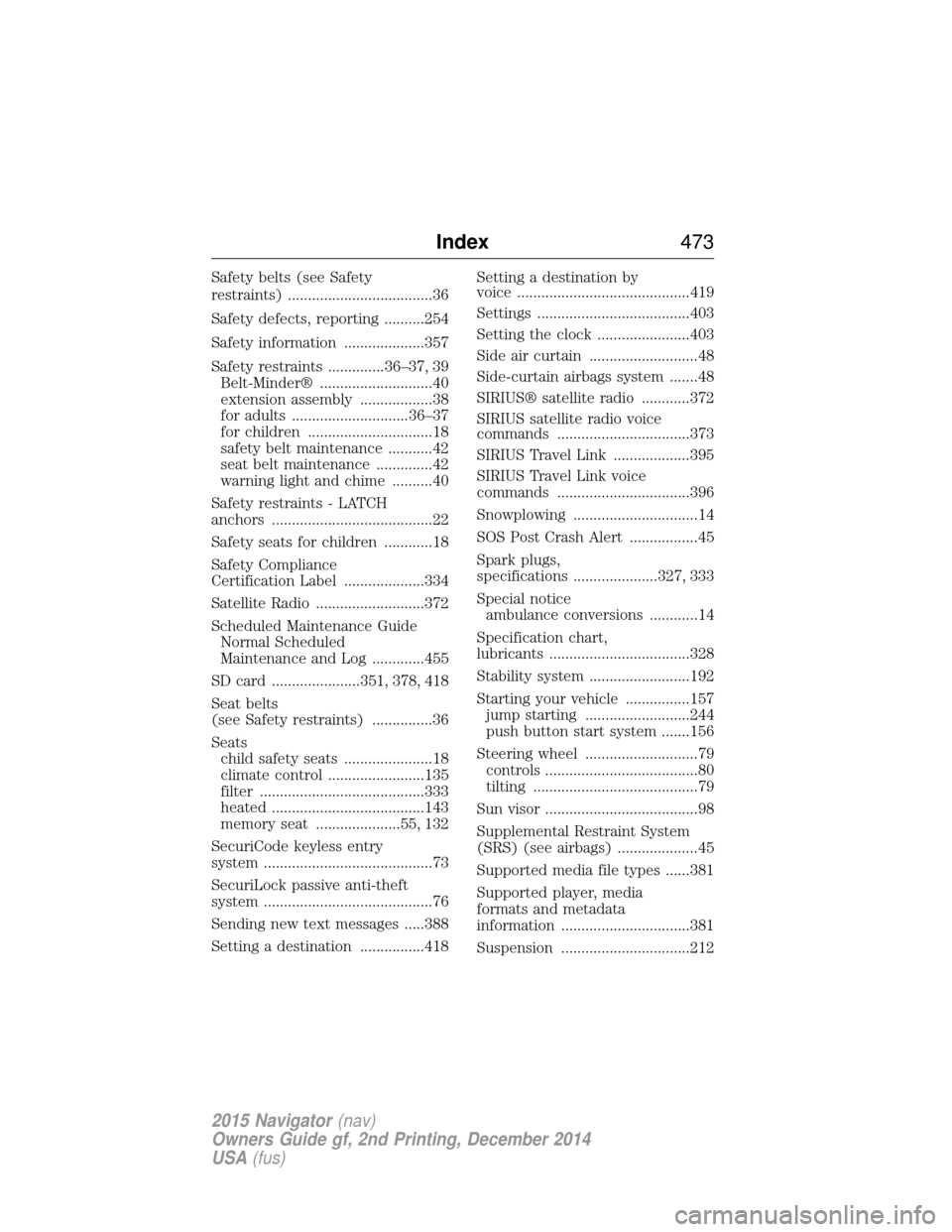
Safety belts (see Safety
restraints) ....................................36
Safety defects, reporting ..........254
Safety information ....................357
Safety restraints ..............36–37, 39Belt-Minder® ............................40
extension assembly ..................38
for adults .............................36–37
for children ...............................18
safety belt maintenance ...........42
seat belt maintenance ..............42
warning light and chime ..........40
Safety restraints - LATCH
anchors ........................................22
Safety seats for children ............18
Safety Compliance
Certification Label ....................334
Satellite Radio ...........................372
Scheduled Maintenance Guide Normal Scheduled
Maintenance and Log .............455
SD card ......................351, 378, 418
Seat belts
(see Safety restraints) ...............36
Seats child safety seats ......................18
climate control ........................135
filter .........................................333
heated ......................................143
memory seat .....................55, 132
SecuriCode keyless entry
system ..........................................73
SecuriLock passive anti-theft
system ..........................................76
Sending new text messages .....388
Setting a destination ................418 Setting a destination by
voice ...........................................419
Settings ......................................403
Setting the clock .......................403
Side air curtain ...........................48
Side-curtain airbags system .......48
SIRIUS® satellite radio ............372
SIRIUS satellite radio voice
commands .................................373
SIRIUS Travel Link ...................395
SIRIUS Travel Link voice
commands .................................396
Snowplowing ...............................14
SOS Post Crash Alert .................45
Spark plugs,
specifications .....................327, 333
Special notice
ambulance conversions ............14
Specification chart,
lubricants ...................................328
Stability system .........................192
Starting your vehicle ................157 jump starting ..........................244
push button start system .......156
Steering wheel ............................79 controls ......................................80
tilting .........................................79
Sun visor ......................................98
Supplemental Restraint System
(SRS) (see airbags) ....................45
Supported media file types ......381
Supported player, media
formats and metadata
information ................................381
Suspension ................................212
Index 473
2015 Navigator(nav)
Owners Guide gf, 2nd Printing, December 2014
USA (fus)